iPhone 11 Pro Max Battery Cell Replacement
Preventing the "Important Battery Message" that arises from utilizing non-original batteries in iPhones is achievable through the transfer of the original battery's Battery Management System (BMS) to a replacement battery cell, which is a battery sold without its integrated BMS.This detailed procedure demonstrates how to carefully separate the BMS from the existing battery and subsequently attach it to a new battery cell, thereby ensuring full battery capacity and eliminating the error message.It's crucial to understand that the BMS contains data related to battery health; therefore, while the battery functions as new, the phone will continue to display the original battery's recorded health status.
Prior to iPhone 11 models, specialized device programmers were available to reset the battery's health percentage and cycle count; however, Apple implemented encryption to prevent this practice.
Apple has rendered reprogramming of this battery health data impossible through encryption, effectively blocking the ability to reset the health percentage and cycle count.The process involves meticulous disassembly of the original battery and precise installation of the BMS onto the replacement battery cell.Transplanting the BMS allows restoration of the battery's full operational capability while circumventing the appearance of the "Important Battery Message" associated with aftermarket battery usage.
Step 1 | Disassemble the old battery


Begin the process by peeling away the protective adhesive strip that obscures the Battery Management System.The Battery Management System is now exposed following the removal of the covering tape.Ensure the area is clean and free of debris after removing the tape from the BMS.
Step 2 | Remove the mylar tape

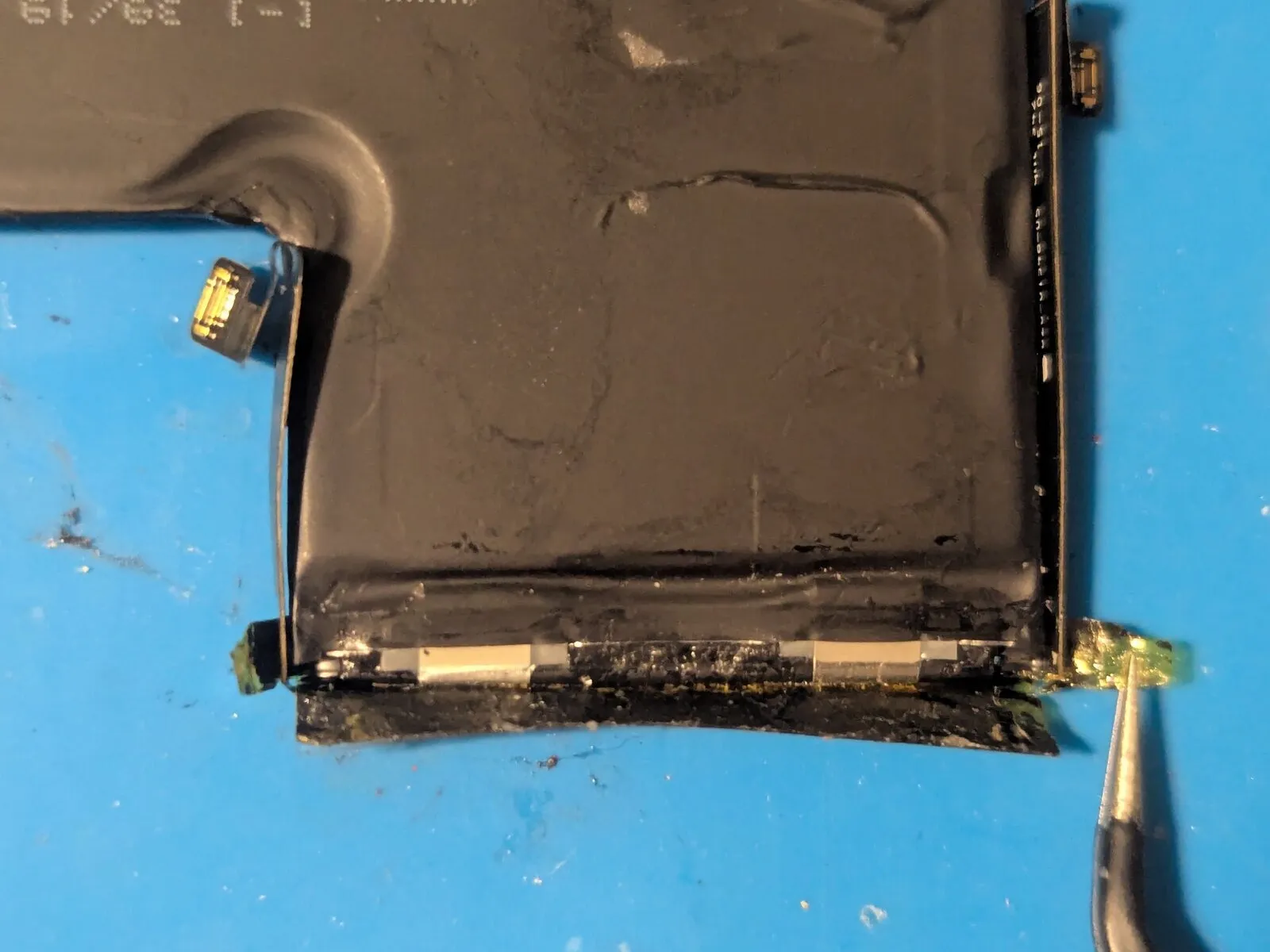
To access the internal components, lift the lateral panels.
Step 3


Remove the adhesive tape from the battery's reverse side.
Step 4 | Remove the protective cover


Detach the molded polymeric housing.
Step 5


- Carefully remove the protective packaging from the Battery Management System.The Battery Management System is now free from its shipping restraints.Ensure no residual packing materials remain near the BMS.
Step 6


- Carefully extend the Battery Management System.The BMS should be fully deployed for subsequent steps.Ensure complete expansion of the BMS component.
Step 7


- Completely detach the adhesive tape.
Step 8

- With the battery rotated, the anode and cathode terminal areas will become visible.The anode and cathode terminal strips are located on the underside of the battery.Observe the terminal strips to confirm proper orientation of the battery.
Step 9 | Cut the BMS from the battery


- To detach the battery management system, carefully separate the terminal strips using appropriate cutting tools.
- Employing ceramic scissors is the optimal method for this task; however, standard scissors may be utilized with careful handling.To prevent a dangerous short circuit and potential battery explosion, sever each terminal individually, making cuts from the side rather than across the cell's width.
- Ensure proper and environmentally responsible disposal of the discarded battery.
Step 10 | Rebuild the battery

A replacement battery component is required.
Step 11 | Set the BMS in place


- Following the removal of any superfluous terminals from the battery management system (BMS) connectors, position the BMS unit atop the battery cell.
- Bend the terminal strips to make contact with the corresponding connection points on the BMS.
Step 12 | Weld the BMS to the battery cell terminals


- Secure the terminals to the battery management system using spot welds.
- Remove any unnecessary portions of the terminal strips with a cutting tool.
- While spot welding provides the optimal connection for the terminal strips, soldering is an acceptable alternative, provided that heat transfer to the battery cell is minimized to prevent damage.
Step 13 | Install the protective cover

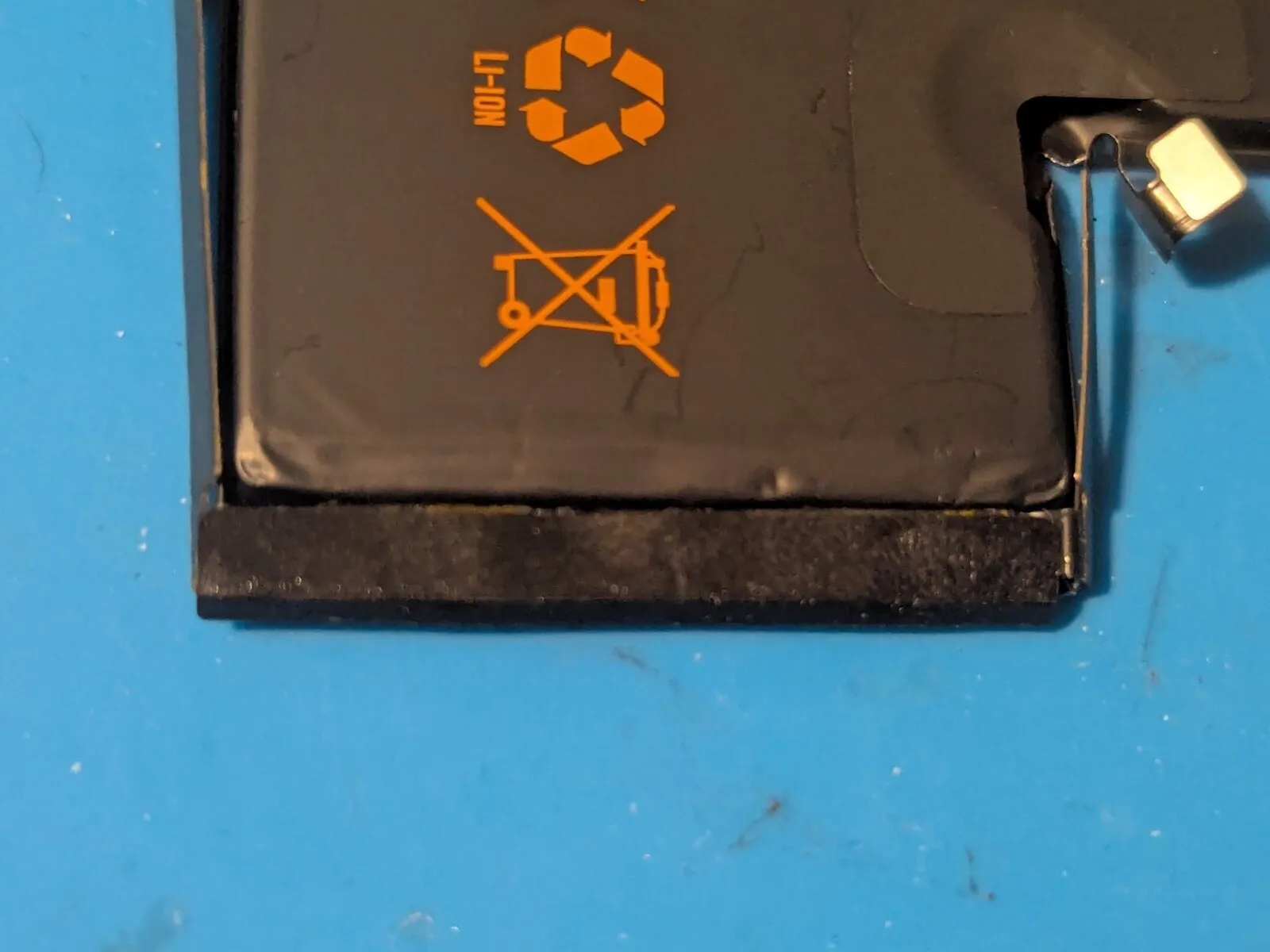
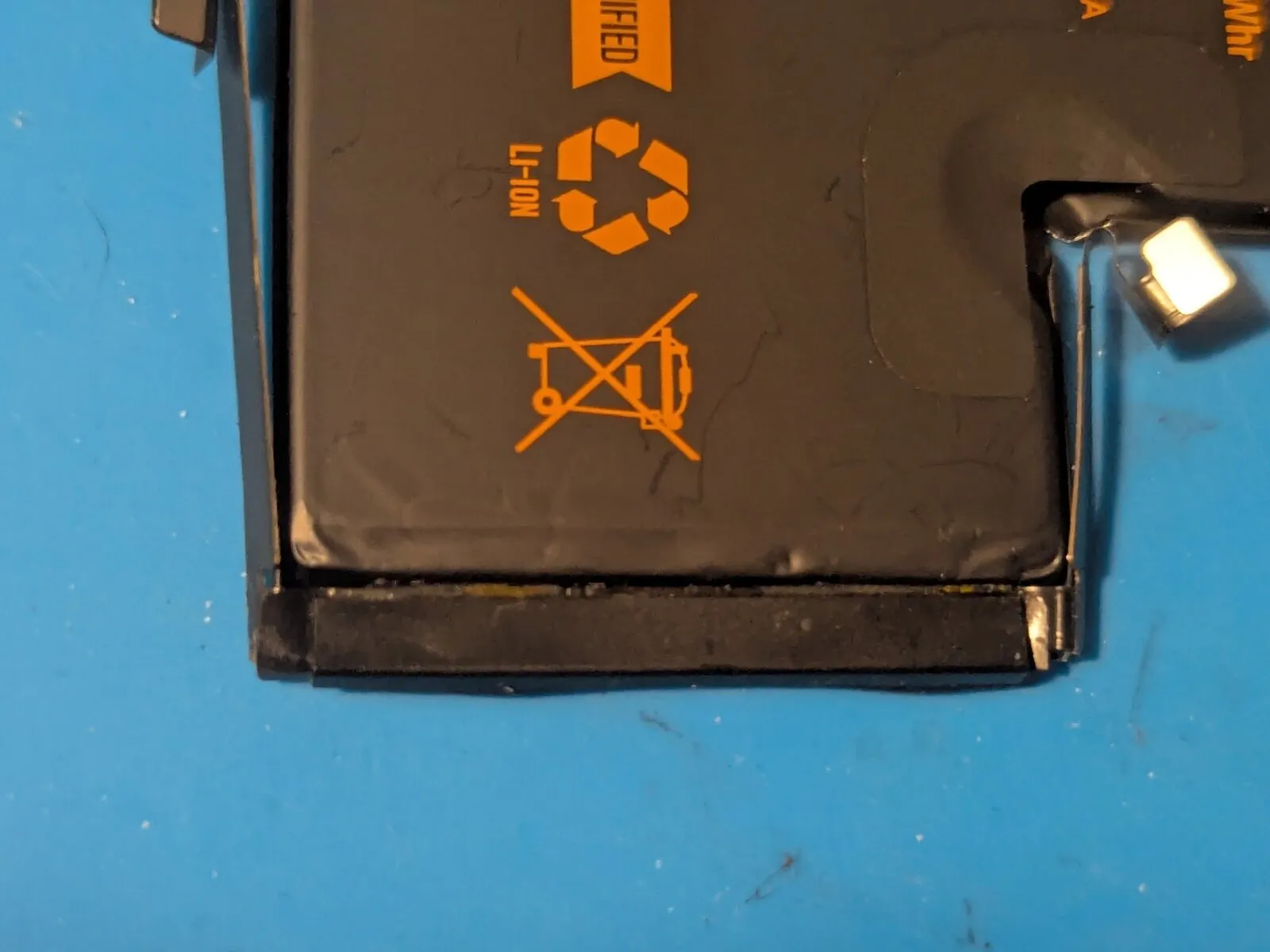
- Secure the double-sided adhesive material to the battery management system's surface.Remove the backing layer from the adhesive tape to expose the bonding surface.Affix the tape to the plastic cover, ensuring proper alignment.
- The double-sided tape provides a secure attachment between components.
- This method avoids mechanical fasteners and maintains a clean installation.
Step 14 | The outer covering

Step 15 | Install the outer covering


- Adhere the provided sticker to the reverse side of the battery, ensuring alignment with the illustrated example.
- Reorient the battery to its original face and secure the upper portion over the protective plastic cover.
- Raise the lateral edges to complete the assembly.
Step 16
