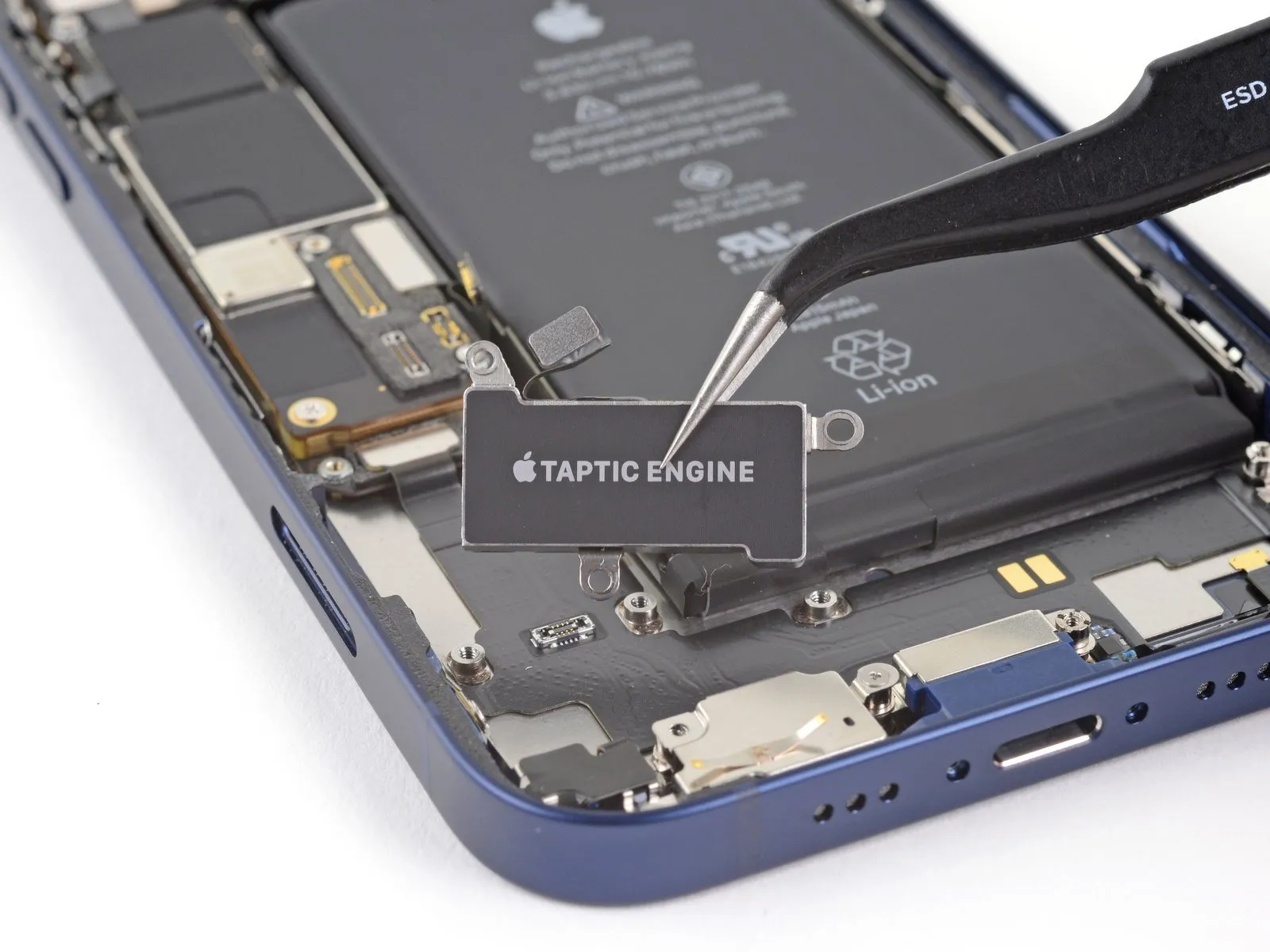
iPhone 12 Taptic Engine Replacement
The iPhone 12 utilizes a Taptic Engine component to generate both vibration alerts and nuanced haptic feedback sensations.This detailed repair procedure outlines the steps necessary for the removal and subsequent replacement of the Taptic Engine.The Taptic Engine is responsible for delivering the tactile responses experienced during interactions with the device's display.Carefully adhering to the instructions provided is essential for a successful repair of the Taptic Engine within the iPhone 12.Successful completion of this repair requires careful handling of the Taptic Engine, a critical component for the iPhone 12's sensory feedback.
Step 1 | Eject the SIM card tray
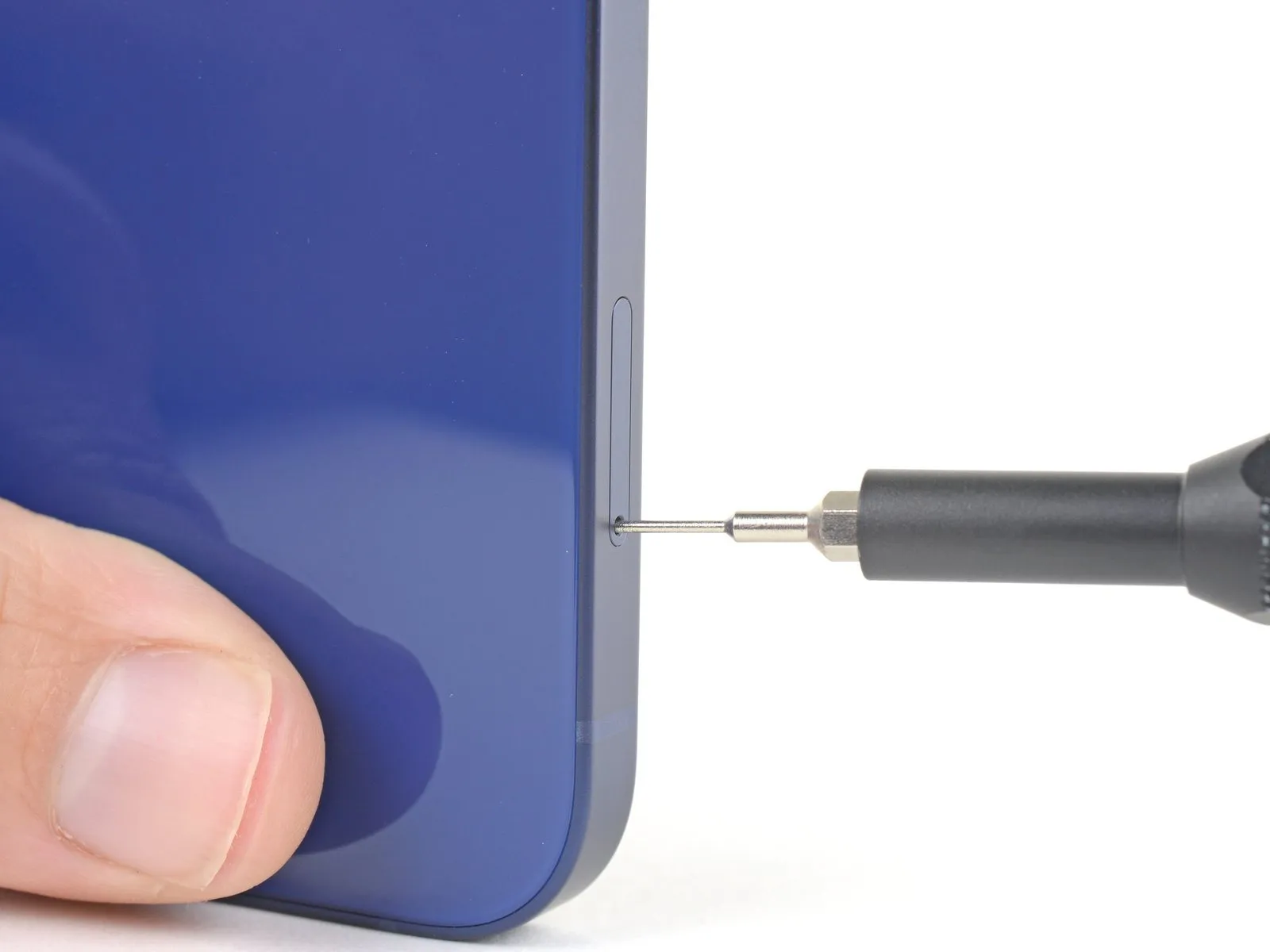
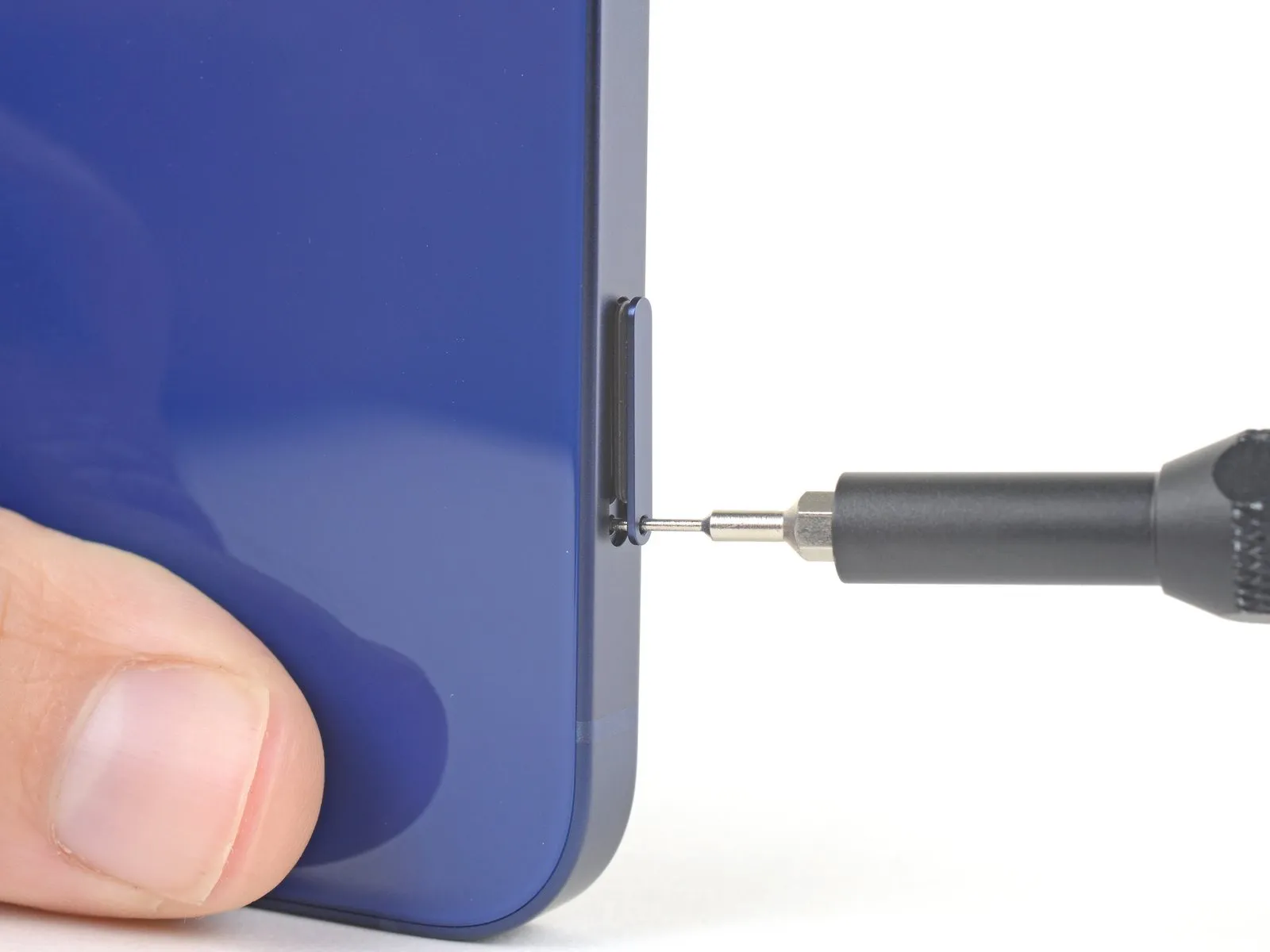
- Ensure a secure grip on the tray once it is ejected, to prevent loss or damage.
Step 2 | Remove the SIM card tray
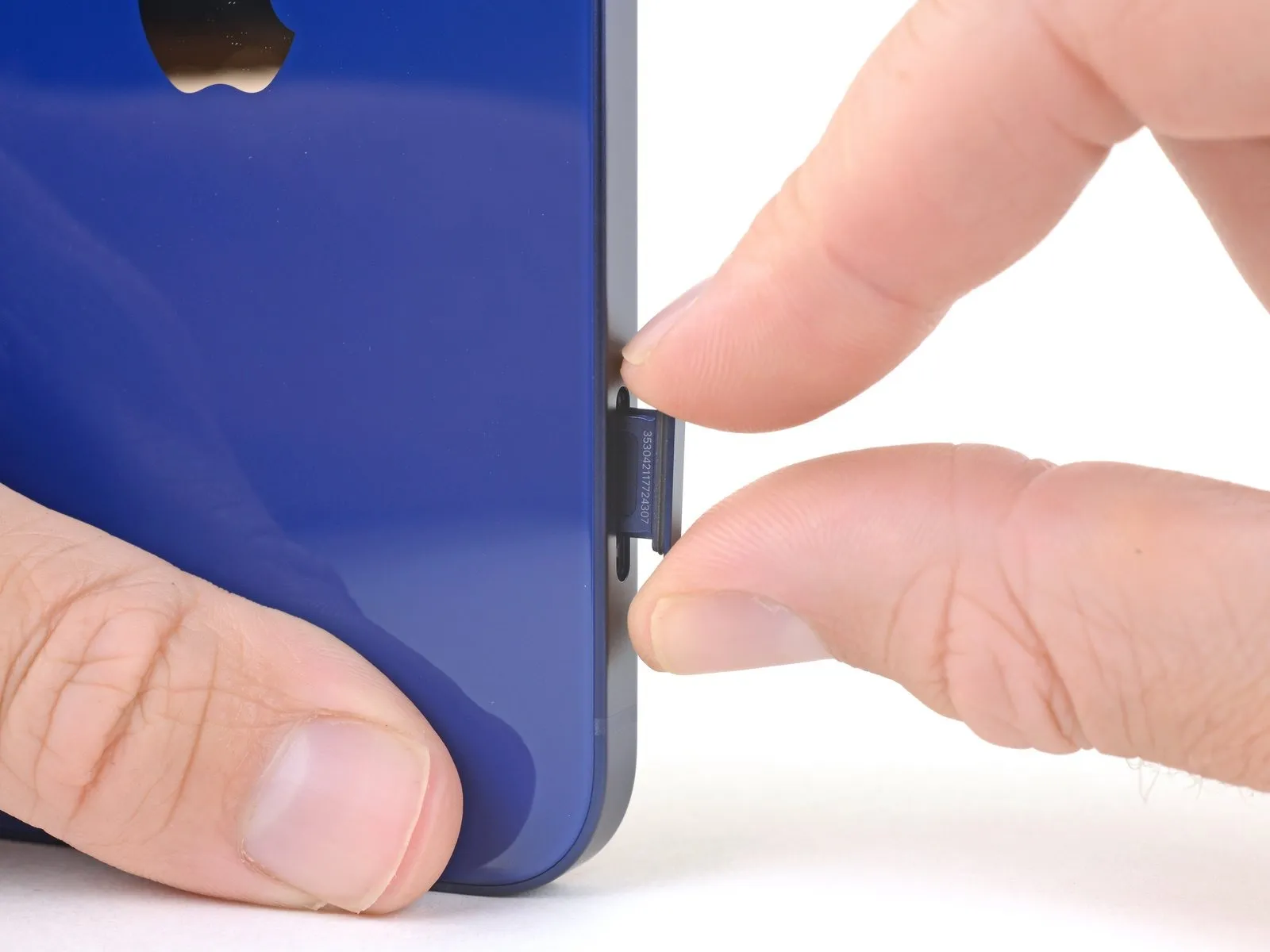
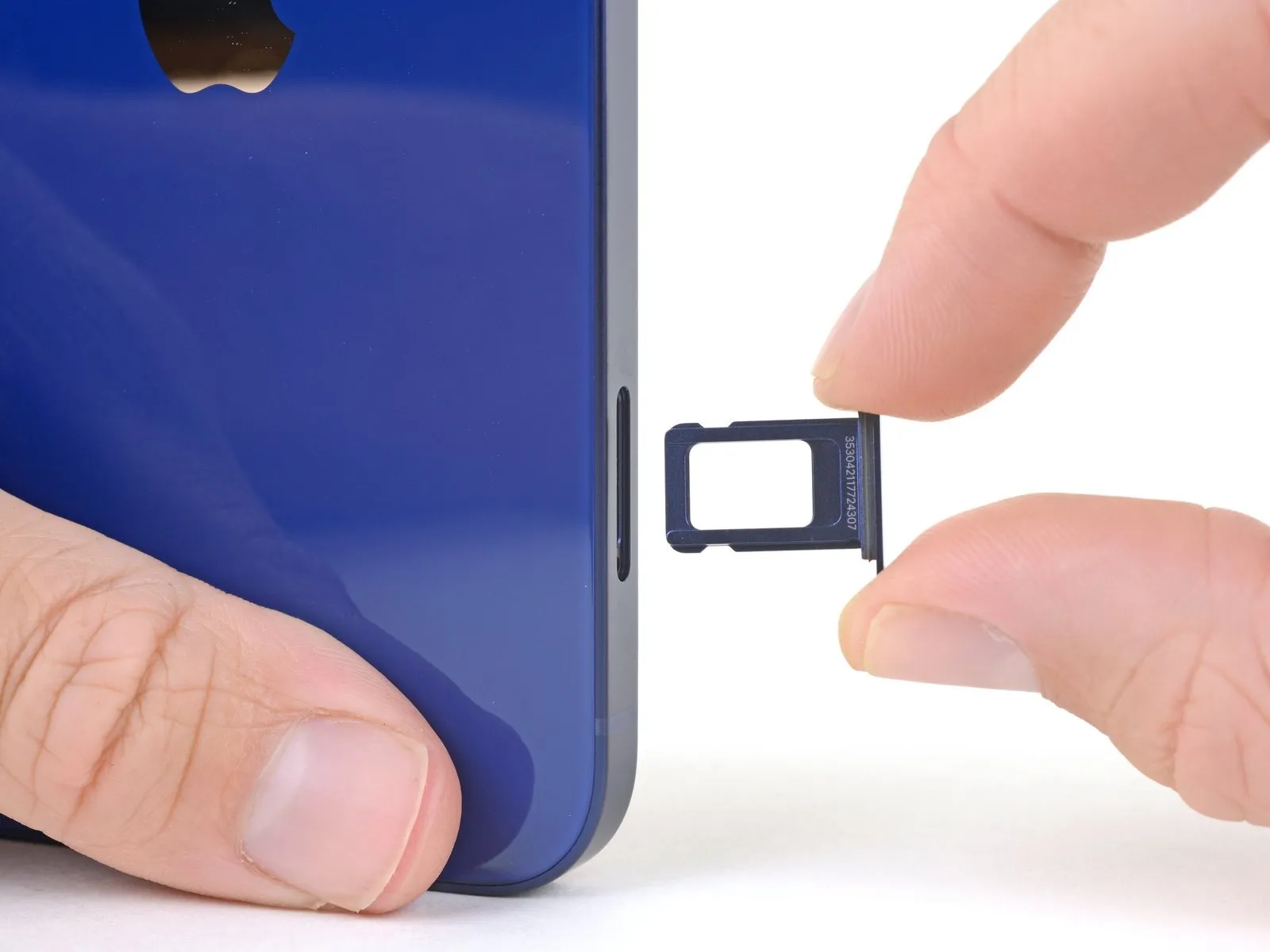
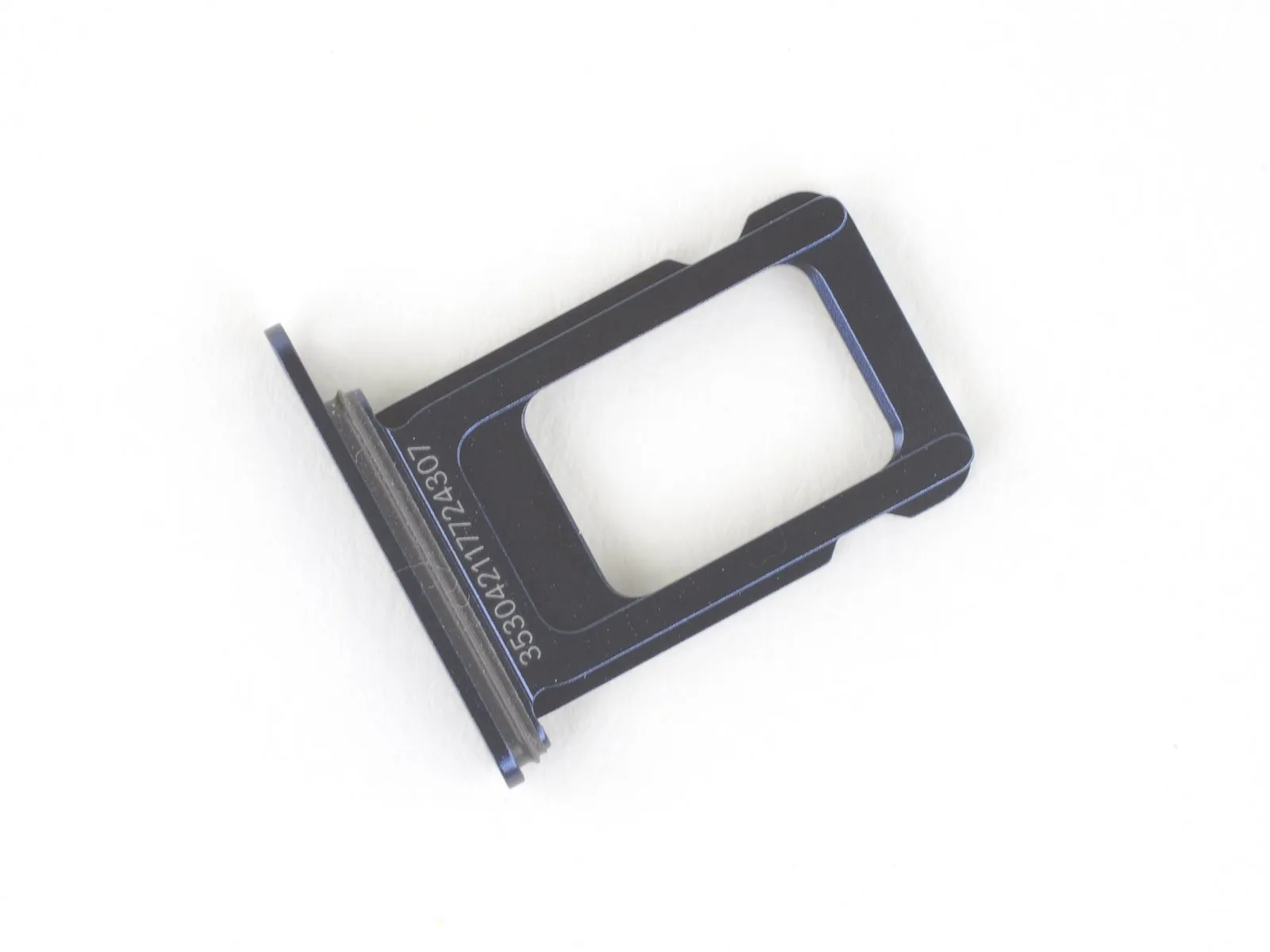
Should this seal become compromised or absent, substitution of the seal or the entire SIM tray is necessary to prevent damage to the iPhone's internal electronics.
Damage to the gasket can expose the iPhone's internal components to environmental hazards.
Maintaining the integrity of this gasket is crucial for preserving the iPhone's water and dust resistance.
Step 3 | Remove the pentalobe screws
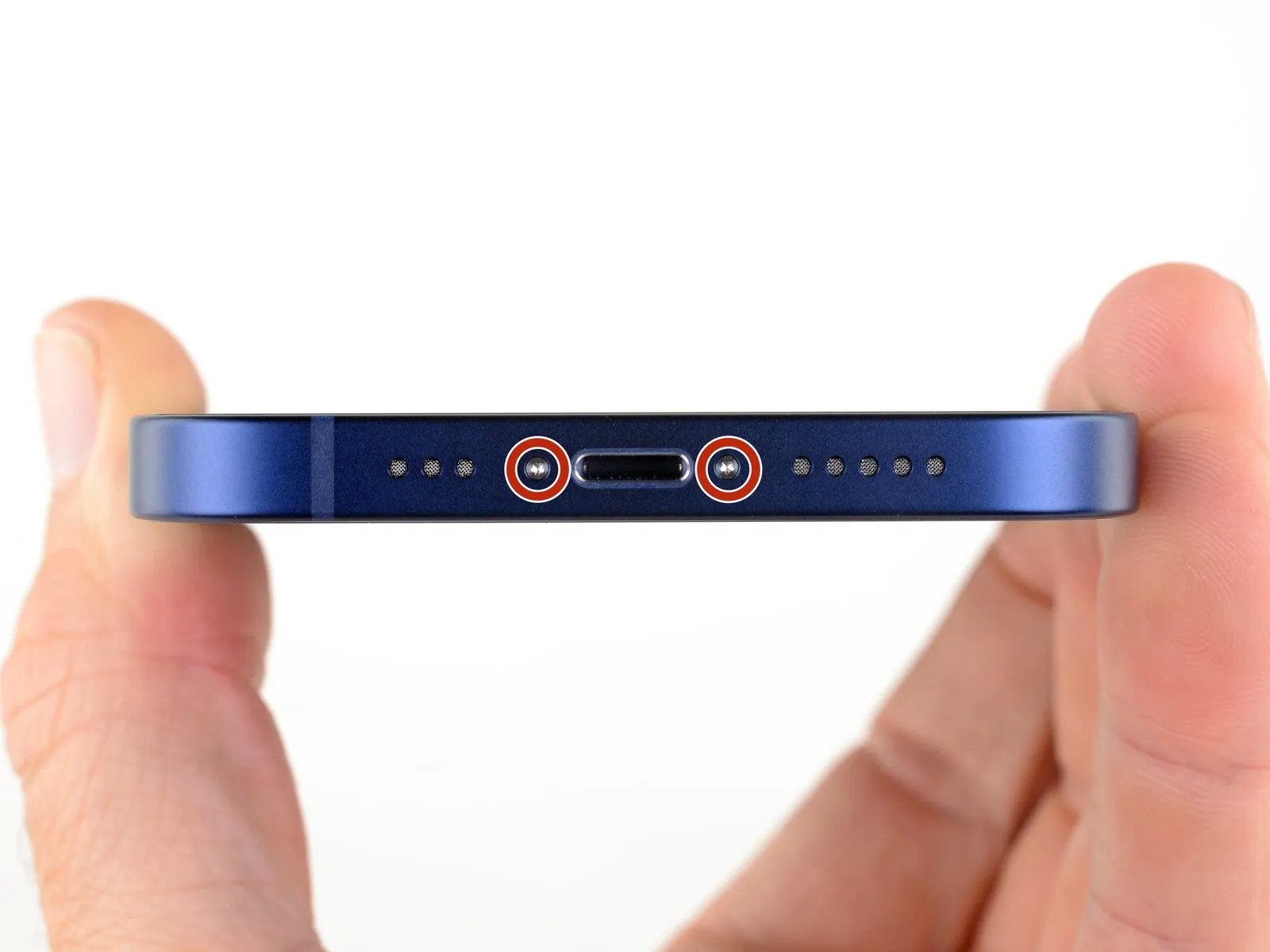
Utilize a screwdriver to extract the two pentalobe screws, each measuring 6.75 mm in length.
These screws are located along the lower edge of the device's casing.Separating the display assembly from the chassis will irreversibly damage the iPhone's water resistance.Procure replacement waterproof seals beforehand, or ensure meticulous avoidance of moisture if reusing the original seals during reassembly.
Failure to heed this warning could result in permanent water damage to the internal components.
Step 4 | Mark your opening picks


- Using a measuring tool, determine a distance of precisely 3 millimeters.Indicate the 3-millimeter point on the separation tool's tip with a durable, permanent marker.For enhanced precision, consider marking the tool's other corners with varying measurement distances.
- As an alternative method, securely affix a coin to the separation tool's tip, positioning it 3 millimeters from the end.
- This marking ensures the separation tool is inserted to the correct depth, preventing potential harm.
Step 5 | Tape over any cracks


- Always utilize safety glasses to guard your eyes from any loose glass particles that may dislodge during the repair procedure.
- Should the suction cup fail to adhere properly in subsequent steps, create a handle from a robust piece of tape, like duct tape, to carefully lift the screen.
- As a last resort, if adhesion problems persist, consider using superglue to temporarily secure the suction cup to the iPhone's display.
- Containing shattered glass and safeguarding against physical harm are crucial precautions when dealing with a damaged iPhone screen.
Step 6 | Anti-Clamp instructions


- Detailed guidance regarding the Anti-Clamp's operation can be found in a separate, comprehensive instructional document.
- To release the Anti-Clamp's gripping arms, retract the blue handle towards the rear.
- Position the arms across either the left or right side of the iPhone's frame.
- Place the suction cups in close proximity to the iPhone's lower edge, ensuring one is situated on the front surface and the other on the rear.
- Apply pressure by compressing the cups together, establishing a secure vacuum seal on the intended area.
- Should the iPhone's surface exhibit excessive slipperiness, hindering the Anti-Clamp's ability to maintain adhesion, applying adhesive tape can enhance the grip.
Step 7


- Rotate the handle a full 360-degree circle, or continue until the suction cups exhibit signs of deformation.
- Maintain proper axial correspondence between the suction cups; should misalignment occur, slightly release the suction cups and reposition the arm components.
Step 8


- Employ a hair dryer to apply warmth to the iPhone’s lower edge; the surface temperature should reach a point where it feels uncomfortably warm to the touch.
- Refer to a dedicated guide for detailed instructions regarding the proper utilization of a hair dryer.
- Allow a sixty-second interval to permit the adhesive to soften and create a discernible separation.
- Once a noticeable gap appears, carefully slide an opening pick beneath the screen’s plastic frame.
- Should the Anti-Clamp fail to generate a sufficient separation, increase the heat application to the area and rotate the handle incrementally by ninety degrees.
- Avoid rotating the handle beyond a ninety-degree increment at any point, and observe a sixty-second pause between each rotation, allowing the Anti-Clamp and time to effectively loosen the adhesive.
Step 9 | Heat the bottom edge

- Employ a hair dryer or heat gun to warm the lower perimeter of the iPhone.Continue applying heat until the display surface reaches a temperature that is marginally uncomfortable to the touch.
- Avoid prolonged, localized heat application with the hair dryer to prevent damage.This precaution ensures uniform heating and minimizes the risk of component stress.
Step 10 | Apply a suction cup
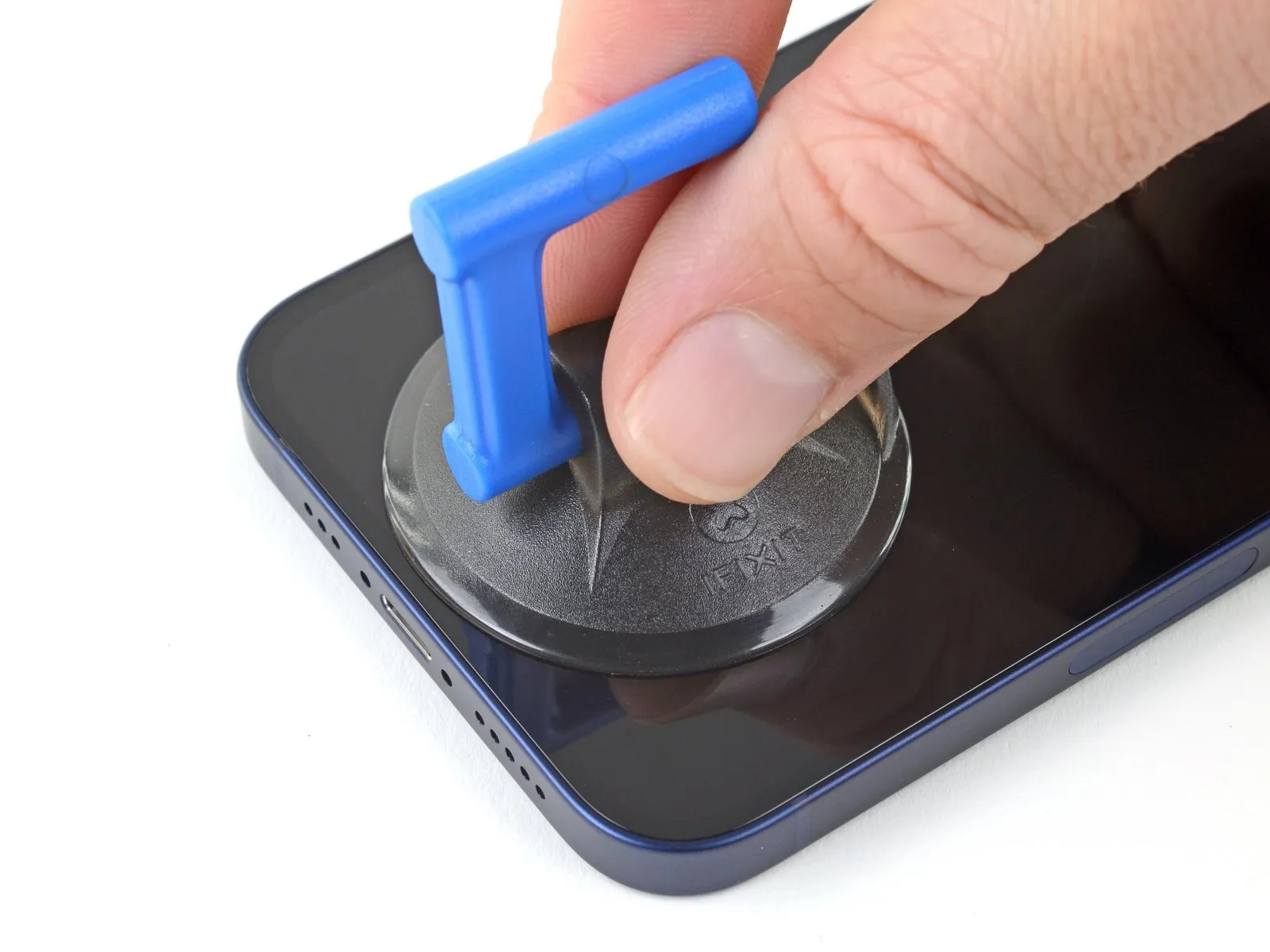
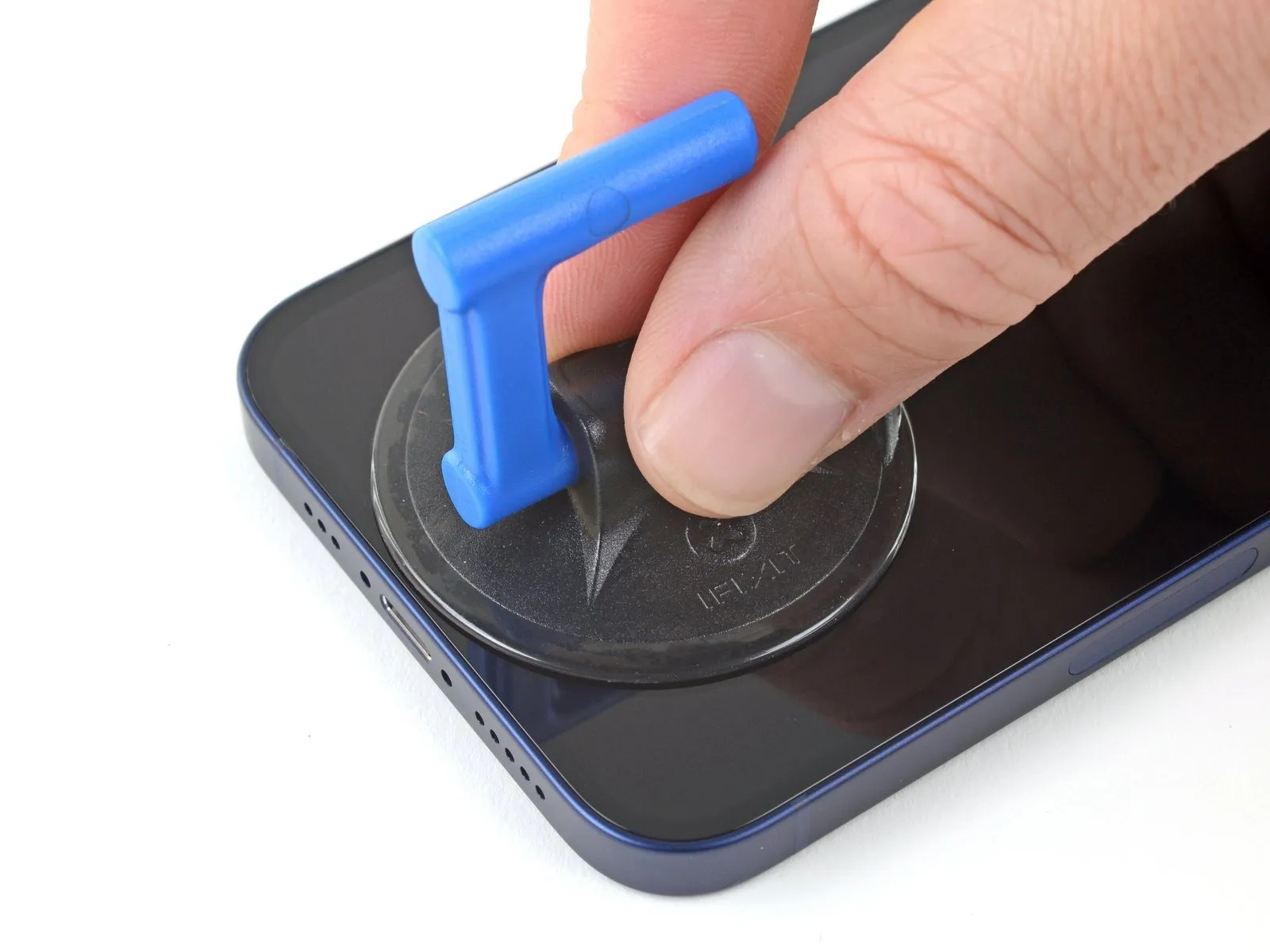
- When employing a solitary suction handle, position it against the phone's lower border, ensuring it remains clear of the glass perimeter.To prevent damage, maintain a distance from the outermost glass edge during suction handle application.
Step 11 | Lift the screen slightly
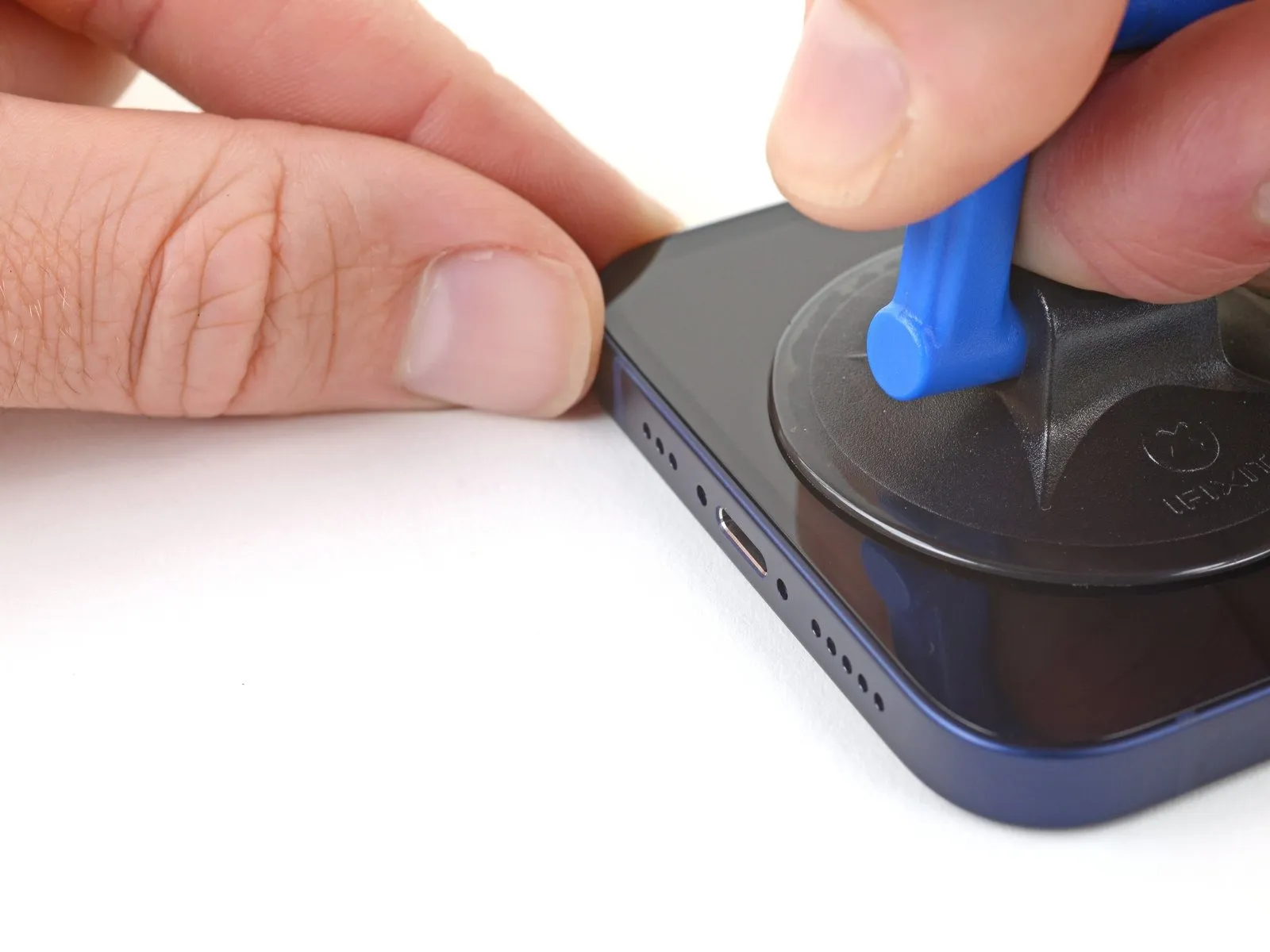
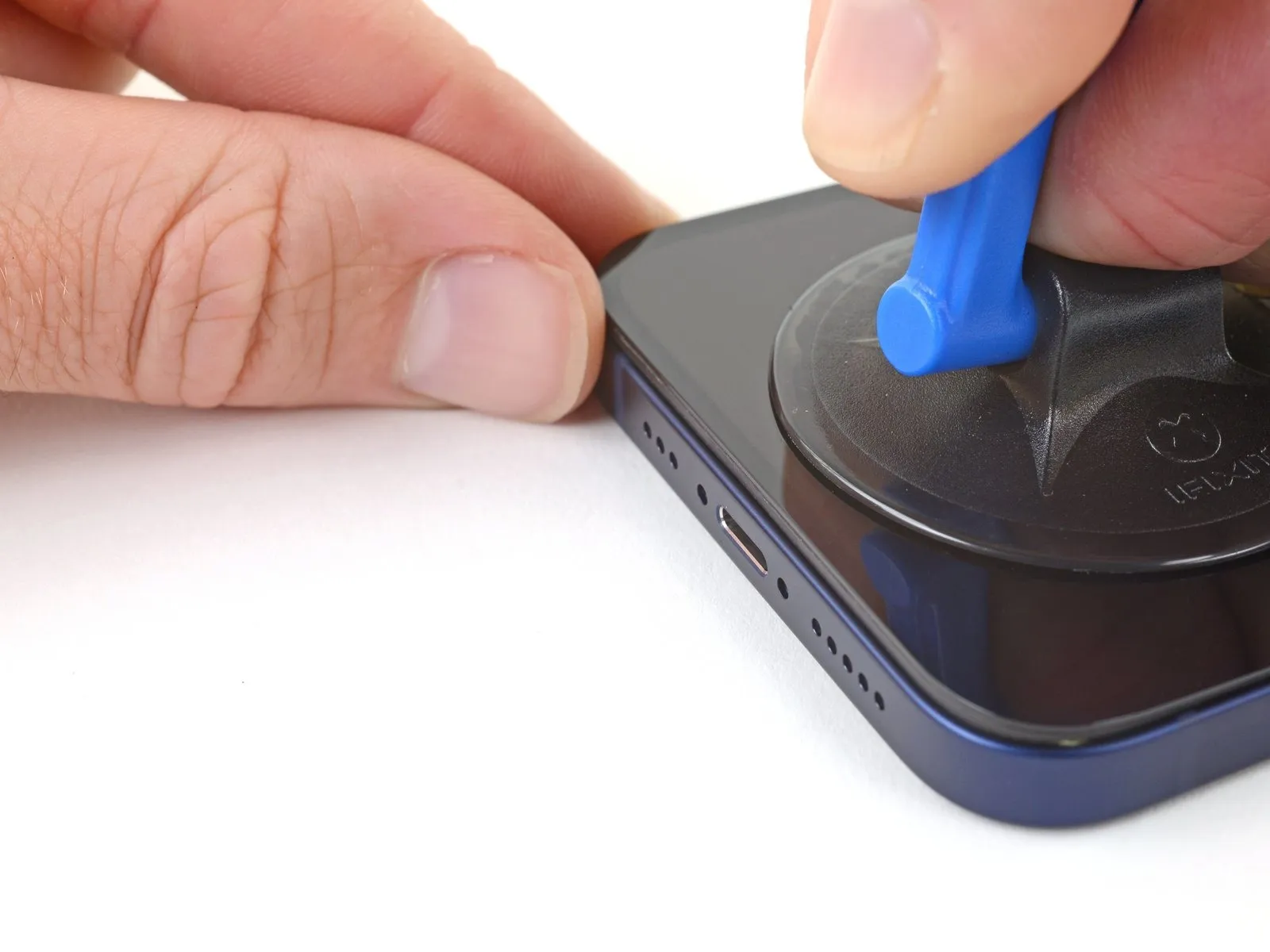
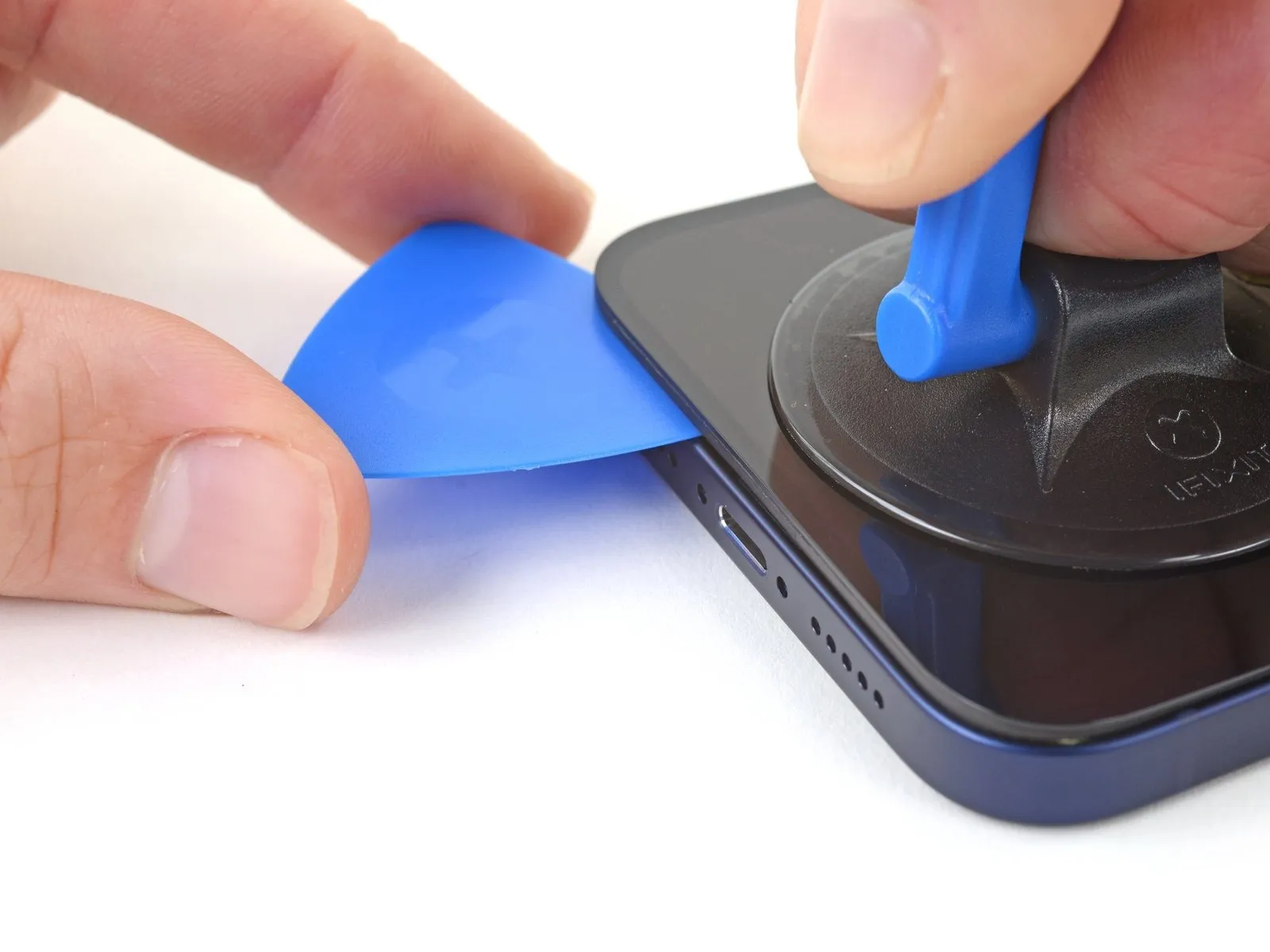
- Begin by applying steady, consistent upward force to the suction cup to generate a small separation between the display assembly and the device's surrounding structure.
- Carefully slide a specialized opening tool into the newly formed space located between the display and the protective plastic border; ensure the tool does not contact the display surface directly.
- Prioritize placement of the opening tool beneath the substantial plastic border to mitigate potential damage to the delicate display panel, verifying a visible separation and confirming the tool moves freely without obstruction.
- The robust, waterproof sealant securing the display requires considerable effort to initially disengage; if separation proves difficult, apply localized heat and gently oscillate the display to reduce adhesive strength until a sufficient gap is achieved.
- Successfully establishing this initial separation necessitates a significant amount of force due to the powerful adhesive bond that secures the display within the frame.
Step 12 | Separate the bottom edge adhesive


- Proceed to step 12.
- Ensure the initial insertion of the opening pick remains within a 3-millimeter depth from the lower border.
- Employ a reciprocating motion of the pick across the lower edge to sever the adhesive bond.
- Maintain the pick's position within the lower-right corner to inhibit adhesive re-adhesion.
Step 13 | Heat the right edge


- The application of heat should be targeted to loosen the adhesive securing the display assembly, ensuring caution to avoid excessive temperatures that could damage internal components.
Step 14 | Separate the right adhesive
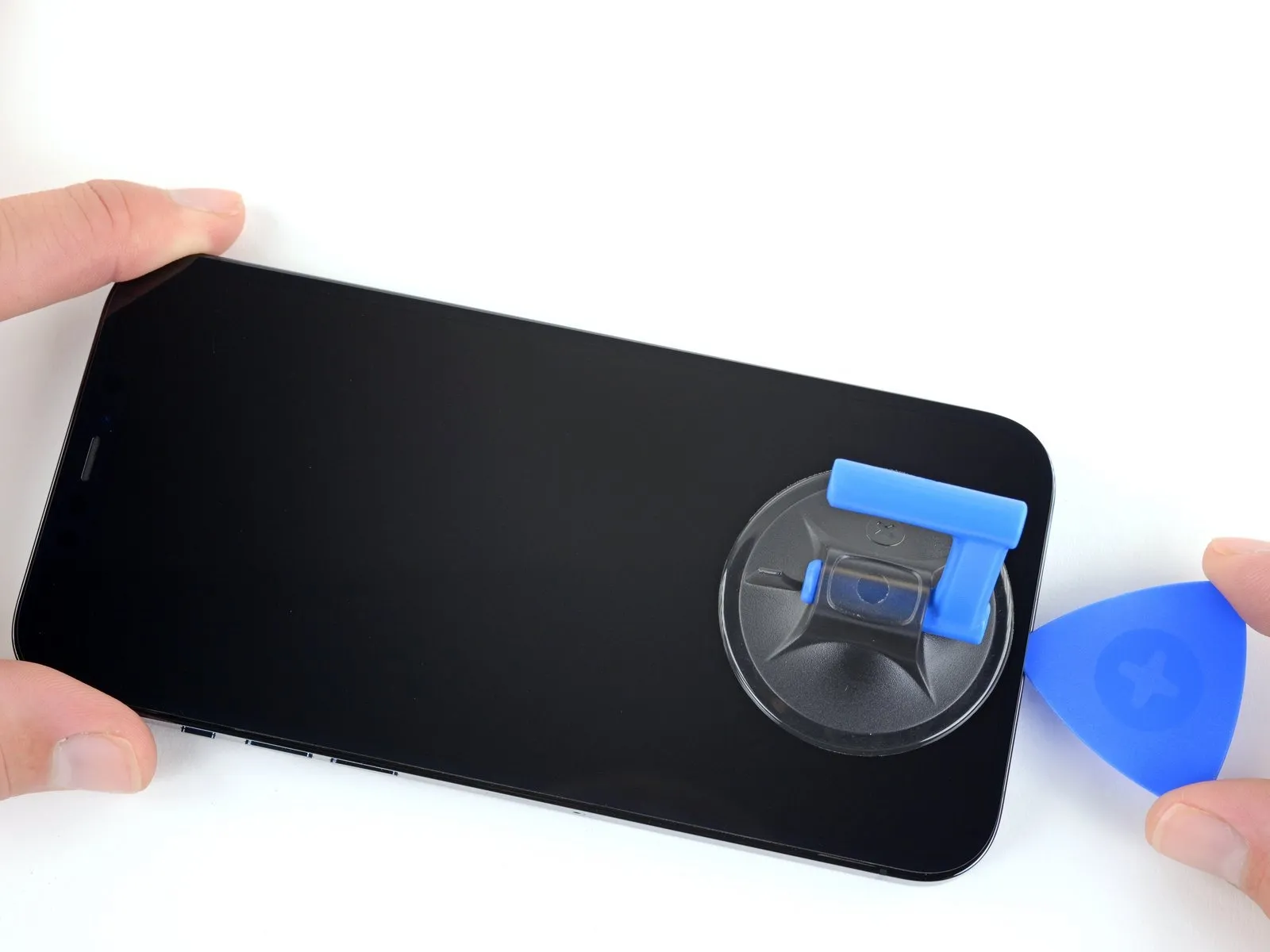


- Advance the tool along the right-hand side of the device’s exterior, moving in an upward direction.
- Maintain a maximum insertion depth of 3 millimeters for the prying tool to prevent potential harm to the internal electronics.
- Secure the tool's position at the upper-right corner of the iPhone’s casing before proceeding with subsequent steps.
- The adhesive bond between the iPhone’s components is released through the movement of the opening pick.
Step 15 | Heat the top edge

- Applying warmth with a hair dryer to the iPhone's superior edge facilitates screen separation by slightly raising its temperature.
Step 16 | Separate the top adhesive


- Employ an opening pick to release the adhesive securing the iPhone's upper-right edge by carefully sliding it into the seam.
- To prevent potential harm to the proximity and other sensors located at the top of the device, ensure the pick's insertion depth remains below 3 millimeters.
- Maintain the pick's position within the top-left corner of the iPhone's enclosure prior to proceeding with subsequent repair steps.
Step 17 | Heat the left edge


Apply warmth to the left side of the iPhone's display using a hair dryer, continuing until the surface reaches a temperature just beyond comfortable touch.
Step 18 | Separate the left adhesive
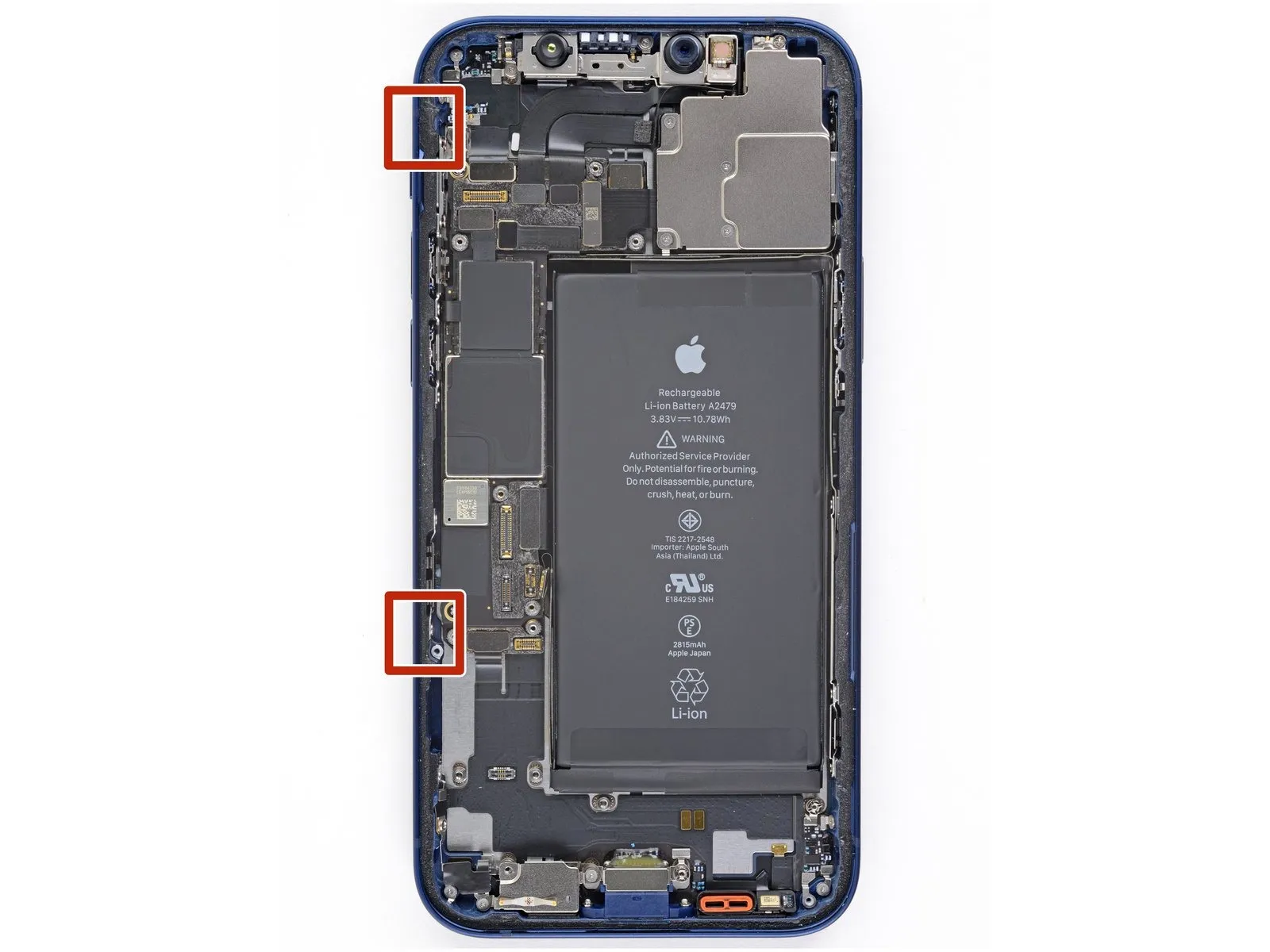


- To prevent potential harm to the two screen cables, ensure the opening of your prying tool does not exceed a depth of 2 millimeters along the left side.Employ a rotational motion with your prying tool, focusing on the upper-left corner of the display assembly.Employ a sliding action along the left edge of the screen using your prying tool to release the adhesive bond.
- Should difficulties arise in separating the adhesive layer, applying heat to the left edge may facilitate the process.
- The adhesive must be fully disengaged using the prying tool to prevent damage to internal components.
- Carefully maneuver the prying tool to avoid contact with the delicate cables that connect the display to the device's mainboard.
Step 19 | Open the iPhone
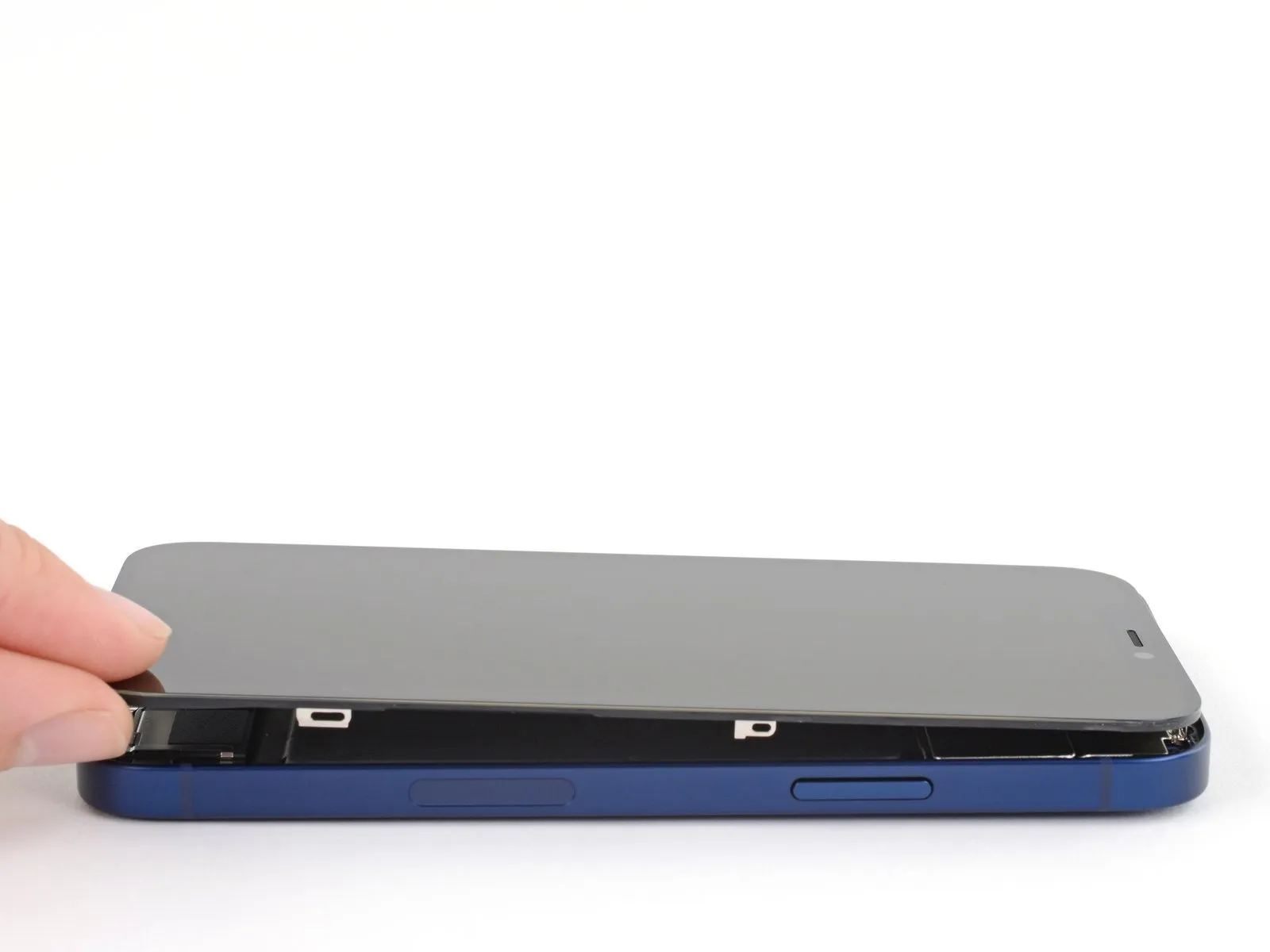
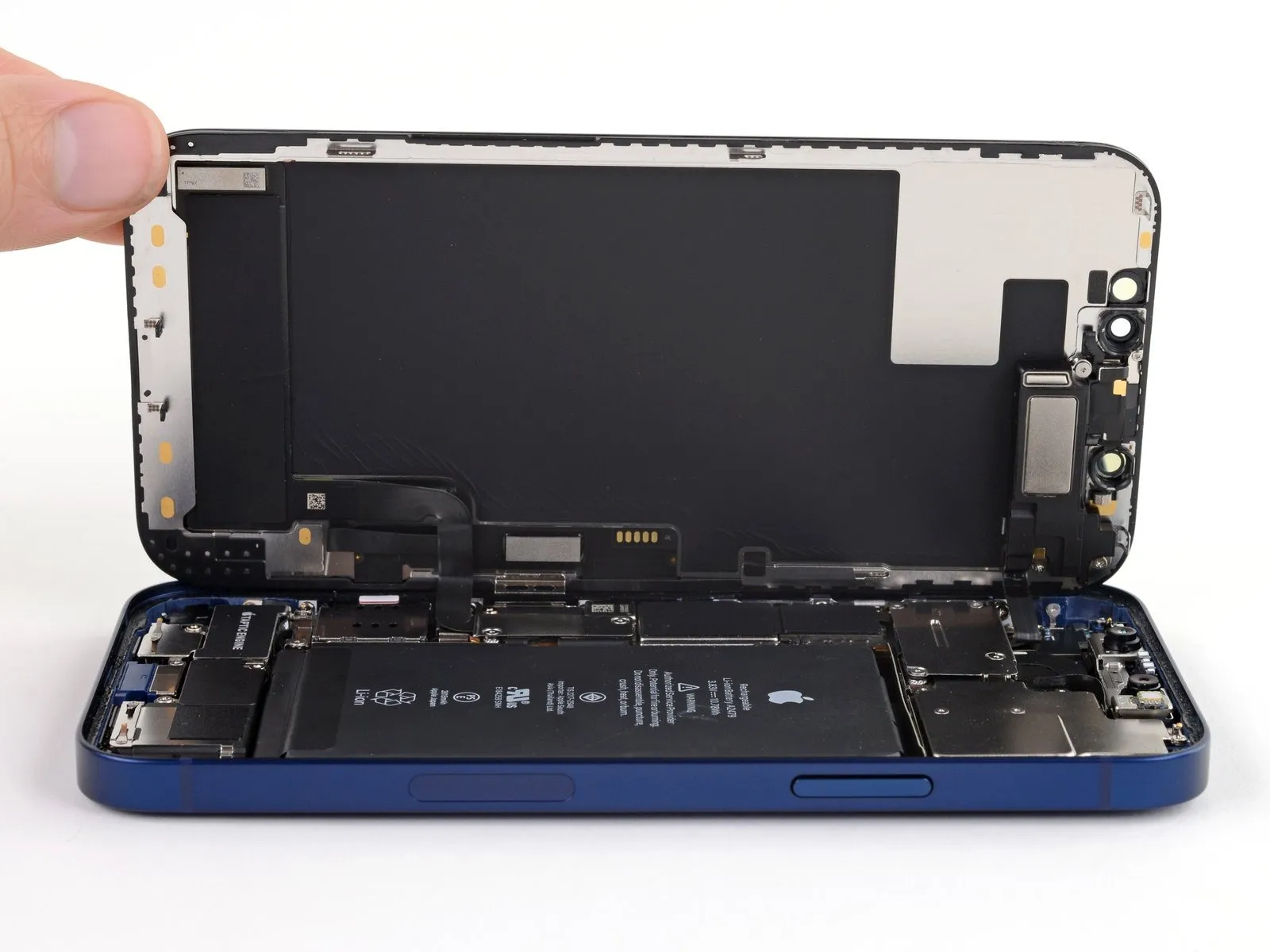
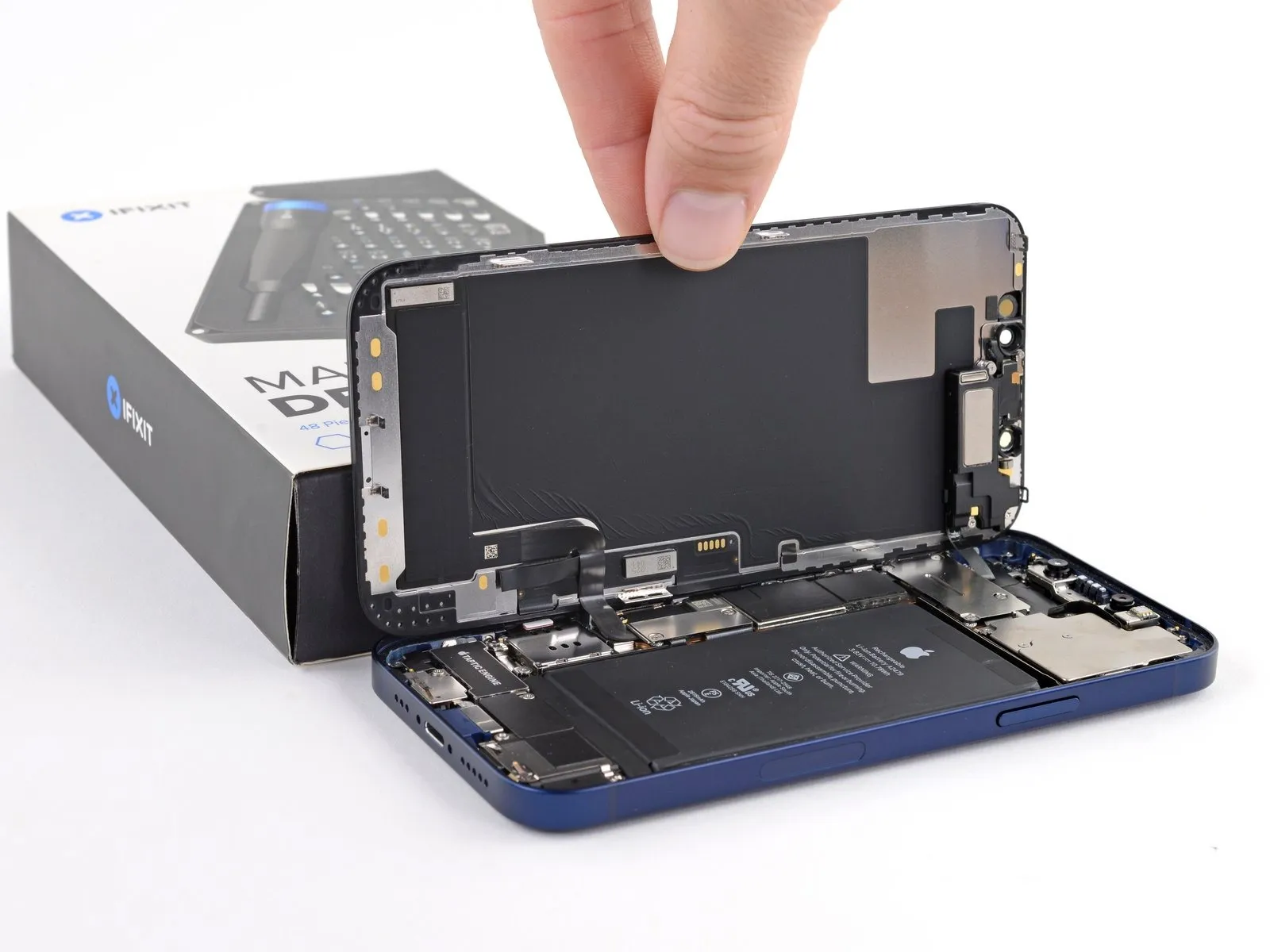
Orient the iPhone, positioning the right side within your field of view.
Initiate the display opening process by pivoting the screen upwards from the right side, mimicking the action of opening a book's cover.
Refrain from completely disconnecting the display at this stage, as delicate ribbon cables maintain its connection to the internal logic board.
Secure the lifted display in an upright position using a support to facilitate your repair work.
When reassembling, position the display, ensuring proper clip alignment along the upper edge, and apply gentle pressure to the top edge before securing the remaining perimeter; if resistance is encountered, inspect the display's clips for any deformation.
Step 20 | Unscrew the battery and display connector cover
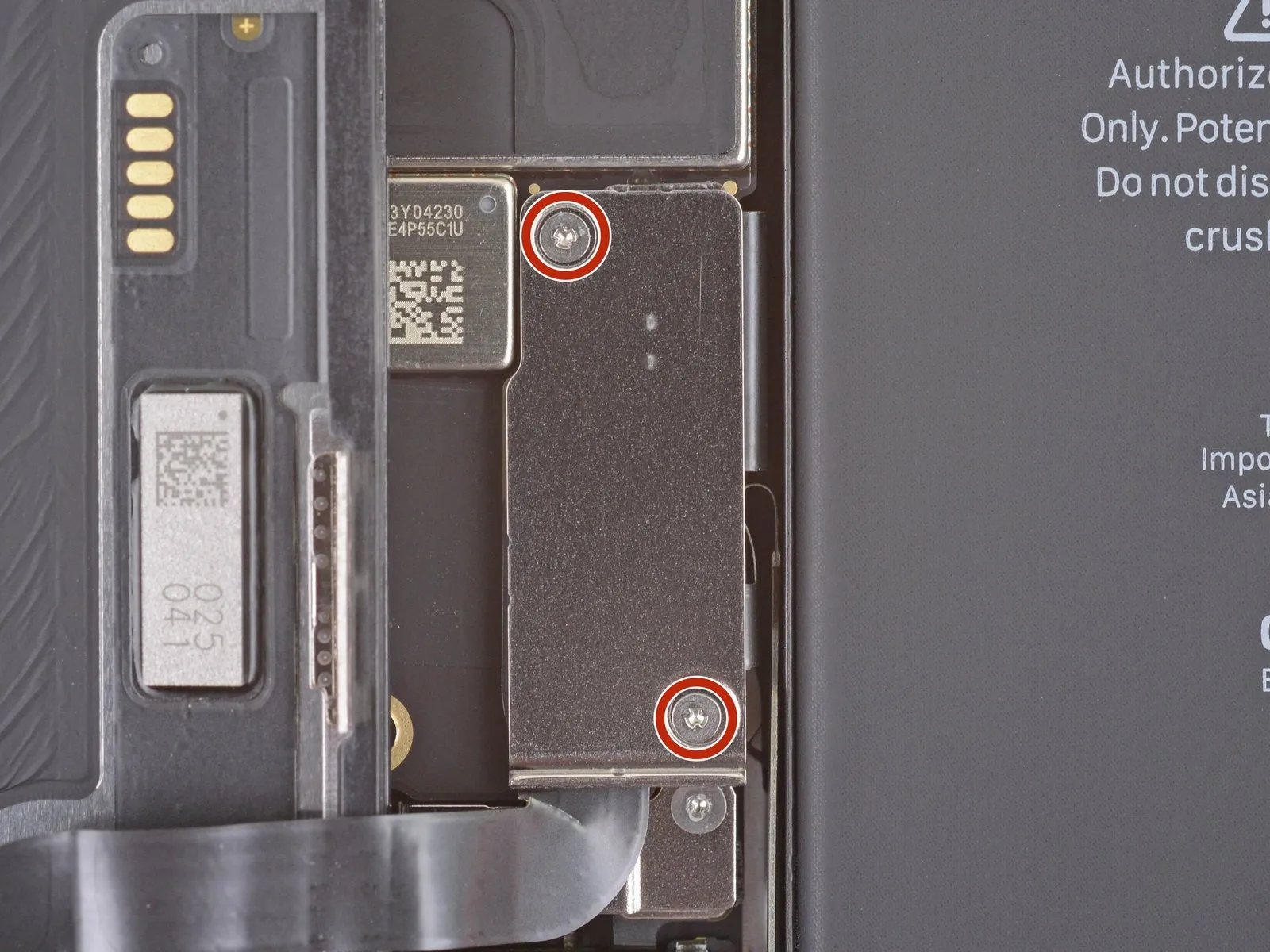
- Detach the battery and display connector cover by unscrewing two Y000 screws, each measuring 1.1 mm in length.Carefully organize all screws during disassembly, ensuring each is reinstalled in its original location to prevent potential iPhone damage.To verify proper functionality, power on the iPhone and perform a comprehensive system test at this stage of the repair process.
- Prior to securing the display, completely shut down the iPhone to avoid any unintended consequences during the final assembly.
- A functional test of all iPhone features should be conducted before permanently affixing the display to ensure a successful repair.
Step 21 | Remove the battery and display connector cover
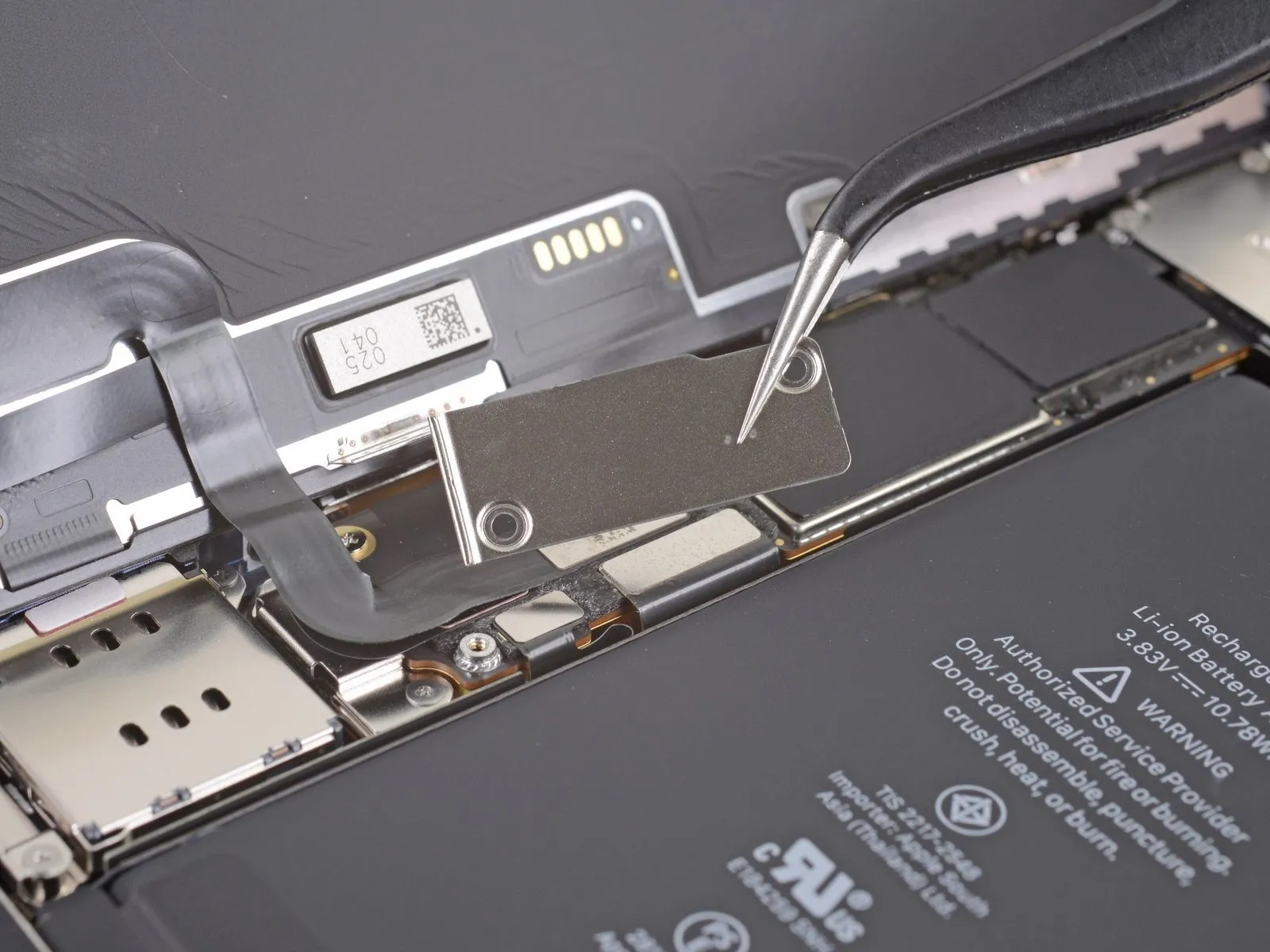
Step 22 | Disconnect the battery
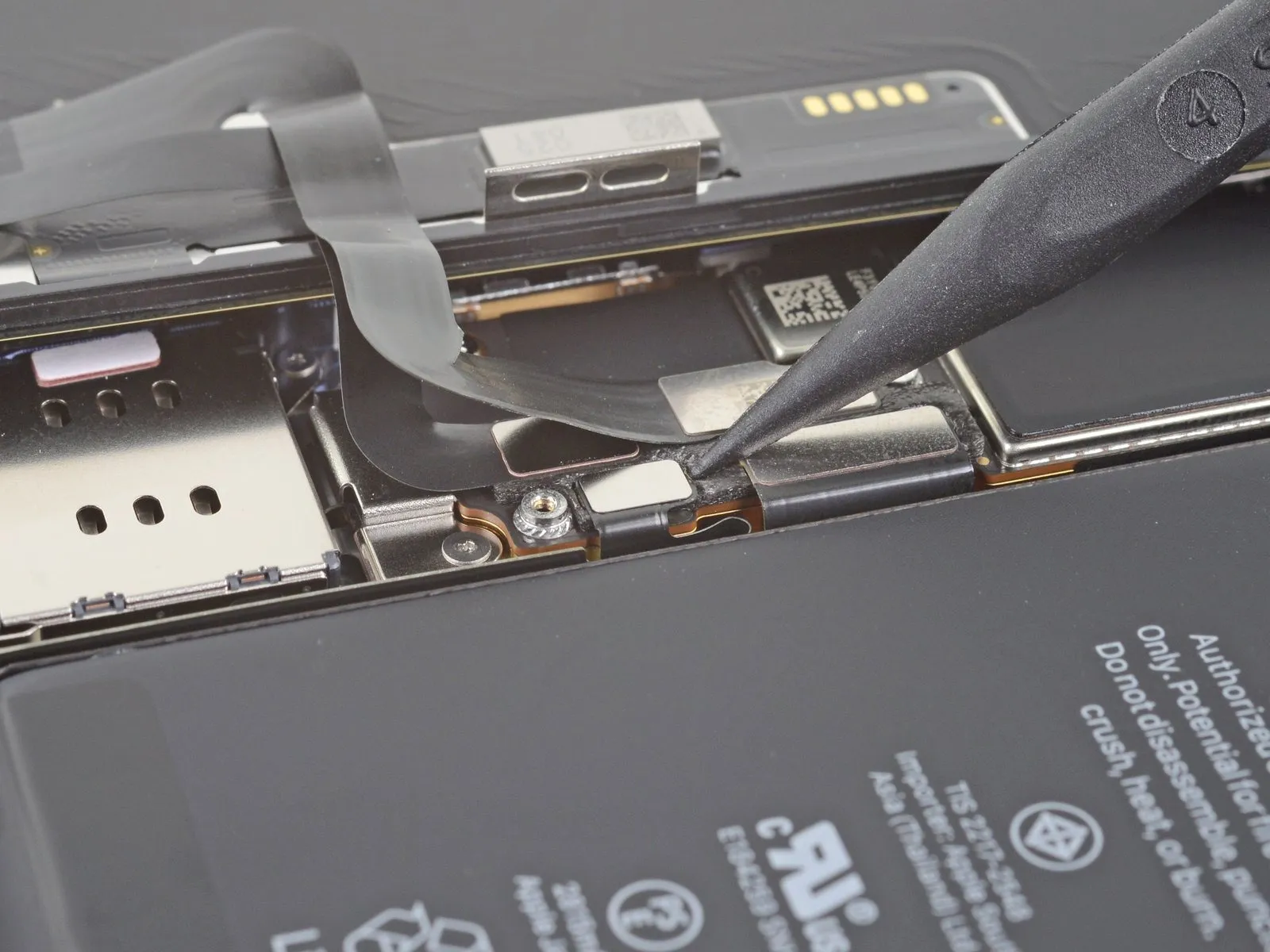
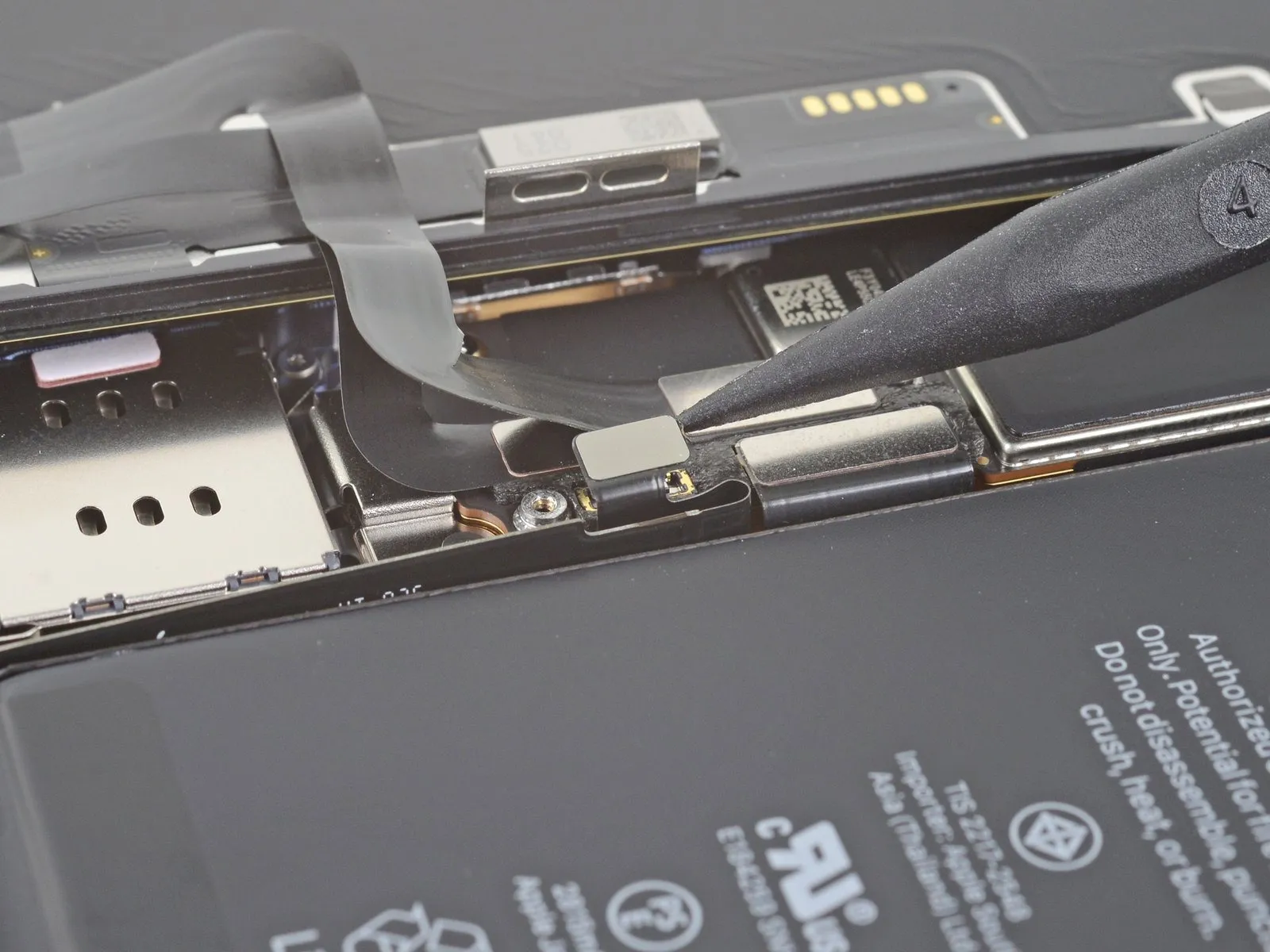
- Employing a spudger tool, or a similarly non-marring implement like a clean fingernail, carefully lift the battery connector's securing clip from its corresponding receptacle on the main circuit board.Exercise caution to avoid compromising the integrity of the black silicone sealant that encases this connector and others, as it offers crucial defense against ingress of water and particulate matter.To preclude unintended power delivery to the device during the repair process, gently deflect the connector slightly outward from the logic board's surface.
- The silicone seals are critical for maintaining the device's environmental protection, so any damage should be avoided.
- Ensure the connector remains disengaged to prevent short circuits while performing subsequent repair steps.
Step 23 | Disconnect the display cable
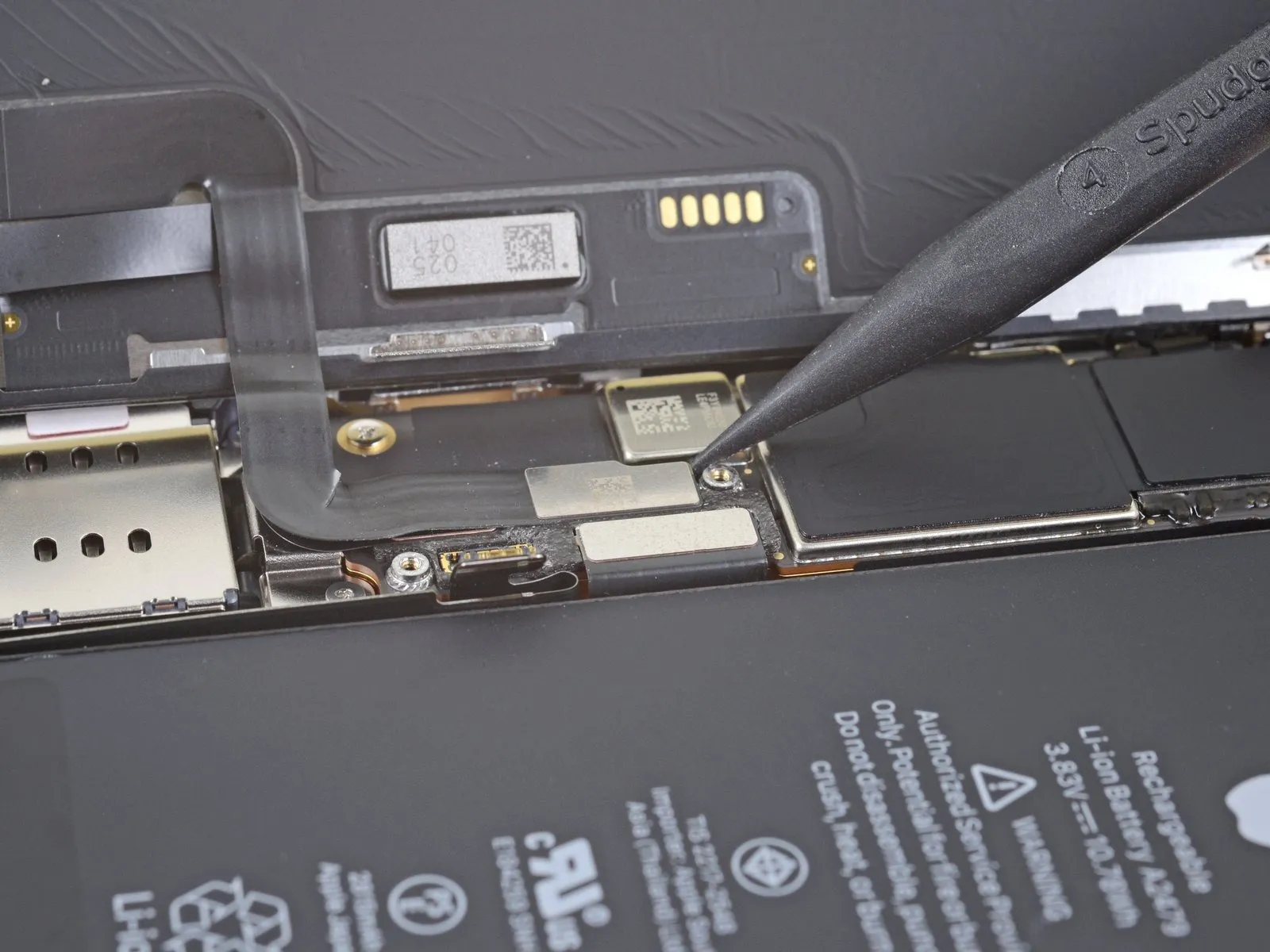
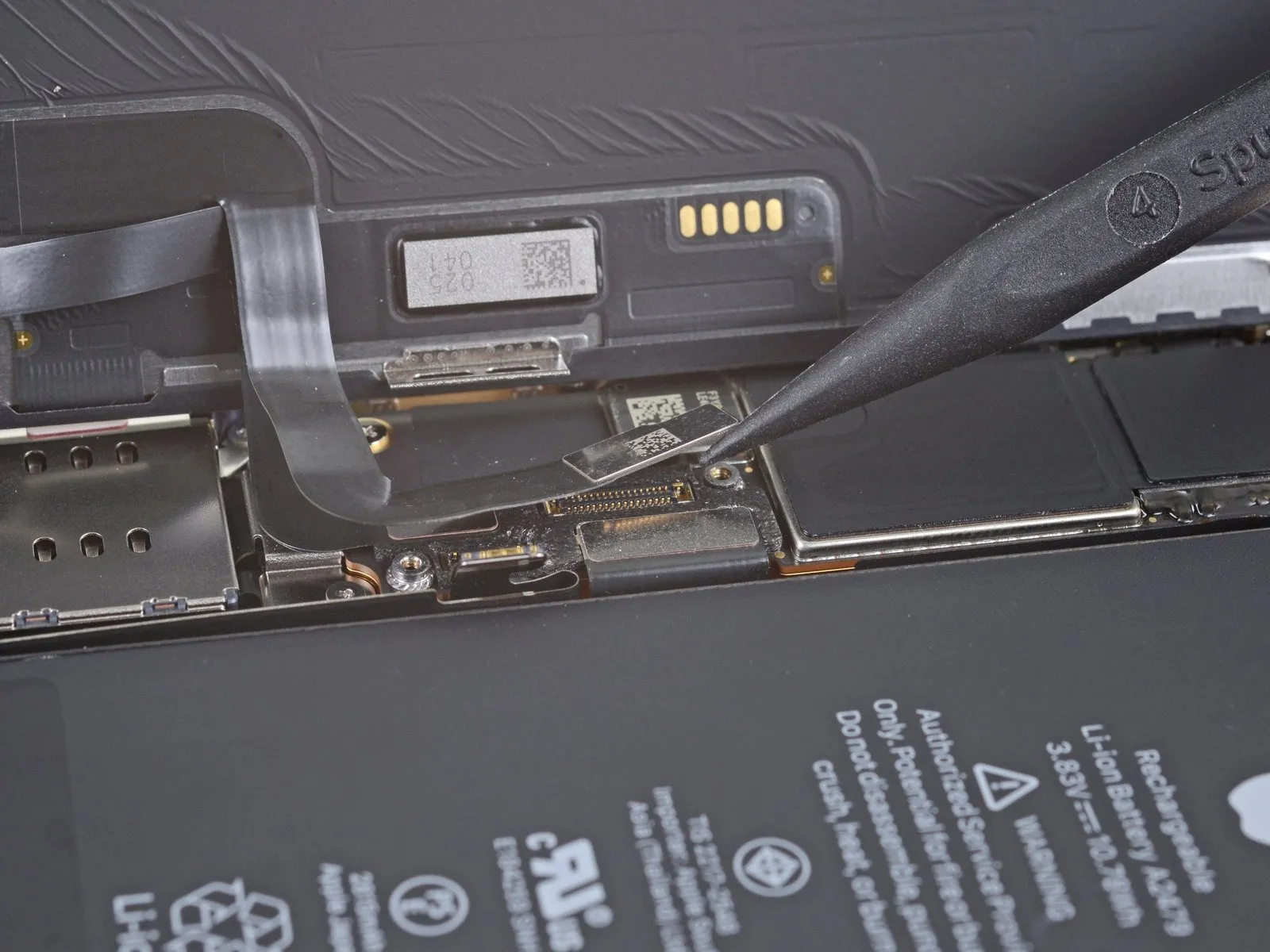
- Employing a spudger or fingernail, detach the display cable connector.For reattachment, meticulously align the connectors, initiating the process by pressing down on a single edge until a click is heard, subsequently repeating this action on the opposing edge.Avoid applying pressure to the central portion of the connector during reattachment.
- Misalignment of the connector can result in pin deformation, potentially leading to irreversible component failure.
Step 24 | Disconnect the digitizer cable
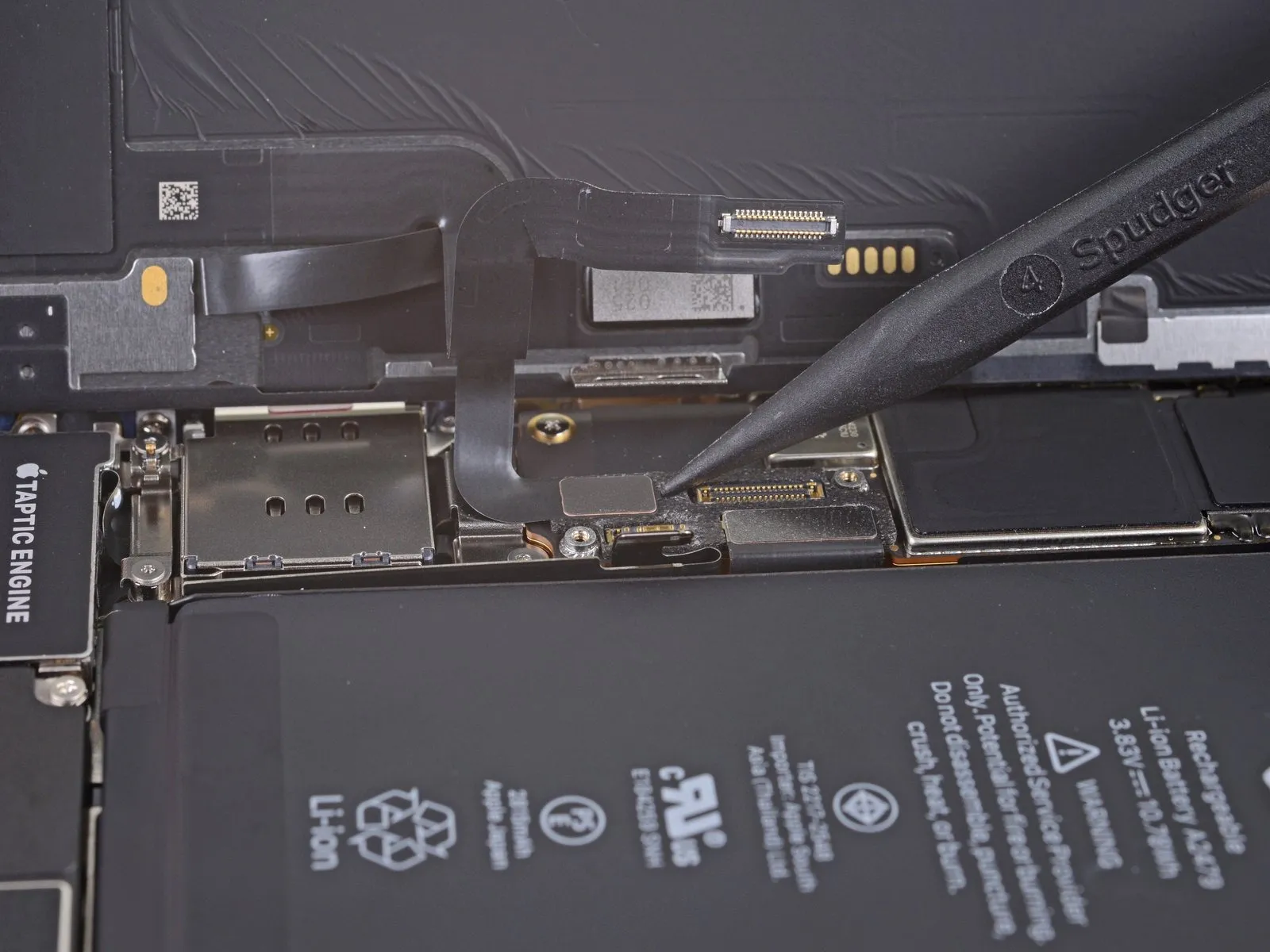
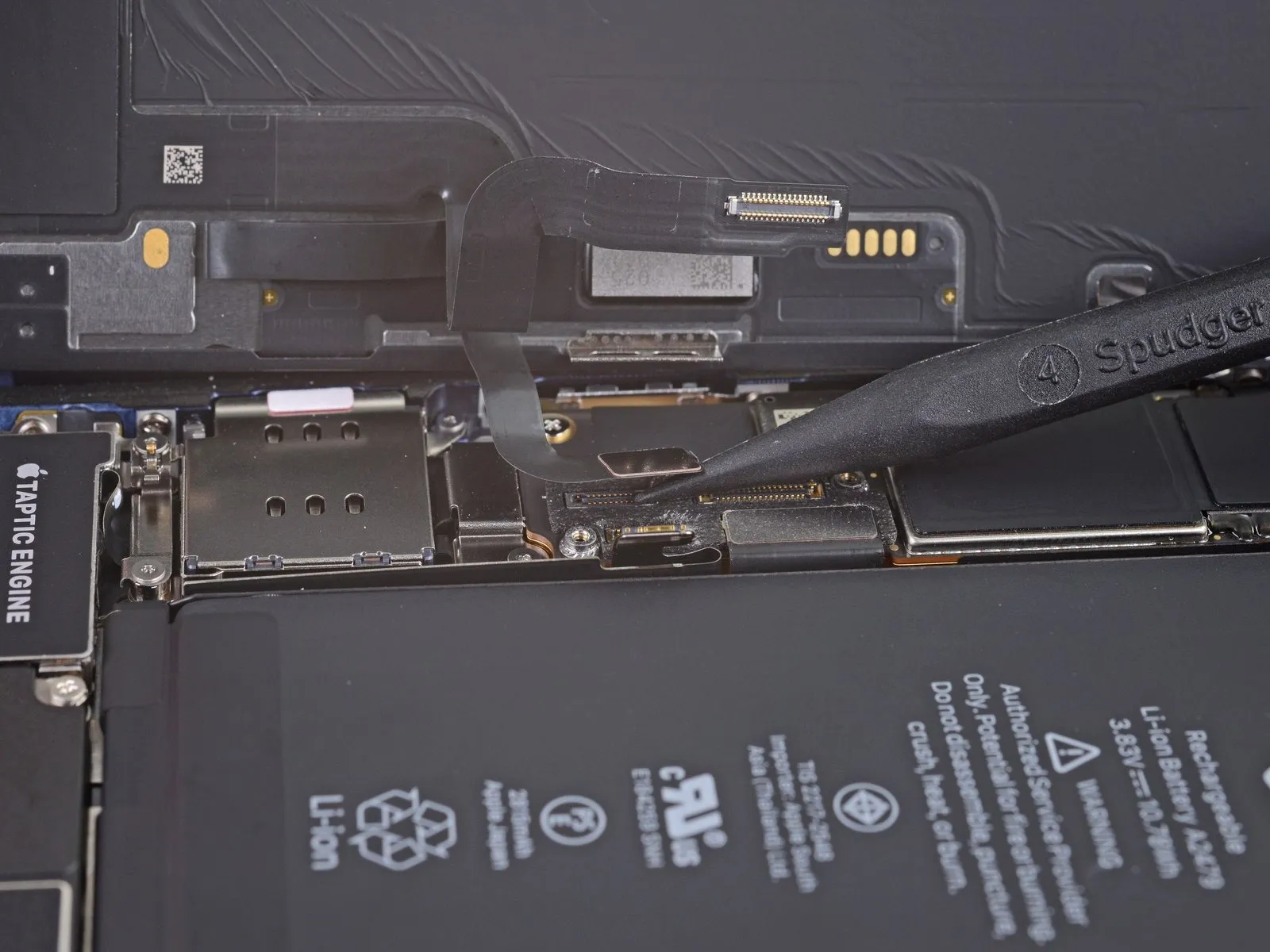
- Employ a spudger tool, or a fingernail, to carefully separate the digitizer cable's connector.Should the screen exhibit unresponsive touch areas following the repair procedure, remove the battery and then reconnect the digitizer cable connector, ensuring a secure, audible 'click' and verifying the socket's cleanliness.Proper seating of the connector is essential for functionality, guaranteeing a complete connection.
- Any foreign matter, such as dust, within the connector socket can impede proper operation and should be eliminated.
Step 25 | Unscrew the front sensor connector cover
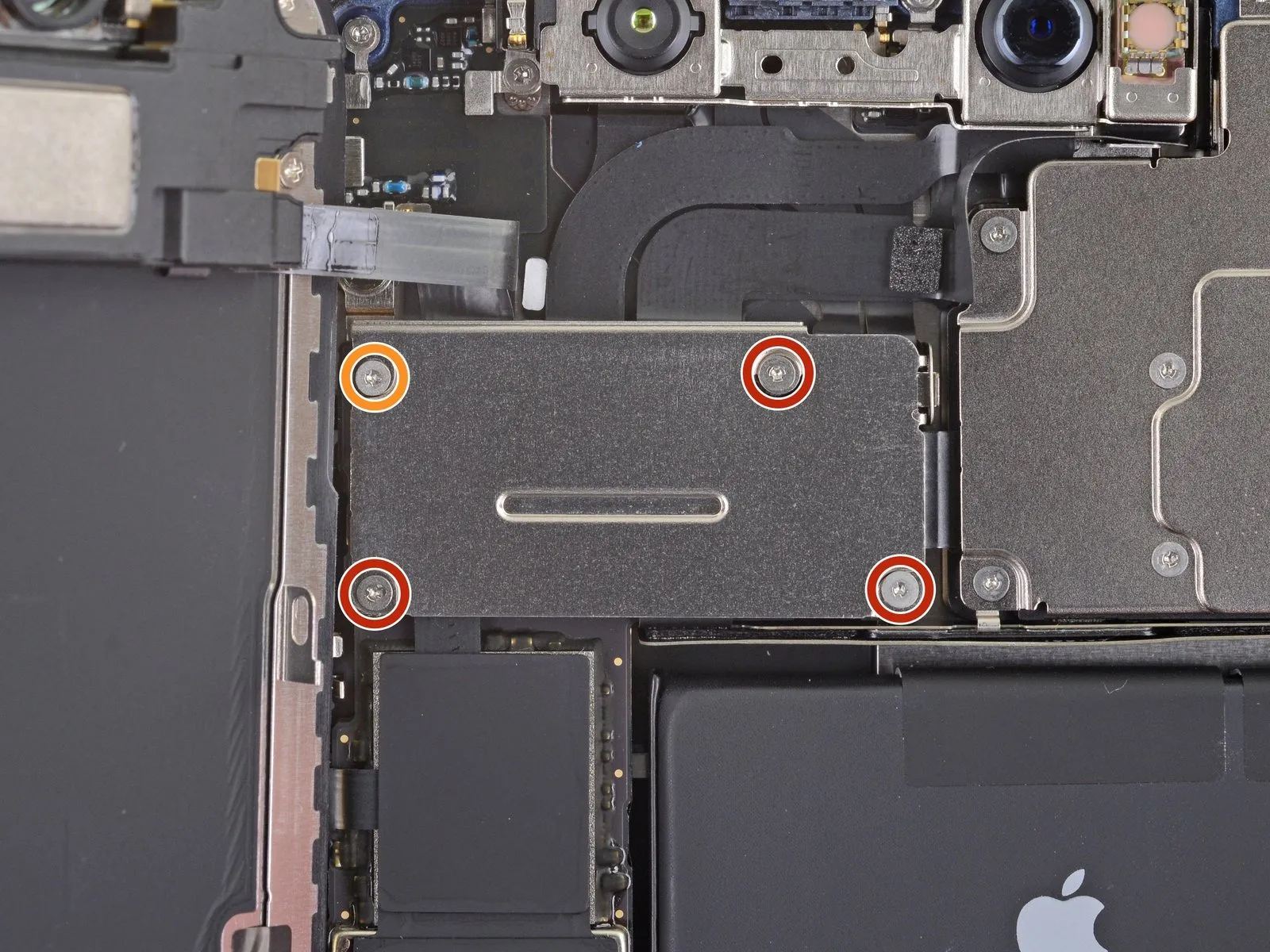
- Employ a Y000 driver to detach the four screws that hold the front sensor connector cover in place.The front sensor connector cover is fastened with four screws requiring a Y000 driver for removal.Four screws, each measuring 1.1 millimeters in length, are used to secure the front sensor connector cover.
- A single screw, with a length of 1.4 millimeters, is also present in the assembly.To access the front sensor connector, initially remove the cover using the appropriate screws.
- The screws holding the front sensor connector cover are all of a specific size and require a Y000 driver for safe removal.Ensure the correct Y000 driver is utilized to avoid damage when removing the screws, which include three 1.1 mm screws and one 1.4 mm screw.
Step 26 | Remove the front sensor connector cover
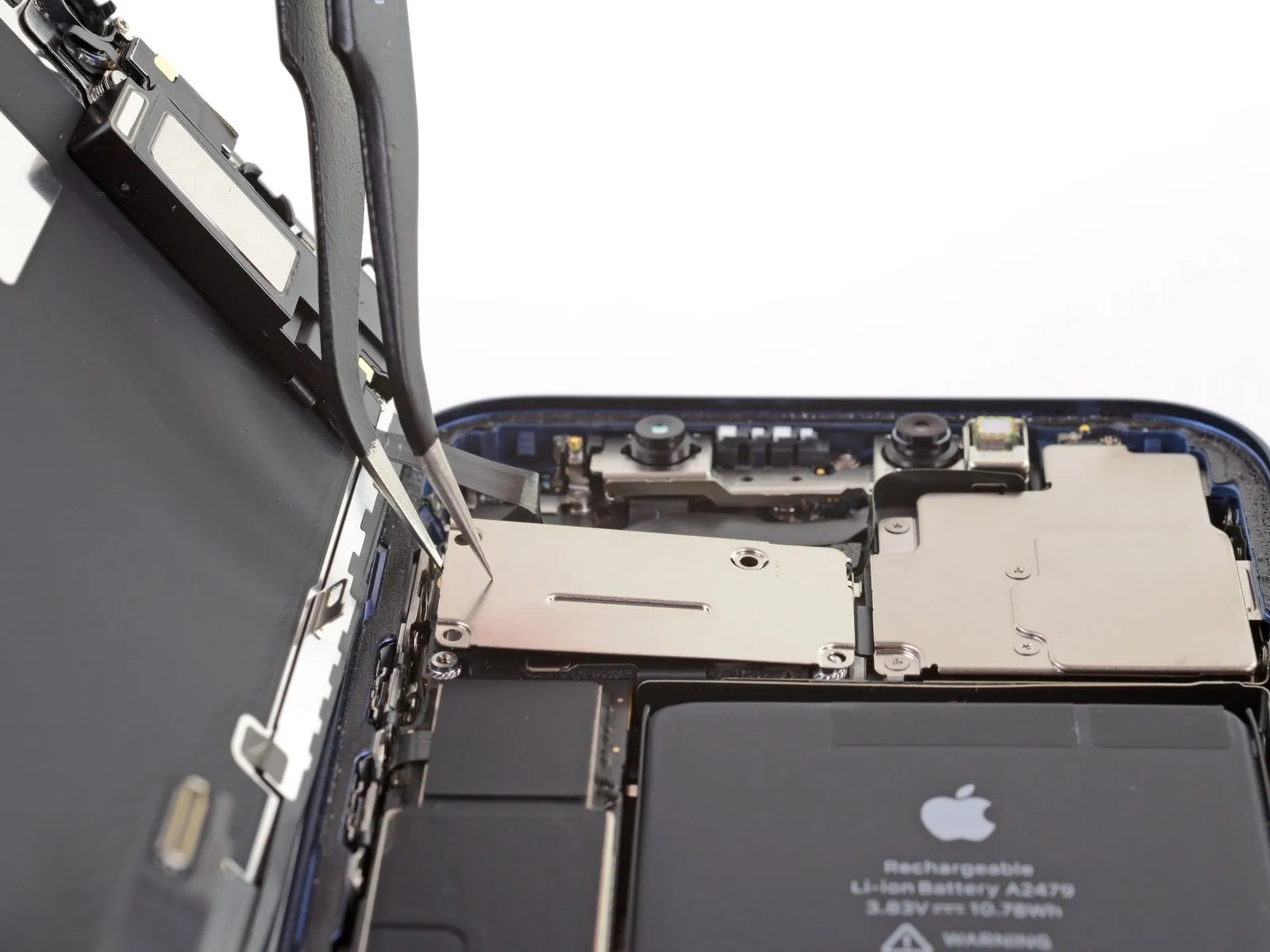
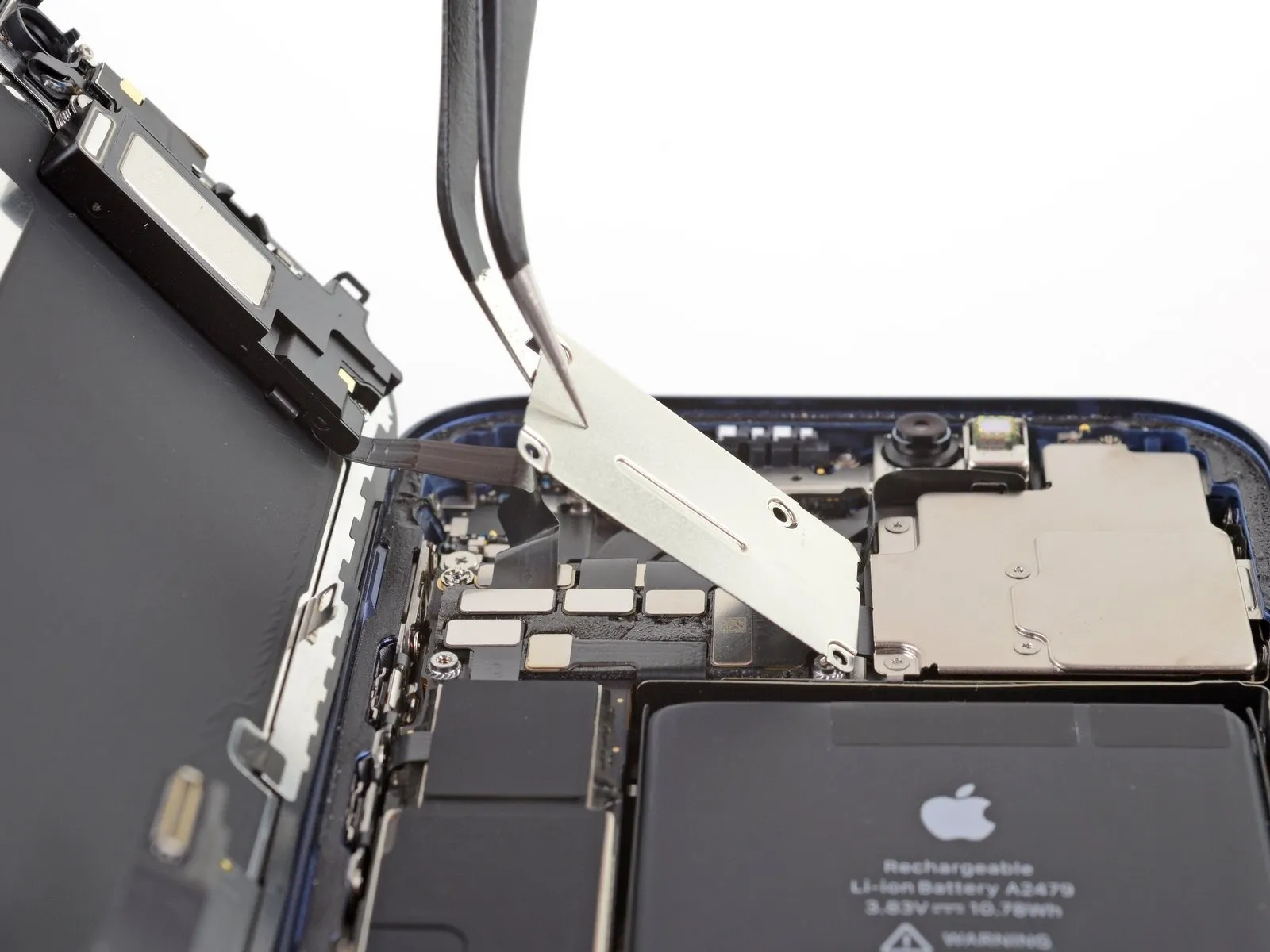
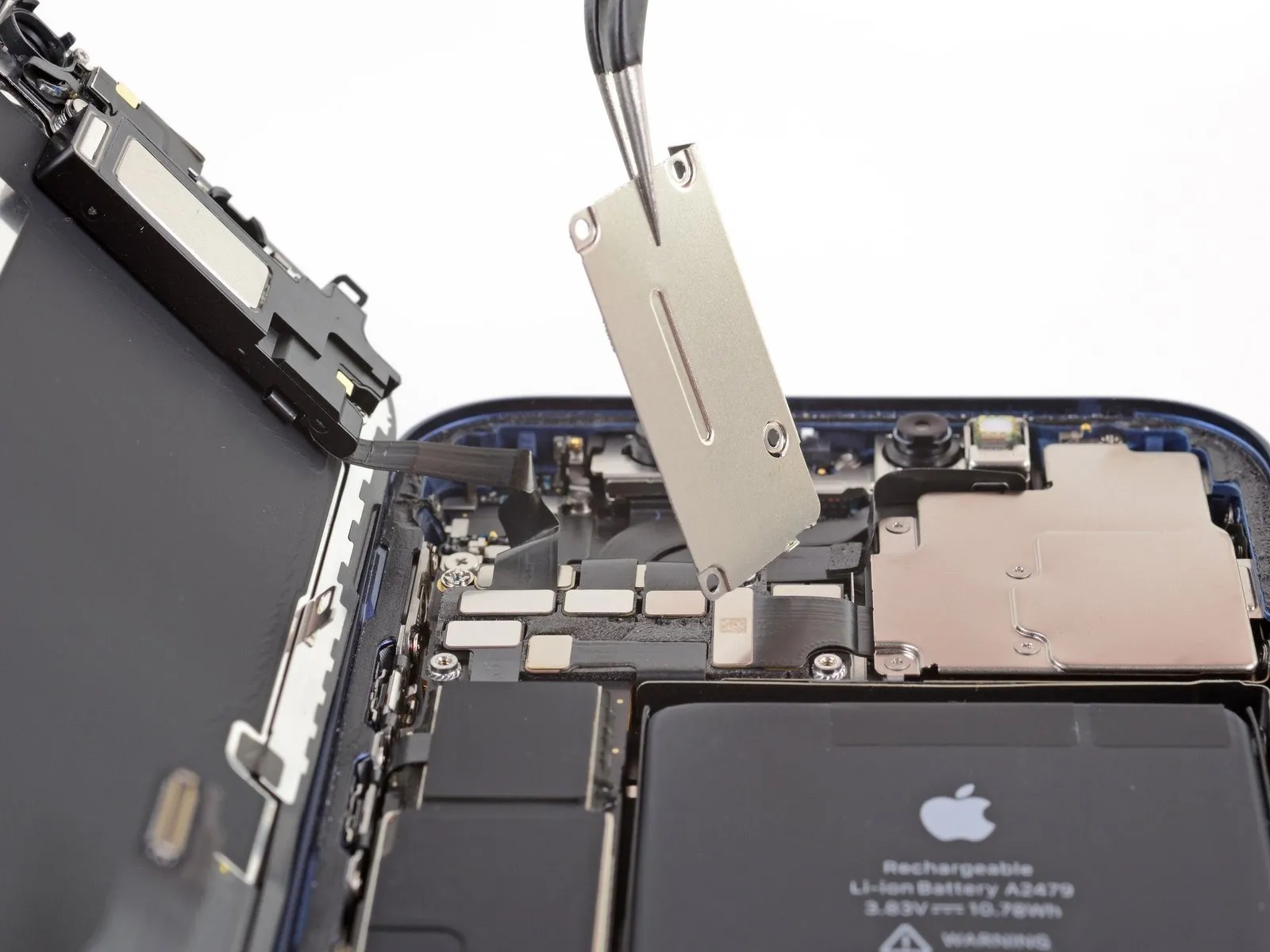
- Move the cover upwards, originating from the left side, until the right-side clip disengages.
- Detach the cover completely.
- When reattaching, initially position the right-side clip into its corresponding receptacle, subsequently pivoting the remaining portion of the cover into its final alignment.
Step 27 | Disconnect the front sensors
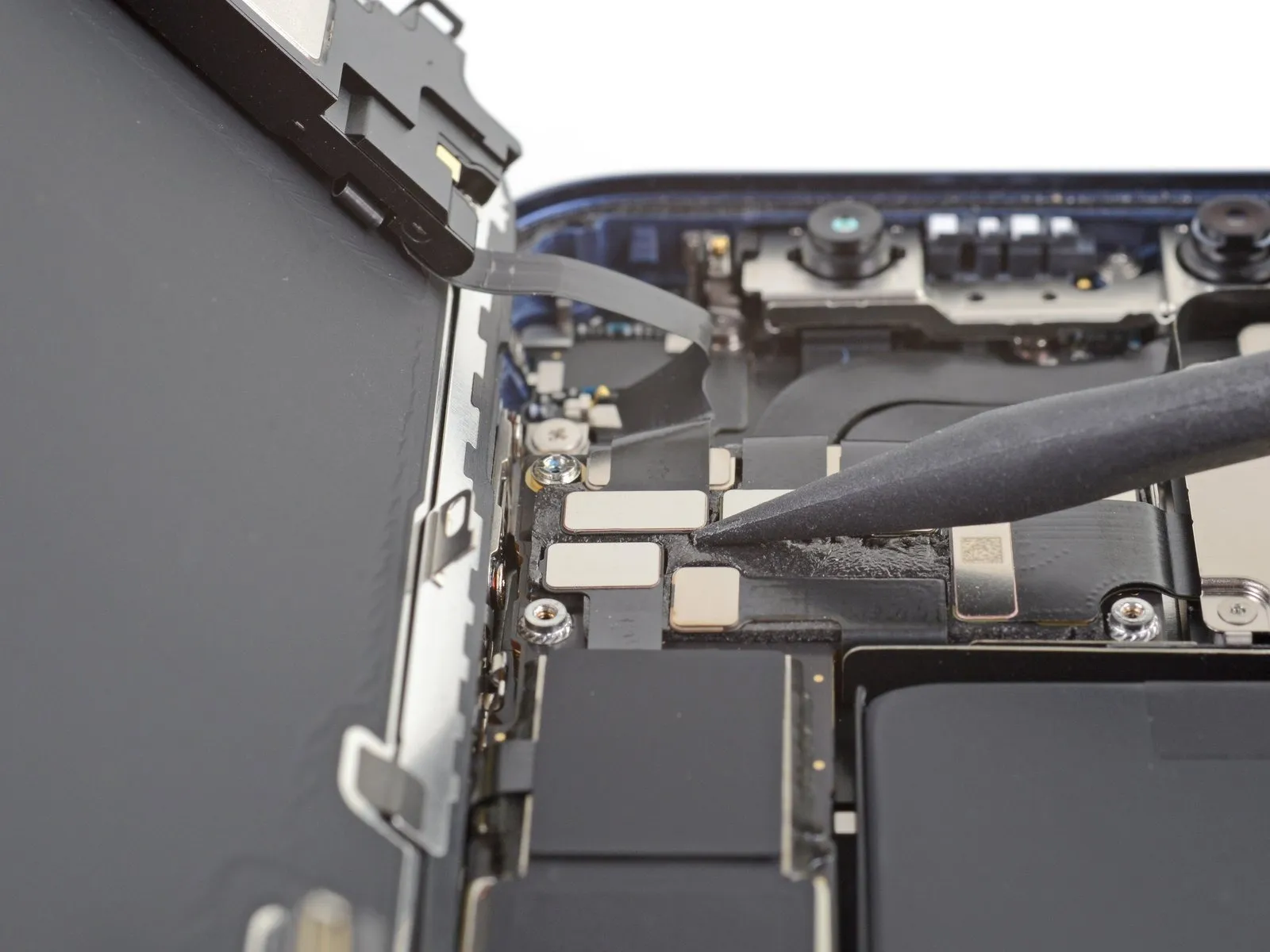
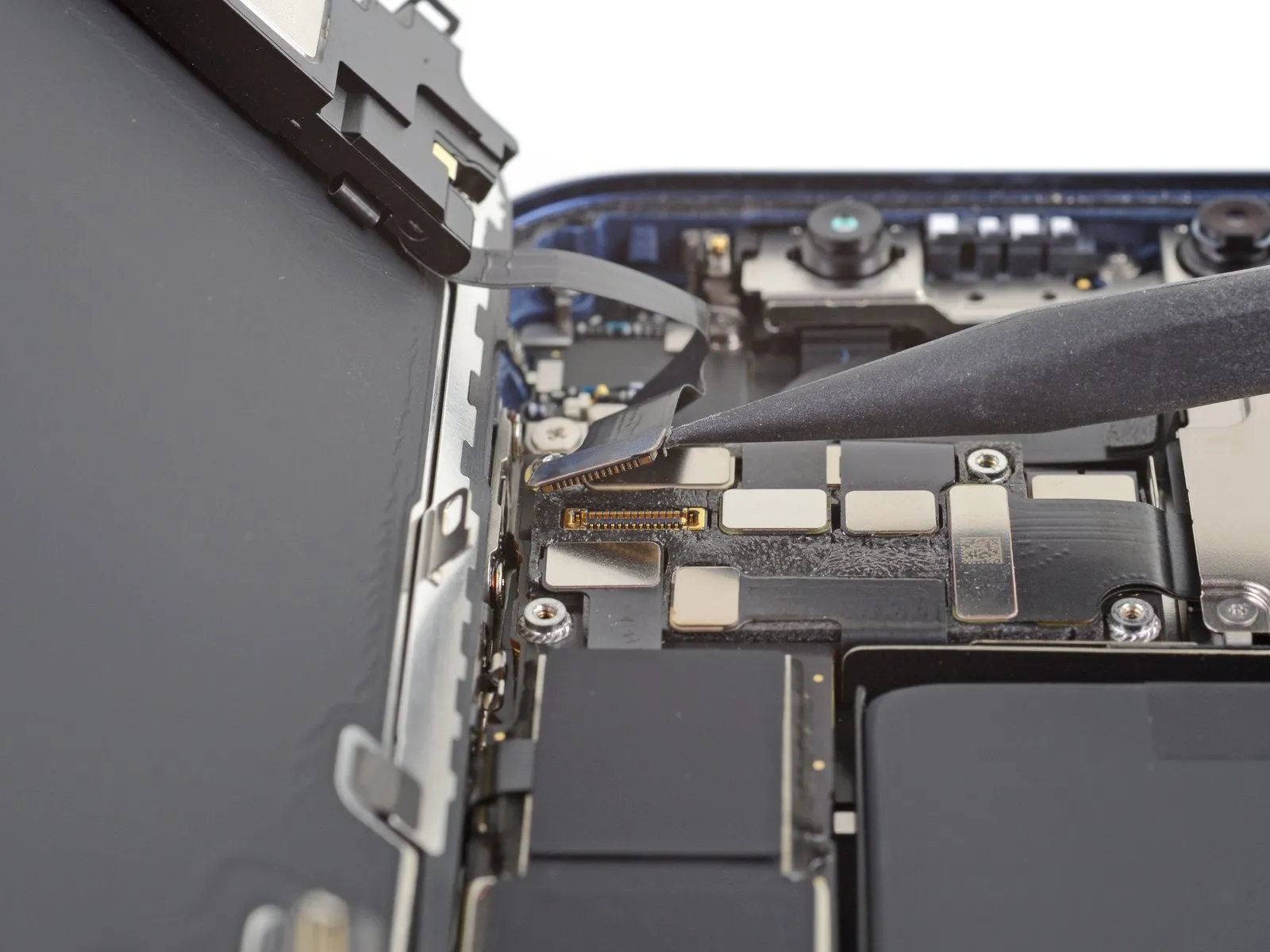
- Employ a spudger tool, or carefully use a fingernail, to release the front sensor assembly's cable connector.The cable connector securing the front sensor assembly requires separation using a specialized tool like a spudger, or a fingernail with precision.To detach the connector linking the front sensor assembly's cable, apply force with a spudger or a fingernail.A spudger, or a fingernail, can be utilized to carefully separate the connector from the front sensor assembly cable.Disconnecting the front sensor assembly cable connector necessitates the use of a spudger or a fingernail for controlled separation.
Step 28 | Remove the display assembly
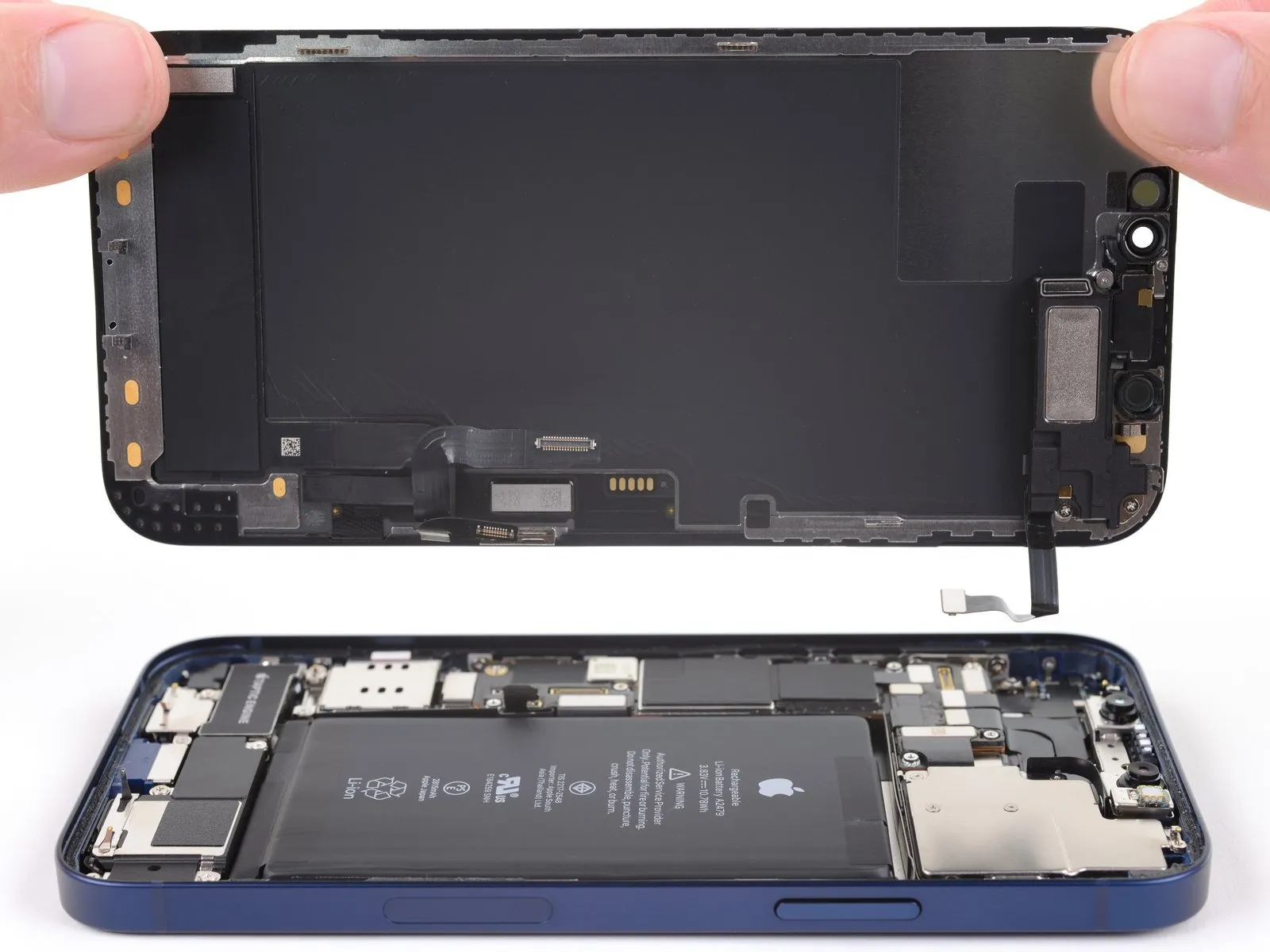
- Detach the display unit from the device.
- If a replacement of the waterproof adhesive is desired during the reassembly process, halt at this stage.The waterproof adhesive serves to create a seal around the perimeter of the display.This adhesive is located around the edges of the display assembly.
Step 29 | Unscrew the loudspeaker
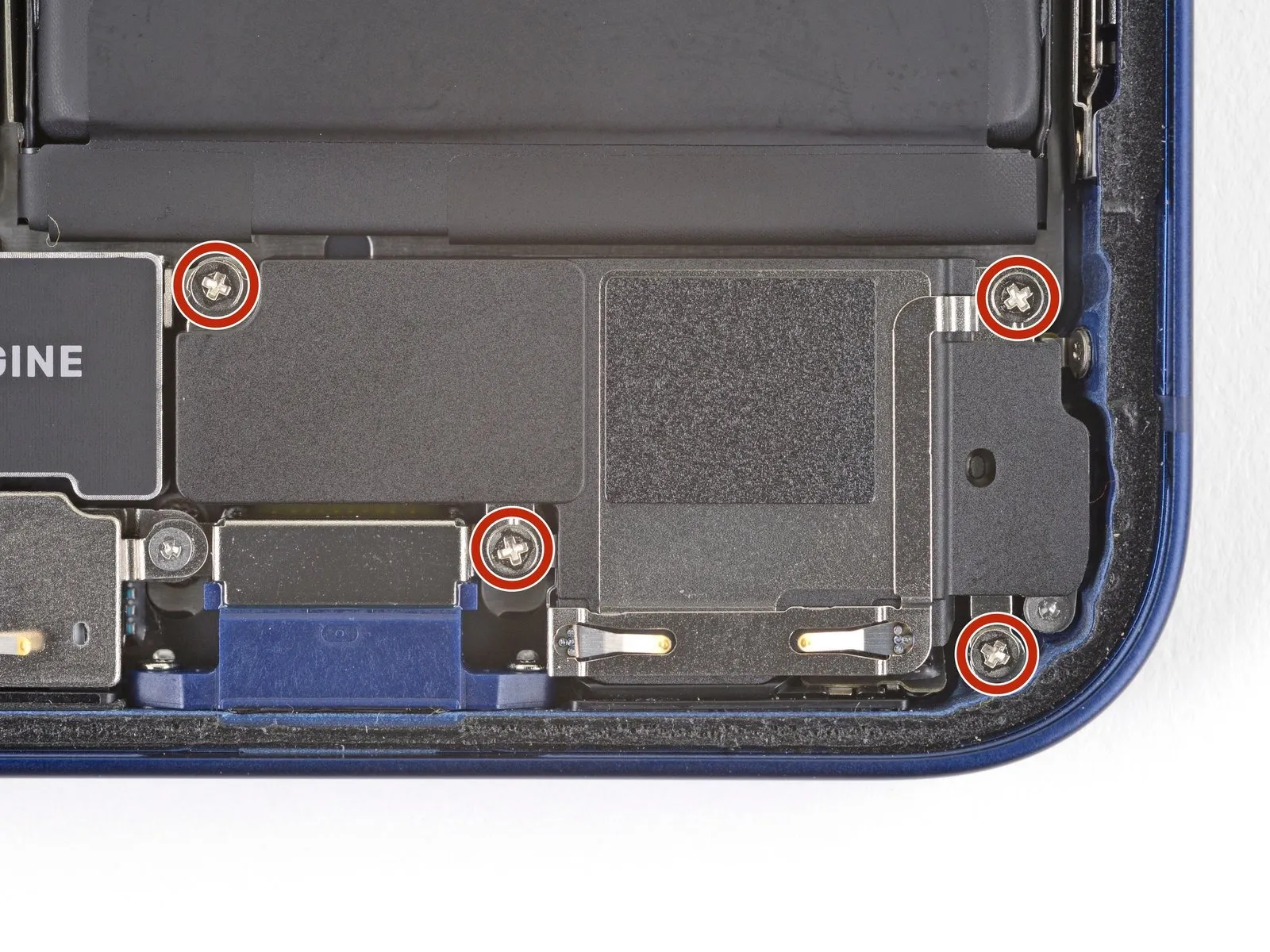
- Employ a Phillips head screwdriver to detach the four screws.The screws, each measuring 1.6 millimeters in diameter, fasten the loudspeaker.These fasteners maintain the loudspeaker's position.Carefully unscrew the fasteners to avoid damaging the surrounding components.A Phillips driver is essential for the successful removal of the screws.
Step 30 | Remove the loudspeaker
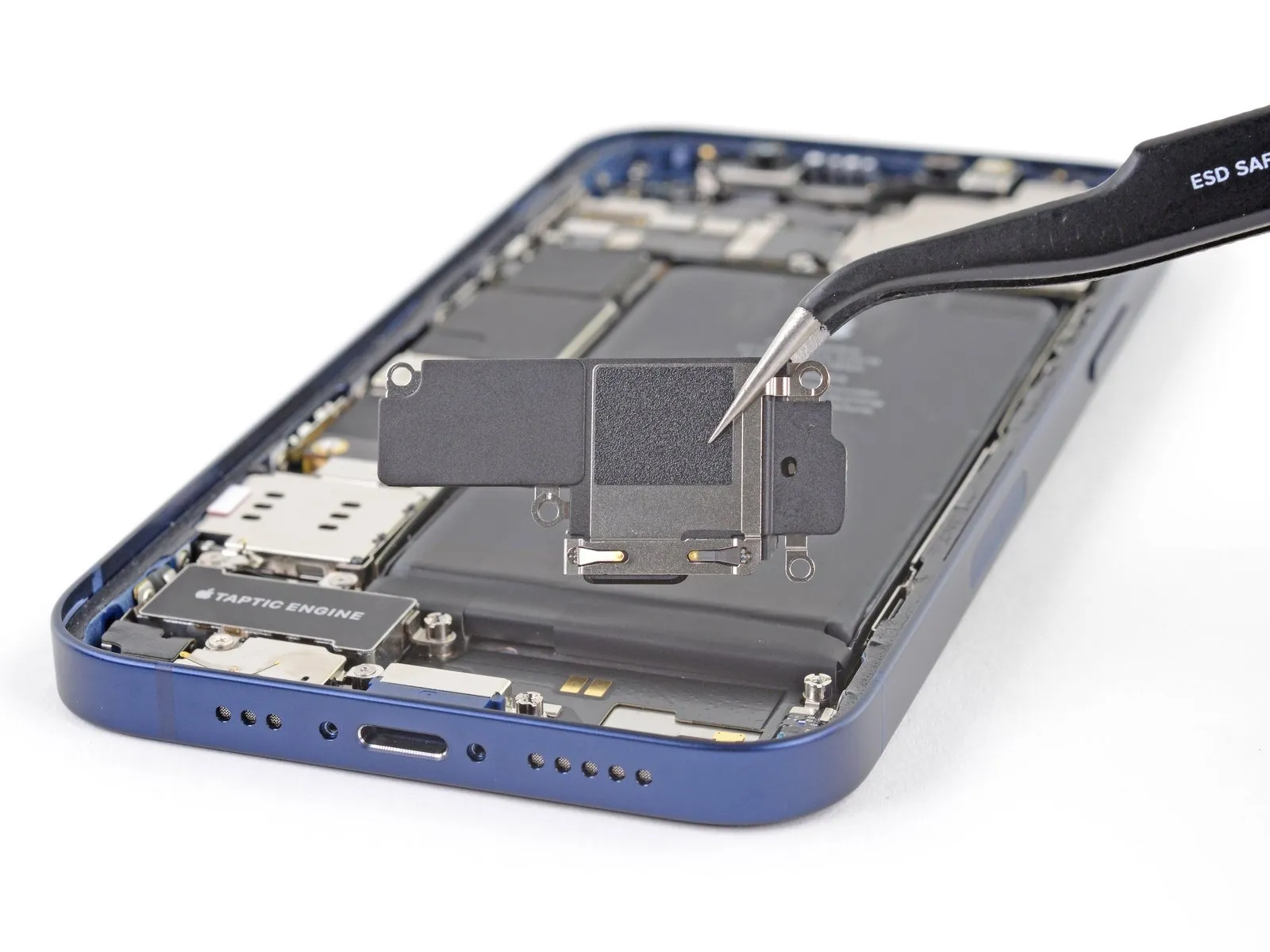
- Detach the loudspeaker component.
Step 31 | Unscrew the SIM card reader connector cover
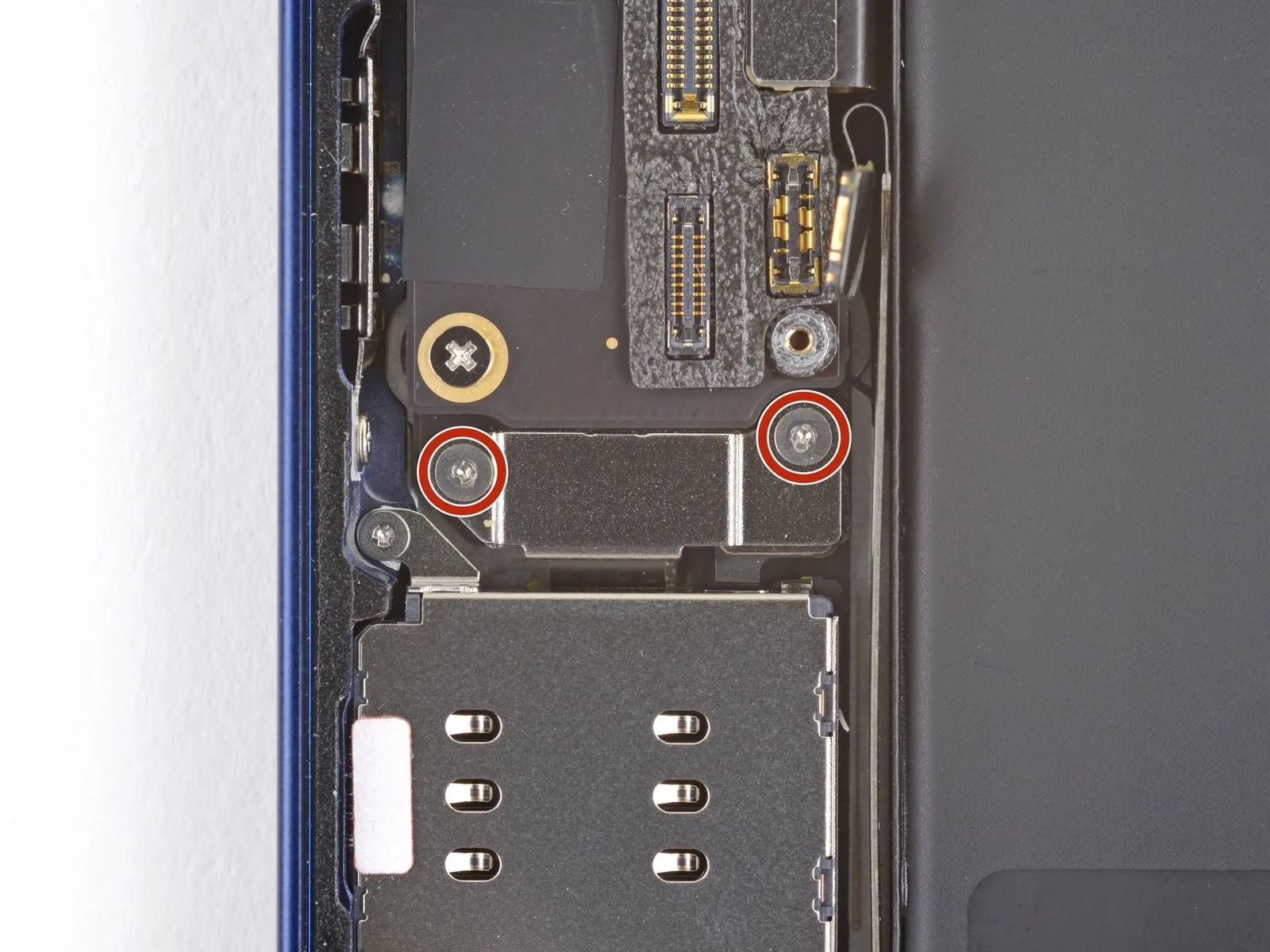
Step 32 | Remove the SIM card reader cable connector cover
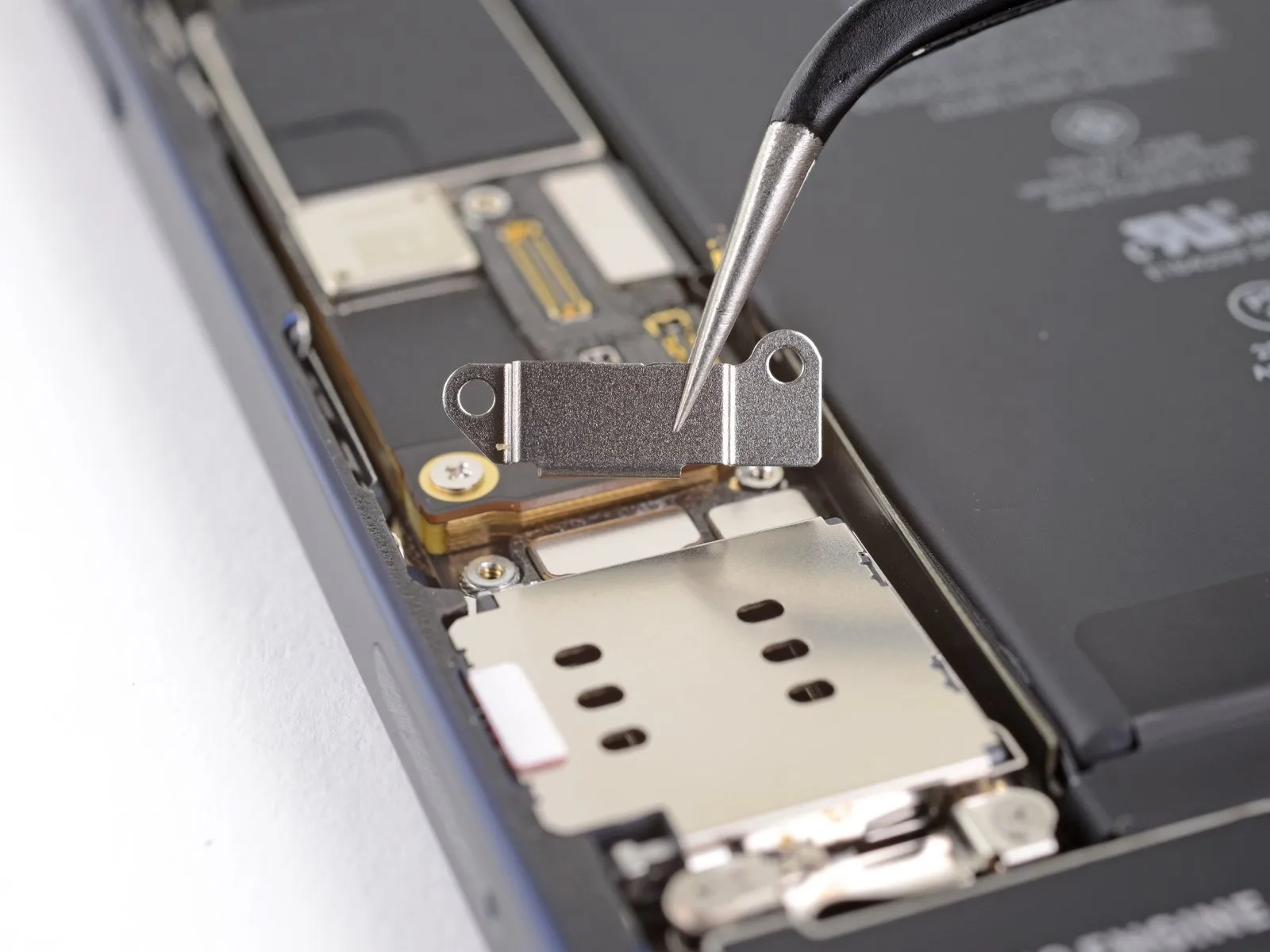
- To access the SIM card reader cable connector, detach the protective cover.
Step 33 | Disconnect the SIM card reader
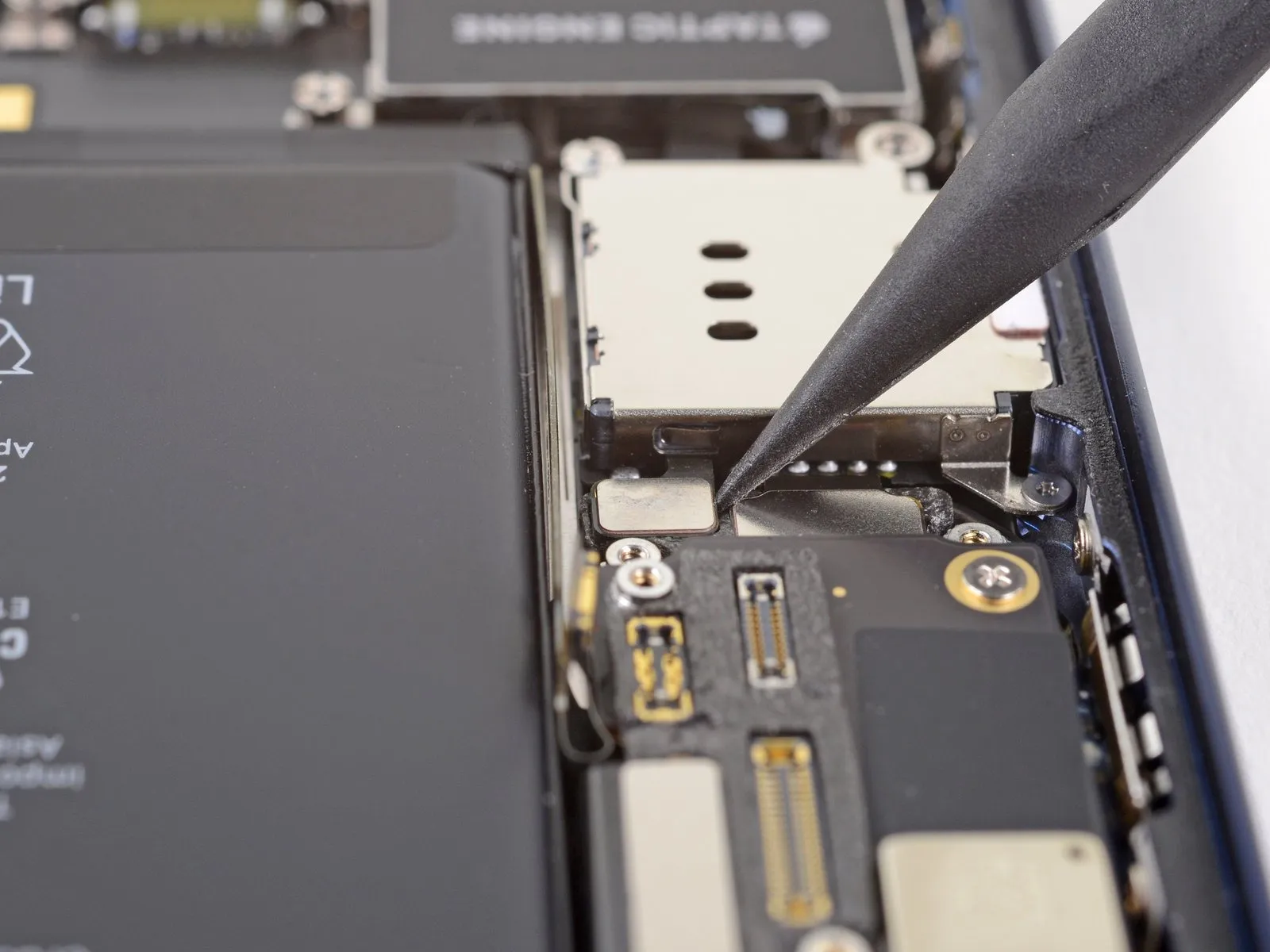
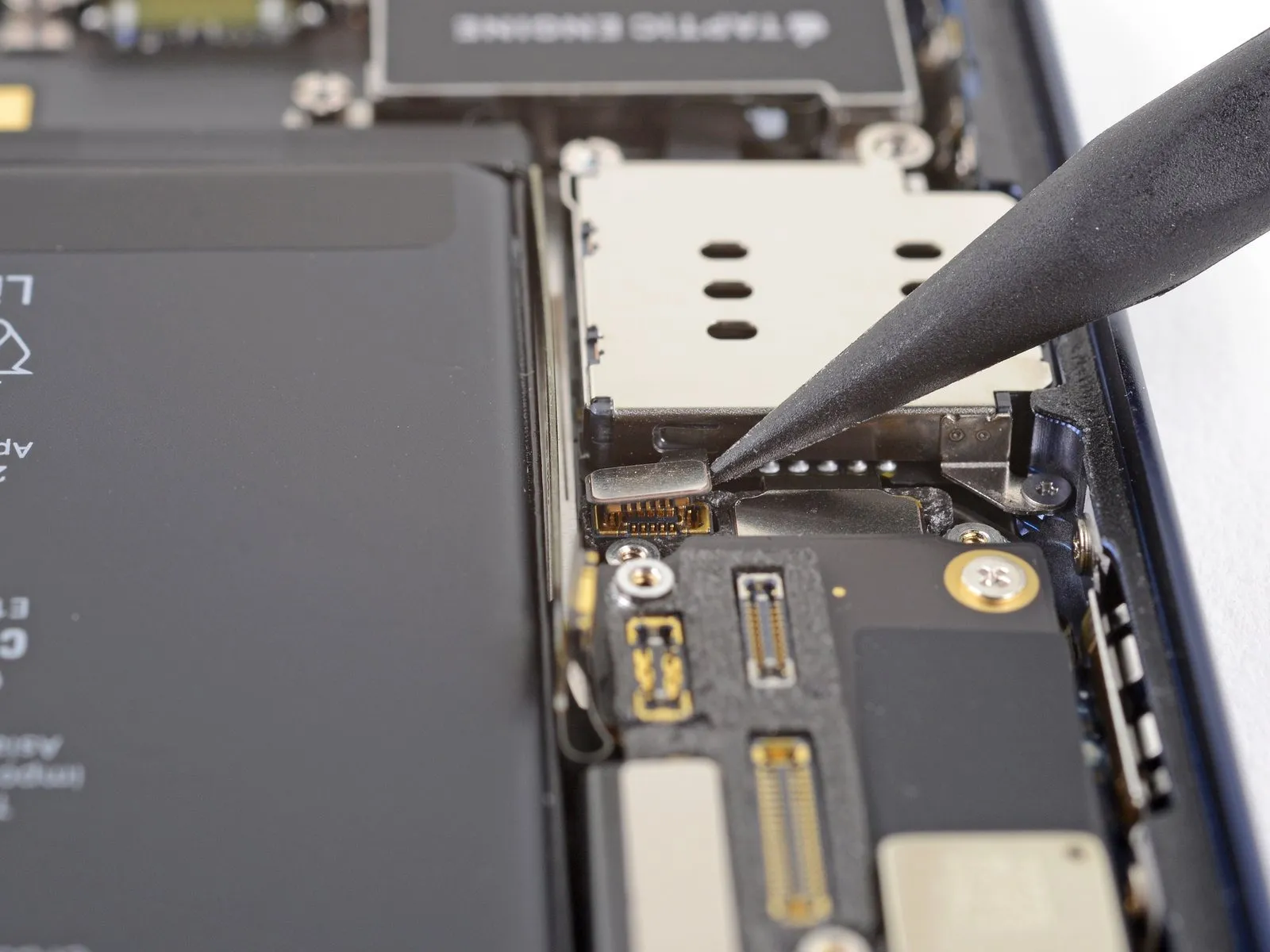
Step 34 | Unscrew the SIM card reader
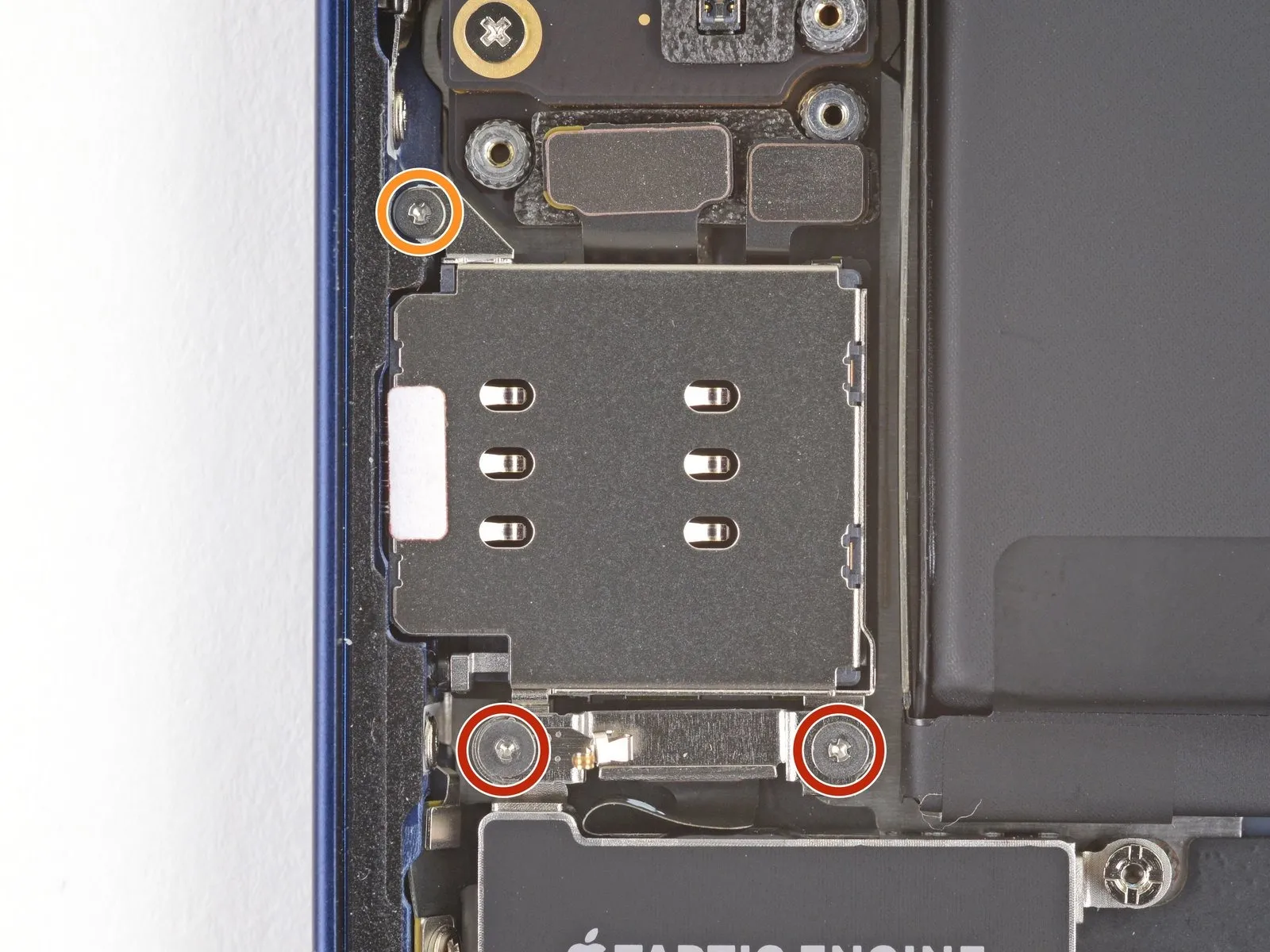
- Employ a Y000 driver to detach the three screws that hold the SIM card reader in place.
- The SIM card reader is fastened with two screws, each measuring 1.4 millimeters in length.
- A single 1.1-millimeter screw is also utilized in the assembly.
Step 35 | Remove the Taptic Engine cable connector bracket
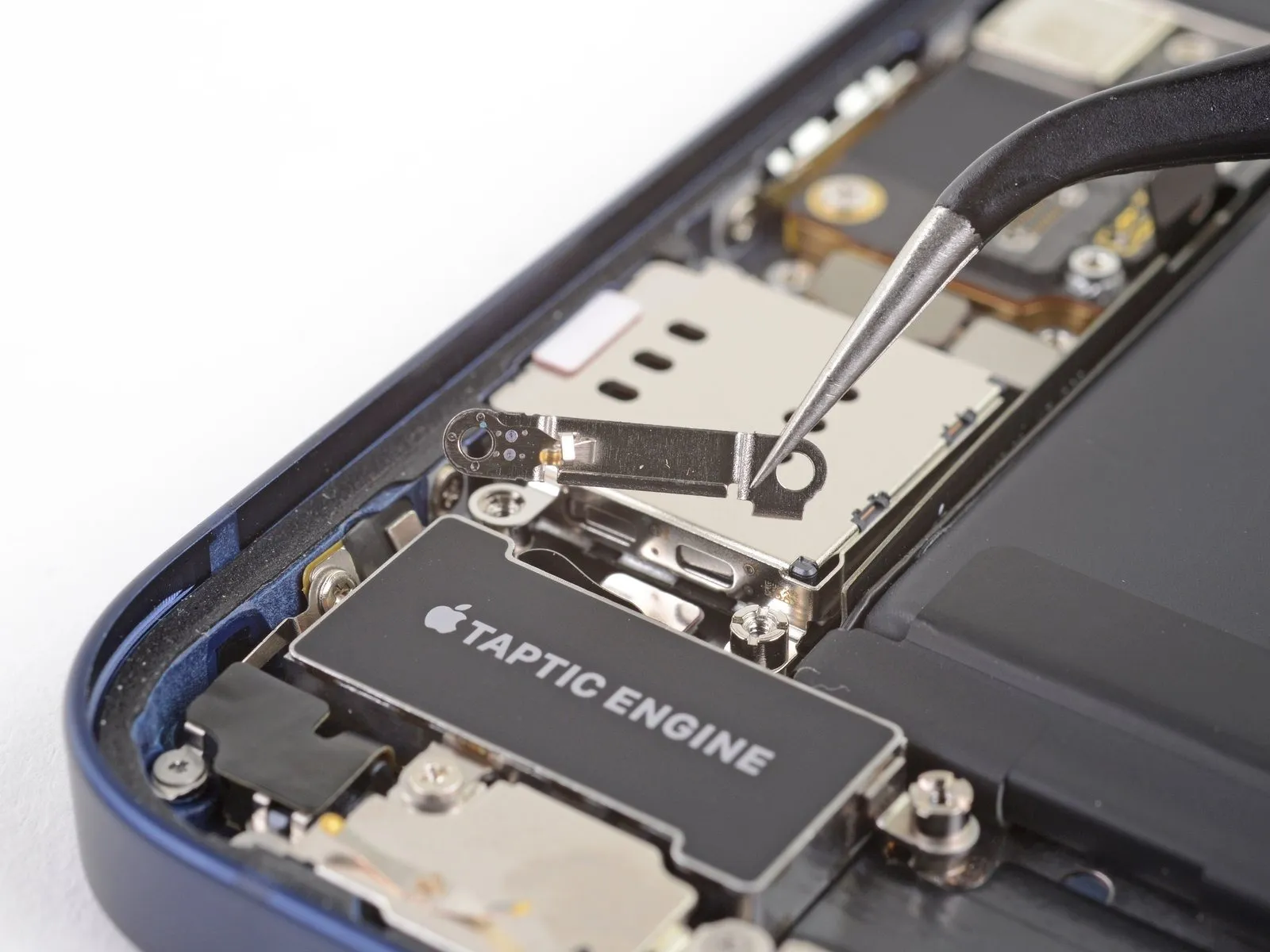
Step 36 | Unscrew the SIM card reader
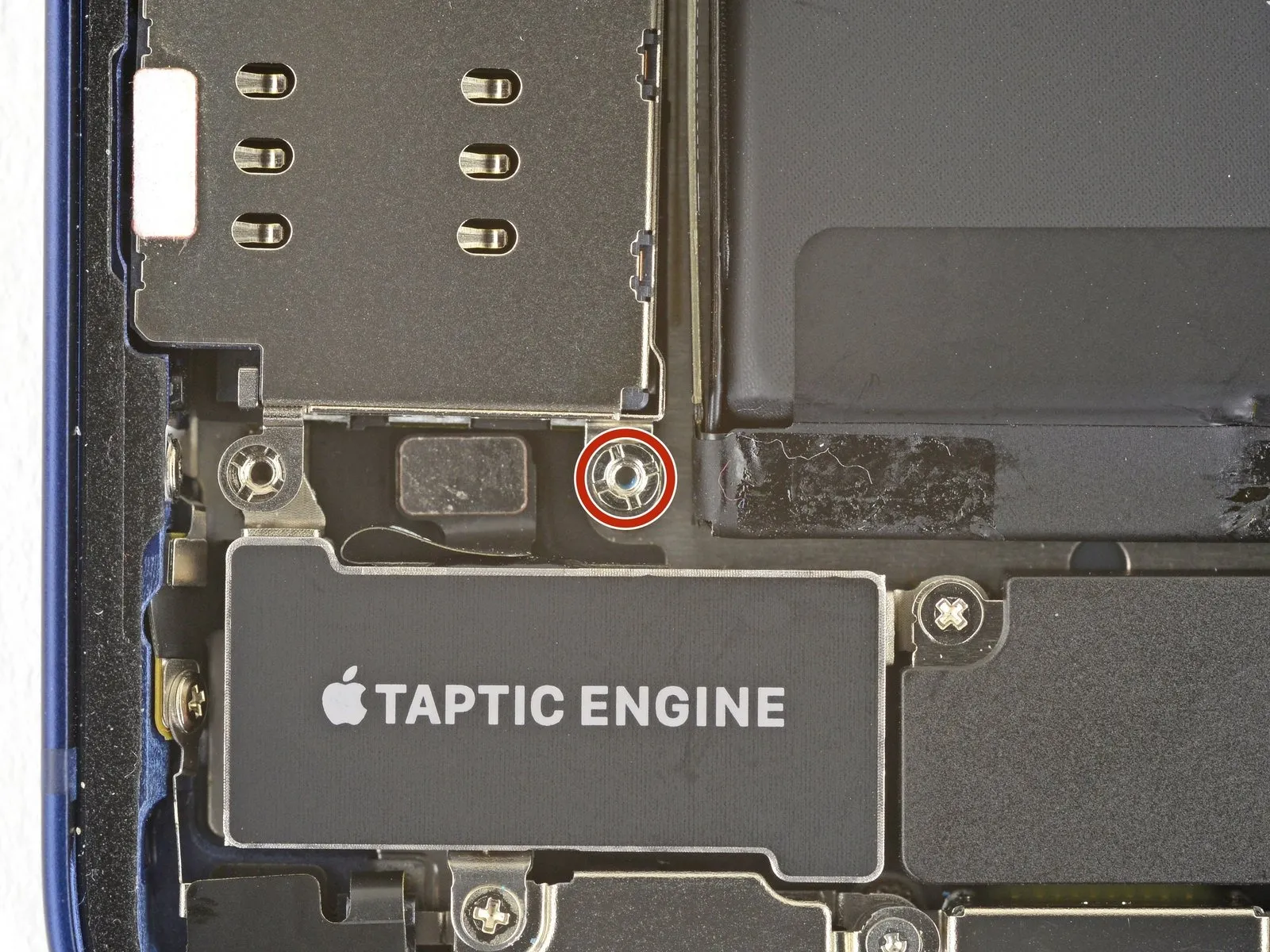
- For optimal results when removing standoff screws, utilize a dedicated standoff screwdriver or bit.
- If a standoff screwdriver isn't available, a small flathead screwdriver can be substituted, but exercise heightened care to prevent slippage and potential harm to nearby parts.
Step 37 | Remove the SIM card reader
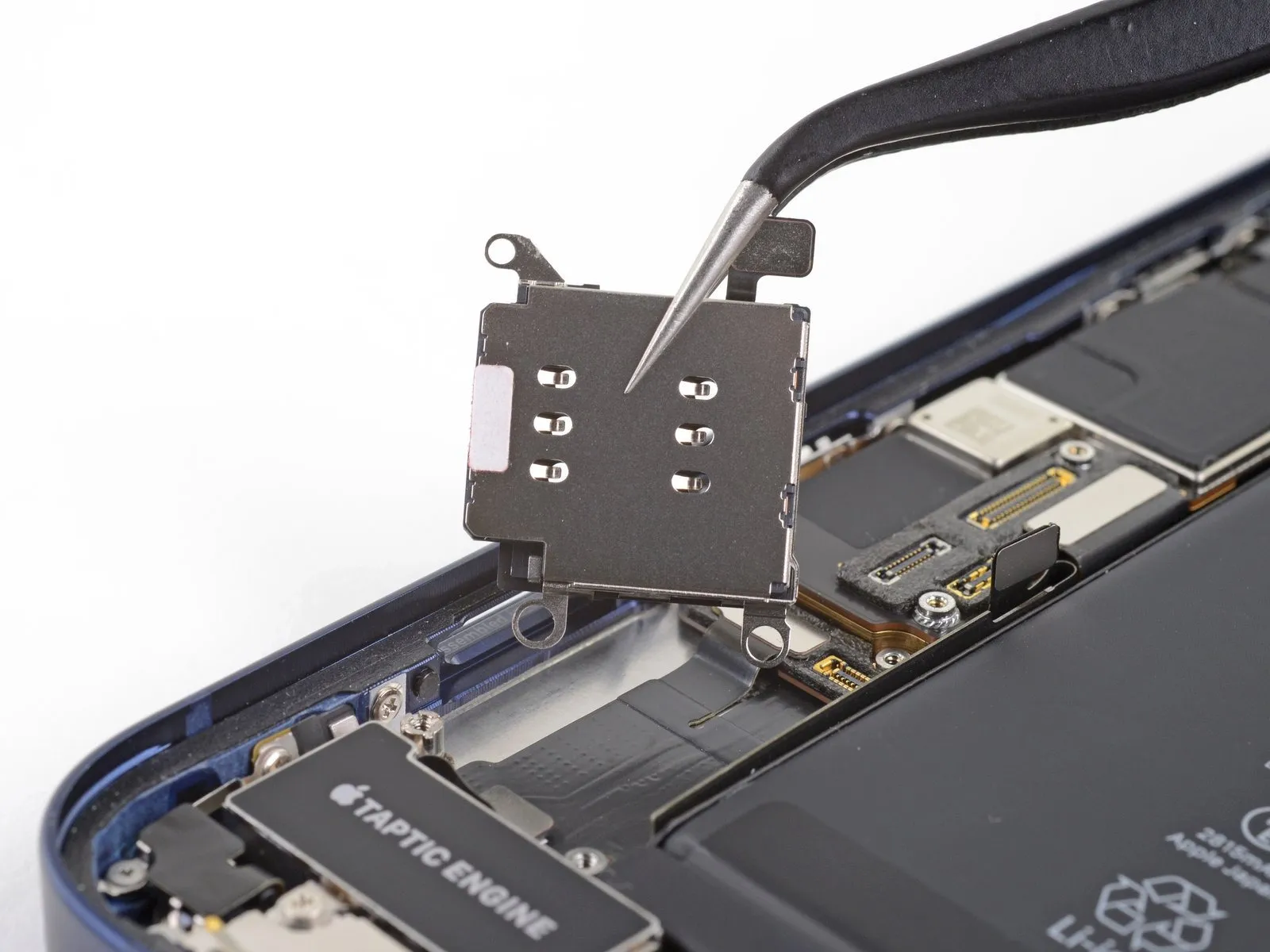
- Ensure the SIM eject plunger is fully depressed against the phone's side before attempting to reinstall it.
- The SIM card reader must be removed to continue with the repair process.
Step 38 | Disconnect the Taptic Engine
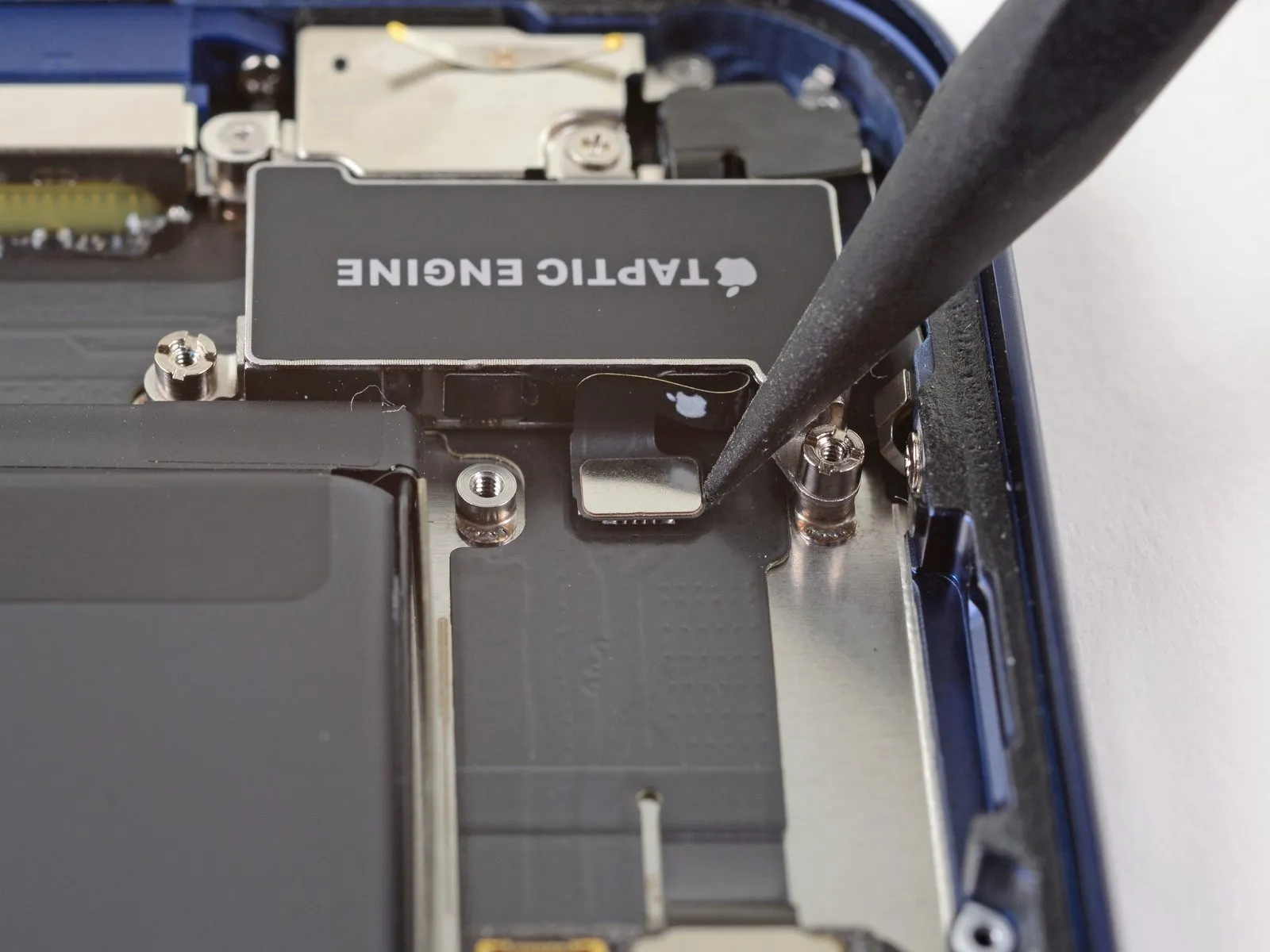
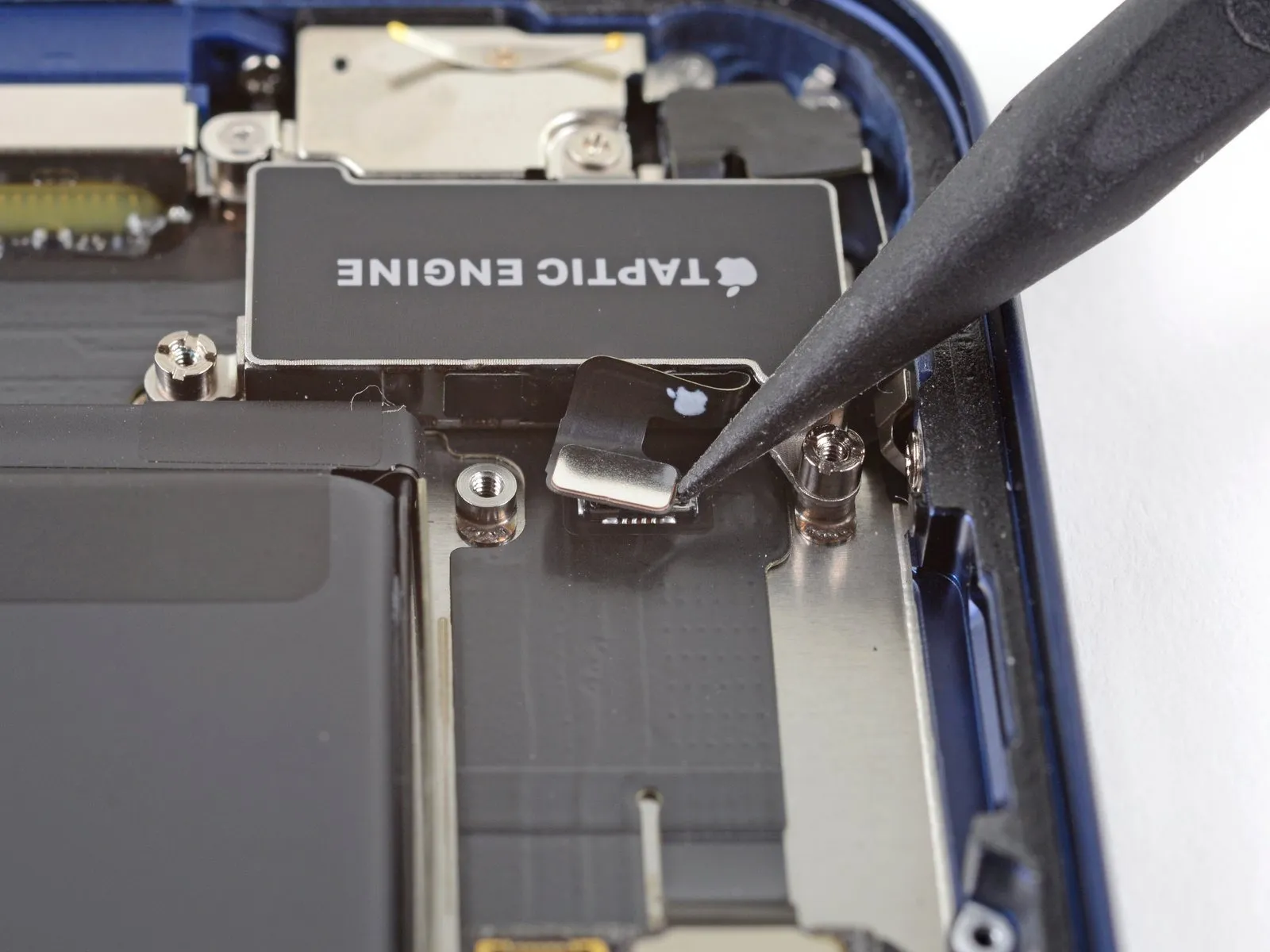
Step 39 | Unscrew the Taptic Engine
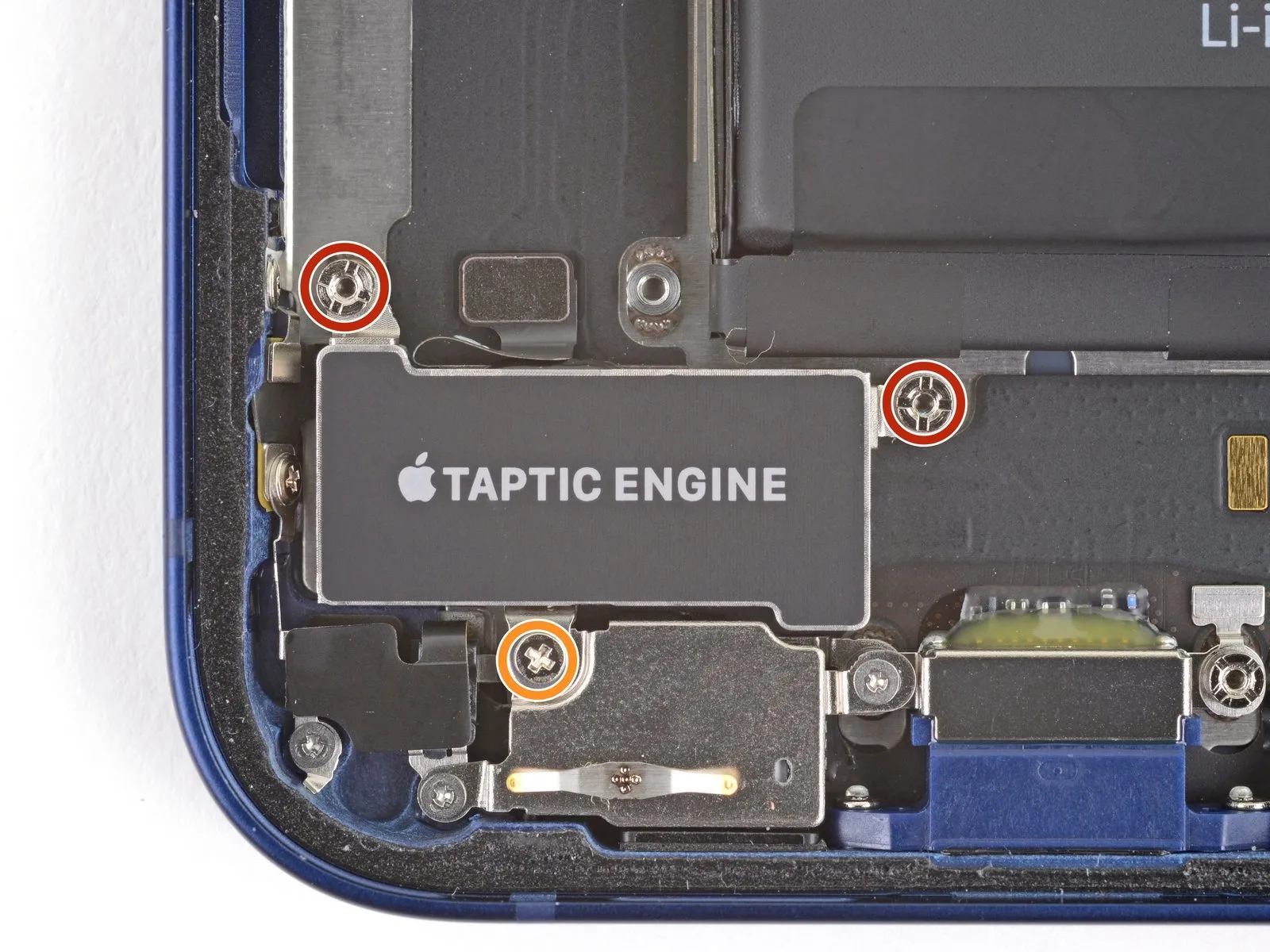
- These screws include two standoff screws, each measuring 2.8 millimeters in length.Additionally, a single Phillips screw with a length of 1.8 millimeters is also present.Careful removal of these screws is essential for successful Taptic Engine disassembly.
- Ensure proper tool selection to avoid damage to the screws or surrounding components.The fasteners must be carefully extracted to prevent any unintended movement or stress on the Taptic Engine.
Step 40 | Remove the Taptic Engine