iPhone 12 Pro Max Pentalobe Replacement
This document serves as instructions for detaching or substituting the pair of screws that fasten the iPhone 12 Pro Max display assembly.These fasteners represent the sole external screws present on the device's exterior.Due to their distinctive five-point geometry, Apple utilizes these screws exclusively, necessitating a specialized P2 pentalobe driver for their successful extraction.
Step 1 | Remove the pentalobe screws
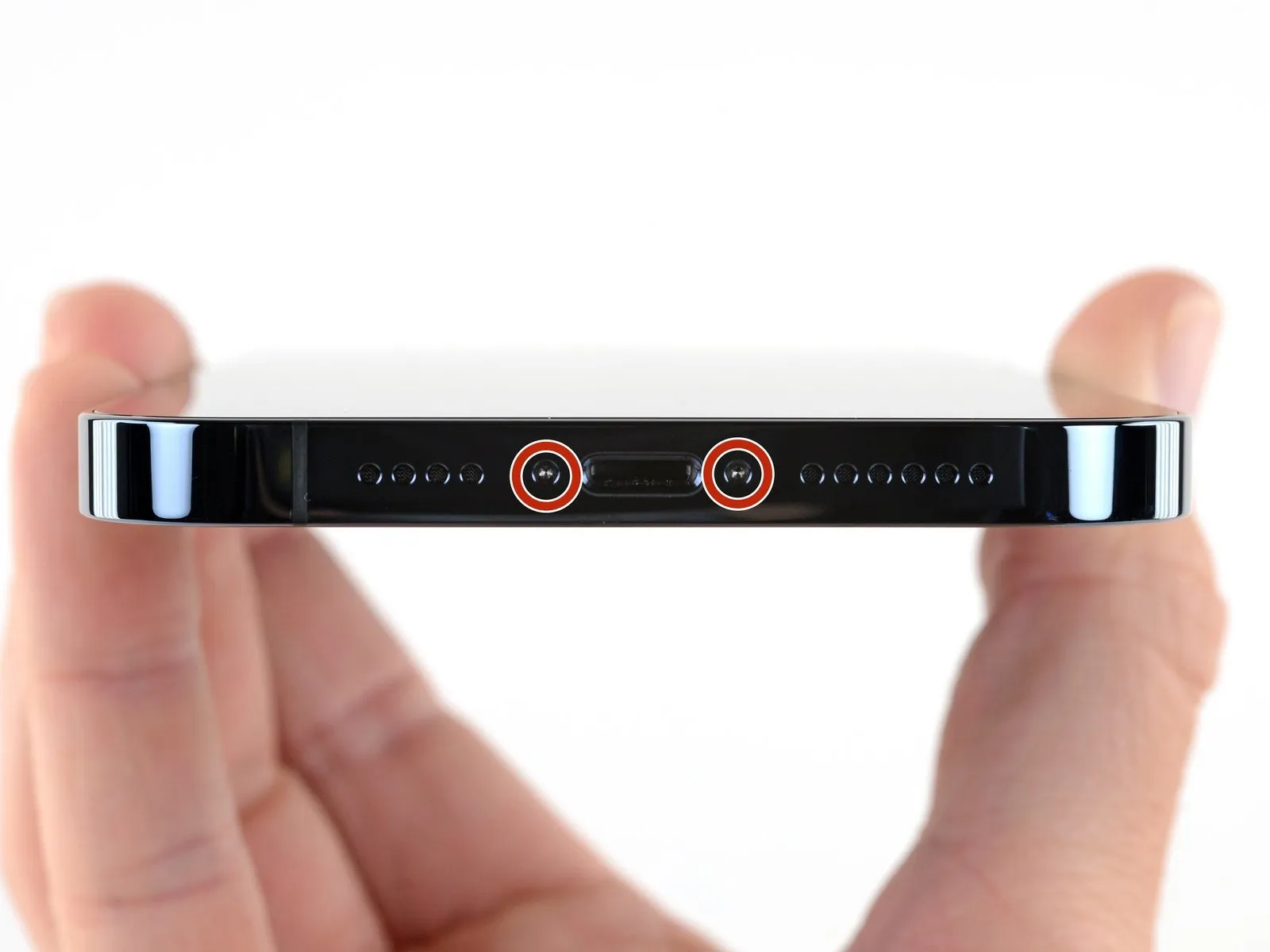
Prior to commencing the repair, ensure the iPhone's battery level is below 25% to mitigate fire or explosion hazards associated with puncturing a charged lithium-ion cell.Thoroughly clean the iPhone's exterior surfaces of any dust or debris to prevent damage during the disassembly process.
- Using appropriate tools, unscrew and remove the pair of pentalobe P2 screws, each measuring 6.7 mm in length, located along the iPhone's lower edge.
- Separating the display assembly from the iPhone chassis will irreversibly damage the device's water resistance capabilities.