iPhone 13 Pro Max Battery Replacement
Follow this guide to replace the battery on an iPhone 13 Pro Max.
- If your battery is swollen, take appropriate precautions.
Note: On iOS 17.6 and earlier, your iPhone may display a warning about the "genuineness" of the battery after the repair, even when using original Apple parts. If your iPhone functions normally, you can safely ignore the warning. On iOS 18 and newer, authenticate your new battery using Apple's Repair Assistant.
To ensure optimal performance, calibrate your newly installed battery: Charge it to 100% and keep charging it for at least two more hours. Then use your iPhone until it shuts off due to low battery. Finally, charge it uninterrupted to 100%.
Step 1 | Remove the pentalobe screws

- Caution: Before you begin, discharge your iPhone battery below 25%. A charged lithium-ion battery can catch fire and/or explode if accidentally punctured.
- Power off your iPhone before beginning disassembly.
- Remove the two 6.8 mm-long pentalobe P2 screws at the bottom edge of the iPhone.
- Opening the iPhone's display will compromise its waterproof seals. Have replacement seals ready before you proceed past this step, or take care to avoid liquid exposure if you reassemble your iPhone without replacing the seals.
Step 2 | Mark your opening picks


- If inserted too far, an opening pick can damage your device. Follow this step to mark your pick and prevent damage.
- Measure 3 mm from the tip and mark the opening pick with a permanent marker.
- You can also mark the other corners of the pick with different measurements.
- Alternatively, tape a coin to a pick 3 mm from the tip.
Step 3 | Tape over any cracks


- If your iPhone has a cracked screen, keep further breakage contained and prevent bodily harm during your repair by taping over the glass.
- Lay overlapping strips of clear packing tape over the iPhone's screen until the whole face is covered.
- Wear safety glasses to protect your eyes from any glass shaken free during the repair.
- If you can't get the suction cup to stick in the next few steps, fold a strong piece of tape (such as duct tape) into a handle and lift the screen with that instead.
- If all else fails, you can superglue the suction cup to the screen.
Step 4 | Anti-Clamp instructions


- The next three steps demonstrate the Anti-Clamp, a tool we designed to make the opening procedure easier. If you aren't using the Anti-Clamp, skip down three steps for an alternate method.
- For complete instructions on how to use the Anti-Clamp, check out this guide.
- Pull the blue handle backwards to unlock the Anti-Clamp's arms.
- Slide the arms over either the left or right edge of your iPhone.
- Position the suction cups near the bottom edge of the iPhone-one on the front, and one on the back.
- Squeeze the cups together to apply suction to the desired area.
- If you find that the surface of your iPhone is too slippery for the Anti-Clamp to hold onto, you can use tape to create a grippier surface.
Step 5


- Push the blue handle away from the hinge to engage opening mode.
- Turn the handle clockwise until you see the cups start to stretch.
- Make sure the suction cups remain aligned with each other. If they begin to slip out of alignment, loosen the suction cups slightly and realign the arms.
Step 6


- Support your iPhone on something sturdy such as a hardcover book so it rests hands-free and parallel to the ground; this makes it easier to work with in the following steps.
- Use a hair dryer to heat along the bottom edge of the iPhone. The screen should feel slightly too hot to touch.
- For complete instructions on how to use a hair dryer, check out this guide.
- Wait one minute to give the adhesive a chance to release and present an opening gap.
- Insert an opening pick under the screen's plastic bezel when the Anti-Clamp creates a large enough gap.
- If the Anti-Clamp doesn't create a sufficient gap, apply more heat to the area and rotate the handle a quarter turn.
- Don't crank more than a quarter turn at a time, and wait one minute between turns. Let the Anti-Clamp and time do the work for you.
- Skip the next three steps.
Step 7 | Heat the bottom edge

- Use a hair dryer or a heat gun to heat the bottom edge of the iPhone for 90 seconds or until the screen is slightly too hot to touch.
- Never leave your hair dryer in one spot for an extended period of time.
Step 8 | Insert an opening pick
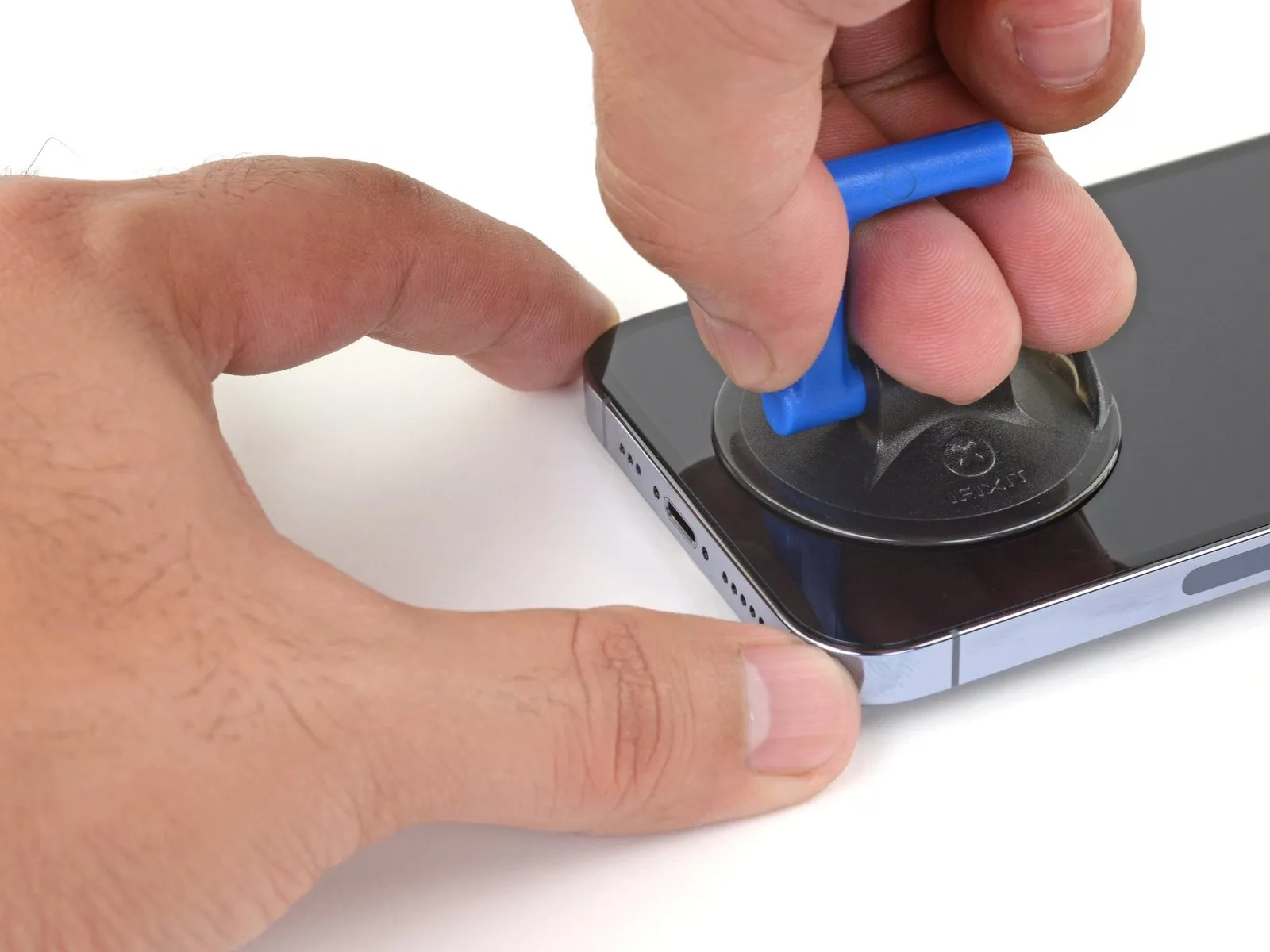
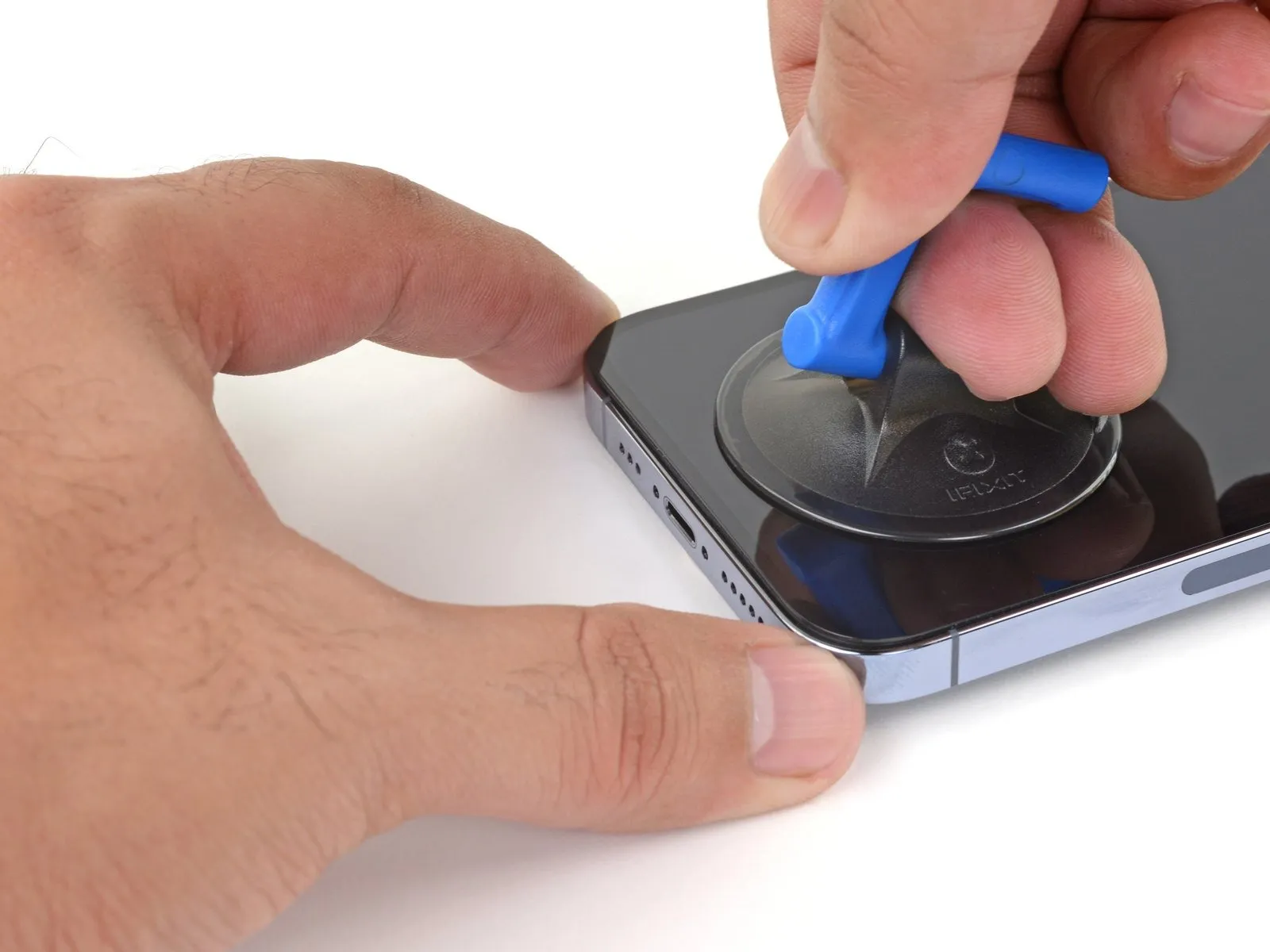
- Apply a suction handle to the bottom edge of the phone, while avoiding the very edge of the glass.
- Pull up on the suction cup with firm, constant pressure to create a slight gap between the screen and the frame.
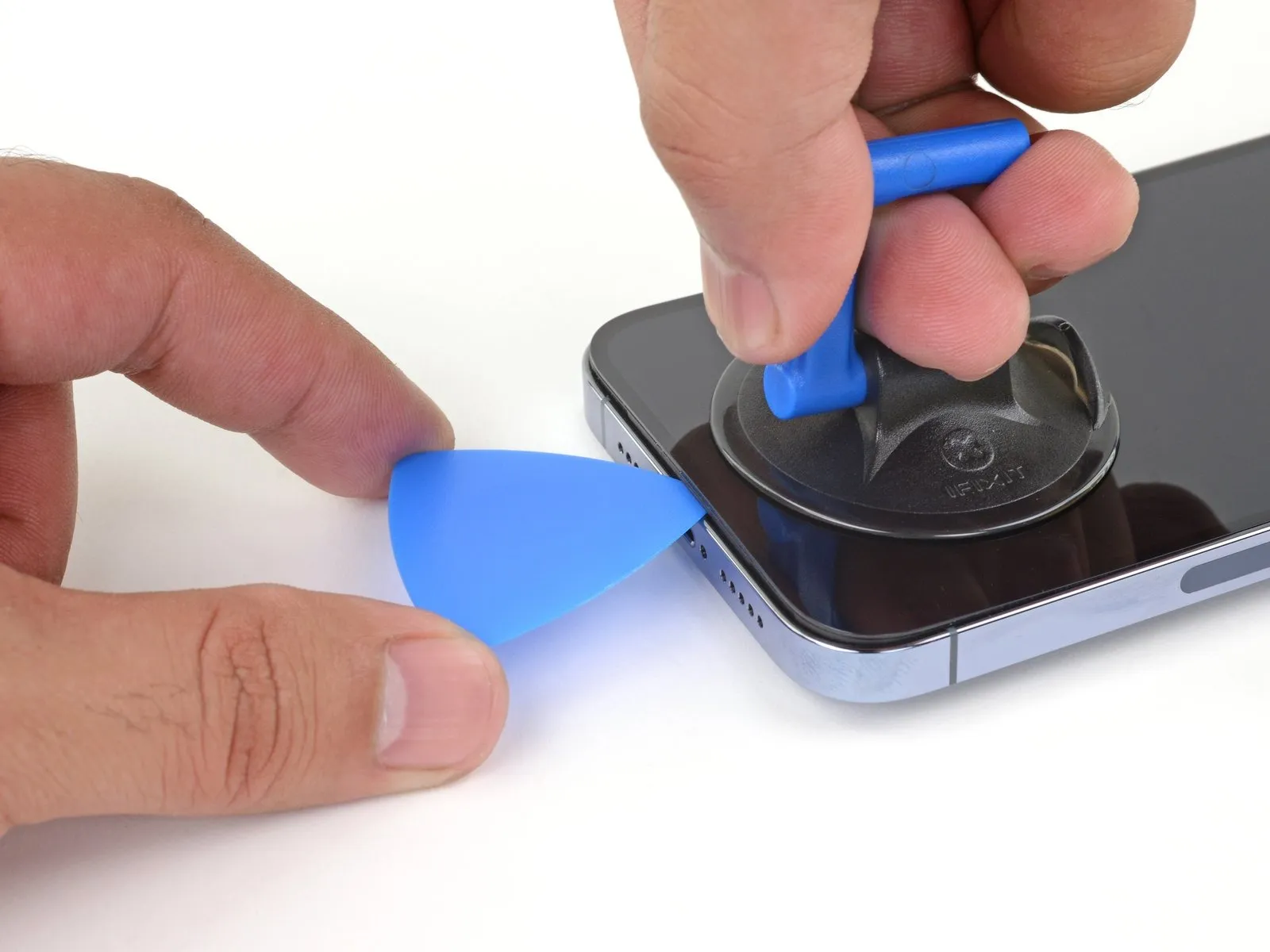
- Insert an opening pick into the gap under the screen's plastic bezel.
- The watertight adhesive holding the screen in place is very strong; creating this initial gap takes a significant amount of force. If you're having a hard time opening a gap, apply more heat, and gently rock the screen up and down to weaken the adhesive until you create enough of a gap to insert your tool.
Step 9 | Heat the right edge


- Use a hair dryer to heat the right edge of the iPhone (the edge with the power button) for 90 seconds or until the screen is slightly too hot to touch.
Step 10 | Separate the right adhesive
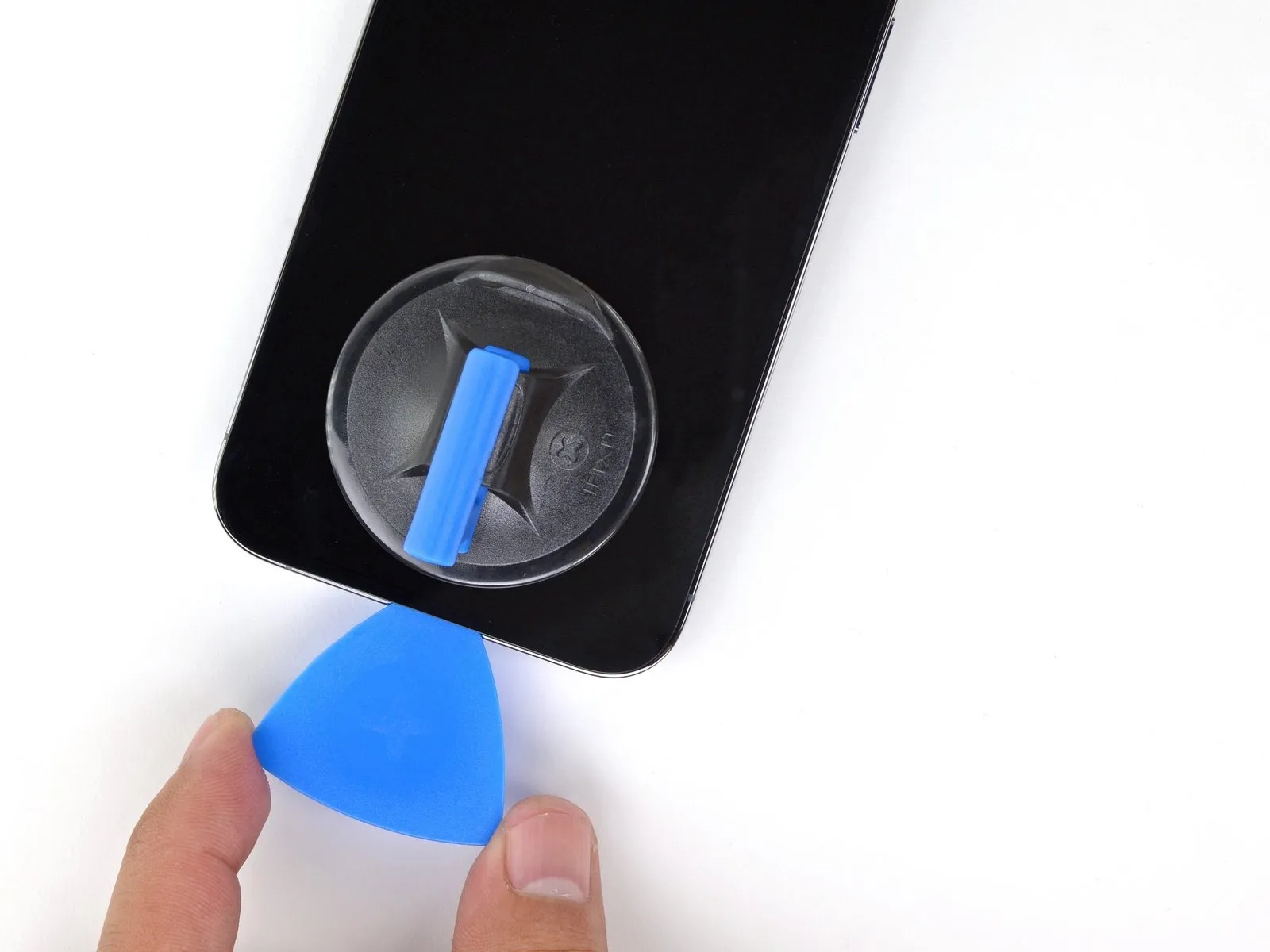
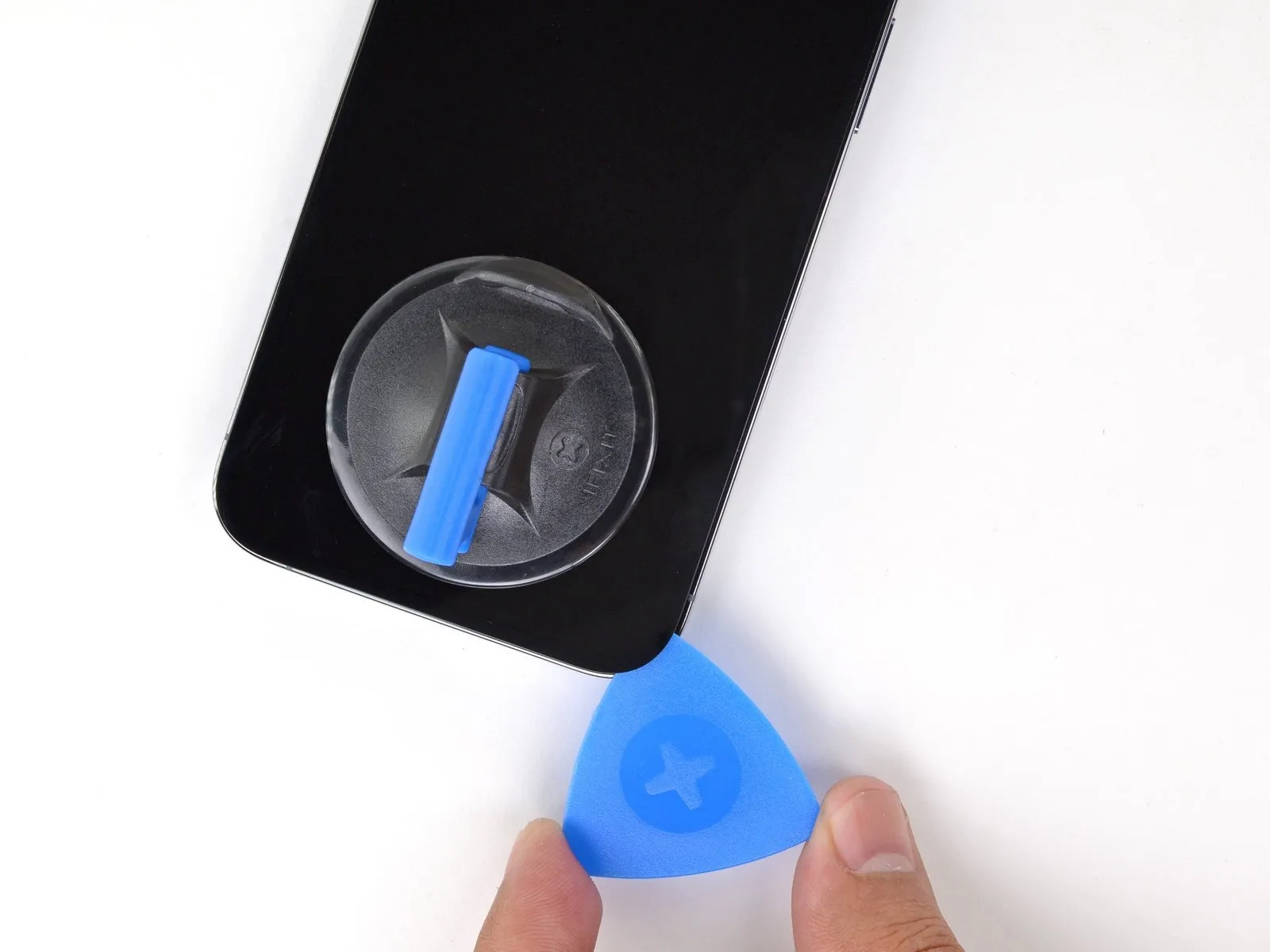
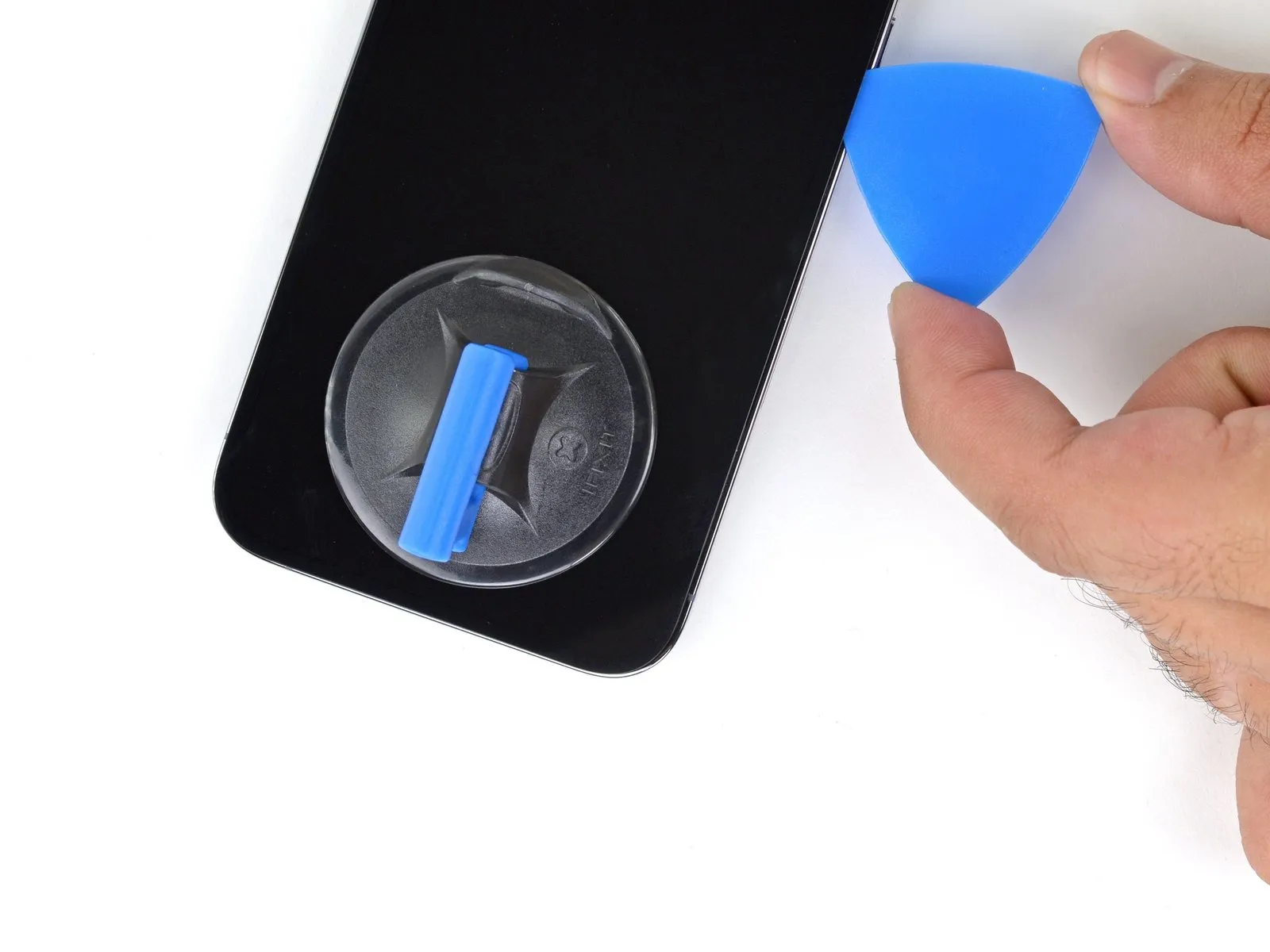
- Slide the opening pick around the bottom right corner of the iPhone to separate its adhesive.
- Continue sliding up the right edge of the iPhone until you reach the top right corner.
- Don't insert your pick more than 3 mm, as you may damage internal components.
- Leave the pick in the top right corner before continuing.
Step 11 | Heat the top edge

- Use a hair dryer to heat the top edge of the iPhone for 90 seconds or until the screen is slightly too hot to touch.
Step 12 | Separate the top adhesive
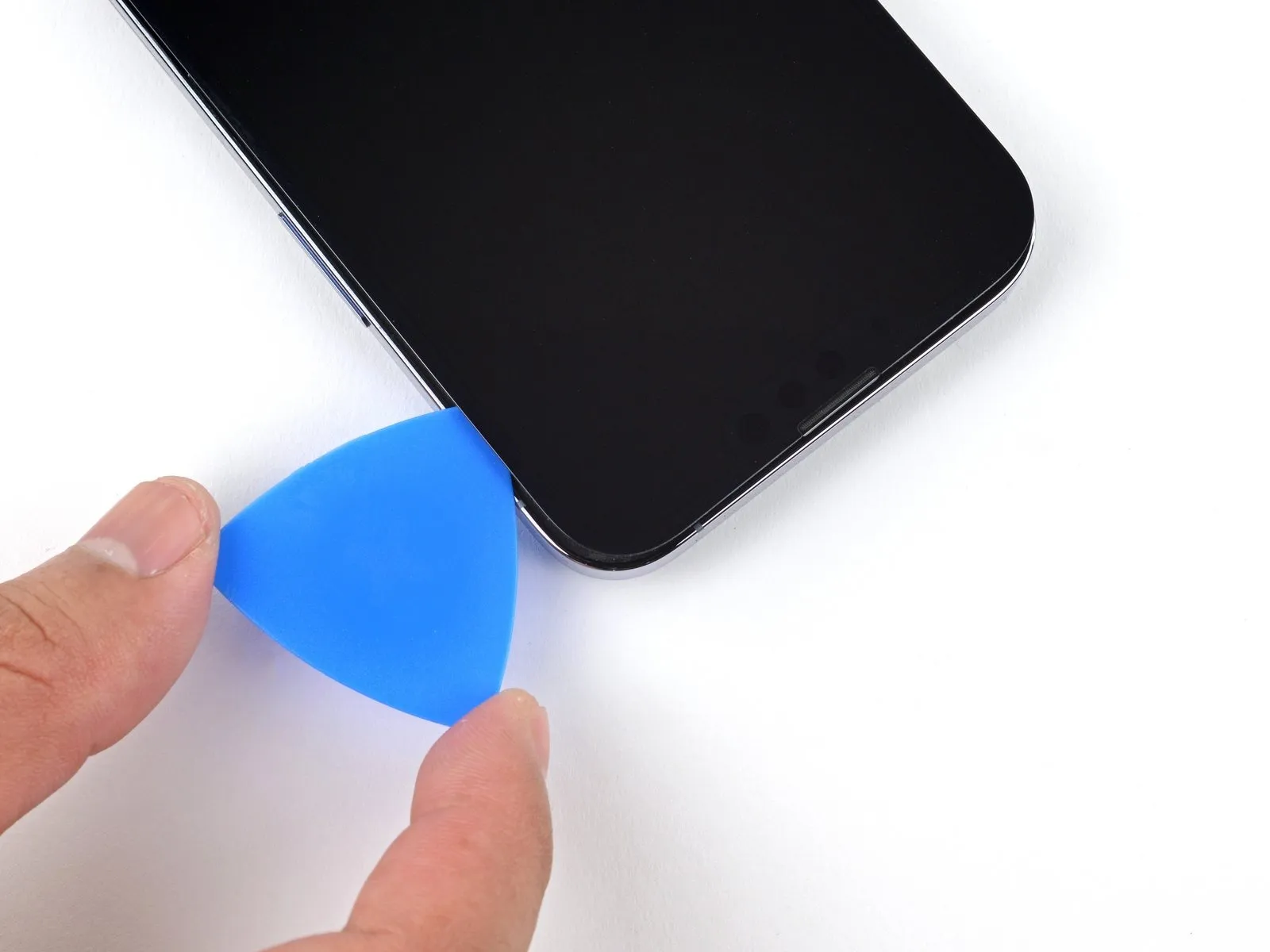
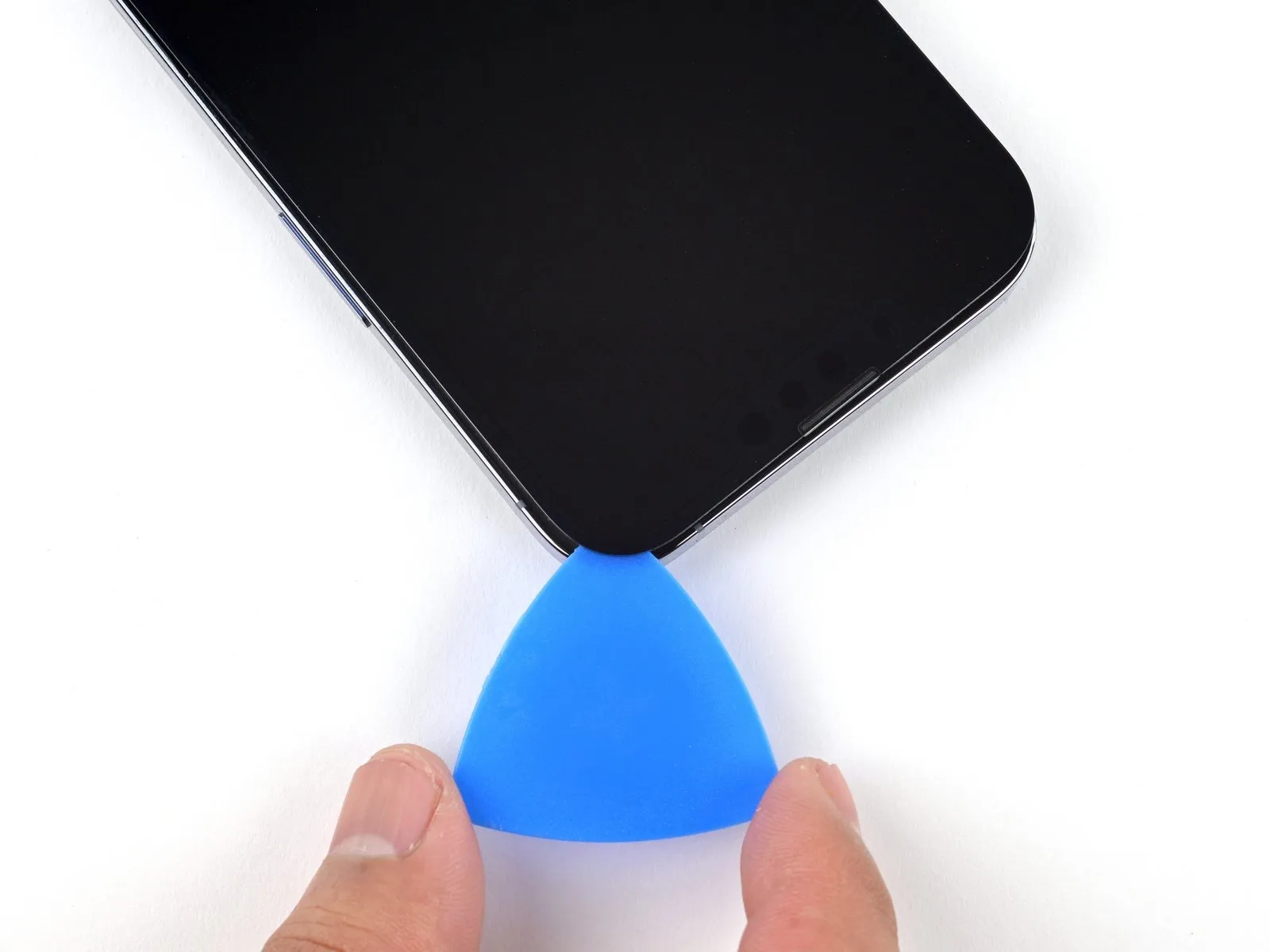
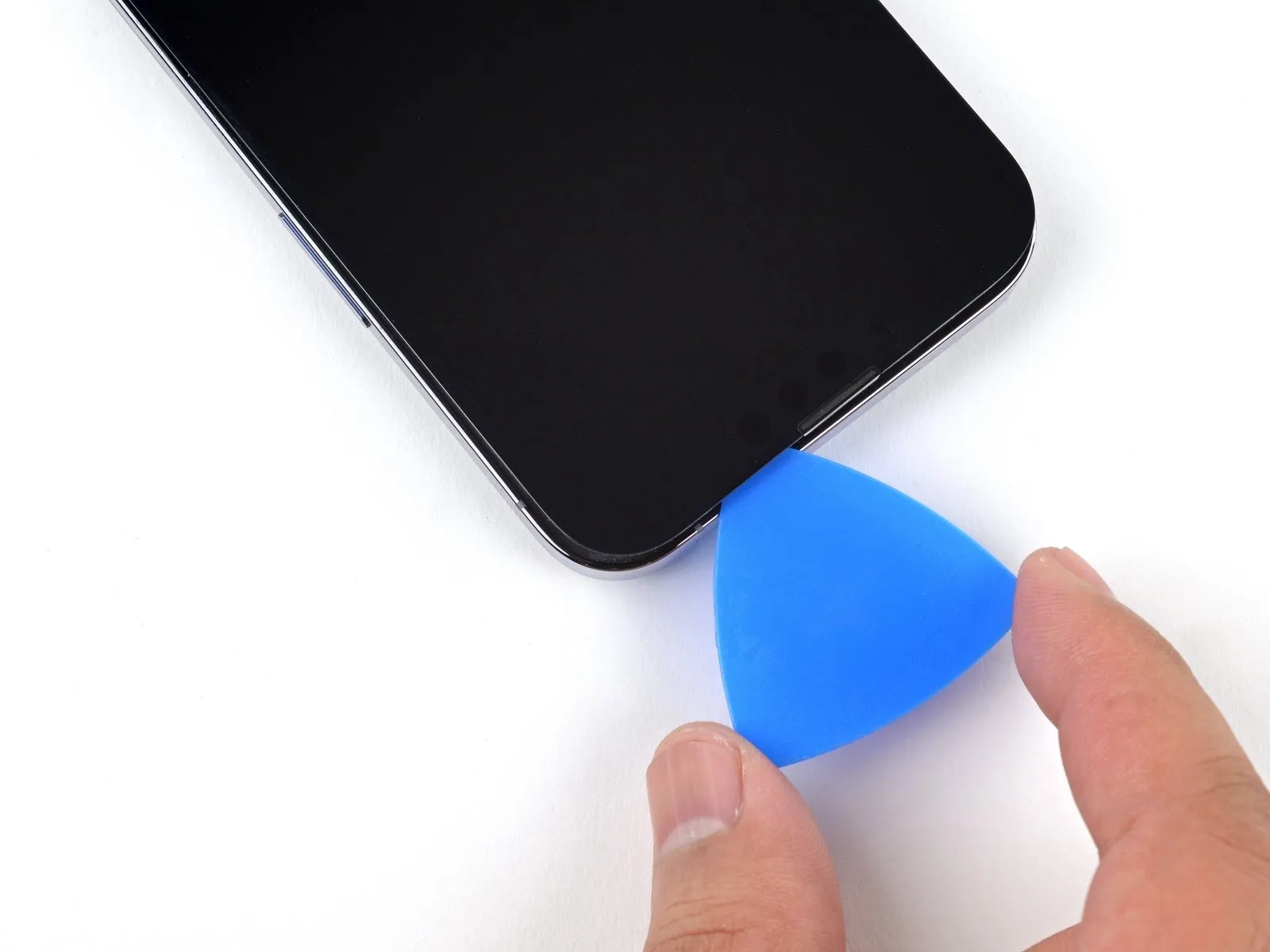
- Slide the opening pick around the top right corner of the iPhone to separate the top adhesive.
Do not insert your pick more than 3 mm, as you may damage the top sensors.
Leave the pick in the top left corner before continuing.
Step 13 | Heat the left edge


Use a hair dryer to heat the left edge of the iPhone for 90 seconds or until the screen is slightly too hot to touch.
Step 14 | Screen information

There are delicate cables along the left edge of your iPhone. Do not insert your pick here, as you may damage the cables.
Step 15 | Separate the left adhesive
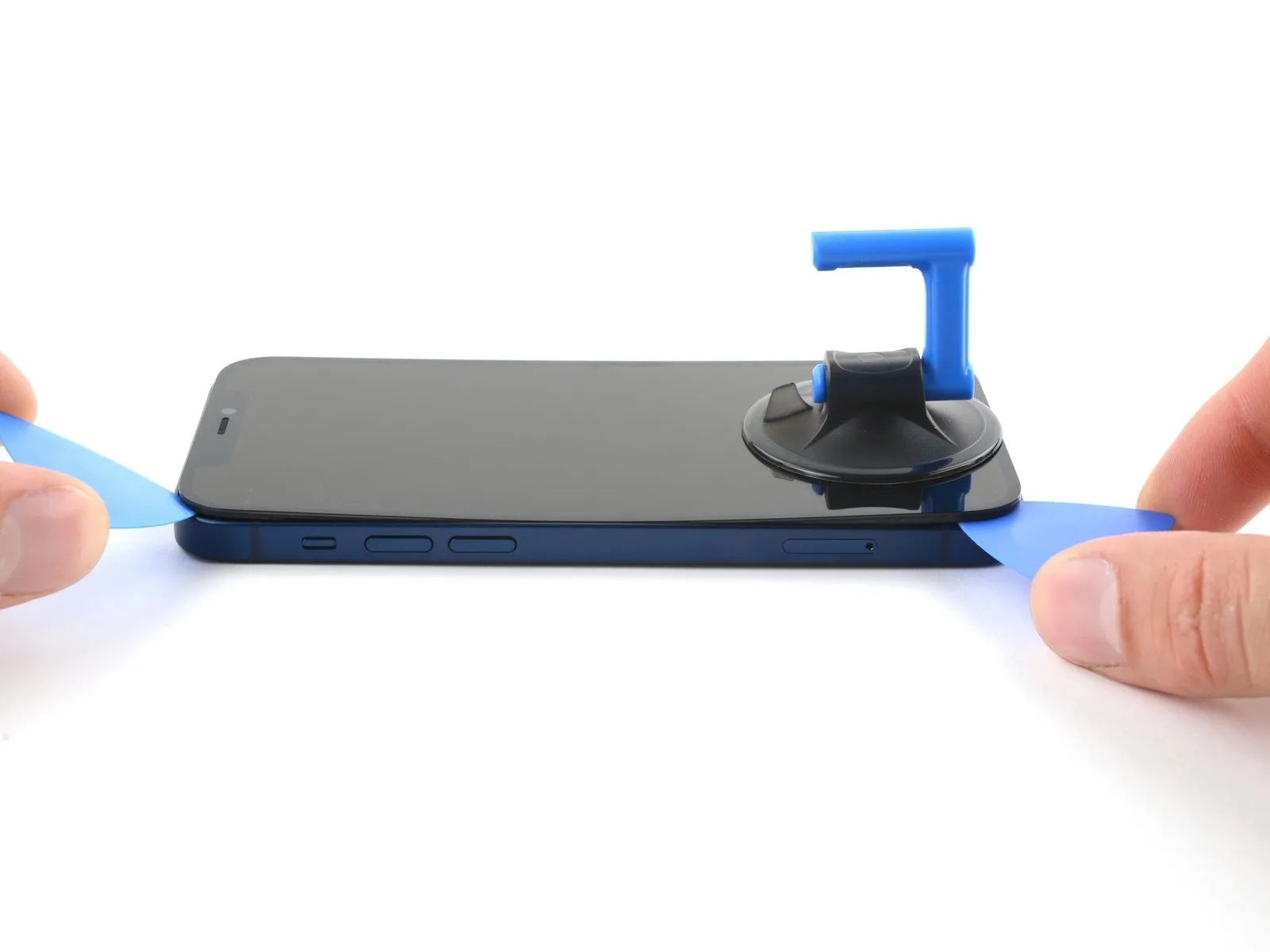
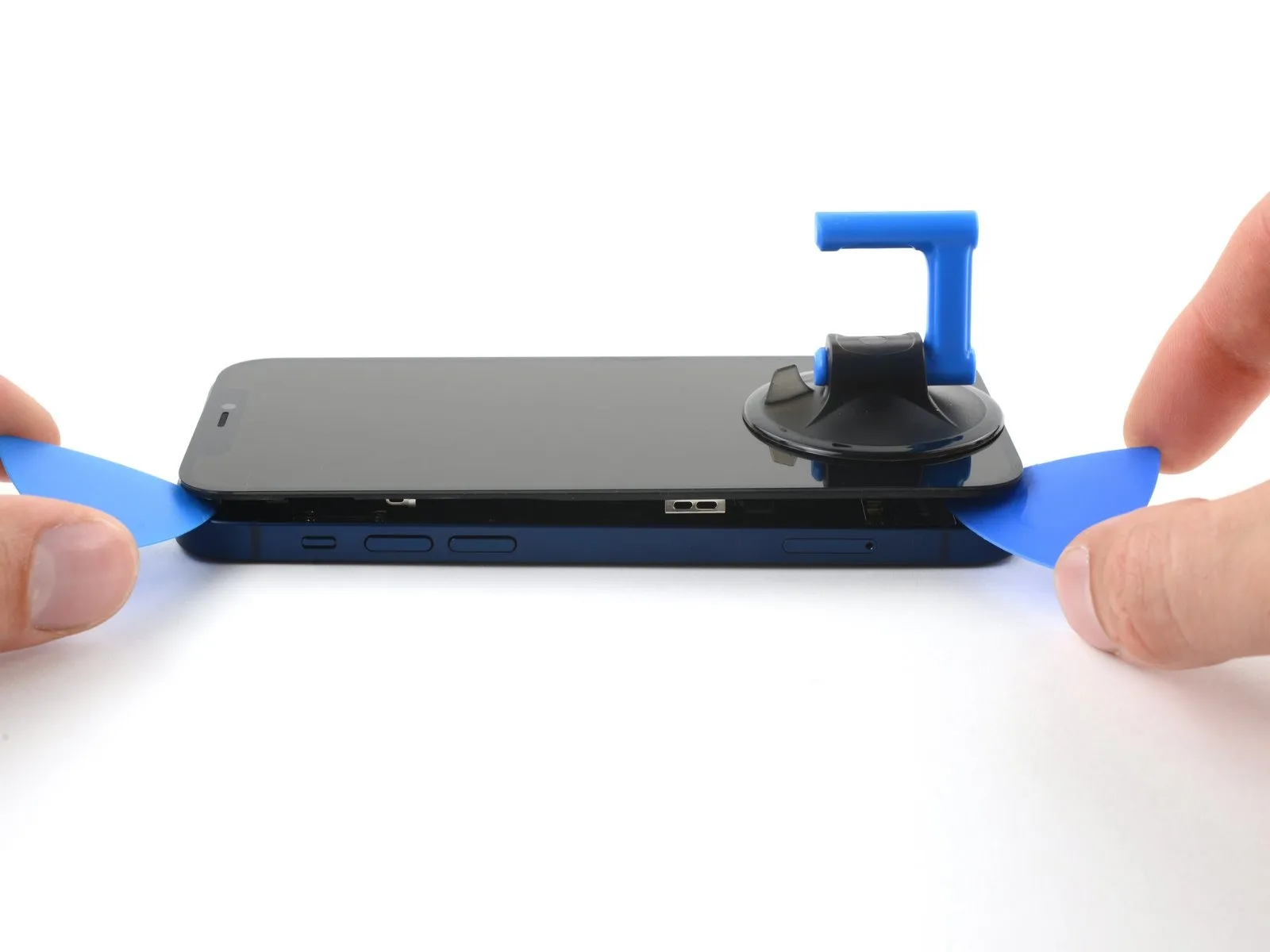
- Insert a second opening pick in the bottom left corner of the iPhone.
- Twist both picks simultaneously until the left edge clips release.
- Apply the twisting force gradually.
- If you're having trouble separating the adhesive, reheat the left edge.
Step 16 | Open the iPhone

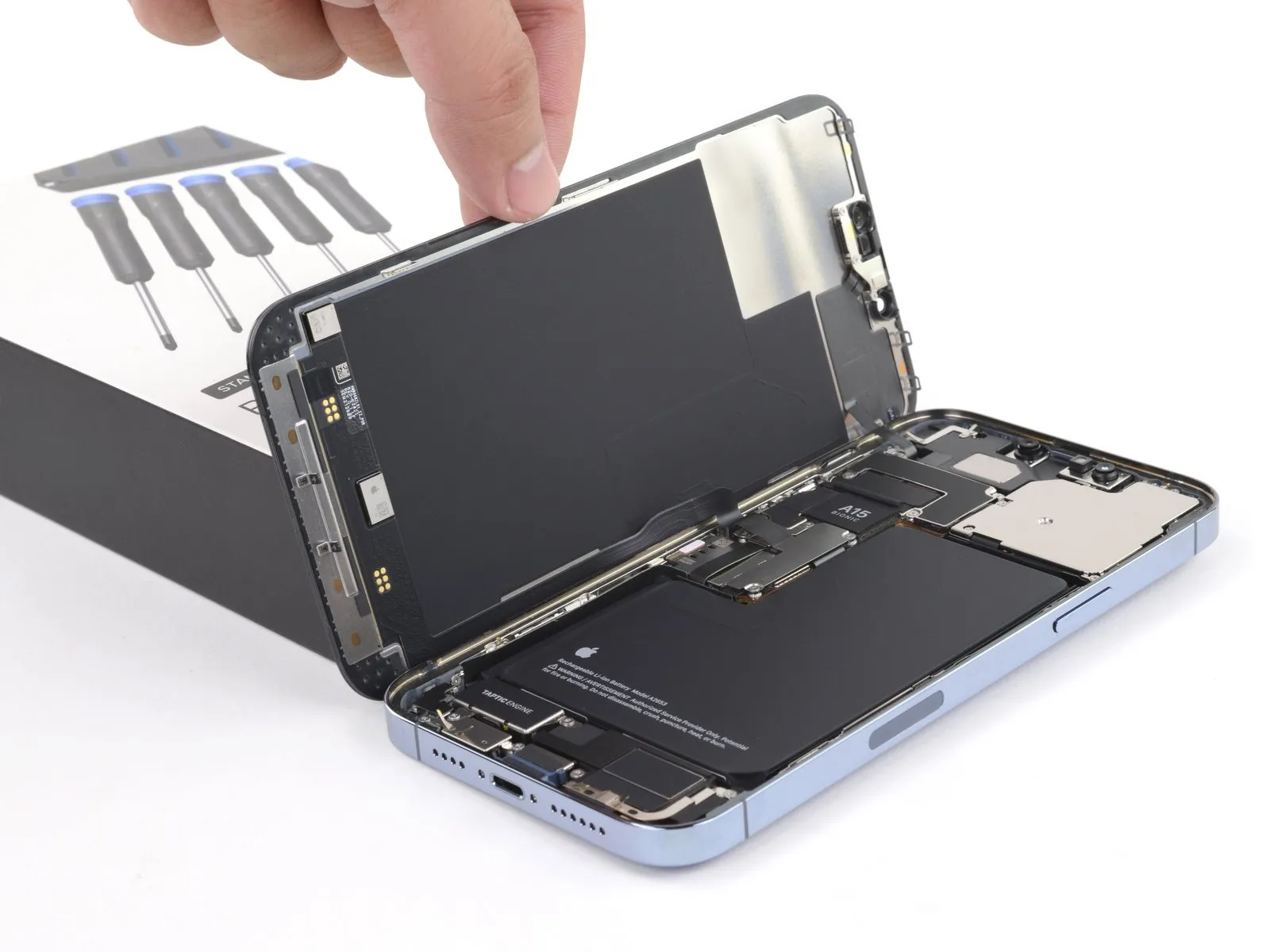
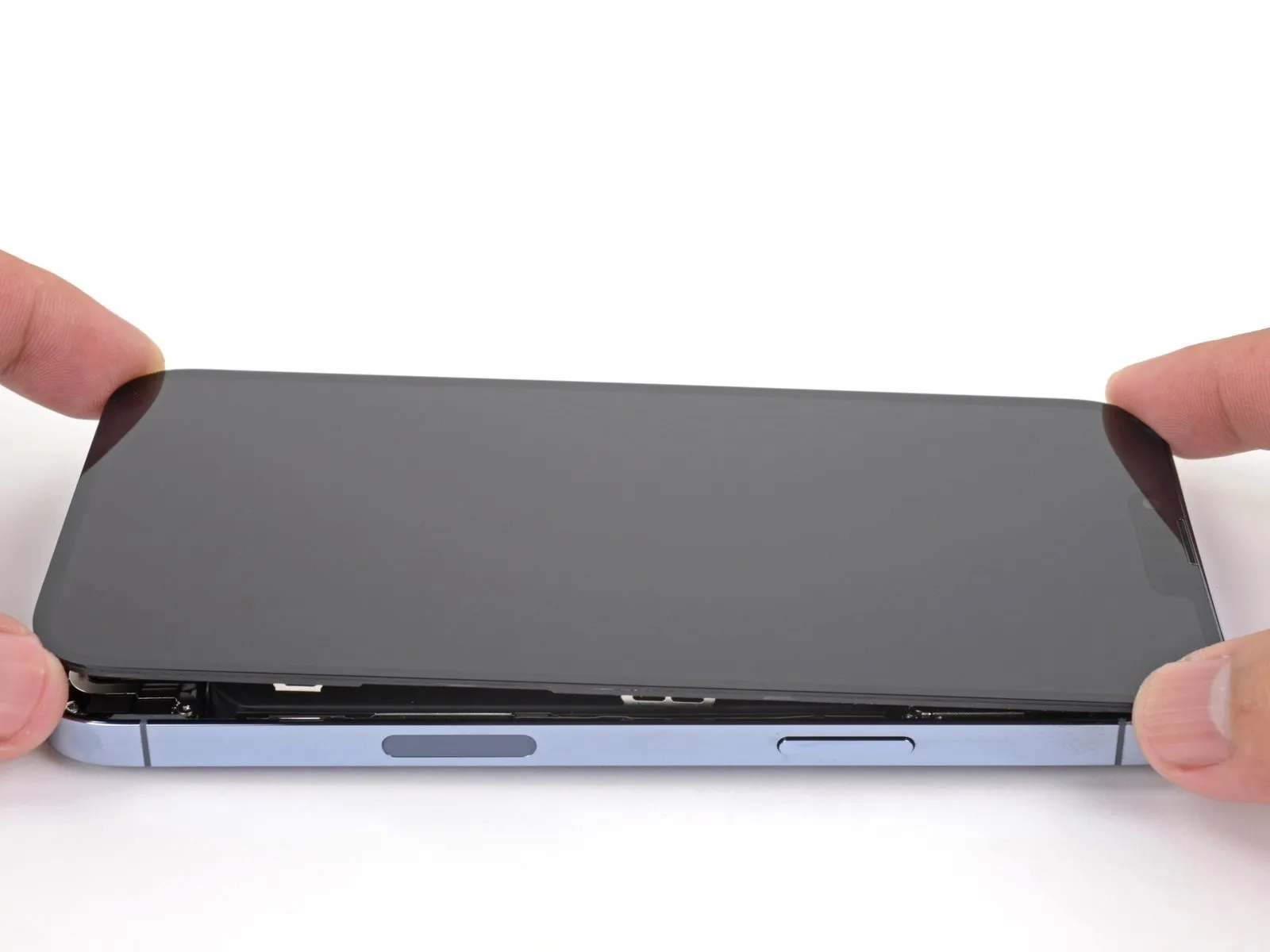
- Remove your suction handle from the screen.
- Rotate your iPhone so the right edge faces you.
- Open your iPhone by swinging the display up from the right side, like the front cover of a book.
- Don't try to fully separate the display yet, as several fragile ribbon cables still connect it to the iPhone's logic board.
- Lean the display against something to keep it propped up while you're working on the phone.
- During reassembly, lay the display in position, align the clips along the top edge, and carefully press the top edge into place before snapping the rest of the display down. If it doesn't click easily into place, check the condition of the clips around the perimeter of the display and make sure they aren't bent.
Step 17 | Remove the battery connector cover

- Use a Y000 screwdriver to remove the three 1.3 mm screws securing the battery connector cover.
- Throughout this repair, keep track of each screw and make sure it goes back exactly where it came from to avoid damaging your iPhone.
- During reassembly, this is a good point to power on your iPhone and test all functions before you seal the display in place. Be sure to power your iPhone back down completely before you continue working.
Step 18

- Remove the battery connector cover.
Step 19 | Disconnect the battery

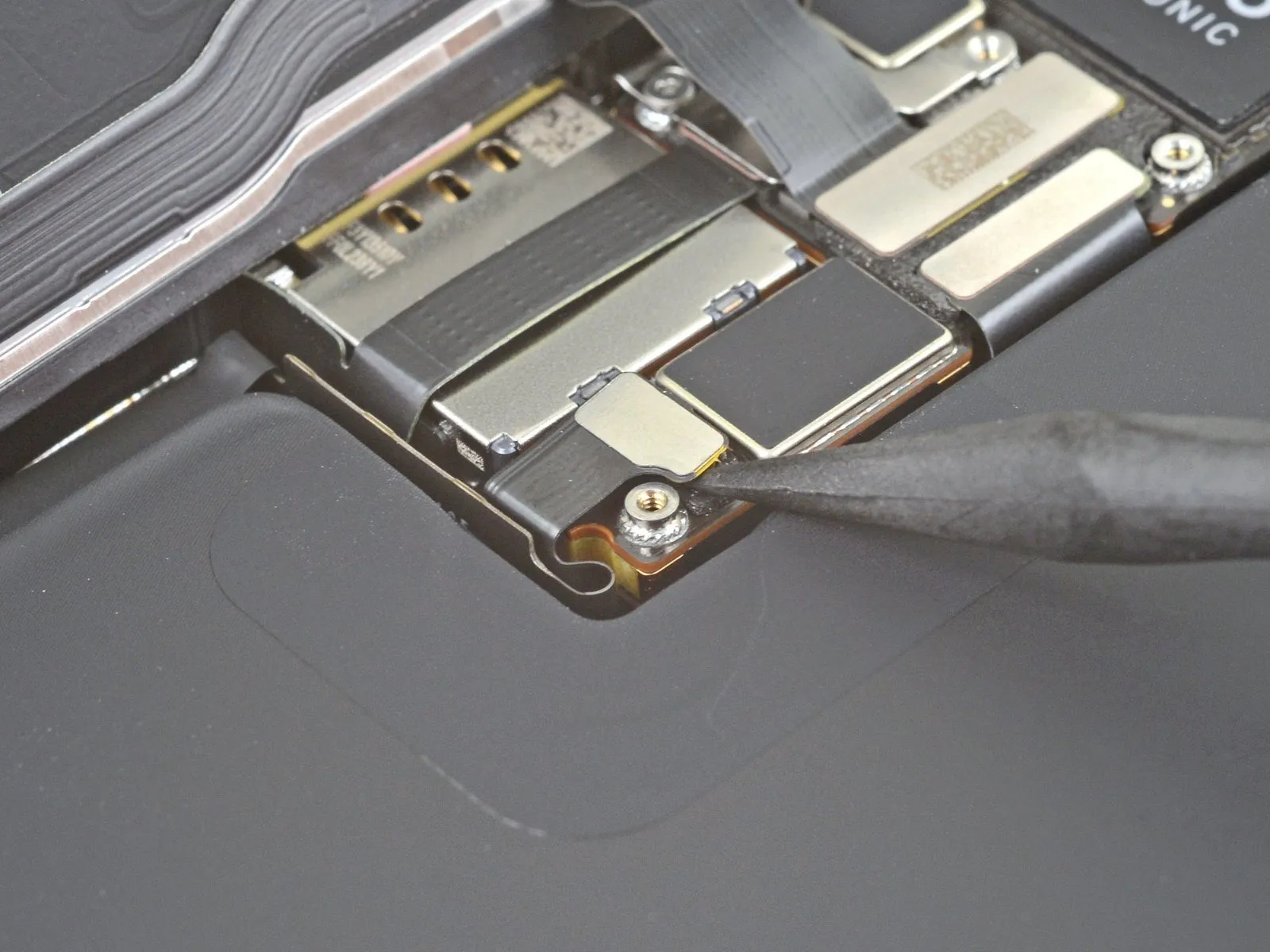
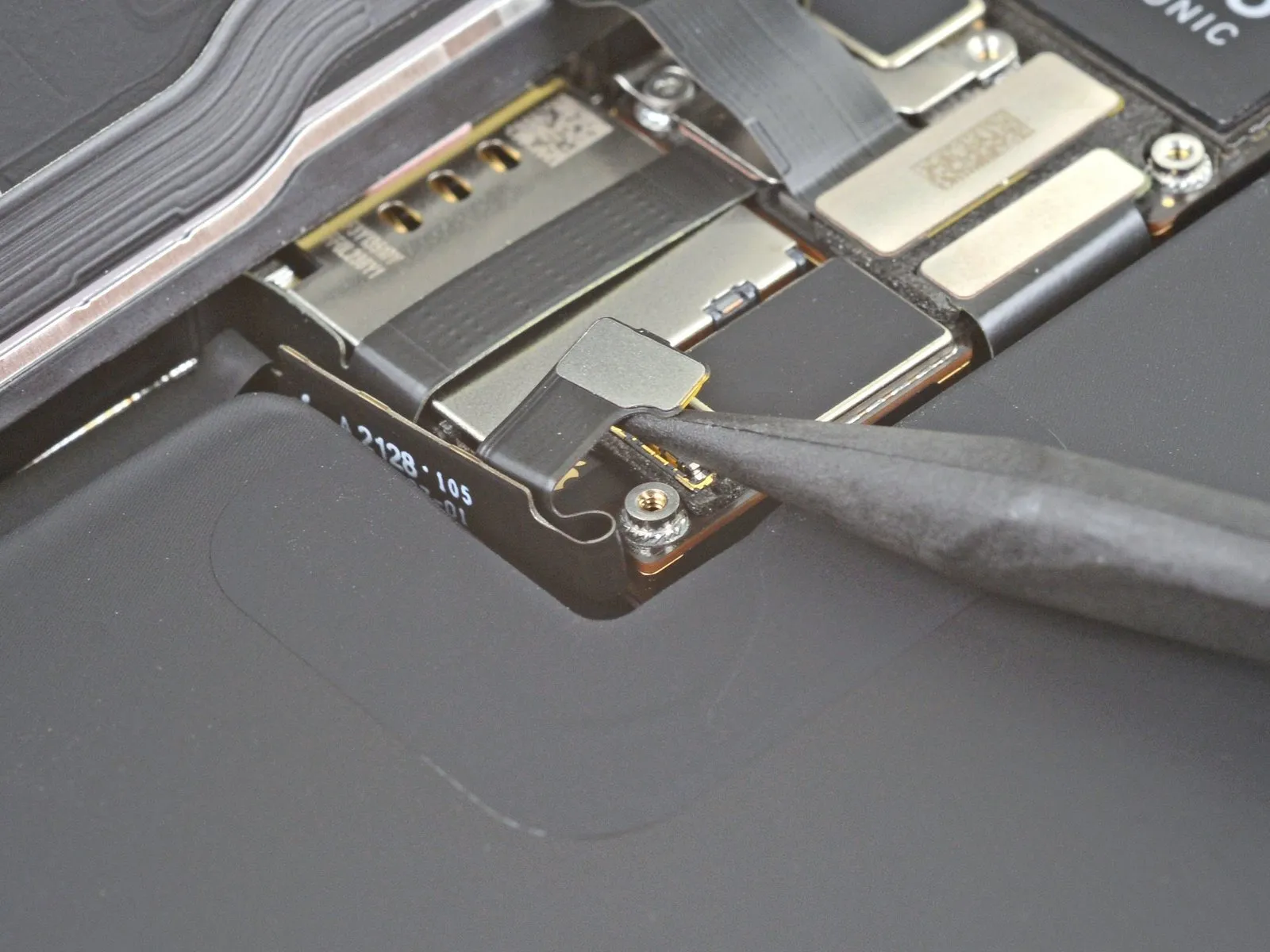
- Use the pointed end of a spudger or a clean fingernail to pry the battery connector up from its socket on the logic board.
- Try not to damage the black silicone seal surrounding this and other board connections. These seals provide extra protection against water and dust intrusion.
- Bend the connector slightly away from the logic board to prevent it from accidentally making contact with the socket and providing power to the phone during your repair.
Step 20 | Disconnect the display cable

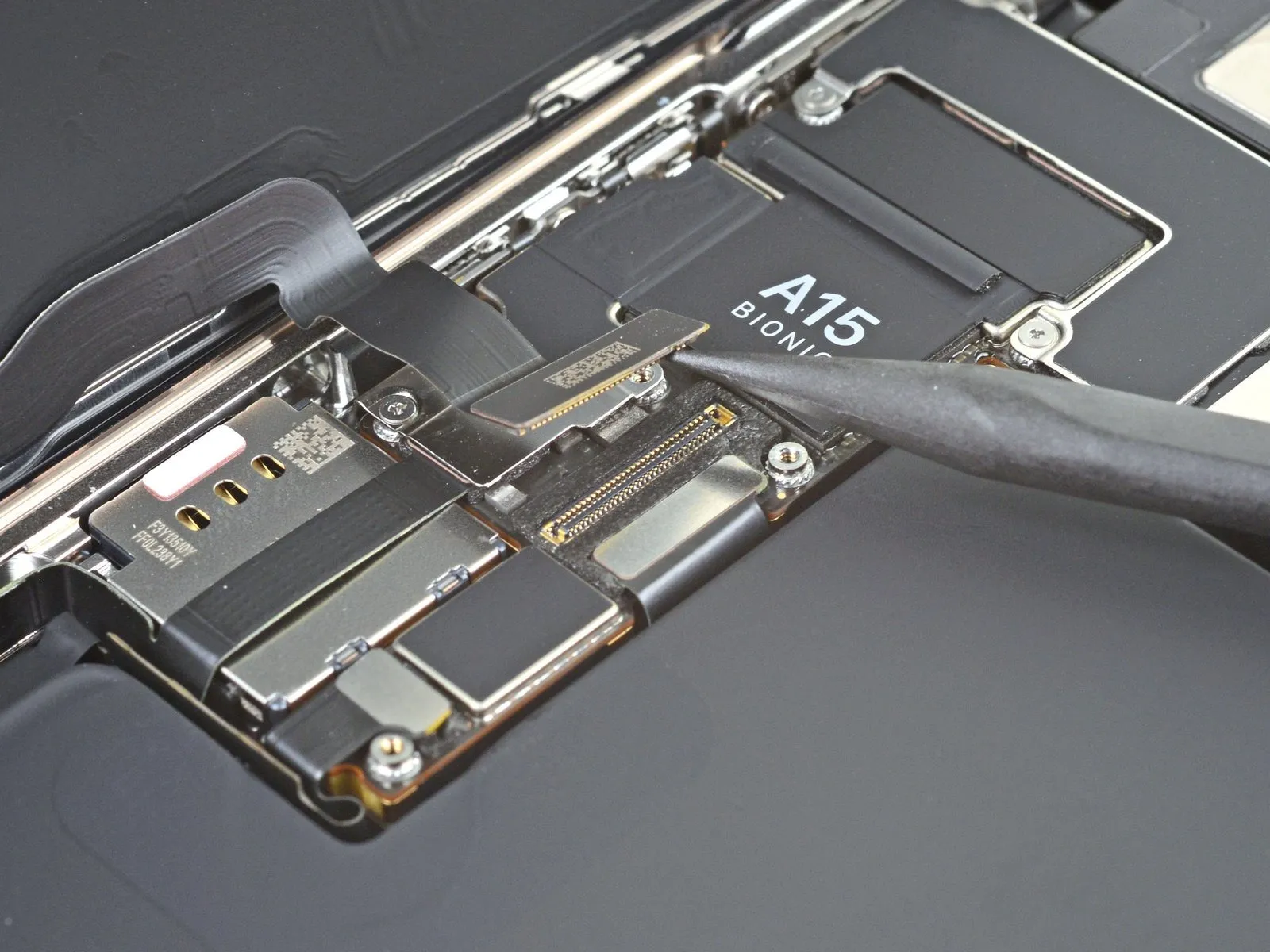
- Use the pointed end a spudger or a clean fingernail to pry the display connector up from its socket on the logic board.
- To re-attach press connectors like this one, carefully align and press down on one side until it clicks into place, then repeat on the other side. Do not press down on the middle. If the connector is misaligned, the pins can bend, causing permanent damage.
Step 21 | Unscrew the front sensor connector cover

- Use a Y000 screwdriver to remove two 1.1 mm screws from the front sensor connector cover.
- Use a Phillips screwdriver to remove the remaining two screws from the front sensor connector cover:
- A 1.5 mm screw
- A 1.8 mm screw
Step 22
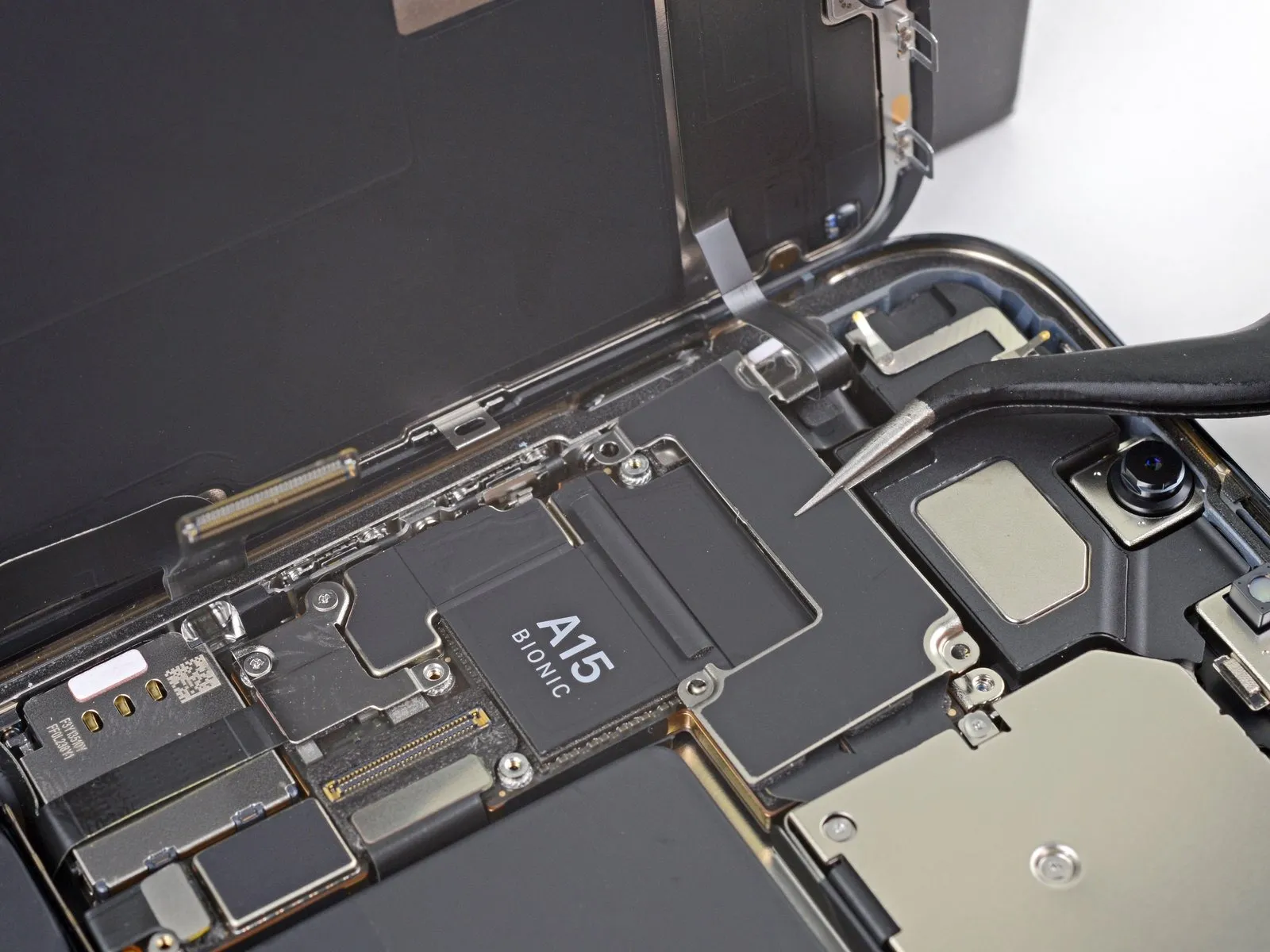
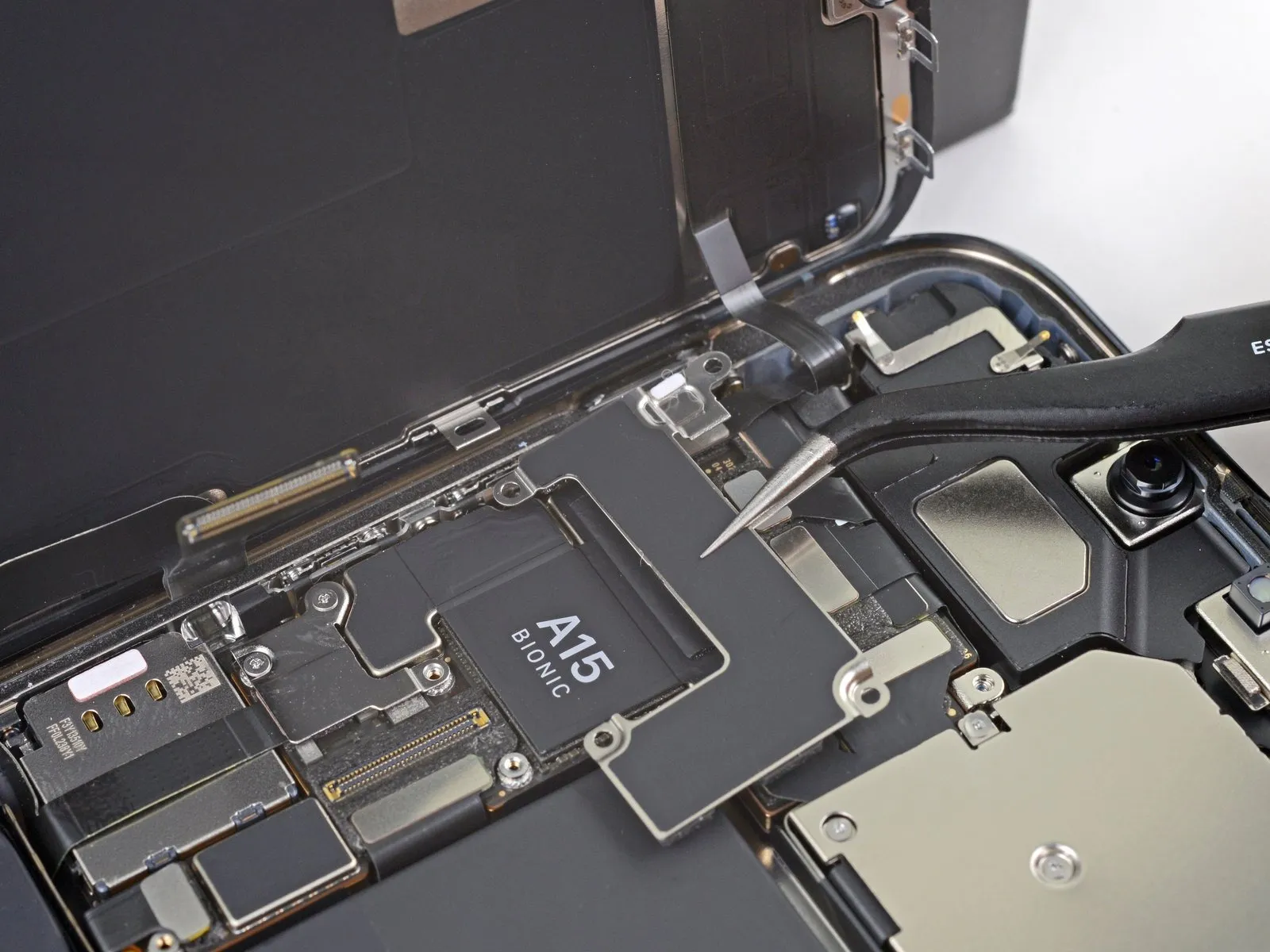
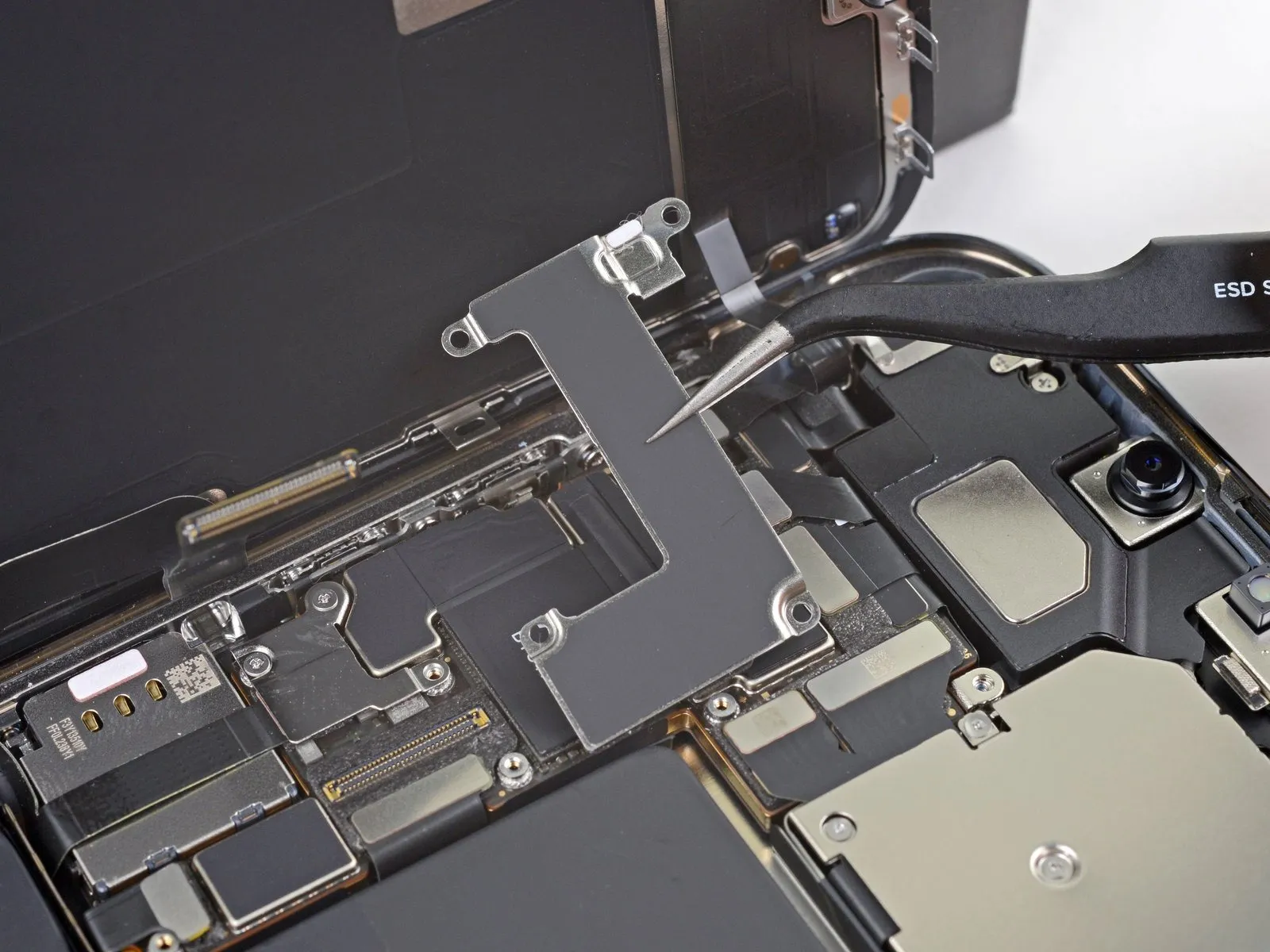
- Remove the front sensor connector cover.
Step 23
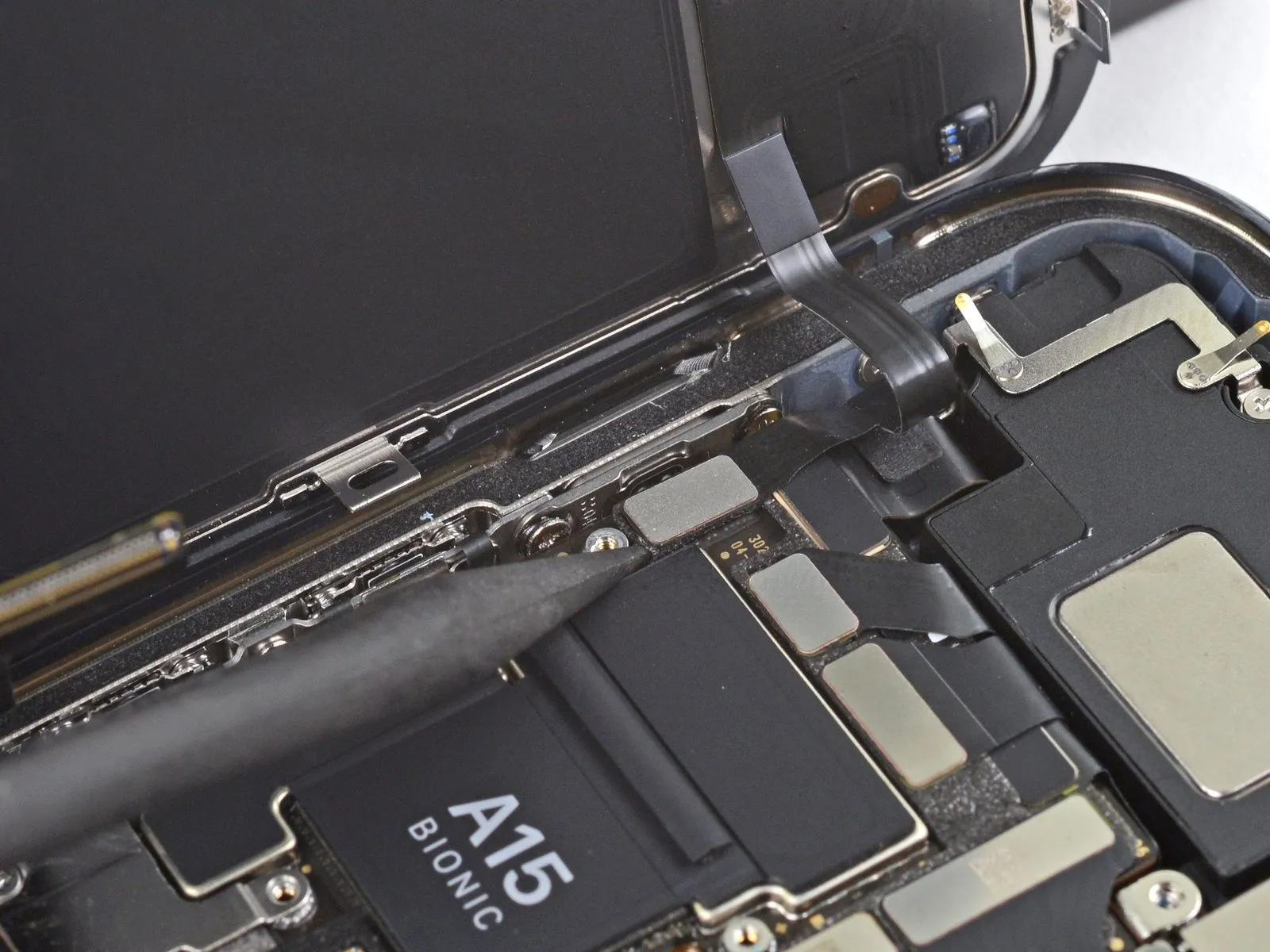
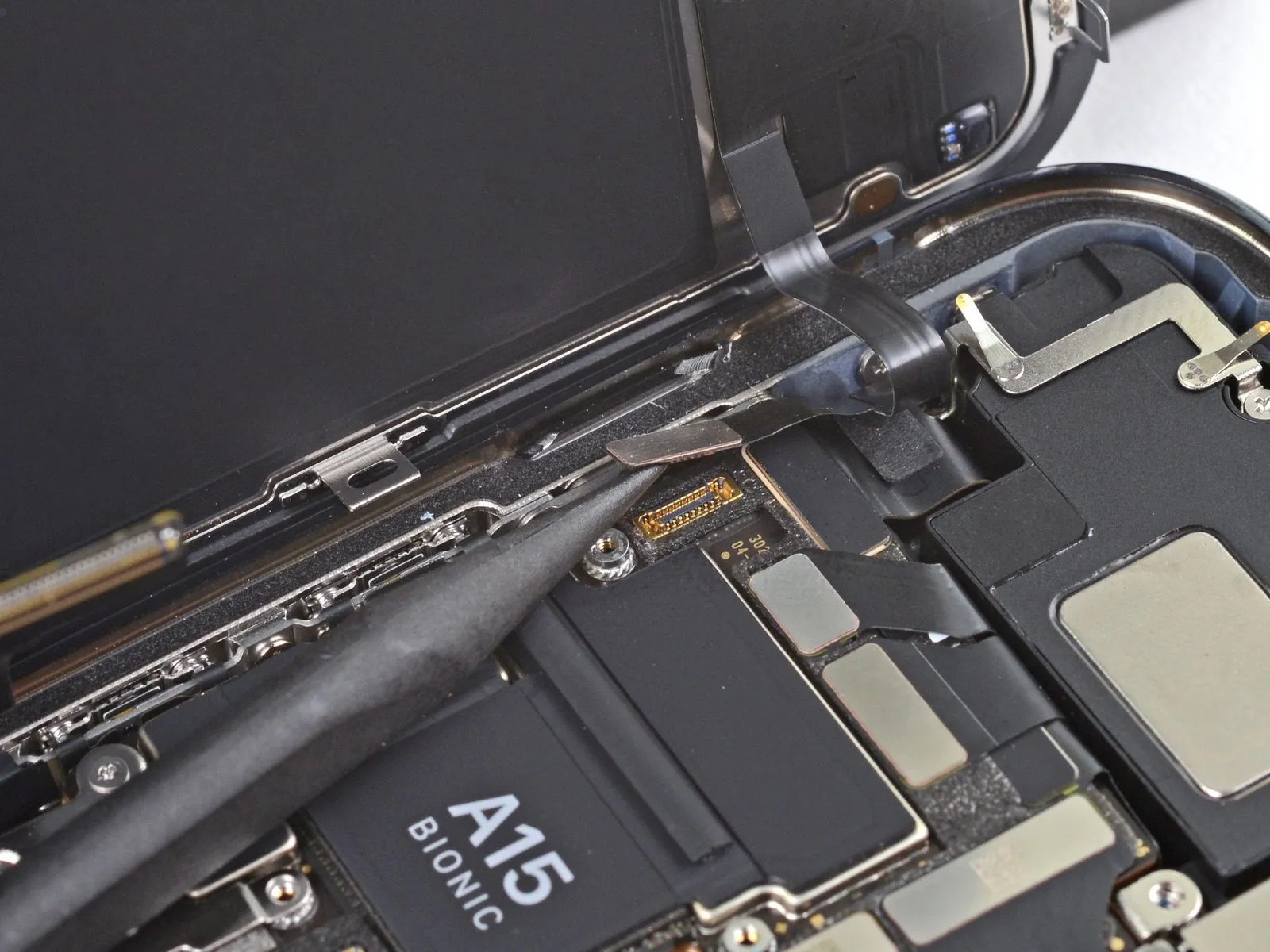
- Use the pointed end of a spudger to disconnect the front sensor assembly cable connector.
Step 24
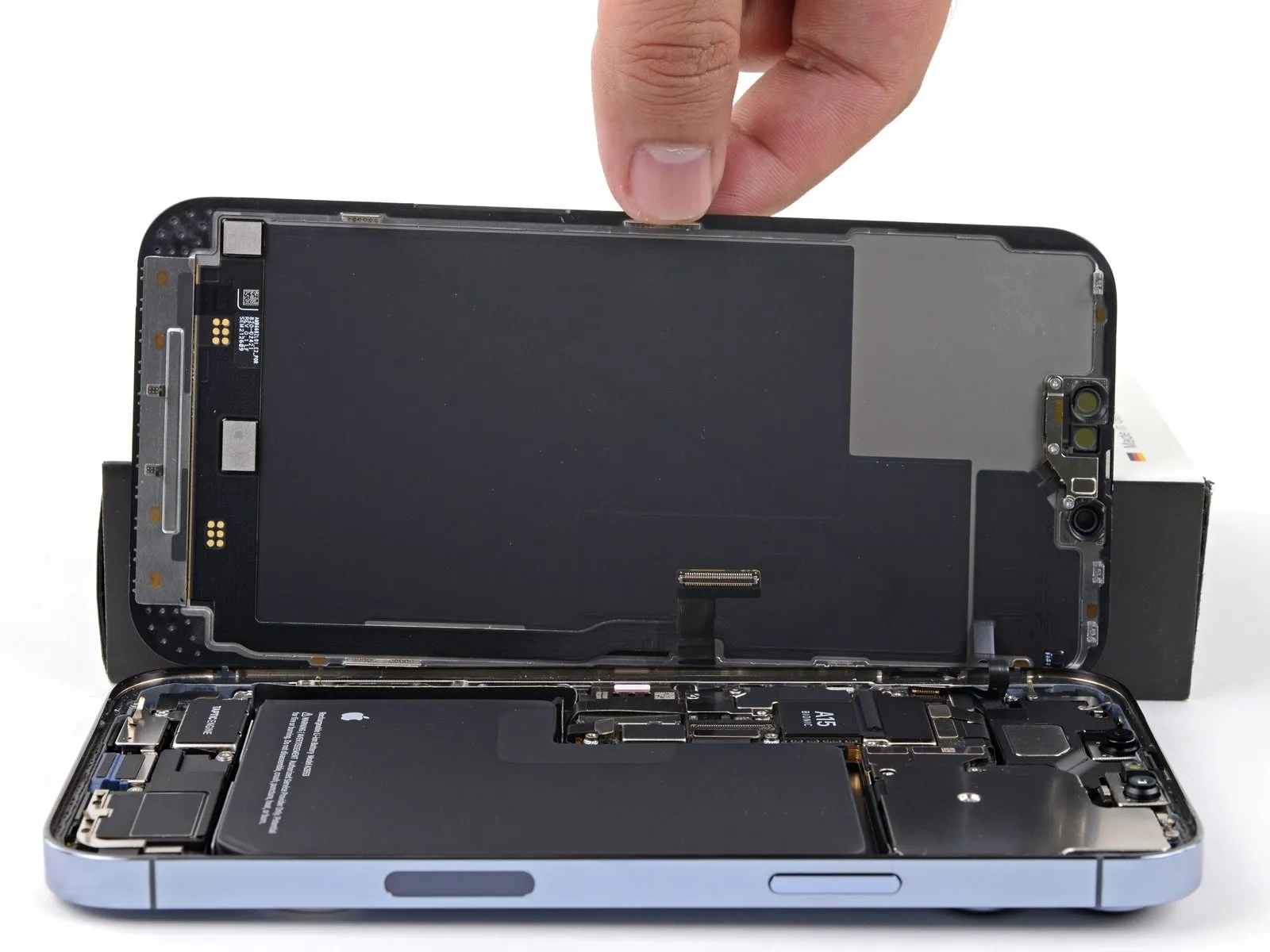
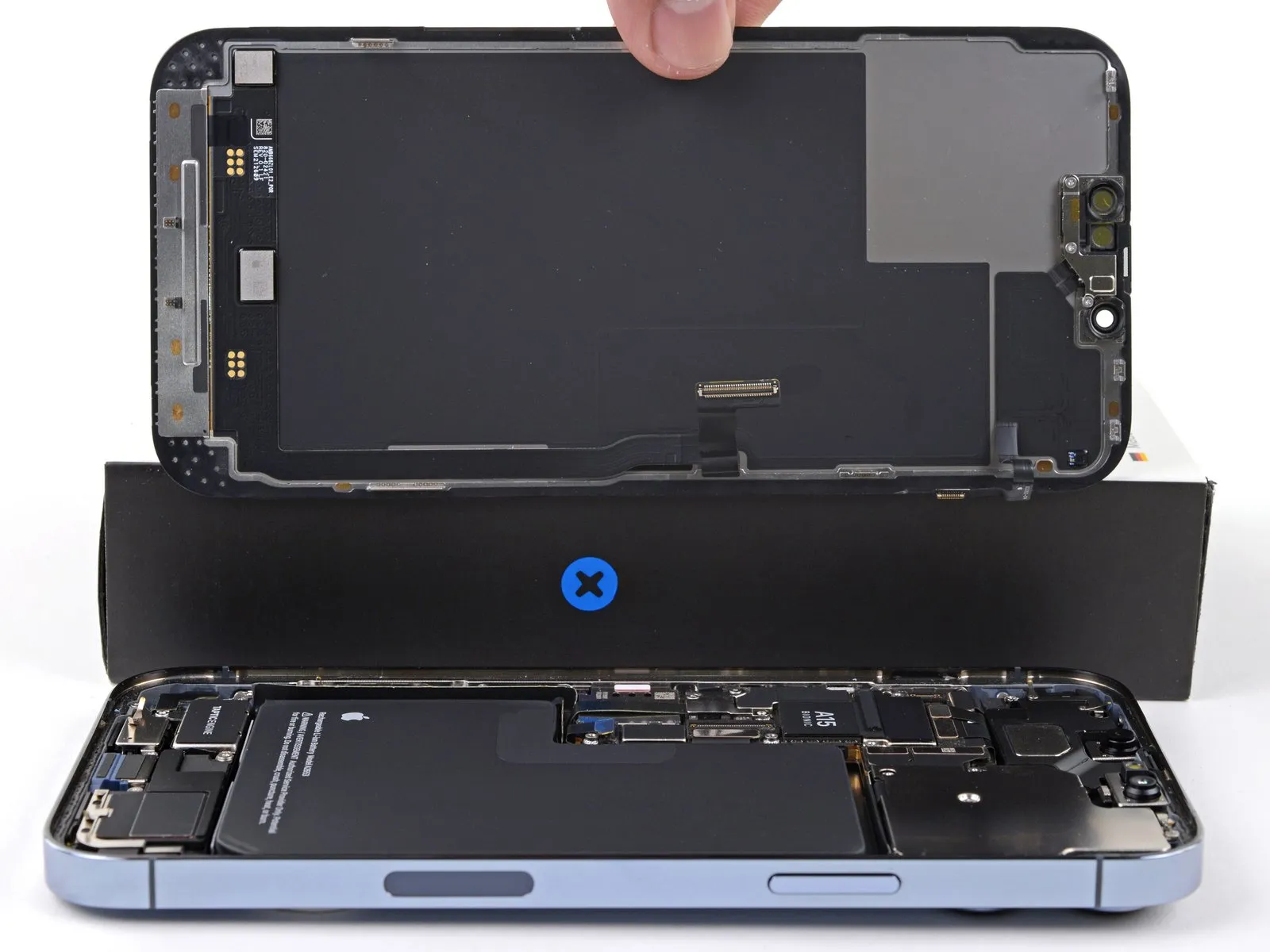
- Remove the display assembly.
During reassembly, pause here if you wish to replace the waterproof adhesive around the edges of the display.
Step 25 | Unscrew the loudspeaker
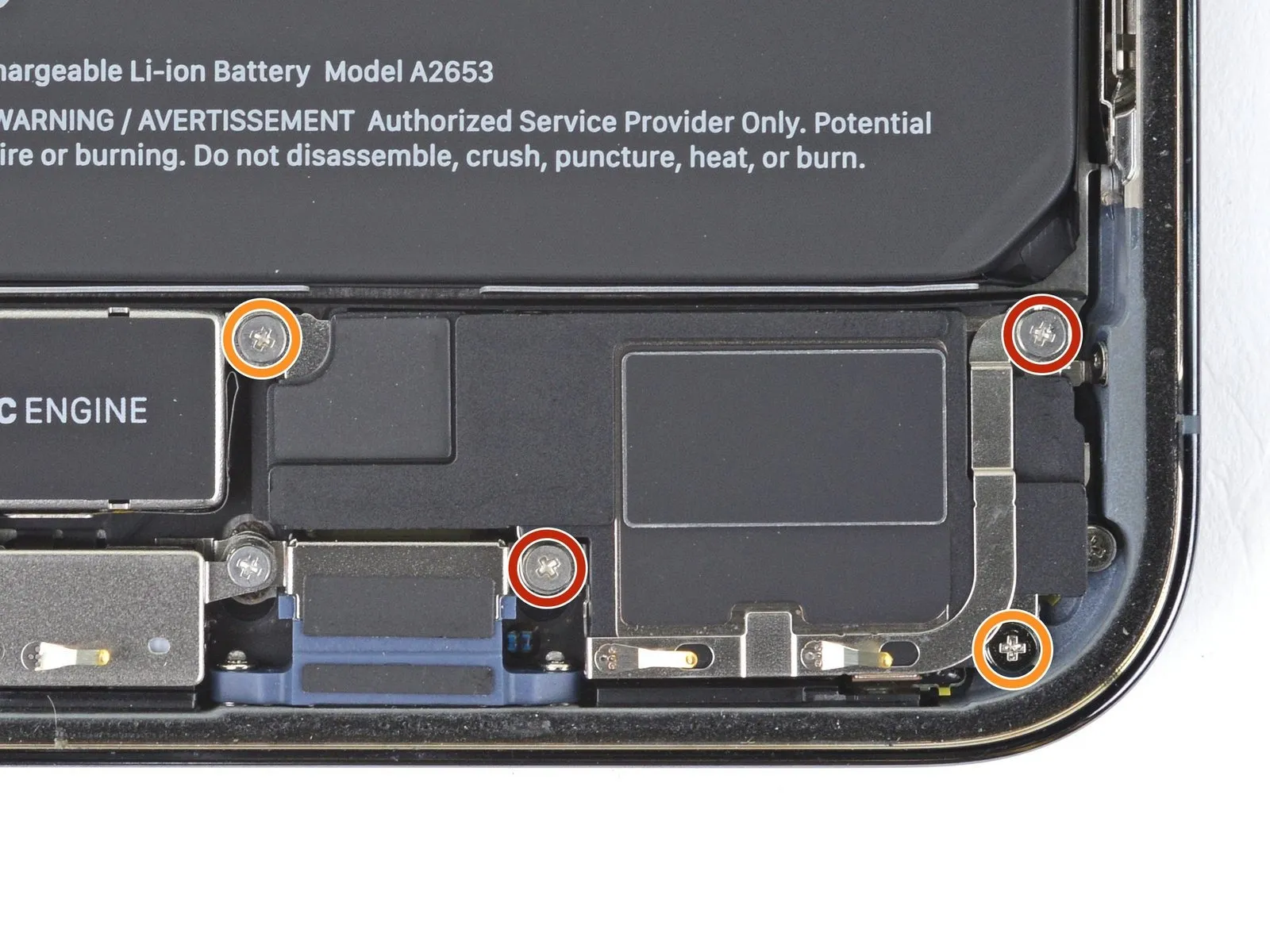
- Use a Phillips driver to remove the four 1.5 mm screws securing the loudspeaker:
- Two larger-headed screws
- Two smaller-headed screws
Step 26 | Separate the loudspeaker adhesive
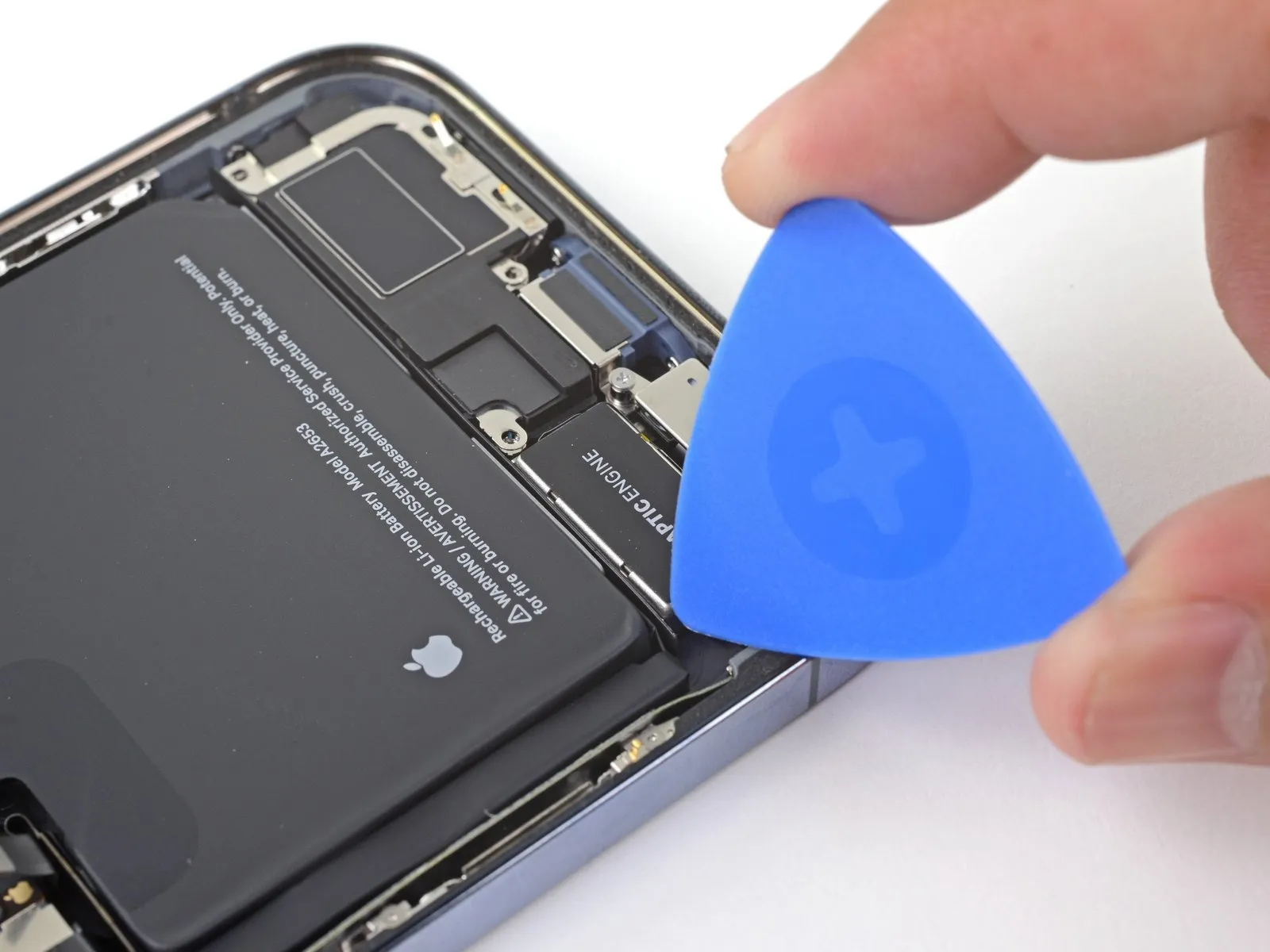
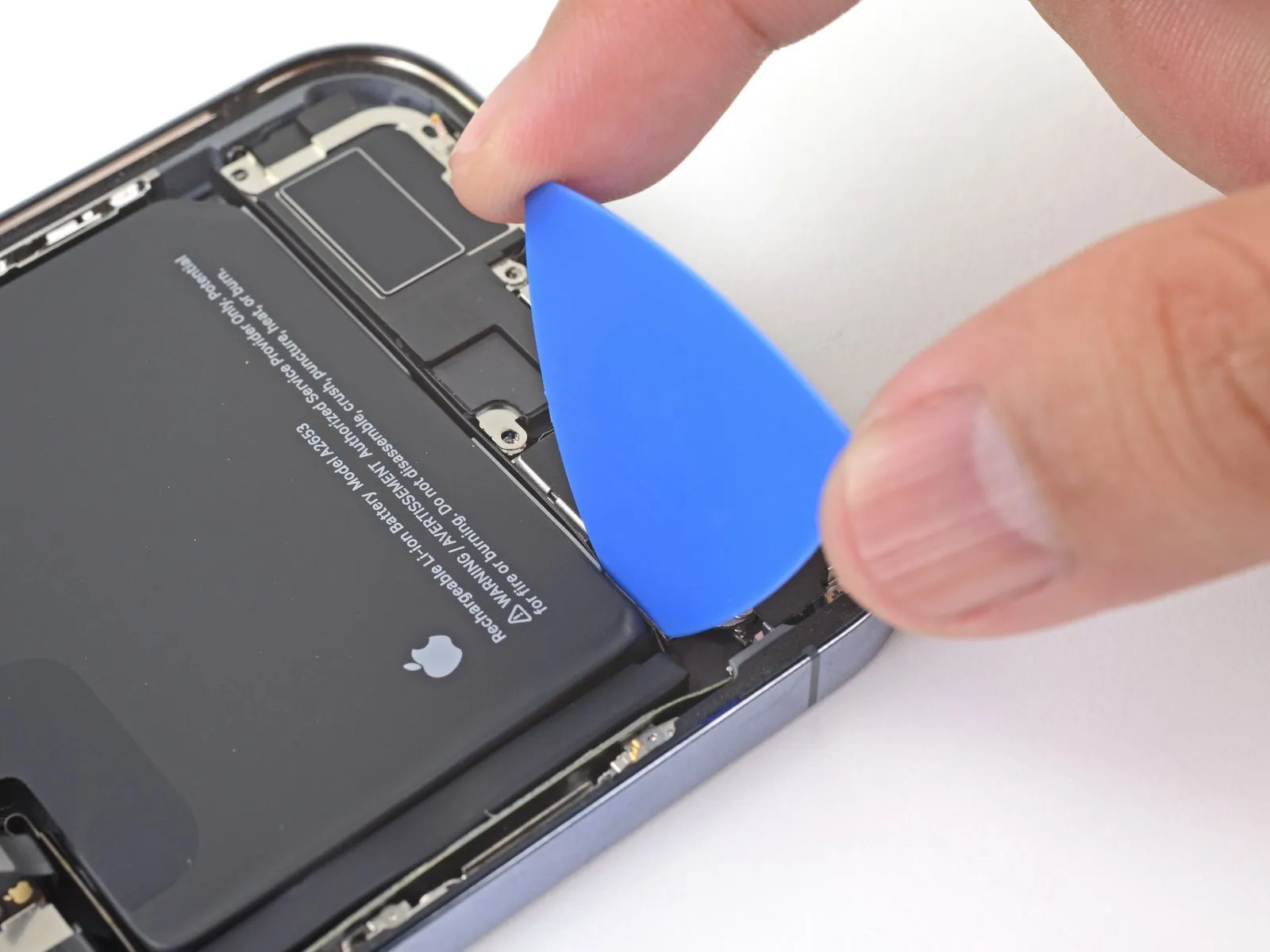
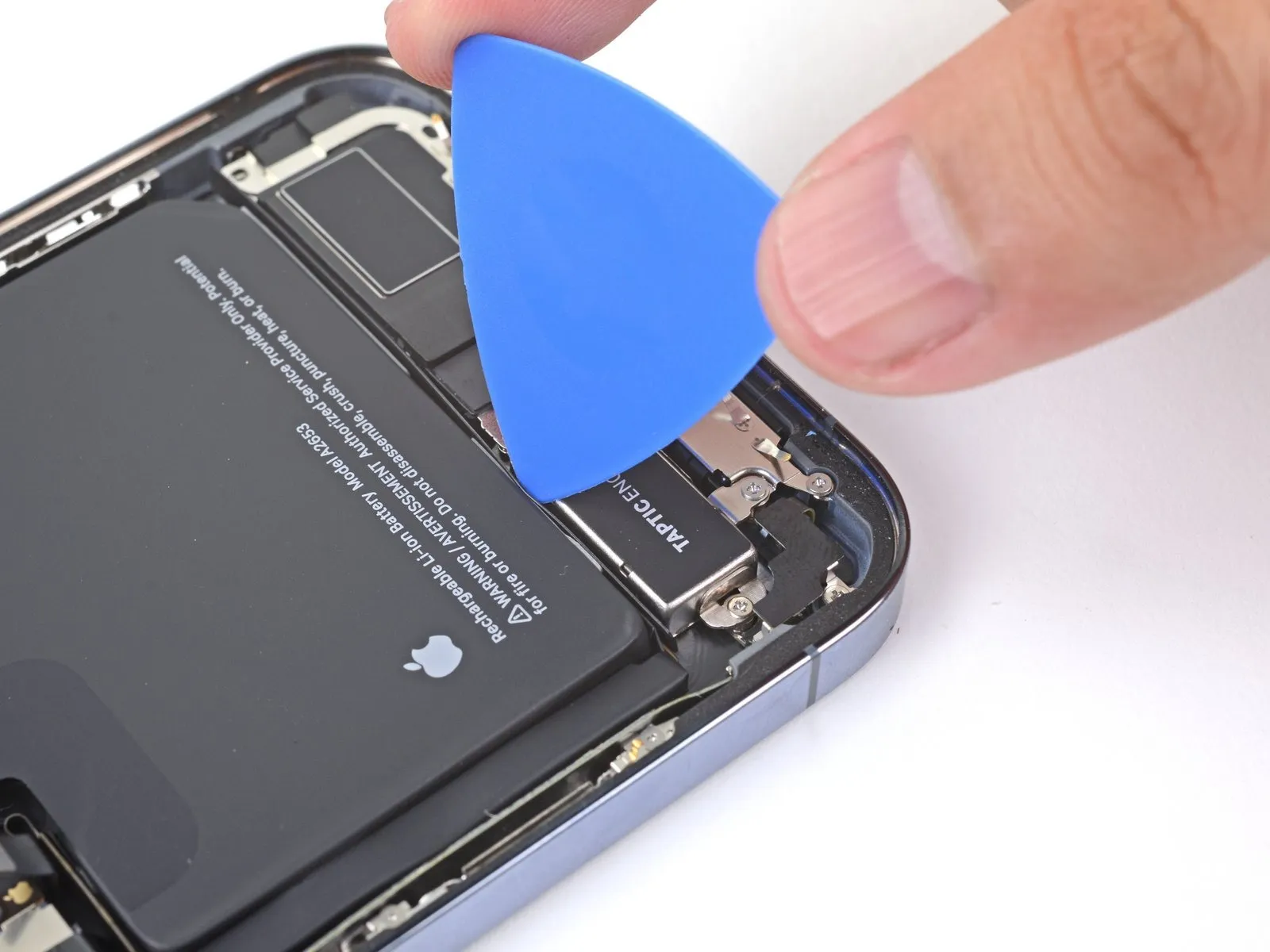
- Slide an opening pick between the top edge of the taptic engine and the adhesive-backed strip.
Step 27 | Remove the loudspeaker
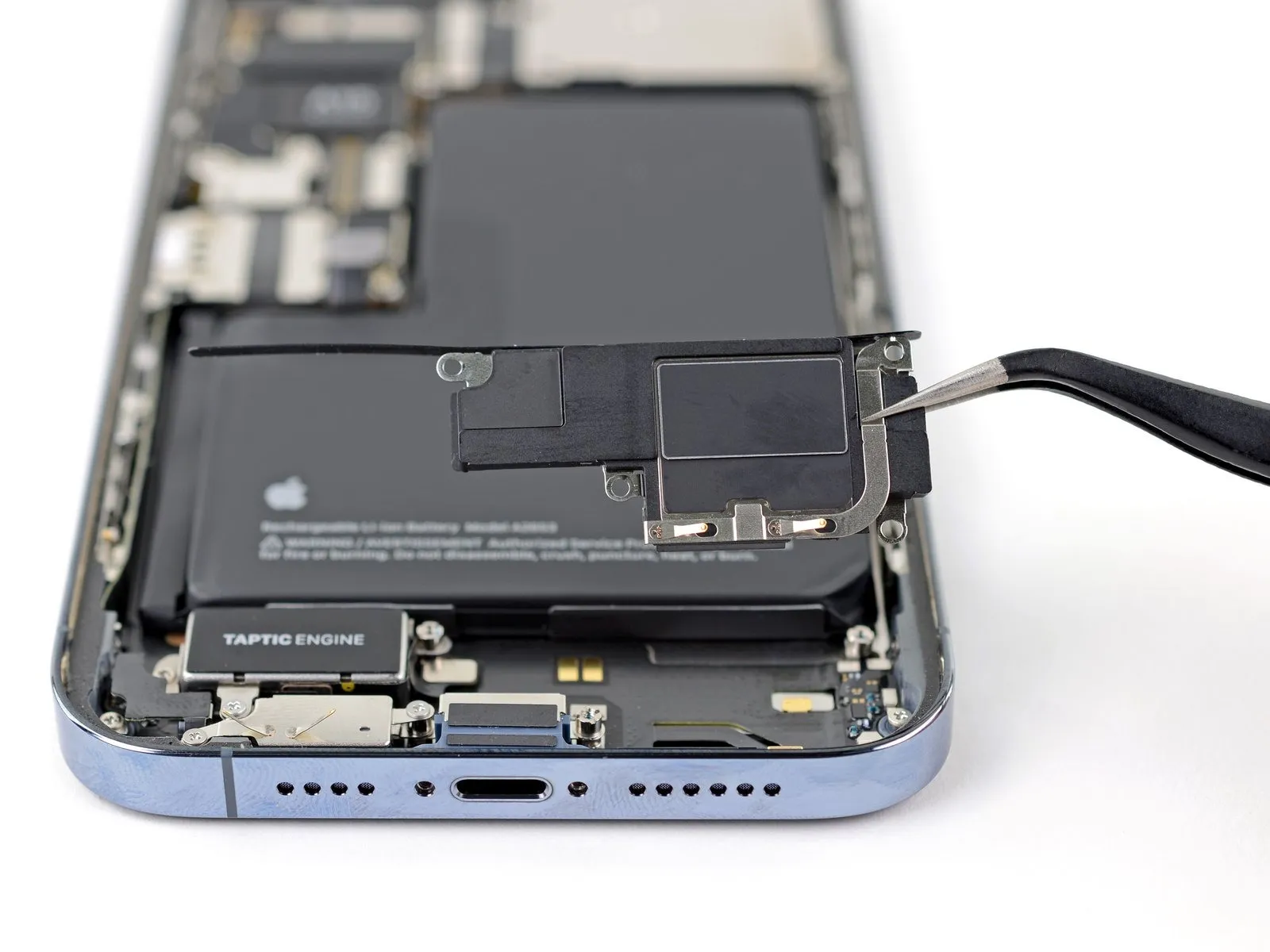
- Remove the loudspeaker.
Step 28 | Remove the Taptic Engine
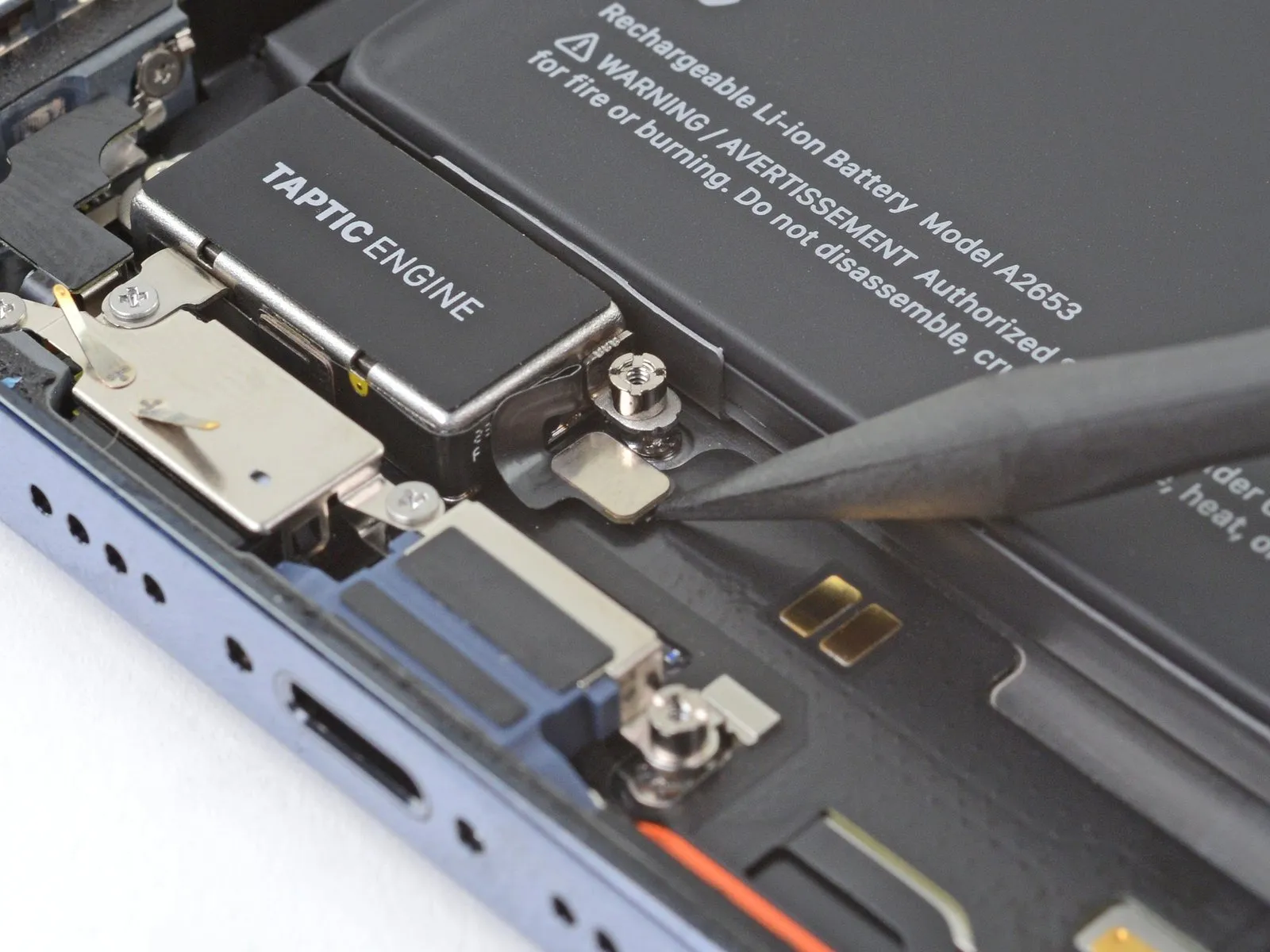
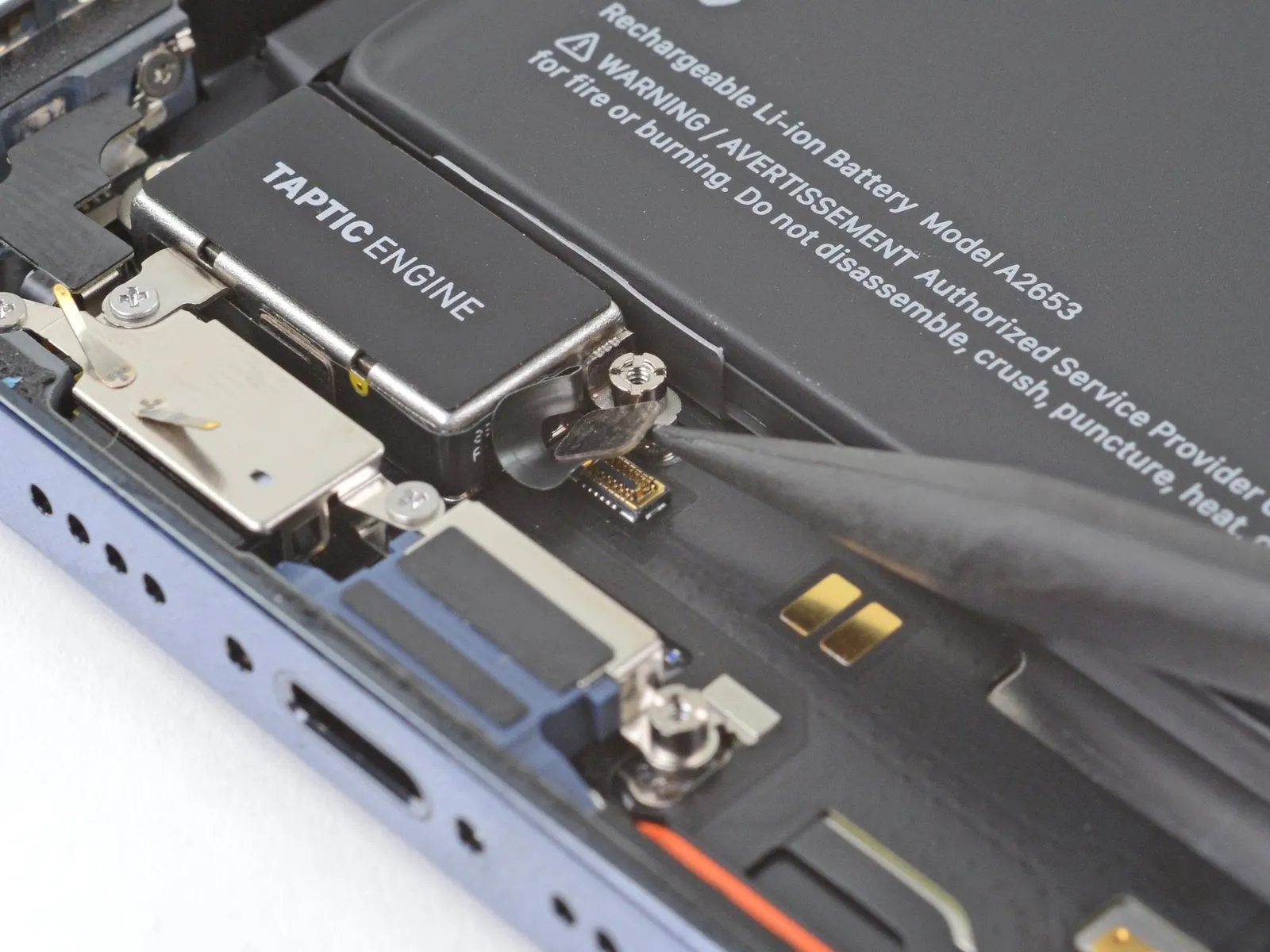
- Pry up with the pointed end of a spudger to disconnect the Taptic Engine cable.
Step 29
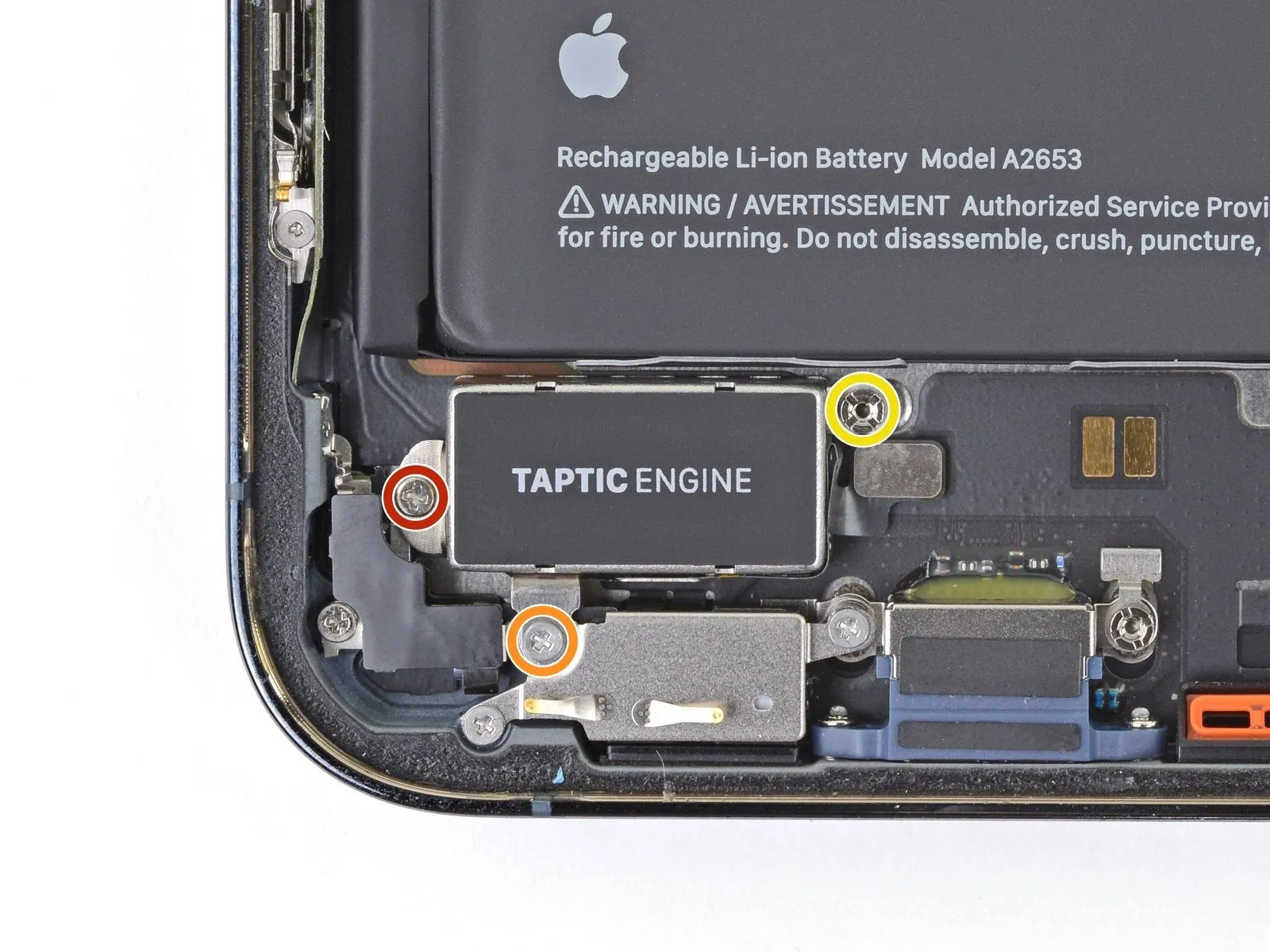
- Use a Phillips screwdriver to remove two screws securing the Taptic Engine:
One 1.8 mm screw
One 1.9 mm screw - Use a standoff screwdriver to remove the 2.9 mm standoff screw securing the Taptic Engine.
Step 30
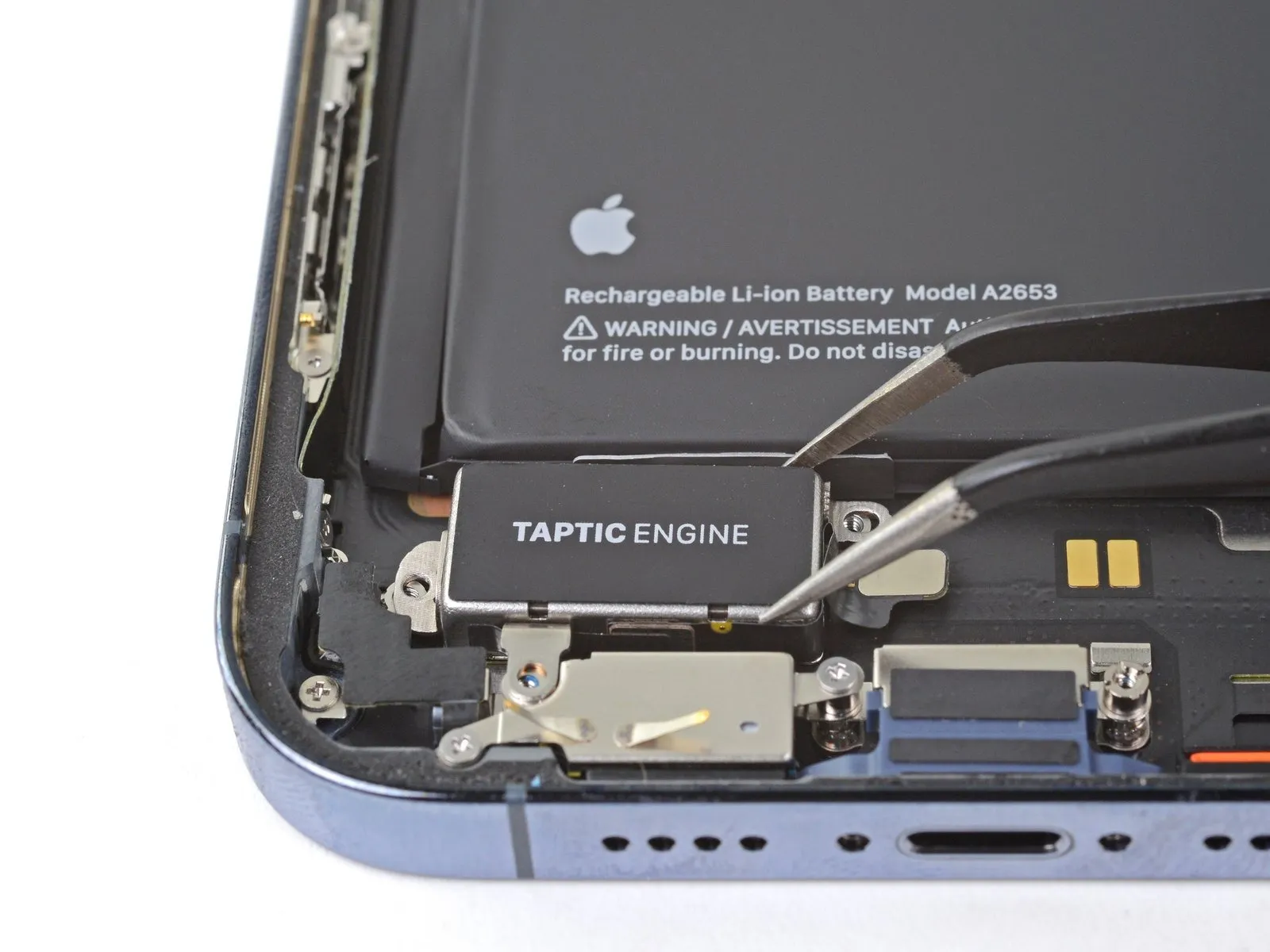
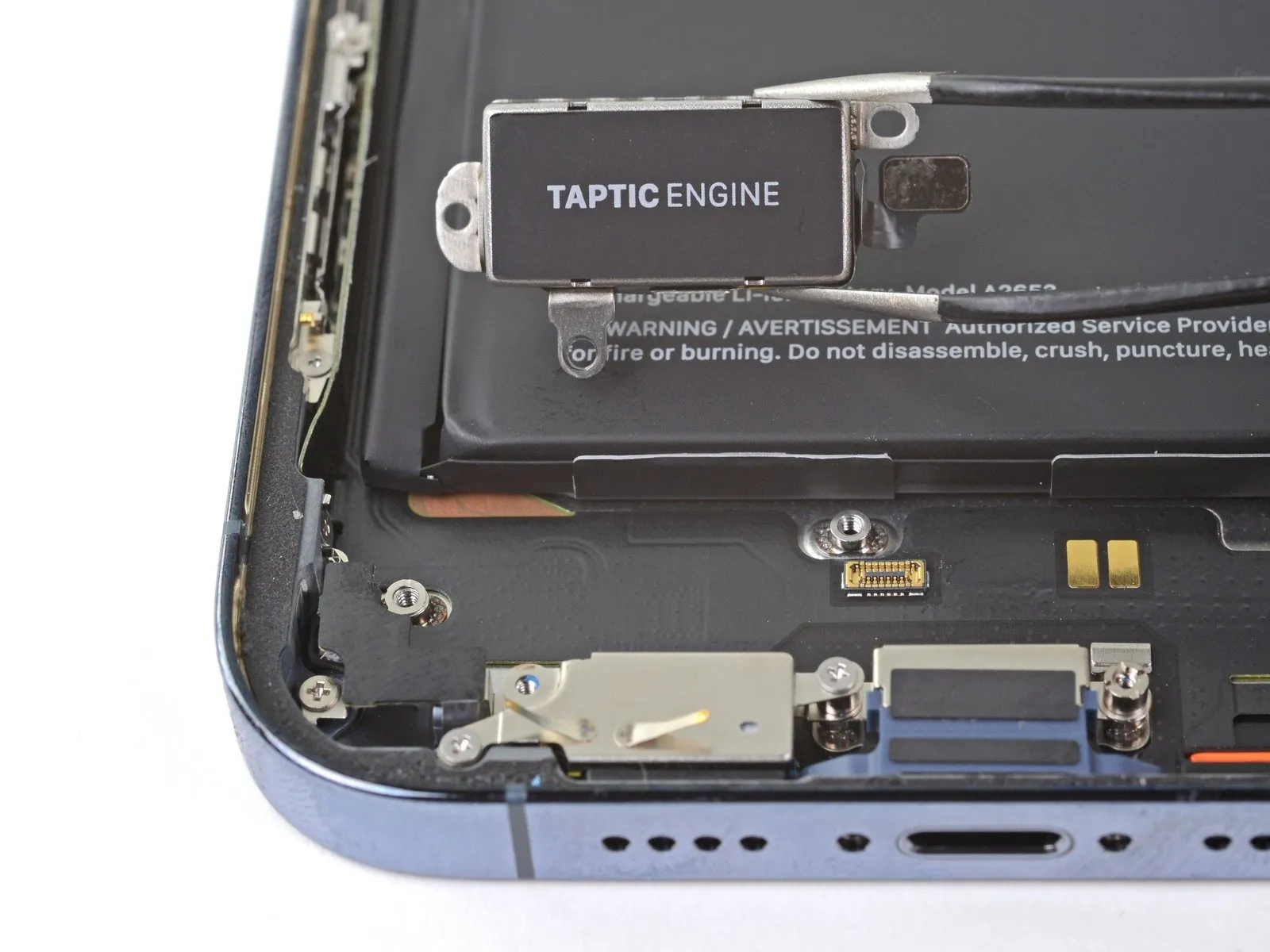
- Remove the Taptic Engine.
Step 31 | Locate the adhesive pull-tabs
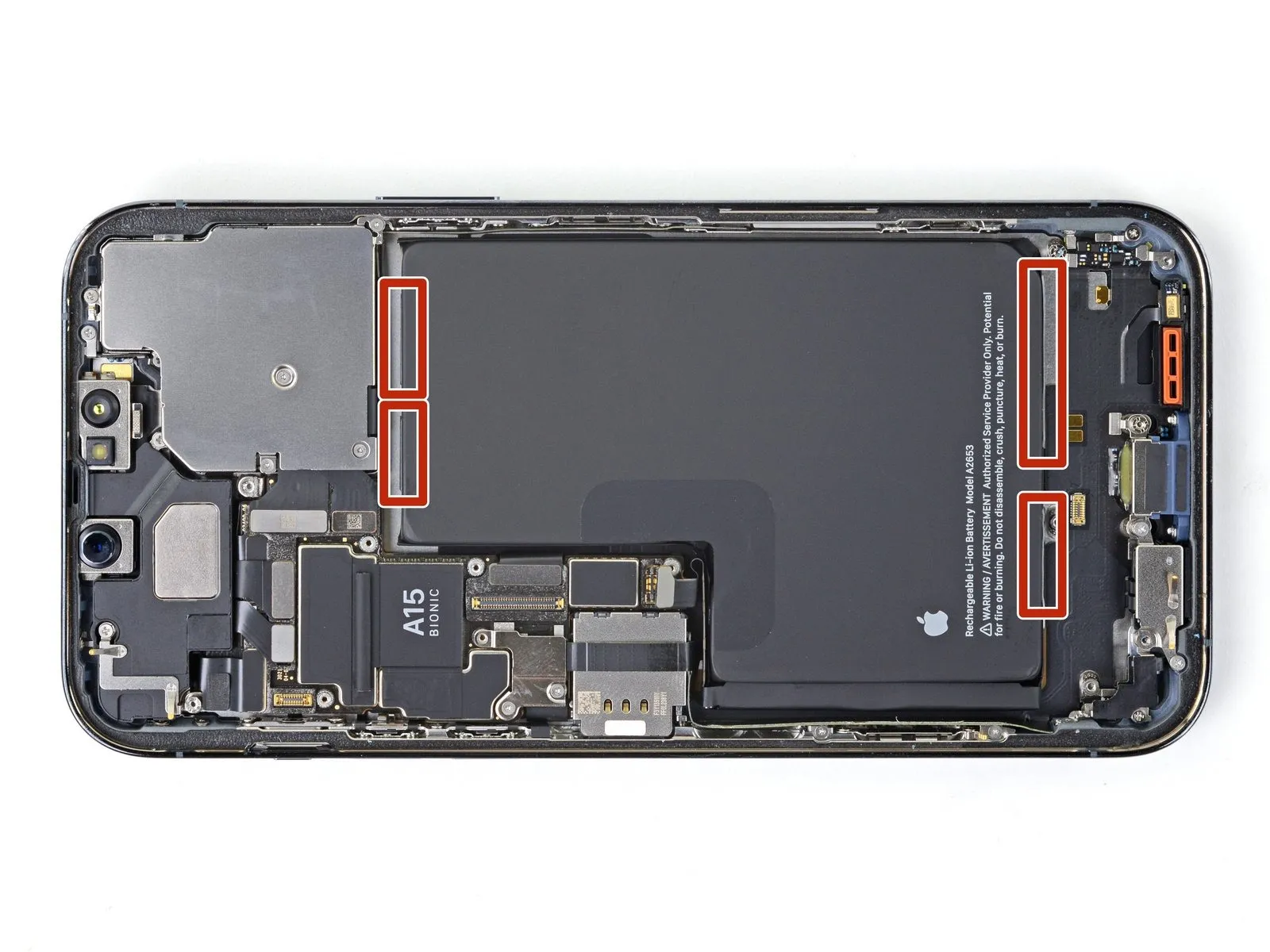
- The battery is secured to the rear case with four pieces of stretch-release adhesive-two on the bottom edge of the battery, and two on the top edge.
Each piece of adhesive has a black pull-tab at the end, which is lightly adhered to the edge of the battery. - In the following steps, you'll pull each tab to slowly stretch out the adhesive underneath the battery. These "command-strip" style adhesives lose their stick when stretched, so you can remove the battery with ease.
If the strips break, don't panic! They don't always work as intended. Keep reading for tips on removing broken strips.
Step 32 | Remove the stretch-release adhesive


- Use a pair of blunt-nosed tweezers to peel down the two battery adhesive pull-tabs along the bottom edge of the battery.
Caution: Don't jab the battery with any sharp tools. A punctured battery may leak dangerous chemicals or catch fire.
Step 33


- Grab the first pull-tab with your fingers or the center of a spudger and slowly pull it away from the battery, toward the bottom of the iPhone.
- Pull hard enough to maintain tension on the strip, but don't force it. Give it plenty of time to stretch and un-stick from under the battery.
- Don't press down on the battery. Hold the iPhone firmly by its sides.
- Keep the strip flat and unwrinkled. Try to pull evenly on the whole strip, rather than pulling mainly in the middle or on one side.
- Pull at a low angle so the strip doesn't snag on the edge of the battery.
- If the adhesive strip breaks off, try to retrieve it using your fingers or blunt tweezers, and continue pulling-but do not pry under the battery.
- If any of the adhesive strips break off underneath the battery and can't be retrieved, try to remove the other strips, and then proceed as instructed below.
Step 34


- Grab the second pull-tab with your fingers or the center of a spudger and pull it away from the battery, toward the bottom of the iPhone.
- Follow the same procedure as with the previous strip: don't press down on the battery, keep the strip flat and unwrinkled, and pull at a low angle.
- If the adhesive strip breaks off, try to retrieve it using your fingers or blunt tweezers, and continue pulling-but do not pry under the battery.
- If the adhesive breaks off underneath the battery and can't be retrieved, continue with the next step.
Step 35


- Use a pair of blunt-nosed tweezers and an opening pick to peel up the two remaining battery adhesive pull-tabs from the top edge of the battery.
Step 36


- Using the same procedure as before, pull the remaining two tabs, one at a time, to stretch and remove the remaining adhesive strips holding the battery in place. Try not to snag the adhesive on anything.
- Be careful not to fling the battery from the iPhone as the final adhesive strip comes out.
- If you removed all the adhesive strips successfully, skip the next step.
- Otherwise, continue with the next step below.
Step 37 | How to remove a stuck battery


- If you're still having trouble removing the battery, apply a few drops of high concentration (over 90%) isopropyl alcohol under the edge of the battery in the area of the broken adhesive strip(s).
- Wait about one minute for the alcohol solution to weaken the adhesive.
- Use an opening pick or the flat end of a spudger to gently lift the battery.
- Don't try to forcefully lever the battery out. If needed, apply a few more drops of alcohol to further weaken the adhesive. Never deform or puncture the battery with your pry tool.
Step 38 | Remove the battery

- Remove the battery.
- If there's any alcohol solution remaining in the phone, carefully wipe it off with a coffee filter or lint-free cloth, or allow it to air dry before installing your new battery.
- If your new battery didn't come with adhesive preinstalled, refer to this guide for help replacing the adhesive strips.
- Perform a force restart after reassembly. This can prevent several issues and simplify troubleshooting.