iPhone 14 Plus Rear-Facing Camera Assembly Replacement
Use this guide to replace the rear-facing camera assembly in an iPhone 14 Plus.
This guide was created using the A2886 (international) model. If you're fixing a different iPhone 14 Plus model, there may be some visual discrepancies, but the procedure should be the same.
Note: On iOS 18 and newer, you can calibrate new, genuine camera modules using Apple's Repair Assistant.
- You'll need replacement adhesive to reattach the screen when reassembling the device.
- Your device will function normally, but will most likely lose its IP (Ingress Protection) rating.
Step 1 | Remove the pentalobe screws
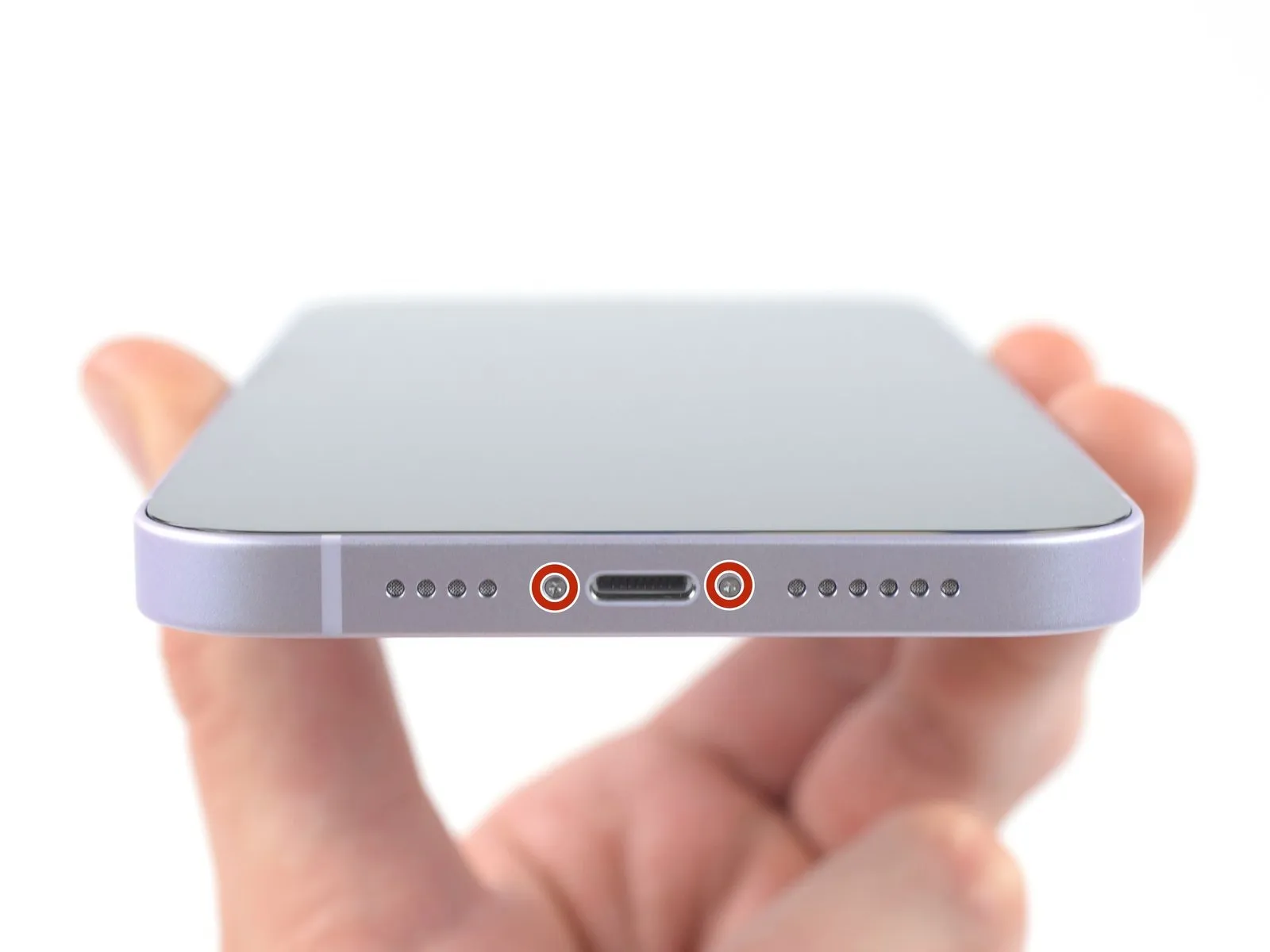

- Power off your iPhone before beginning disassembly.
- Remove the two 6.8 mm-long pentalobe P2 screws at the bottom edge of the iPhone.
Step 2 | Mark your opening picks


- If inserted too far, an opening pick can damage your device. Follow this step to mark your pick and prevent damage.
Measure 3 mm from the tip and mark the opening pick with a permanent marker. - You can also mark the other corners of the pick with different measurements.
- Alternatively, tape a coin to a pick 3 mm from the tip.
Step 3 | Tape over any cracks


- If your iPhone has a cracked rear glass, keep further breakage contained and prevent bodily harm during your repair by taping over the glass.
Lay overlapping strips of clear packing tape over the iPhone's rear glass until the whole face is covered. - Wear safety glasses to protect your eyes from any glass shaken free during the repair.
- If you can't get the suction cup to stick in the next few steps, fold a strong piece of tape (such as duct tape) into a handle and lift the rear glass with that instead.
- If all else fails, you can superglue the suction cup to the rear glass.
Step 4 | Heat the bottom edge

- Use a hair dryer or a heat gun to heat the bottom edge of the iPhone until the rear glass is slightly too hot to touch.
Never leave your heat gun in one spot for an extended period of time.
Step 5 | Insert an opening pick


- Apply a suction handle to the bottom edge of the rear glass, while avoiding the very edge of the glass.
- Pull up on the suction cup with firm, constant pressure to create a slight gap between the rear glass and the frame.
- Insert an opening pick into the gap.
- The adhesive holding the rear glass in place is very strong; creating this initial gap takes a significant amount of force. If you're having a hard time opening a gap, apply more heat, and gently rock the rear glass up and down to weaken the adhesive until you create enough of a gap to insert your opening pick.
Step 6 | Heat the left edge

Heat the left edge of the iPhone until the rear glass is slightly too hot to touch.
Step 7 | Slice the left edge adhesive


- Slide the opening pick around the lower left corner and up the left edge of the iPhone, slicing through the adhesive holding the rear glass in place.
- Do not insert your pick more than 3 mm, as you may damage internal components.
Step 8 | Heat the right edge

Heat the right edge of the iPhone (the edge with the power button) until the rear glass is slightly too hot to touch.
Step 9 | Screen information

Step 10 | Slice the right edge adhesive


- Re-insert your pick at the bottom edge of the iPhone,
- and slide it up the right side to continue separating the adhesive.
Step 11 | Heat the top edge

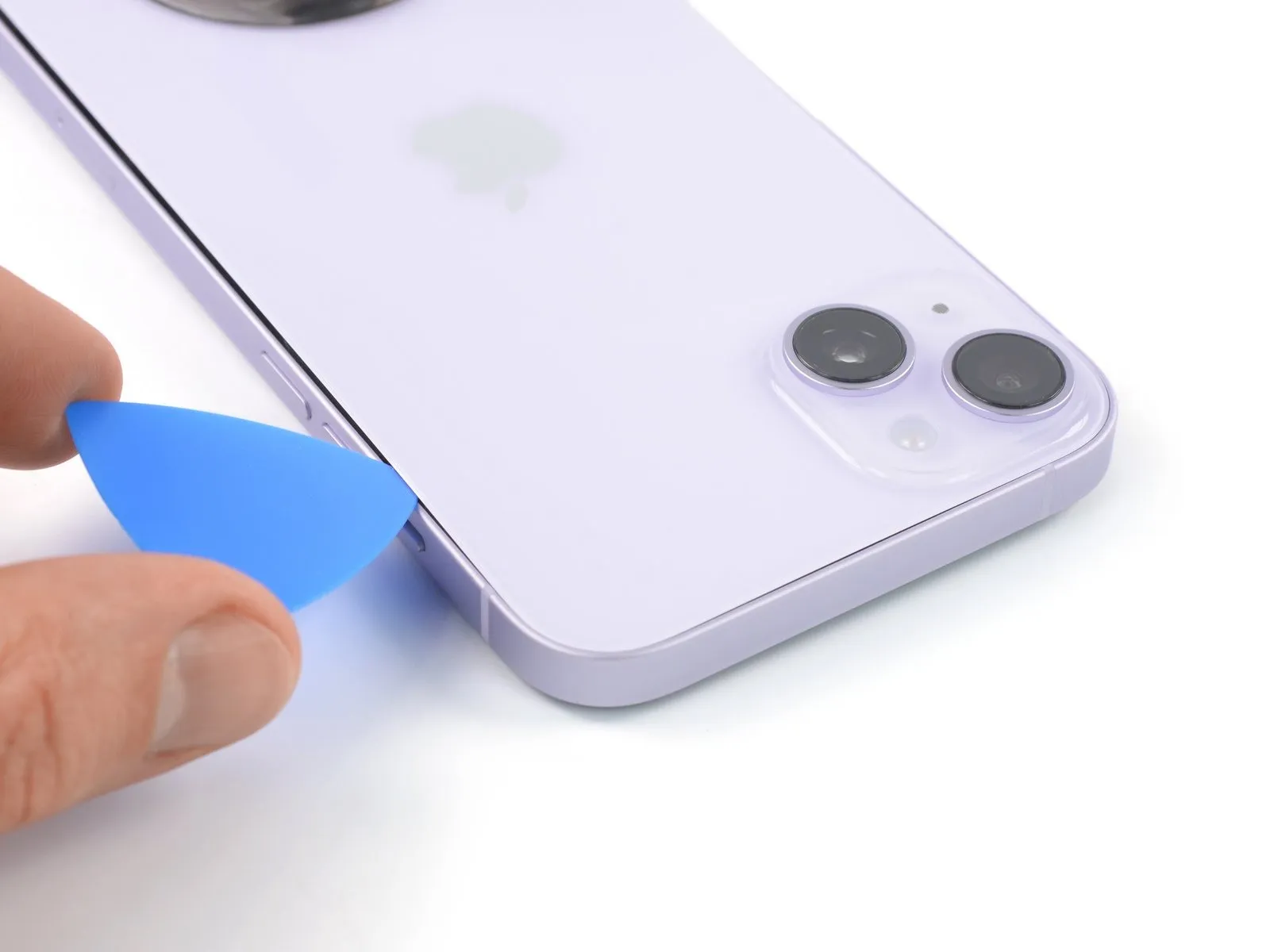
Step 12 | Slice the top edge adhesive


Step 13

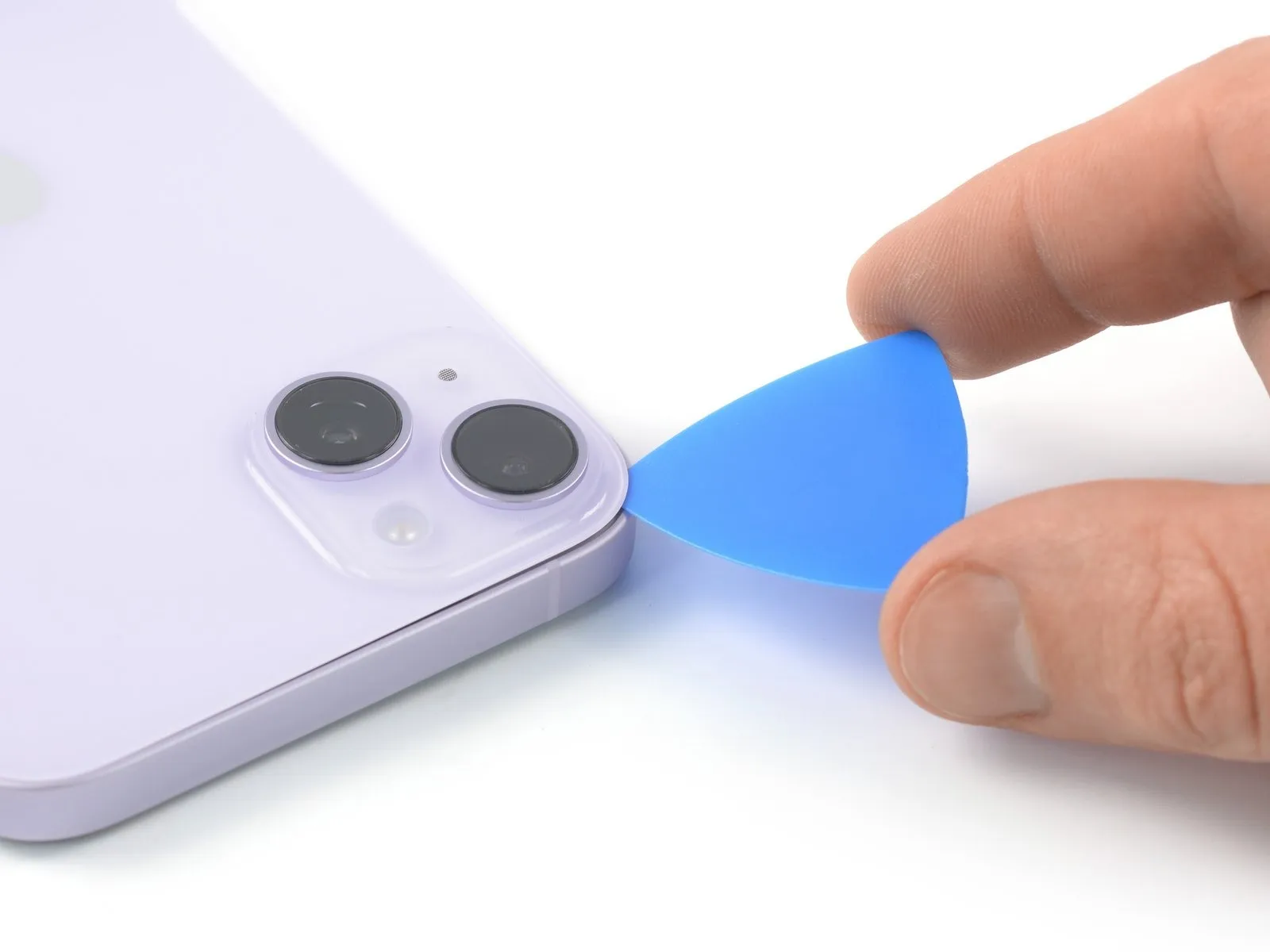
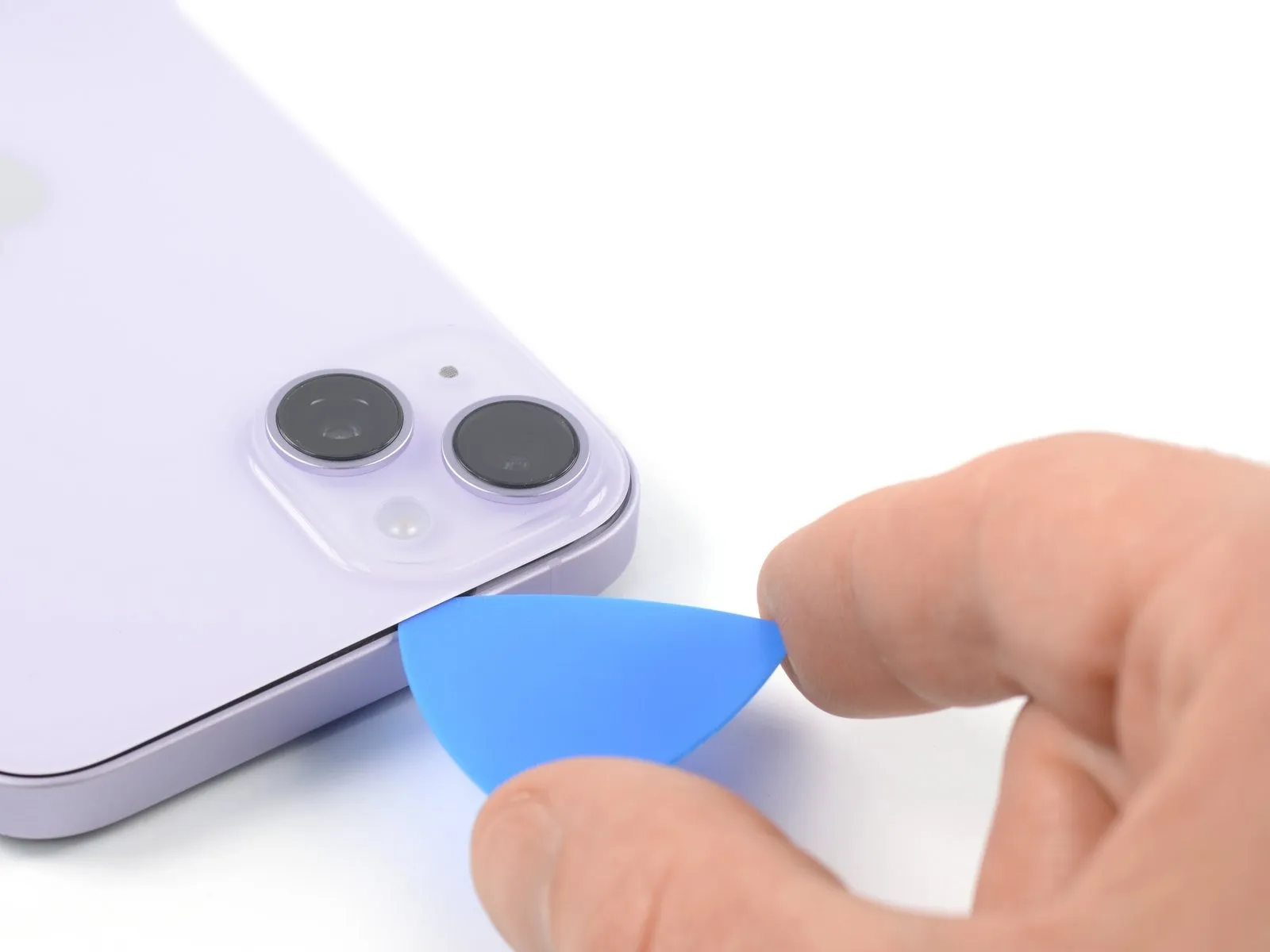
- Insert your pick underneath the top-left edge of the phone. Slide it around the top-left corner and halfway across the top edge.
- Don't insert the pick more than 3 mm, as you may damage or smear the camera array.
- Don't try to fully separate the rear glass yet, as there's a fragile ribbon cable connecting it to the iPhone's logic board.
Step 14 | Open the iPhone
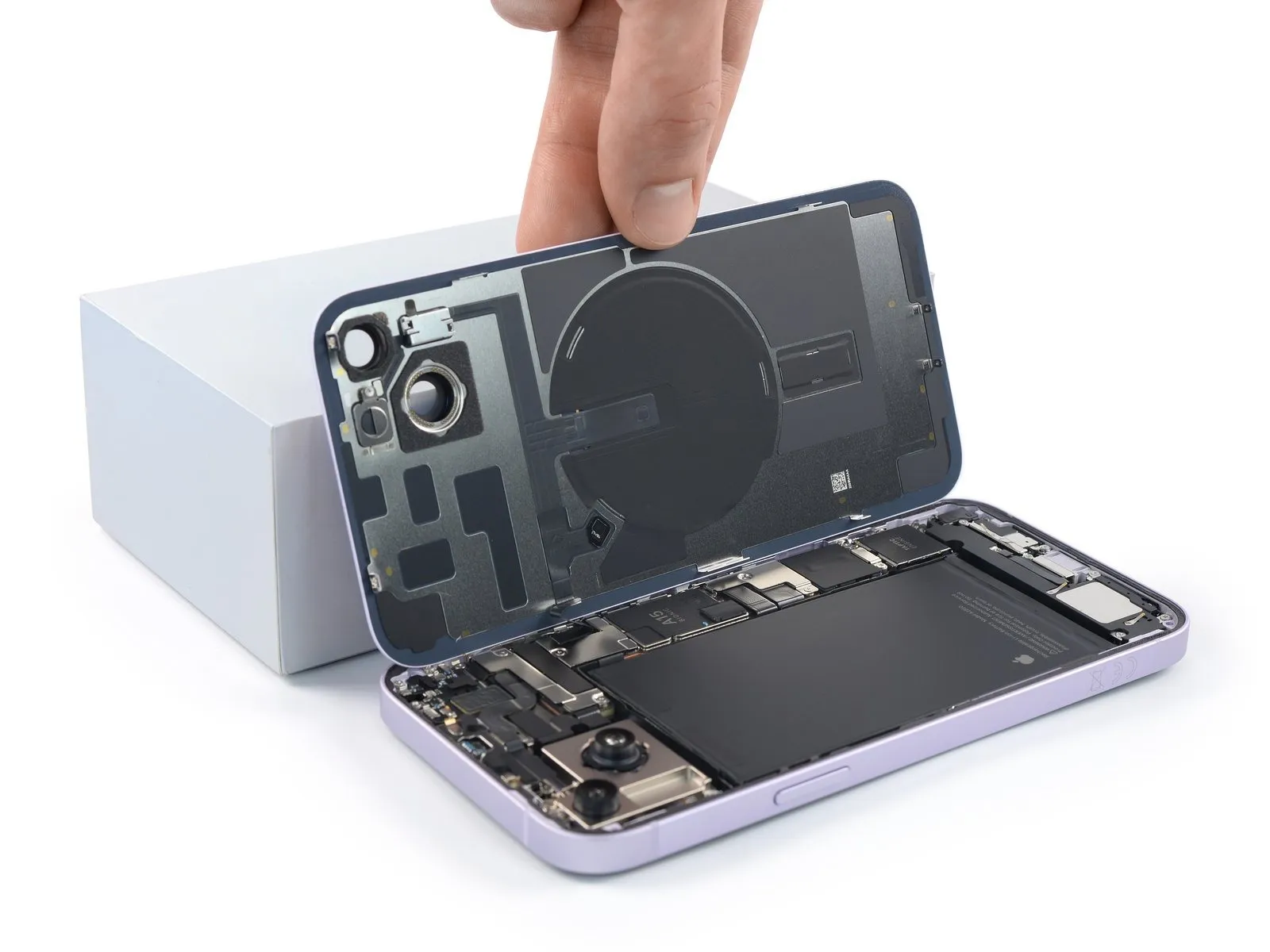


- Remove your suction handle from the rear glass.
- Slowly open your iPhone by swinging the rear glass up from the left side, like the back cover of a book.
- Be careful not to strain the short charging coil flex cable.
- Lean the rear glass against something to keep it propped up while you're working on the phone. If you don't have anything at hand to lean the rear glass against, your suction handle can do the trick.
Step 15 | Unfasten the battery connector cover screws
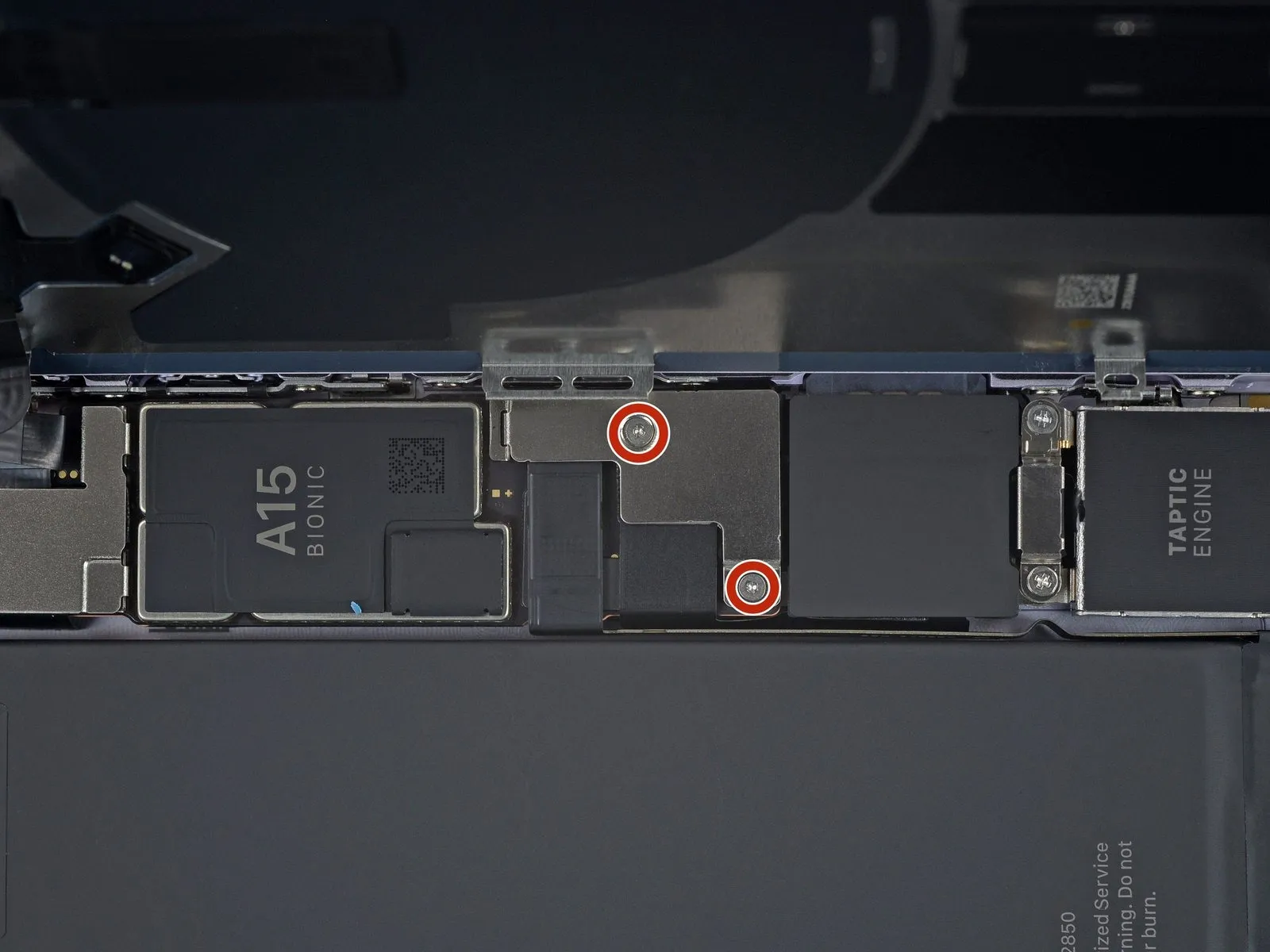
- Use a Y000 screwdriver to remove the two 1.3 mm-long screws securing the battery connector cover.
- Throughout this repair, keep track of each screw and make sure it goes back exactly where it came from to avoid damaging your iPhone.
- During reassembly, this is a good point to power on your iPhone and test all functions before you seal the display in place. Be sure to power your iPhone back down completely before you continue working.
Step 16 | Remove the battery connector cover
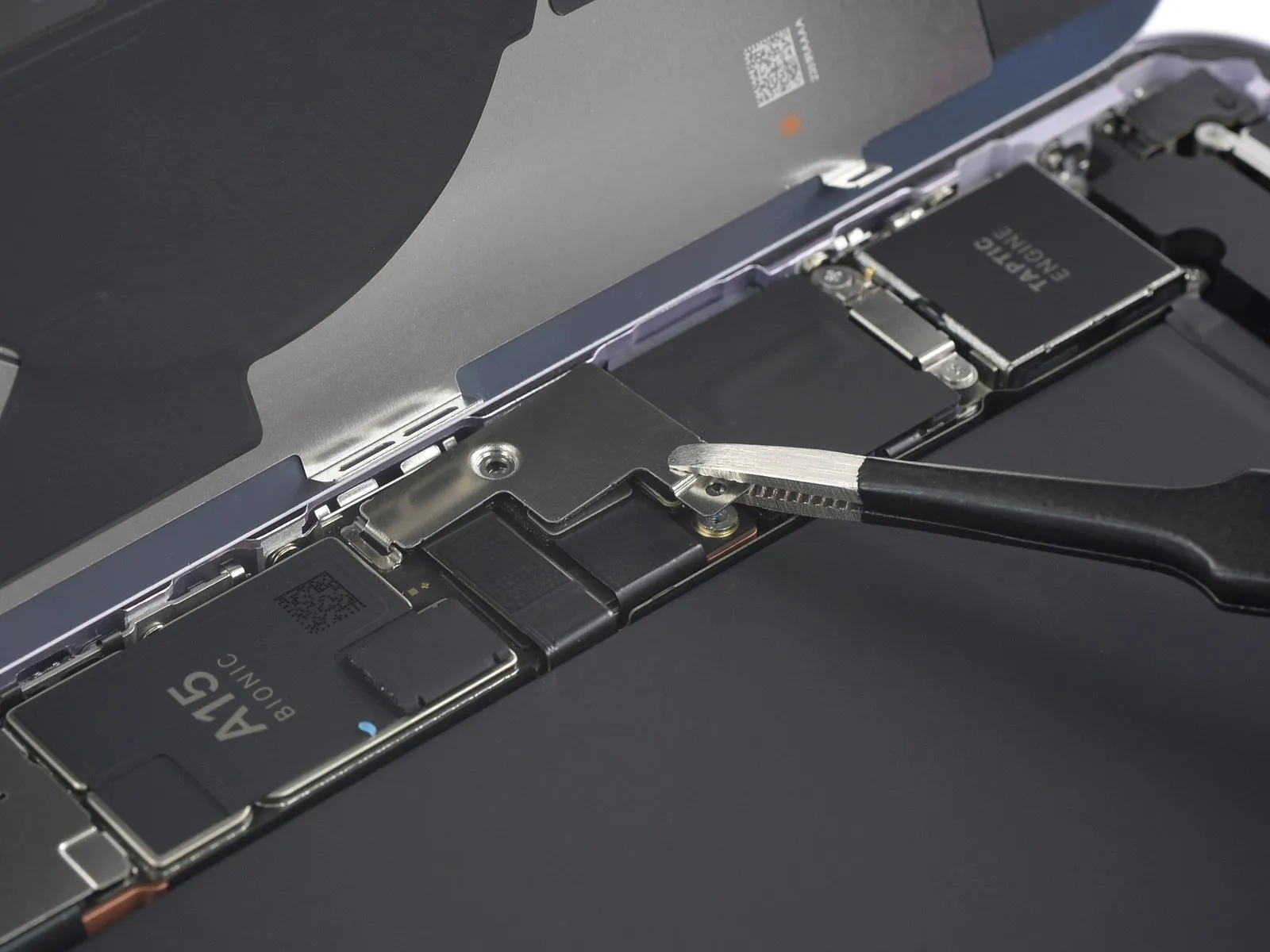


- Grasp the battery connector cover with a pair of tweezers and slide it upwards (towards the A15 print) to unlatch the top hook.
- Remove the battery connector cover.
Step 17 | Disconnect the battery
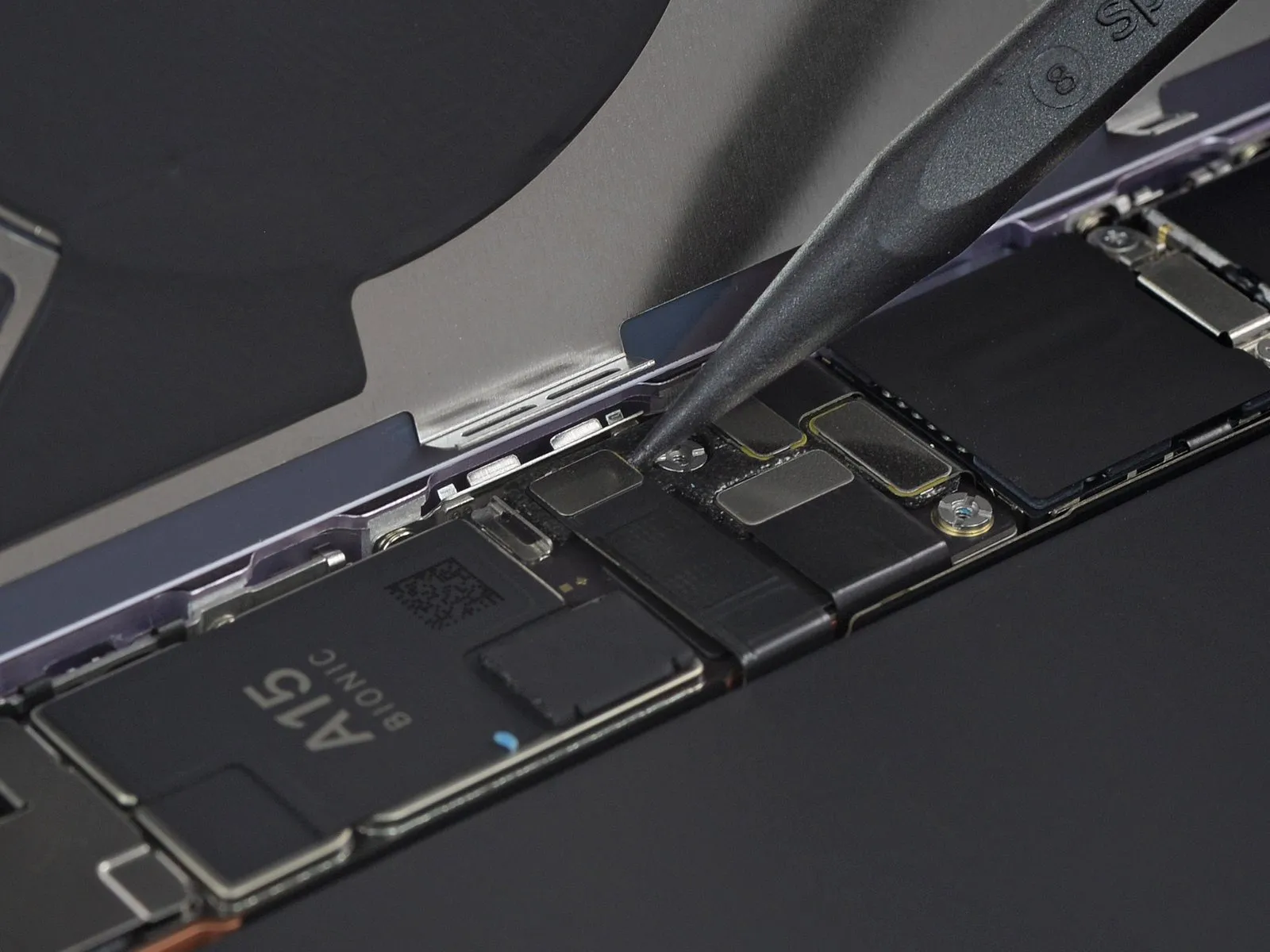

- Use the pointed end of a spudger to disconnect the battery cable by prying the connector straight up from its socket.
- Try not to damage the black silicone seal surrounding this and other board connections. These seals provide extra protection against water and dust intrusion.
- Bend the connector slightly away from the logic board to prevent it from accidentally making contact with the socket and providing power to the phone during your repair.
Step 18 | Unfasten the charging coil connector cover
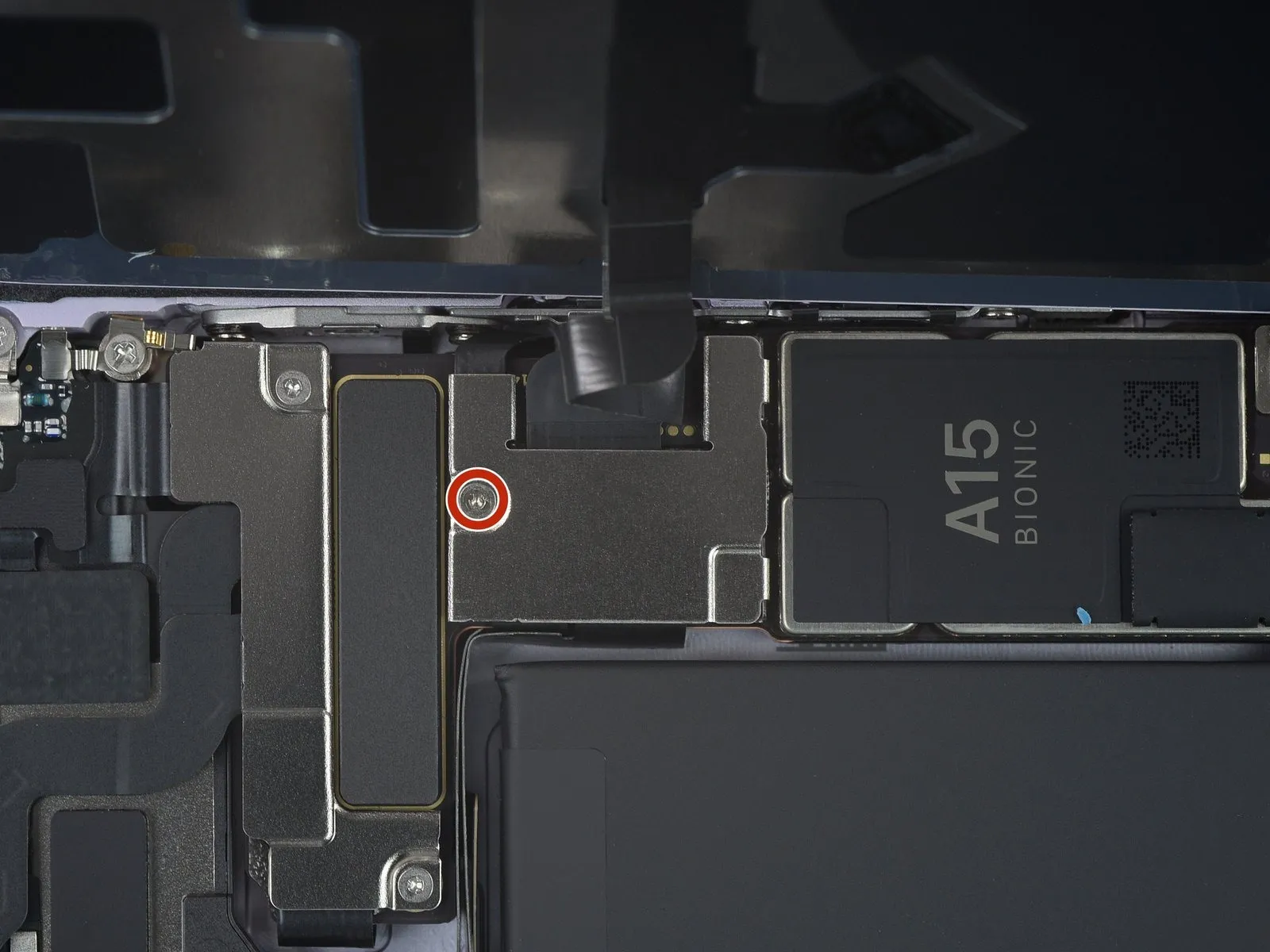
- Use a Y000 screwdriver to remove the single 1.0 mm-long screw securing the charging coil connector cover.
Step 19 | Remove the charging coil connector bracket
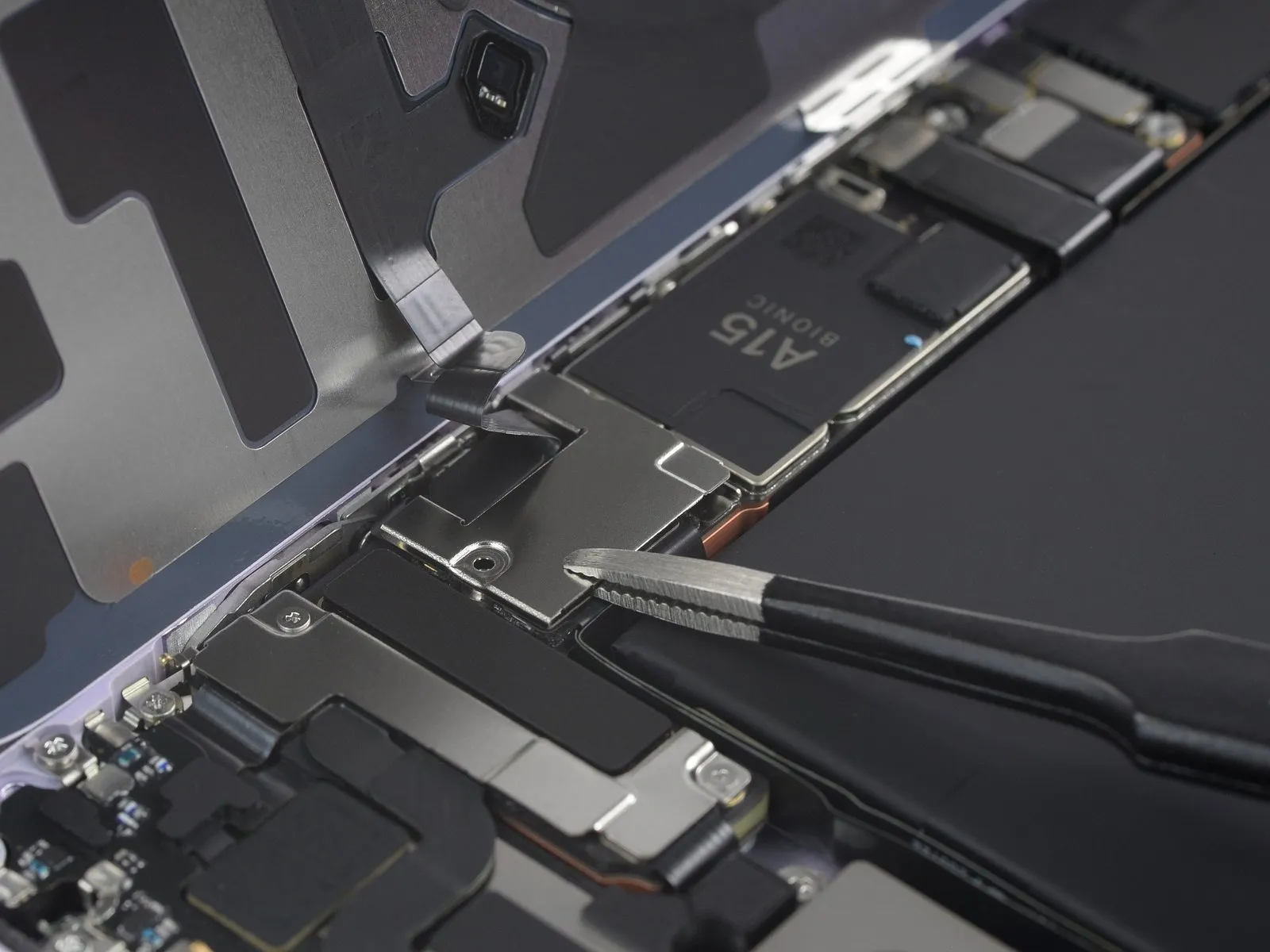

- Use a pair of tweezers to remove the charging coil connector cover.
Step 20 | Disconnect the charging coil


- Use the pointed end of a spudger to disconnect the charging coil cable by prying the connector straight up from its socket.
Step 21 | Remove the rear glass assembly
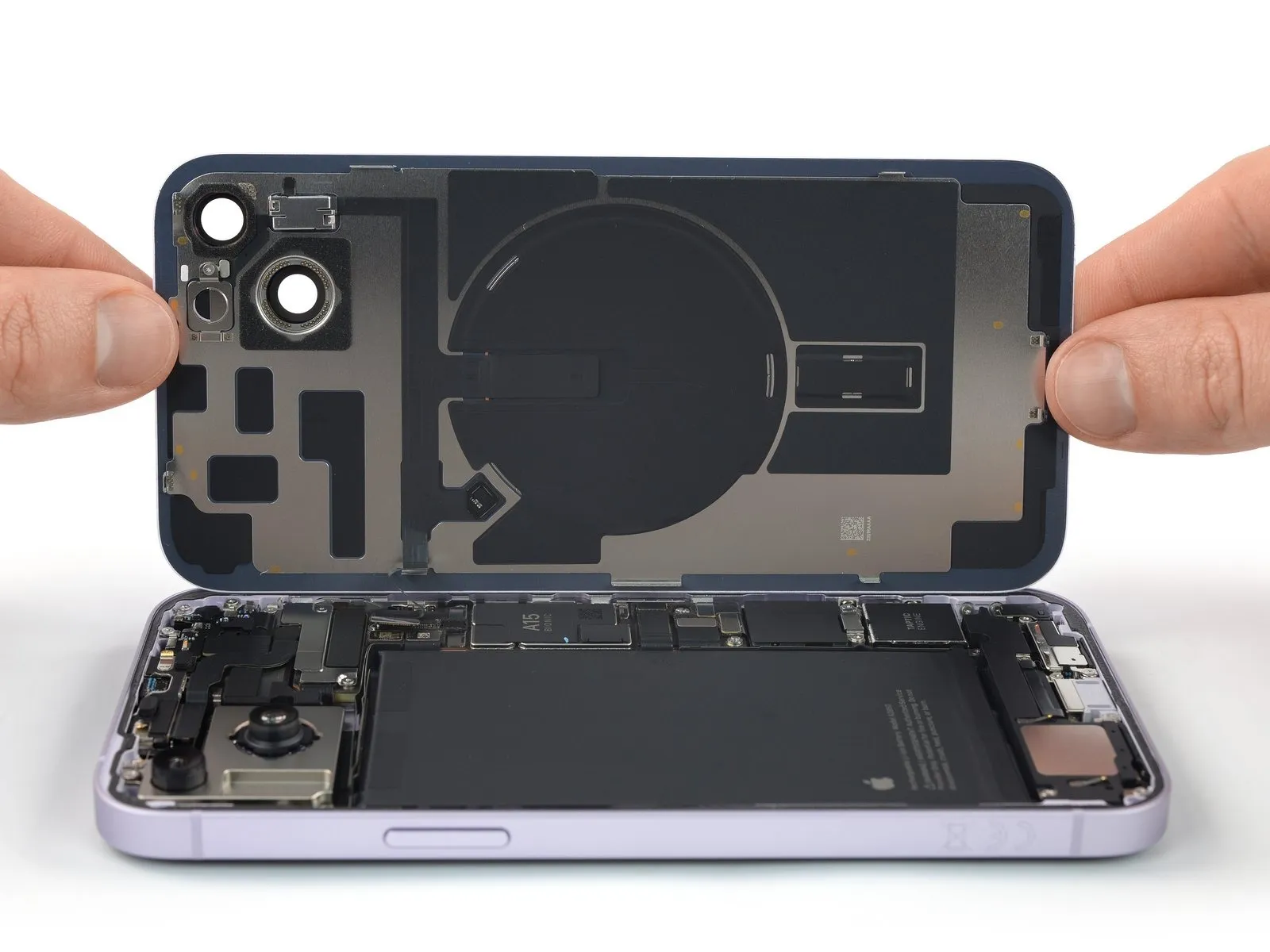
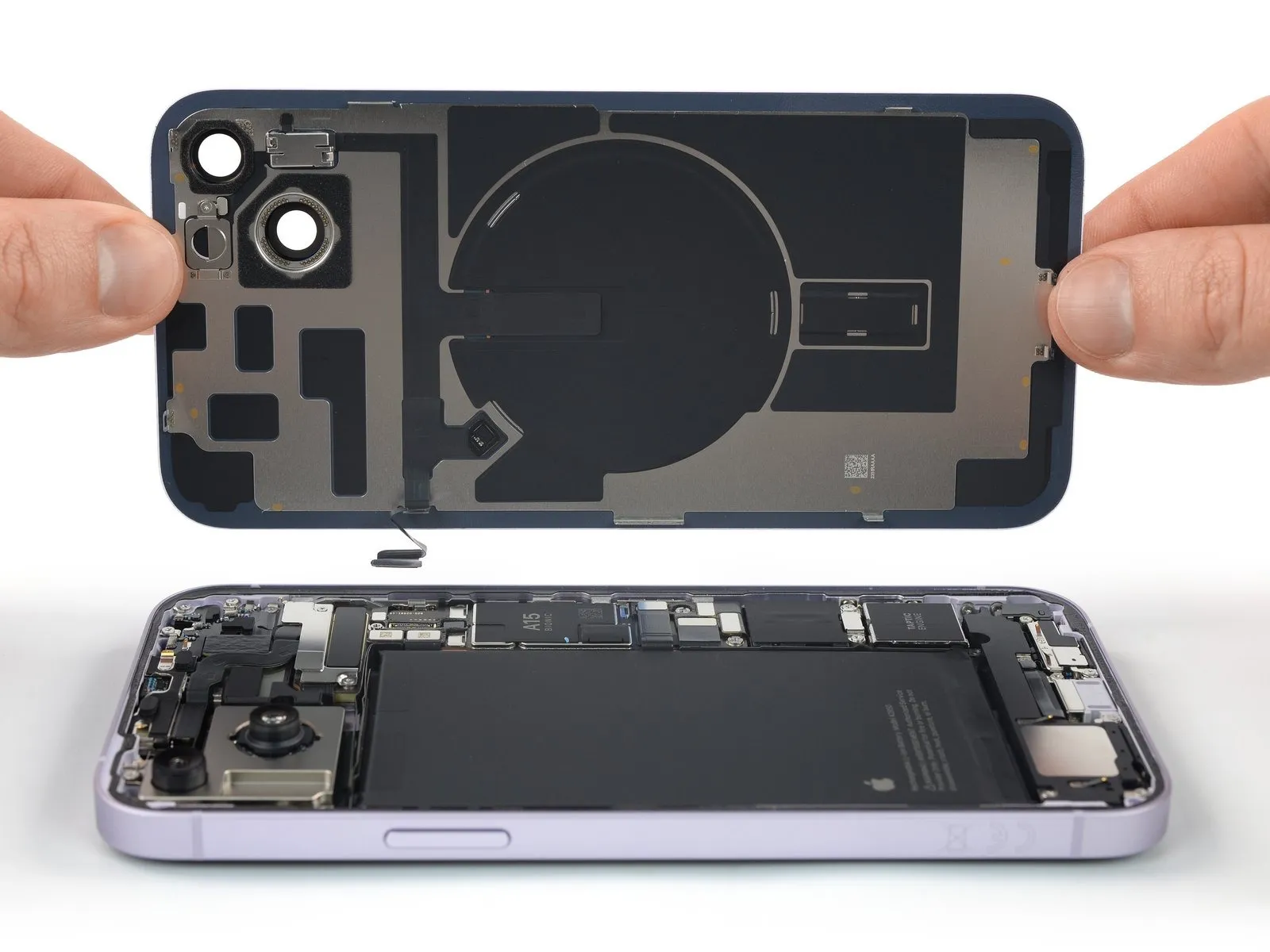
- Remove the rear glass assembly.
- Apply new adhesive where necessary after cleaning relevant areas with isopropyl alcohol (>90%).
- During reassembly, pause here if you wish to replace the rear glass adhesives.
Step 22 | Disconnect the rear-facing camera assembly


Use a spudger to disconnect the two rear-facing camera assembly cables by prying the connectors straight up from their sockets.
Step 23 | Unfasten the rear-facing camera assembly screws
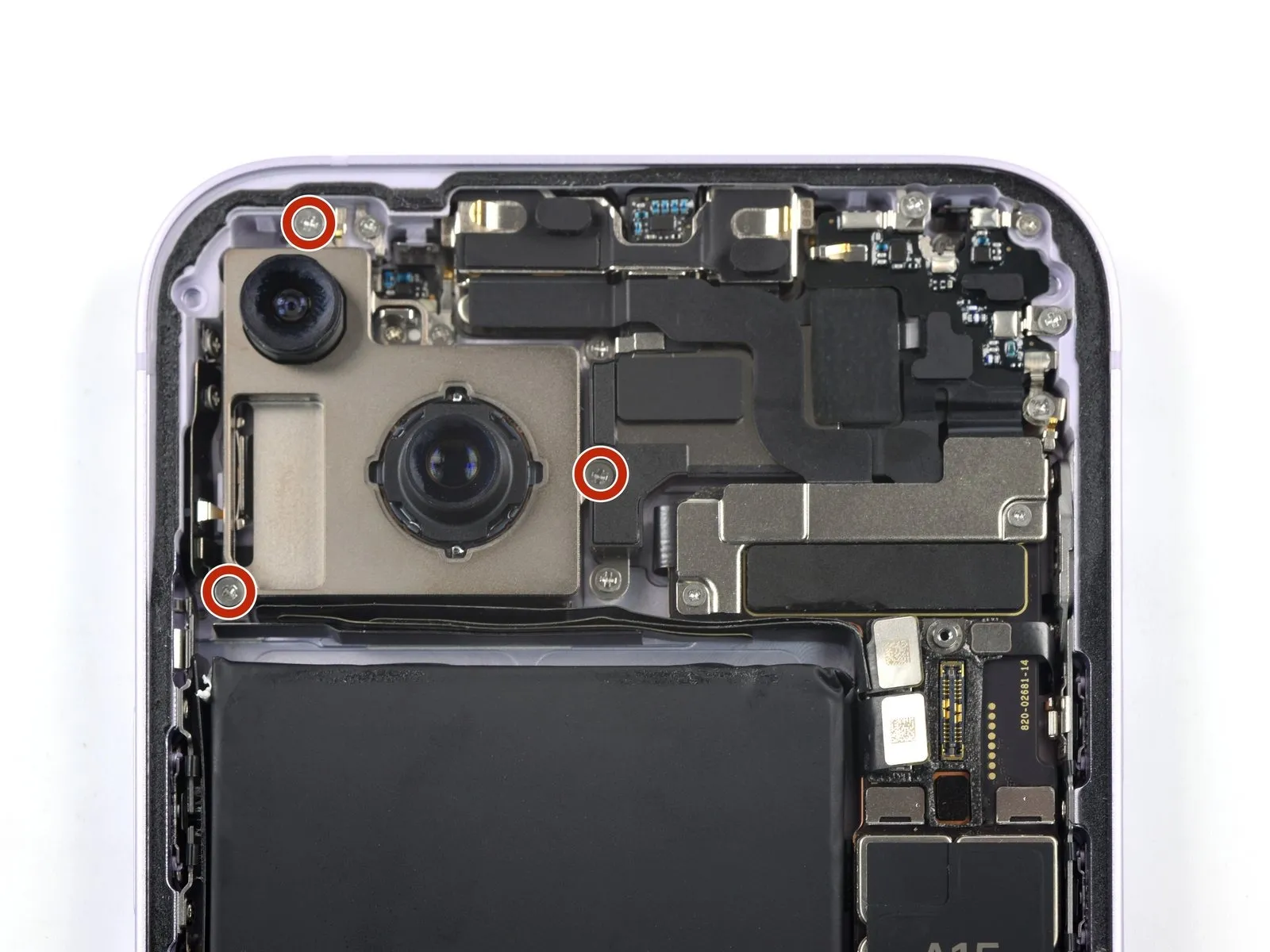
Use a Phillips screwdriver to remove the three 2.1 mm-long screws securing the rear-facing camera assembly.
Step 24 | Pry up the rear-facing camera assembly
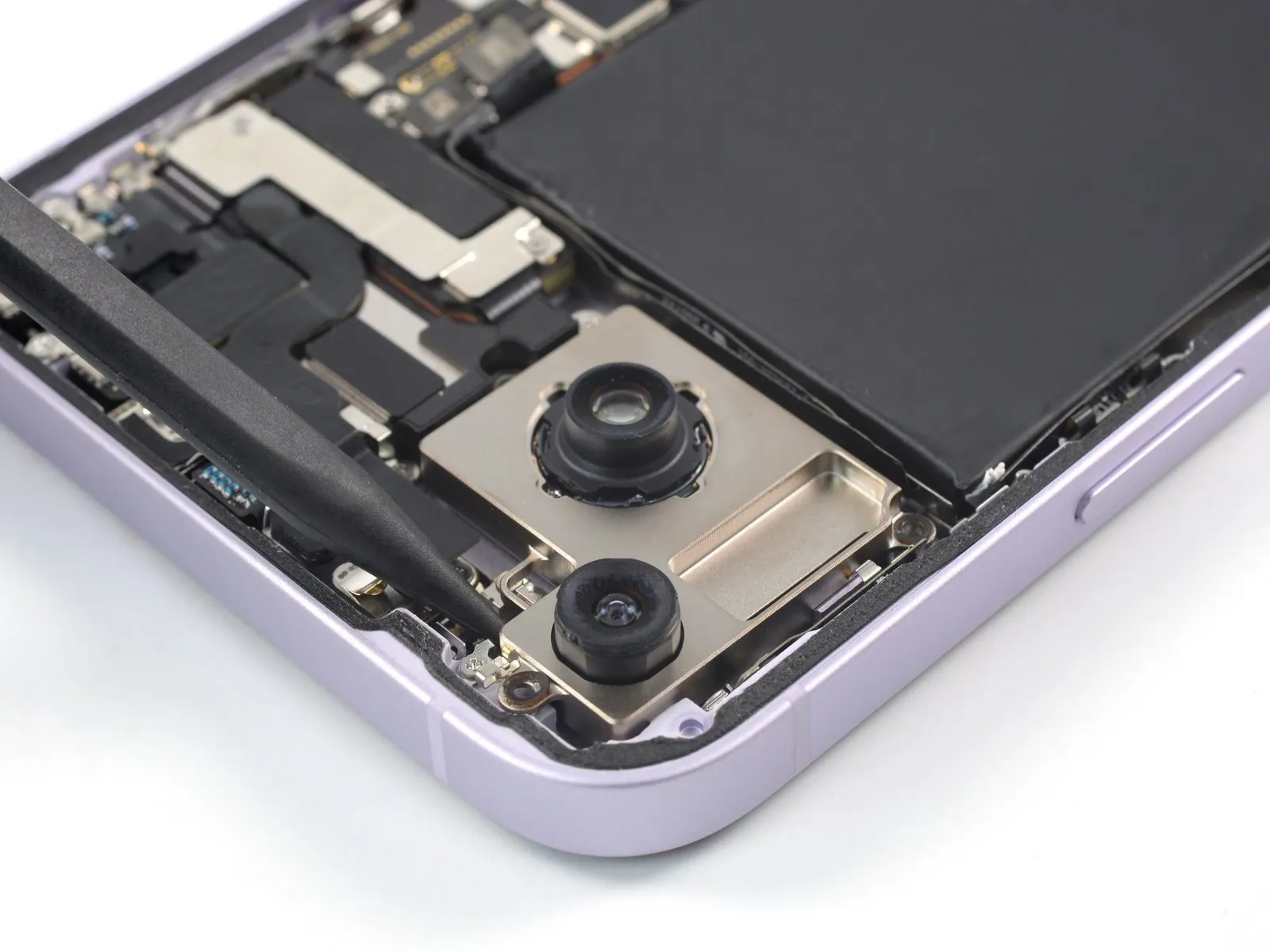

- Insert the pointed end of a spudger underneath the top edge of the rear-facing camera assembly.
- Pry up with the spudger to loosen the rear-facing camera assembly.
Step 25 | Remove the rear-facing camera assembly
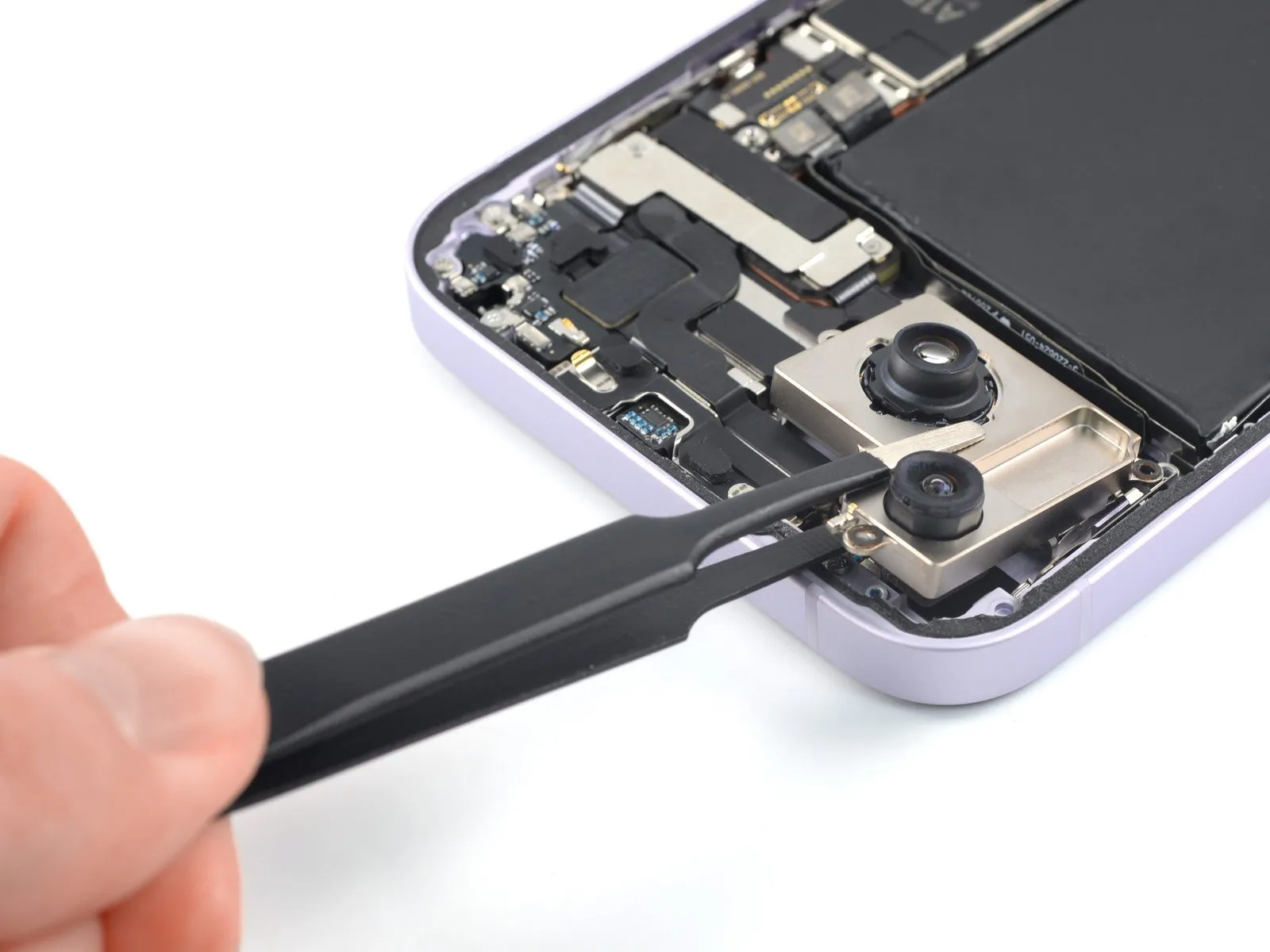


- Use a pair of tweezers or your fingers to remove the rear-facing camera assembly.