How to Force Restart an iPhone 3G
The reset process will not result in data loss.
Step 1 | How to Force Restart an iPhone 3G
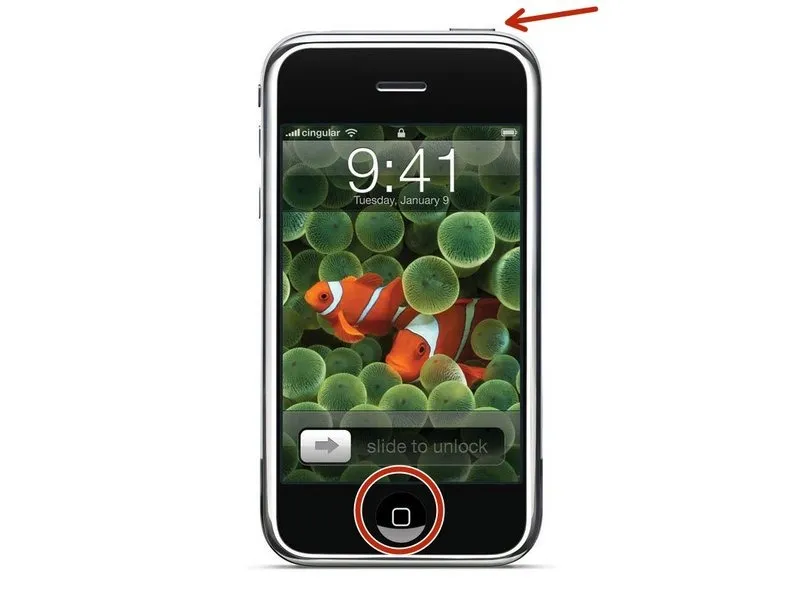
To force a restart, maintain simultaneous pressure on the power button and the home button for a minimum of 10 seconds, observing for the appearance of the Apple logo on the display.
Once the Apple logo is visible on the screen, proceed to let go of the buttons.
Once the Apple logo is visible on the screen, proceed to let go of the buttons.