iPhone 6 Plus Power Button Replacement
Follow these instructions to substitute a new power button.
Step 1 | Pentalobe Screws
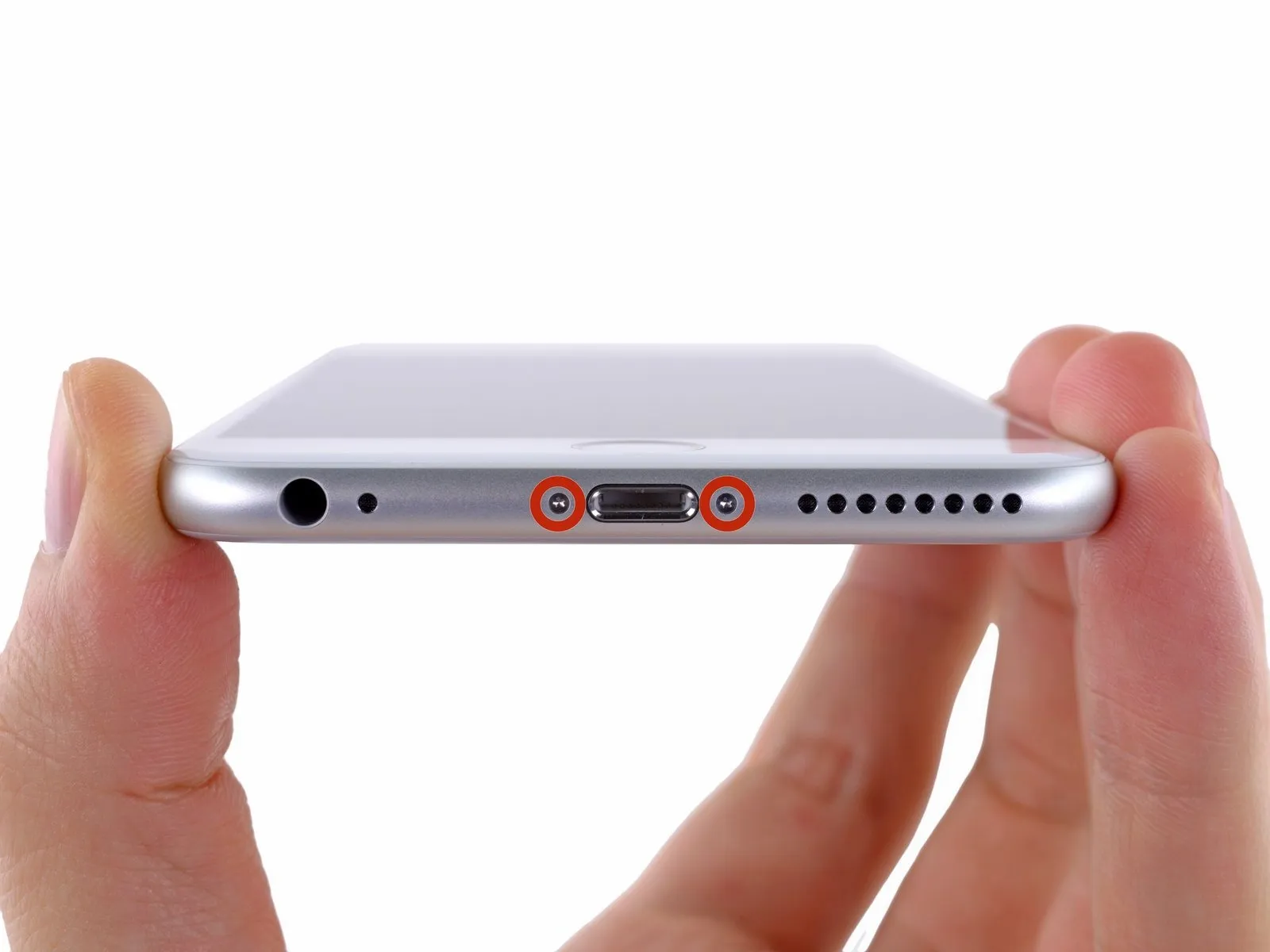
To prevent electrical shock or damage, ensure the iPhone is completely de-energized prior to starting the repair process.
Using a Pentalobe screwdriver, detach the two screws measuring 3.6 mm located adjacent to the Lightning connector.
Step 2 | Anti-Clamp instructions


Refer to the included guide for detailed procedures regarding Anti-Clamp operation.
To release the Anti-Clamp's arms, move the blue handle in a rearward direction.
Position the arms so they extend across the iPhone's left or right side.
Affix two suction cups to the iPhone's front and rear surfaces, placing them close to the lower edge, directly above the home button.
Apply vacuum by pressing the cups firmly against the surface needing treatment.
To improve the Anti-Clamp's grip if the iPhone's exterior feels excessively slick, apply adhesive tape to the device's surface.
Step 3


Rotate the handle fully, completing a 360-degree turn, observing for the initial signs of cup expansion.
Maintain parallel positioning of the suction cups; should misalignment occur, gently reduce suction and reposition the arms.
Once sufficient space is created by the Anti-Clamp, carefully slide a separation tool or opening pick beneath the display assembly.
To ensure adequate clearance, adjust the handle position by 90 degrees.
Allow the Anti-Clamp device to function and permit several seconds of inactivity following each incremental adjustment, limiting each rotation to a maximum of 90 degrees.
Step 4 | Front Panel Assembly

Secure a suction cup to the display surface, positioning it directly over the home button area.
Ensure a leakproof connection by firmly applying pressure to the cup against the screen's surface.
To facilitate suction cup attachment when the display has severe cracking, apply a sheet of clear packing tape across the damaged area; as an alternative, a robust adhesive tape can be substituted for the suction cup. As a last resort, secure the suction cup directly to the fractured screen using superglue.
Step 5

Exercise patience and use steady, consistent pressure when installing the display assembly, as its fit is significantly more snug than typical device components.
Employing a plastic opening tool, carefully separate the rear case from the display assembly by gently levering it upwards, maintaining upward traction with the suction cup throughout the process.
To release the front panel assembly from the rear case, carefully detach the multiple retaining clips, potentially requiring the coordinated use of both a suction cup and a plastic opening tool.
Step 6


Detach the display assembly's suction cup.
Step 7


Carefully position the display at a roughly 90-degree angle, then secure it in a supported position to prevent movement during the repair process.
To avoid stressing the display's wiring during the repair process, secure it with a rubber band.
As a temporary measure, an unused, sealed can of soda can substitute for the display during the repair process.
Step 8


To reassemble, position the clips beneath the rear case's upper boundary, and subsequently advance the front panel vertically until its superior edge is level with the rear case's superior edge.
Step 9

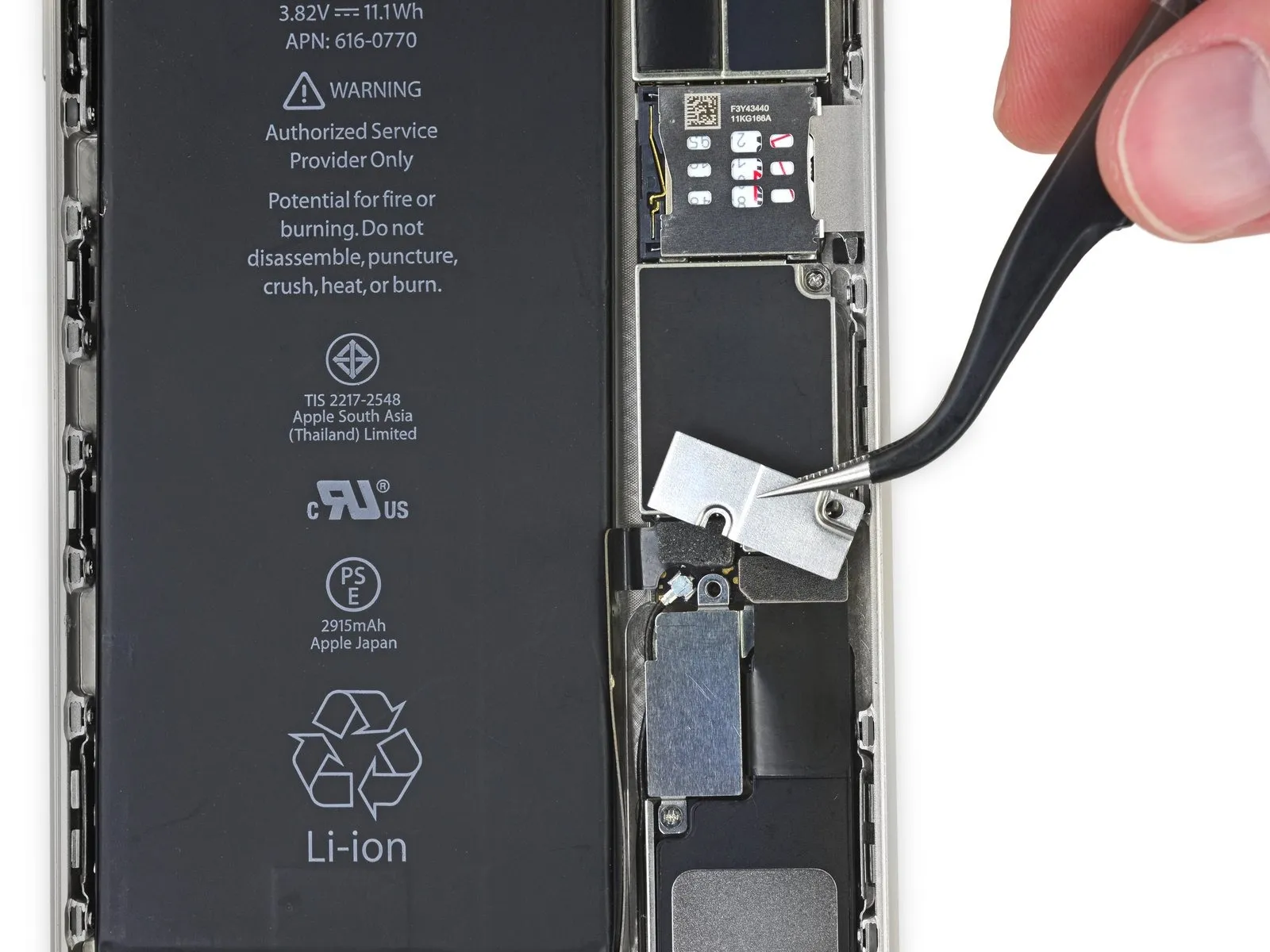
A single screw, measuring 2.3 millimeters, is required.
A single fastener, measuring 3.1 millimeters, is required.
Step 10
Step 11
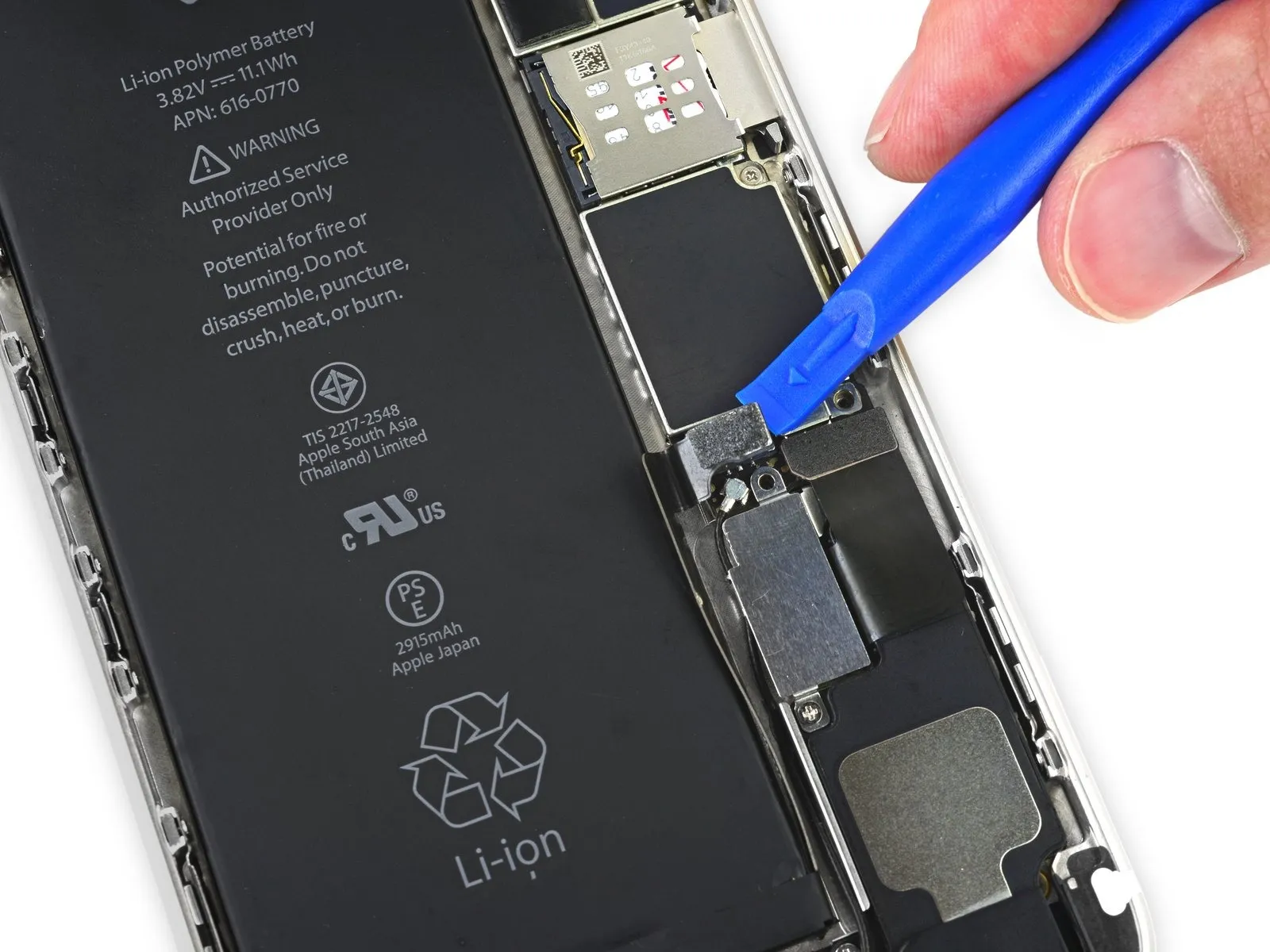
To prevent damage, lift solely on the battery connector itself; applying force to the logic board socket risks complete connector failure.
Step 12
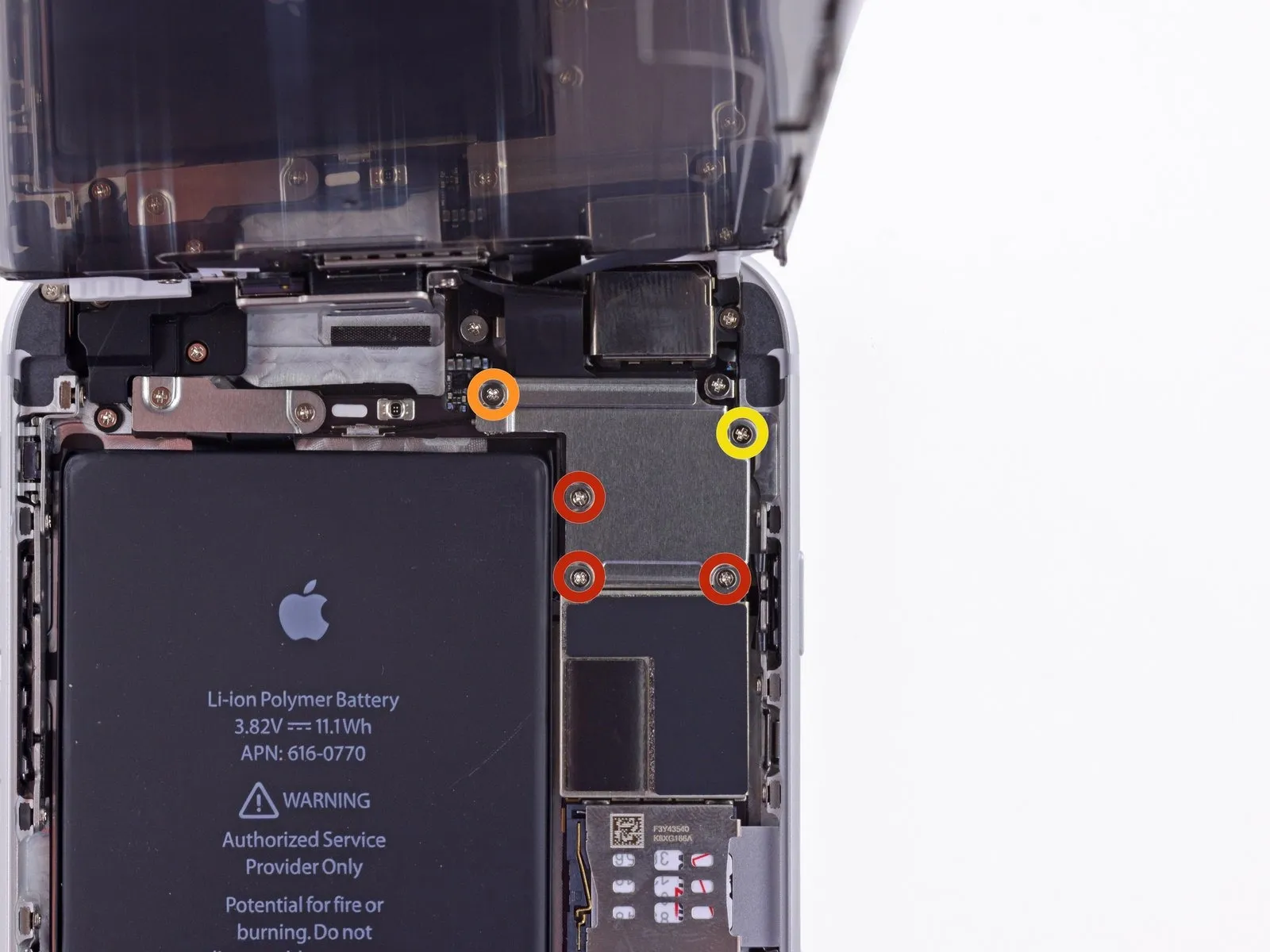
Use three screws, each measuring 1.2 millimeters.
A screw with a 1.5 mm head diameter is required.
A single screw, measuring 2.9 millimeters, is required.
Inserting screws that exceed the length specified for the red-marked screw holes is prohibited, as it carries a risk of permanent logic board failure.
Step 13

Step 14
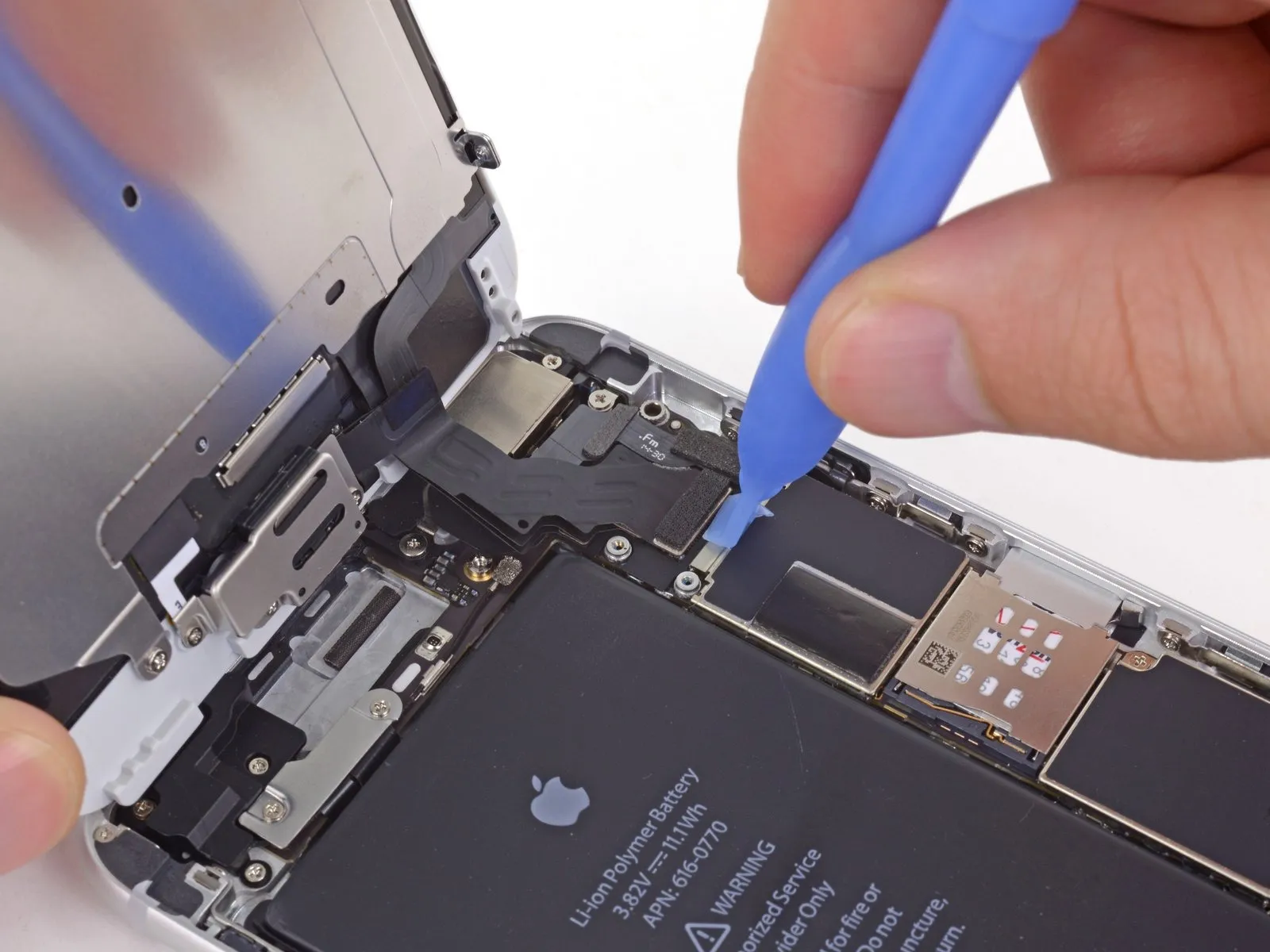

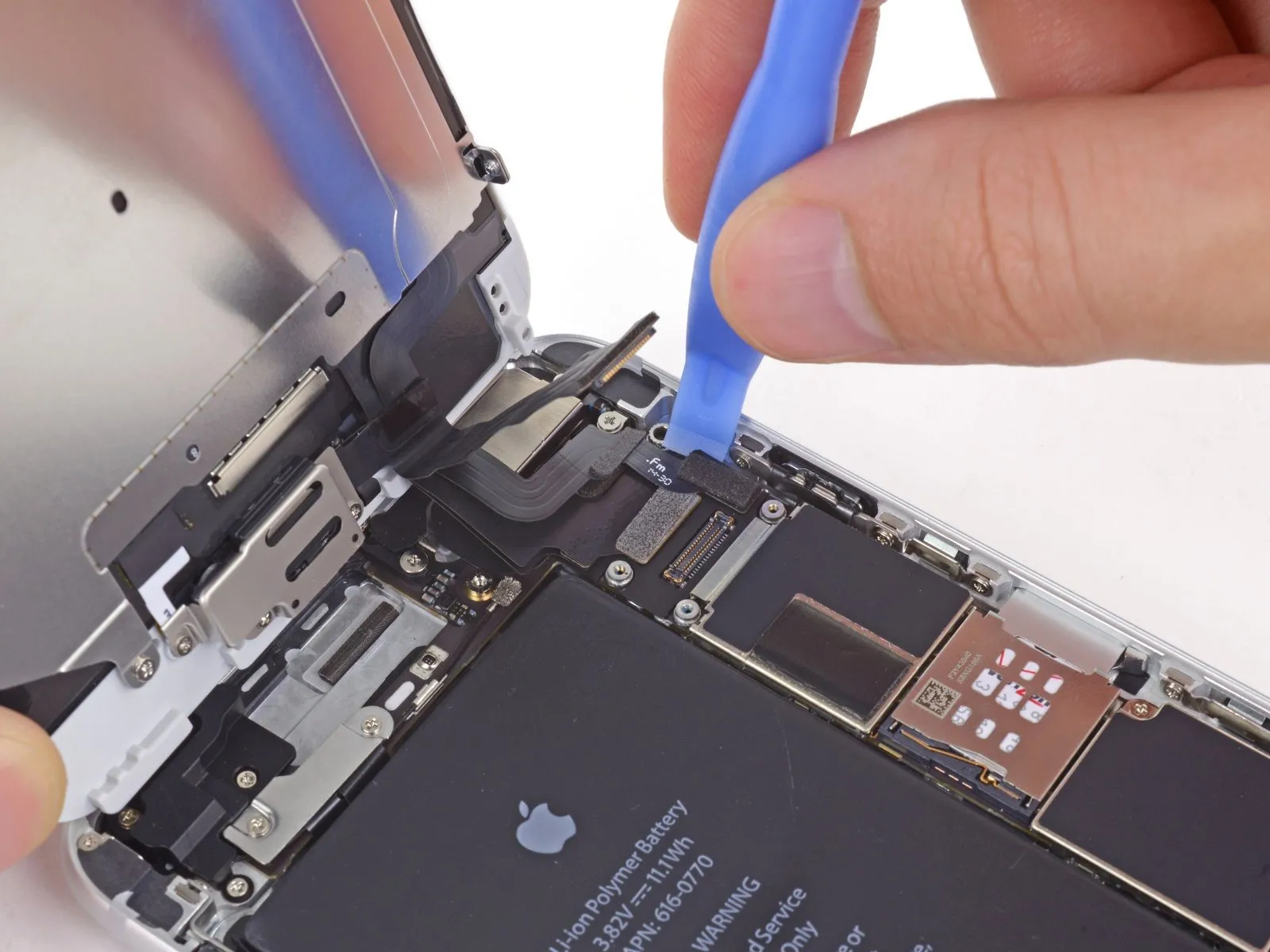
Carefully maintain support for the front panel and then, using a fingernail or a thin opening tool, release the front camera and earpiece speaker connector from its housing.
Step 15

Step 16
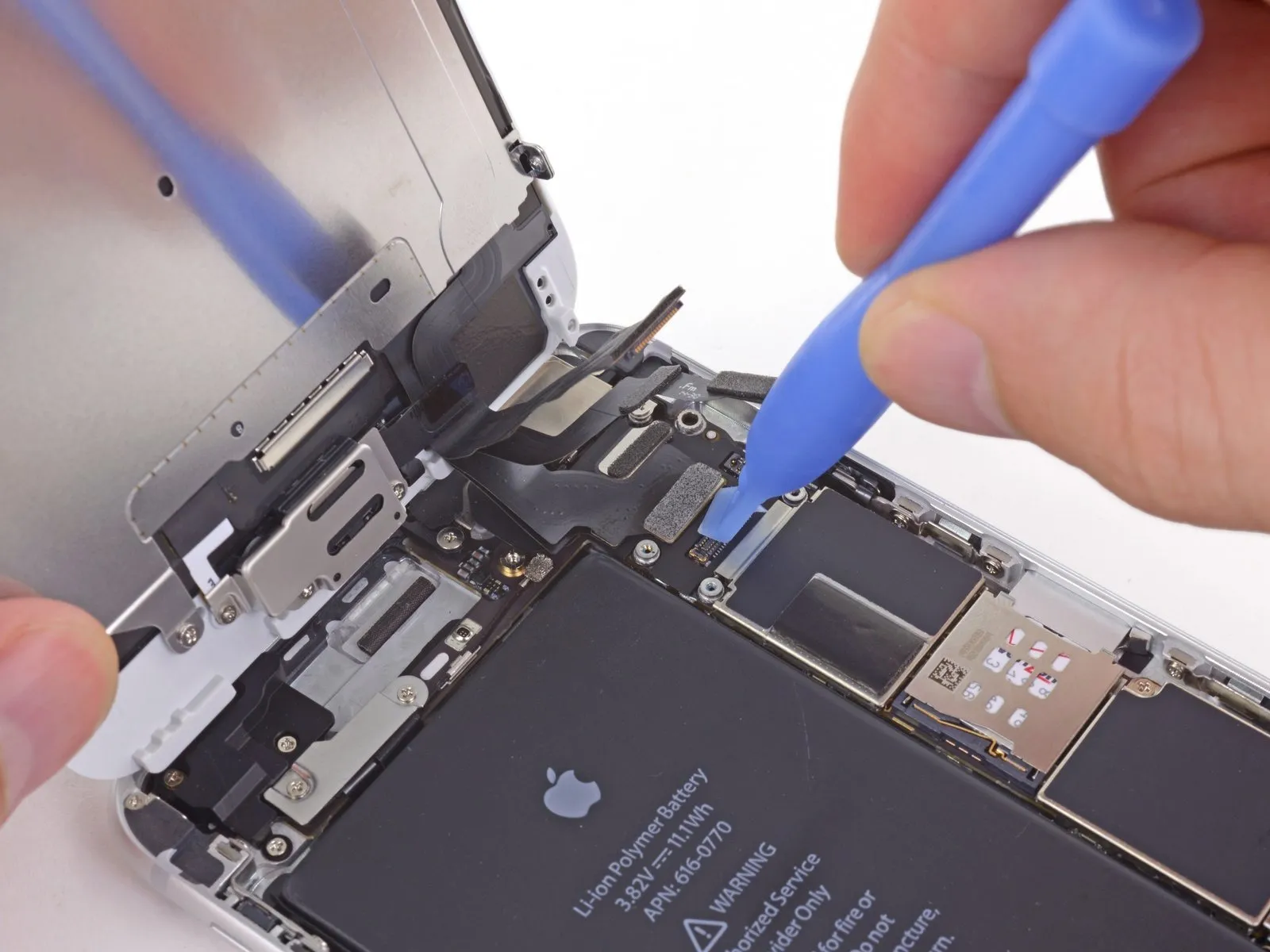

Carefully detach the display data cable connector using a plastic opening tool.
Should the display data cable detach from its connector during reassembly, a blank screen or white lines might appear upon powering on the device; to resolve this, re-engage the cable and restart the phone, ideally by disconnecting and reconnecting the battery connector.
Step 17


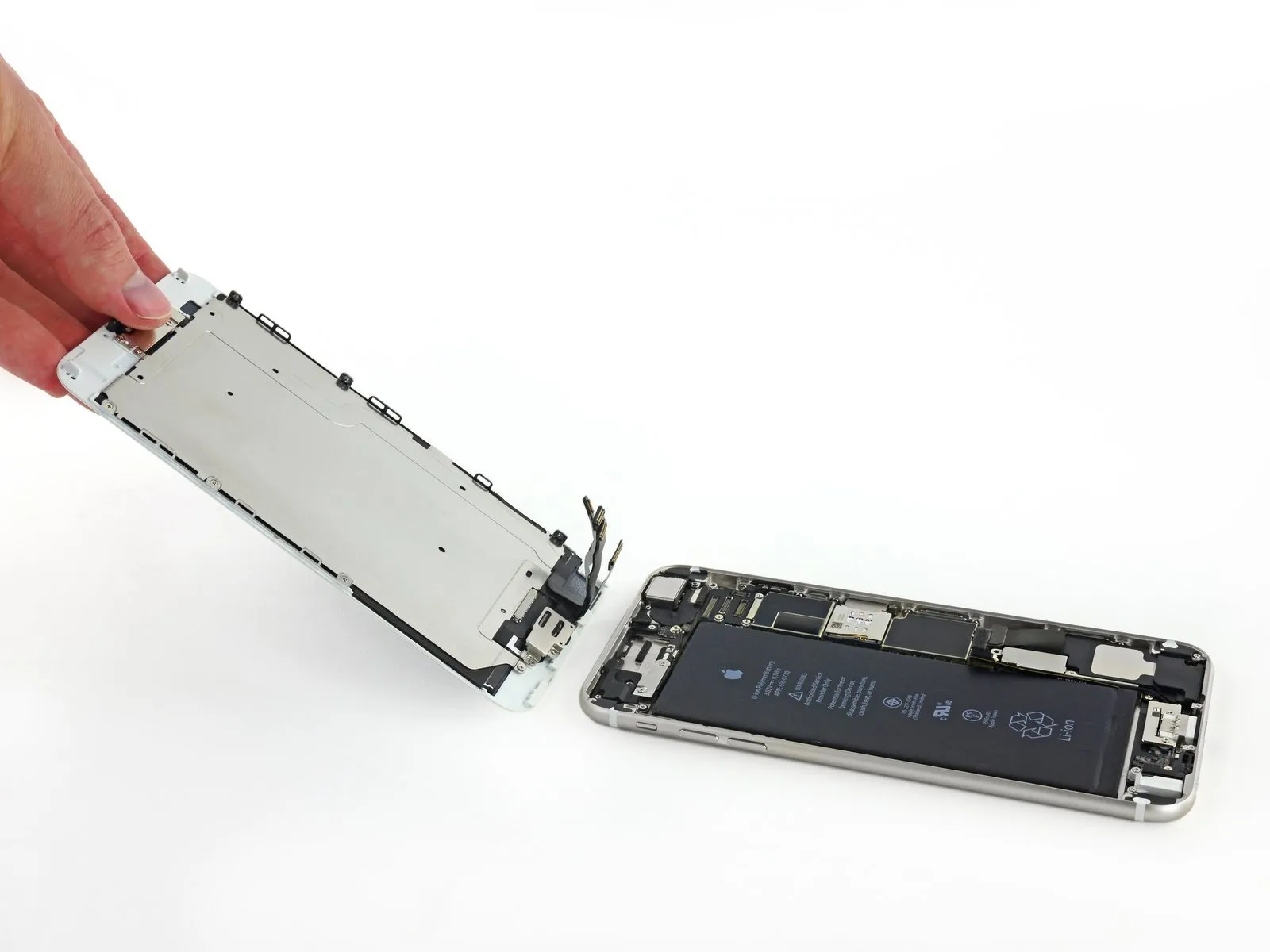
To avoid component bending and potential digitizer damage, apply pressure to opposing ends of the connector when reattaching the digitizer cable; refrain from applying pressure to the connector's central area.
Step 18
Step 19 | Battery
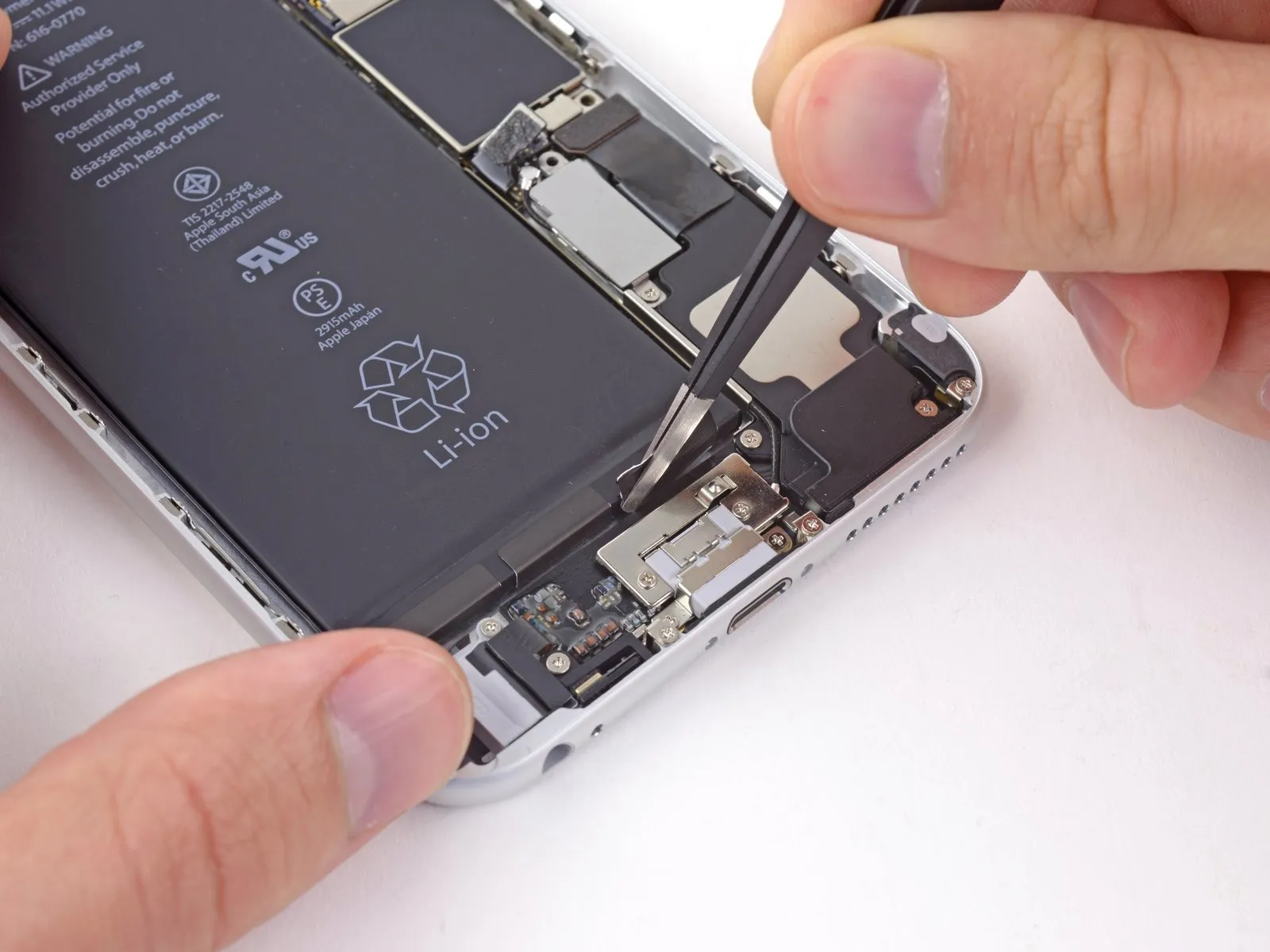
Employ either your fingertips or non-pointed tweezers to manipulate components, exercising extreme caution in the vicinity of the lithium-ion battery, as its compromise could result in the expulsion of hazardous substances and potential fire hazard.
Step 20


Gently draw the adhesive strip, extending it downwards along the iPhone's length, separating it from the battery surface with a slow, controlled motion.
Before applying increased force, ensure the strip extends; if you do not perceive this extension, reduce the pulling pressure to prevent breakage.
Gently draw the strip outward, maintaining a shallow angle to prevent the adhesive from adhering to any nearby parts along the phone's bottom edge.
Avoid applying pressure to the battery while extracting the strip.
Applying steady, gradual force will elongate the strip significantly; maintain this slow pulling action until it detaches and clears from beneath the battery.
Should the battery's adhesive strips tear apart while you're removing it, carefully extract any detached adhesive portions with your fingers or a tool having a rounded edge, then proceed with the removal.
Should the adhesive strips beneath the battery become detached and unrecoverable, carefully eliminate any fragments still present before continuing with the subsequent steps.
Step 21


- Carefully separate the second adhesive layer securing the battery from its opposite side.
- Gently draw the adhesive tab outward, extending it gradually to free it from the space between the battery and the rear case.
- To detach the battery, draw the adhesive tab steadily outward until it separates entirely. Should the tab tear, attempt to recover any remaining portion and continue the pulling action, or follow the subsequent steps.
Step 22


- Carefully separate the remaining battery adhesive strip by lifting it vertically and slowly drawing it out from between the battery and the rear case, ensuring the adhesive releases gradually.
To prevent the battery from being ejected from the iPhone during the final ribbon cable extraction, maintain firm pressure on the battery with one hand. - Proceed with pulling until the last adhesive strip separates completely from the iPhone. Successful removal of all three strips allows you to proceed to step 24; however, should adhesive fragments remain adhered to the battery and be inaccessible, carefully apply a small amount of isopropyl alcohol—concentration exceeding 90%—directly beneath the battery edge in the location of the detached adhesive strip(s).
Allow approximately one minute for the alcohol to dissolve the adhesive securing the battery. Then, carefully separate the battery from the device casing using the spudger's flat edge.
To avoid damage, do not use excessive force when removing the battery. Should the battery remain stuck, add additional alcohol drops to dissolve the adhesive; ensure the pry tool does not bend, break, or penetrate the battery casing during the separation process.
Applying force to the logic board risks irreversible damage to your iPhone. Avoid prying beneath the battery's upper edge, specifically close to the volume up button and mute switch, as this area houses a cable connected to the audio controls and affixed to the rear case directly below the battery; separation could harm this cable. - If the battery remains adhered, proceed to the following instructions.
Step 23 | Alternative methods to unstick the battery from the case

To free a battery adhered to the back cover, apply heat using an iOpener or a hair dryer, directing the warmth specifically to the rear case area behind the battery.
Carefully raise the battery from its compartment using a plastic opening tool.
Exposure to excessive heat poses a risk of battery ignition in the iPhone.
To dislodge the battery from the rear case, use dental floss or, for greater separation force, an unwound guitar string—specifically, a 0.009 E string from a 12-string guitar set.
Using floss or string, carefully work it between the battery and its housing, employing a back-and-forth, sawing action to sever the adhesive bond.
Step 24

- Disconnecting the iPhone's internal battery requires careful attention to avoid damage; therefore, detach it following the established procedure.
- Carefully slide the protective plastic covering off the new battery, ensuring you don't snag or damage the ribbon cable during removal.
- To prevent damage, ensure any residual alcohol solution is completely removed by wiping with a clean cloth or permitting full evaporation before proceeding with the new battery installation.
- To confirm correct positioning within its designated space, briefly plug the battery connector back into the logic board socket prior to securing the new battery.
- Secure the battery in place, then sever its electrical connection before proceeding with the remaining assembly steps.
- To secure a battery lacking factory-applied adhesive, follow the instructions in this guide for adhesive strip replacement.
- Following reassembly, execute a complete system reset to proactively avoid potential problems and streamline any subsequent diagnostic efforts.
Step 25 | Rear Facing Camera

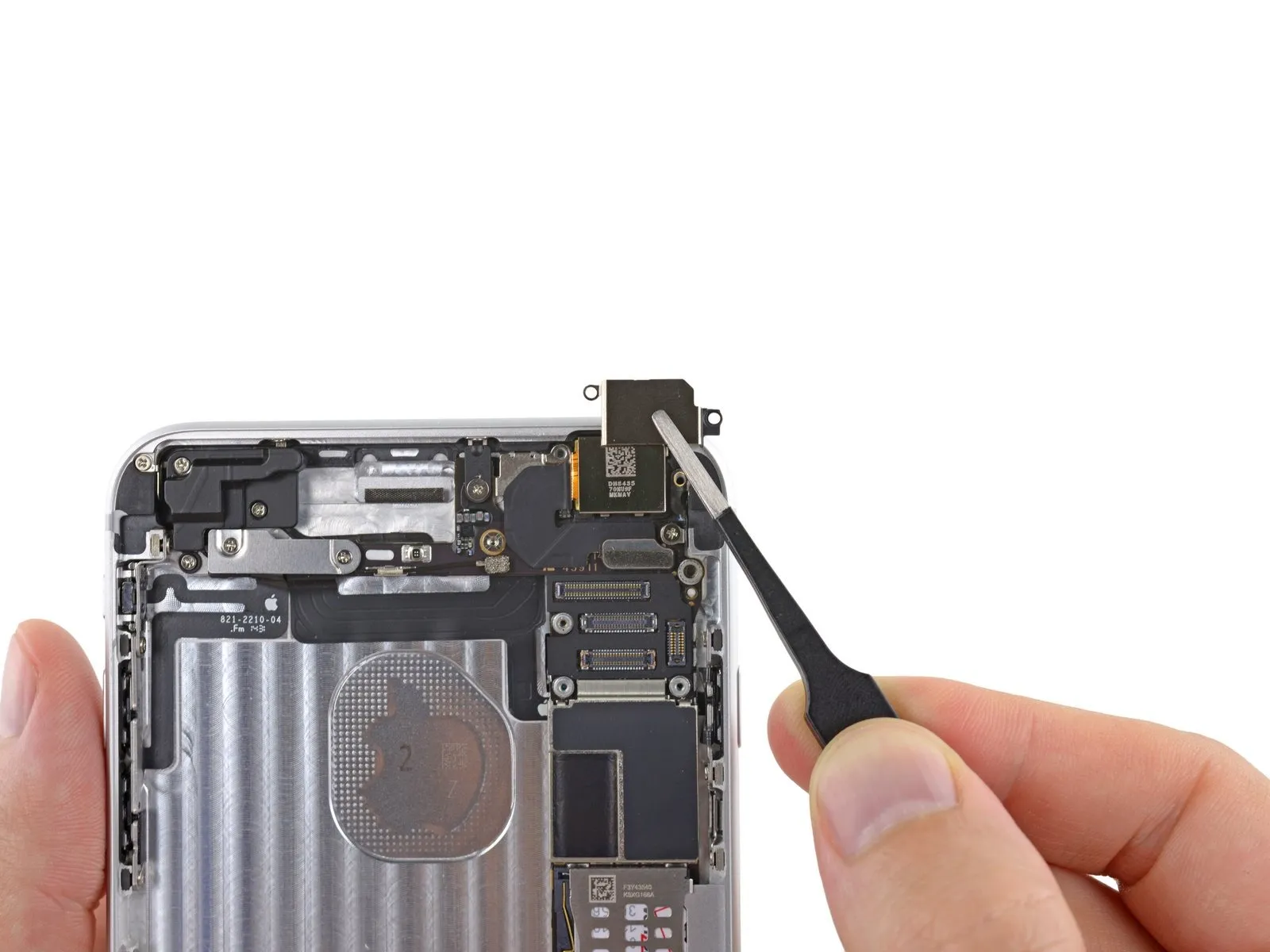
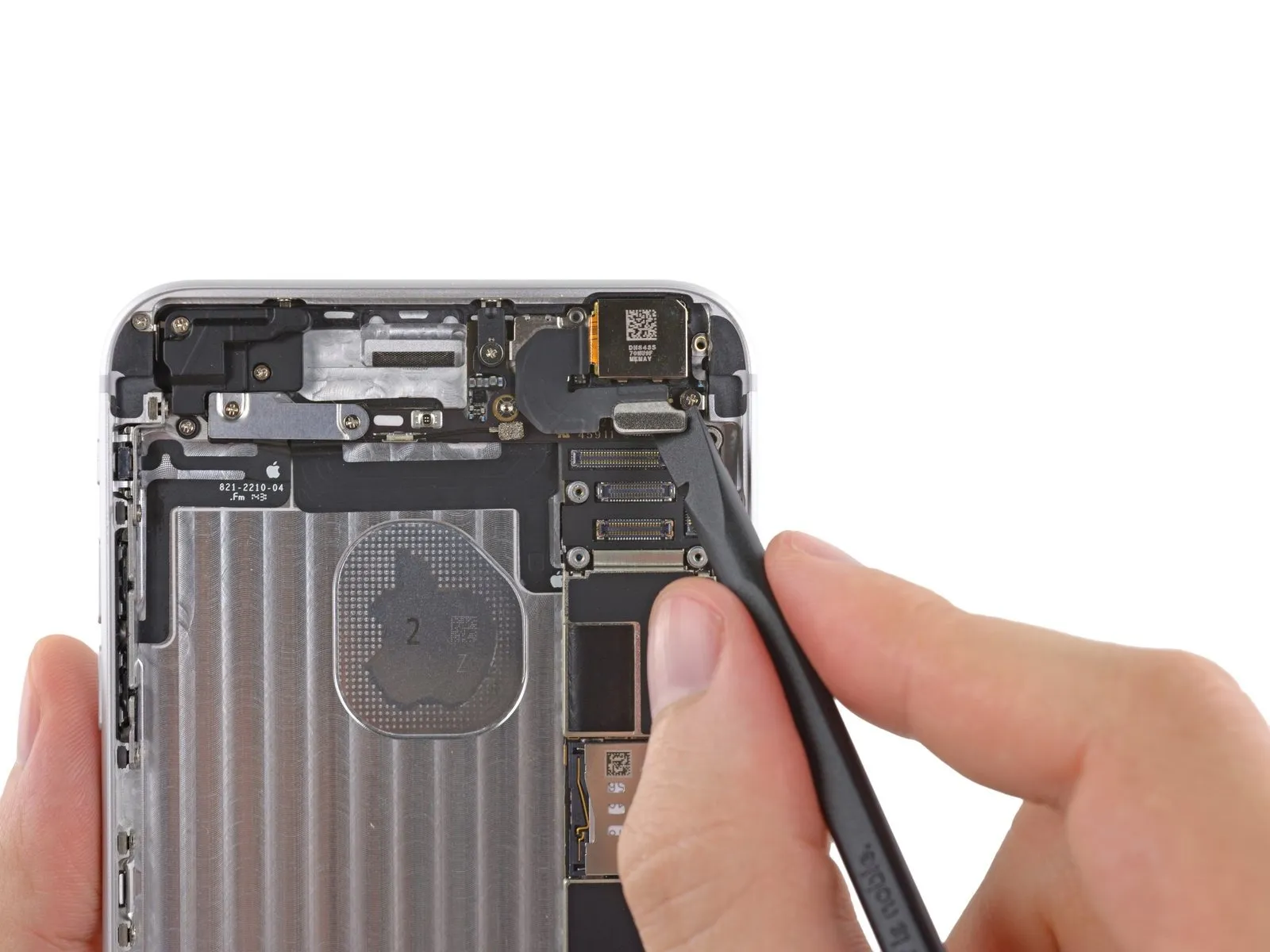
Using a Phillips screwdriver, detach the rear-facing camera bracket from the rear case by unscrewing the screws that hold it in place.
A Phillips head screwdriver, size #00, is needed to remove a single screw measuring 1.7 millimeters.
A Phillips head screwdriver, size #00, is needed to remove a screw measuring 2.3 millimeters.
Step 26
Step 27
Step 28

Step 29 | Antenna Assembly

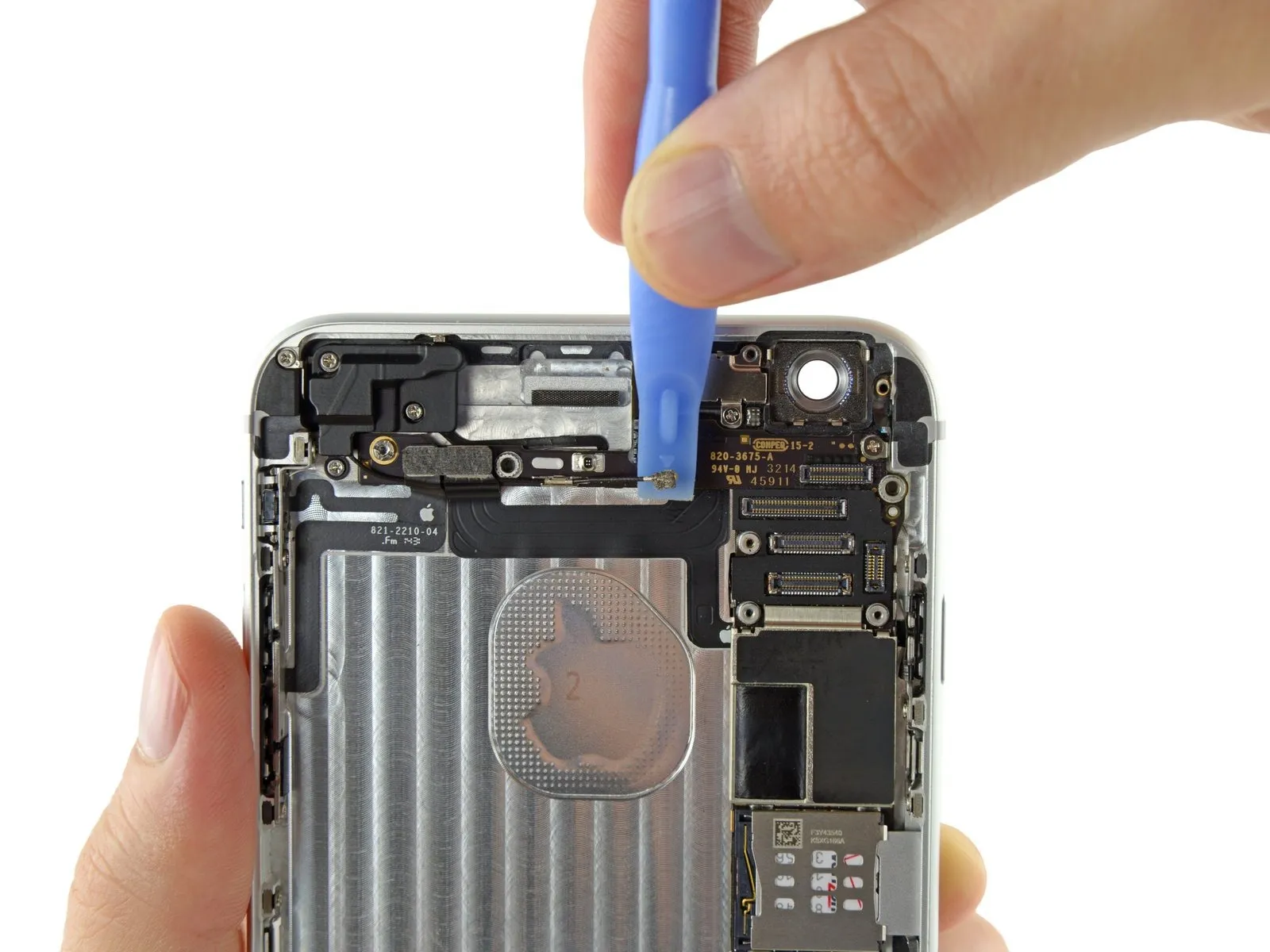
- A Phillips head screwdriver, size #00, is needed to remove a 1.5-millimeter screw.
- A Phillips head screw, size #00 and measuring 2.8 millimeters.
Step 30

Step 31
Step 32


Step 33


Carefully detach the power button cable connector and the audio control cable connector from their designated sockets on the logic board.
Step 34

- A Phillips head screw, size #00 and measuring 2.8 millimeters.
- Use two Phillips head screws, size #00 and 1.6 millimeters in width.
Step 35


Ensure the antenna assembly is correctly reassembled with the small washer positioned in the upper left corner.
Step 36 | Vibrator

Step 37


Step 38


Step 39

Step 40

Step 41 | SIM Card


Apply force to release the tray from its housing.
Applying considerable pressure might be necessary.
Step 42
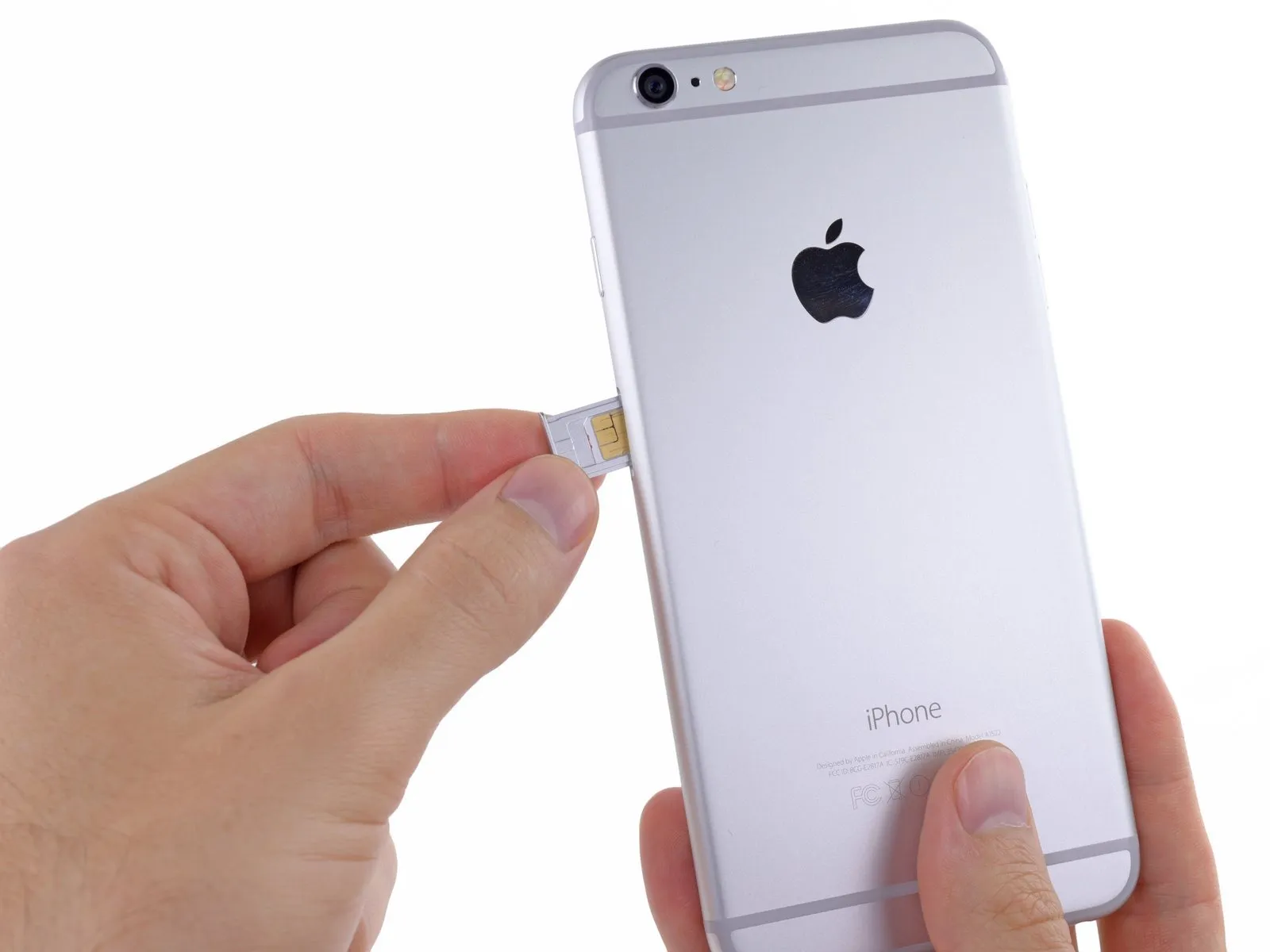
Confirm the SIM card's correct alignment within the tray before sliding the tray back into the device.
Step 43 | Logic Board Assembly

Step 44

Step 45

Step 46

Step 47

Step 48 | Logic Board

Use two screws, each measuring 2.4 millimeters in diameter.
Employ a standoff screwdriver or bit to extract standoff screws.
If a dedicated tool isn't available, a small flathead screwdriver can be carefully employed; however, exercise heightened vigilance to prevent slippage and potential harm to nearby parts.
A Phillips head screwdriver, size #00, is needed to remove a screw measuring 2.1 millimeters.
Step 49

Step 50

Gently raise the logic board's underside, maintaining control, until it achieves a 90-degree angle relative to its original position.
Step 51


- Position the iPhone so the rear case provides support, then carefully place the logic board on a flat surface with the component side facing downward.
Carefully detach the antenna connector from its socket on the logic board’s rear surface, employing the flat spudger tip.
Step 52

- Carefully raise the logic board from within the iPhone enclosure.
Step 53 | Power Button Cable


- Carefully remove the adhesive securing the connector tabs on both the power button and the audio control/rocker switch cables using tweezers.
Step 54

- Using a Phillips #00 screwdriver, detach the power button cable bracket from the rear case by unscrewing the 1.3 mm screw that holds it in place.
Step 55

- Using tweezers, gently detach the bracket from the iPhone.
Step 56

- A Phillips head screwdriver, size #00, is needed to remove a screw measuring 2.1 millimeters.
- A Phillips head screwdriver, size #00, is needed to remove a screw measuring 1.7 millimeters.
Step 57

Step 58

Step 59

Step 60 | Power Button

Step 61
