iPhone 7 LCD Shield Plate Replacement
Adhere to the instructions detailed within this document to detach or substitute the LCD shield plate, a component situated behind the display, on an iPhone 7.iPhone 7.
Step 1 | Pentalobe Screws
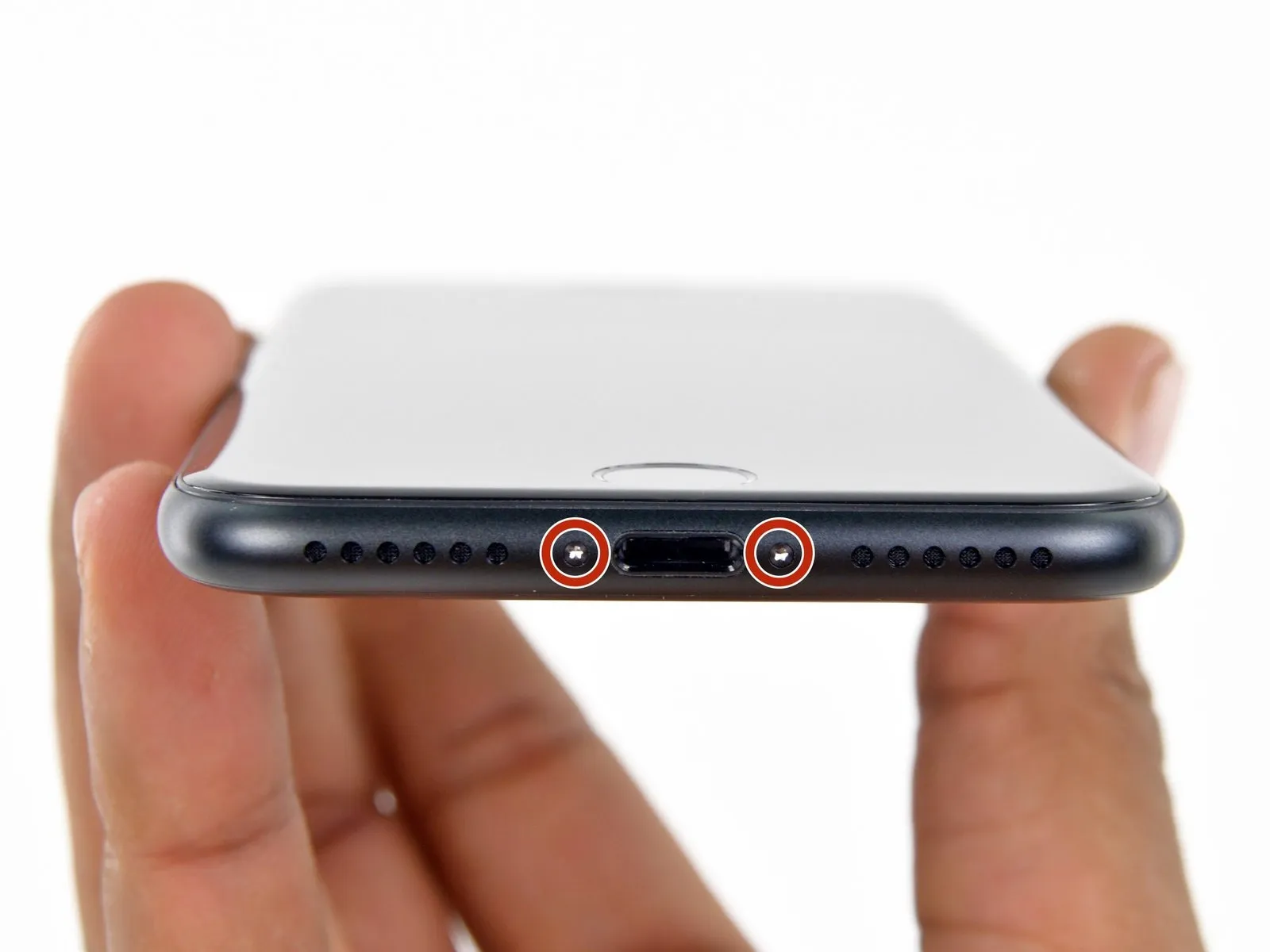
- As a preliminary precaution, ensure your iPhone's battery has been depleted to a level below 25% before commencing the repair process.A fully charged lithium-ion batteryposes a risk of ignition and/or detonation if it sustains accidental physical damage, such as a puncture.
- To prevent any electrical hazards or short circuits, completely shut down the iPhone prior to starting the disassembly procedure.
- Utilizing a screwdriver, carefully unscrew and remove the pair of 3.4 mm pentalobe screws located along the iPhone's lower edge.
- Separating the iPhone's display assembly will inevitably damage the integrated waterproof seals; therefore, it is advisable to have replacement seals on hand before proceeding, or exercise extreme caution to prevent moisture ingress if you intend to reassemble the iPhone without new seals.
Step 2 | Mark your opening picks


- To avoid potential harm to your device, ensure the opening pick isn't inserted beyond its intended depth; this procedure details how to mark the pick to safeguard against such damage.
- Determine the measurement of3 mmfrom the pick's leading edge, then use a permanent marker to indicate this point on the opening pick.
- For additional reference, consider marking the remaining corners of the pick with varying measurements.
- As an alternative method, affix a coin to the pick's shaft,3 mmaway from its tip.
Step 3 | Anti-Clamp instructions


The following three procedures illustrate the function of the Anti-Clamp, a specialized tool developed to simplify the initial opening process; should you choose not to utilize this tool, proceed past three steps to an alternative approach.
Detailed instructions regarding the Anti-Clamp's operation are available in a separate, dedicated guide.
- To release the Anti-Clamp's gripping arms, retract the blue handle towards the rear.
- Position the arms across either the left or right side of your iPhone.
- Place the suction cups close to the lower edge of the iPhone, situated directly above the home button—one on the front face and one on the rear.
- Apply pressure by compressing the cups together to create a secure vacuum seal on the intended surface.
- Should the iPhone's surface prove excessively slick, hindering the Anti-Clamp's ability to maintain a grip, applying adhesive tape can provide a more textured interface.
Step 4


- To secure the arm assemblies, advance the blue handle in a forward direction.
- Rotate the handle in a clockwise directionthrough a full rotation of 360 degreesor until the vacuum cups begin to deform.
- Maintain proper alignment between the suction cups; should they become misaligned, slightly release the suction cups and reposition the arms.
Step 5


- Apply warmth to aiOpenerand carefully guide it between the arms of theAnti-Clamp.
- Alternative heat sources, such as a hair dryer, heat gun, or hot plate, are acceptable; however, excessive temperatures pose a risk of display or internal battery degradation, necessitating cautious operation.
- Position theiOpenerto rest along the lower edge of the iPhone’s casing.
- Allow a sixty-second interval to permit the adhesive to soften and establish a separation.
- Introduce an opening tool into the newly formed space.
- Should theAnti-Clamp fail to generate an adequate separation, increase the heat applied to the region and rotate the handle by ninety degrees.
- Incremental rotations, limited to ninety-degree increments, are advised, accompanied by a sixty-second pause between adjustments. Allow theAnti-Clampand time to facilitate the separation process.
Step 6 | Heat the display
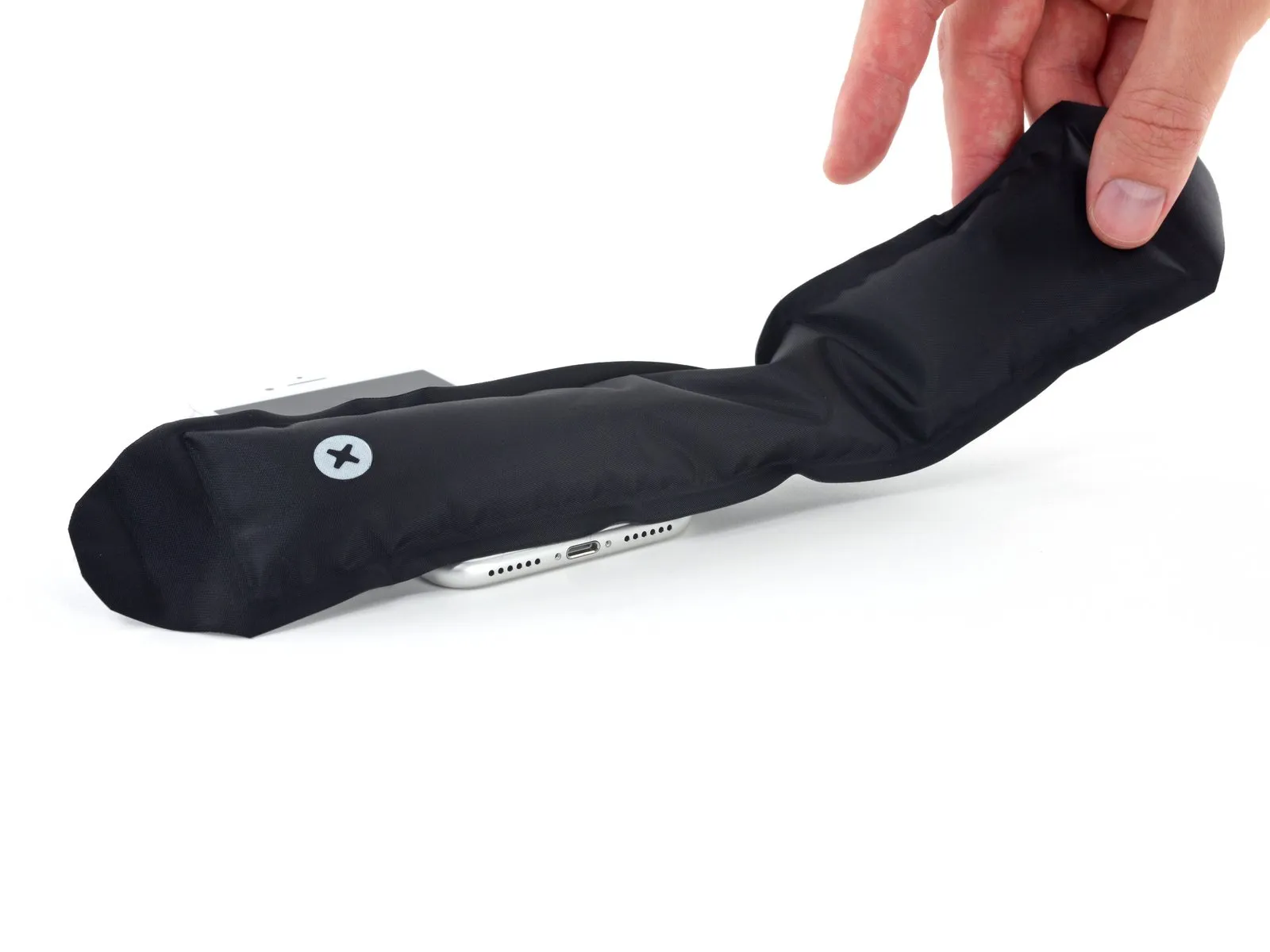
The following three procedures detail the process of detaching the display assembly with the aid of a suction cup.
- Applying heat to the bottom edge of the iPhone will assist in loosening the adhesive that holds the display in place, thereby simplifying the separation process.
- A hairdryer can be utilized, or alternatively, aniOpenercan be employed, applying heat to the lower edge of the device for approximately 90 seconds to reduce the adhesive's bonding strength.
Step 7 | Separate the display
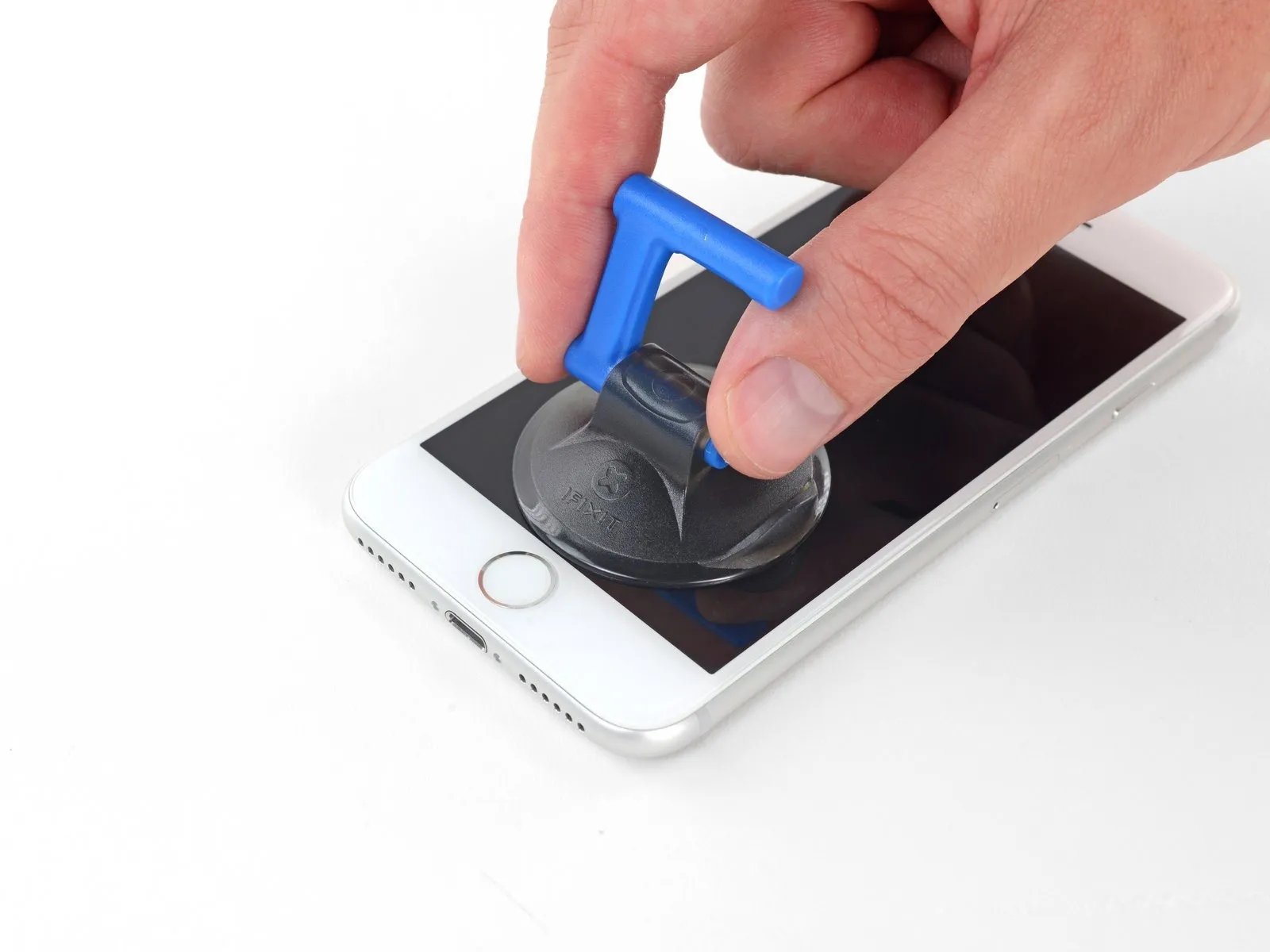

Securely affix a suction cup to the bottom portion of the front panel, positioning it directly over the home button area.
Ensure the suction cup's surface remains clear of the home button's location to guarantee a complete and airtight bond between the cup and the glass.
Step 8
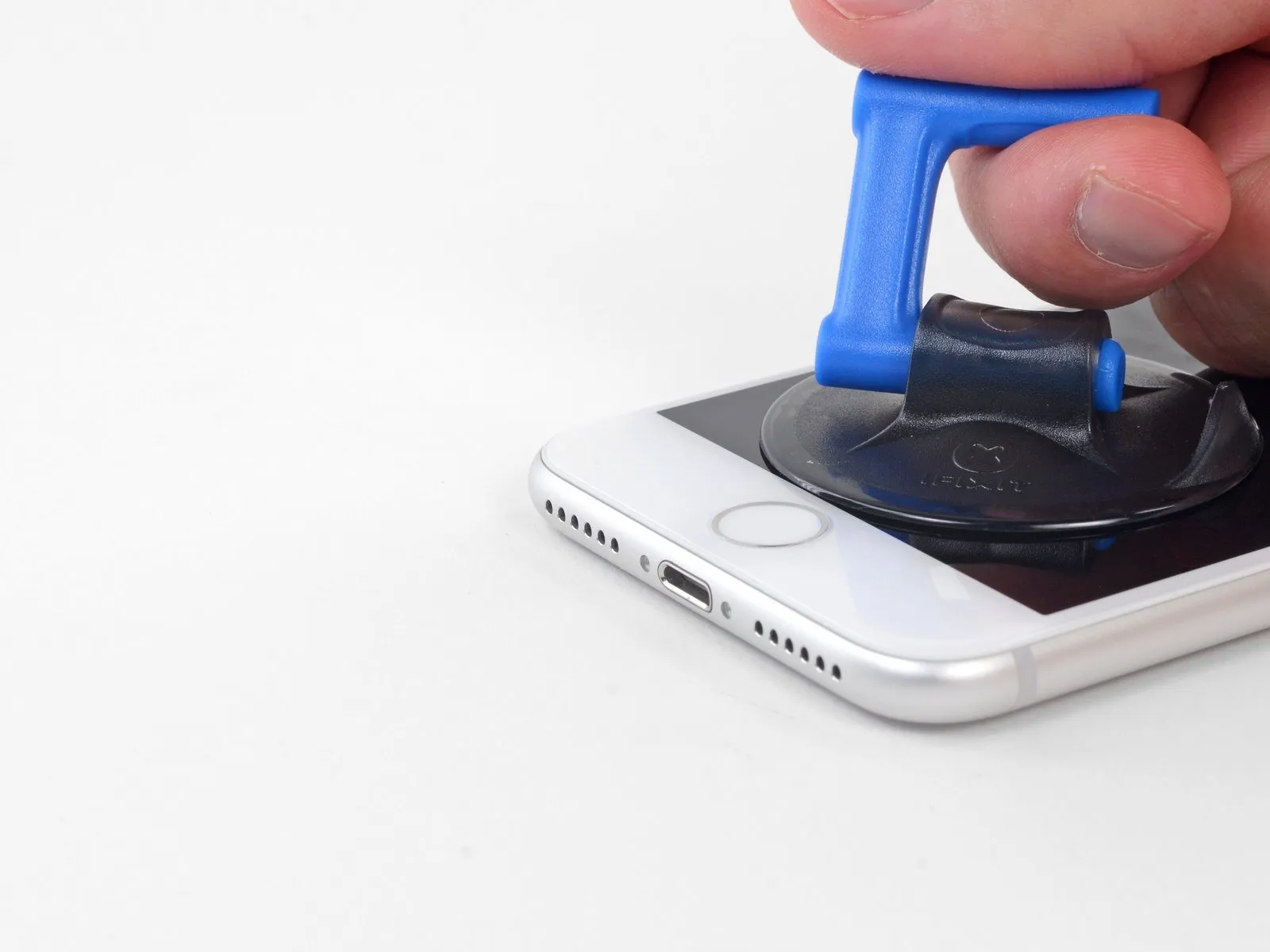


- Apply steady, forceful upward pressure to the suction cup to generate a small separation between the display assembly and the device's surrounding structure.
- Carefully slide an opening tool into the newly formed space.
- Due to the robust, waterproof adhesive securing the display, establishing this initial separation requires considerable effort; should you encounter difficulty, applying additional heat and gently oscillating the display upwards and downwards will help to reduce the adhesive's strength, allowing for sufficient separation to accommodate your tool.
Step 9
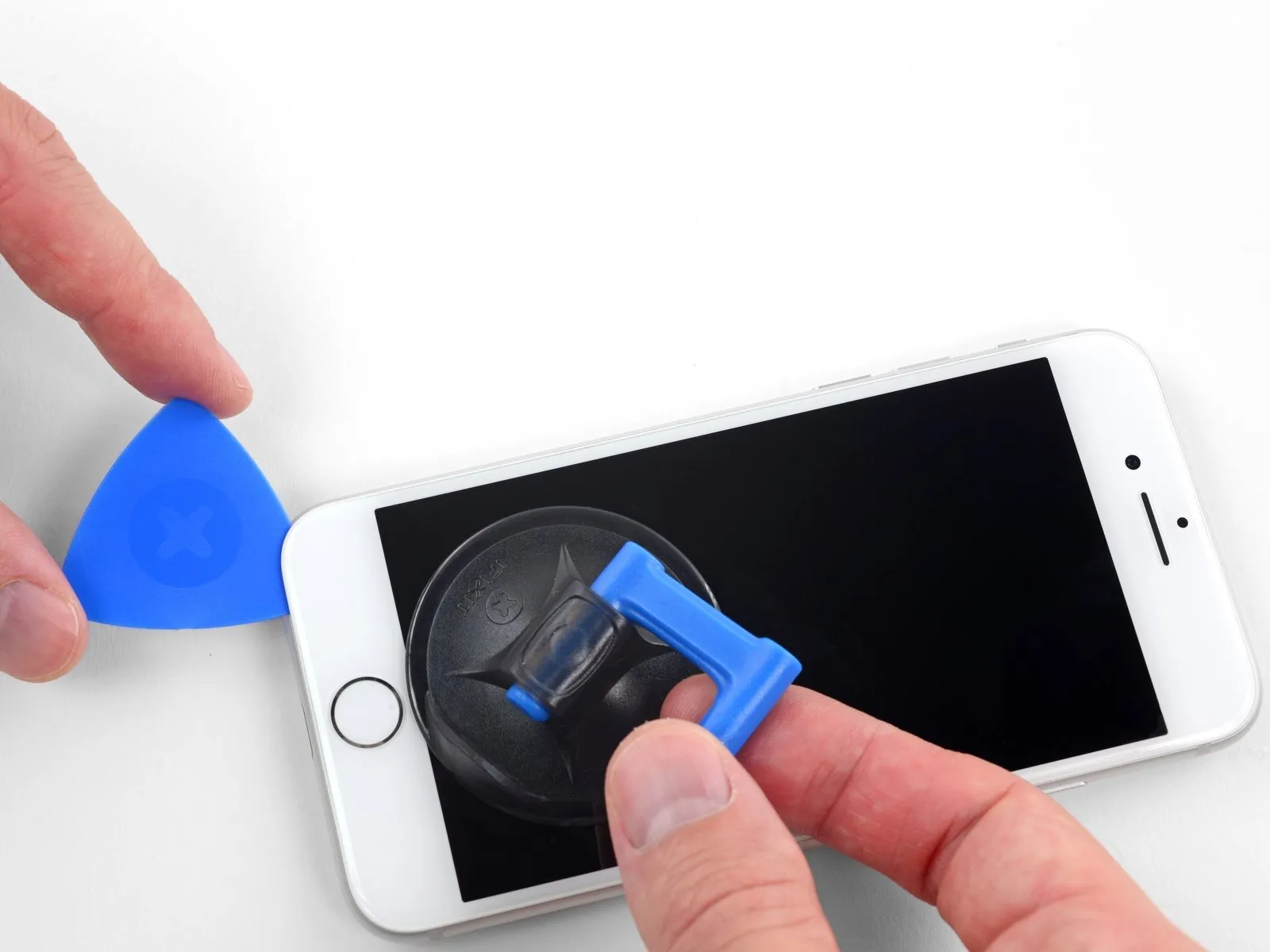


- Begin separating the phone's display by inserting a prying tool beneath the left edge, initiating at the bottom and progressing upwards towards the volume controls and the silent switch, effectively disrupting the adhesive seal securing the display.
- Cease the separation process in the vicinity of the display's upper-left corner.
- Refrain from attempting to dislodge the display's top edge from the rear casing, because it is secured by fragile plastic clips that are susceptible to breakage.
Step 10 | Screen information

Along the right side of your iPhone, you'll find sensitive wiring; avoid inserting any tools in this area to prevent potential cable damage.
Step 11
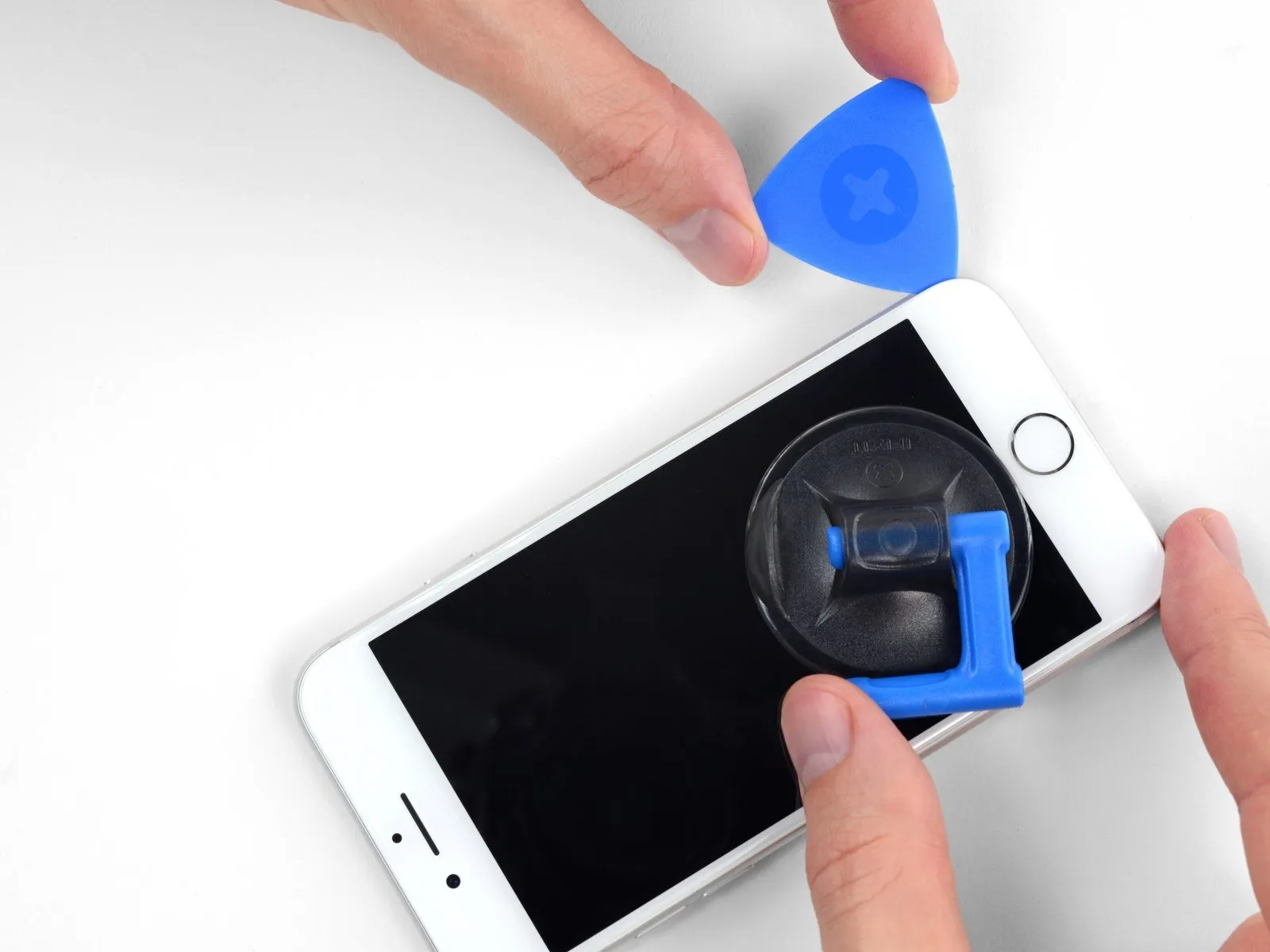


- To release the adhesive, carefully re-position your tool at the lower-right edge of the iPhone, then maneuver it along the corner and up the right side, sliding it to detach the adhesive.
- Ensure your opening tool does not penetrate beyond 3 mm, to prevent potential harm to the delicate display cable connections.
Step 12


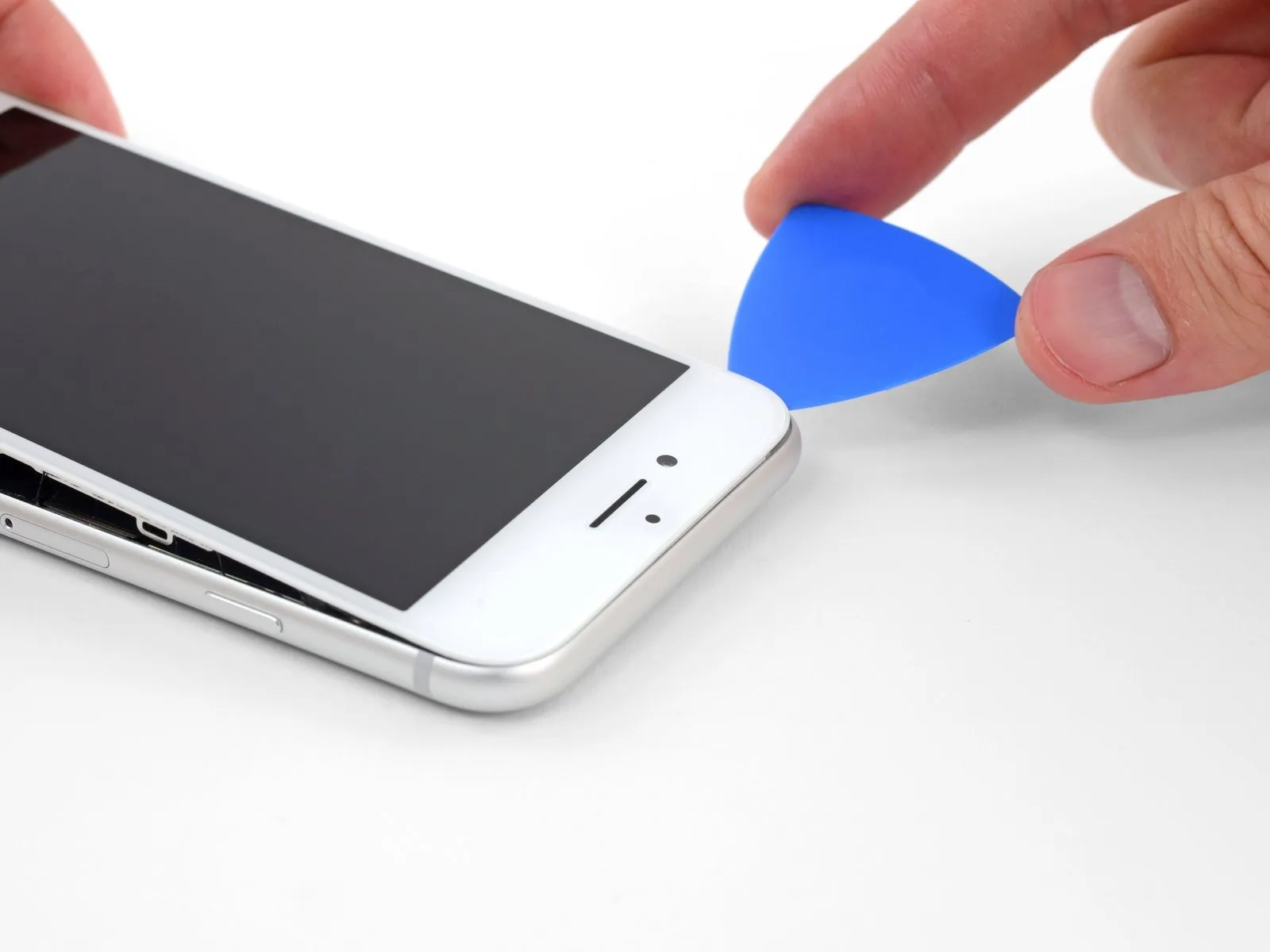
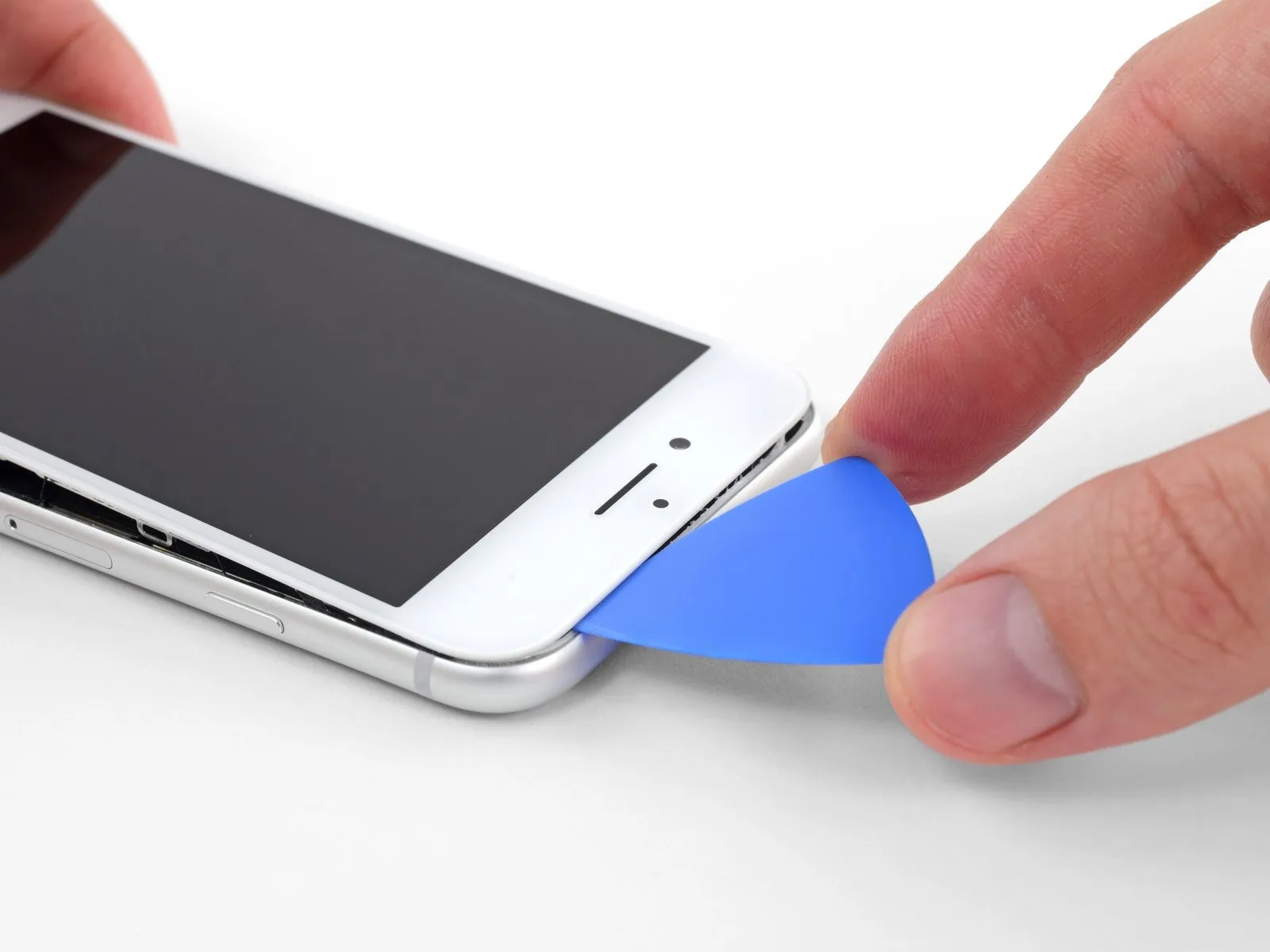
- Carefully elevate the display's lower border by applying upward force to the suction cup.
- Avoid lifting the display beyond an angle of15 degreesas exceeding this limit could potentially damage or sever the flexible ribbon cables that provide the display's electrical connections.
- Detach the suction cup from the front panel by grasping and pulling on the small protrusion located on its surface.
Step 13

Step 14


Step 15


Prevent any attemptsto achieve a full separation of the display panel.
Secure the display in an elevated position using a support to maintain access to the internal components during the repair process.
Step 16 | Battery Disconnection
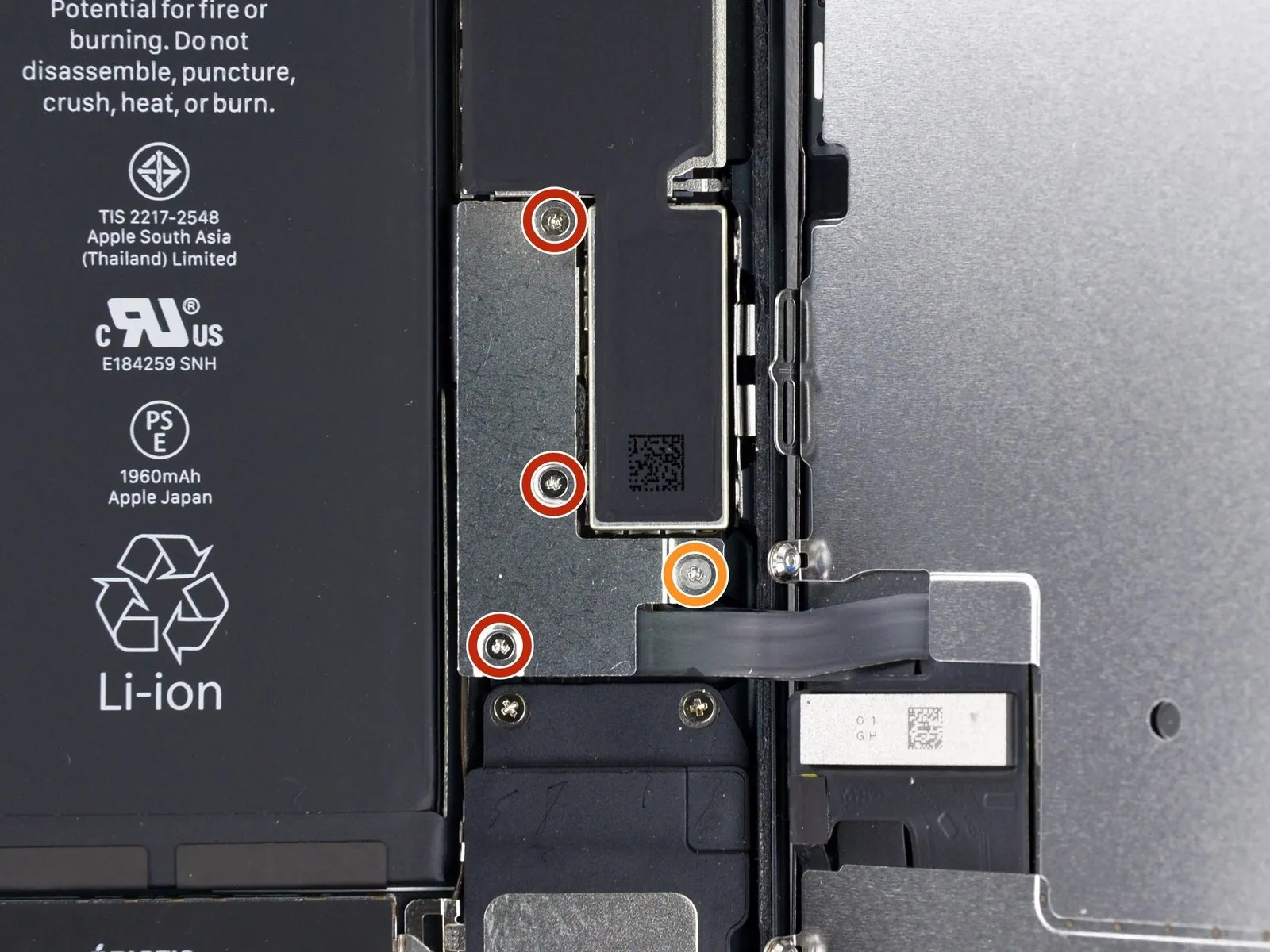
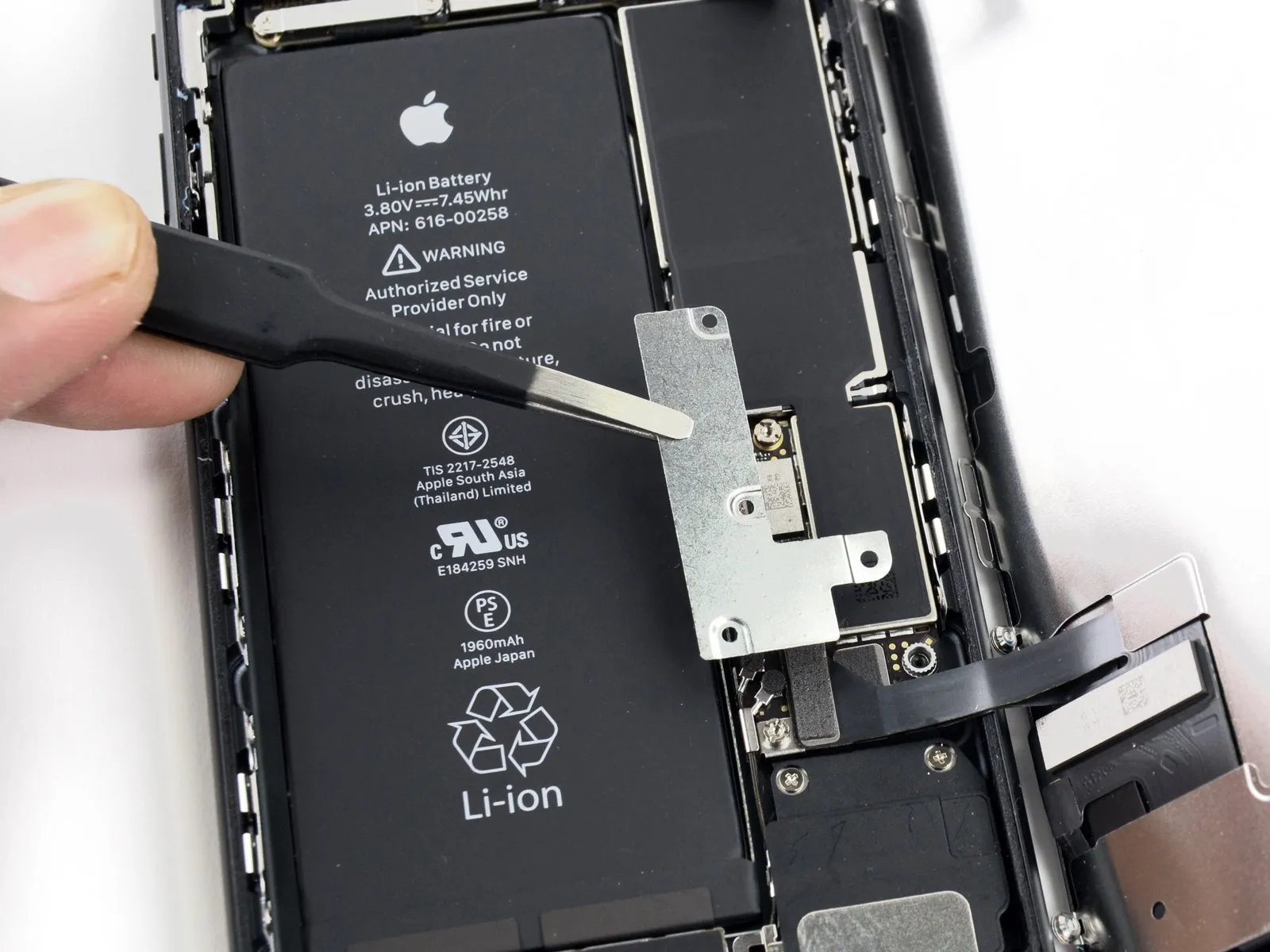
- Three1.2 millimetersfasteners
- A single2.4 millimetersfastener
Step 17
Step 18
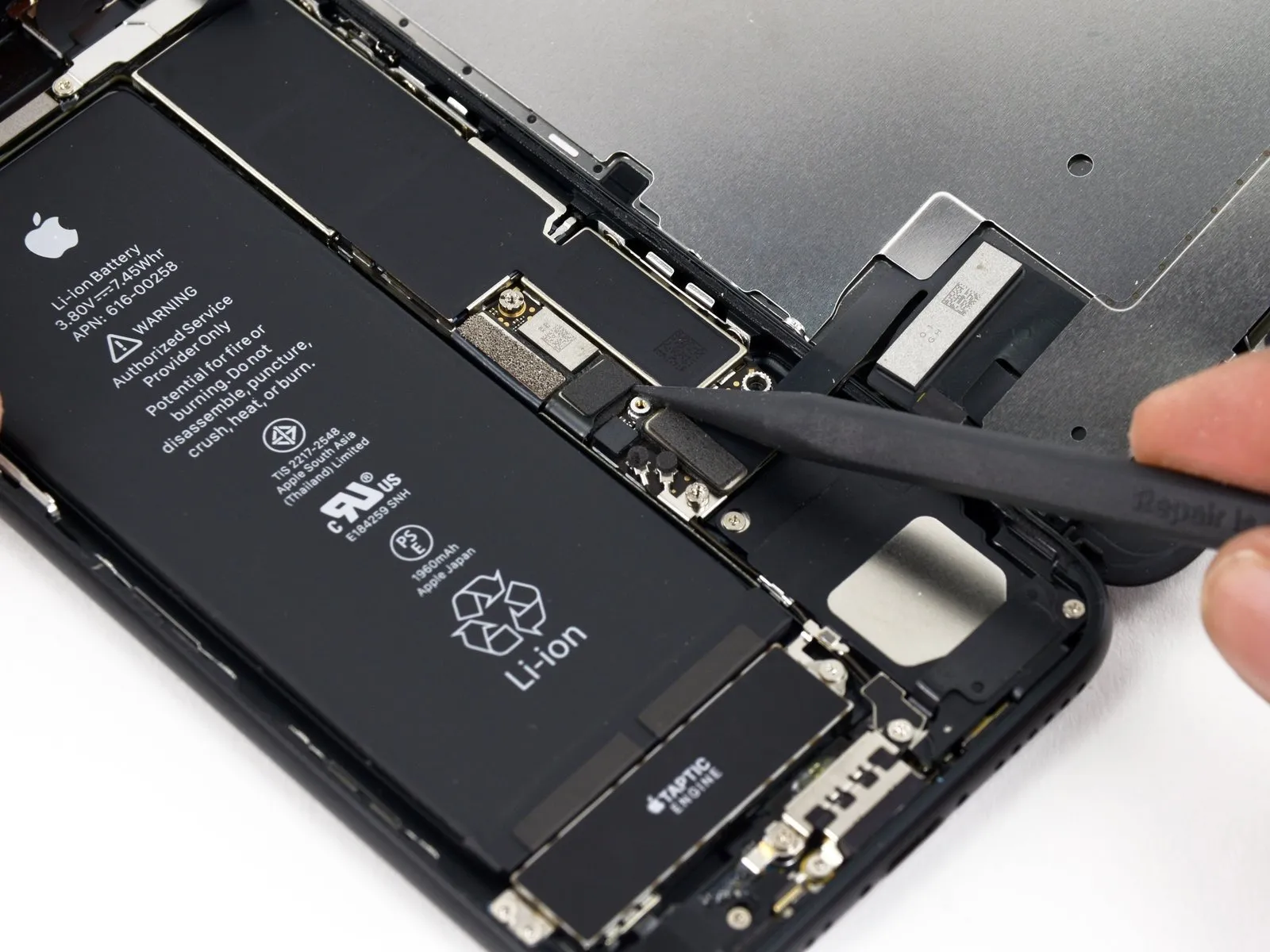
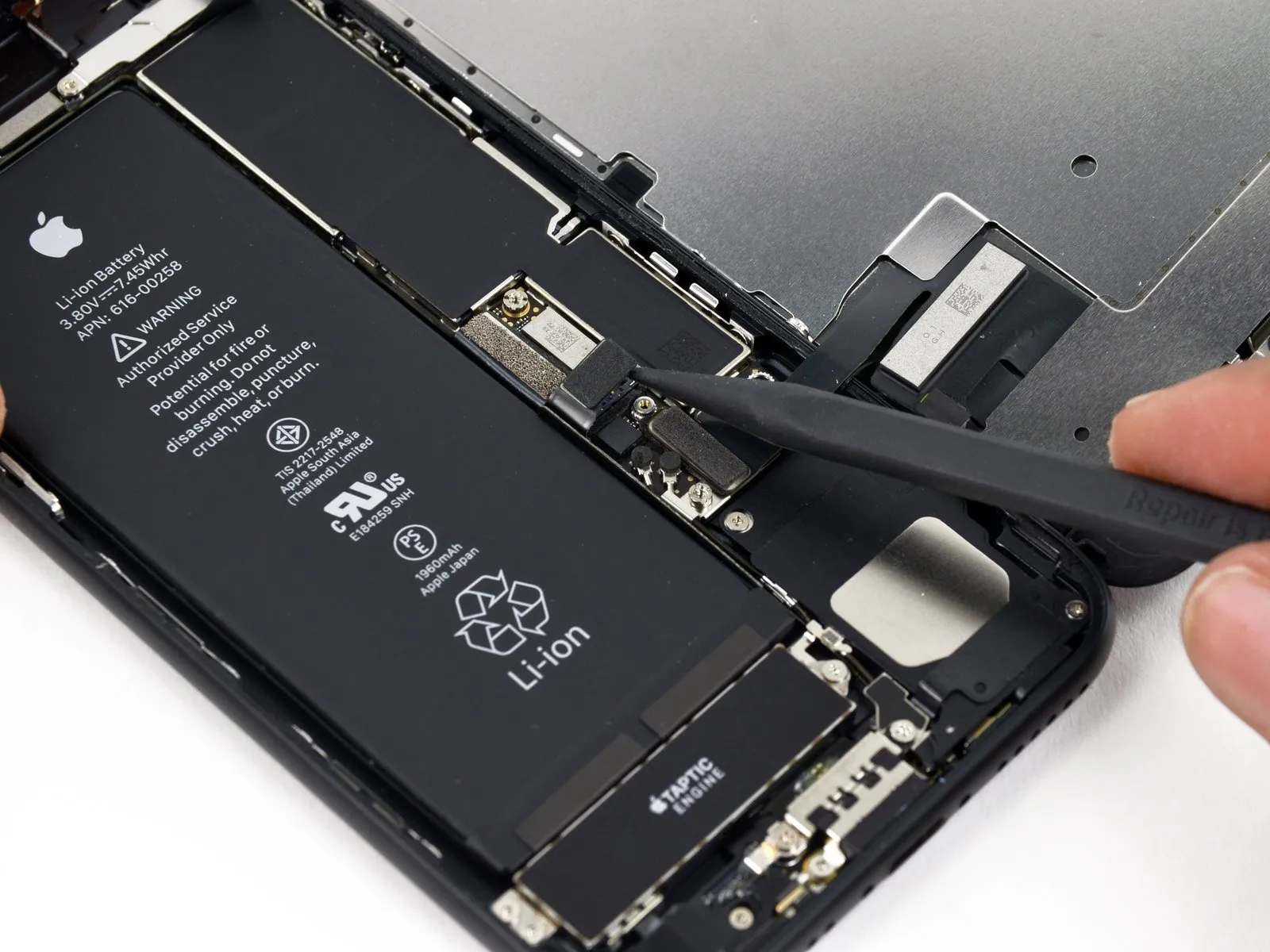
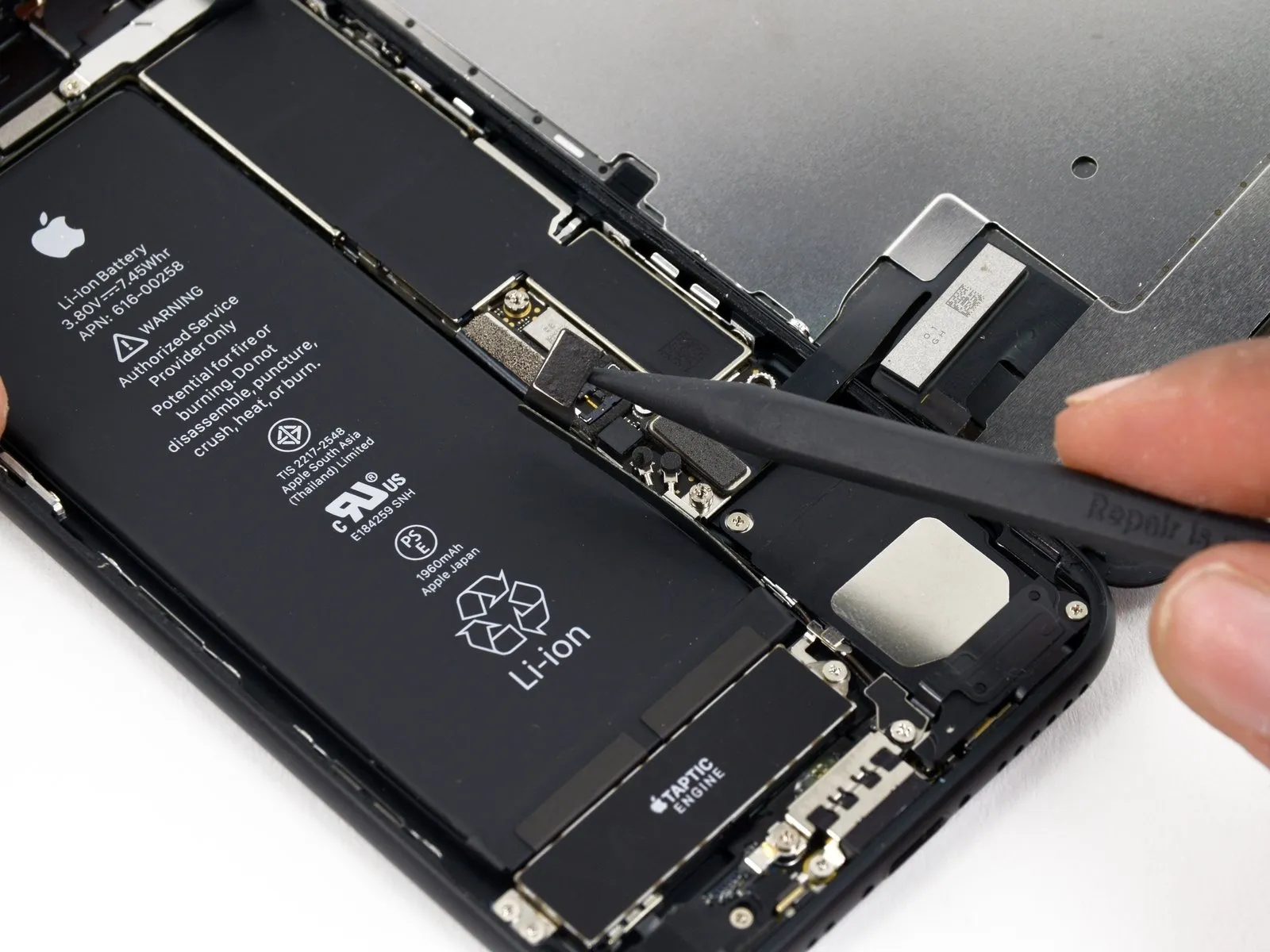
- Employ the tip of a spudger to disengage the battery connector from its corresponding receptacle on the logic board.Slightly elevate the connector cable to ensure it remains disconnected from the socket, thereby preventing unintended power delivery to the device.This action is necessary to avoid electrical shorts during the repair process.
Step 19 | Display Assembly
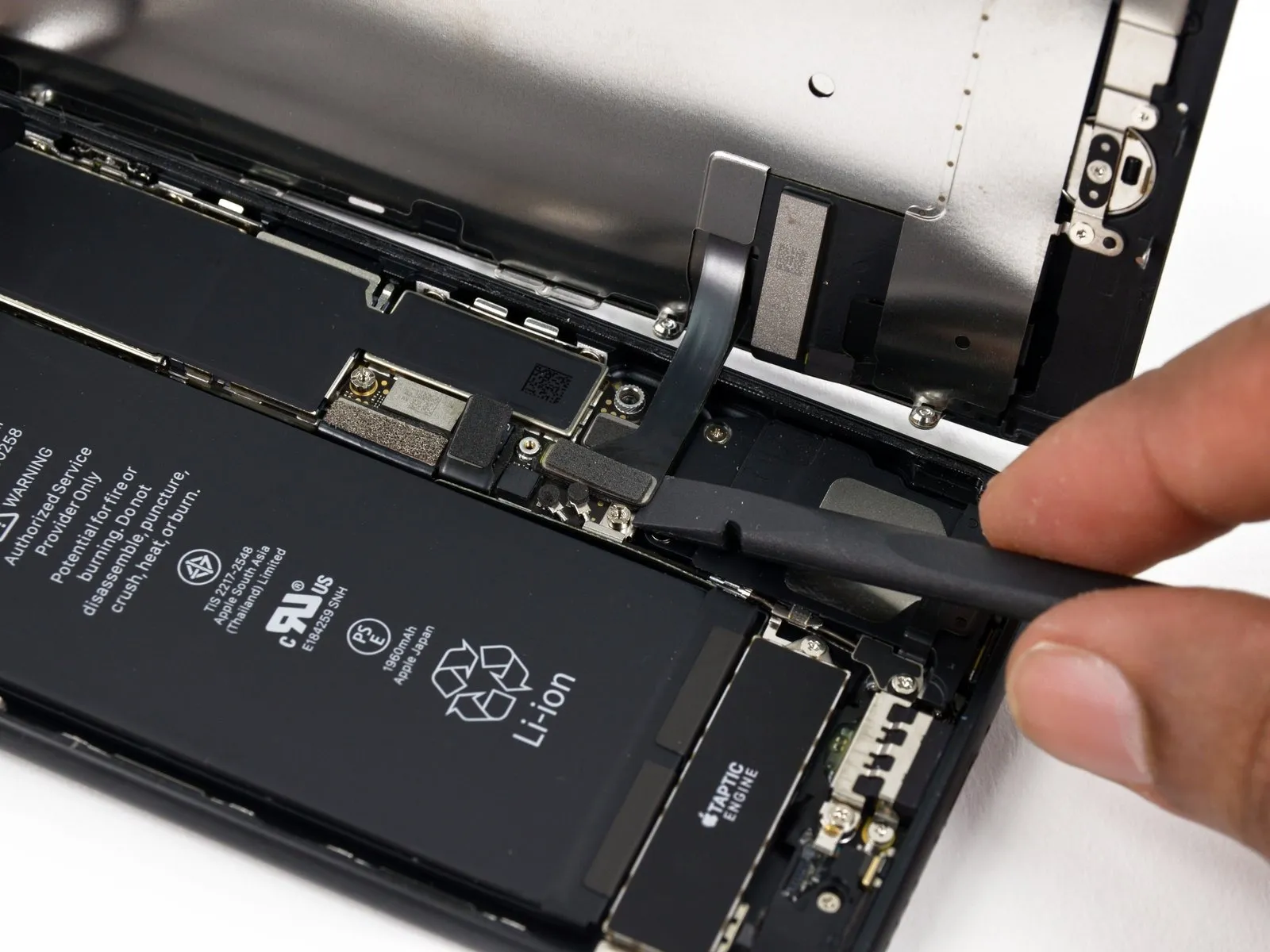
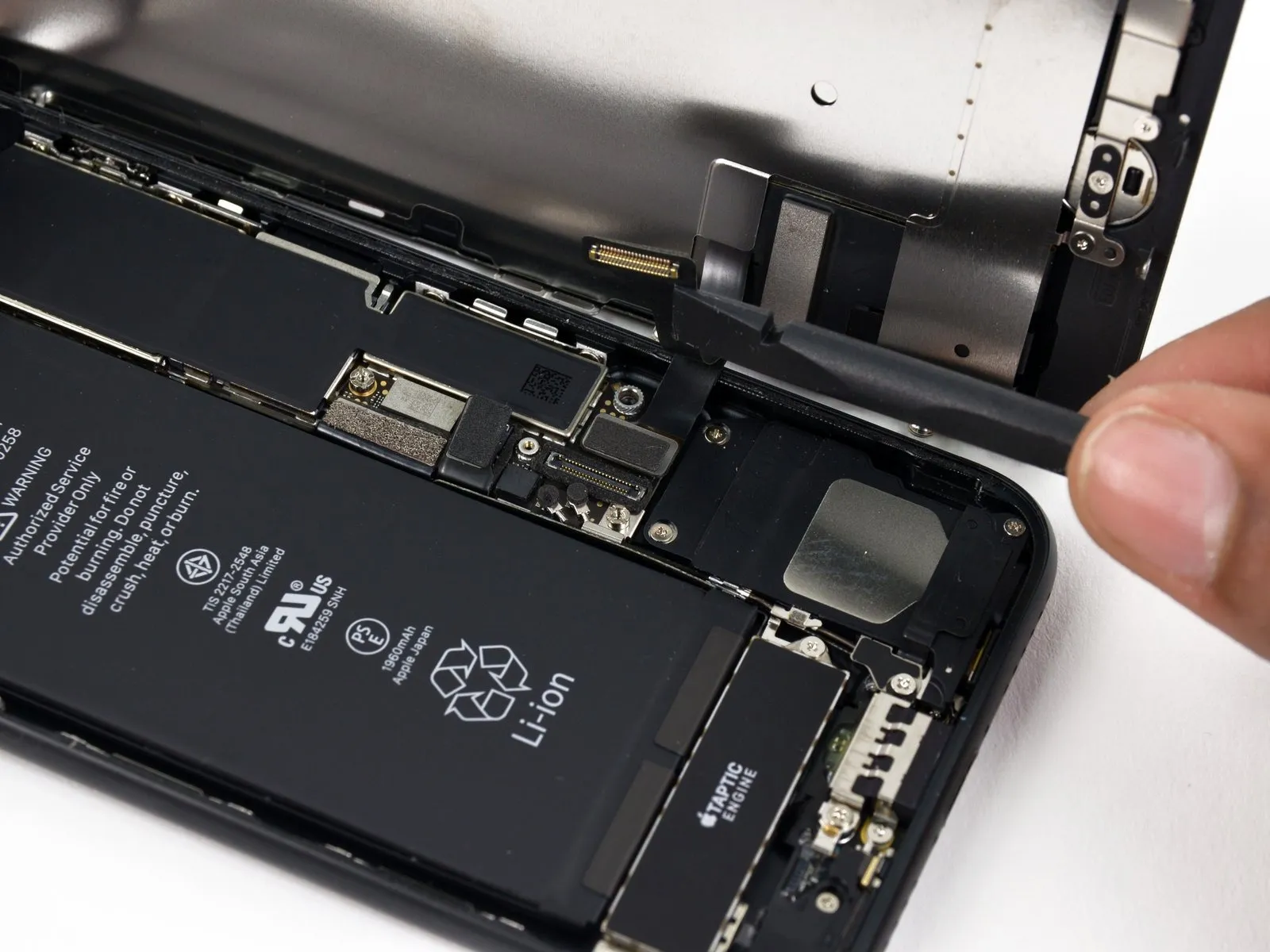
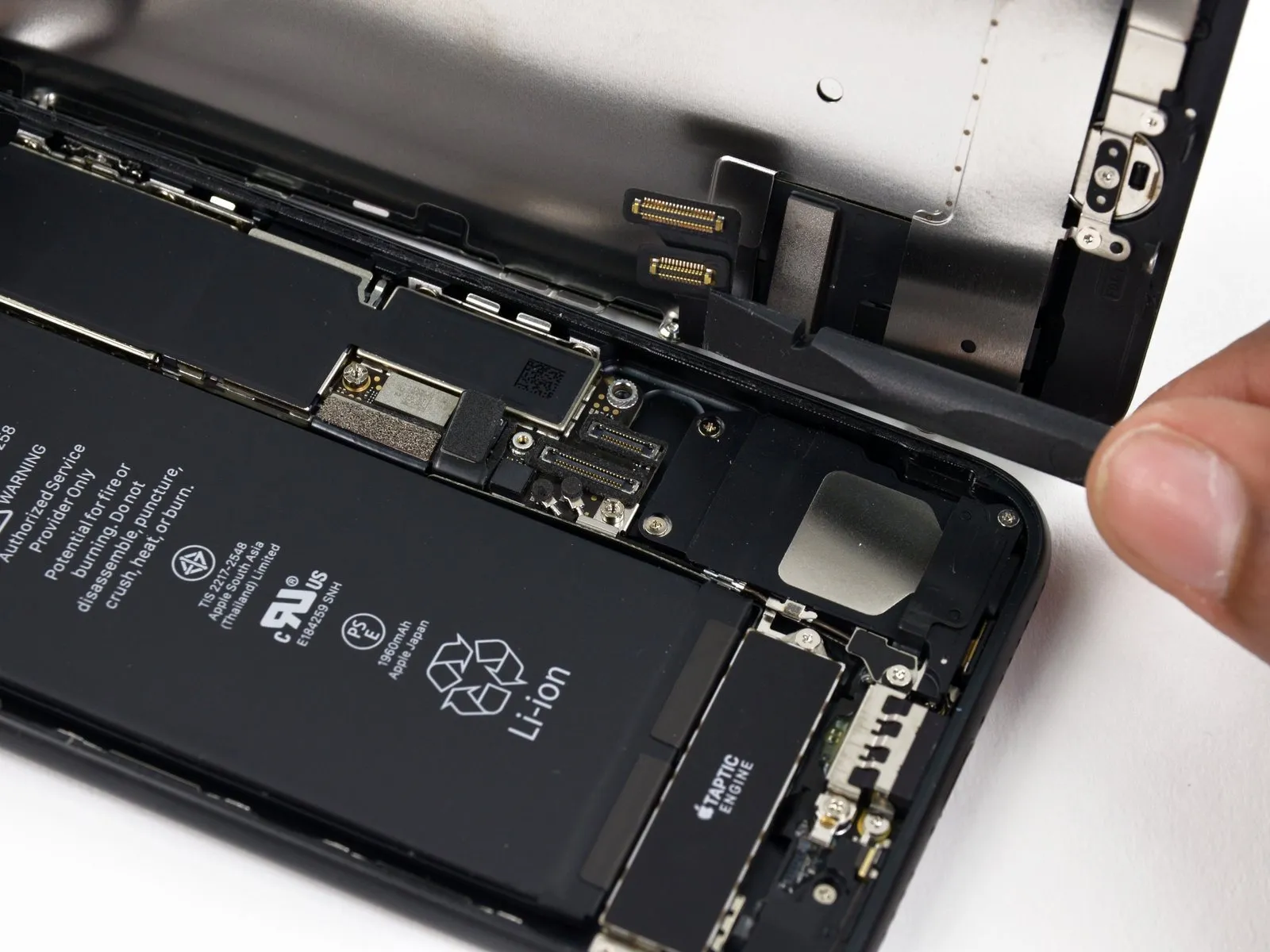
- Prior to proceeding with cable disconnection or reconnection, confirm the battery is detached.To avoid electrical hazards or component damage, ensure the battery is disconnected before manipulating any cables in this procedure.
- Employ aspudgeror a fingernail to release the two lower display connectors; achieve this by applying upward pressure directly above the sockets on the logic board. When reattaching these connectors, apply pressure to one end until an audible click is heard, then repeat the process on the other end. Avoid applying pressure to the central portion of the connector, as this can result in bending and irreversible damage. Any slight misalignment during reconnection can lead to connector deformation and permanent failure.
- Should you observe a blank display, white lines, or a diminished or absent touch response following reassembly, attempt to carefully detach and reconnect both display cables, verifying their complete and secure placement.
Step 20
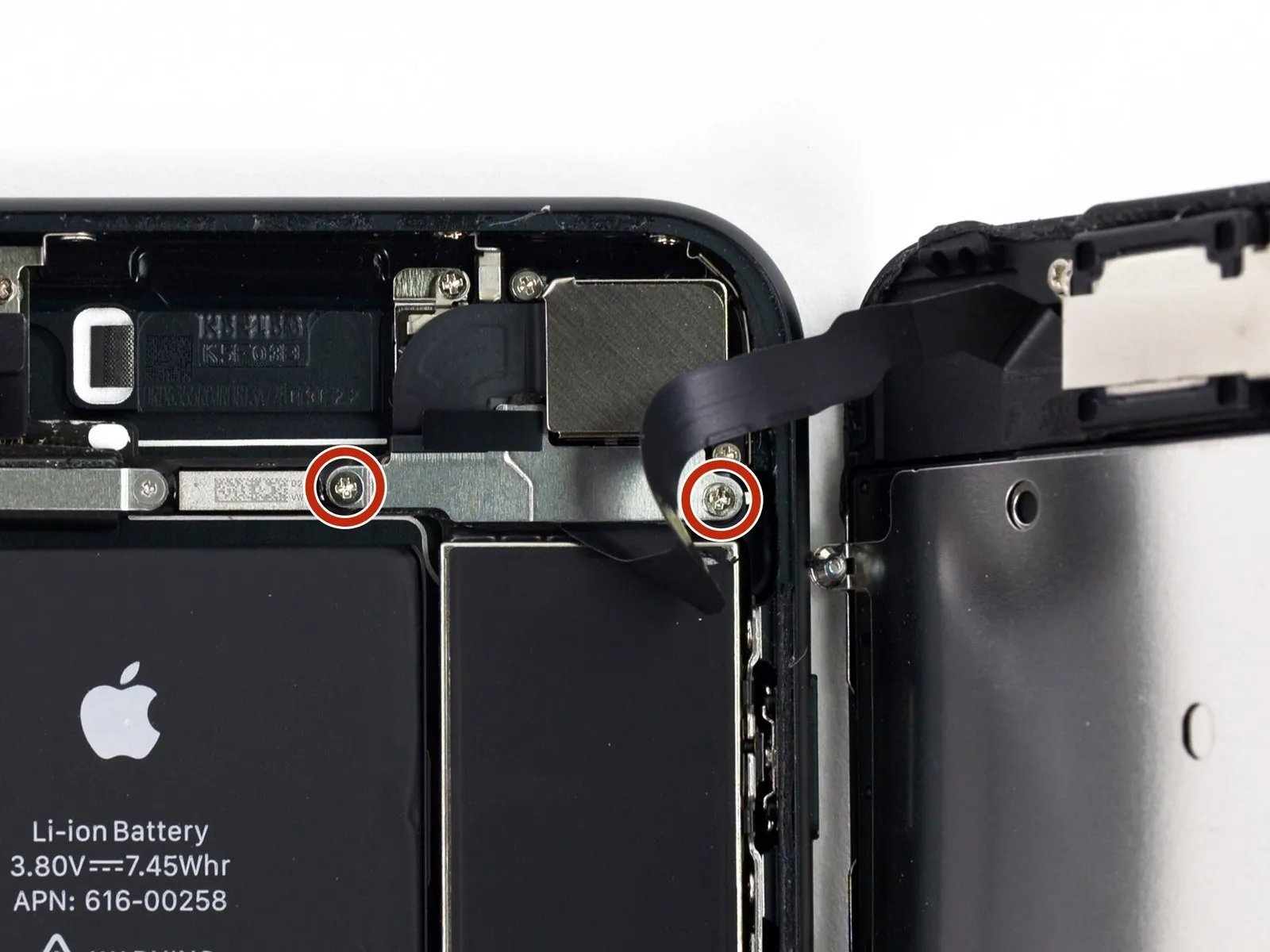
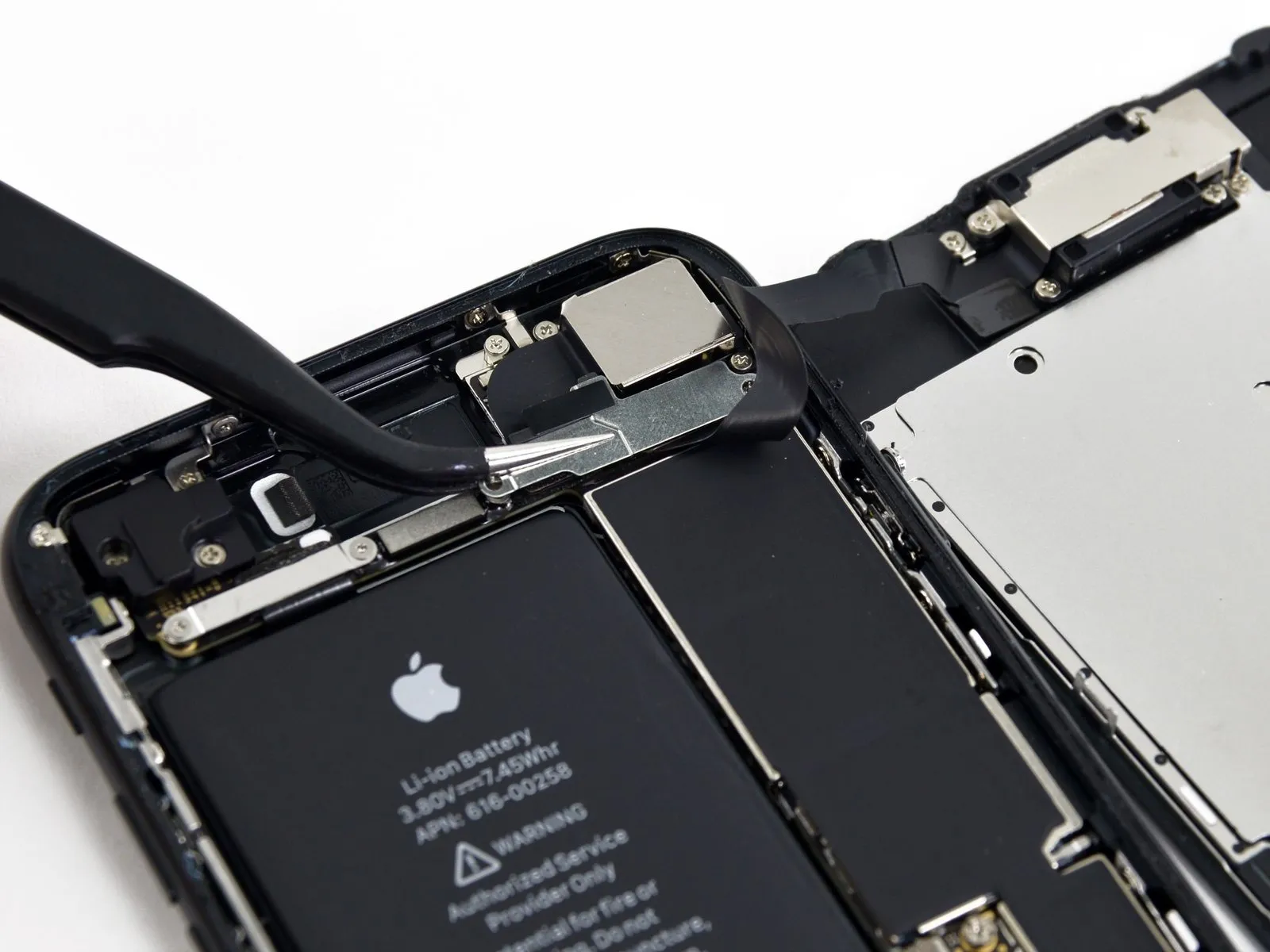
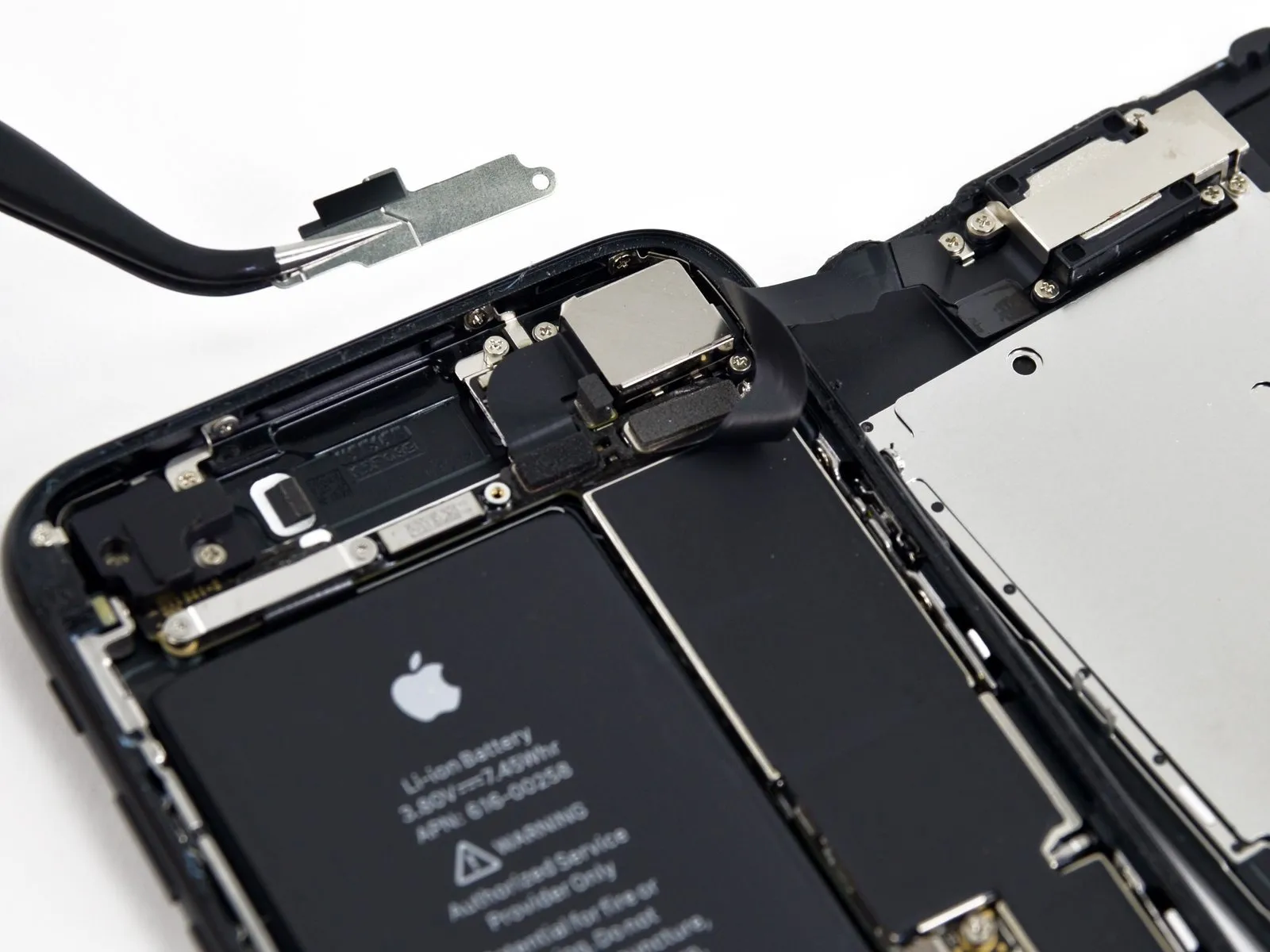
- Detach the pair of screws, utilizing a Phillips screwdriver of size #000 with a 1.3 mm tip, that hold the bracket in place, which covers the connector for the front panel sensor assembly.1.3 mm Phillips #000These fasteners secure the bracket positioned above the connector for the front panel sensor assembly.
- Certain devices may be designated as Y000, a designation Apple introduced during the product's lifespan.
Step 21
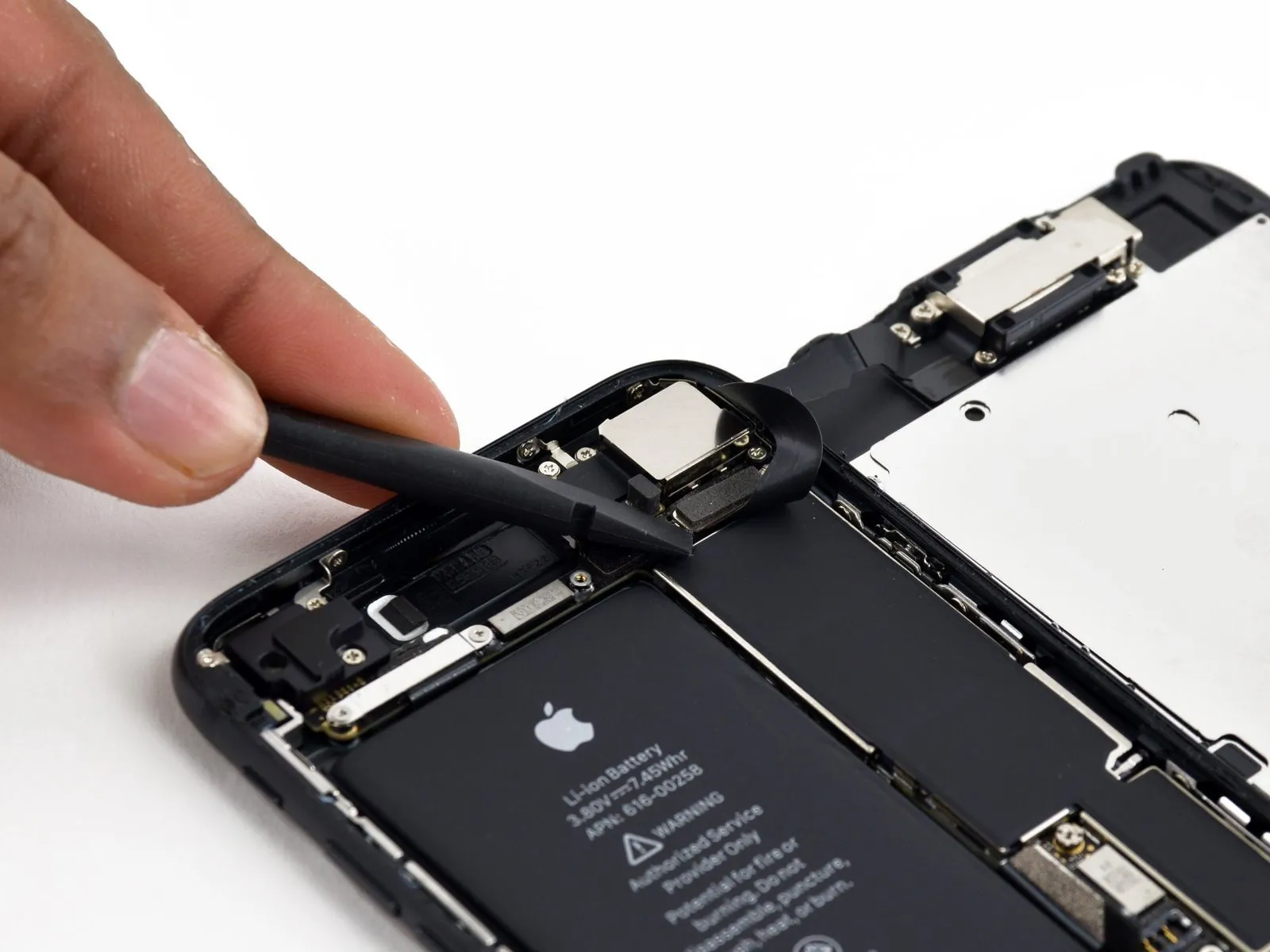
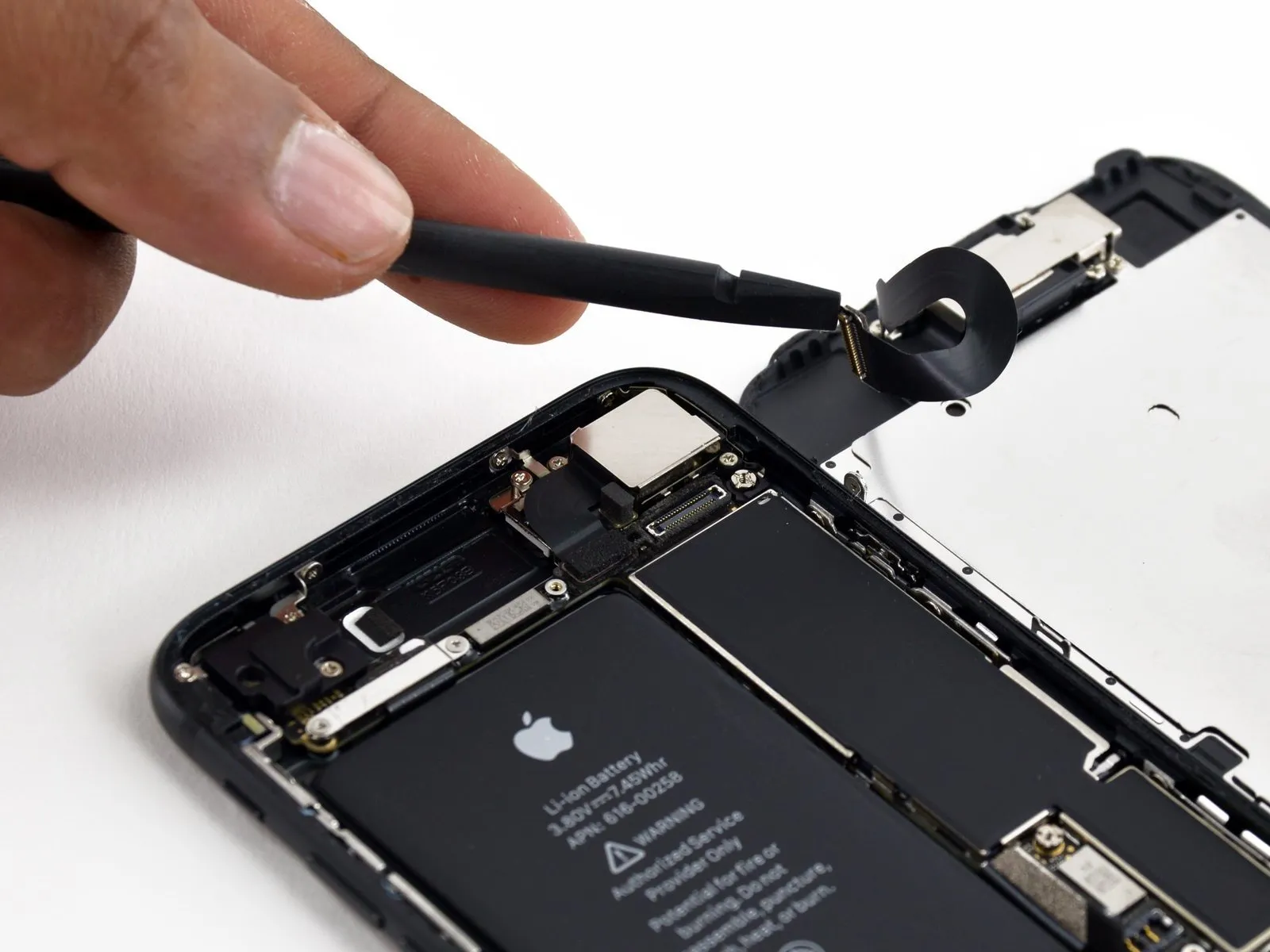
- To prevent damage, detach the connector linking the front panel sensor assembly to the socket located on the logic board.
- To reduce the likelihood of deformation, ensure this press-fit connector is reattached incrementally, connecting one end before the other.
Step 22
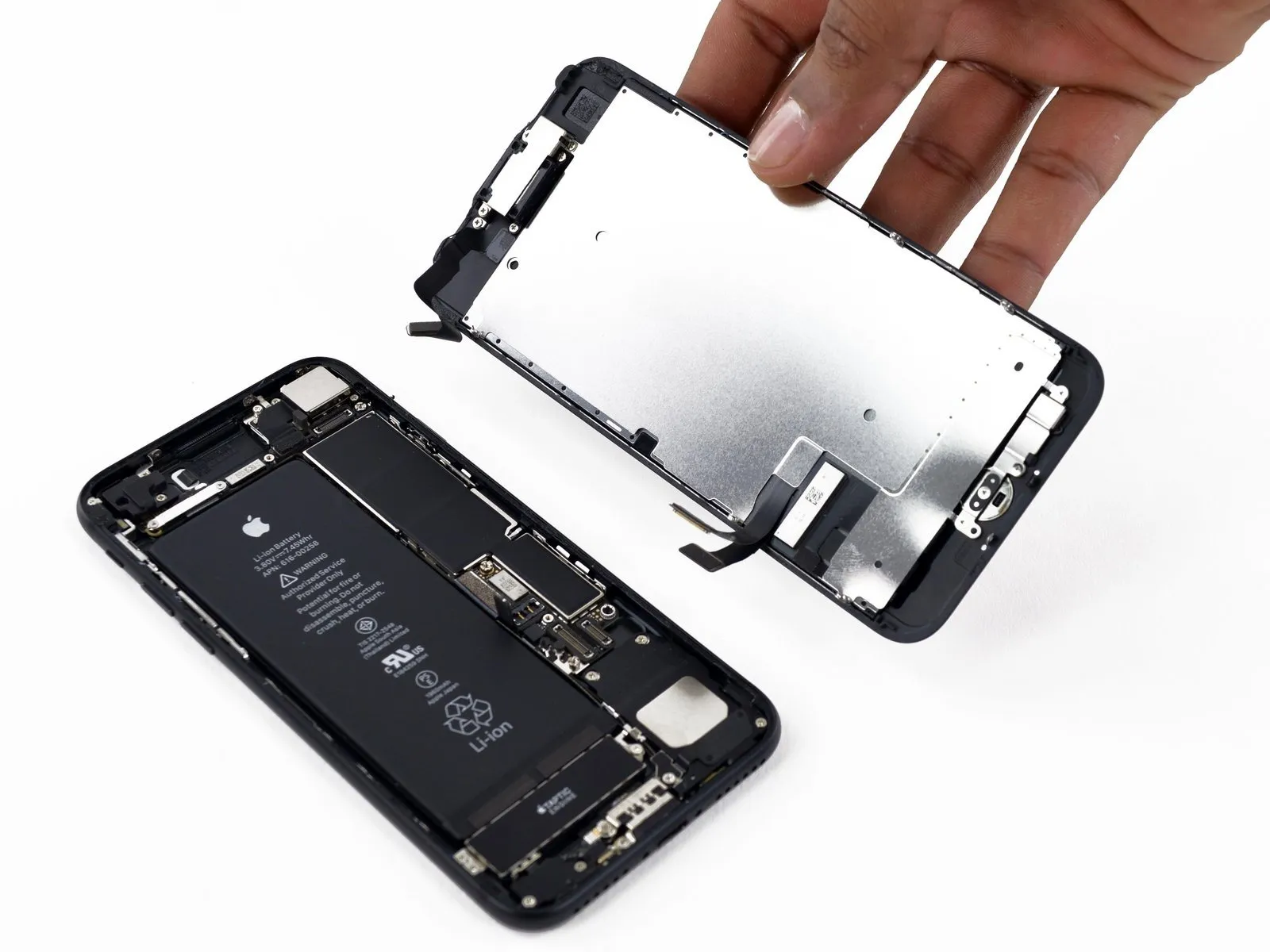
- Detach the display assembly from the device.
- If you intend to substitute the adhesive securing the display's perimeter during reassembly, halt the process at this stage.
Step 23 | Home/Touch ID Sensor

- To detach the bracket covering the home/Touch ID sensor, first extract the four Y000 screws that hold it in place.
A single 1.1-millimeter screw is required.
Three screws, each measuring 1.3 millimeters, are also needed. - When putting the device back together, exercise caution and avoid excessive tightening of these screws, as this could impair the functionality of the home button.
Step 24

- Detach the retaining clip that fastens the home button and Touch ID sensor assembly in place.
Step 25


- Carefully lever beneath the left side of the home button cable connector to release it from its mating connector.
- Should the entire connector assembly lift without detaching, apply downward pressure to the cable's upper edge, utilizing the broad side of your spudger, while continuing to pry upwards on the connector's left edge; exercise extreme caution to prevent damage to the cable or connector, as such harm will render the sensor inoperable.
Step 26


- Gently lift the connector situated beneath the assembly, repositioning it to allow access for the home/Touch ID cable.
- Exercise extreme caution during this phase, as the iPhone is susceptible to damage. Proceed deliberately, paying close attention to the tool's placement; any harm to the Touch ID components necessitates replacement by Apple.
- Should the connector resist separation, apply warmth using a hair dryer or iOpener to loosen the adhesive bond, then attempt separation again.
- Avoid complete disconnection of the connector; instead, elevate it slightly to facilitate removal of the underlying home/Touch ID sensor cable.
Step 27

Turn the display assembly over; then, utilize a hairdryer or an iOpener, directing heat to the lower edge of the display for approximately 90 seconds to reduce the adhesive's tackiness.
Step 28
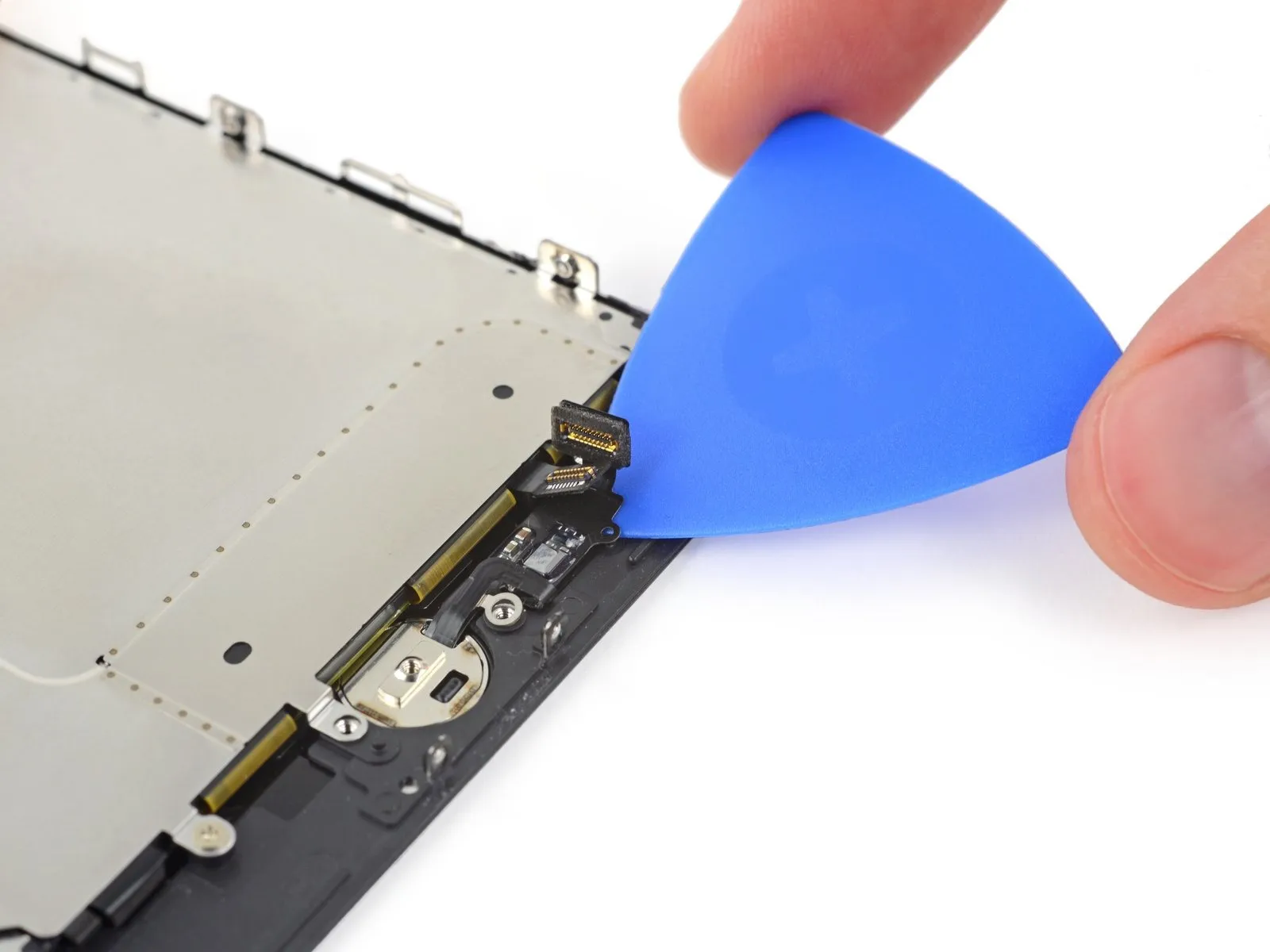


Step 29

- During reassembly, route the cable through the aperture located on the front of the display.
- It is possible that your new component includes a supplementary Y000 screw positioned to the right of the Home Button; discard this extra screw to facilitate proper reinstallation of the home button bracket.
Step 30 | Earpiece Speaker
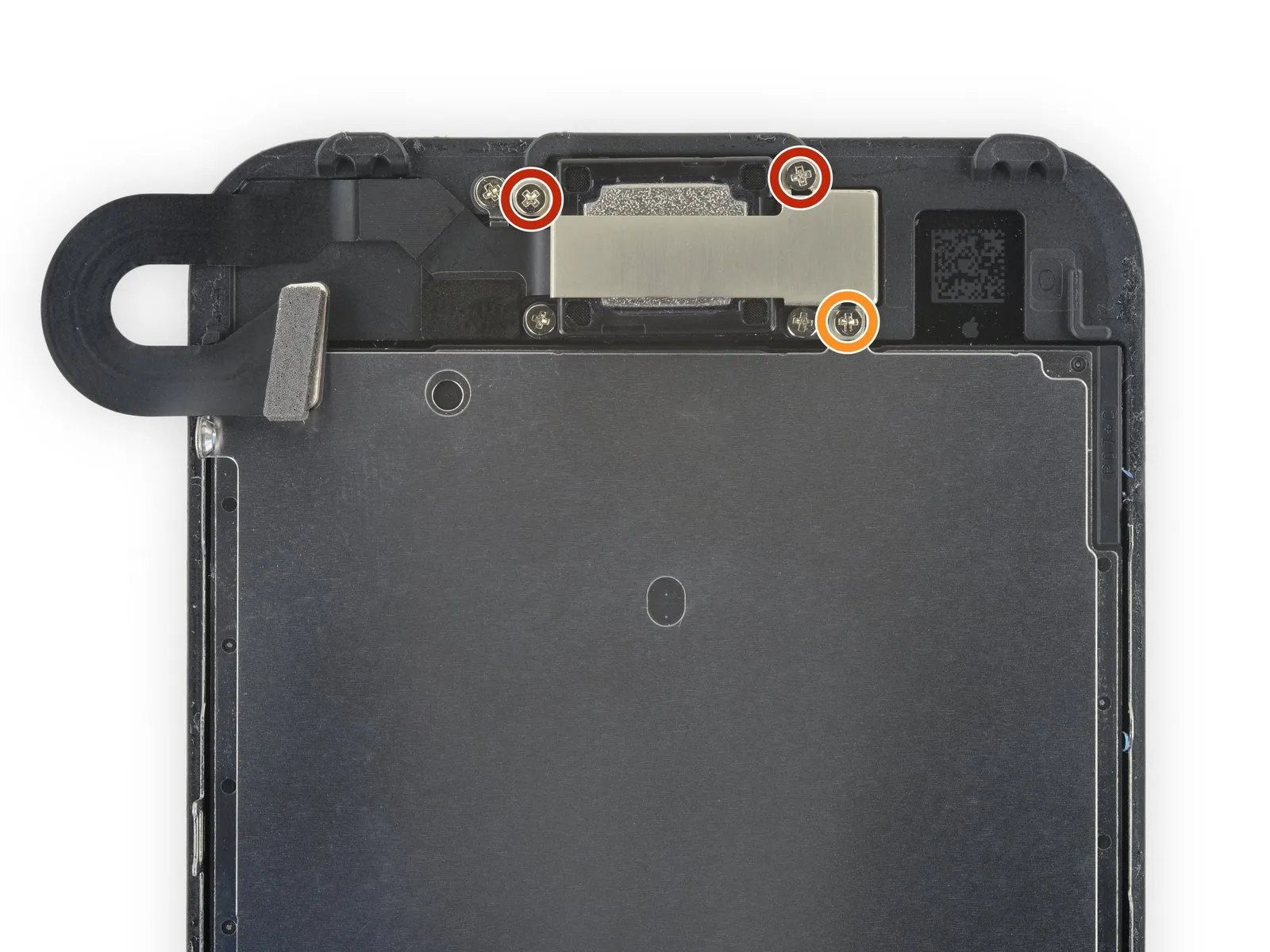
- Two2.6millimeters
- One1.7millimeters
Step 31
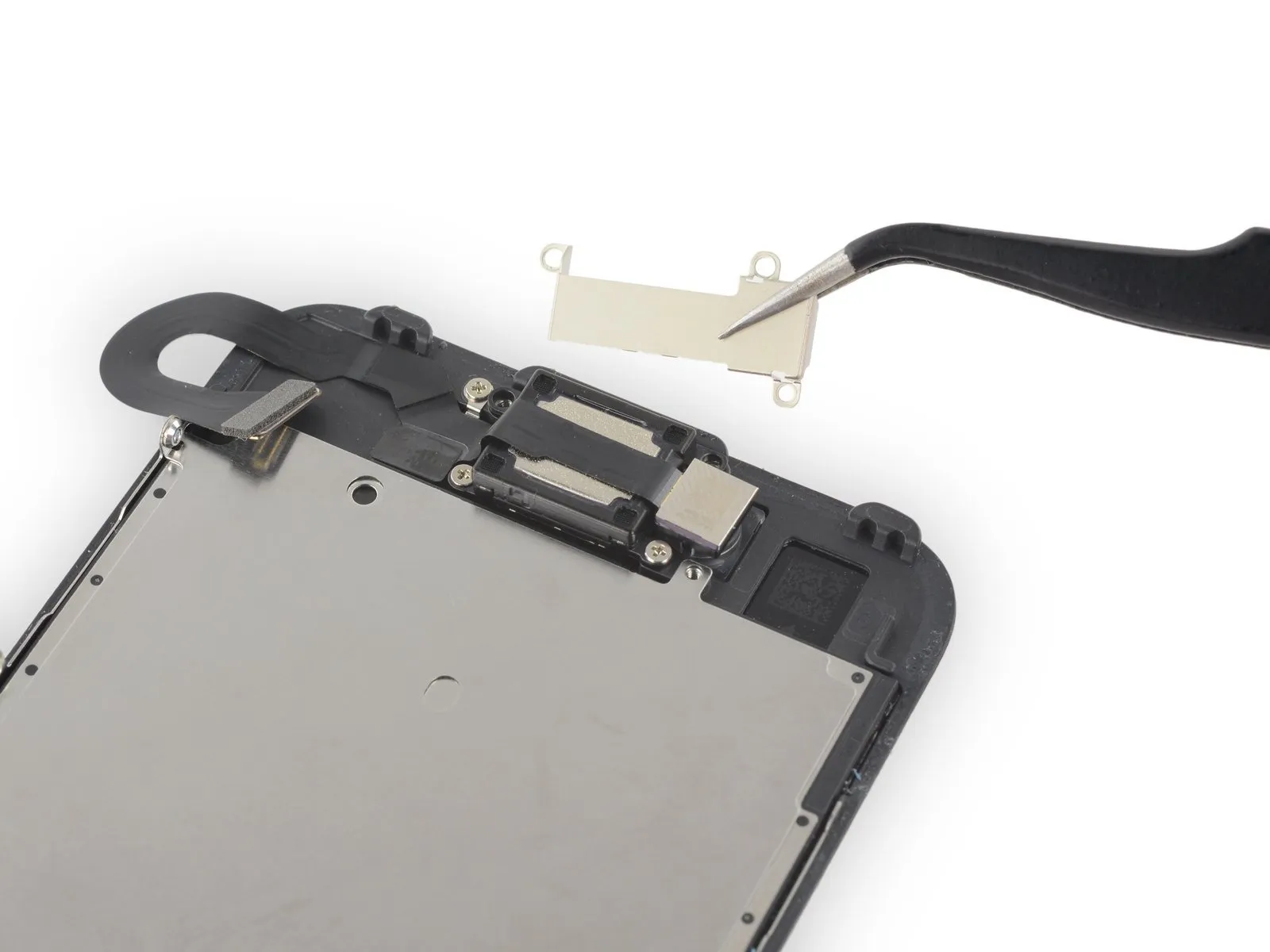
Step 32
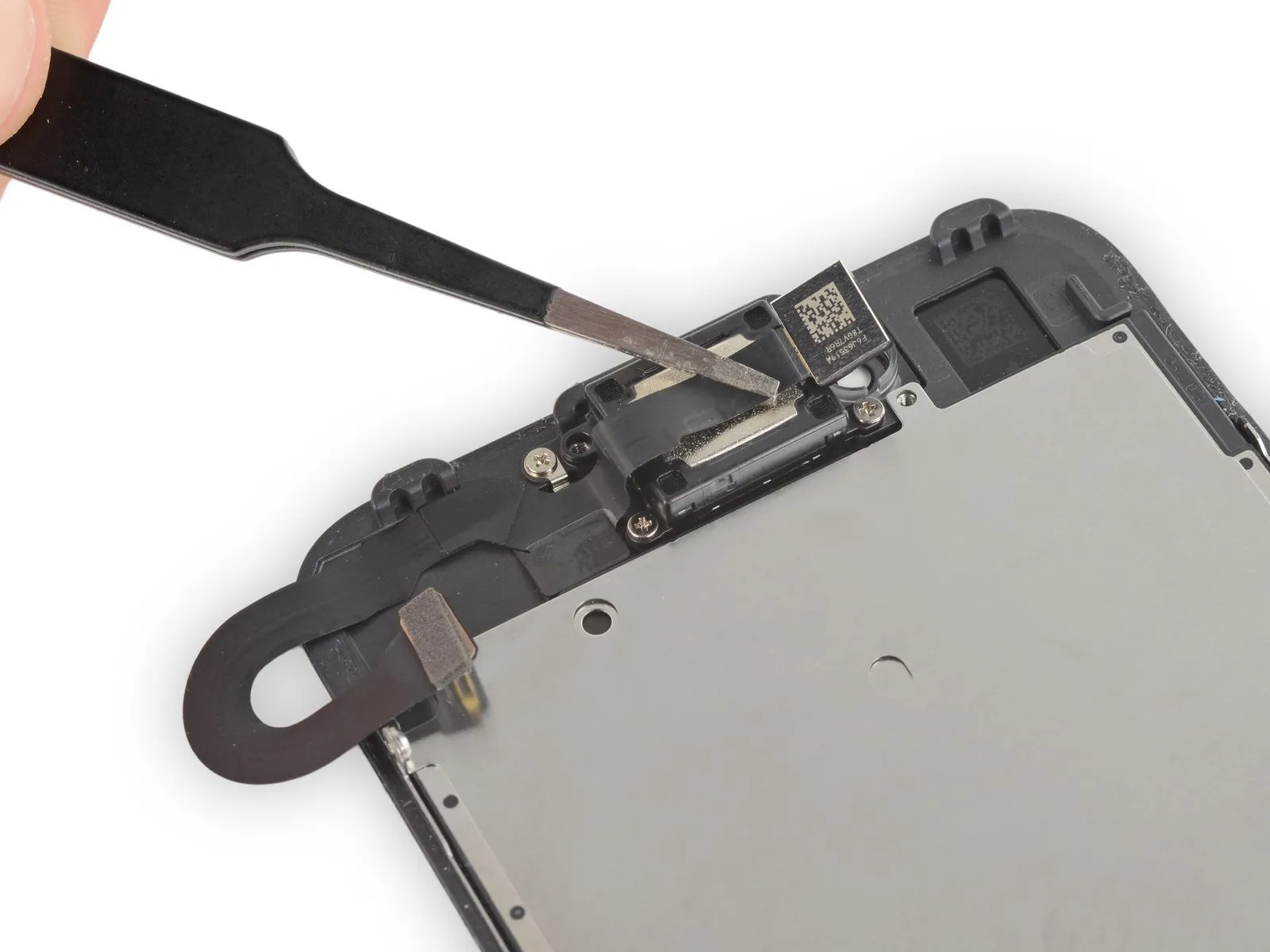
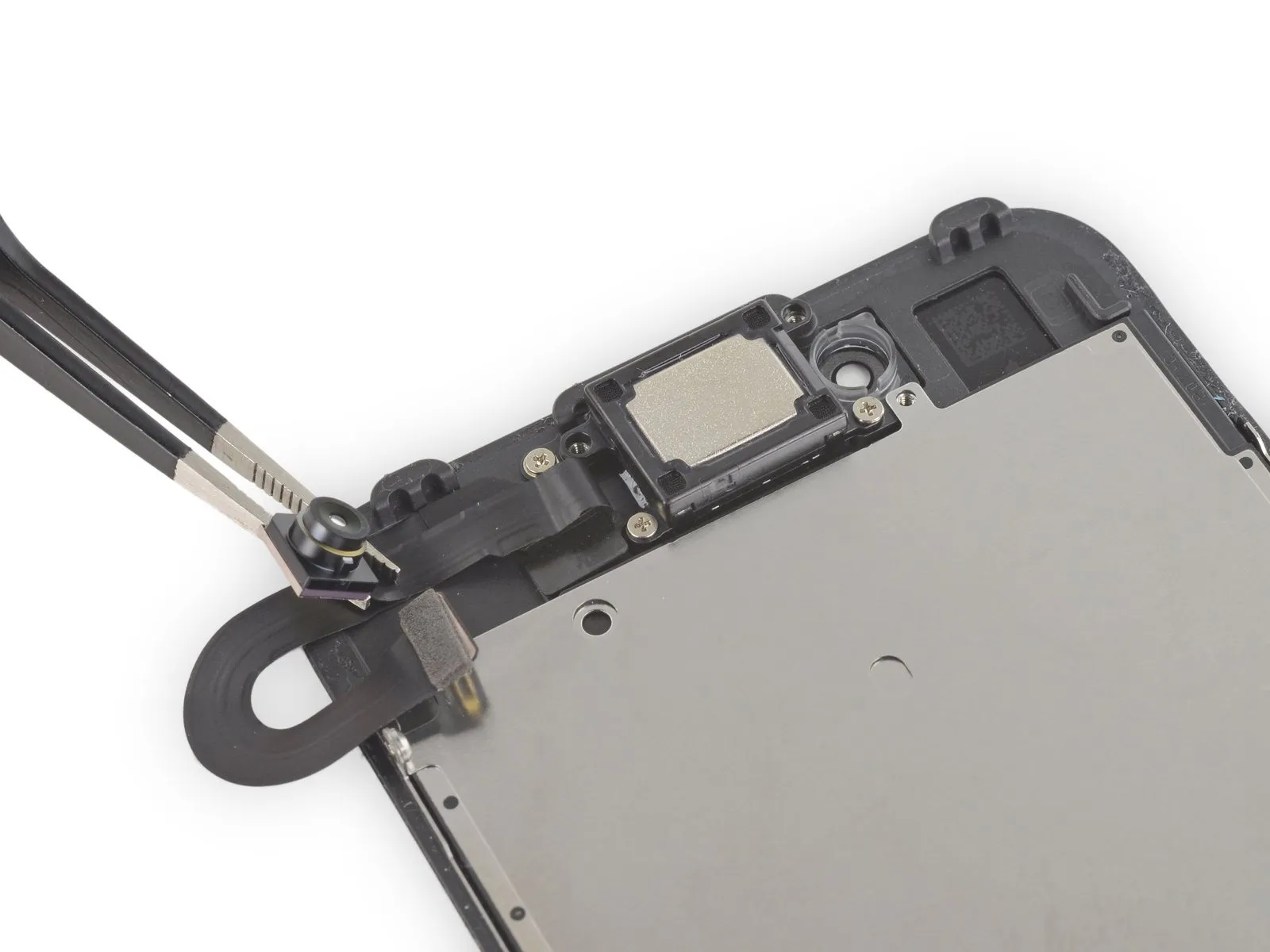
Step 33

- To detach the earpiece speaker from the front panel, first eliminate the two Phillips screws that hold it in place.
A single screw, measuring 1.9 millimeters in length, is utilized.
Additionally, a screw with a 2.5-millimeter length is also present.
Step 34
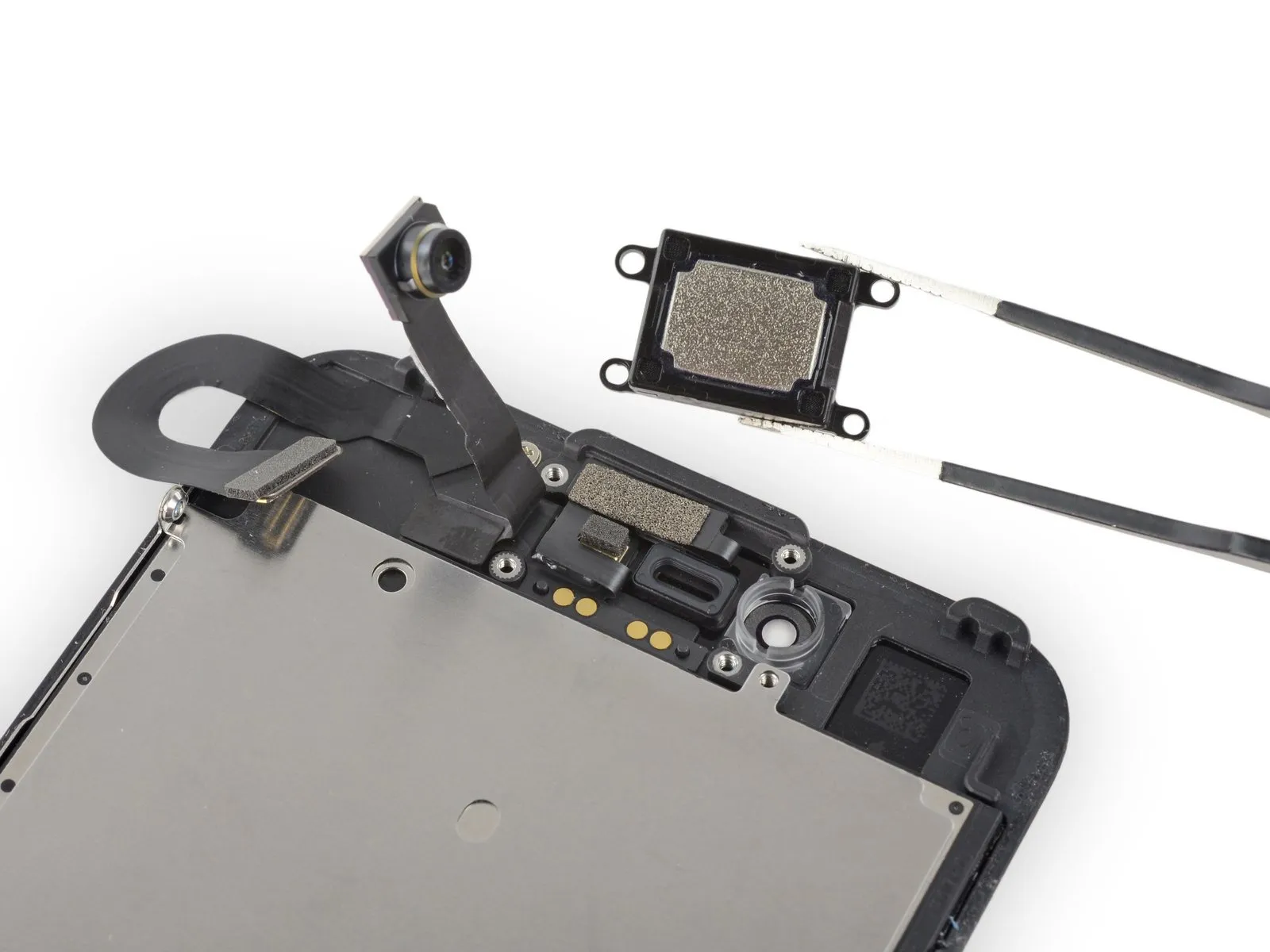
Carefully detach the earpiece speaker assembly.
Step 35 | Front Camera and Sensor Cable
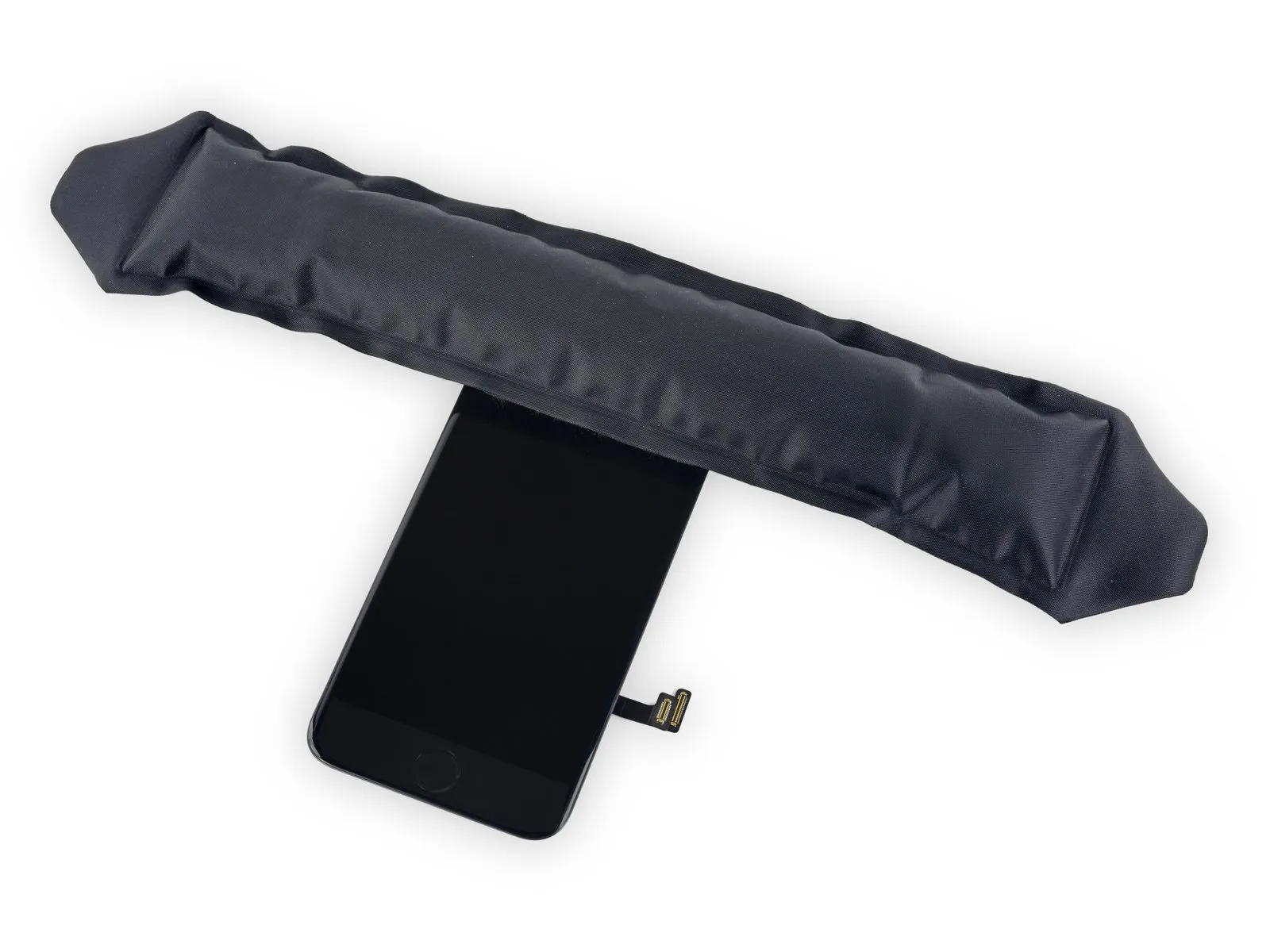
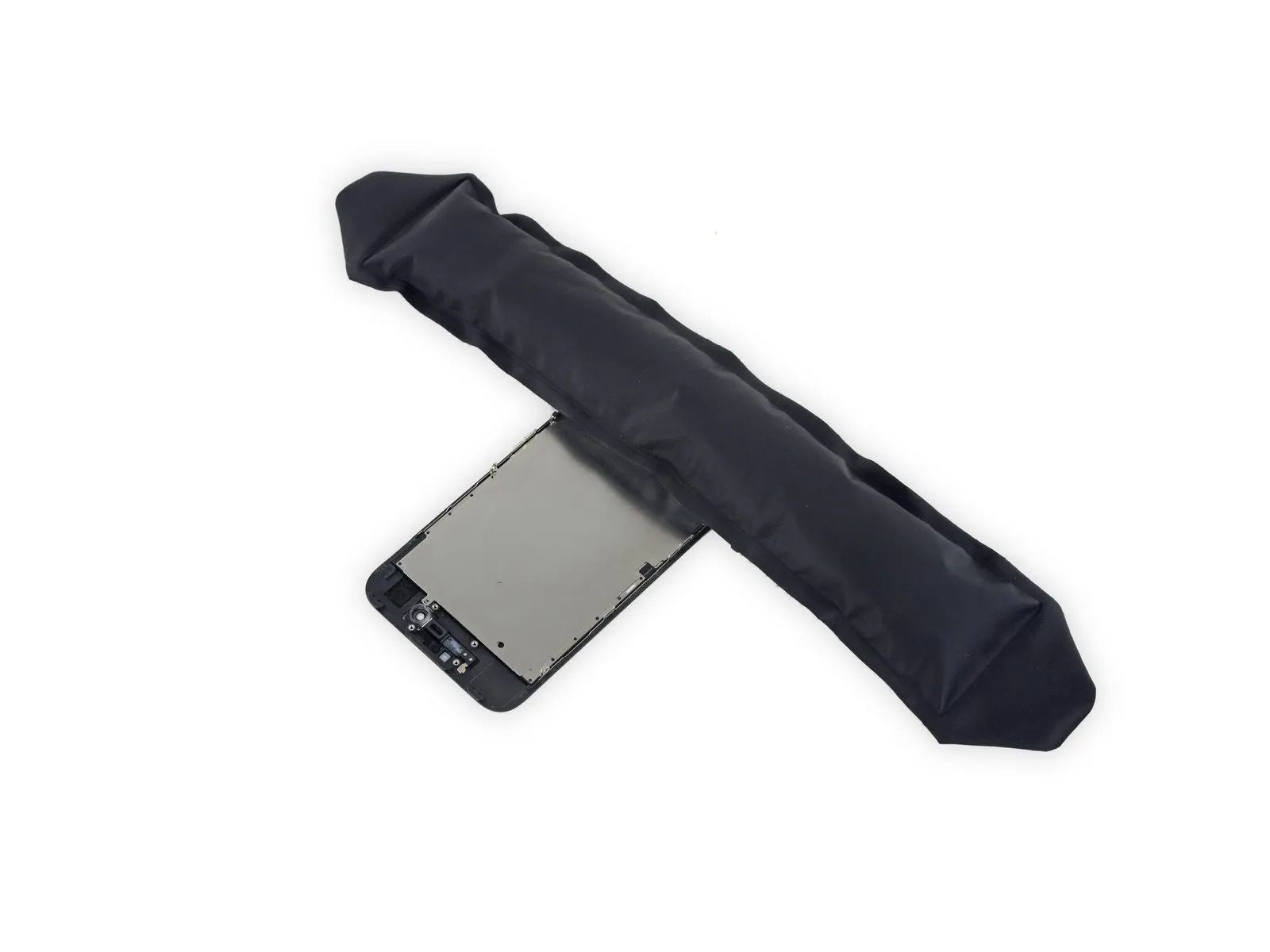
Using your iOpener, which should be heated, carefully position it along the top edge of the display assembly; this action will help loosen the adhesive securing the front-facing camera and sensor assembly.
Allow approximately two minutes to elapse before proceeding to the subsequent repair stage, ensuring the adhesive is sufficiently pliable.
Step 36
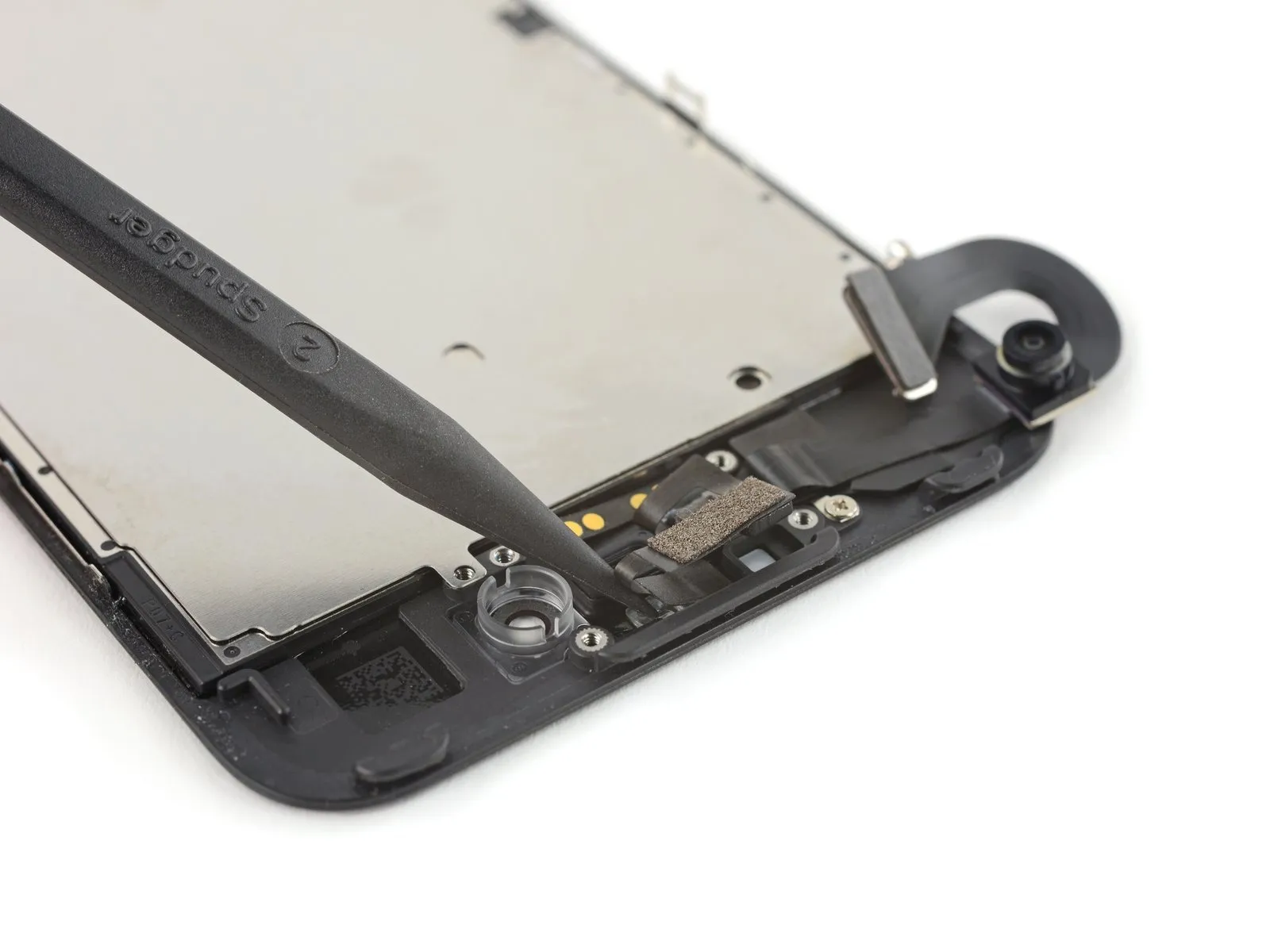
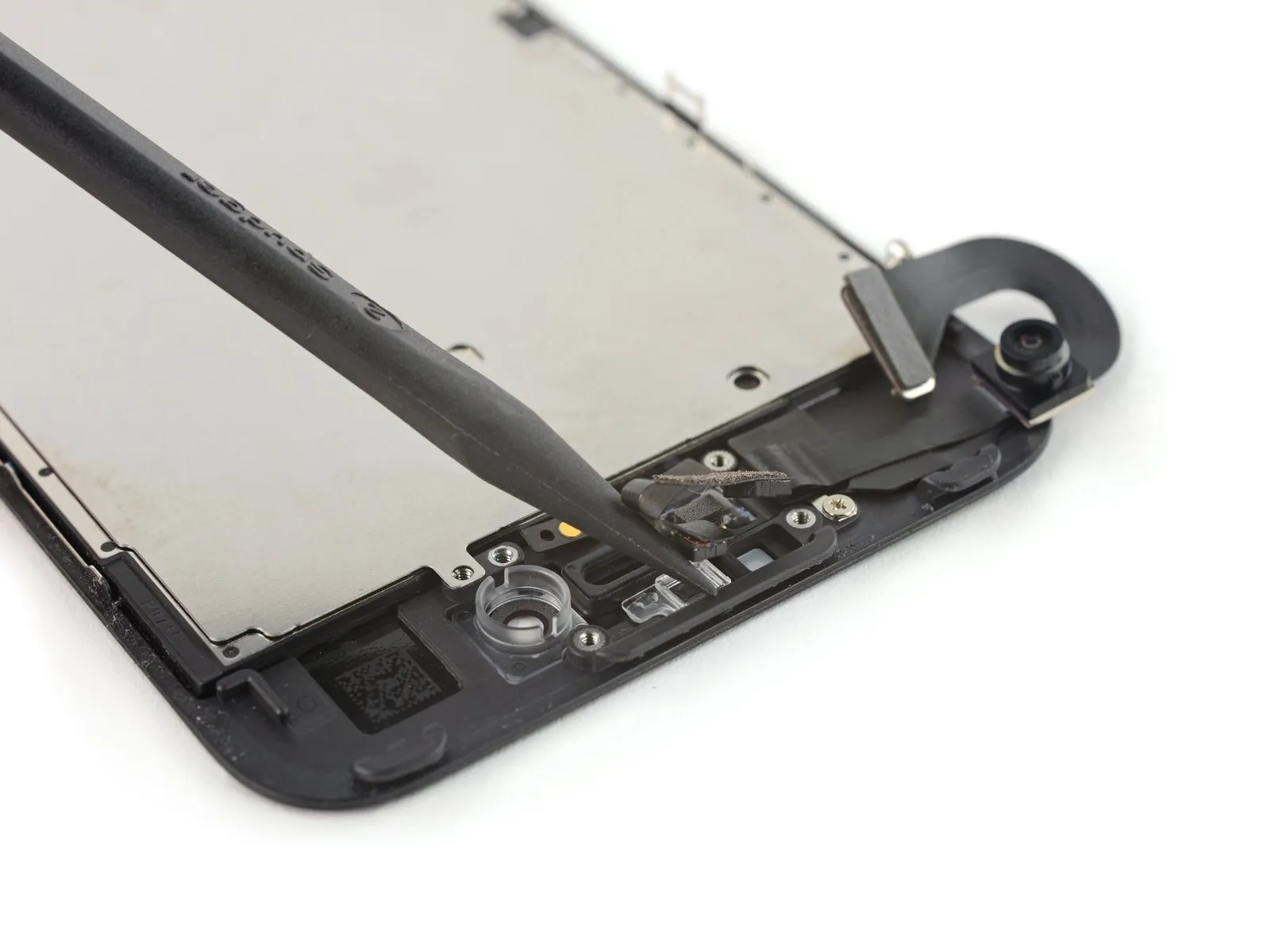
- Carefully dislodge the ambient light sensor from its housing on the front panel's surface utilizing a spudger.
Ensure your tool is inserted completely beneath the sensor to detach it from the underlying transparent plastic component; otherwise, prying solely against the cable risks severing the sensor from its cable harness, necessitating a replacement. However, this concern is irrelevant should you already intend to substitute the entire sensor/cable assembly.
Step 37


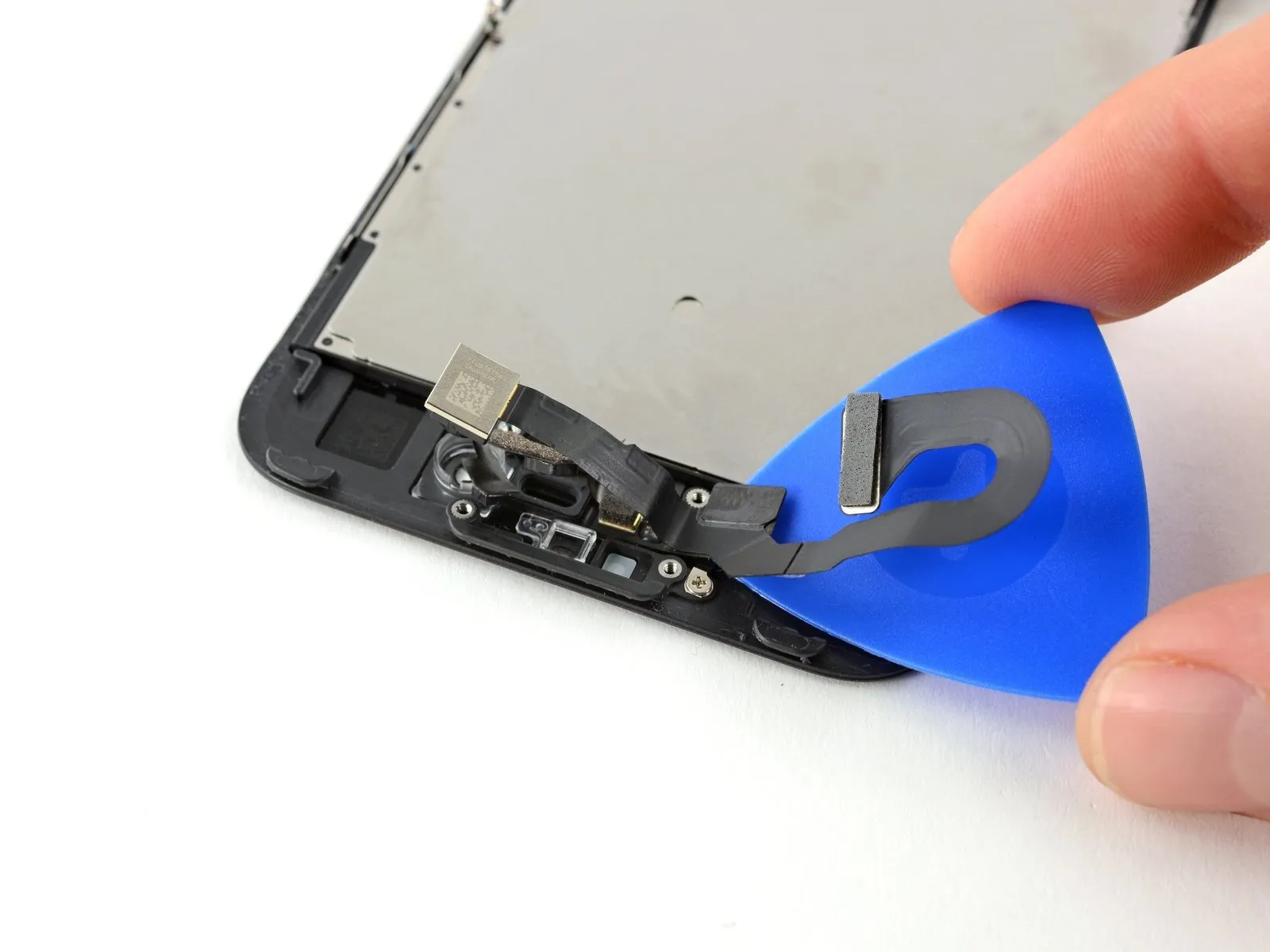
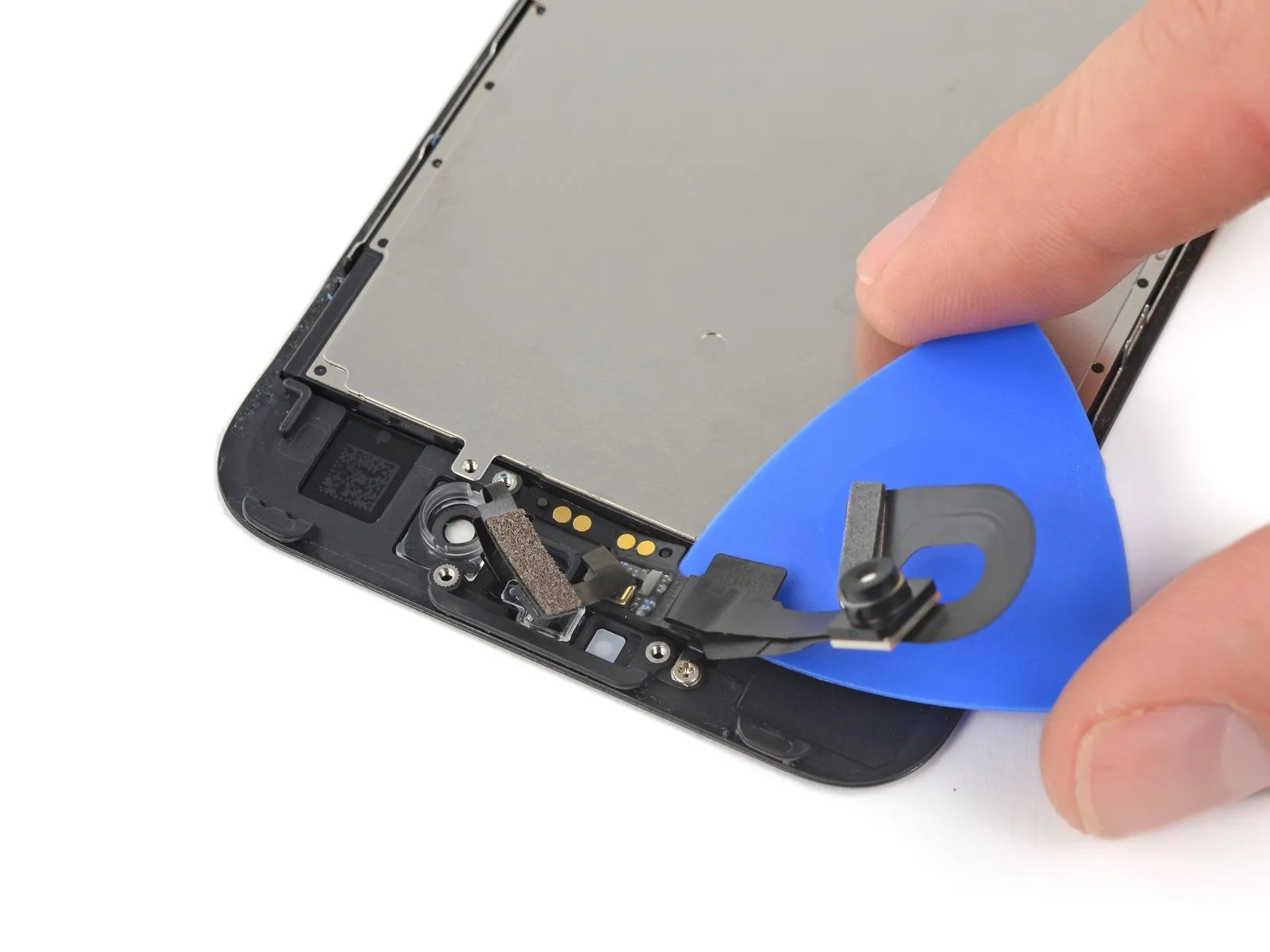
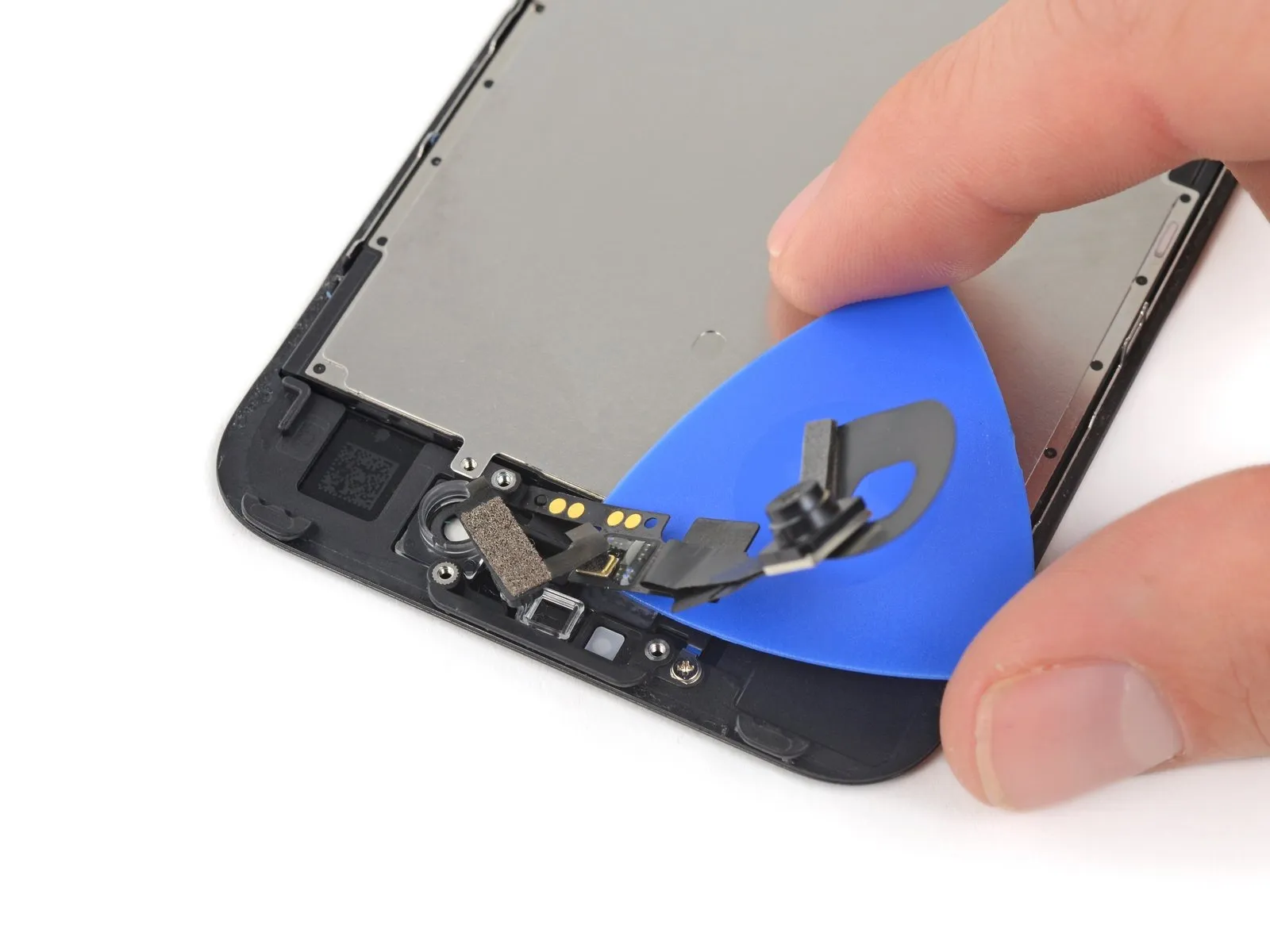
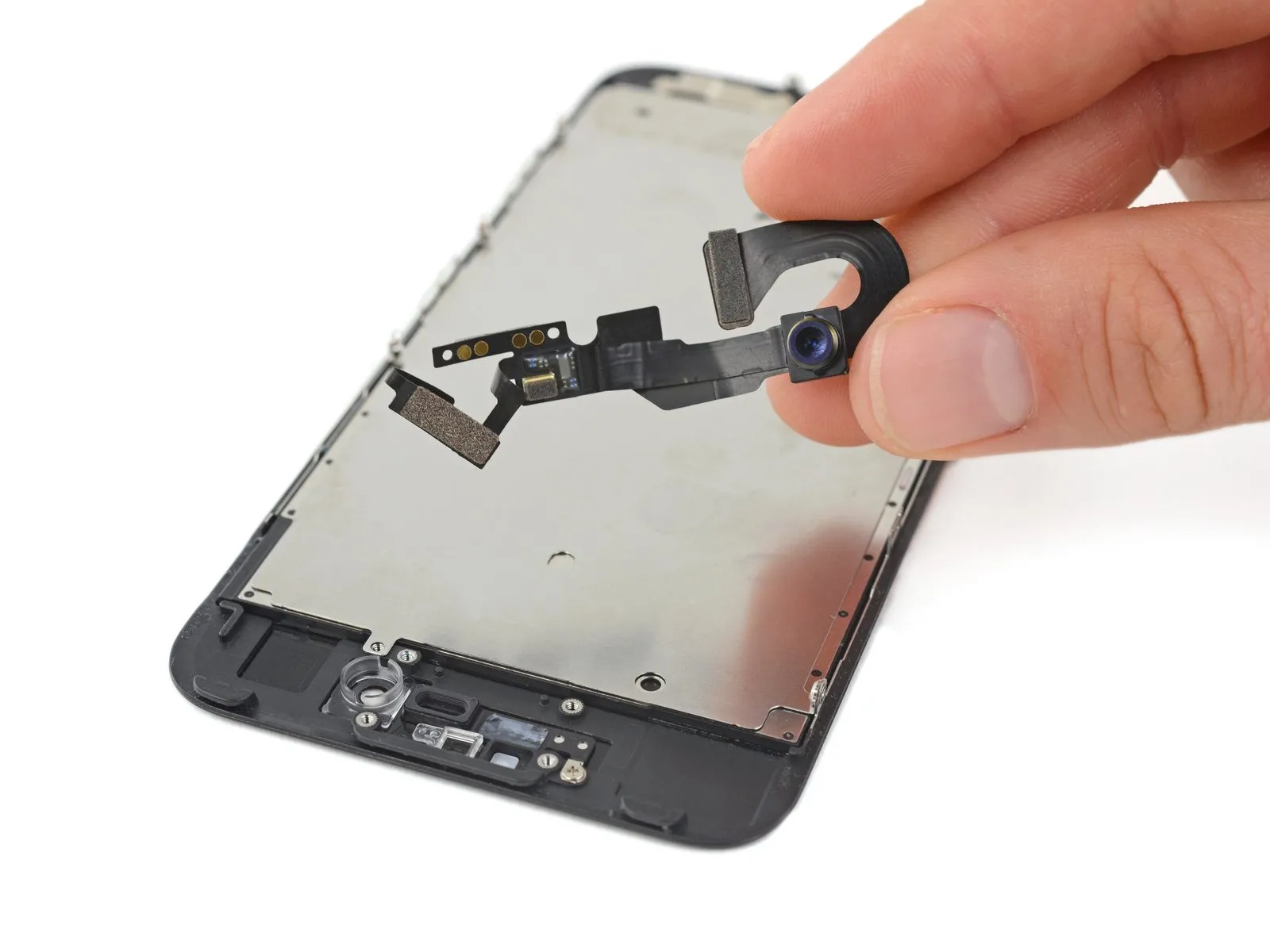
- Using a specialized opening tool, advance it toward the front-facing camera assembly to release the adhesive securing the cable to the front panel.
- Cease movement immediately prior to reaching the locations of the retaining screws.
Step 38

Step 39
Step 40 | LCD Shield Plate


Step 41
Step 42

Step 43
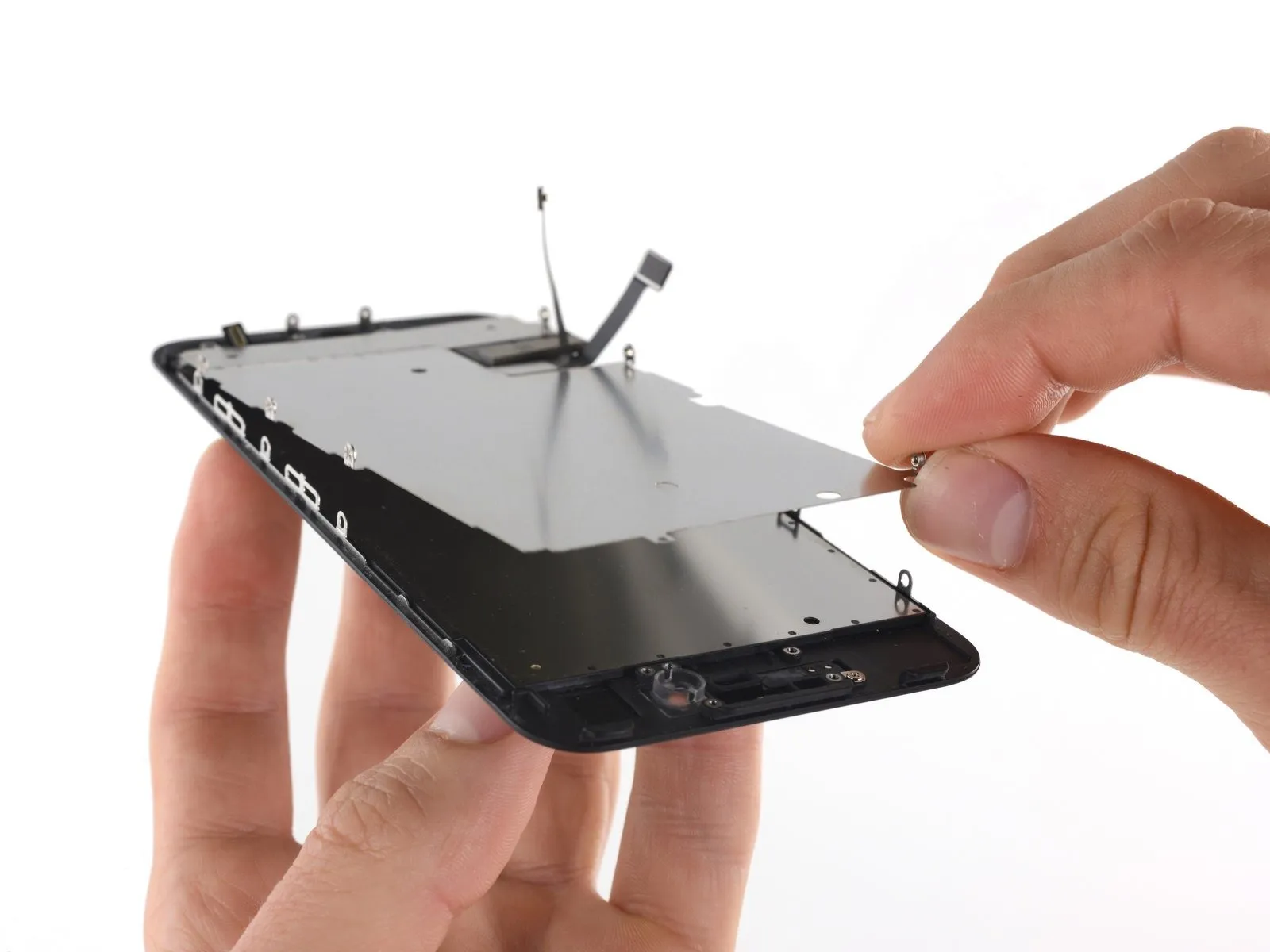
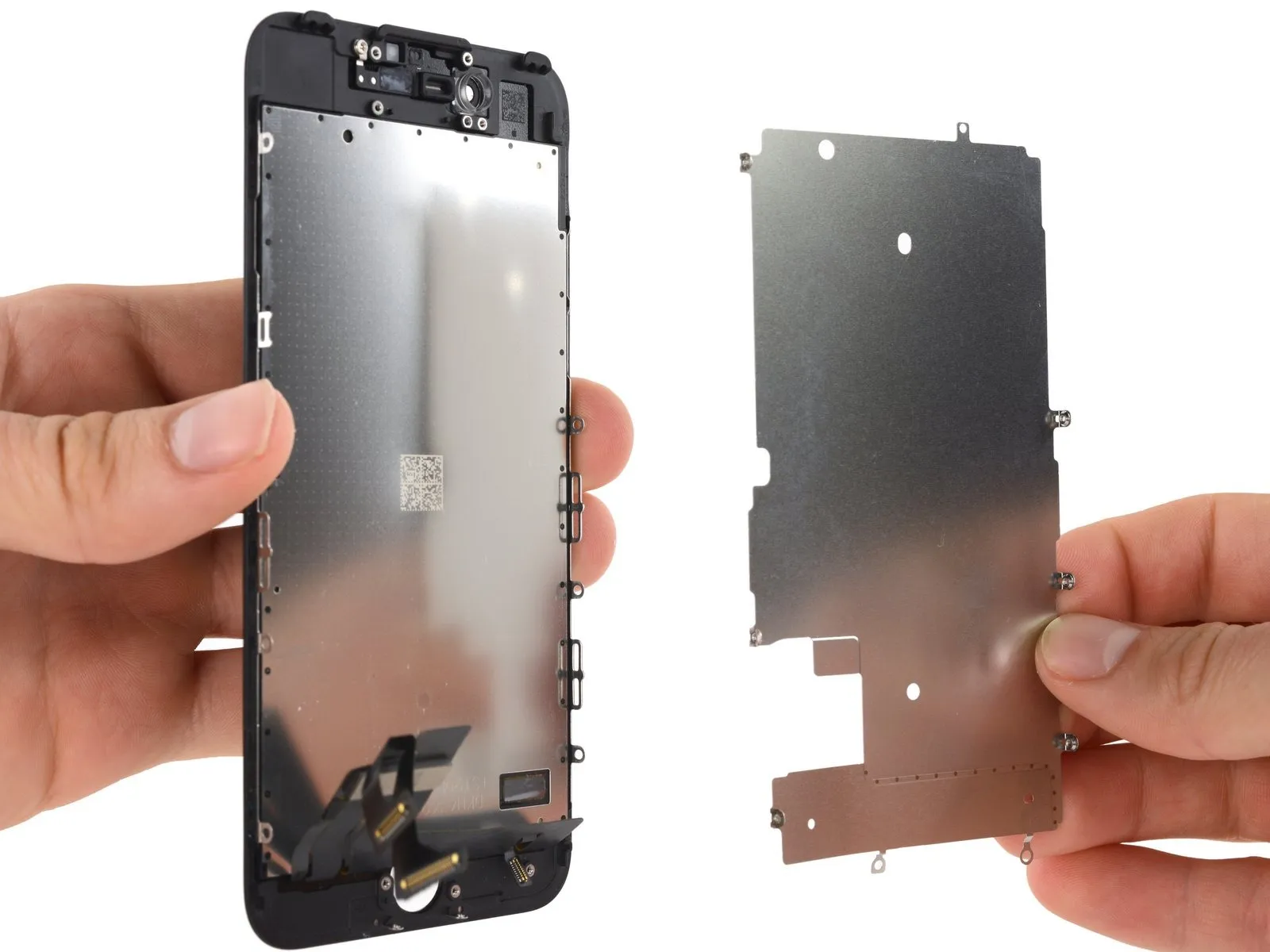
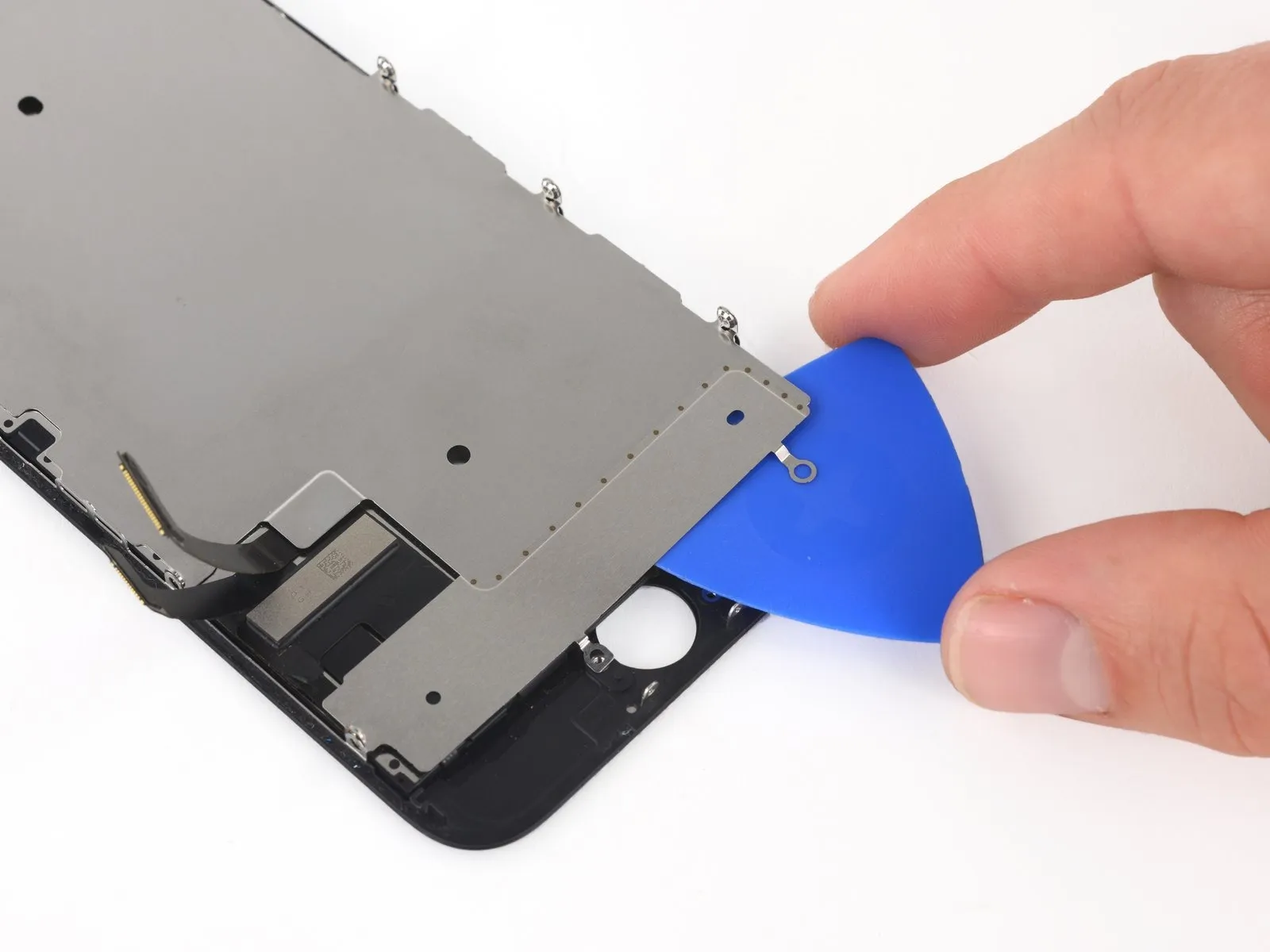
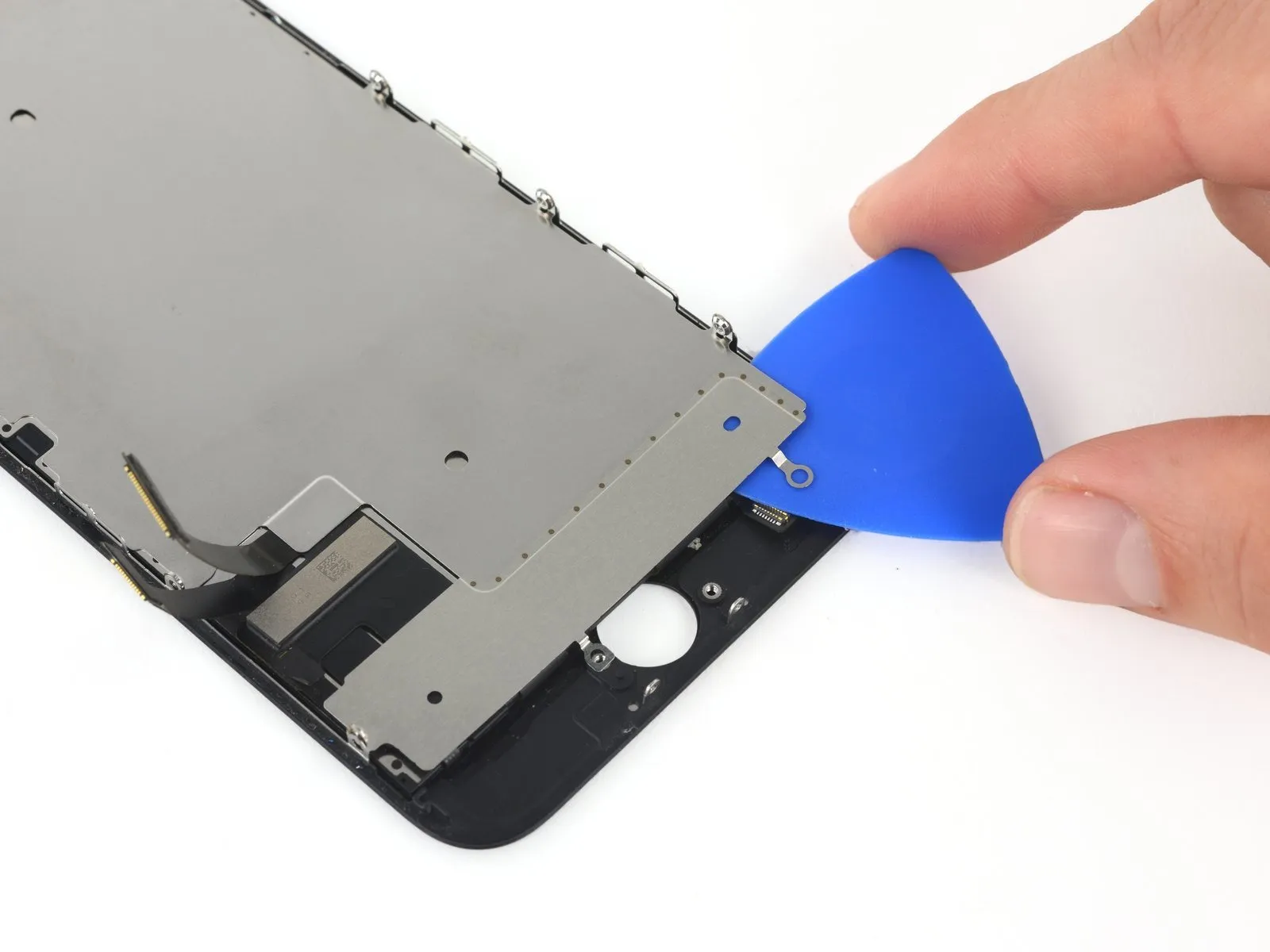
- Carefully detach the LCD shield plate from the display assembly using an upward motion.
- Exercise caution to prevent damage to the display data cables during the LCD shield plate removal process.