iPhone 7 Power Button Replacement
Employ this instructional document to either detach or substitute the power button located on your iPhone 7 device. Please note that this procedure specifically addresses the physical button itself, excluding the underlying electronic components.
- Should a replacement of the volume and power control cable be necessary, consult an alternative, specialized repair manual.
Step 1 | Pentalobe Screws
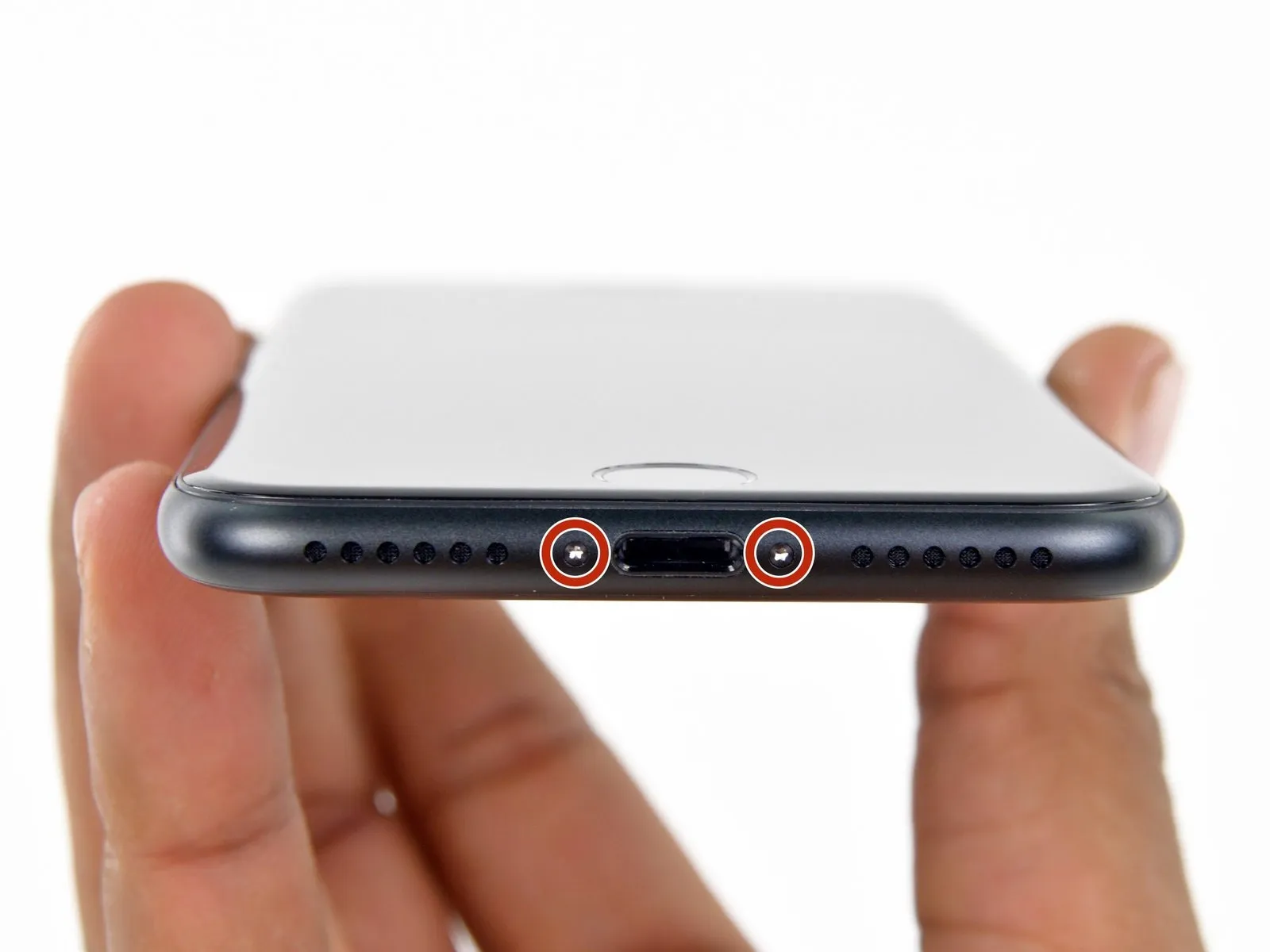
- As a preliminary safety measure, ensure your iPhone's battery is depleted to a level below 25% prior to commencing the repair process.A fully charged lithium-ion batteryposes a significant fire and/or explosion hazard if it sustains accidental physical damage, such as a puncture.
- To prevent electrical shorts and ensure safety, completely de-energize the iPhone by powering it down before starting any disassembly procedures.
- Utilizing a screwdriver with a 3.4 mm pentalobe bit, unscrew and remove the two screws located on the lower edge of the iPhone's casing.
- Separating the iPhone's display assembly from the body will inevitably damage the integrated waterproof seals; therefore, prepare replacement seals beforehand to maintain water resistance, or exercise extreme caution to prevent liquid ingress if you intend to reassemble the iPhone without new seals.
Step 2 | Mark your opening picks


- To avoid potential harm to your device, ensure the opening pick does not extend beyond its intended depth; this procedure details how to identify the safe insertion point by marking the pick.
- Determine the distance of3 mmfrom the pick's foremost edge, then use a permanent marker to clearly indicate this point on the opening pick.
- For enhanced precision, consider marking additional points along the pick's edges with varying measurements.
- As an alternative method, affix a coin to the pick's shaft,3 mmaway from its tip.
Step 3 | Anti-Clamp instructions


The following three procedures illustrate the function of the Anti-Clamp, a specialized tool developed to simplify the initial opening process; if you choose not to utilize this tool, proceed past three steps to an alternative approach.
Detailed instructions regarding the Anti-Clamp's operation are available in a separate, dedicated guide.
- To release the Anti-Clamp's gripping arms, retract the blue handle towards the rear.
- Position the arms across either the left or right side of your iPhone.
- Place the suction cups close to the lower edge of the iPhone, situated directly above the home button—one on the front face and one on the rear.
- Apply pressure by compressing the cups together to establish a secure suction hold on the intended surface.
- Should the iPhone's surface prove excessively smooth, hindering the Anti-Clamp’s ability to maintain grip, applying adhesive tape can provide a more textured interface.
Step 4


- To secure the arms, advance the blue handle in its direction.
- Rotate the handle in a clockwise direction,covering a full circle of 360 degrees,or continue rotation until the suction cups begin to deform.
- Confirm that the suction cups maintain their parallel positioning; should they become misaligned, slightly release the suction cups and reposition the arms.
Step 5


- Employ a heating device, such as an iOpener to carefully maneuver it between the device's side components of the Anti-Clamp.
- Alternative heat sources, including hair dryers, heat guns, or hot plates, are acceptable; however, exercise caution as excessive temperatures can potentially compromise the display assembly and/or the internal battery.
- Position the iOpener to rest along the lower edge of the iPhone’s casing.
- Allow a period of sixty seconds to permit the adhesive to soften and create a separation.
- Introduce an opening tool into the newly formed space.
- Should the Anti-Clamp fail to generate a satisfactory separation, increase the heat applied to the area and rotate the handle by ninety degrees.
- Avoid exceeding a ninety-degree rotation at any point, and pause for sixty seconds between adjustments; allow the Anti-Clamp and time to facilitate the separation process.
Step 6 | Heat the display
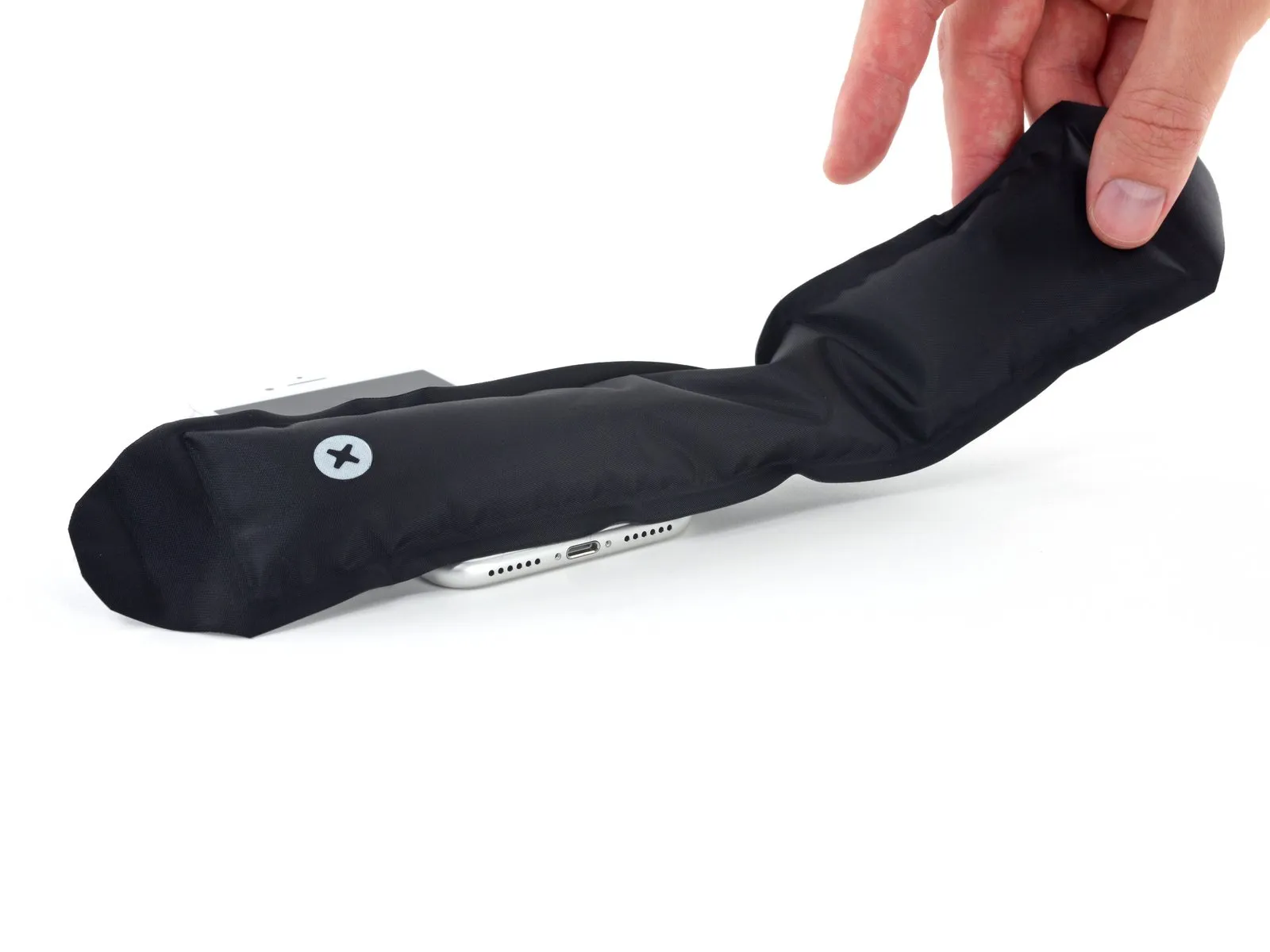
Applying heat to the bottom edge of the iPhone will assist in loosening the adhesive that holds the display in place, thereby simplifying the separation process.
Employ a hairdryer, or alternatively prepare aniOpenerand apply it to the lower edge of the device for approximately 90 seconds to reduce the adhesive's tackiness.
Step 7 | Separate the display
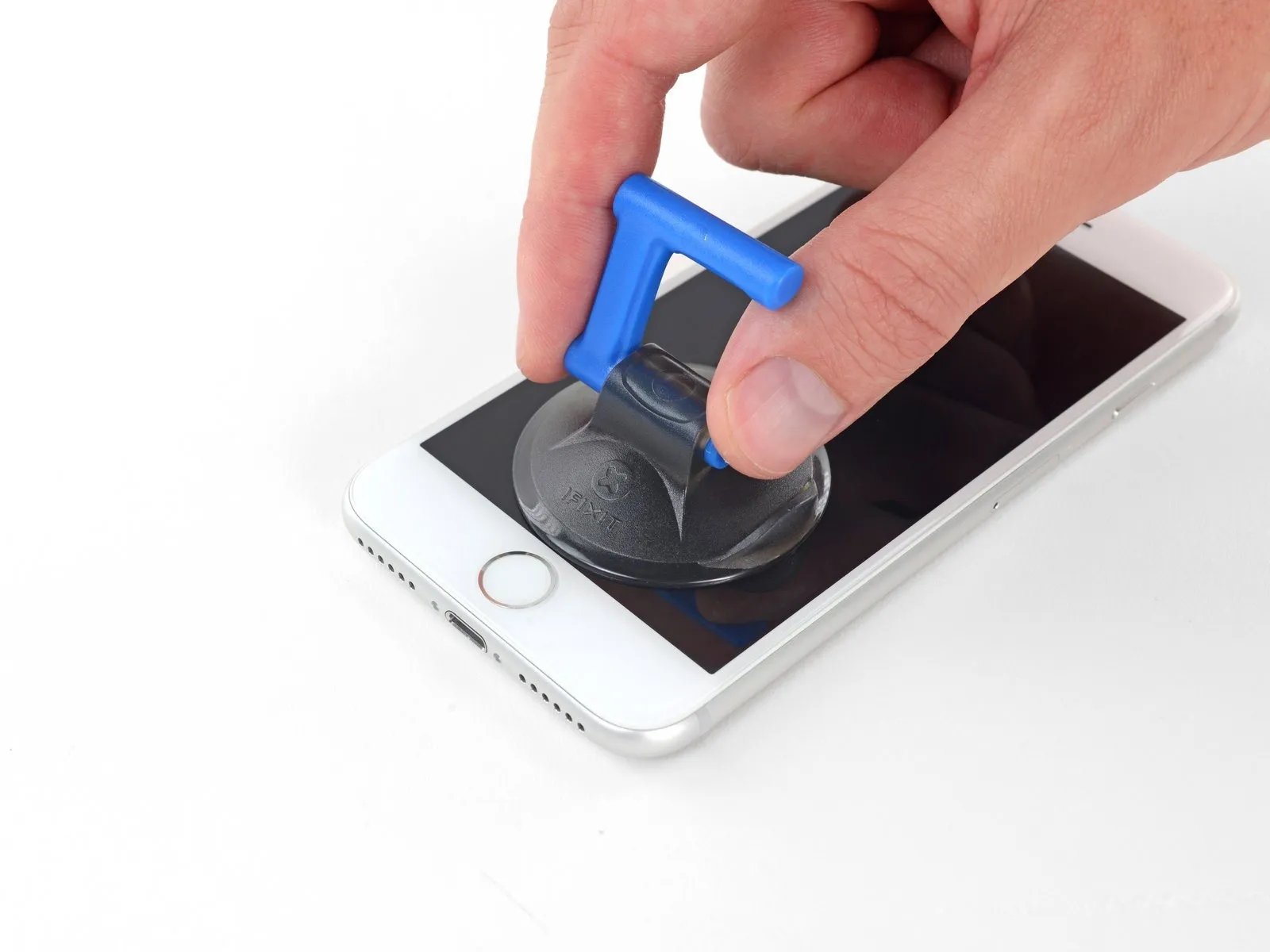

Ensure the suction cup's surface remains clear of the home button's location to guarantee a complete bond between the suction device and the front glass.
Step 8
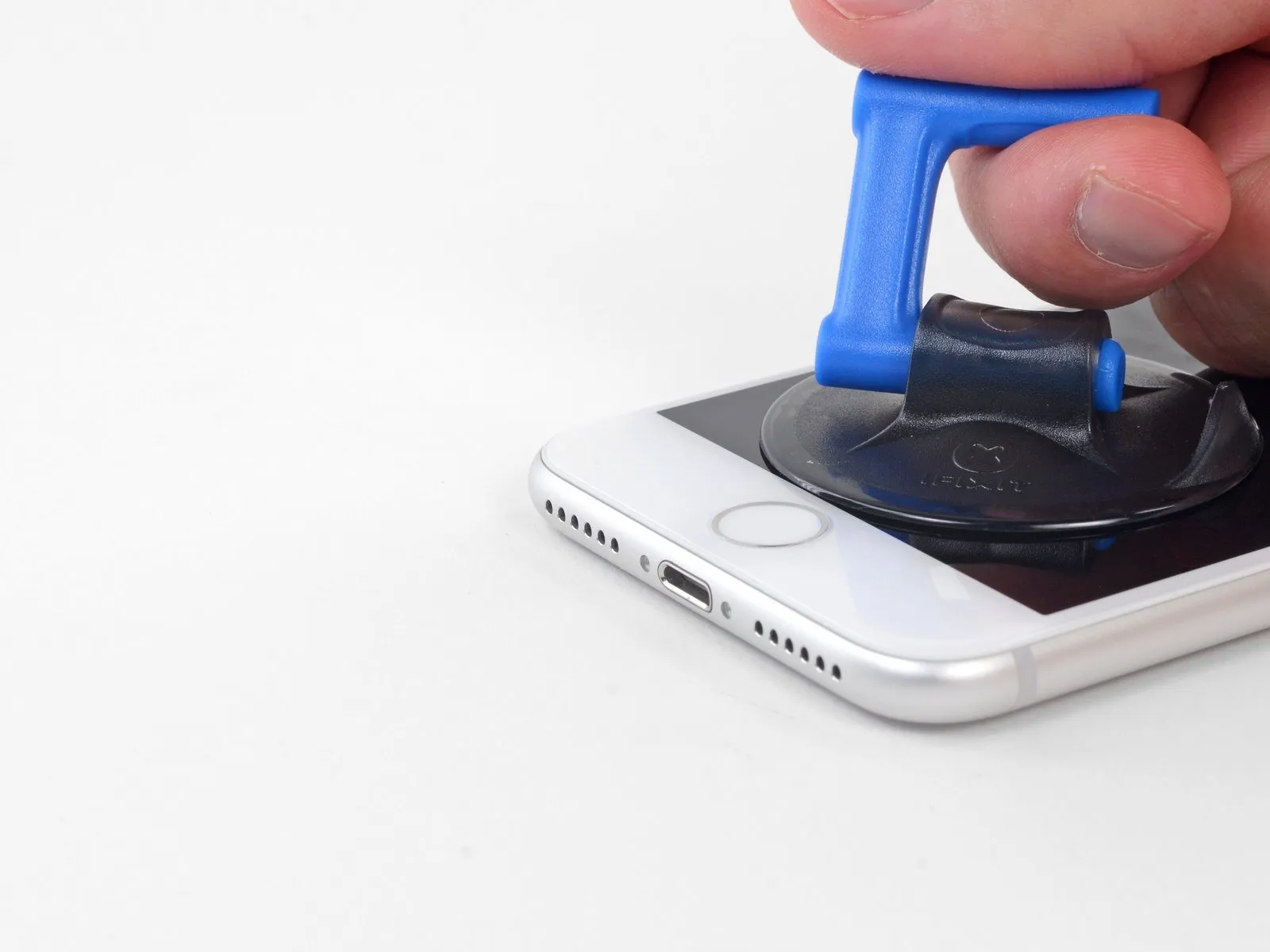


Carefully slide an opening tool into the newly formed space.
Due to the robust, waterproof adhesive securing the display, establishing this initial separation requires considerable strength; should you encounter difficulty, applying additional heat and gently oscillating the display upwards and downwards will help to reduce the adhesive's bond until a sufficient gap is achieved for tool insertion.
Step 9
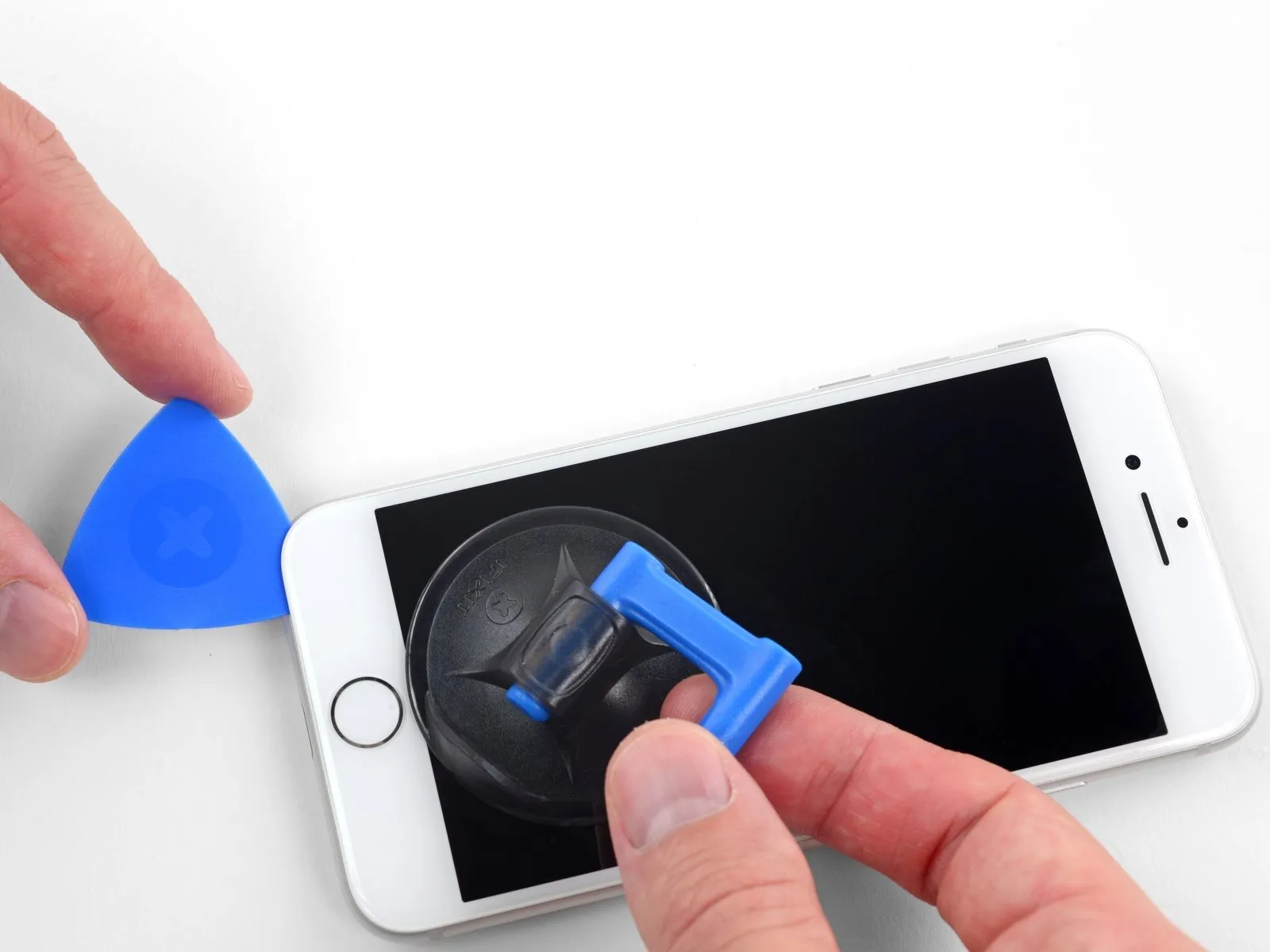


- Cease the separation process when you reach the upper-left portion of the display.
- Avoid attempting to dislodge the display's upper edge from the rear casing, because it is secured with fragile plastic retaining clips that are susceptible to damage.
Step 10 | Screen information

Step 11
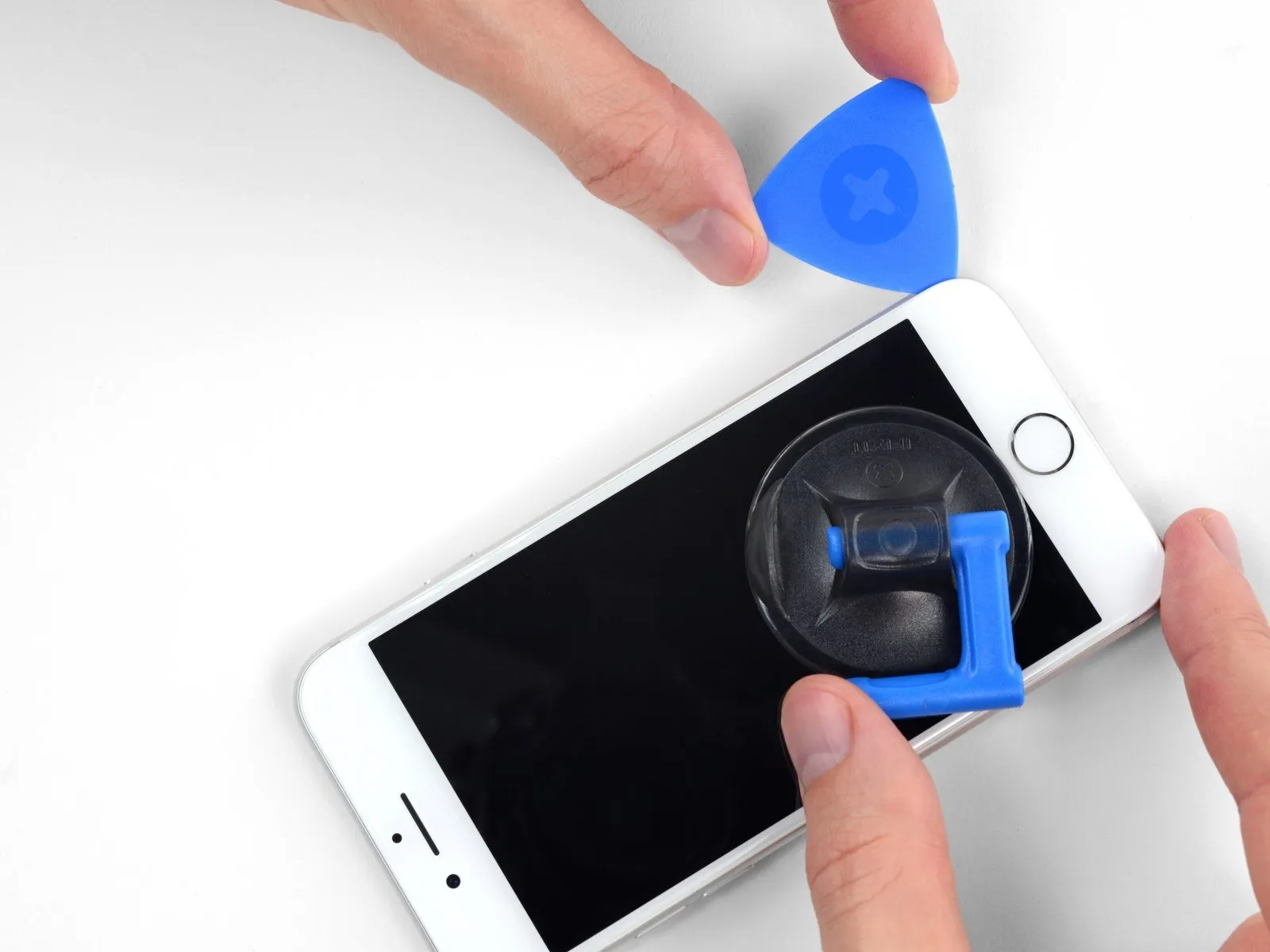


- To release the adhesive, carefully reposition your tool at the lower-right edge of the iPhone, then maneuver it along the corner and upward along the right side, sliding to detach the adhesive.
Avoid inserting the tool deeper than 3 millimeters to prevent potential harm to the display cable connections.
Step 12


- Carefully elevate the display's lower border by applying upward force to the suction cup.
Restrict the display's elevation to a maximum angle of 15 degrees; exceeding this limit could potentially damage or sever the flexible ribbon cables that provide the display's electrical connections.
Detach the suction cup from the front panel by grasping and pulling on the small protrusion located on its surface.
Step 13
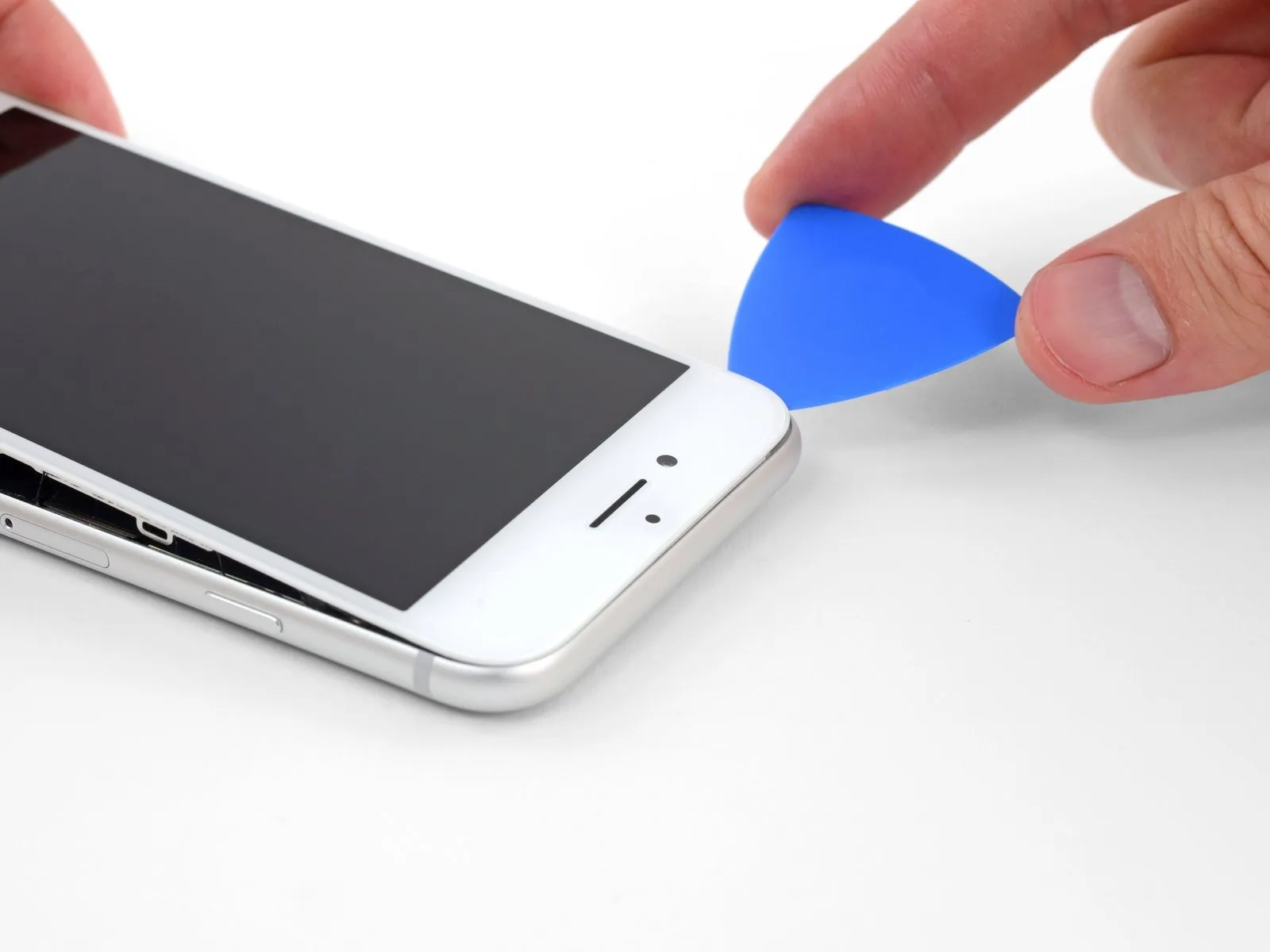

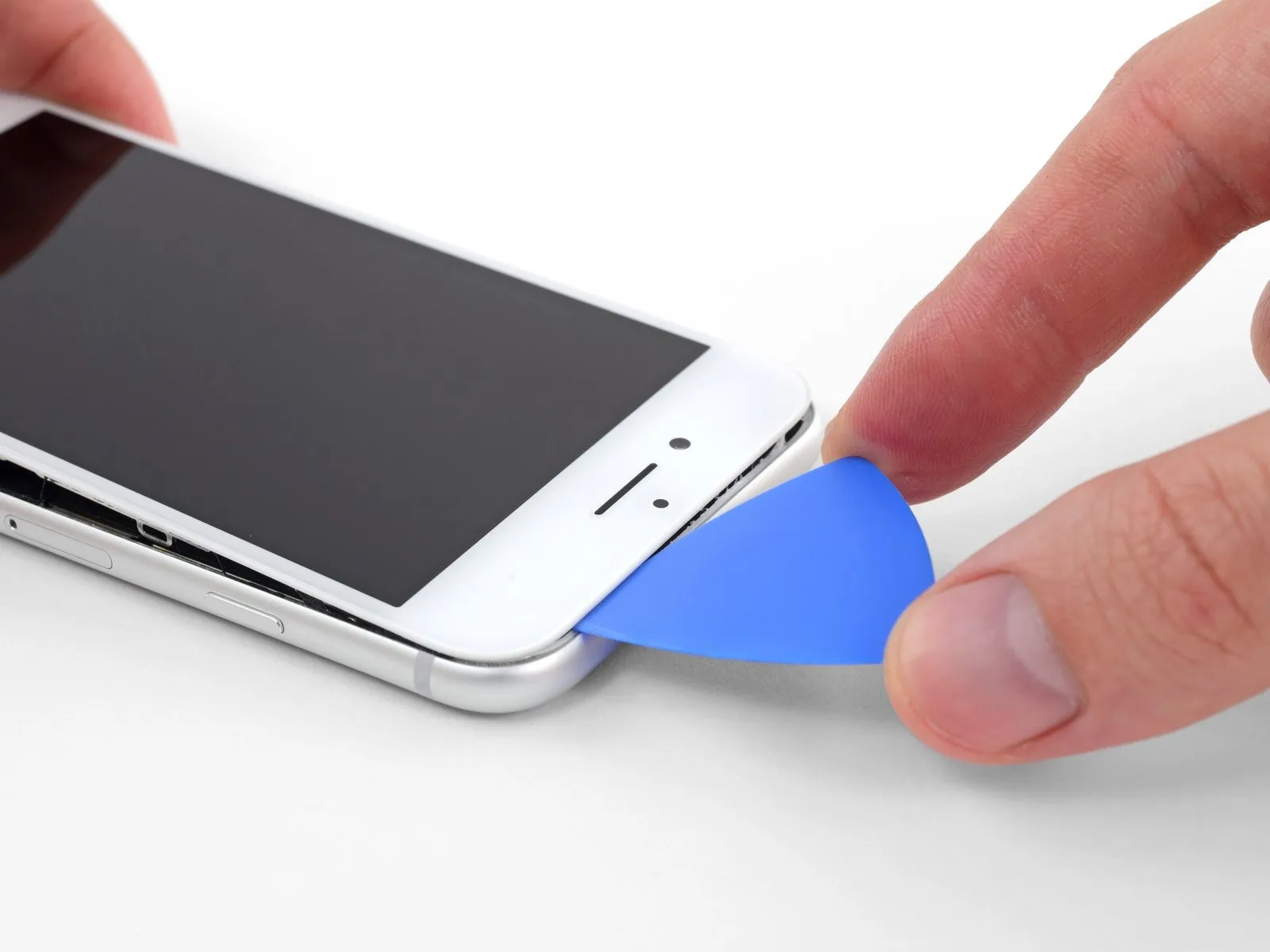
- Carefully insert a separation tool beneath the screen, initiating the process near the upper-left corner, and maneuver it along the top edge to release the remaining adhesive sealant.
Step 14


- To release the retaining clips securing the display assembly to the rear case, carefully move the display downwards, shifting it away from the phone's upper border.
Step 15


- Initiate the iPhone's disassembly process by pivoting the display upwards, originating from the left edge, mimicking the action of opening a book's cover.
Refrain from attempting a complete detachment of the display at this stage, because multiple delicate ribbon cables remain attached, linking it to the iPhone's main circuit board.
Secure the display in an upright position using a support to prevent it from obstructing your work area during the repair.
Step 16 | Battery Disconnection
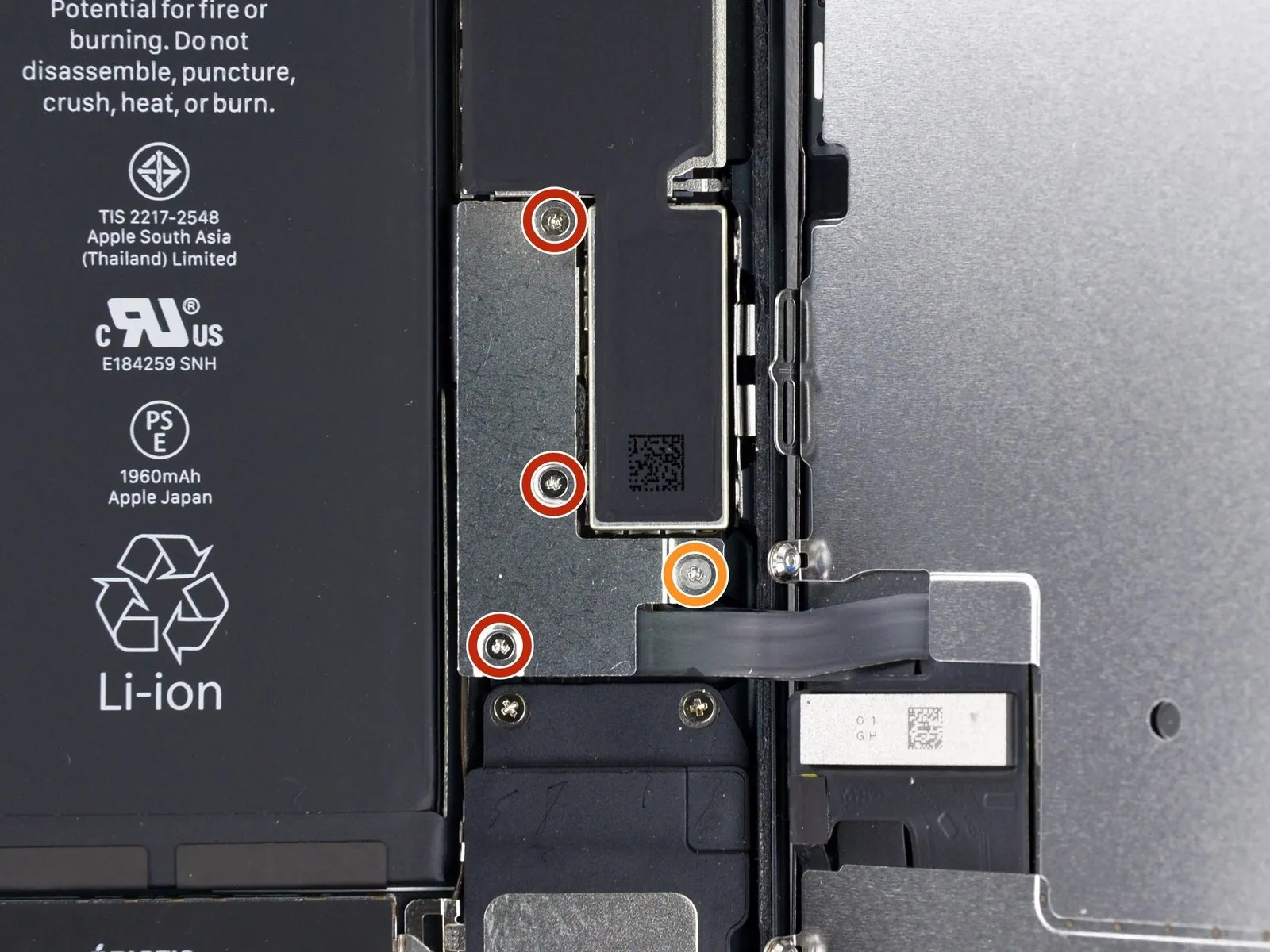
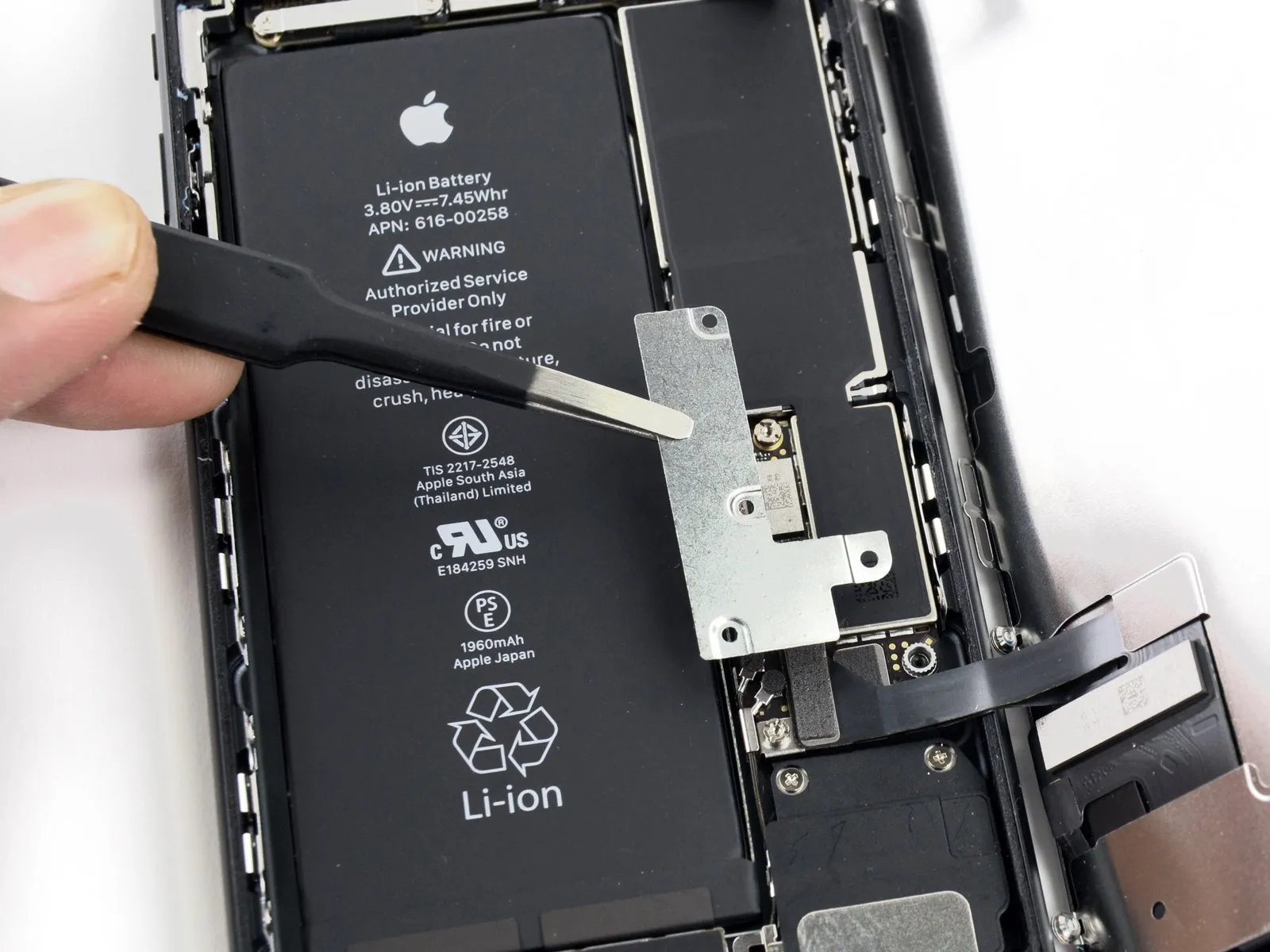
Detachthe lower connector bracket, which is fastened by four screws utilizing a tri-point Y000 driver, and note the differing lengths of these fasteners:
- Three screws, each measuring 1.2 millimeters in length.
- A single screw with a length of 2.4 millimeters.
During the course of this repair procedure,carefully monitor the location of each screw to ensure correct reinstallation, preventing potential harm to your iPhone.
Step 17
Step 18
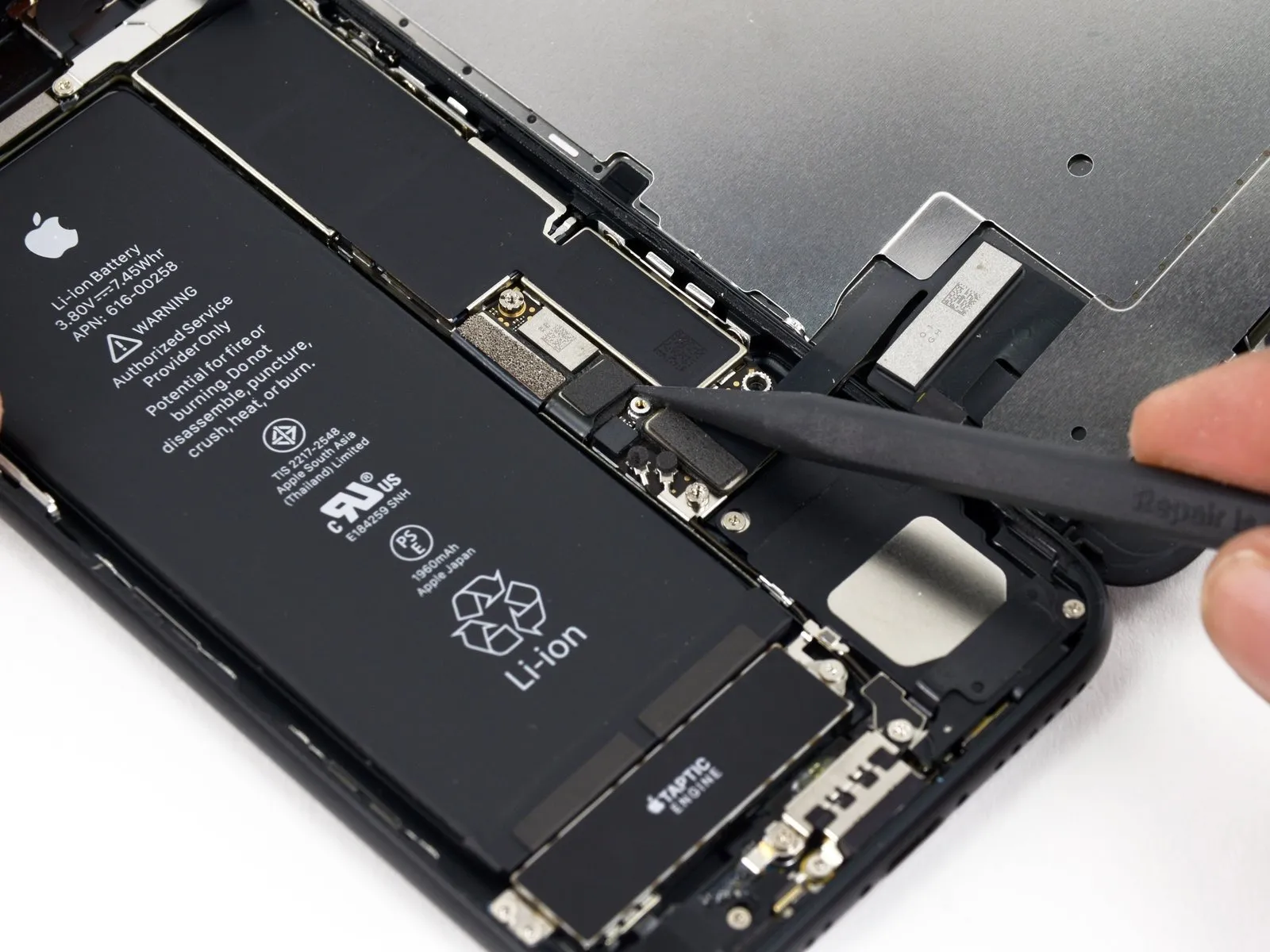
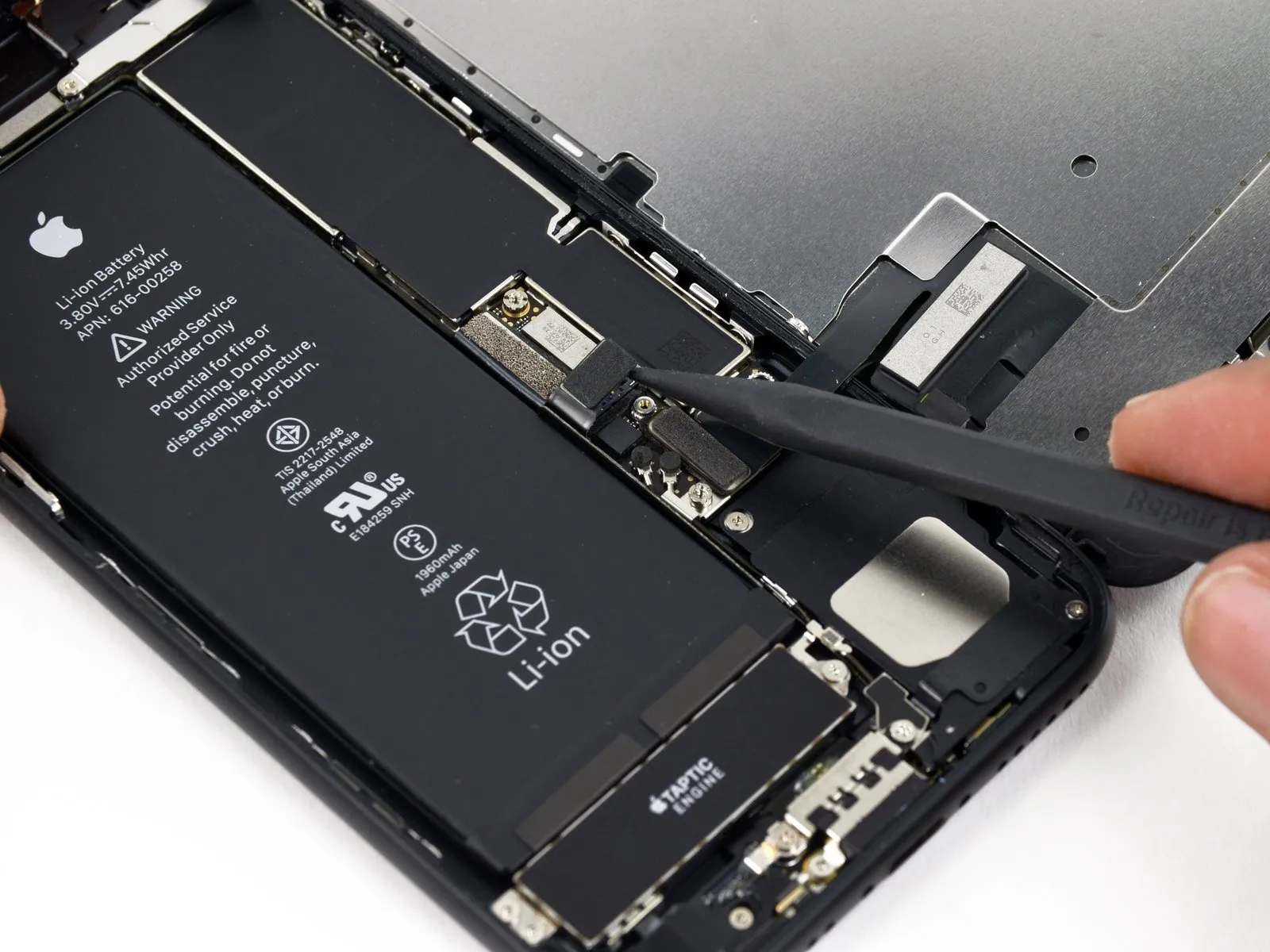
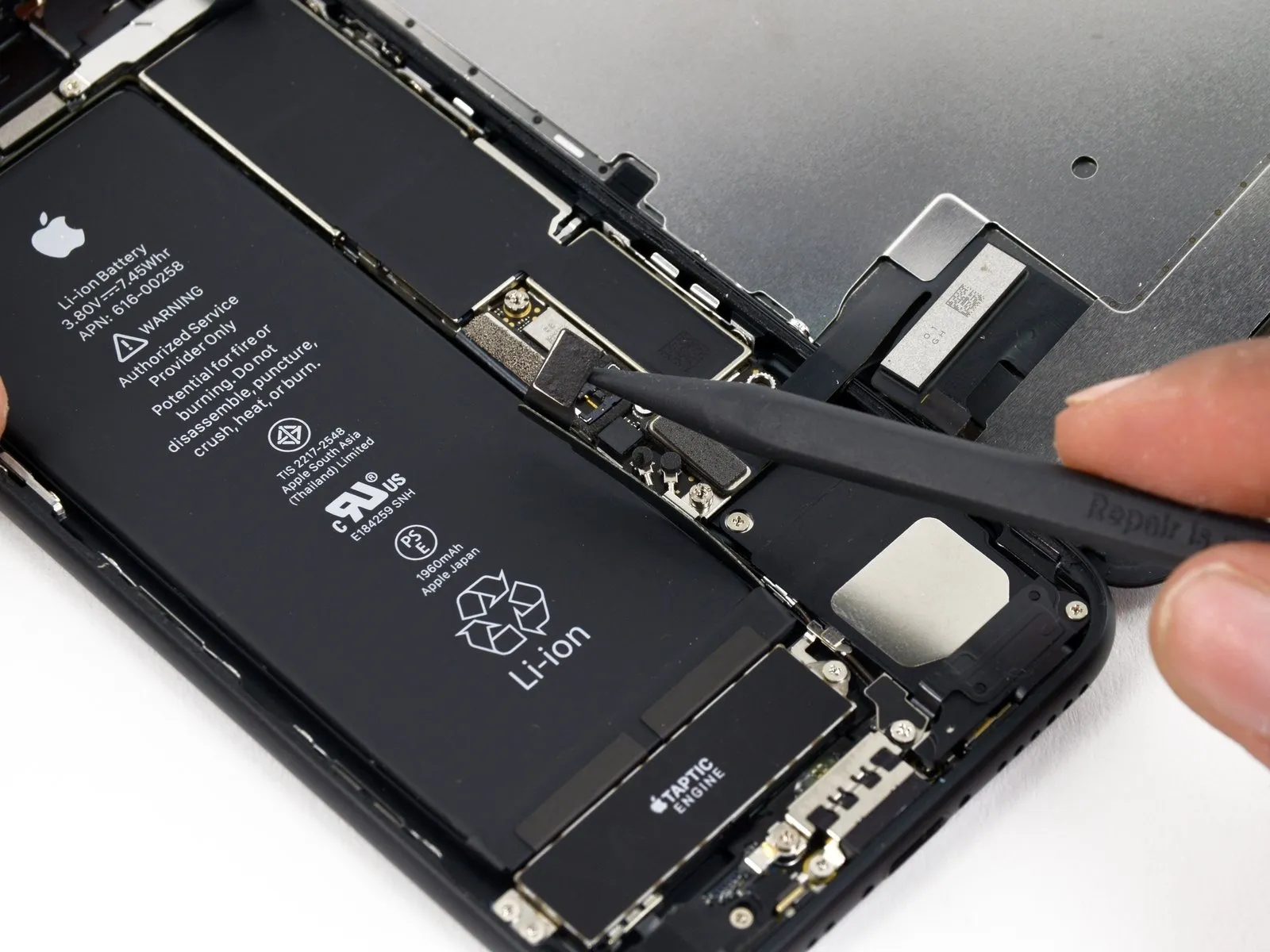
- Employ the tip of a spudgerto disengage the battery connector from its corresponding receptacle on the logic board.
- Gently elevate the connector cable a small amount to ensure it remains disconnected from the socket, thereby preventing any power delivery to the device.
Step 19 | Display Assembly
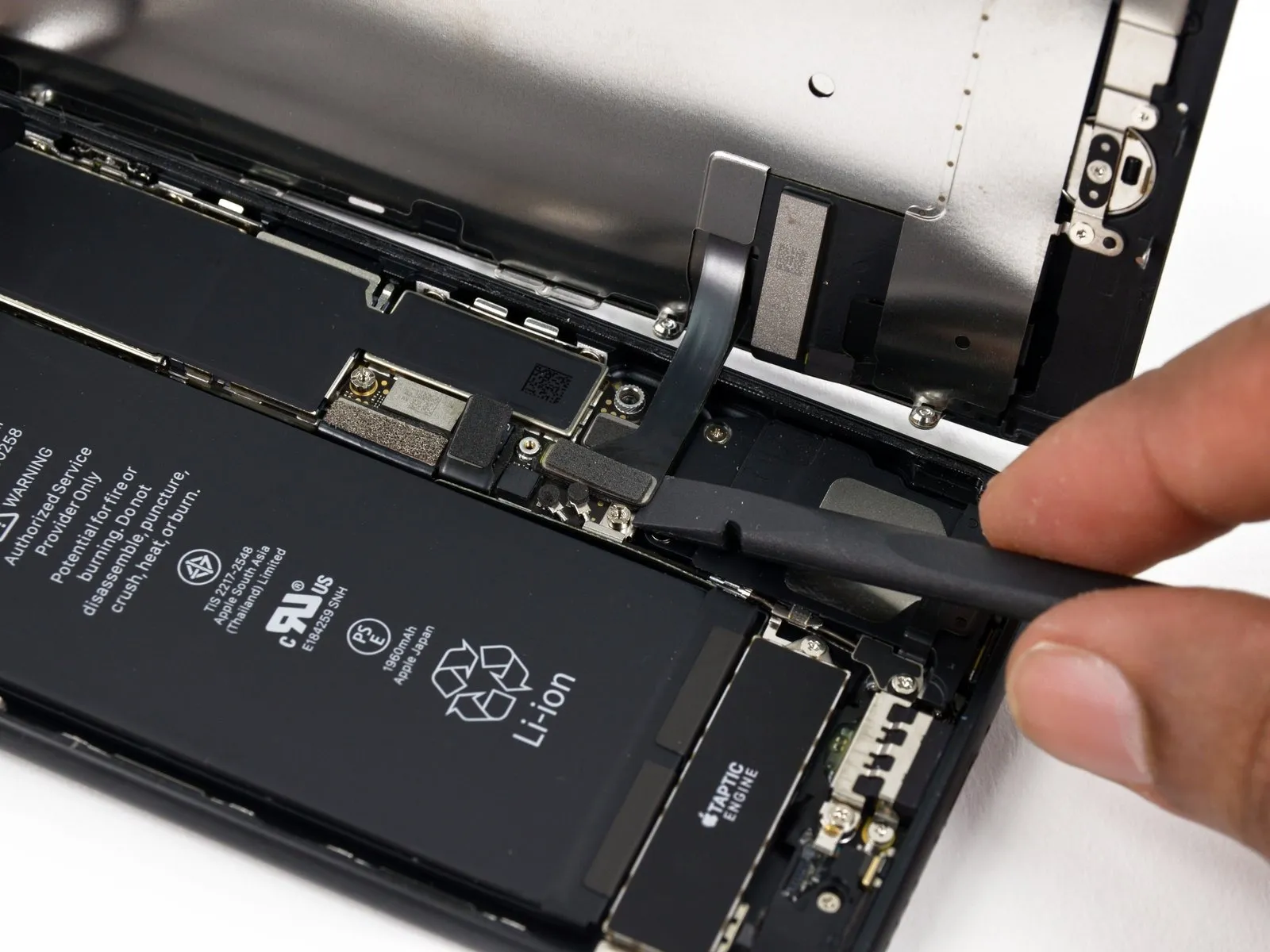
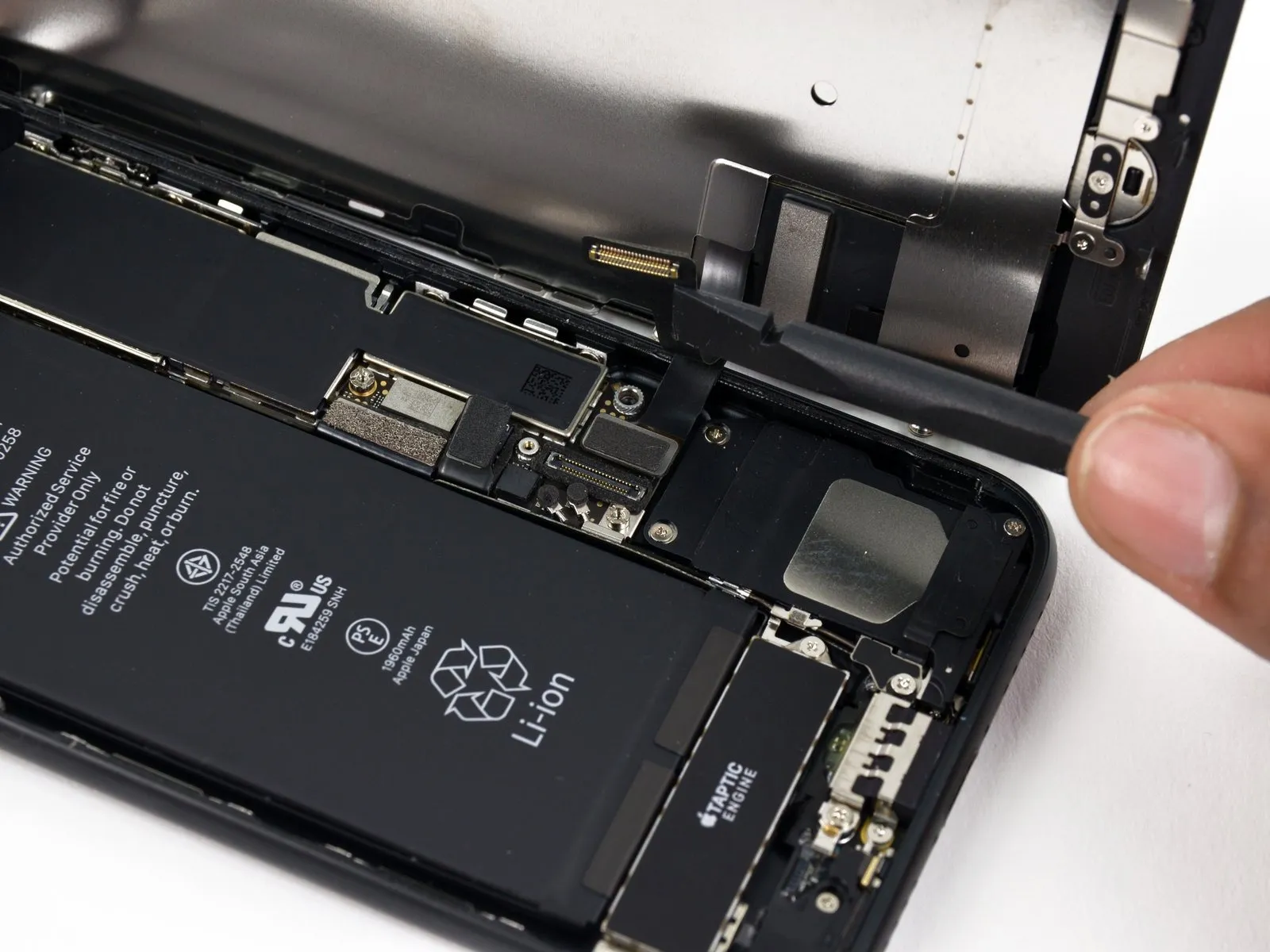
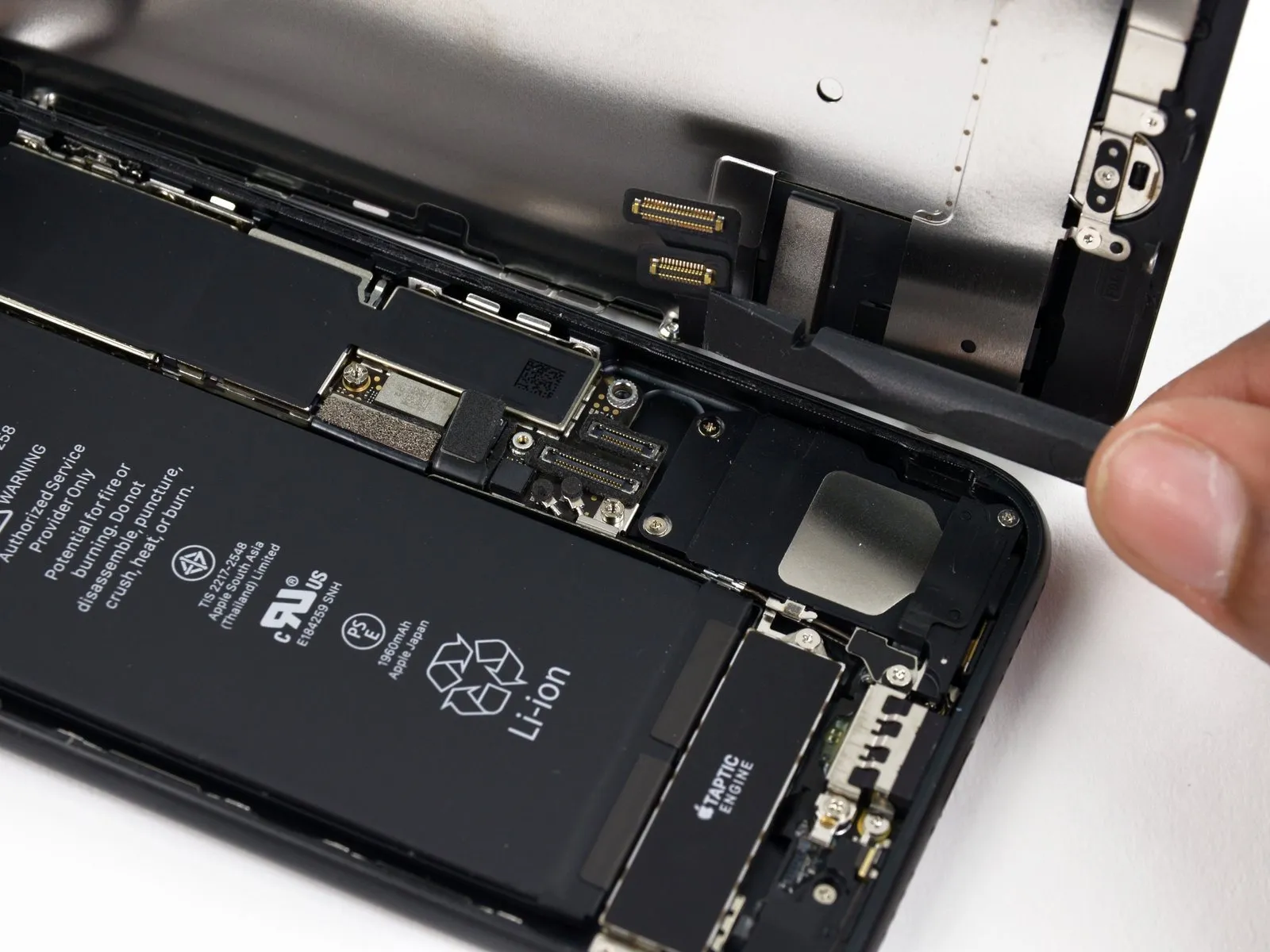
- Prior to detaching or reattaching any cables within this procedure, confirm the battery is completely disconnected to prevent potential electrical hazards.
- Employ aspudgeror afingernailto release the two lower display connectors; achieve this by applying upward pressure directly above them to separate them from their corresponding positions on the logic board.
- When reattaching these connectors, apply downward force on each terminal end until an audible click is heard, then repeat the process on the opposing end; avoid applying pressure to the central portion of the connector, as this can lead to bending and irreversible damage.
- Should you observe a blank display, the appearance of white lines, or a diminished or absent touch functionality following reassembly, attempt to carefully detach and reconnect both cables, ensuring they are fully and securely positioned.
Step 20
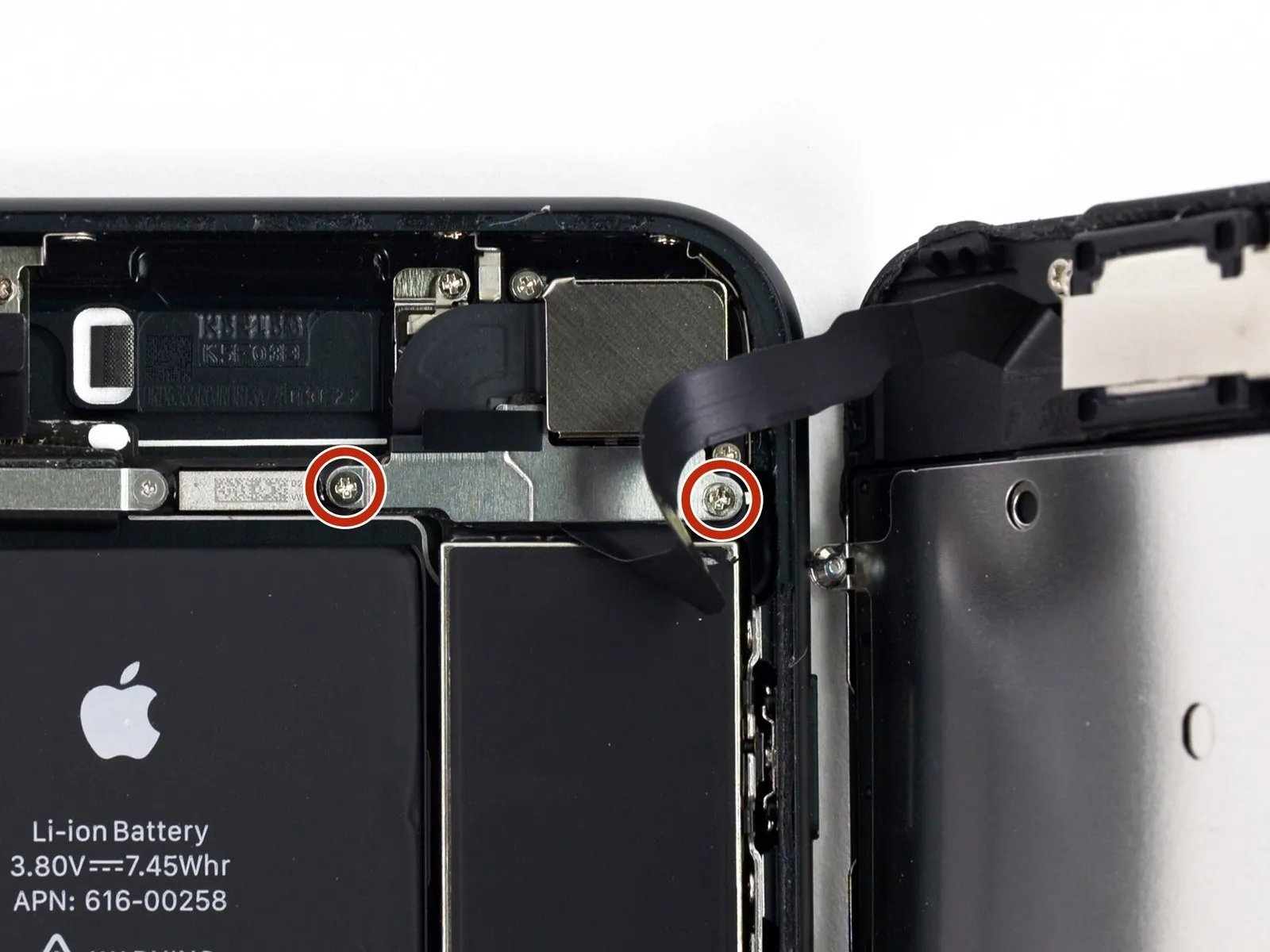
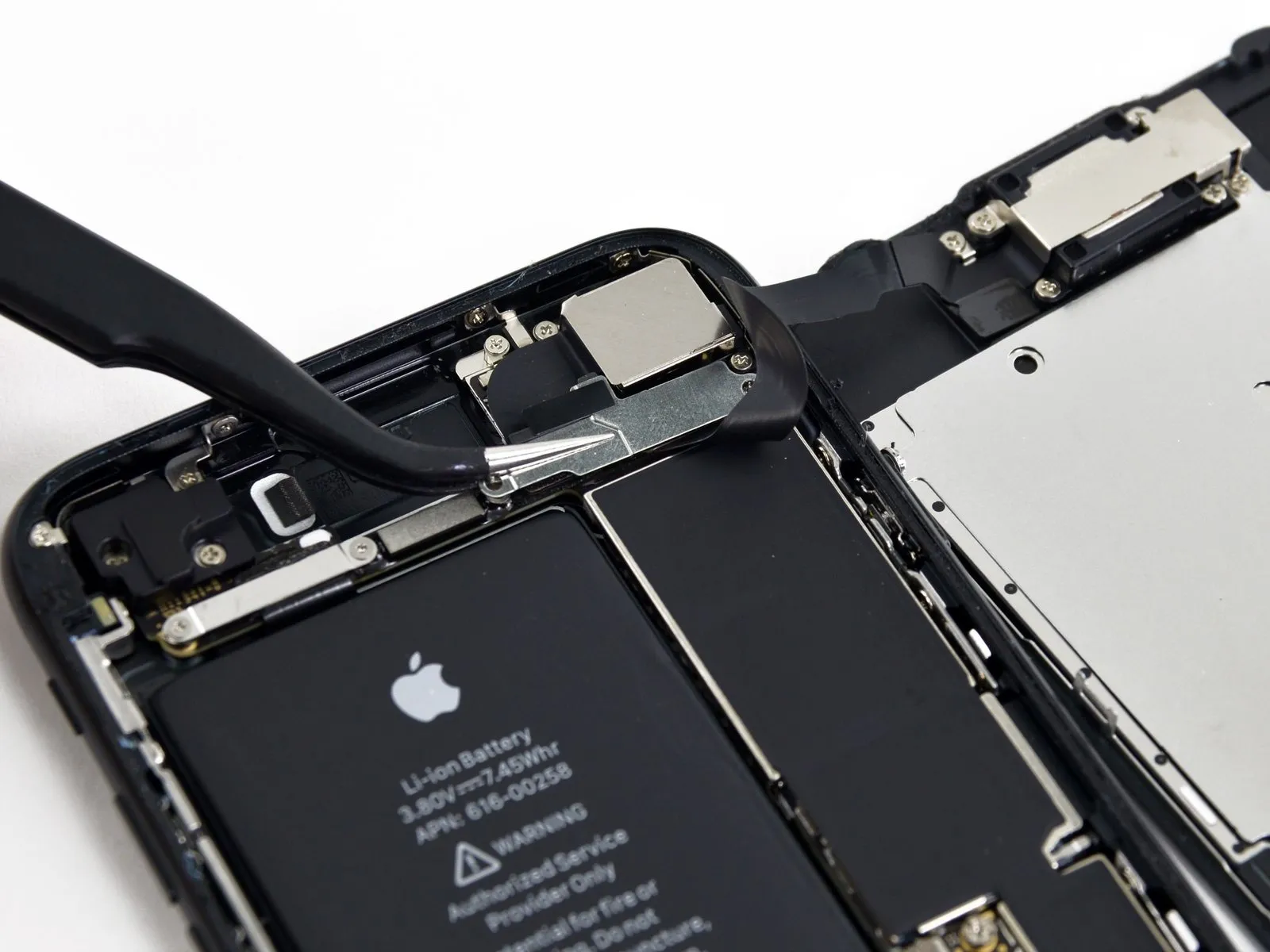
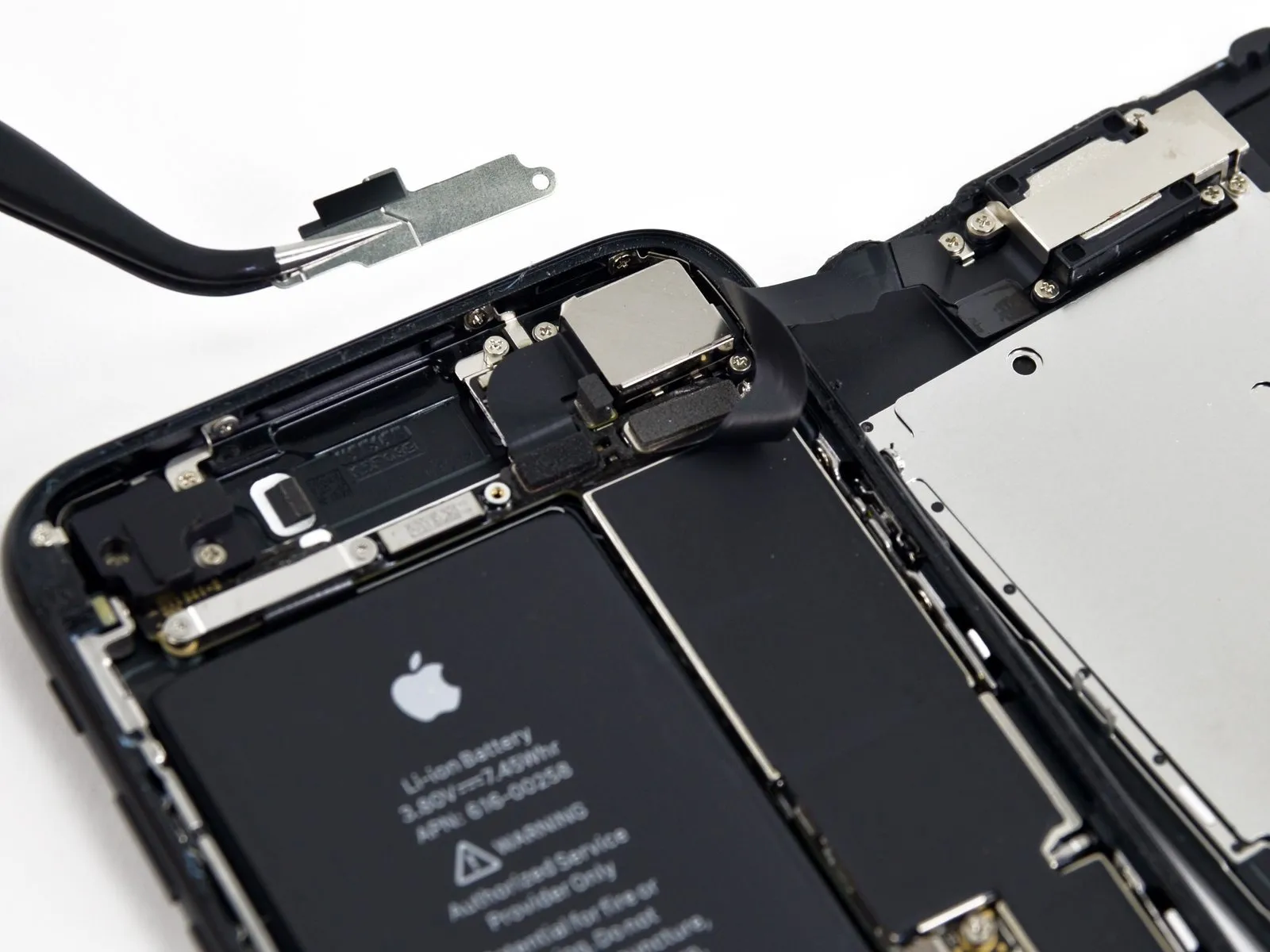
- Detach the pair of screws, utilizing a Phillips #000 screwdriver with a 1.3 mm tip, that hold the bracket in place, which covers the connector for the front panel sensor assembly.1.3 mm Phillips #000These screws secure the bracket positioned above the front panel sensor assembly connector.
- Certain devices may incorporate a Y000 screw type; Apple introduced this screw type during the mid-point of this product's production run.
Step 21
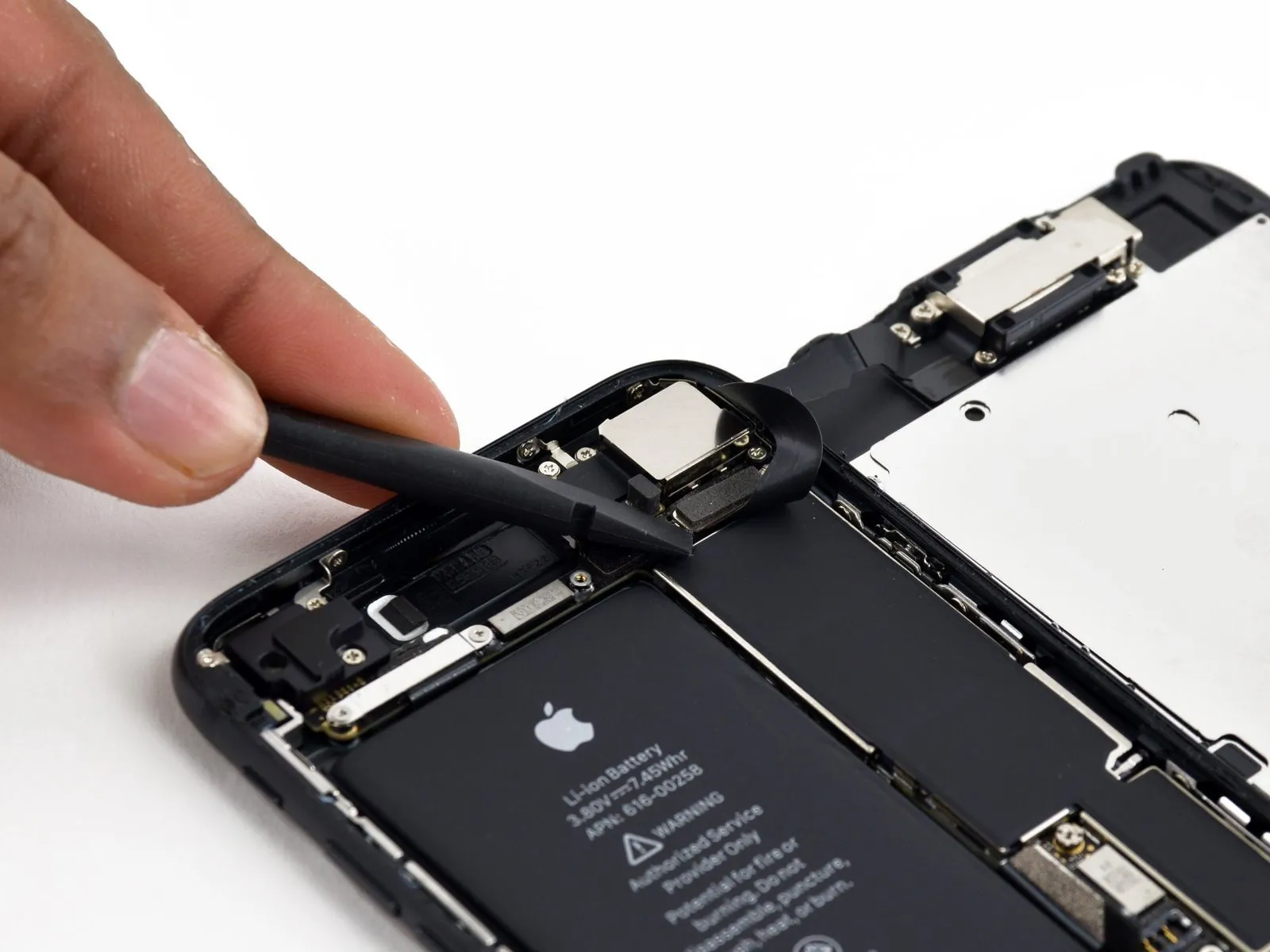
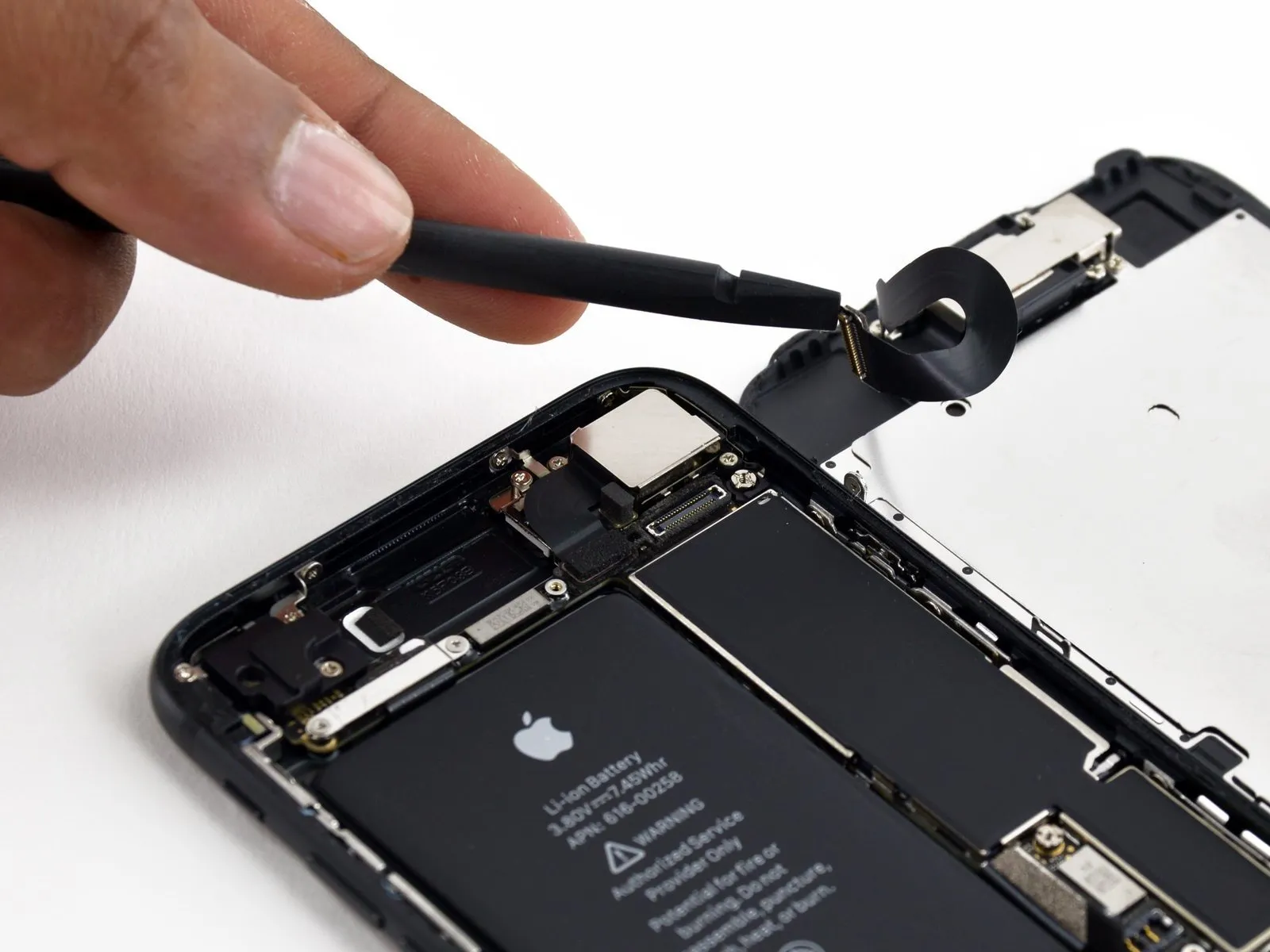
- To prevent damage, detach the connector linking the front panel sensor assembly to the socket located on the logic board.
- To reduce the possibility of deformation, when reattaching this press-fit connector, ensure each terminal is engaged sequentially.
Step 22
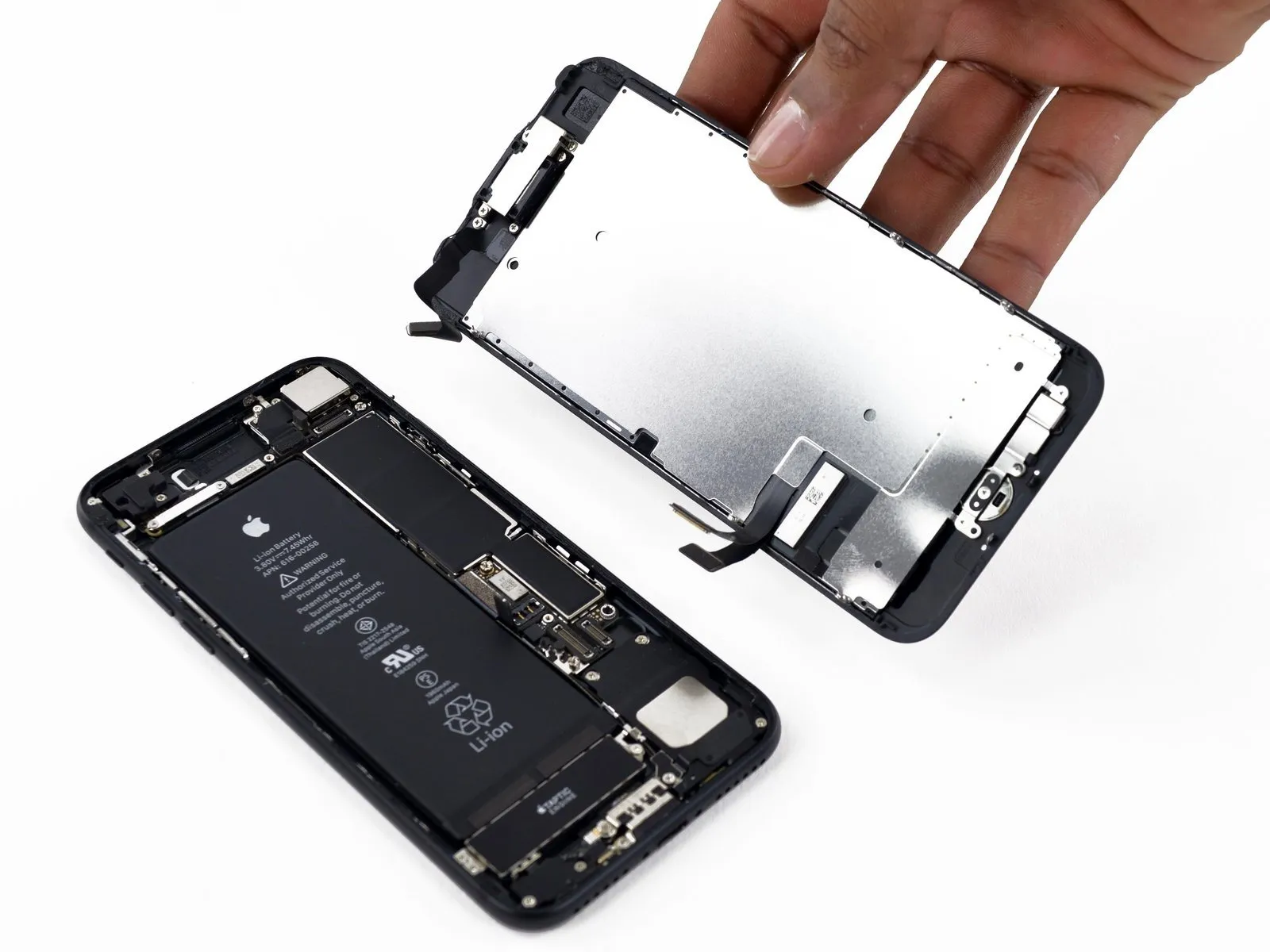
- Detach the display unit from the device.
- When putting the device back together, halt at this stage should you decide to substitute the adhesive securing the display's perimeter.
Step 23 | SIM Card
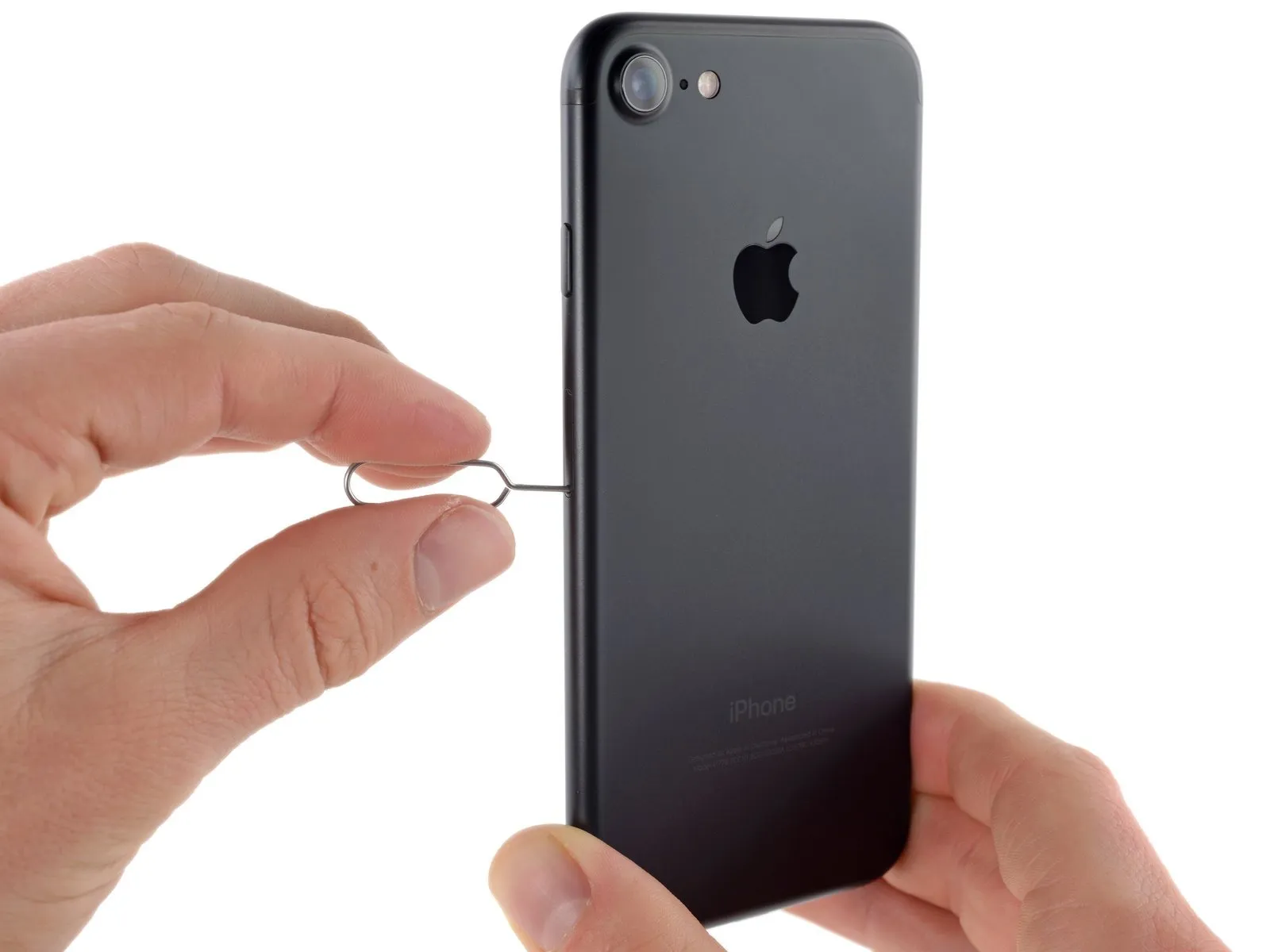
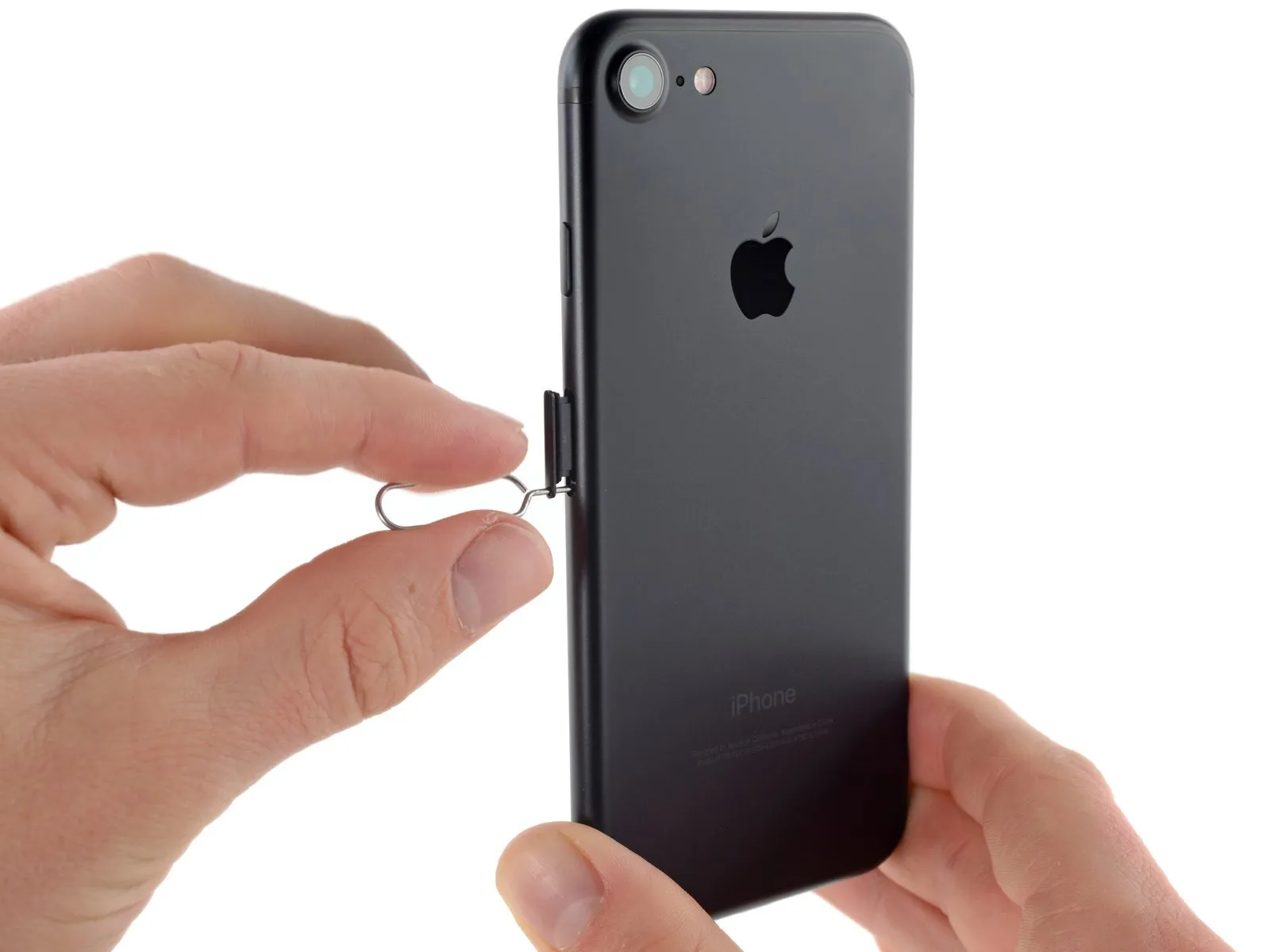

- To access the SIM card, utilize a SIM card eject tool or a straightened paperclip, inserting it into the tiny aperture located on the SIM card tray.
- Apply pressure to the tray, which will cause it to be released.A considerable amount of force might be necessary for this action.Prior to applying pressure, confirm the eject tool is precisely positioned to prevent potential damage to the internal ejection components within the device.
- Carefully extract the SIM card tray assembly from the iPhone.
- During the process of reinserting the SIM card, verify its correct positioning with respect to the tray's orientation.
Step 24 | Logic Board Connectors
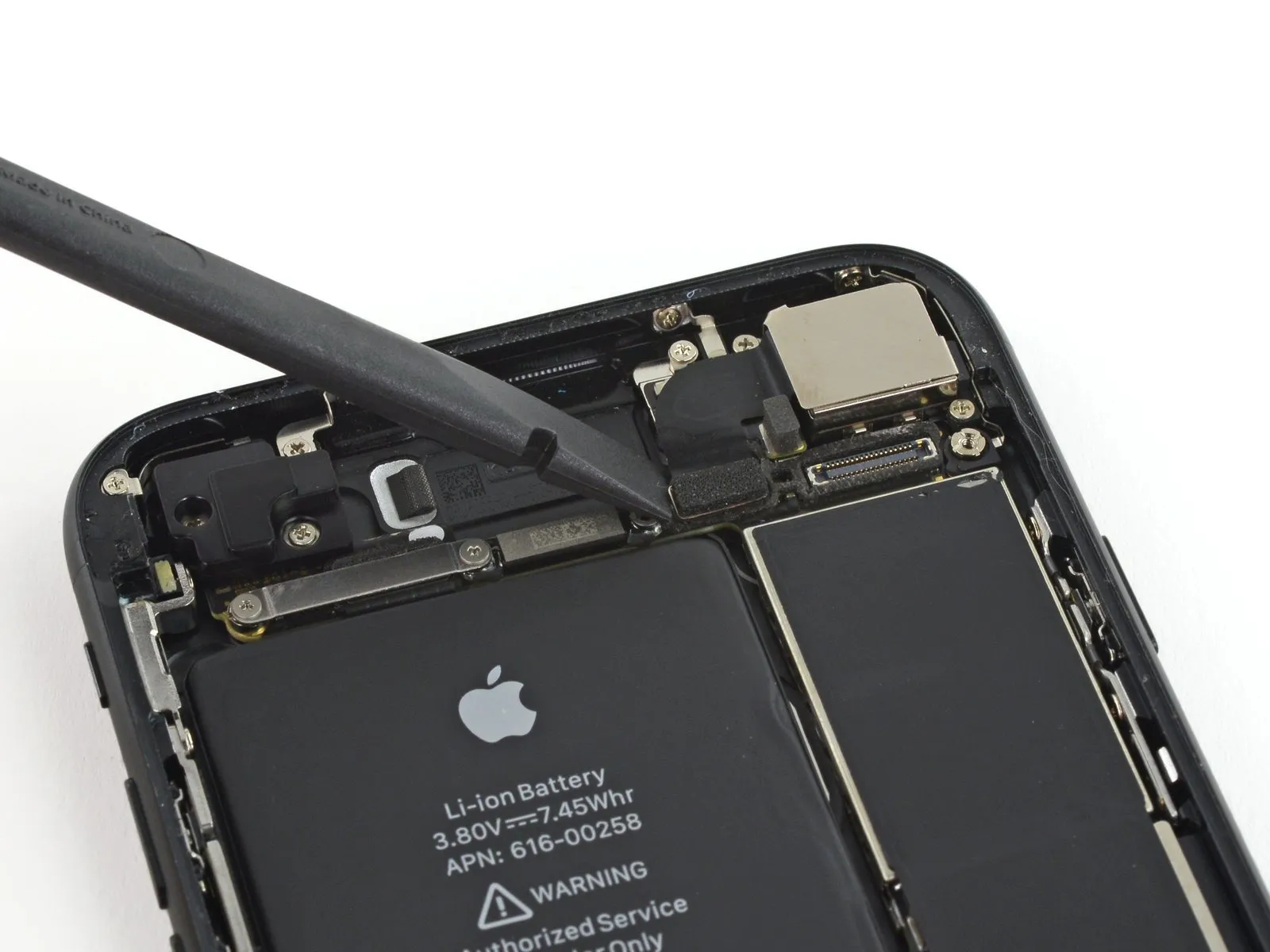

Employ the planar edge of a spudgerto carefully separate the rear-facing camera's electrical connector.
Step 25

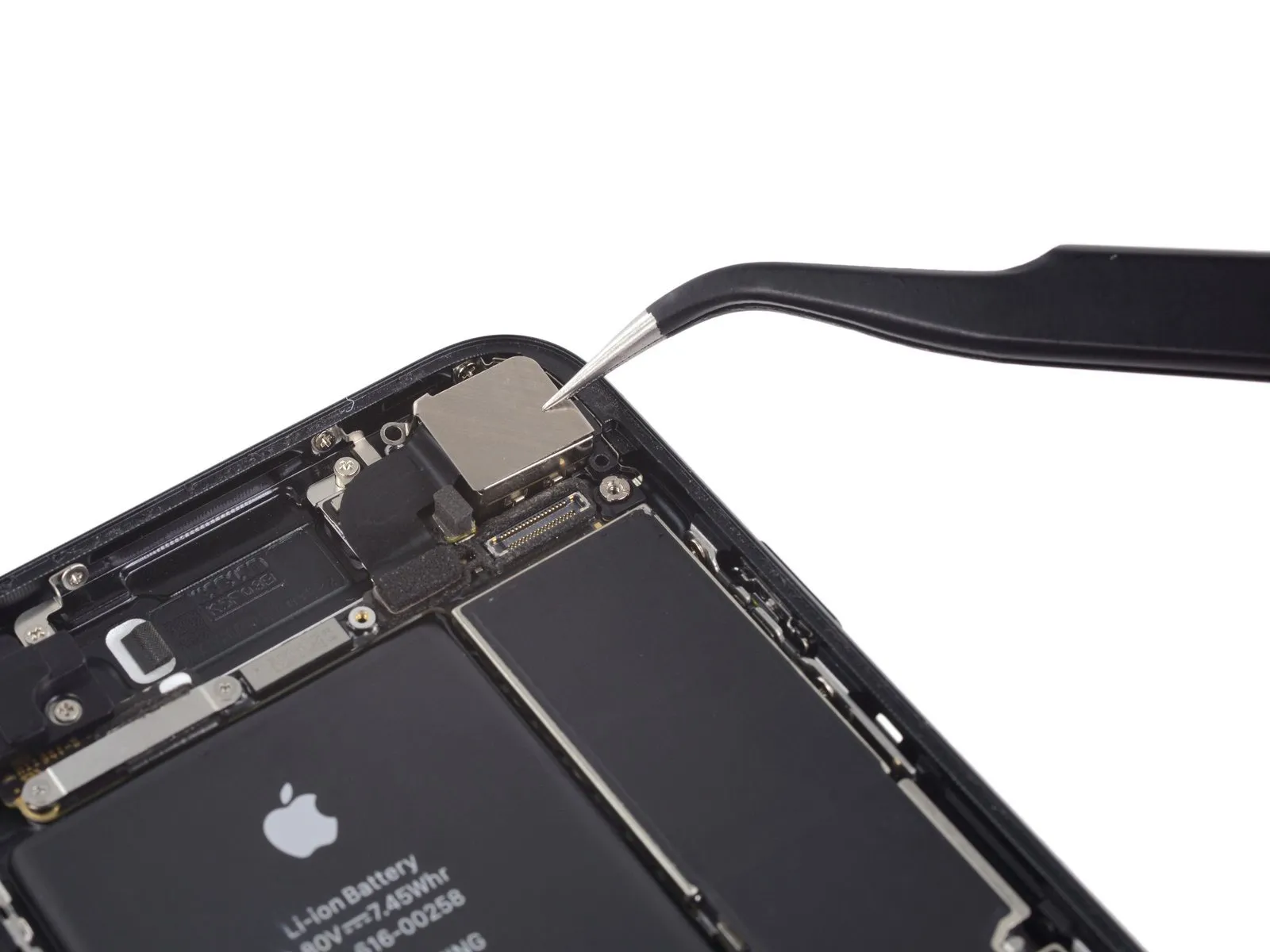
- To detach the rear camera bracket, you must first eliminate these fasteners.Utilize a Phillips head screwdriver for this task.These screws hold the bracket in place on the back housing.
A single 1.3-millimeter screw is required for removal.
Additionally, one 2.5-millimeter screw must be taken out.
Step 26

- Detach the bracket from its affixed position.
Step 27

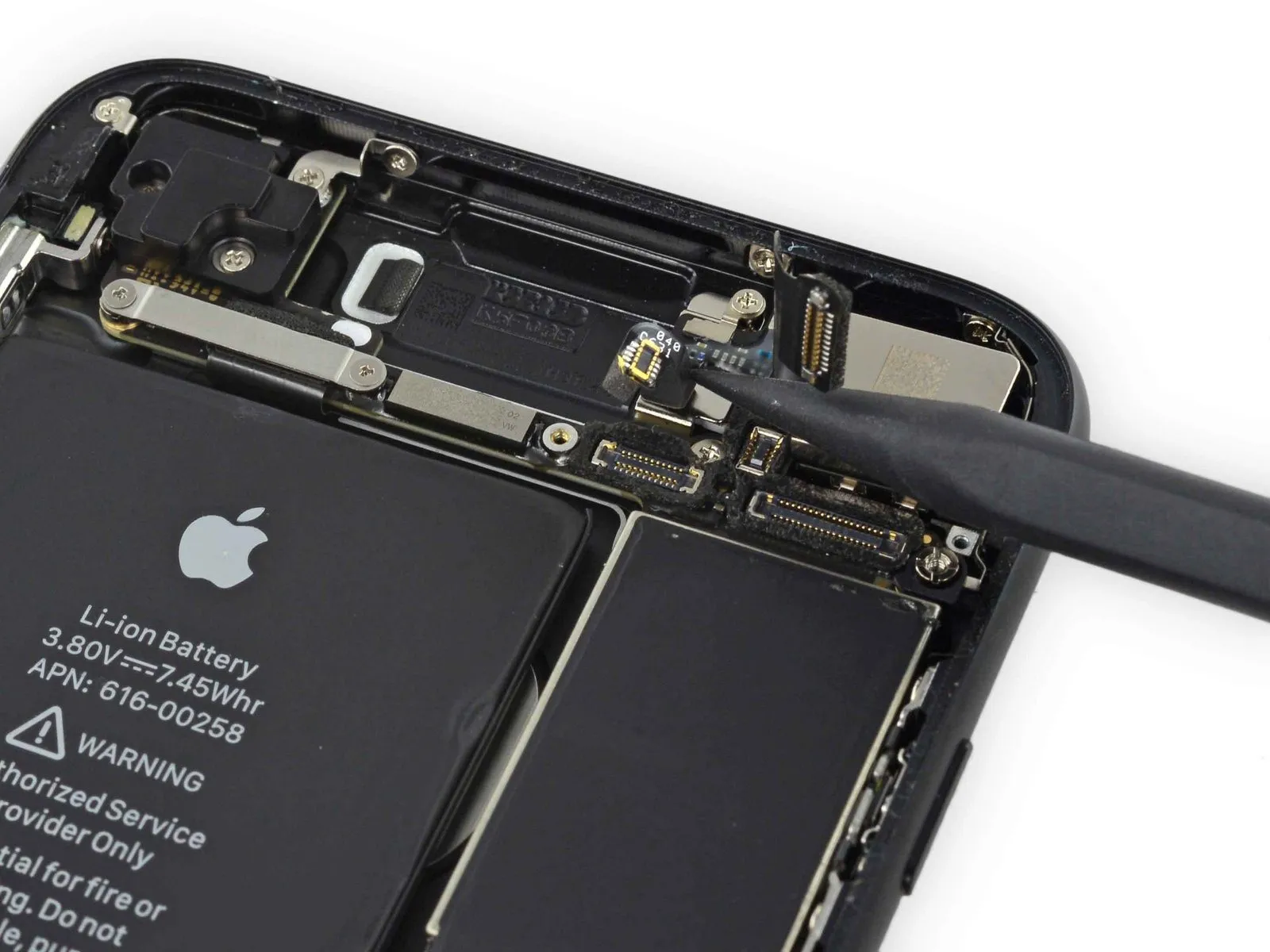
- Carefully leverage the tapered edge of a spudger to lift and detach the antenna bus connector, situated to the left of the rear camera module.
Step 28

- Detach the upper cable bracket by first eliminating the pair of1.2 mm tri-point screwsthat hold it in place.
Step 29


Step 30

Step 31
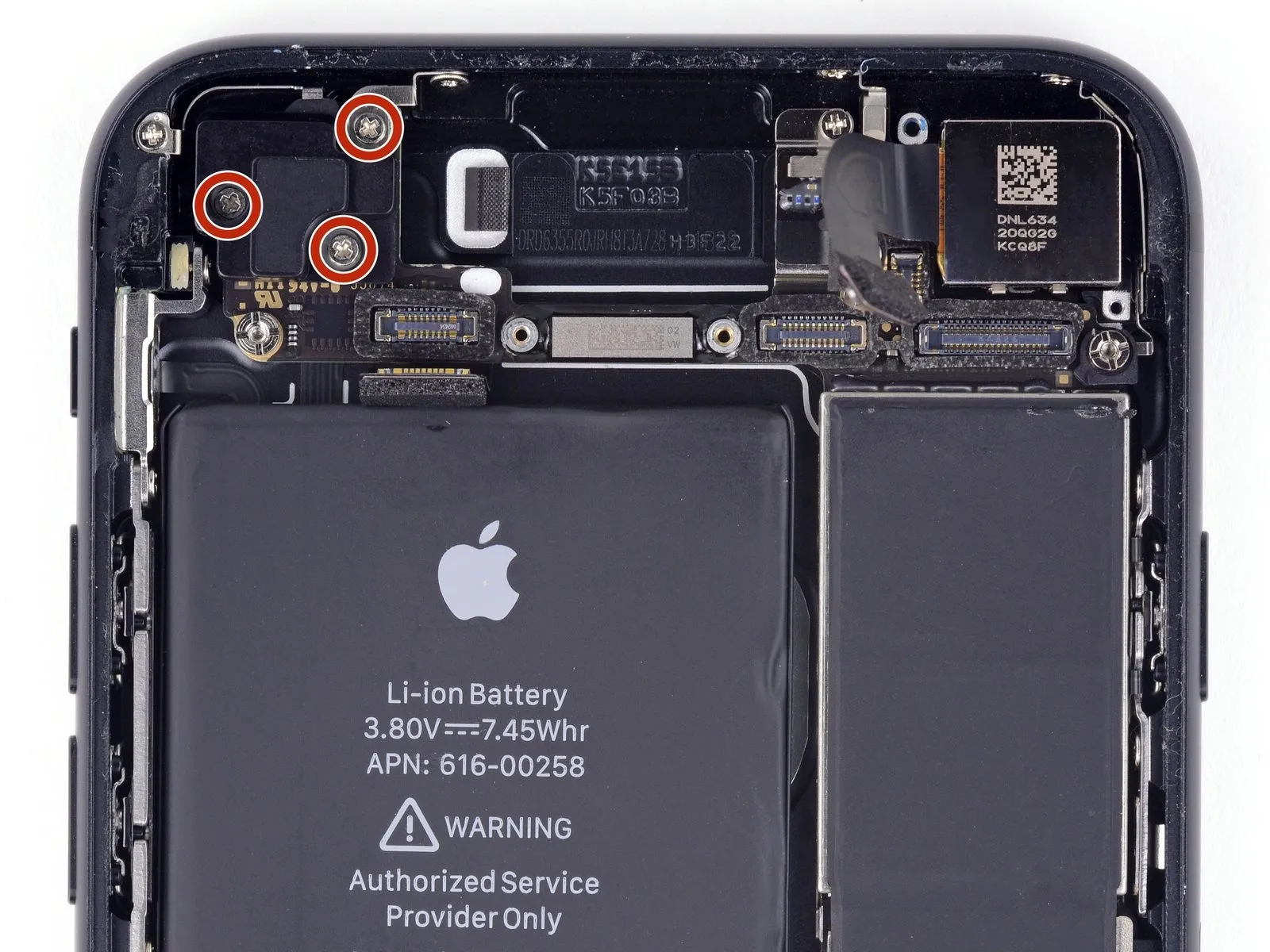
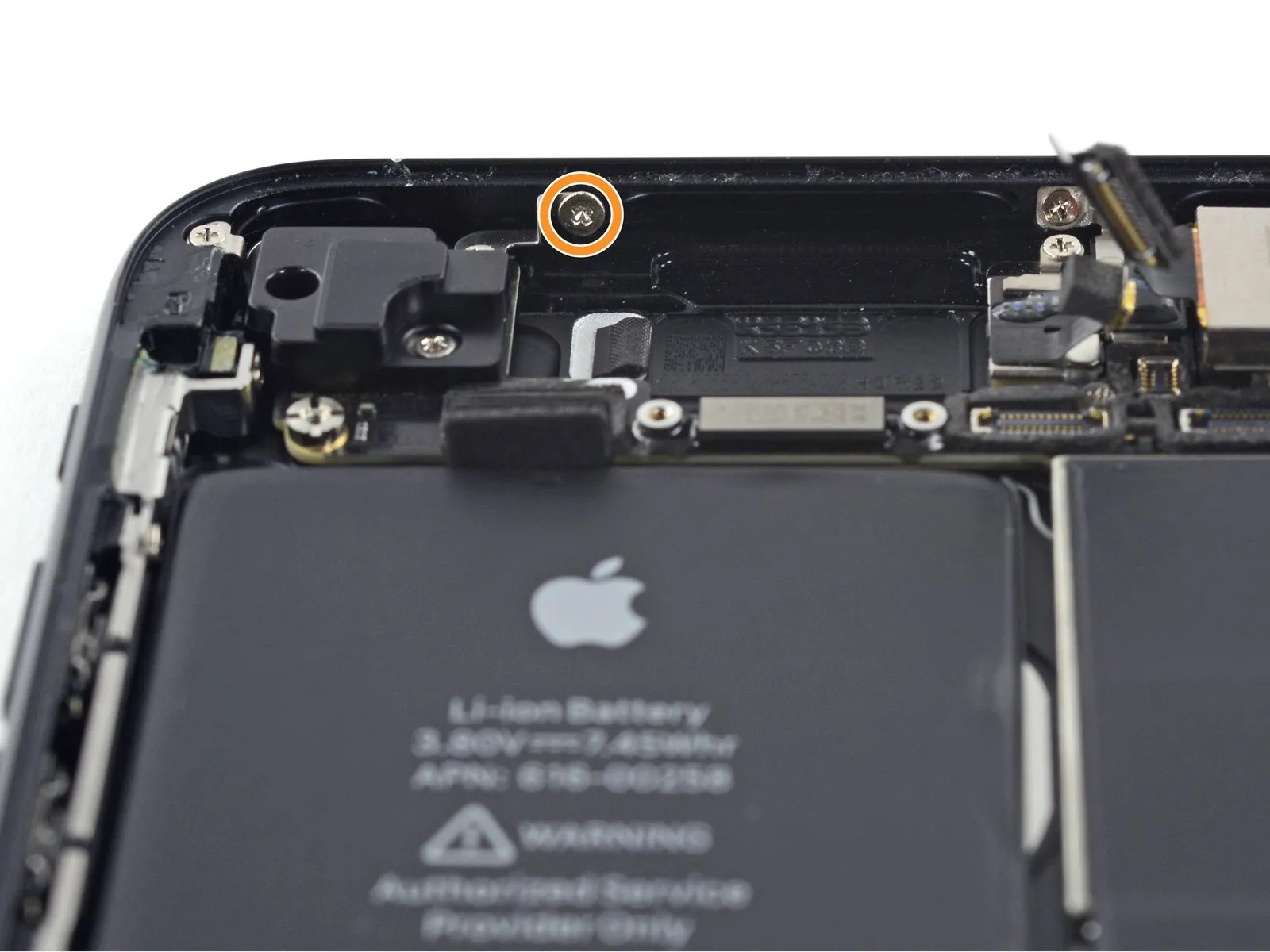
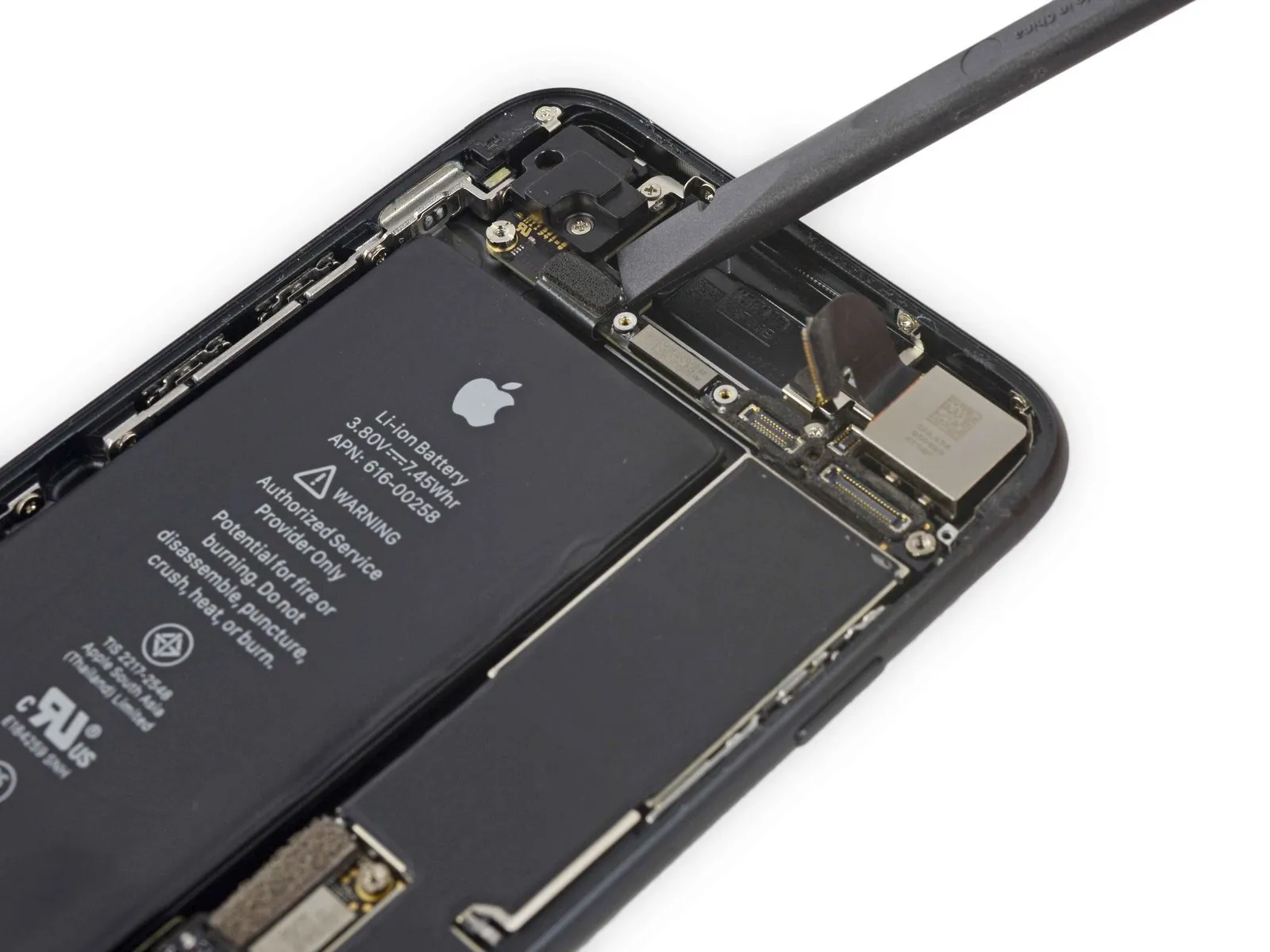
- To detach the Wi-Fi antenna, first eliminate the four Phillips head screws that hold it in place.
Three 1.2 mm screws
One 1.7 mm screw
Step 32

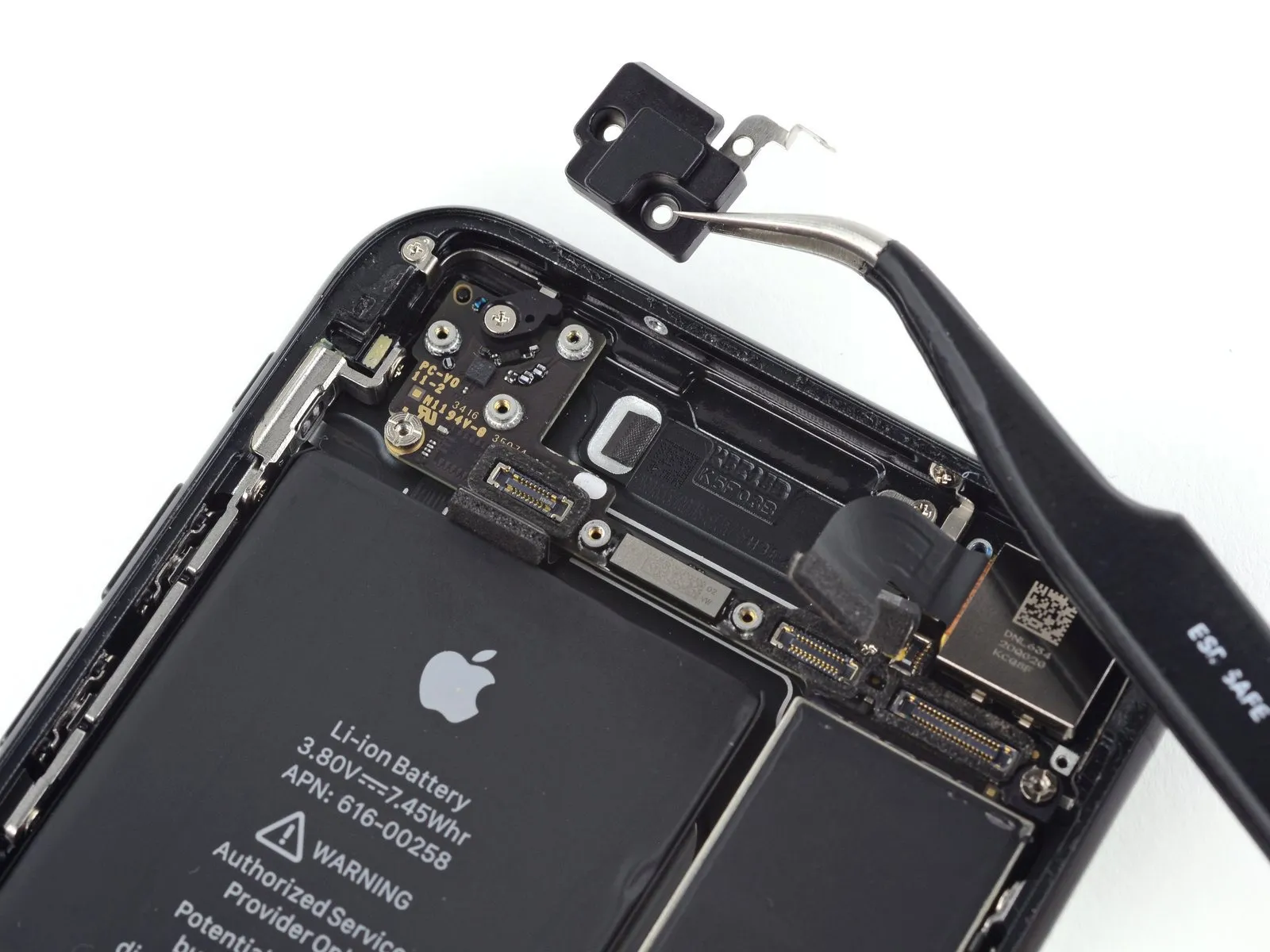
- Detach the antenna situated in the upper-left corner.
Step 33
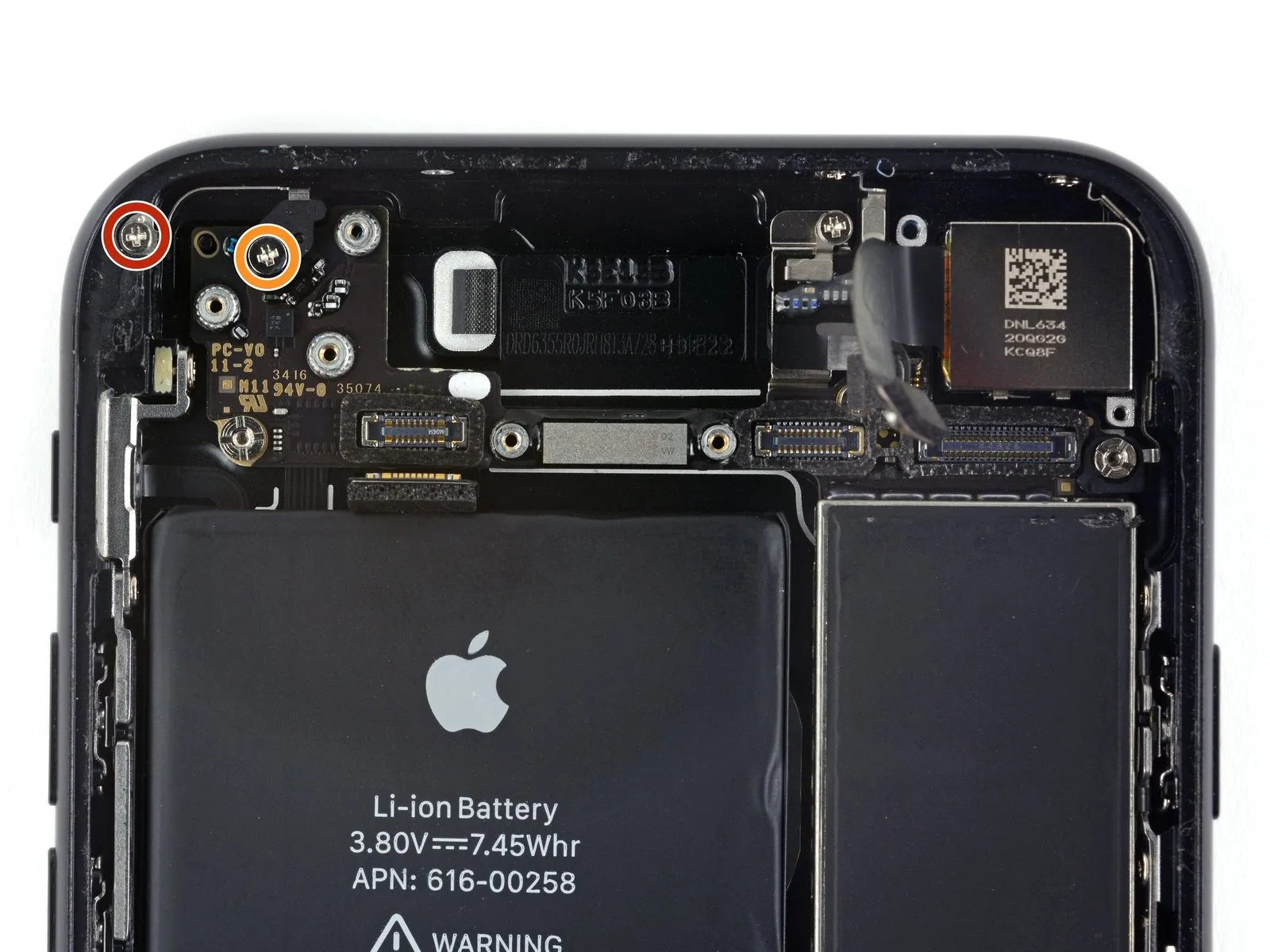
- To disassemble, detach the indicated Phillips head fasteners:
- 1.3 millimetersfastener
- 2.2 millimetersfastener
Step 34

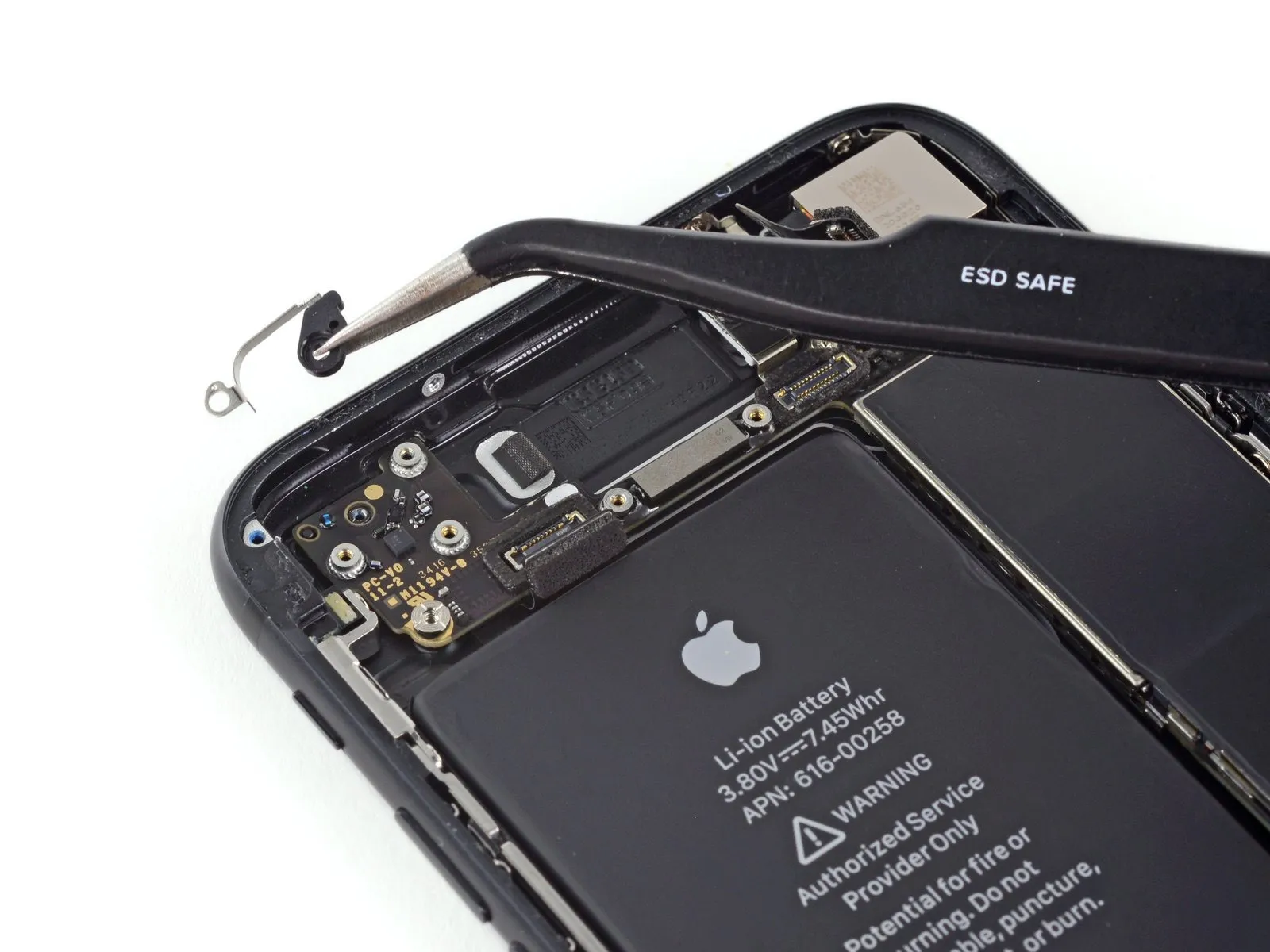
- Detach the bracket from its existing location.
Step 35
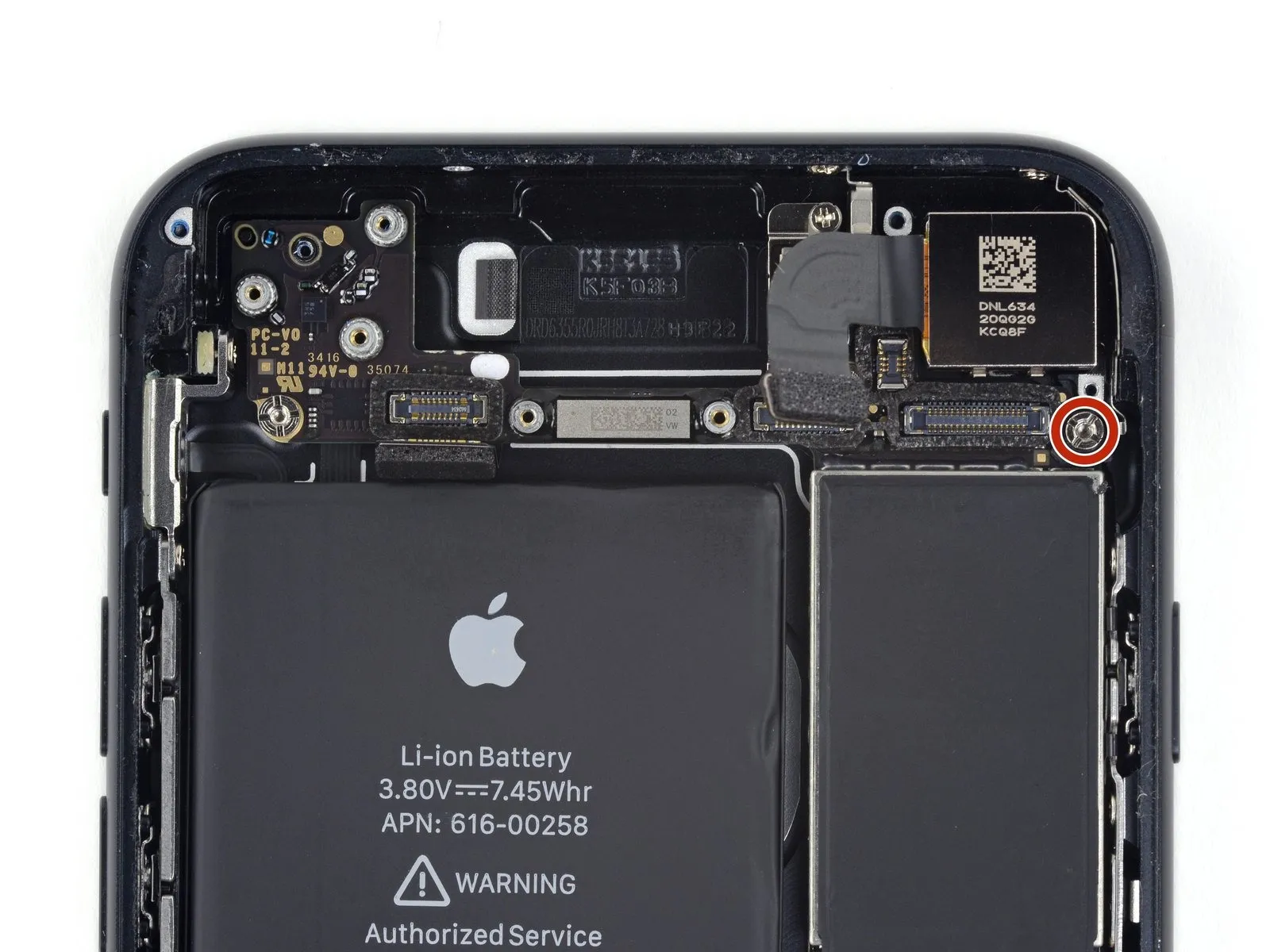
- Detach the2.2 mmgrounding bracket's standoff screw.
For optimal results when extracting standoff screws, utilize a standoff screwdriver or a compatible bit.
If a standoff screwdriver isn't available, a small flathead screwdriver can be employed; however, exercise heightened care to prevent slippage and potential harm to nearby parts.
Step 36
Step 37 | Logic Board


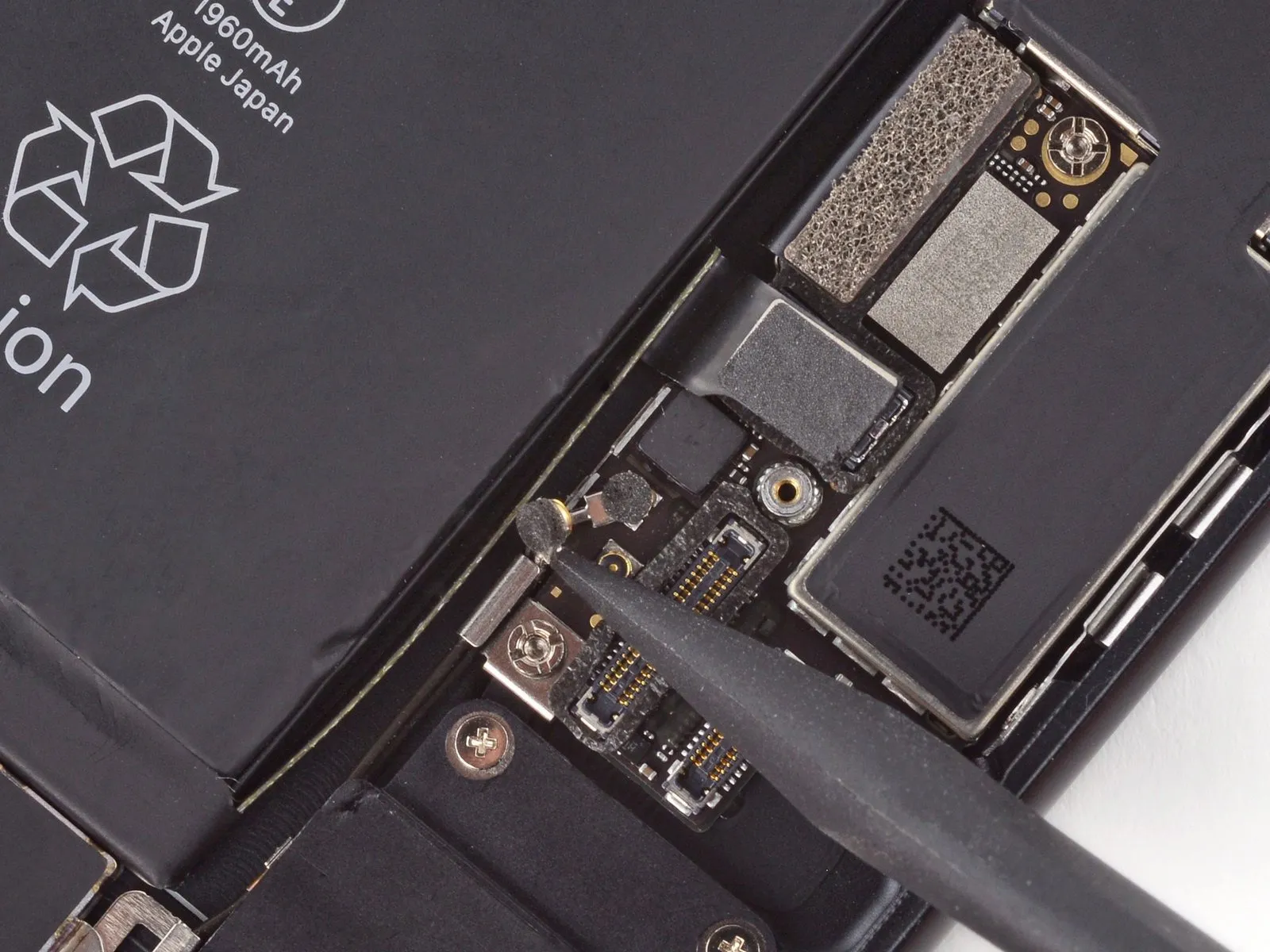
Step 38
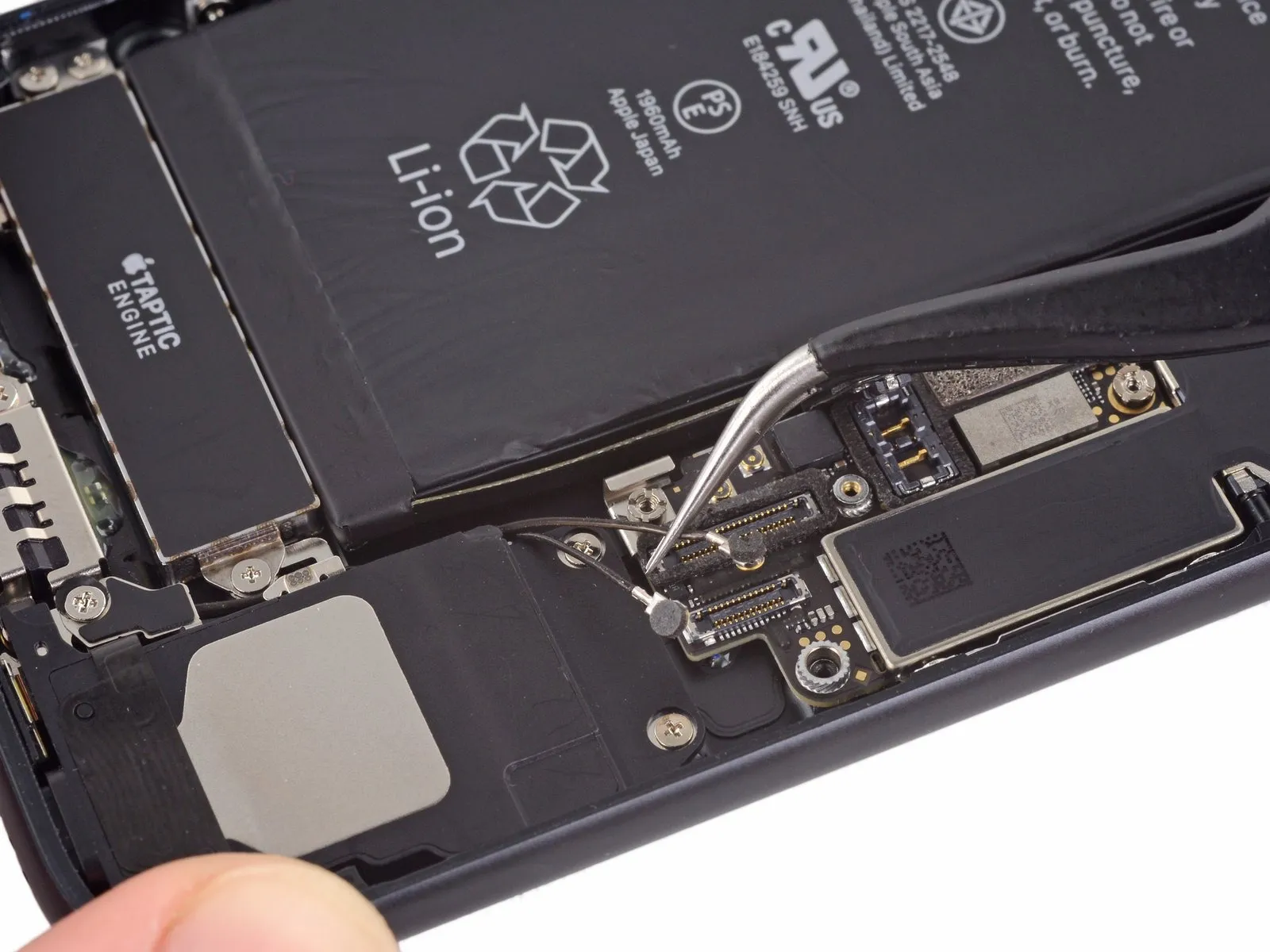


Step 39

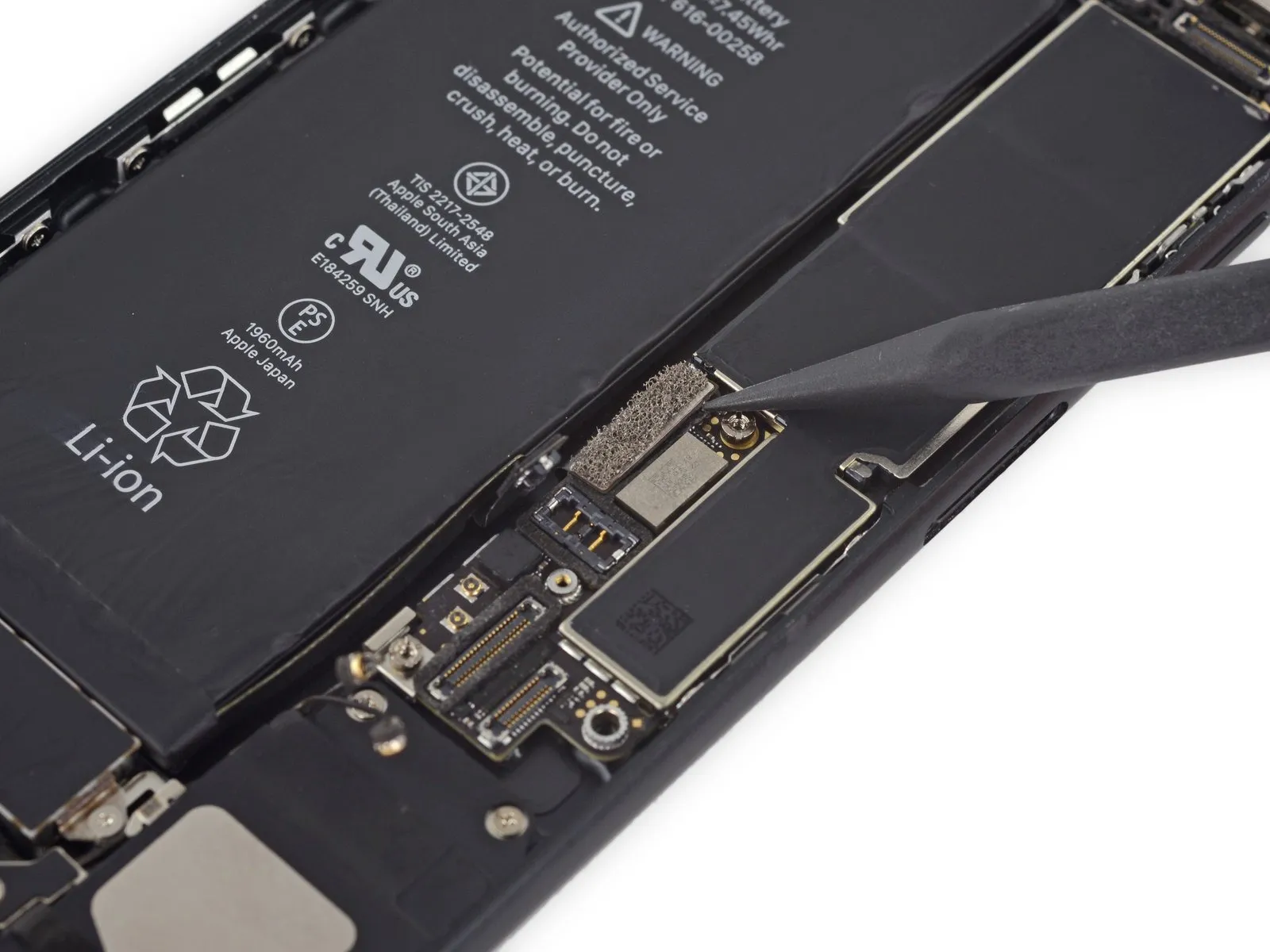
Step 40
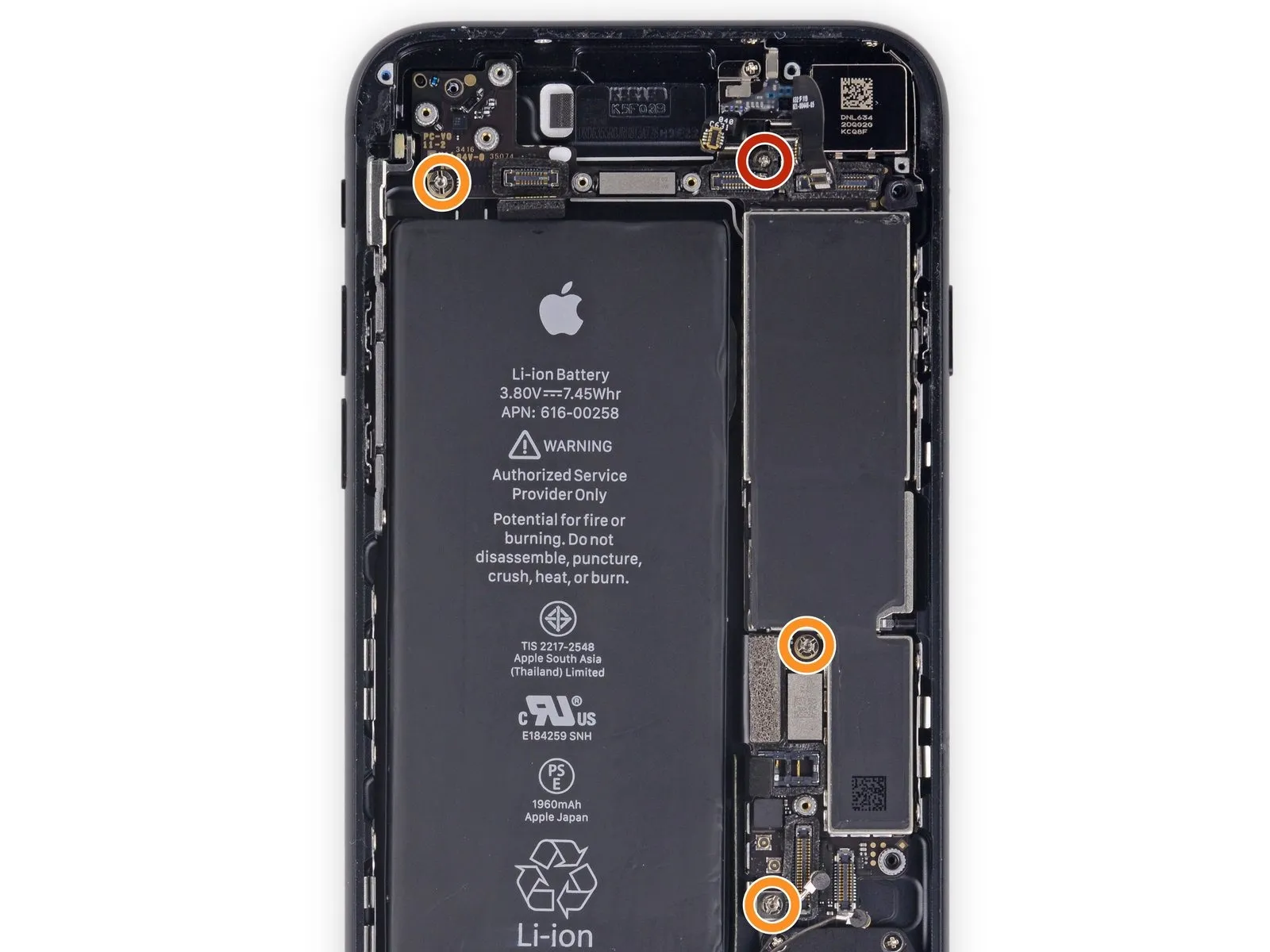
- To proceed with the repair, first detach the listed fasteners:
A single Phillips screw, measuring 1.4 millimeters in width, must be extracted. - Three screws, each with a 2.2-millimeter diameter, secure the standoffs and require removal.
- For optimal results when extracting standoff screws, a specialized standoff driver is recommended.A standoff driver is the preferred tool for this task..
- If a standoff driver is unavailable, a small flathead screwdriver can be substituted; however, exercise heightened care to prevent slippage and potential harm to nearby components.
Step 41
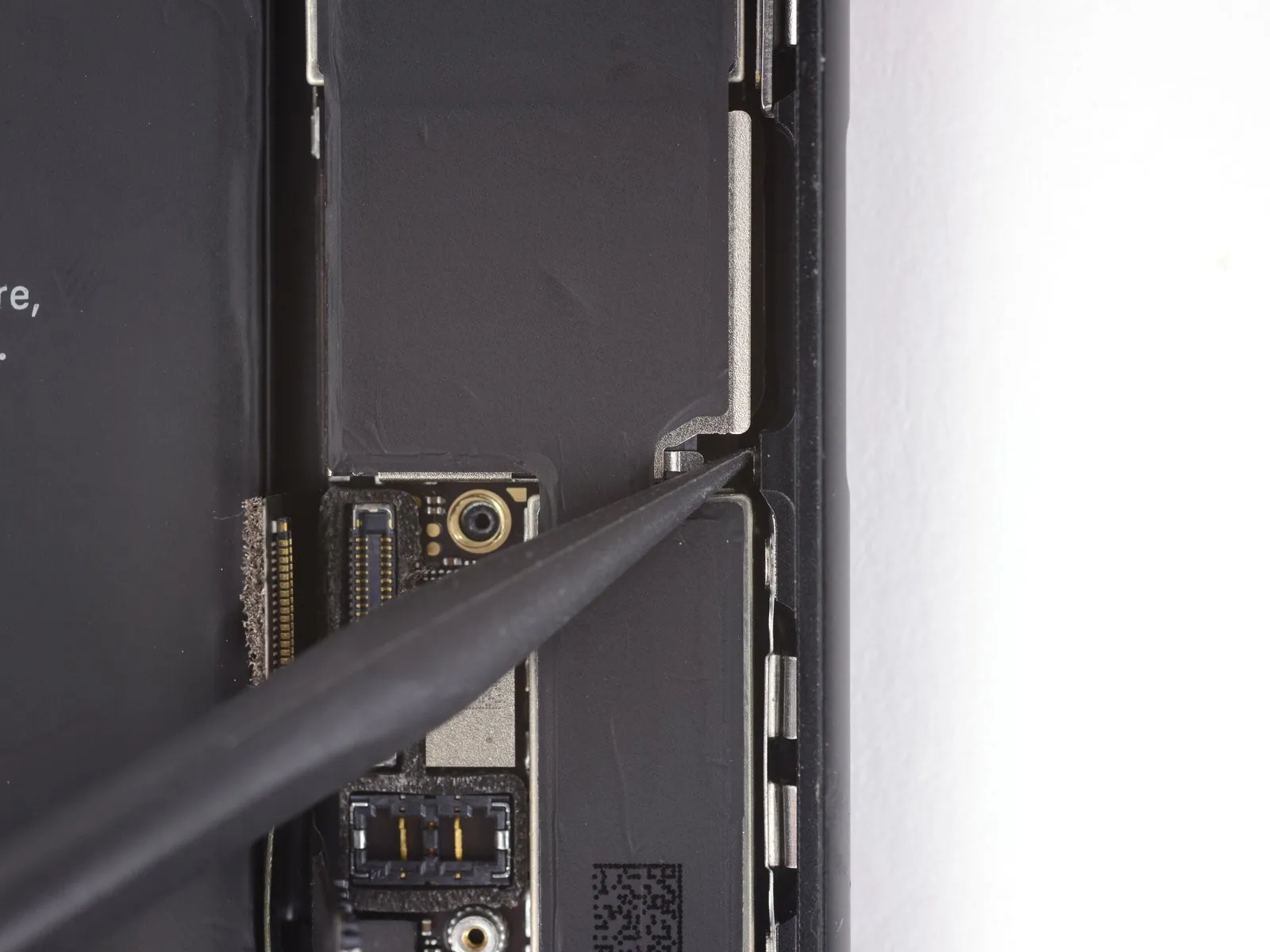

Step 42

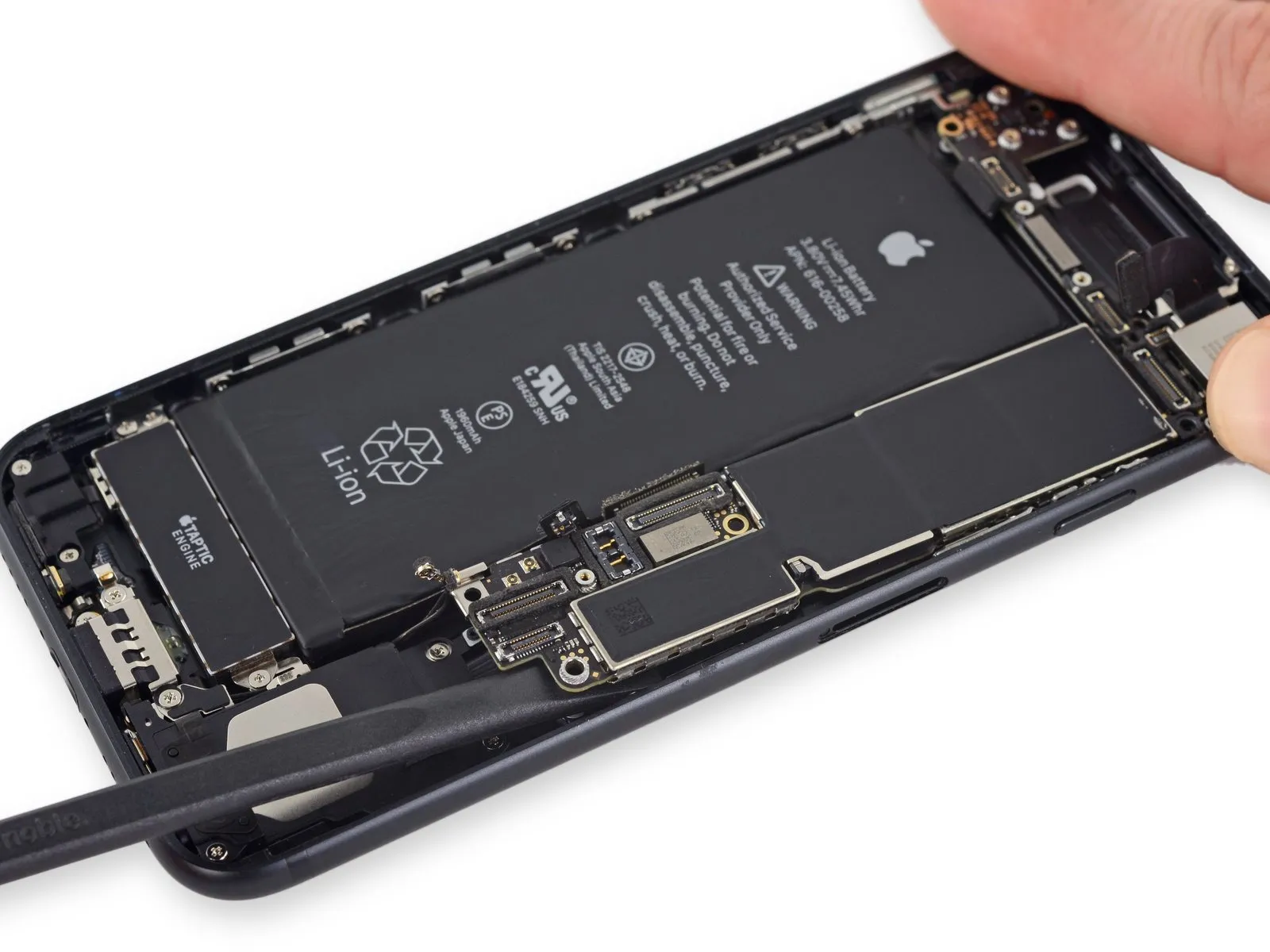
- Employ the planar edge of a spudgerto carefully raise the logic board's battery connector section.
- Confirm that your lifting action isn't creating tension on any wires; should you encounter opposition, meticulously inspect all cabling, connections, and parts to ensure they are unobstructed from the board.
Step 43

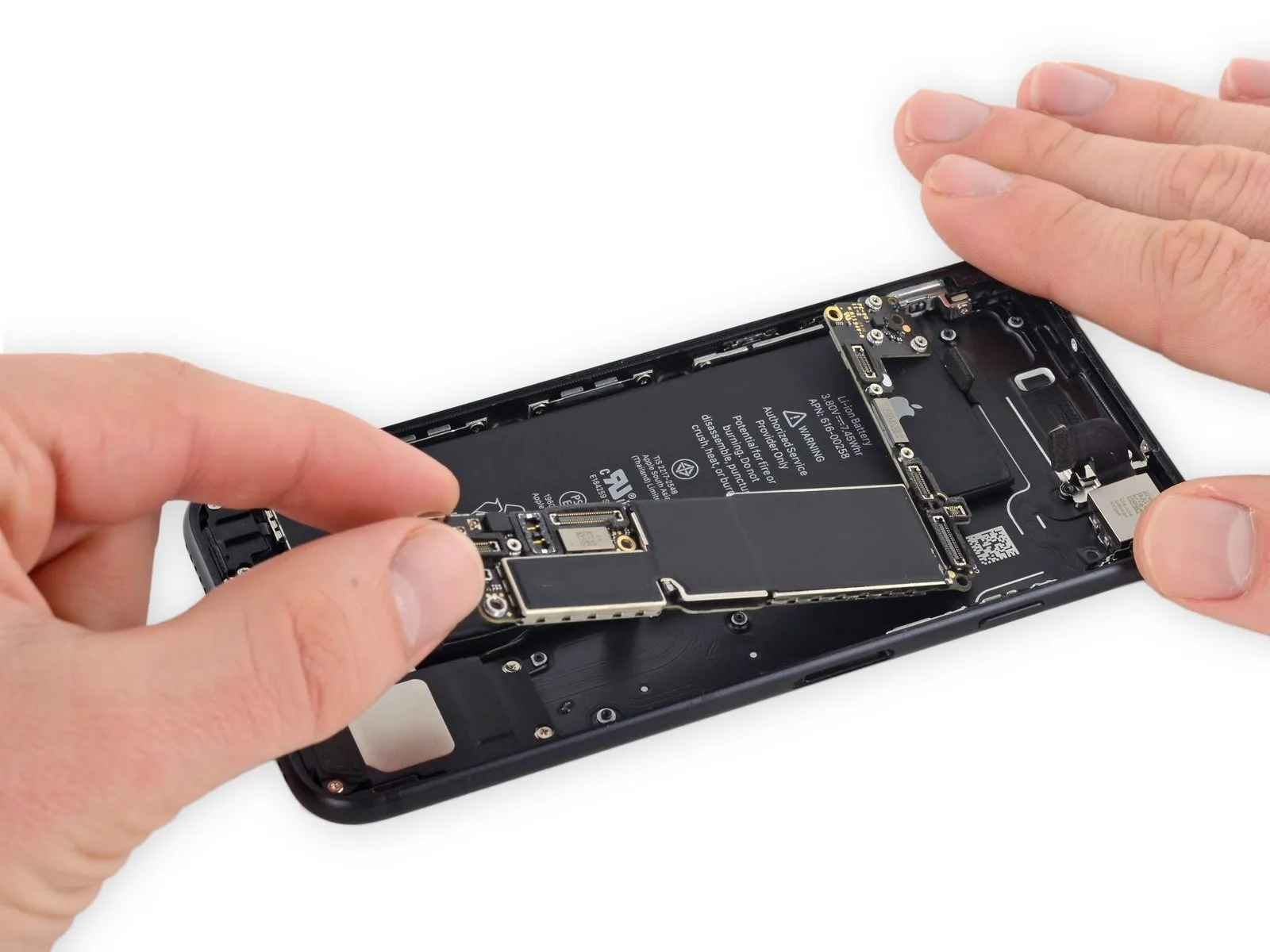

- To disconnect the logic board, elevate the battery connector end and subsequently detach it from the rear case by drawing it upwards.
- Exercise caution during this process to prevent the logic board from inadvertently catching on any nearby cables.
Step 44 | Power and Volume Control Cable
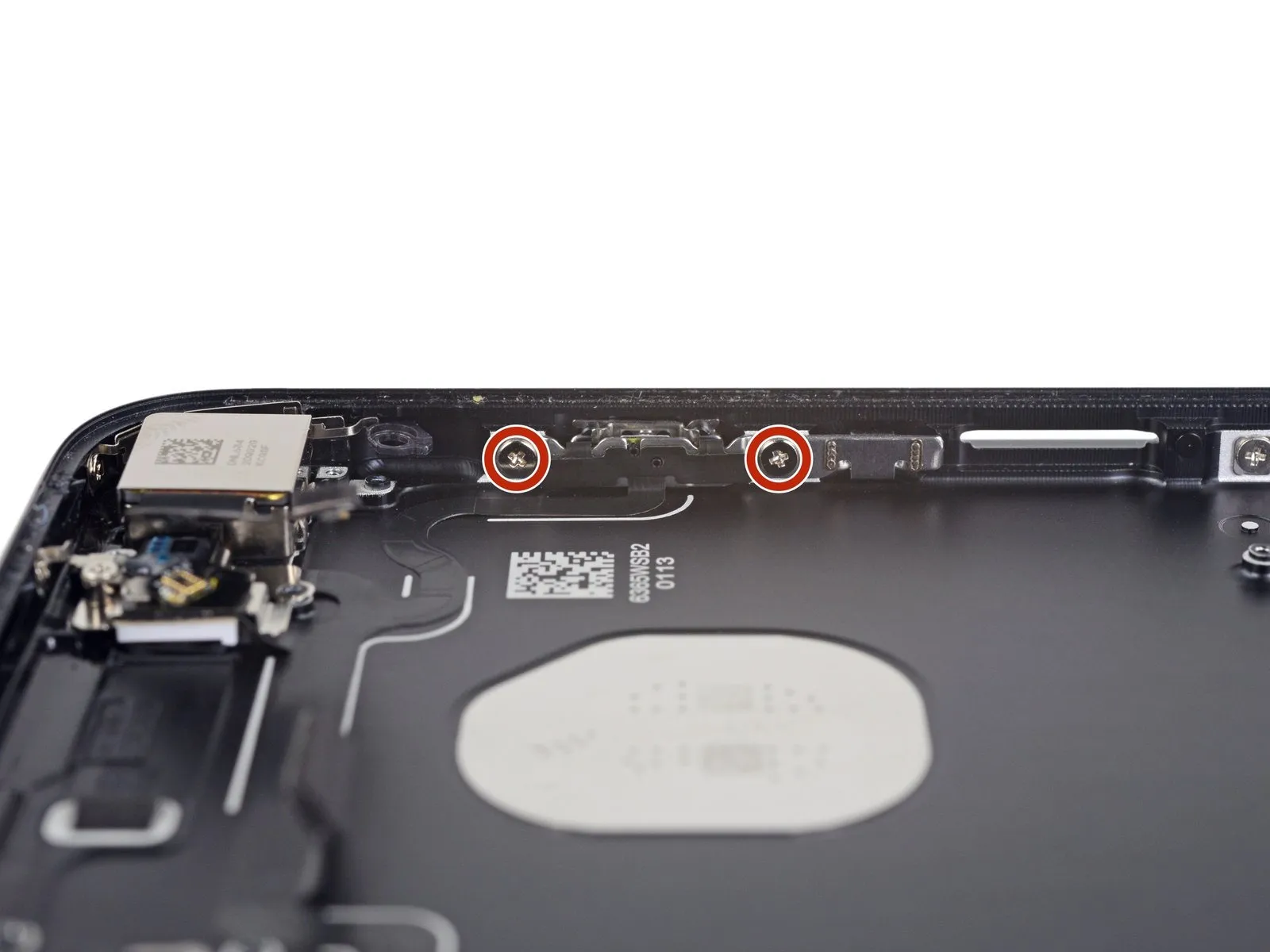
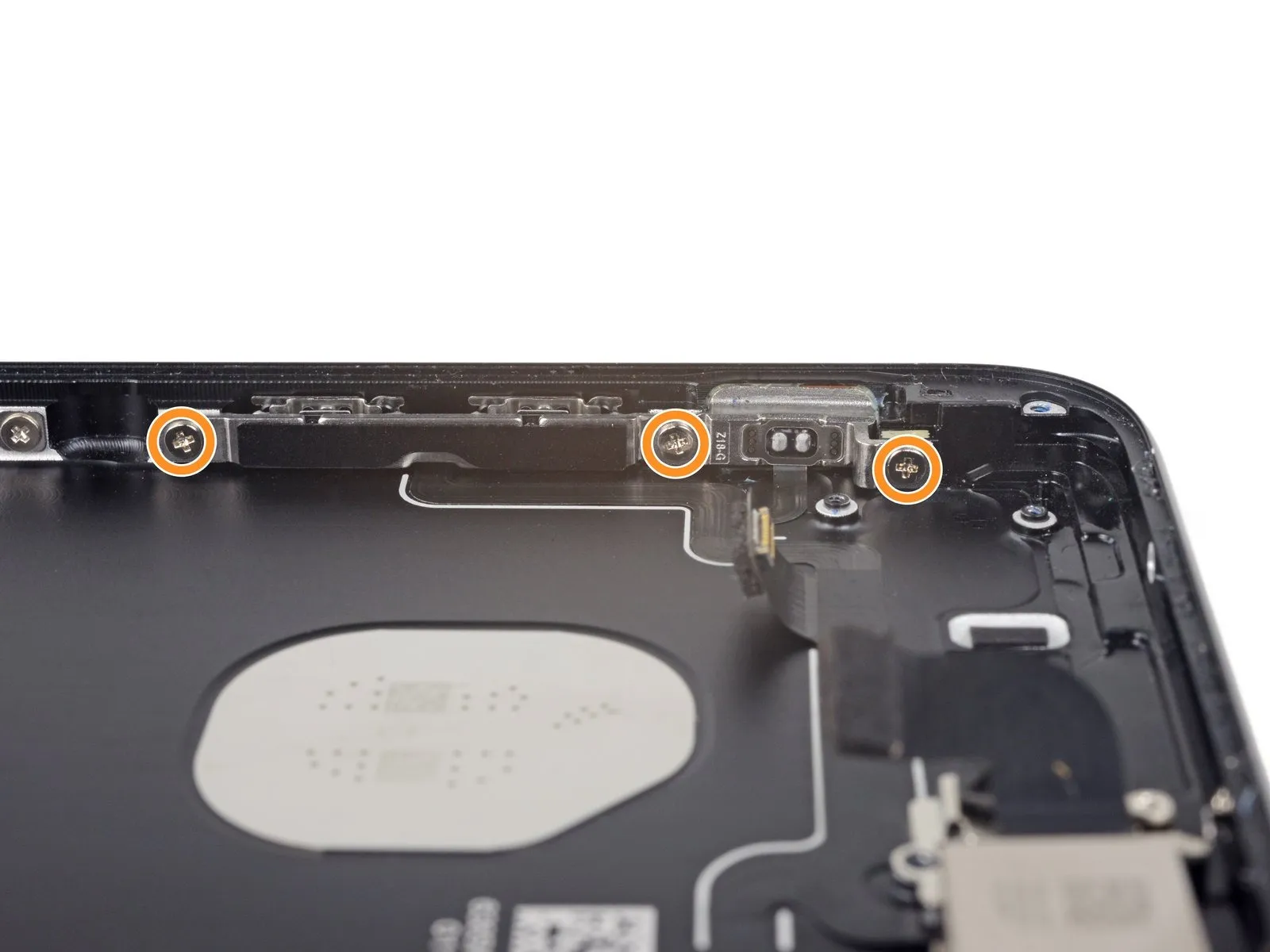
- To proceed with the repair, detach the components listed below.Utilize a Phillips head screwdriver to remove these fasteners.:
- Specifically, two screws, each measuring 1.9 millimeters in diameter, hold the power button in place.
- Additionally, three screws with a 2.3-millimeter diameter secure the volume buttons.
Step 45
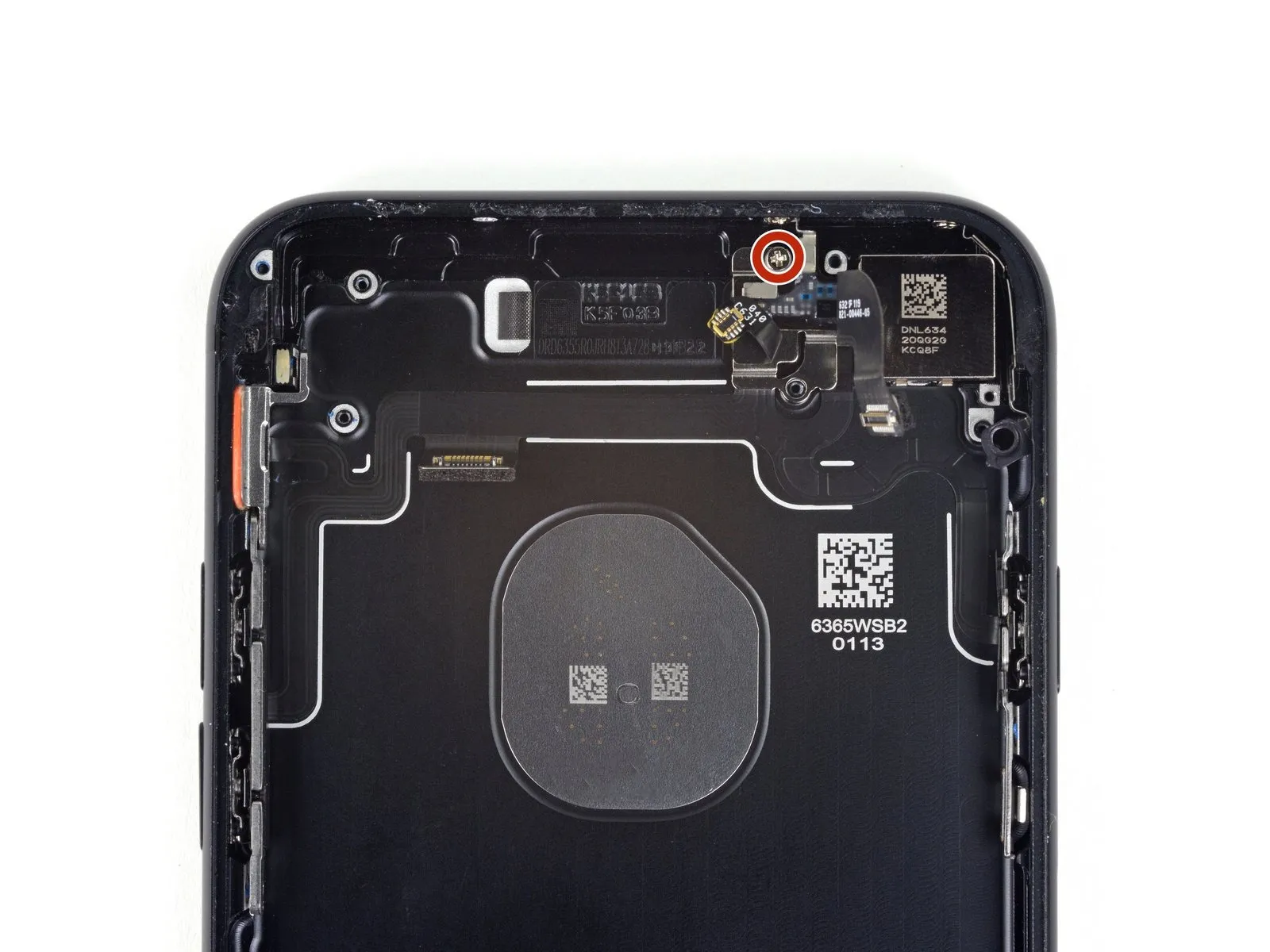
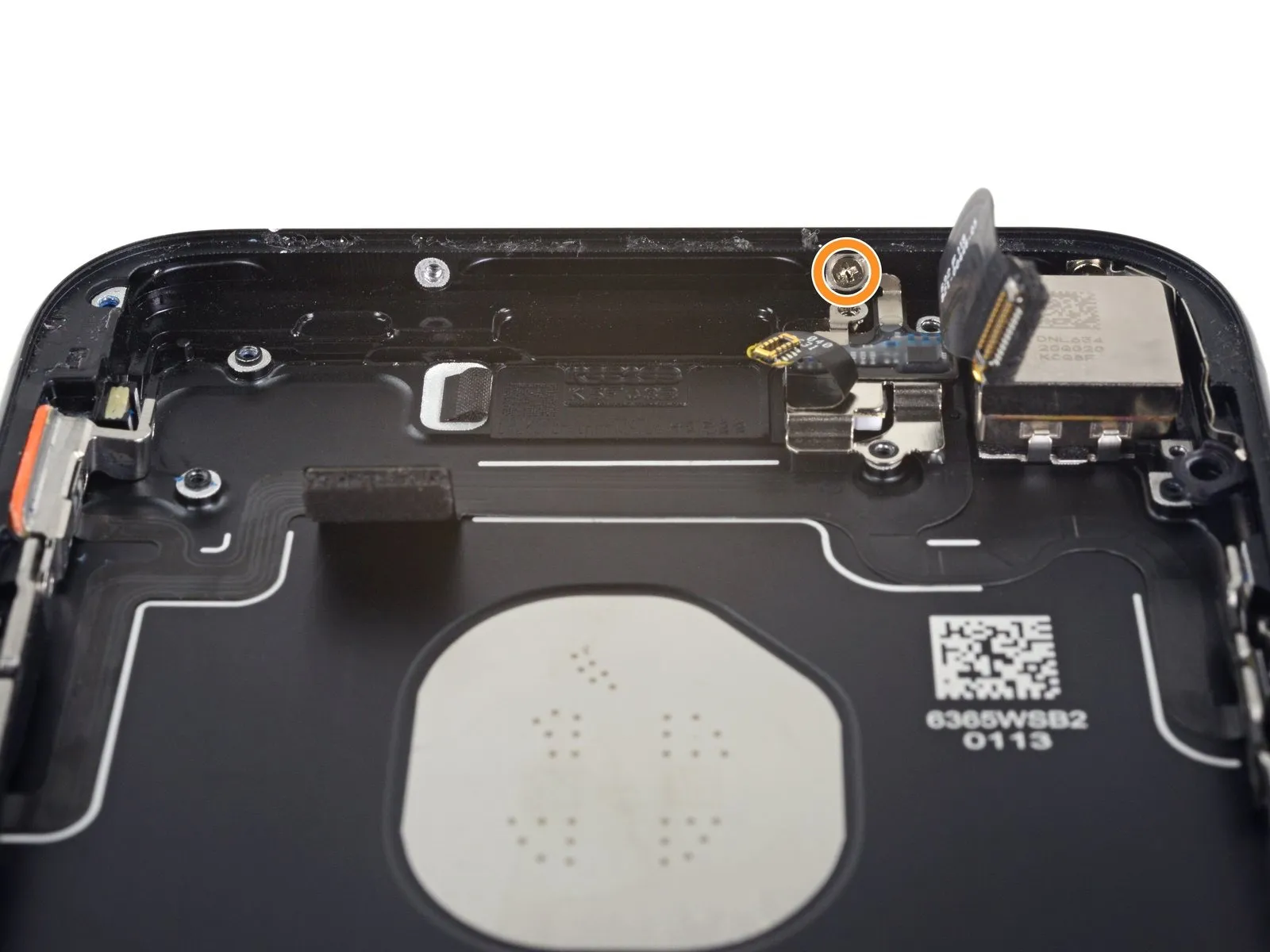
- To disassemble, begin by eliminating the subsequent fasteners:Specifically, utilize a Phillips screwdriver with a 1.3 mm tip to remove these screws.:
A single screw is located adjacent to the camera positioned on the rear of the device.
Additionally, a screw is affixed to the rear casing.
Step 46
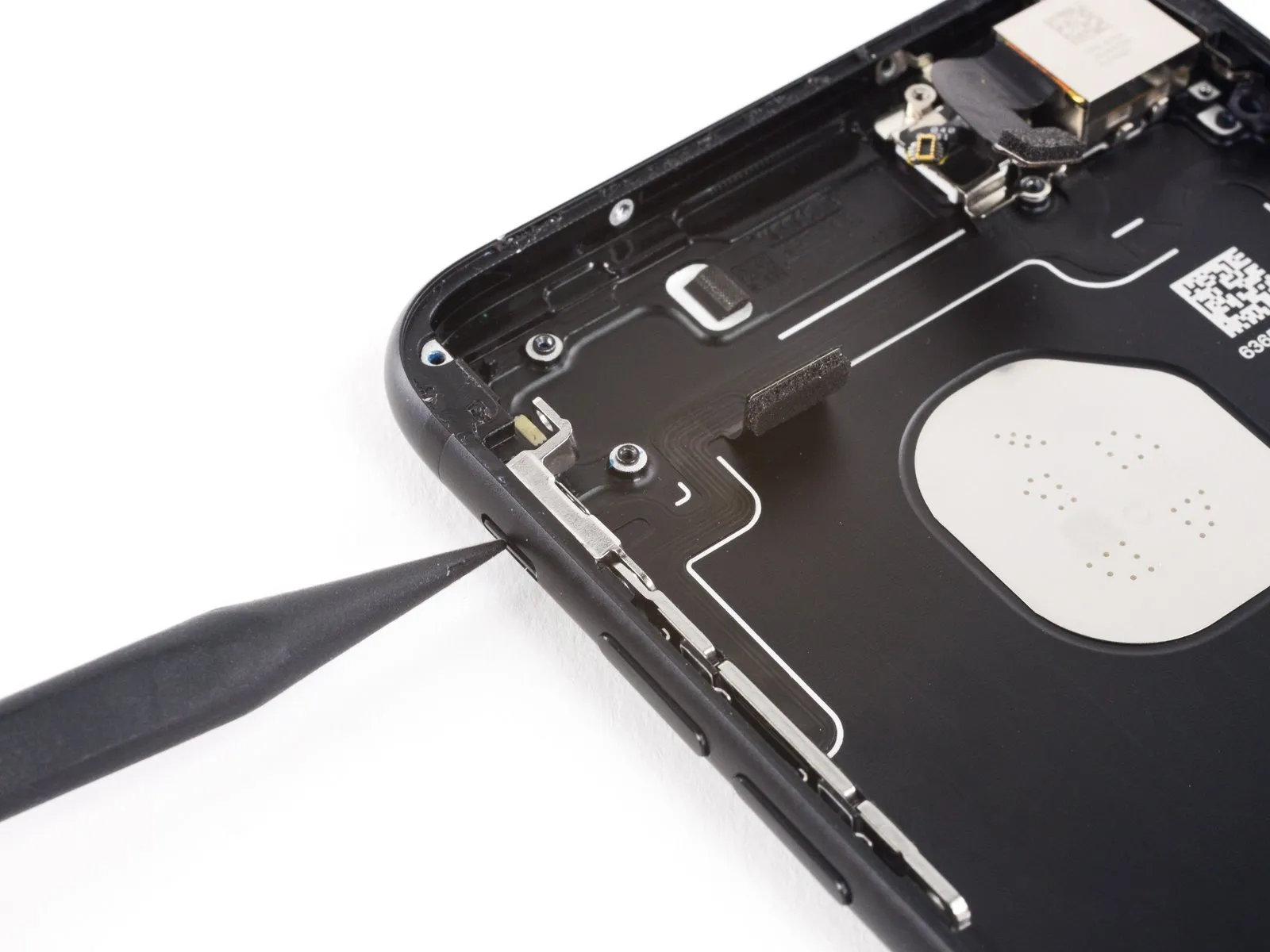
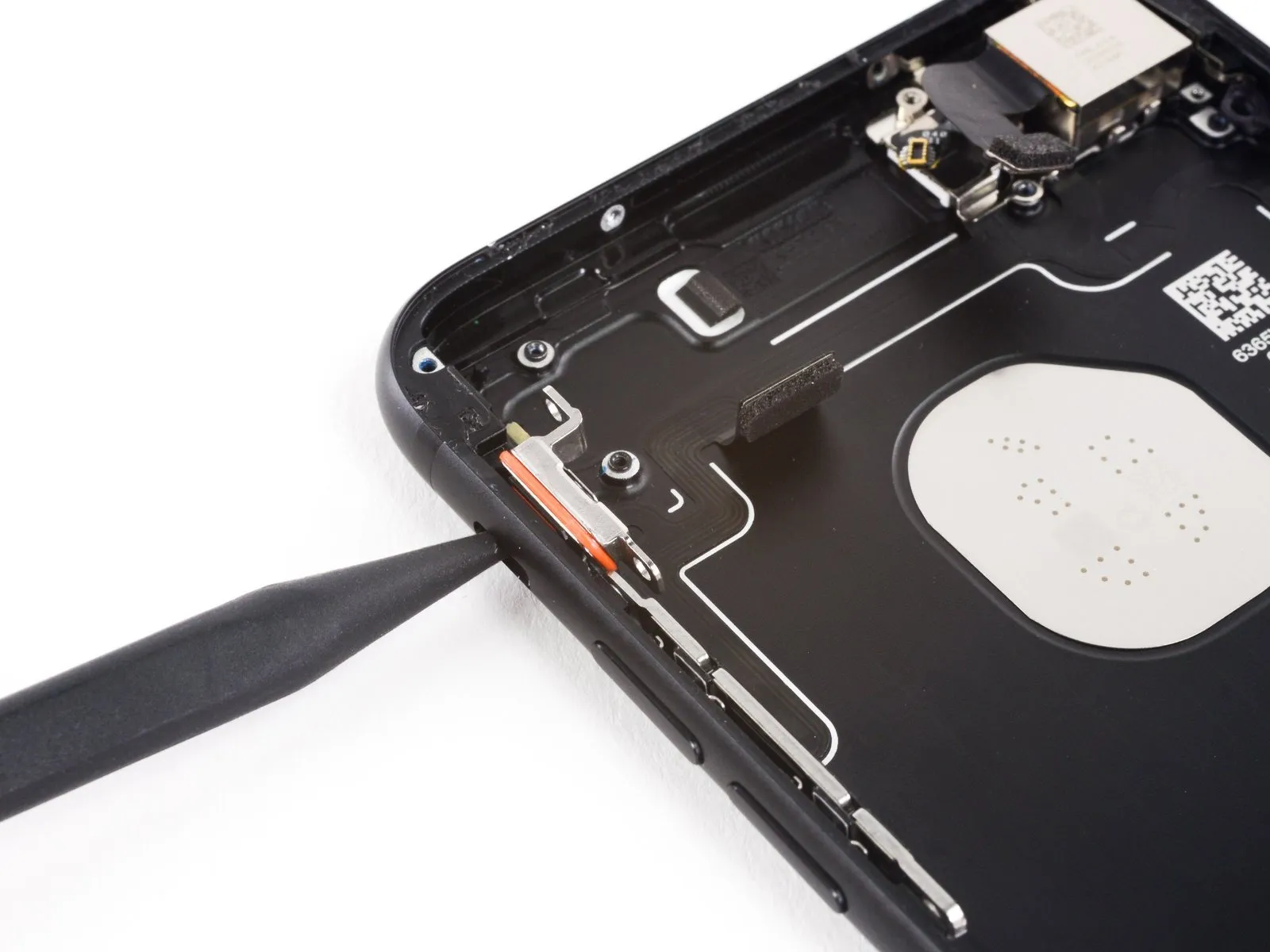
- Using a spudger's tip, apply pressure to the exterior of the device to depress thehold switch,forcing it inward toward the rear casing.
This maneuver disengages thehold switch and gasket,releasing them from the rear case.
Step 47
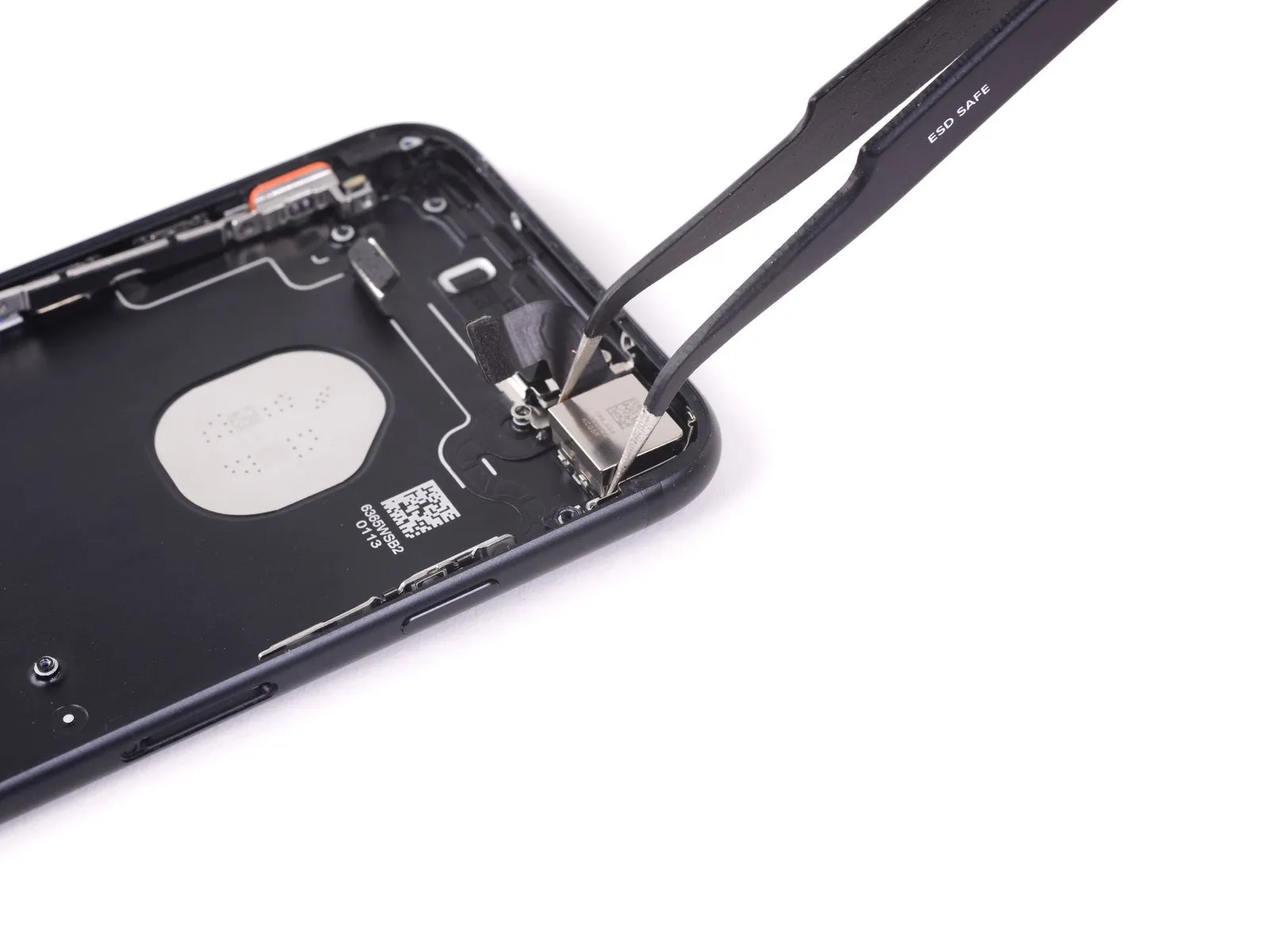

Employing tweezers is necessary for the extraction of the rear-facing camera.This specialized tool facilitates the careful detachment of the camera assembly.
Step 48
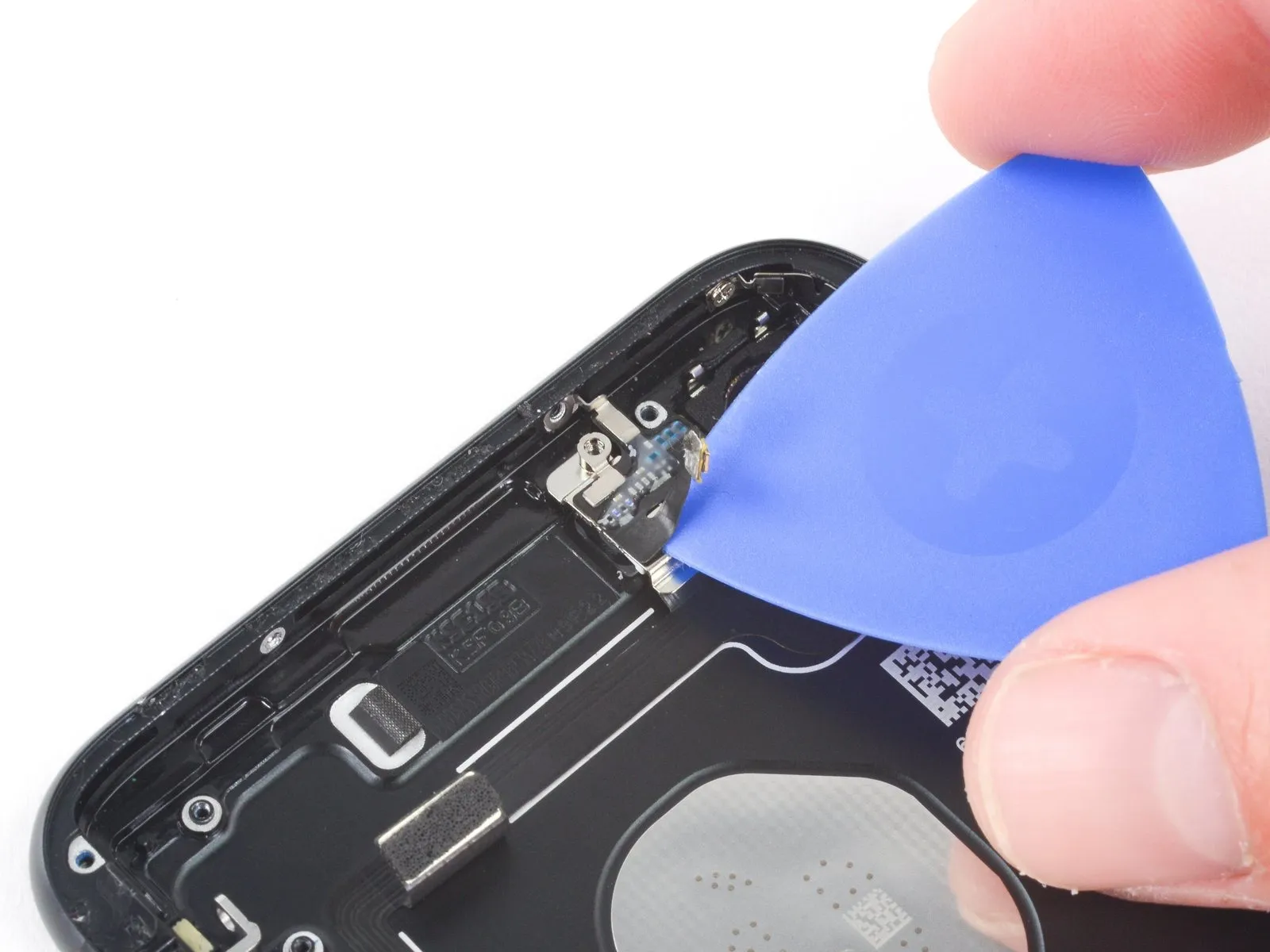
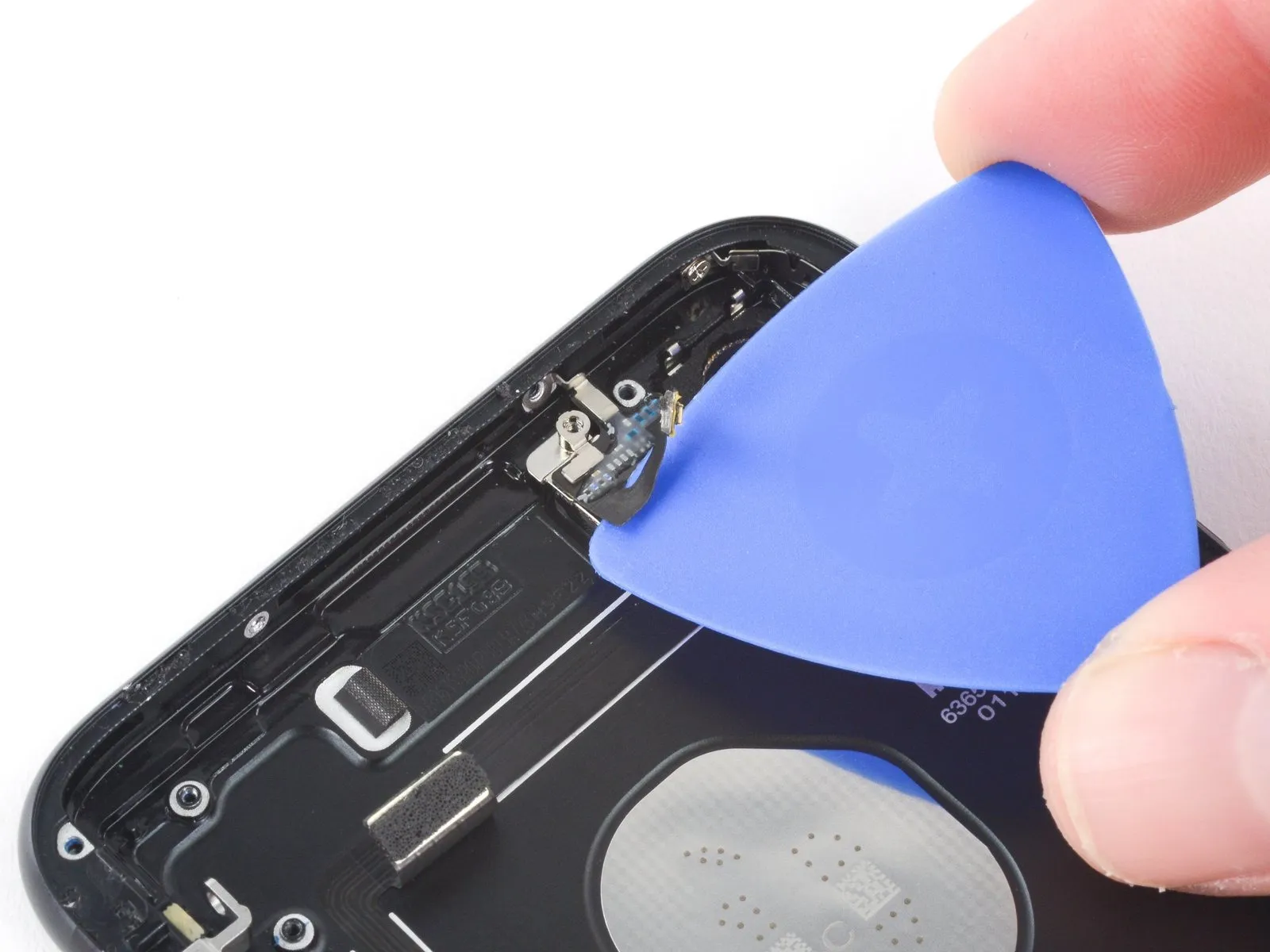
Beginning from the power button area of the device, utilize a specialized opening pick to release the adhesive securing the antenna flex cable to the back cover.opening pickTo detach the adhesive that secures the antenna flex cable to the rear case, employ an opening pick, starting from the power button side of the phone.
Step 49


Step 50
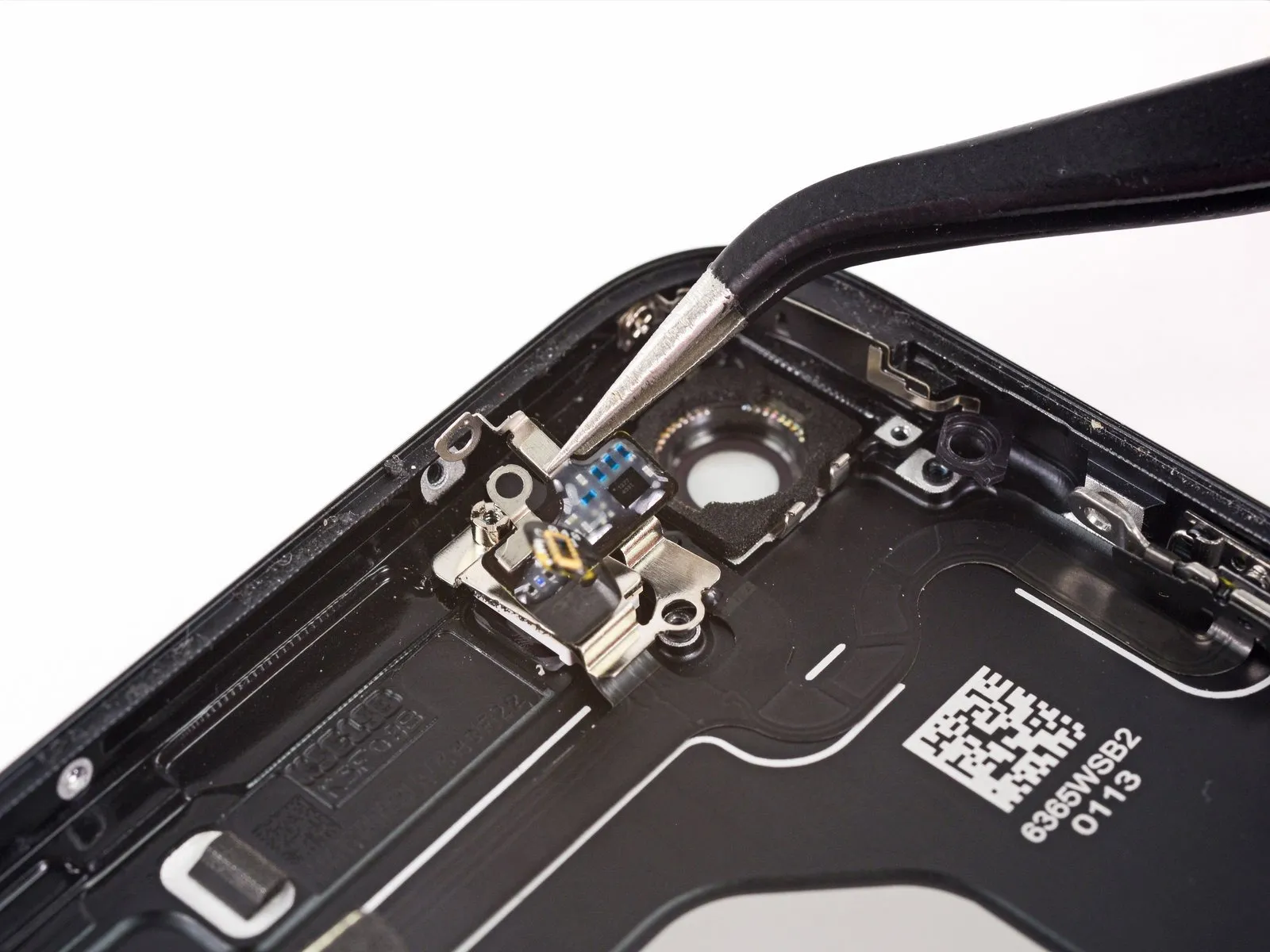

- Employing tweezers, carefully reposition the antenna flex cable, distancing it from the phone's perimeter to disengage the screw bracket from the back cover.
- Detach the antenna flex cable.
Step 51
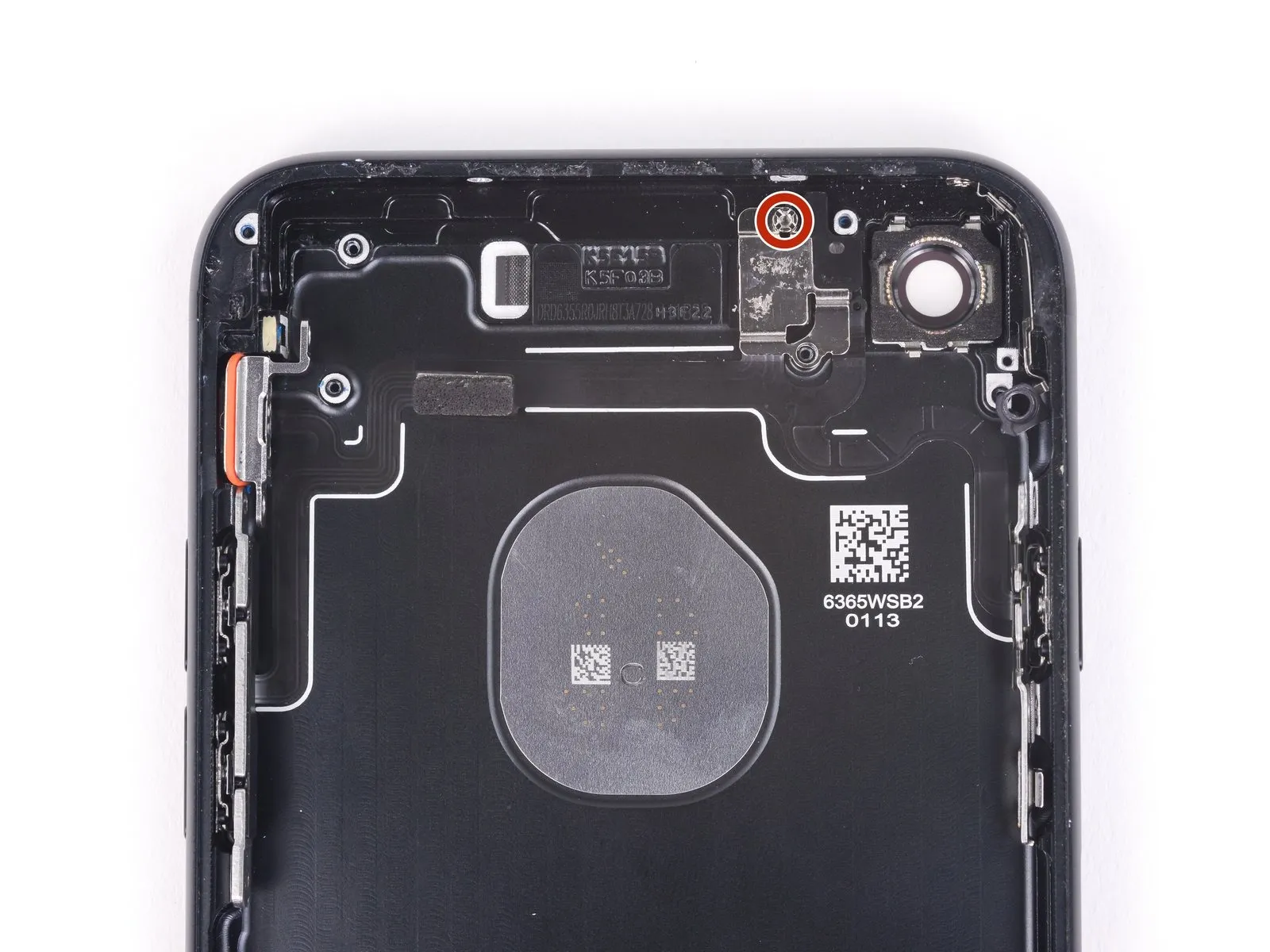
Employing an IF145-343 along with a driver handle is the preferred method for removing standoff screws.
Should a suitable driver be unavailable, a small flathead screwdriver can be utilized; however, exercise heightened care to prevent slippage and potential harm to nearby parts.
Step 52
Step 53


- Employ the tip of a spudger to carefully dislodge the flash module.This action facilitates the removal of the flash module without causing damage.
Step 54
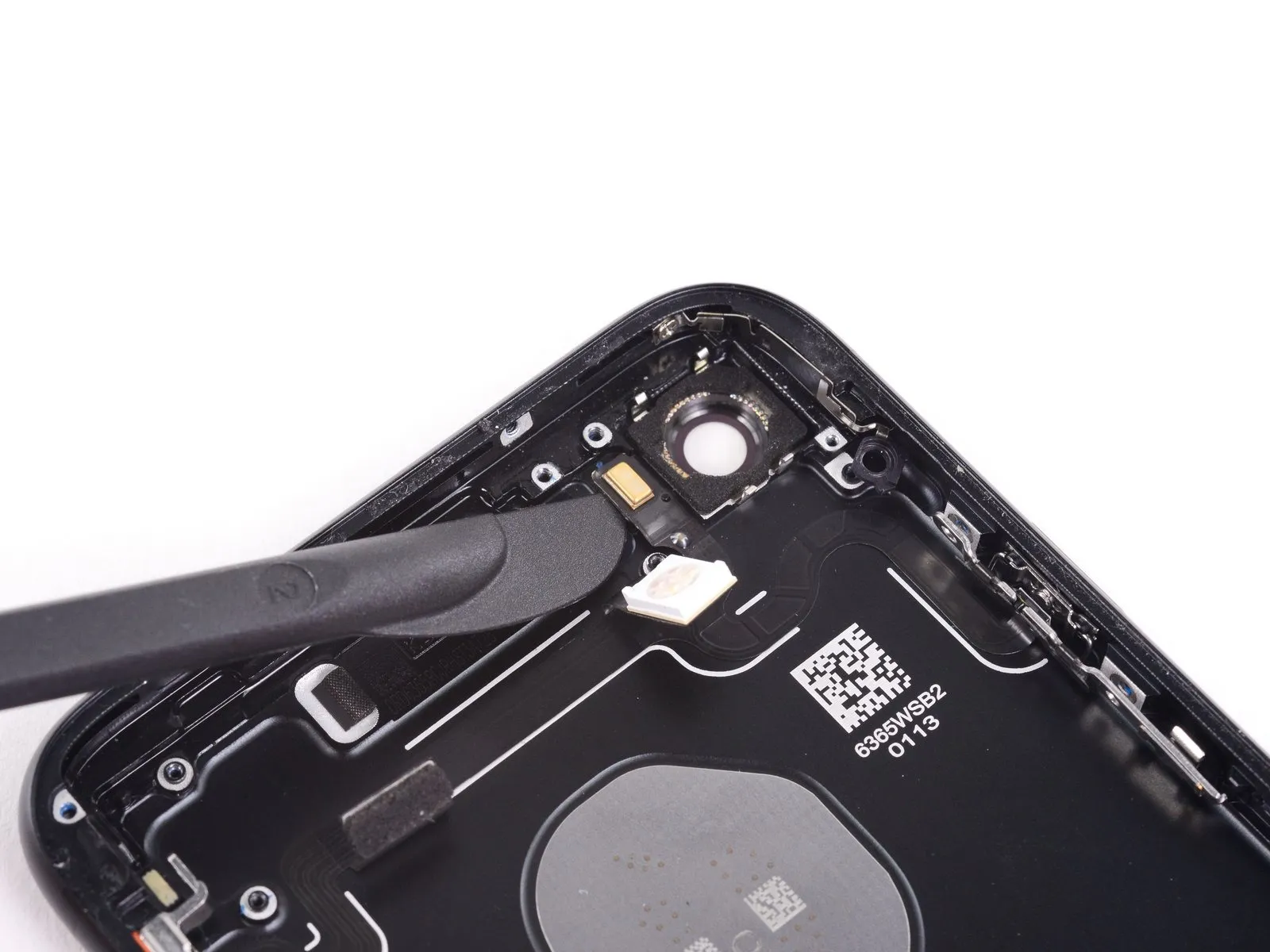
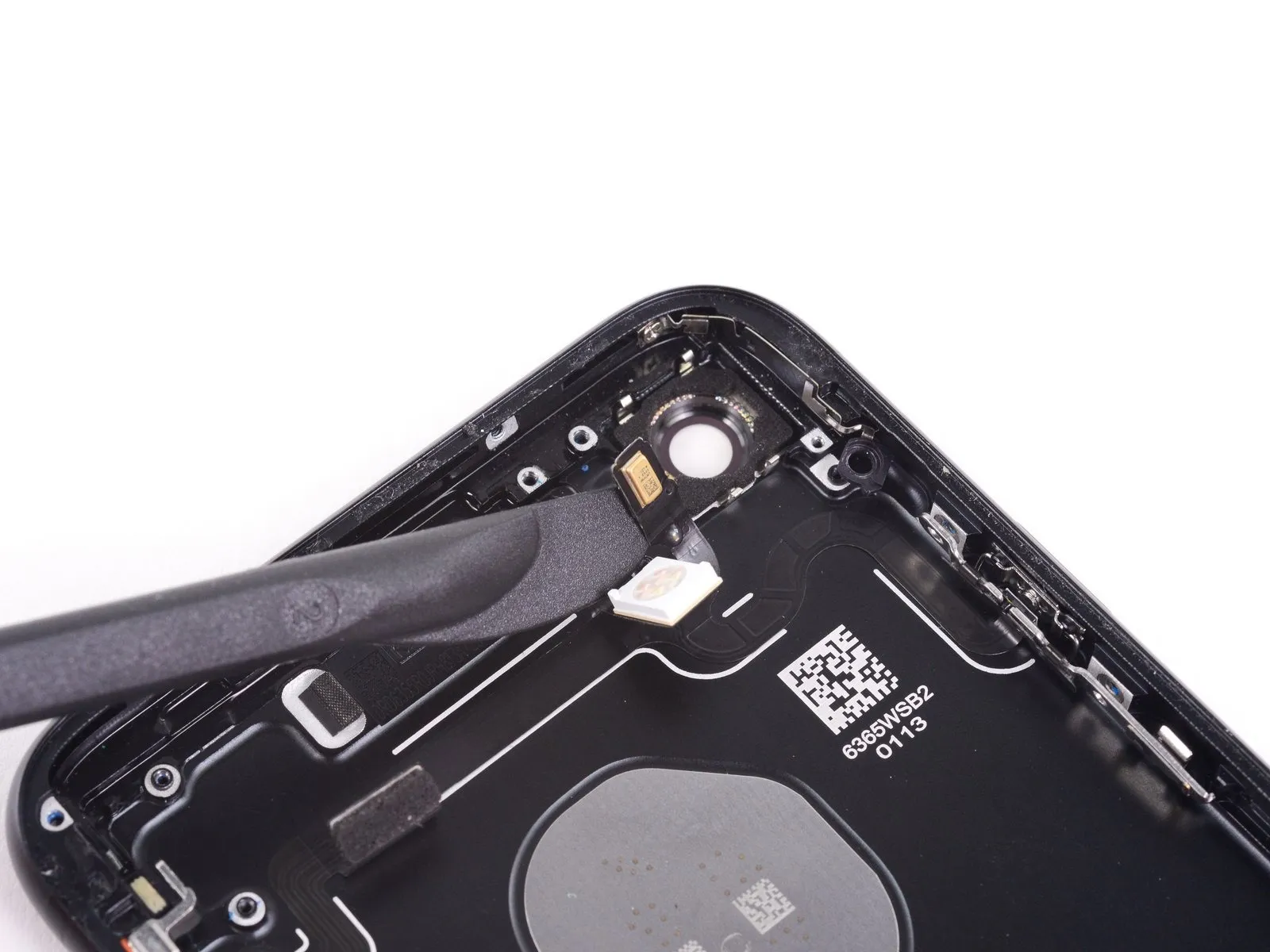
- Employ the blade component of a Halberd spudger tool for dislodging the adhesive securing the microphone assembly to the rear case.This separation is necessary to facilitate microphone removal.
Step 55
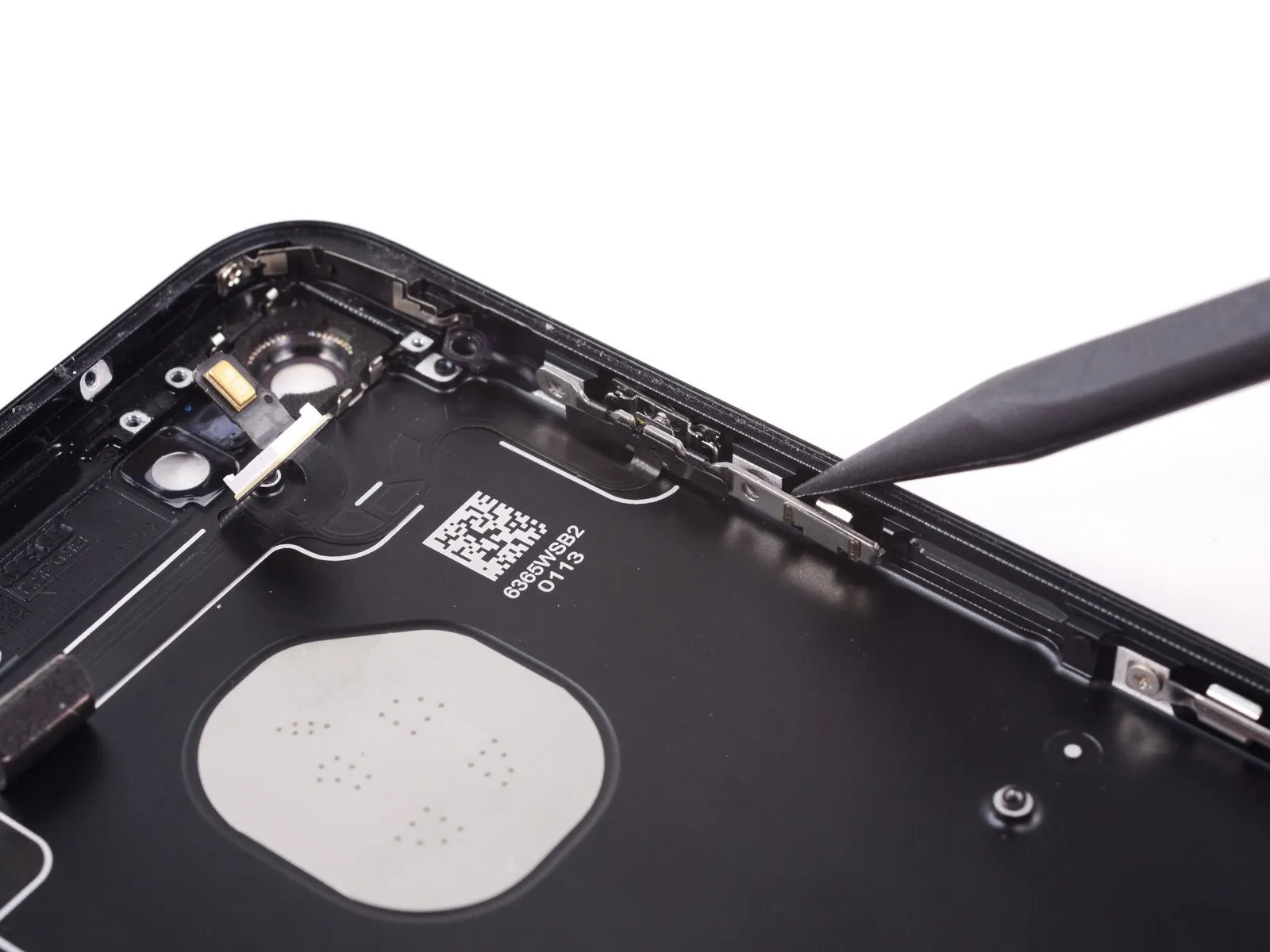
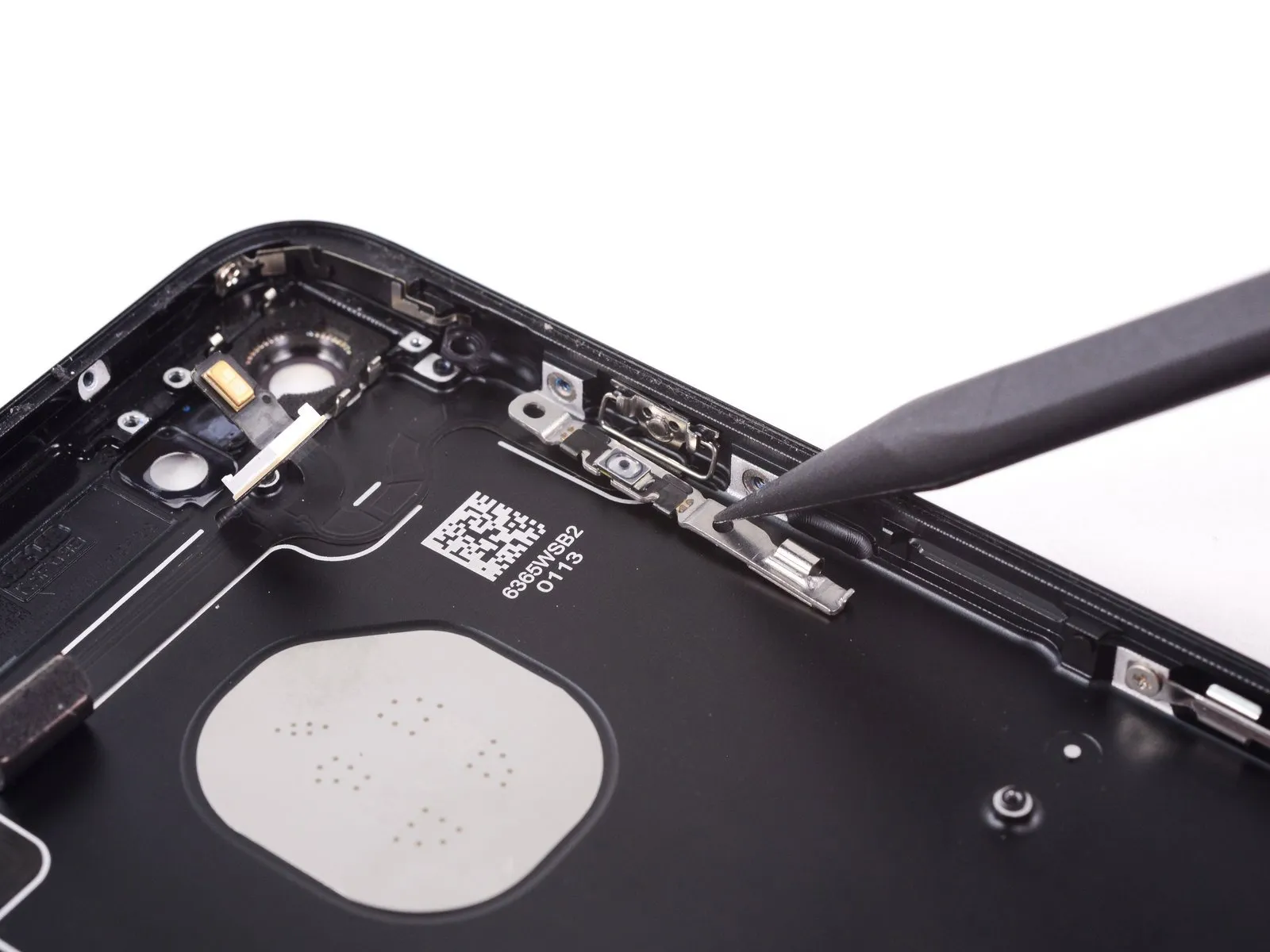
- Carefully bend the power button module, ensuring no damage occurs. This manipulation should be performed starting from the perimeter of the rear case.
Step 56
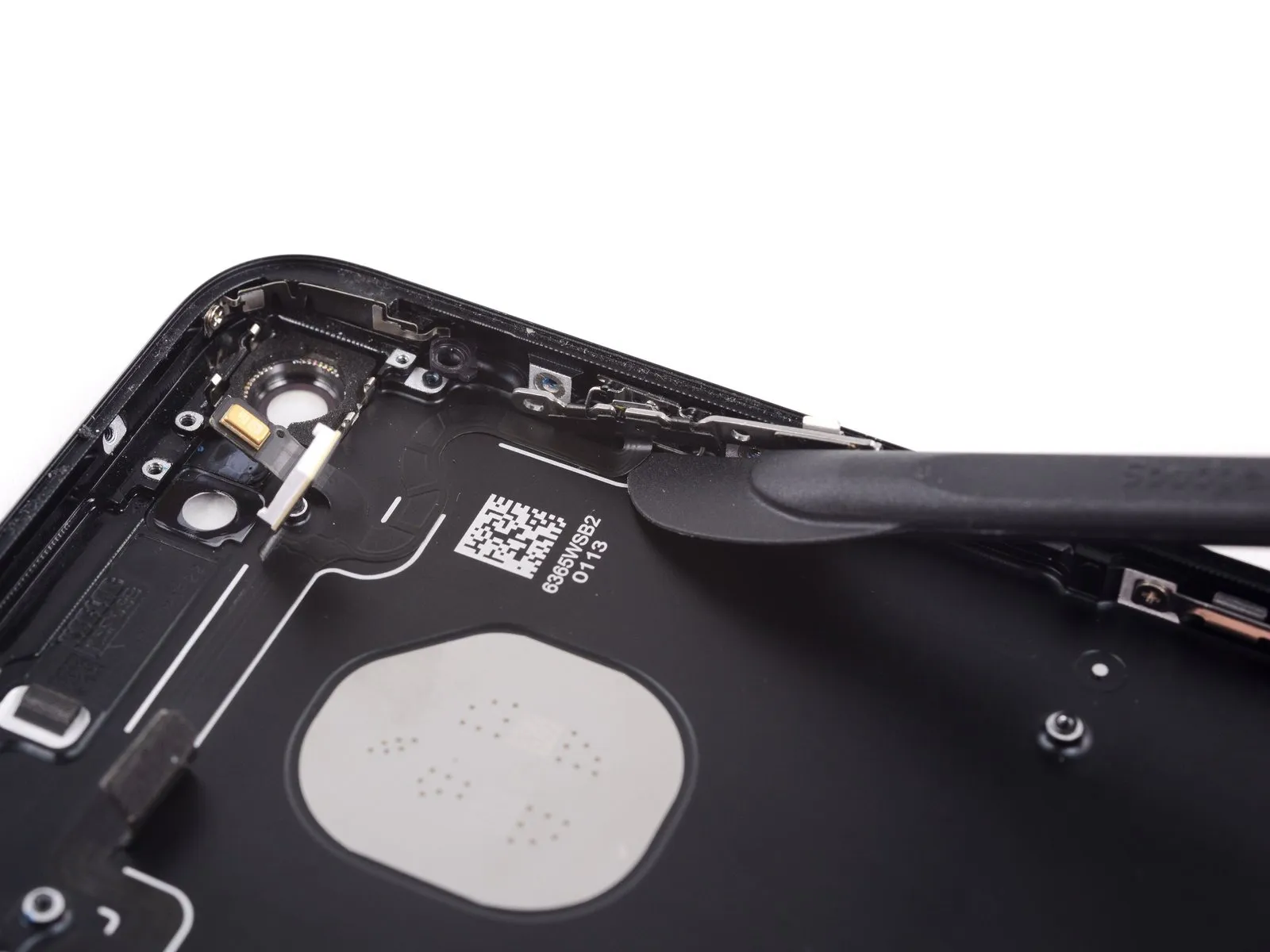

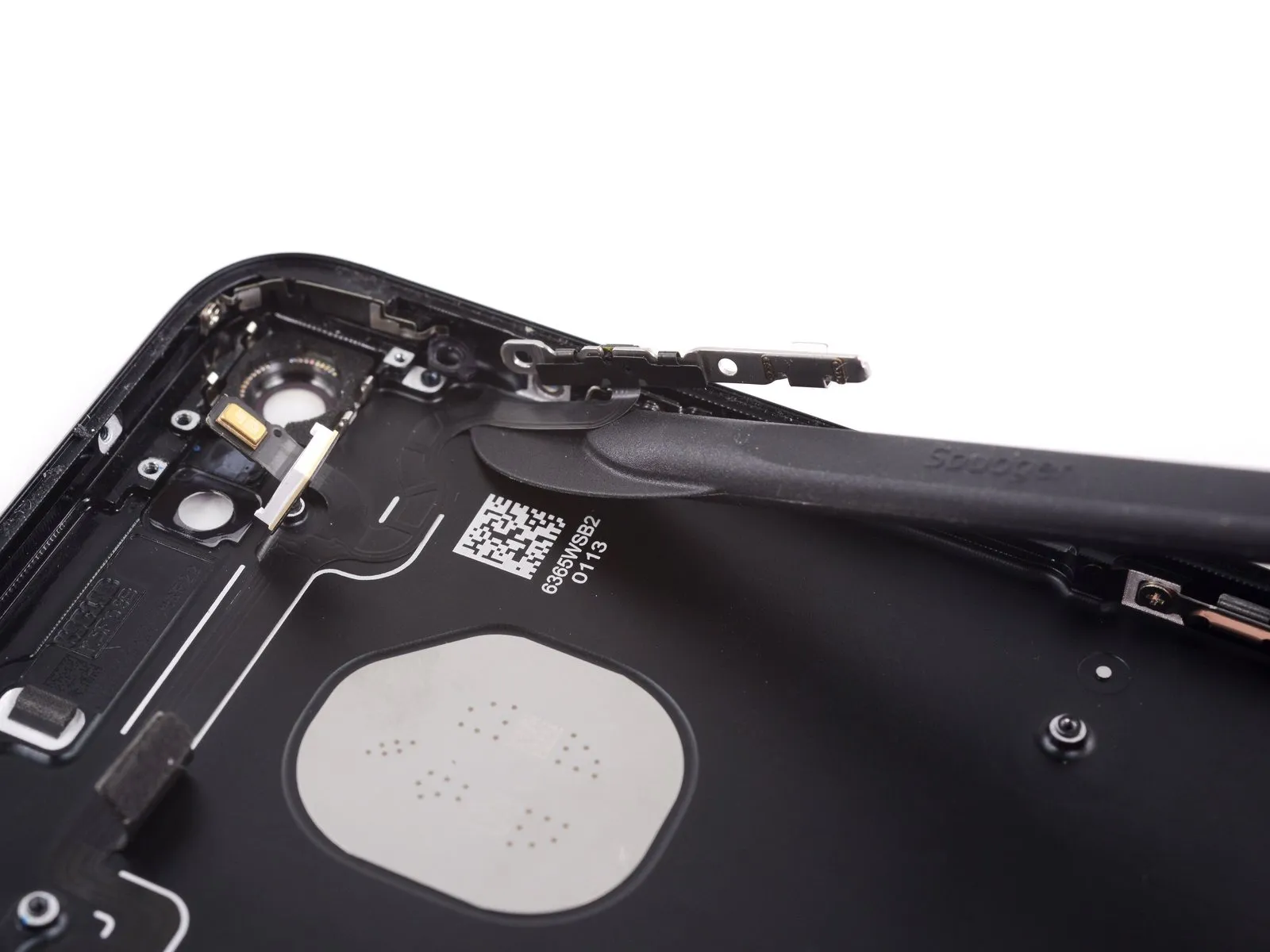
- Utilize a halberd spudger's blade, carefully inserting it beneath the power button's connection point on the button cable to release the adhesive securing it to the rear case.Proceed with separating the adhesive bond by directing the blade's movement towards the upper portion of the device.
- Maintain the separation of the adhesive layer by advancing the blade's position across the phone's top surface.
Step 57


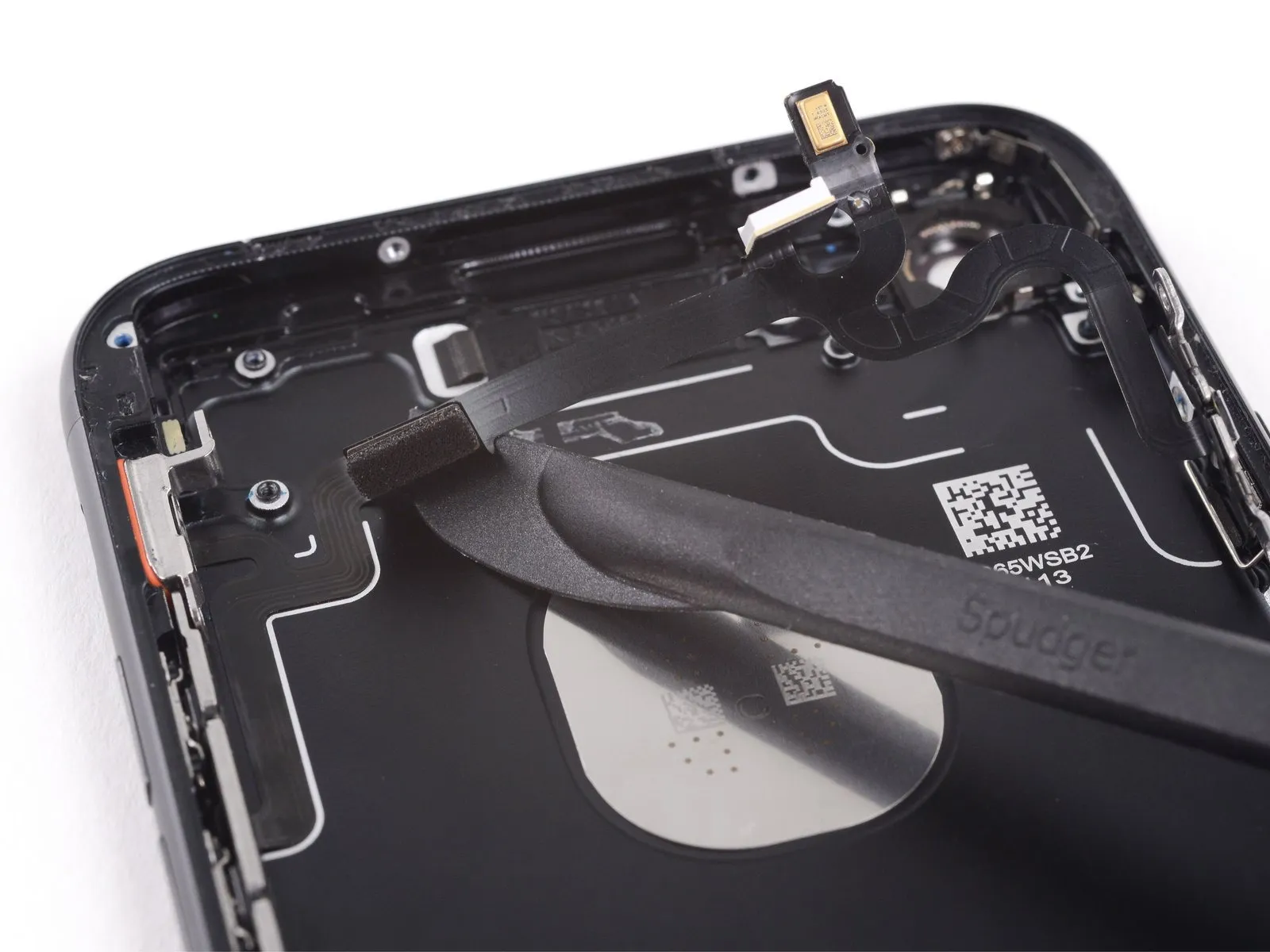
- Proceed with carefully sliding the halberd spudger's blade between the power and volume control cable and the device's chassis.
- Execute this movement with deliberate slowness.This cautious approach is essential to prevent any harm or breakage to the cable as it is detached.
Step 58
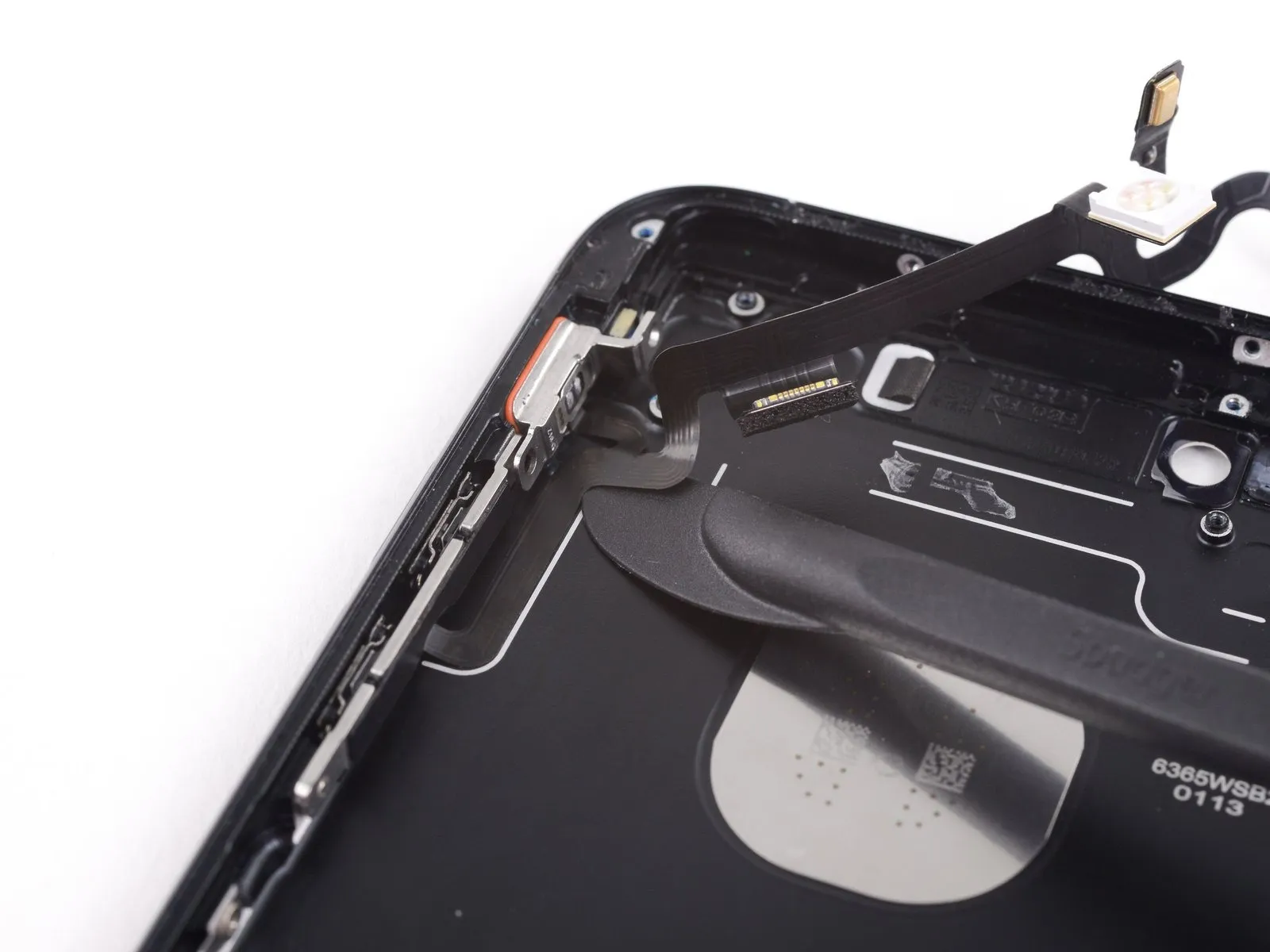
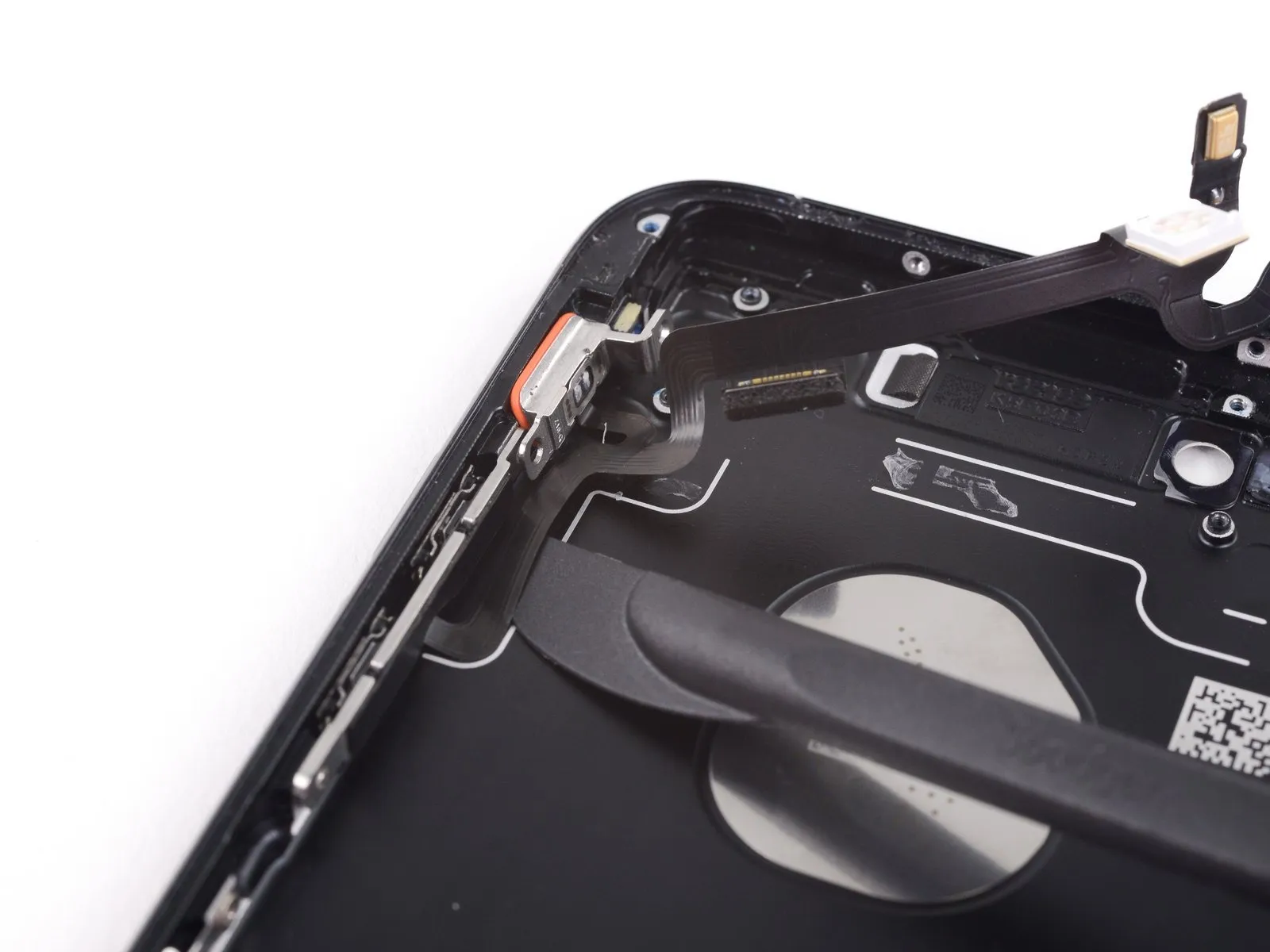
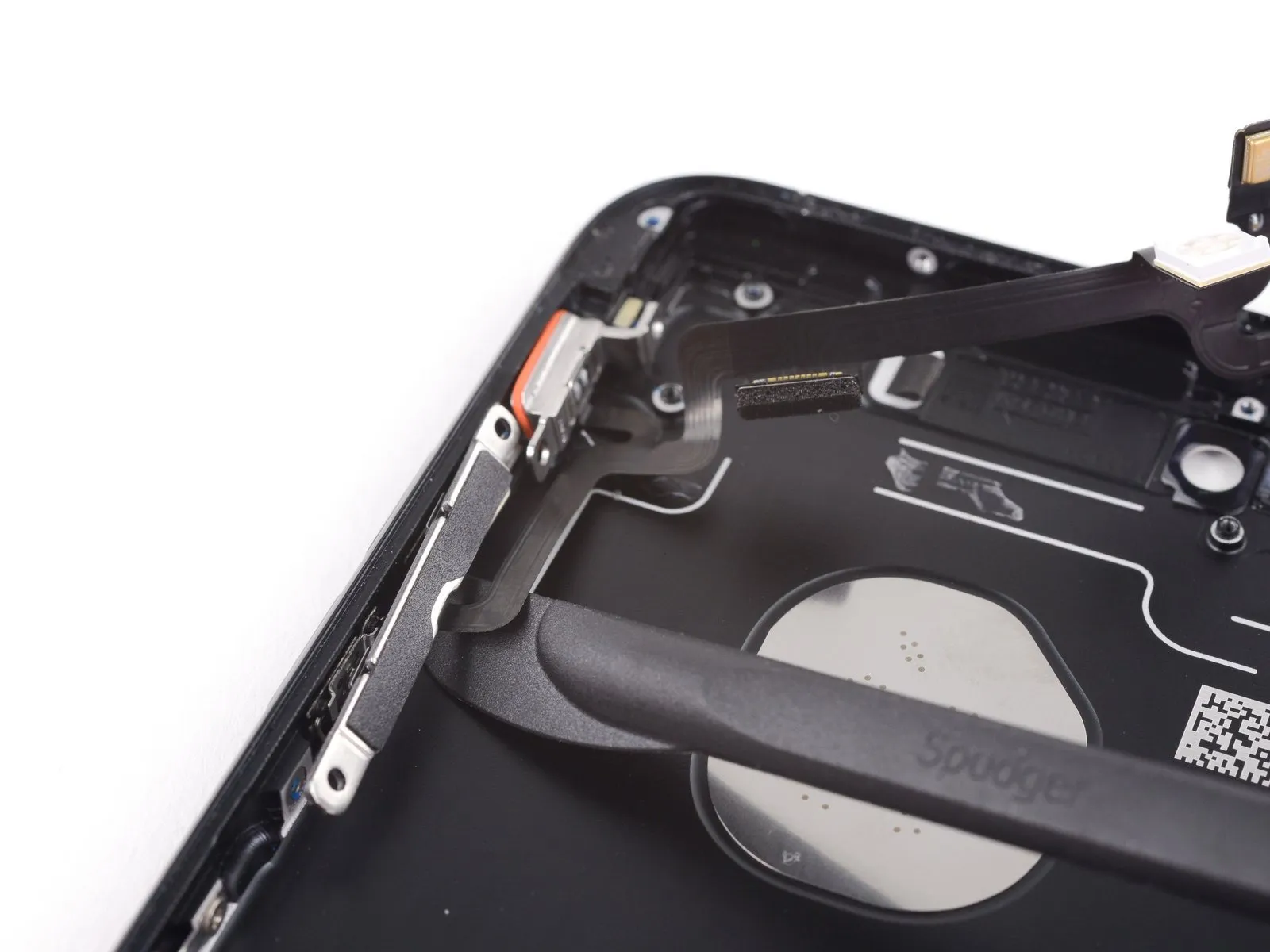
- Utilize the halberd spudger to carefully insert it beneath the section of the button cable that manages volume control.
- With a delicate motion, maneuver the blade's edge underneath the cable's structure.Proceed to slide the blade towards the lower extremity of the device, effectively releasing the residual adhesive bond.
Step 59

- Disconnect the power and volume control cable from its associated connectors.
Step 60 | Power Button
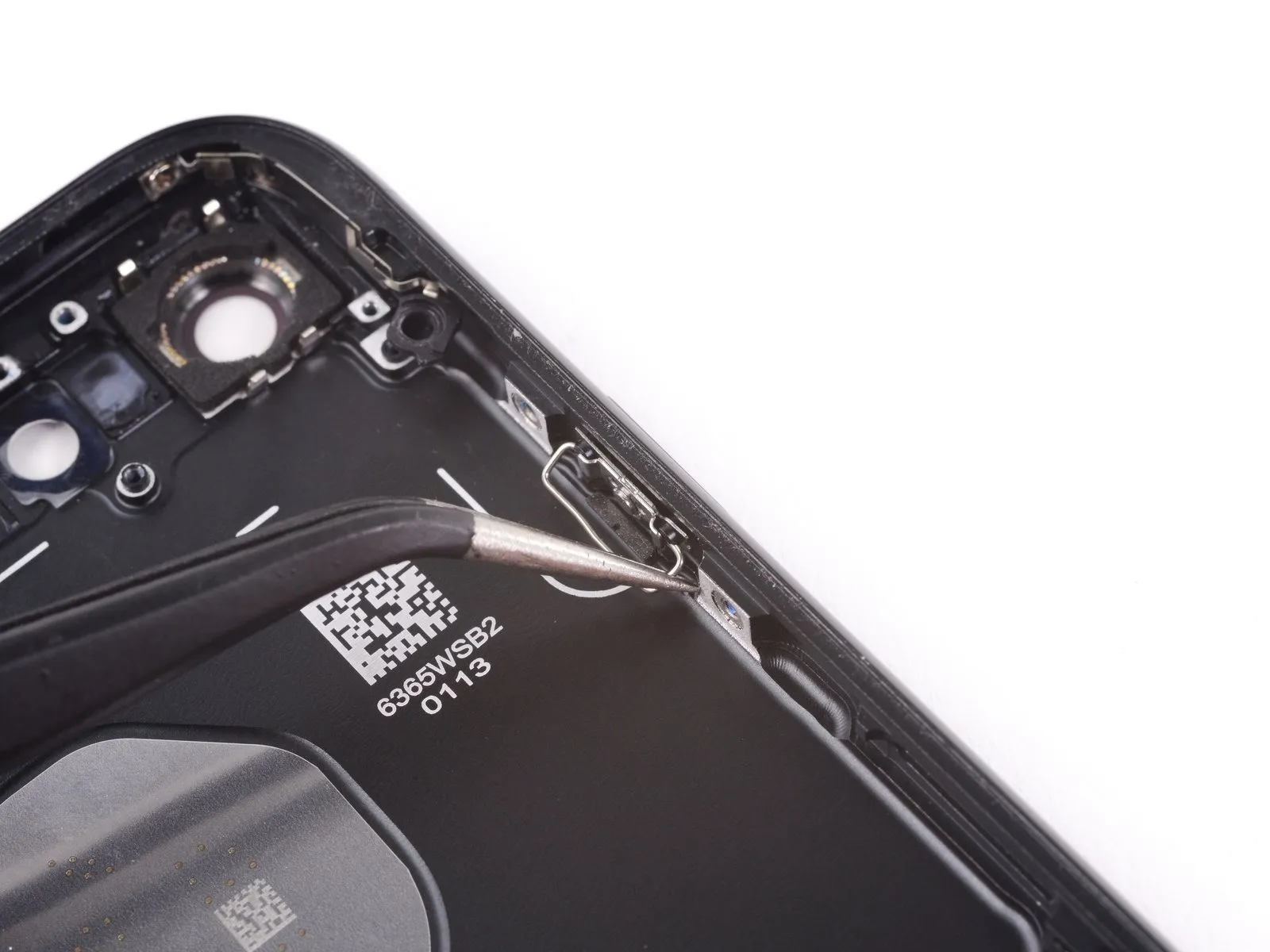
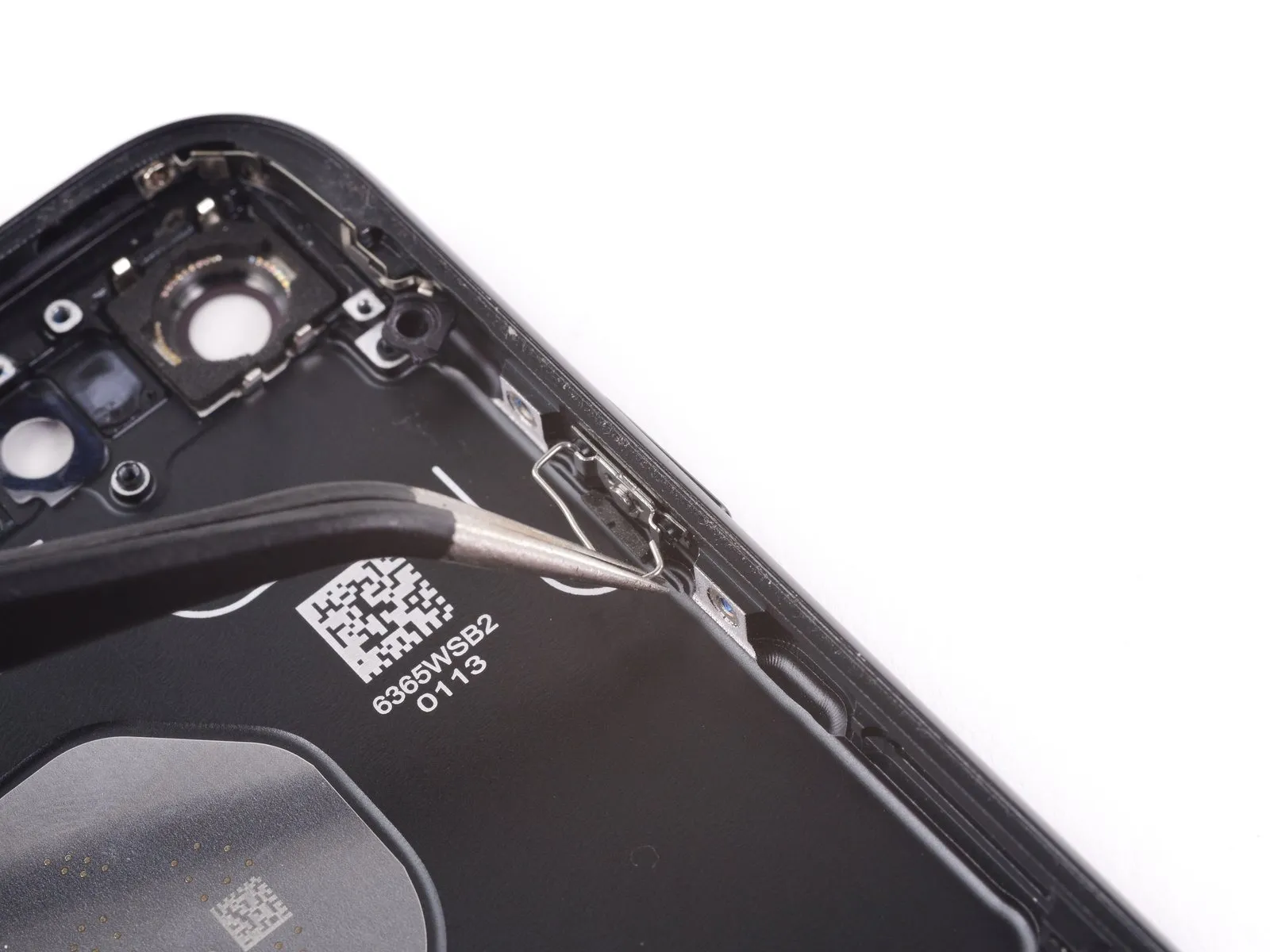
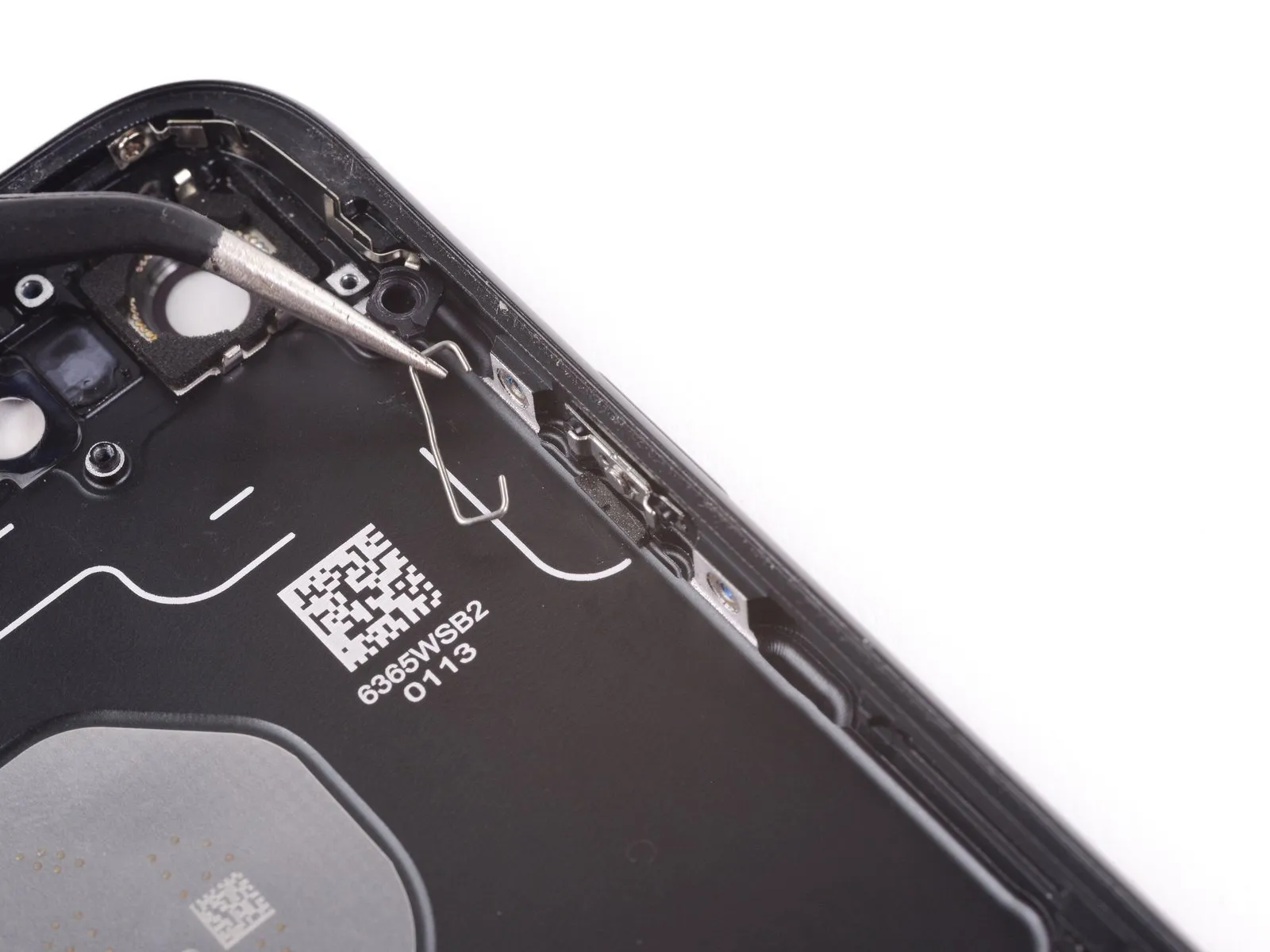
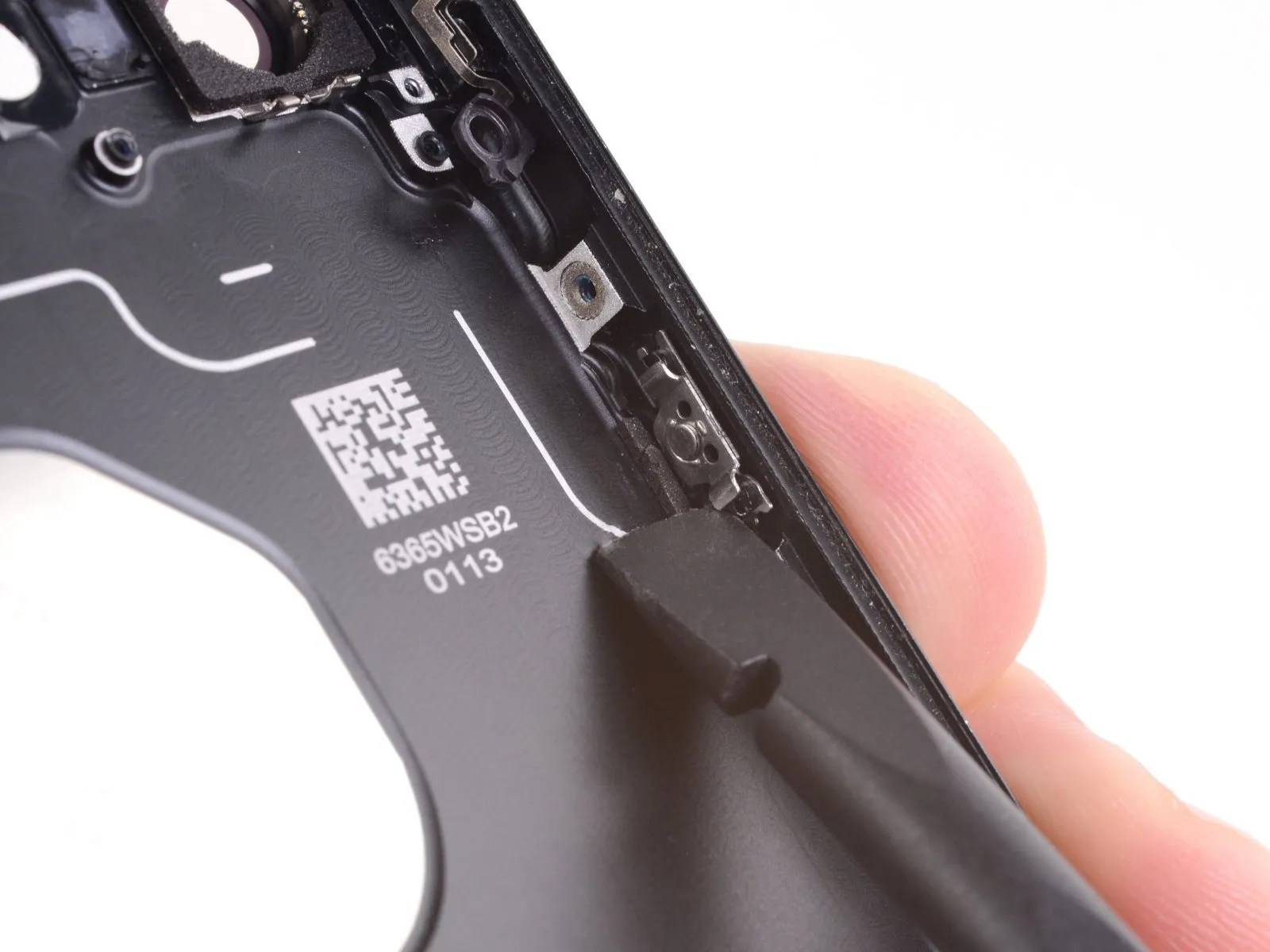
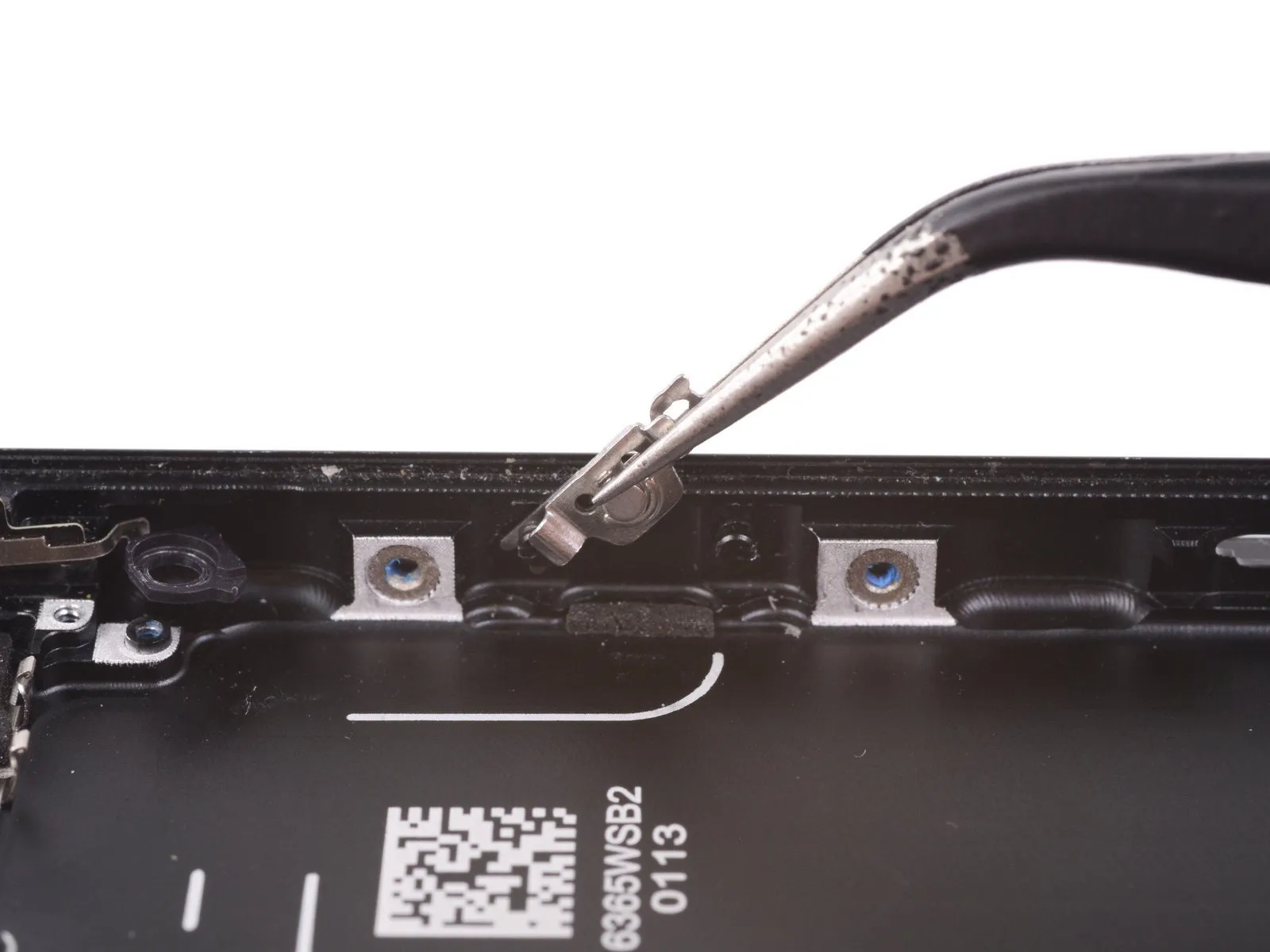
- To release the component, direct the clip's movement downward within the phone's structure.Subsequently, elevate the part to detach it completely from its securing mount.
Step 61

Step 62

Step 63

Step 64

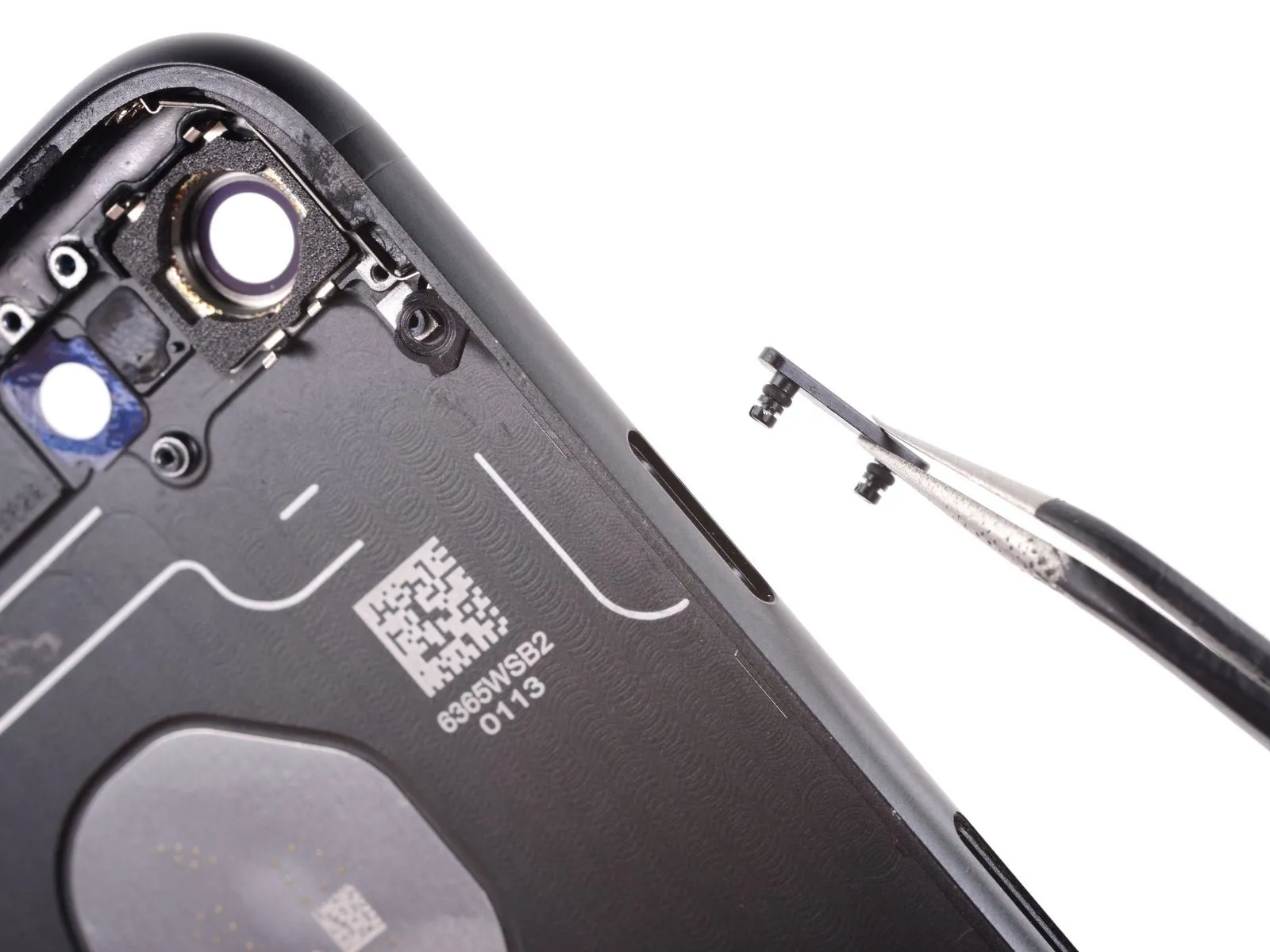
- Employ the tapered tip of a spudgerto disengage the power button cover from the rear case by applying outward pressure.
- Detach the power button cover from its housing.