iPhone 8 Pentalobe Screws Replacement
This repair guide focuses on disassembling the iPhone by first addressing the two pentagonal screws that secure the display.These fasteners are part of Apple's proprietary design, necessitating the use of a specialized tool to prevent damage.The P2 screwdriver is specifically designed for this purpose and should be used with caution to avoid stripping the screws.To proceed, carefully remove the five-pointed screws from their respective locations on the iPhone's casing.Be aware that these screws are critical to the display's integrity and require precise handling to prevent damage or breakage.When working with the P2 screwdriver, ensure it is securely seated in the screw head to avoid slipping and causing further damage.The two pentagonal screws should be removed before attempting to access any internal components of the iPhone.It's essential to note that improper removal techniques can lead to display damage or other issues, so proceed with caution.Once the screws are removed, carefully set them aside for later reinstallation using the same P2 screwdriver.
Step 1 | Remove the pentalobe screws
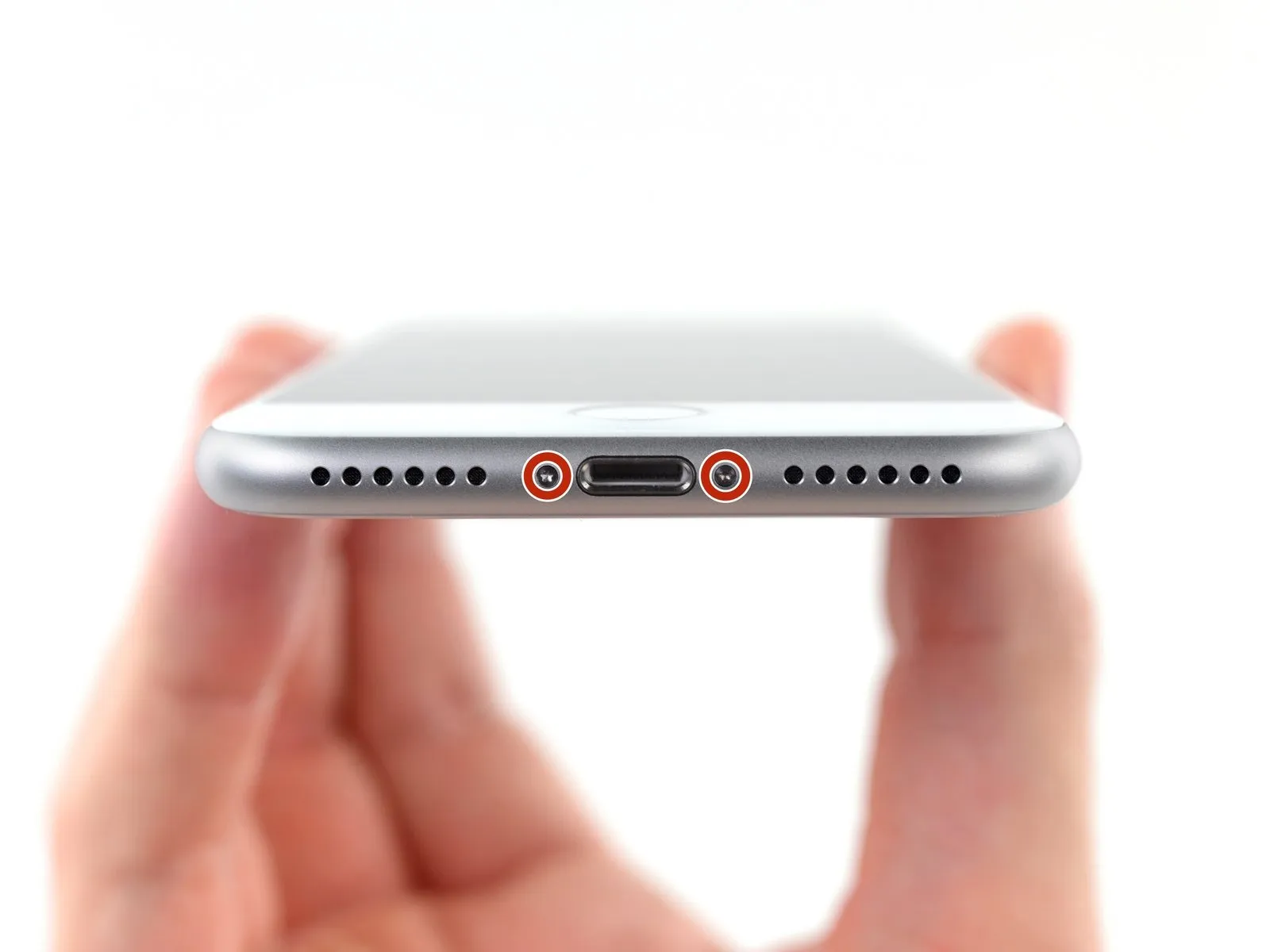
- To prevent potential hazards, it's crucial to discharge your iPhone battery to a level below 25% capacity beforehand.A fully charged lithium-ion battery poses a significant risk of combustion or explosion if subjected to accidental puncture.Prior to commencing disassembly, ensure the iPhone is completely powered down to minimize electrical risks.
- The two 3.5 mm pentalobe screws located on the bottom edge of the device must be removed first.
- Proceed with caution when opening the display, as this will compromise the waterproof seals and expose your iPhone to potential liquid damage.
- Have replacement seals readily available before proceeding past this point, or exercise extreme care to avoid liquid exposure during reassembly.