iPhone 8 Rear Camera Replacement
Utilize the subsequent instructions to detach and substitute the rear-facing camera assembly on your iPhone 8.iPhone 8.
Step 1 | Remove the pentalobe screws
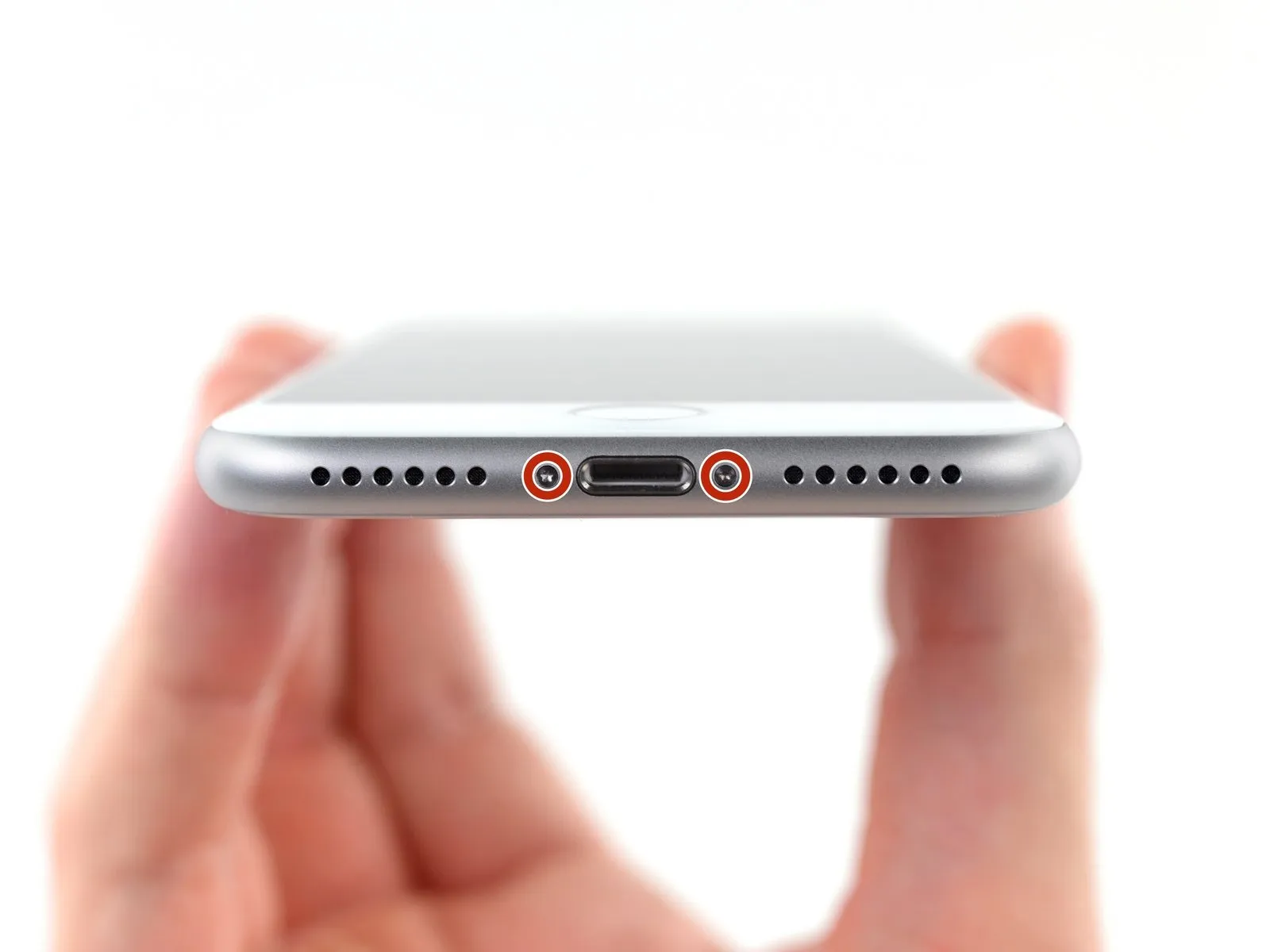
- As a preliminary precaution, ensure your iPhone's battery level drops below 25% prior to commencing the repair process.A fully charged lithium-ion batteryposes a risk of ignition or detonation if it sustains accidental physical damage.
- Deactivate your iPhone by powering it down completely before you start disassembling it.
- Using a suitable tool, extract the pair of 3.5 mm pentalobe screws located along the iPhone's lower edge.
- Separating the iPhone's display assembly will damage the integrated waterproof barriers; therefore, acquire replacement seals beforehand to continue, or exercise extreme caution to prevent moisture ingress if you intend to reassemble the device without new seals.
Step 2 | Mark your opening picks


- To avoid potential harm to your device, ensure the opening pick does not extend beyond its intended insertion depth; this procedure details how to identify a safe insertion point by marking the pick.
- Determine the measurement of3 mmfrom the pick's leading edge, then use a permanent marker to create a visible indicator on the opening pick.
- For enhanced precision, consider marking the pick's other corners with varying measurements to accommodate different tasks.
- As an alternative method for limiting insertion depth, affix a coin to the pick's shaft,3 mmaway from the tip.
Step 3 | Anti-Clamp instructions


The following three procedures showcase the Anti-Clamp, a specialized tool developed to simplify the initial opening process; if this tool is not available, proceed to the subsequent three steps for an alternative approach.
Detailed guidance regarding the Anti-Clamp's operation can be found in a separate, dedicated instructional document.
- To release the Anti-Clamp's gripping arms, retract the blue handle towards the rear.
- Position the arms across either the left or right side of the iPhone's frame.
- Place the suction cups close to the lower edge of the iPhone, situated directly above the home button—one on the front face and one on the rear.
- Apply pressure by compressing the cups together to establish a secure suction bond on the intended surface.
- Should the iPhone's surface prove excessively smooth, preventing adequate adhesion by the Anti-Clamp, applying adhesive tape can generate a more textured interface.
Step 4


- To secure the arms, advance the blue handle in a forward motion.
- Rotate the handle in a clockwise direction,a full 360 degrees,or continue the rotation until the suction cups begin to expand.
- Maintain the proper alignment of the suction cups; should they become misaligned, slightly release the suction cups and reposition the arms.
Step 5


- Employ a heating device, such as aniOpenerand carefully guide it between the arms of theAnti-Clamp.
- Alternative heat sources, including hair dryers, heat guns, or hot plates, are acceptable; however, exercise caution as excessive temperatures may compromise the display or internal battery.
- Position theiOpenerto rest along the lower edge of the iPhone’s casing.
- Allow a sixty-second interval to permit the adhesive to soften and create a separation.
- Introduce anopening pickinto the newly formed space.
- Should theAnti-Clamp fail to generate an adequate separation, increase the heat applied to the area and rotate the handle by ninety degrees.
- Avoid rotating the handle beyond a ninety-degree increment at any point, and observe a sixty-second pause between rotations. Rely on theAnti-Clamp and time to facilitate the separation process.
Step 6 | Heat the display
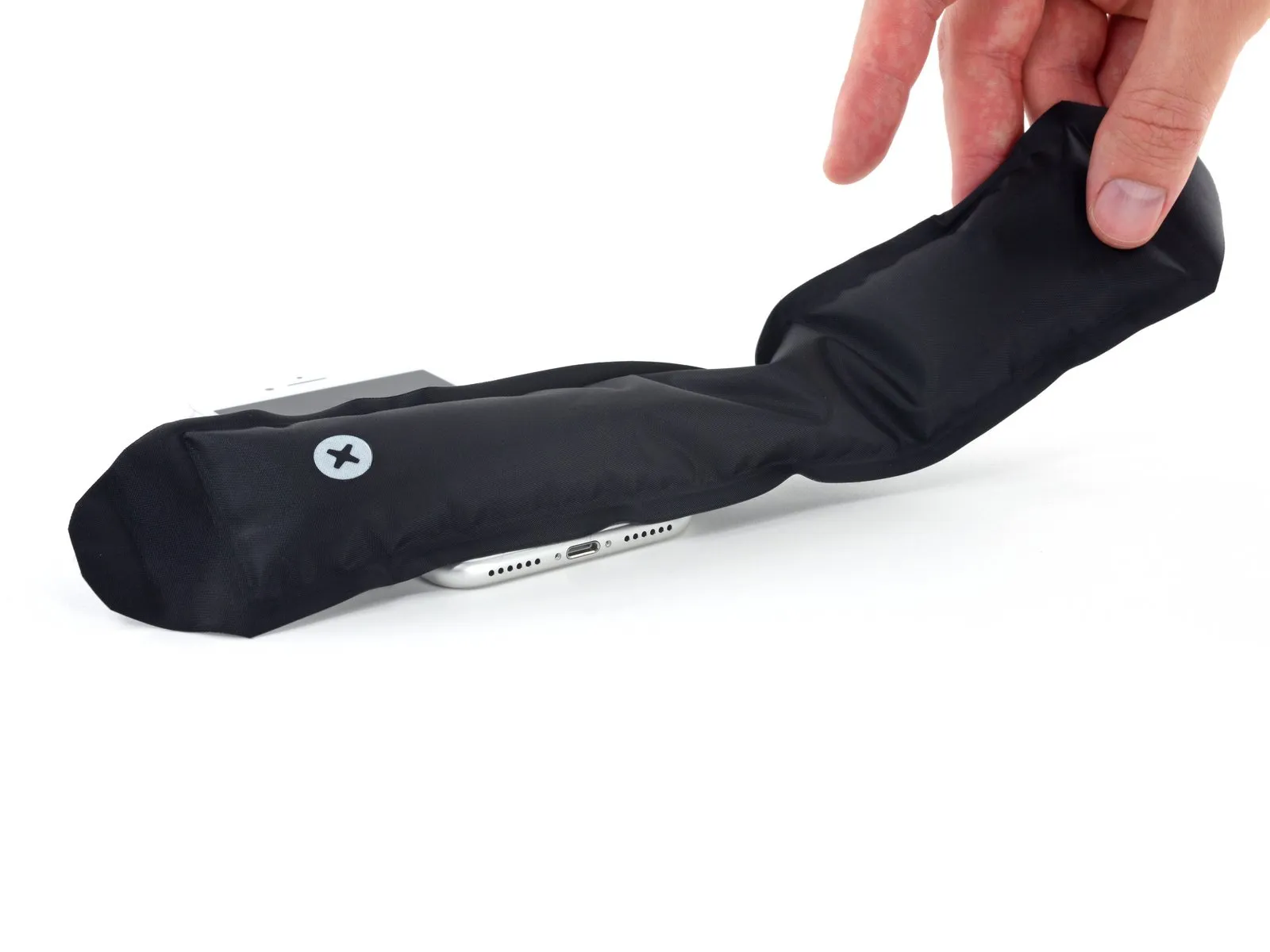
The following three procedures detail the process of detaching the display assembly with the aid of a suction cup.
- Applying heat to the bottom edge of the iPhone will facilitate the separation process by reducing the adhesion of the sealant holding the display in place.
- A hairdryer can be utilized, or alternatively, aniOpenercan be employed, applying heat to the lower edge of the device for approximately 90 seconds to reduce the adhesive's holding strength.
Step 7 | Separate the display
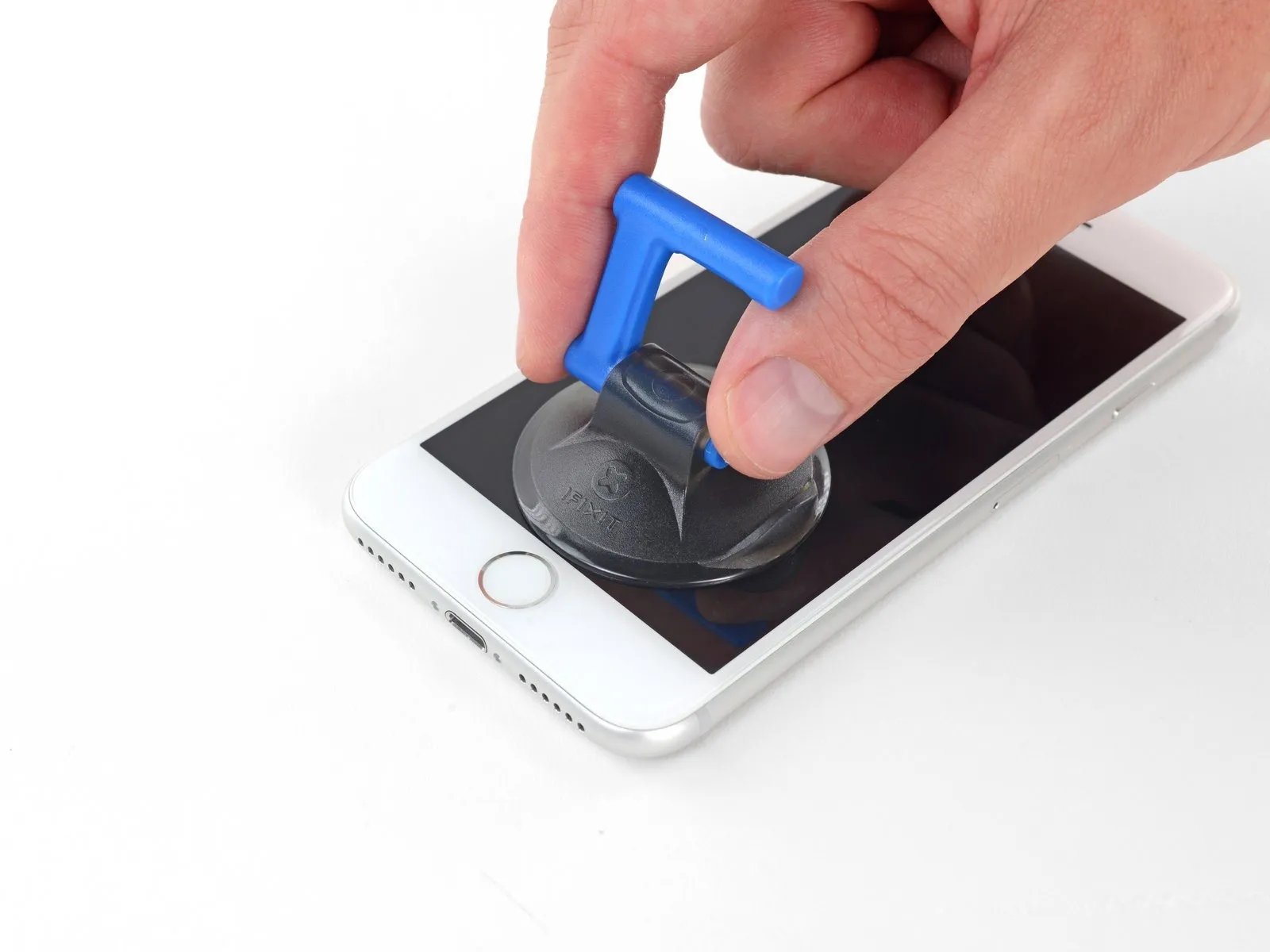

Securely affix a suction cup to the bottom portion of the front panel, positioning it directly over the home button area.
Ensure the suction cup's surface remains clear of the home button's location to guarantee a complete and airtight bond between the cup and the glass.
Step 8
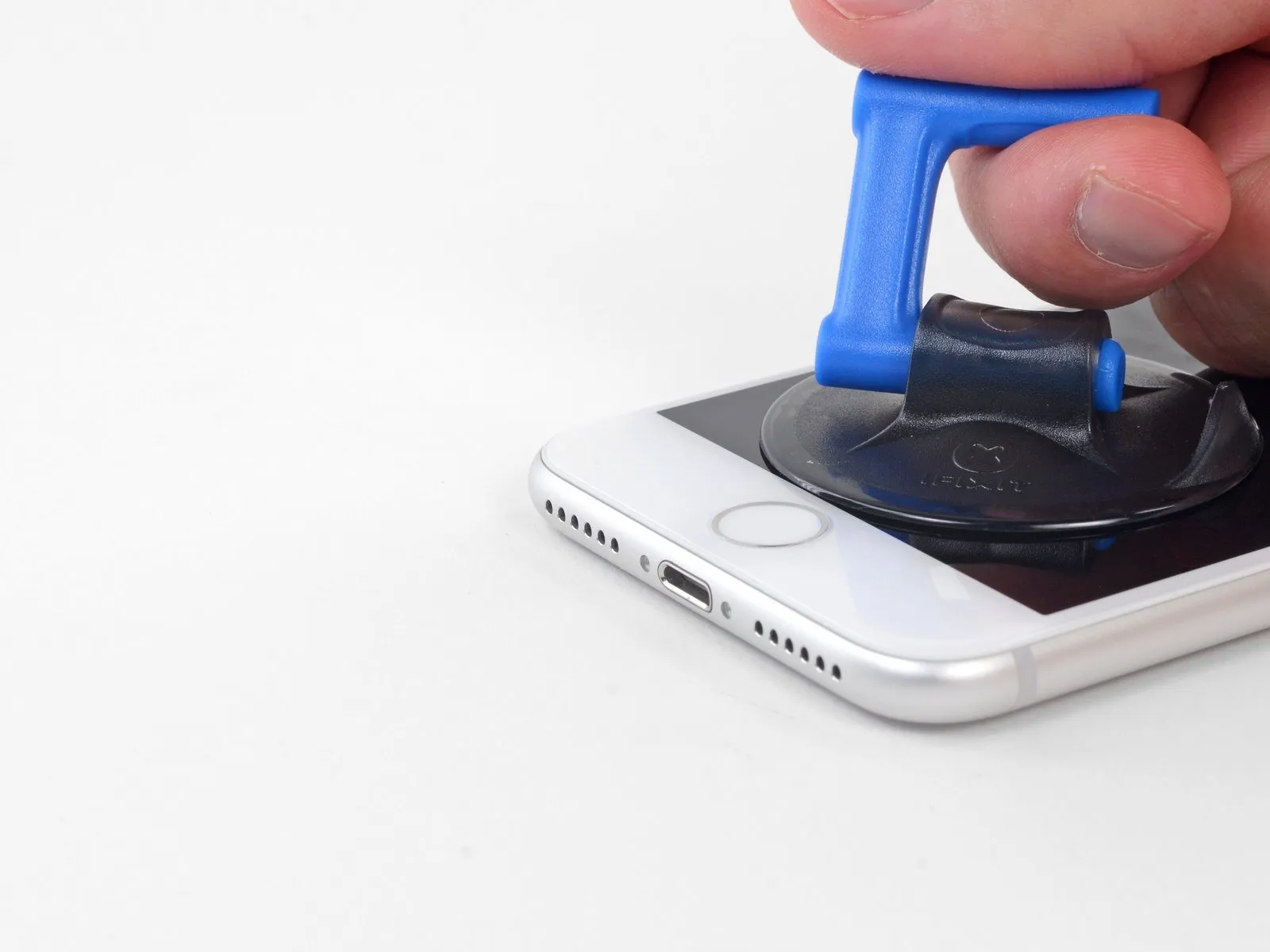


- Apply steady, forceful upward pressure to the suction cup to generate a small separation between the display assembly and the device's surrounding structure.
- Carefully slide anopening pick into the newly formed separation.
- The screen is secured by a robust, waterproof adhesive; overcoming this bond initially requires considerable effort. Should you encounter difficulty in establishing this gap, apply additional heat and gently oscillate the screen in an upward and downward motion to reduce the adhesive's strength, enabling tool insertion.
Step 9
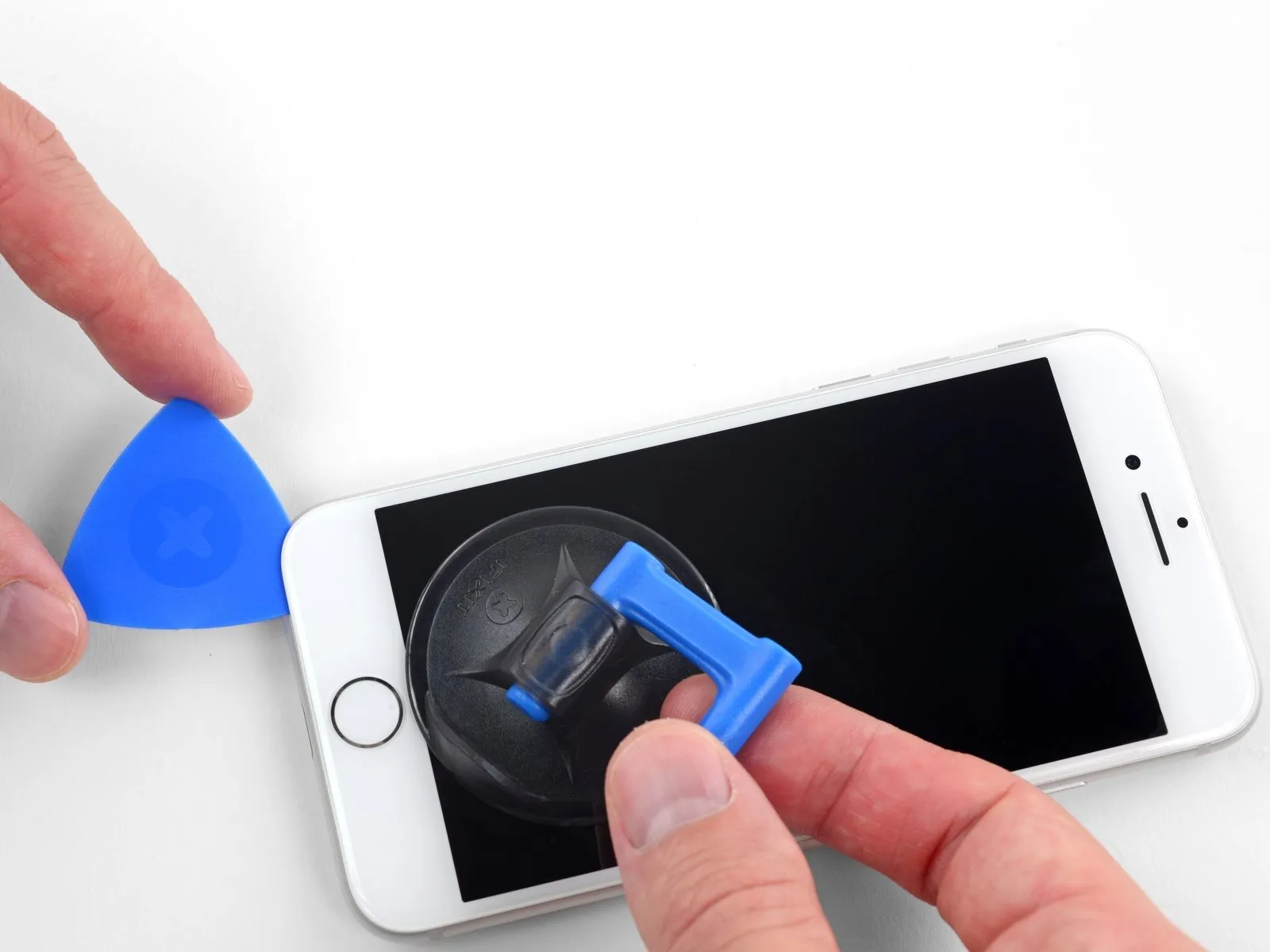


- Begin separating the phone's display by inserting a prying tool beneath the left edge, initiating at the bottom and progressing upwards towards the volume buttons and the silent switch, which will disrupt the adhesive securing the display.
- Cease the separation process in the vicinity of the display's upper-left corner.
- Refrain from attempting to dislodge the display's top edge from the rear casing, because it is fastened with fragile plastic clips that are susceptible to damage.
Step 10 | Screen information

Along the right side of your iPhone, you'll find sensitive wiring; avoid inserting any tools in this area to prevent potential cable damage.
Step 11
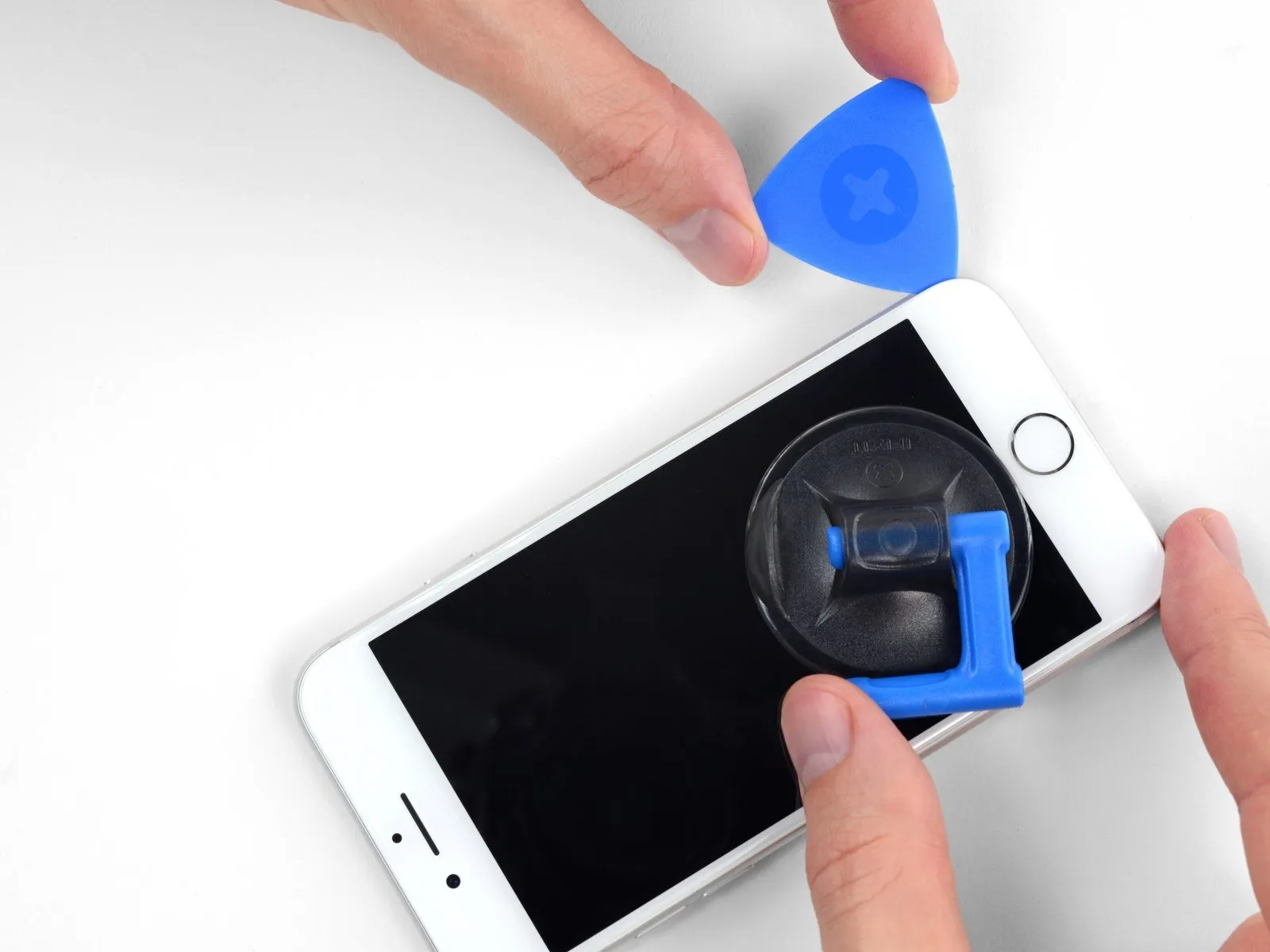


- Carefully reposition your tool at the lower-right edge of the iPhone, then maneuver it along the corner and up the right-hand side to release the adhesive bond.
- Ensure your opening tool does not penetrate beyond 3 mm, to prevent potential harm to the delicate display cable connections.
Step 12


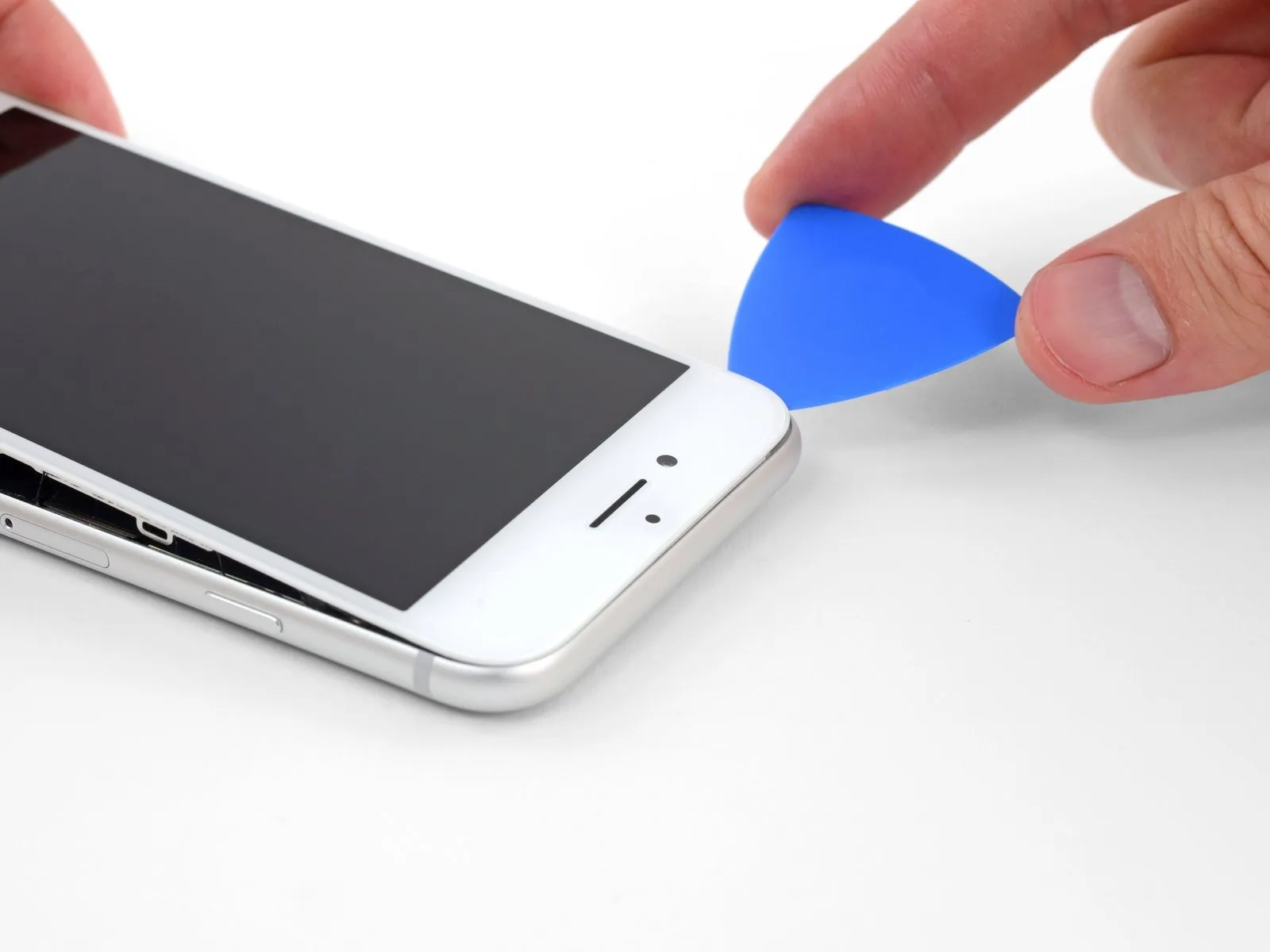
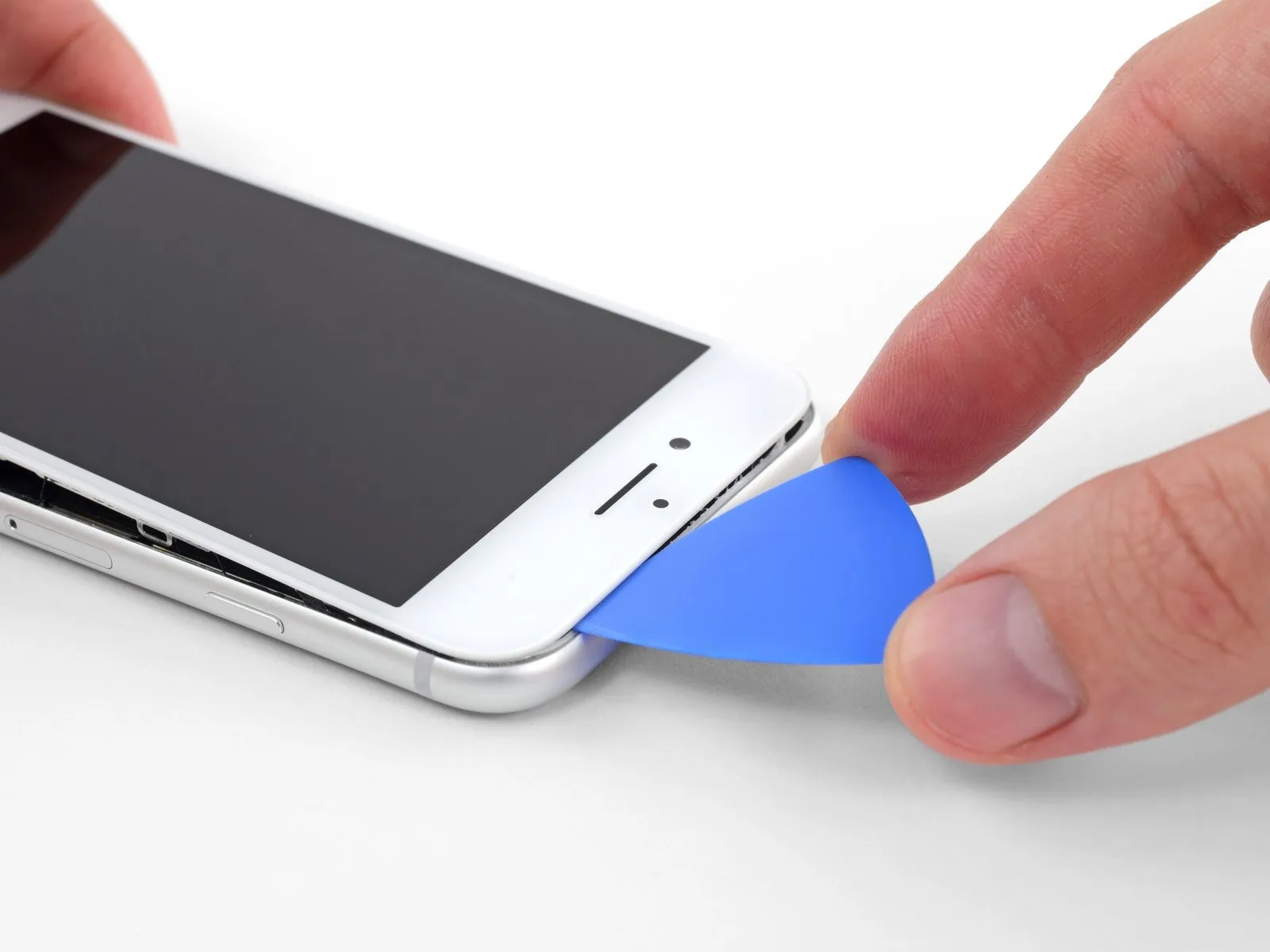
- Carefully elevate the display's lower border by applying upward force to the suction cup.
- The display should not be raised beyond an angle of15 degreesas exceeding this limit could damage or sever the flexible ribbon cables that provide the display's electrical connections.
- Detach the suction cup from the front panel by grasping and pulling on the small protrusion located on its surface.
Step 13

Step 14


Step 15


- Initiate the iPhone's disassembly process by pivoting the screen upwards, originating from the left edge, employing a motion similar to opening a book's cover.
- Refrain from completely disconnecting the display at this stage, because multiple delicate ribbon cables remain attached, linking it to the iPhone's main circuit board.
- Secure the display in an upright position using a support to maintain access to the internal components during the repair procedure.
Step 16 | Disconnect the battery


- Two screws measure 1.3 millimeters in length.
- The other two screws measure 2.8 millimeters in length.
Step 17


- Employ the tip of a spudgerto carefully disengage the battery connector from its corresponding receptacle on the logic board.
- Gently deflect the battery connector cable a small distance from the logic board's surface, ensuring it remains disconnected and avoids unintended power delivery to the device during the repair process.
Step 18 | Disconnect the display and digitizer


- Employ the tip of a spudgerto carefully disengage the lower display connector from its receptacle.
- For reattachment, apply pressure to one edge of the connector until a distinct click is heard, then repeat the process on the opposing edge; avoid applying pressure to the central portion. Even minor misalignment during reattachment can result in bending of the connector, potentially leading to irreversible damage.
Step 19


- Employ the tip of a spudgerto carefully release the connection of the secondary lower display cable.
Step 20


- To detach the bracket that covers the front panel sensor assembly connector, utilize three screws with a 1.3 mm Phillips head to unscrew them.PhillipsThe bracket, now loosened, should be taken away.
- Detach the bracket.
Step 21


Step 22 | Remove the display assembly
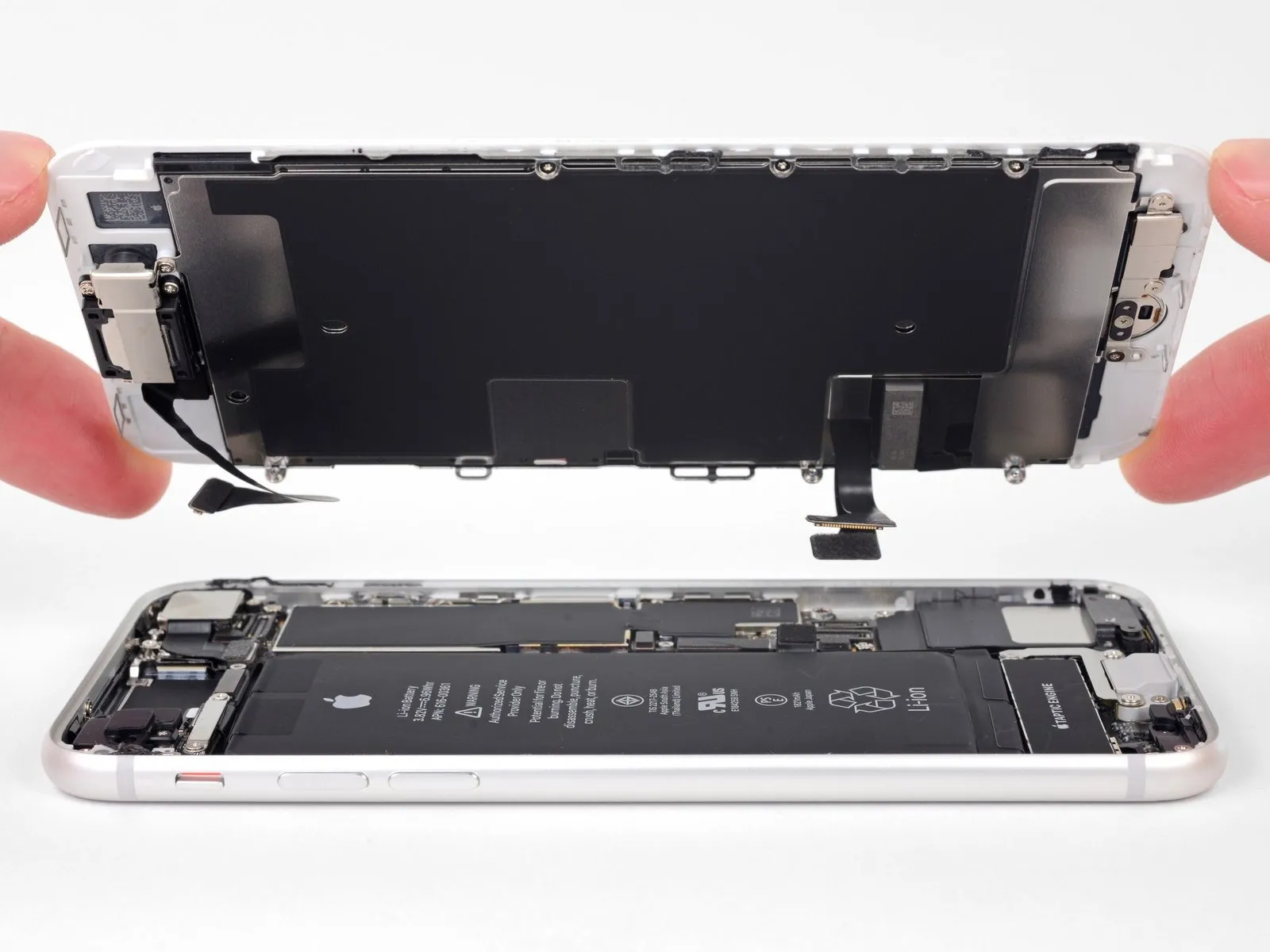
- Detach the display assembly from the device.
- If you intend to substitute the adhesive securing the display's perimeter, halt the process at this juncture.
Step 23 | Disconnect the rear camera


Step 24 | Remove the rear camera bracket

- Detach the rear-facing camera bracket by first eliminating the two screws that hold it in place.
- A single 3.0 mm standoff screw
- Also, one 3.1 mm Phillips screw
- For optimal results when removing standoff screws, utilize a standoff screwdriver or bit.
- If a standoff screwdriver isn't accessible, a small flathead screwdriver can be employed as a substitute; however, exercise heightened care to prevent slippage and potential harm to nearby parts.
Step 25

Step 26 | Remove the rear camera


- To detach the rear camera, apply upward pressure to disengage it from its mounting cavity.