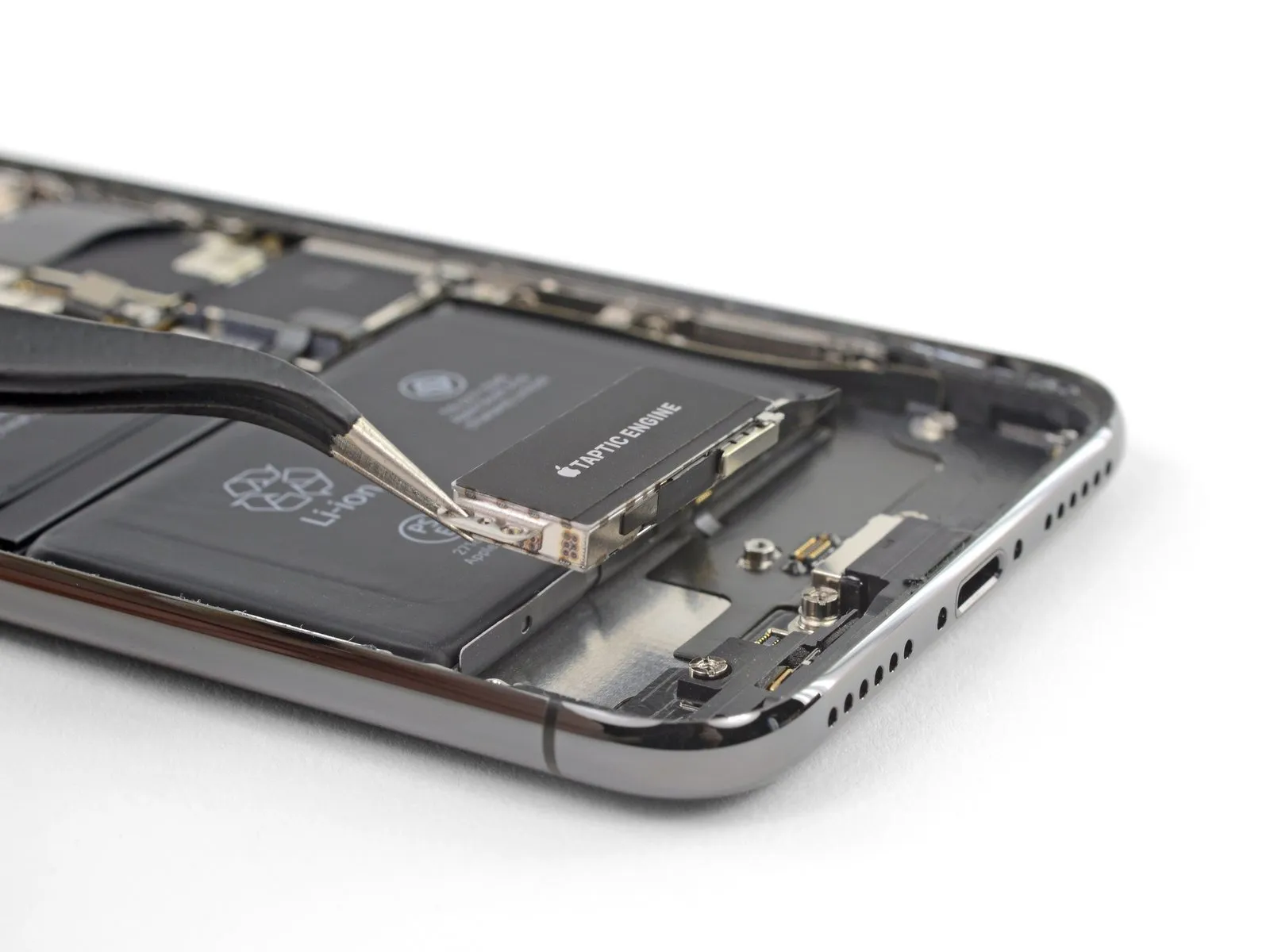
iPhone X Taptic Engine Replacement
TheTaptic Engineis responsible for generating both vibration and tactile feedback within your iPhone. Adhere to this procedure to detach and/or substitute theTaptic Enginefrom an iPhone X.
- This instructional document requires complete removal of the display assembly; this precaution is designed to avoid unintended stress or harm to the display connectors during the repair process.
- Should you possess the confidence to extract theTaptic Enginewithout risking the integrity of the display cables, you may bypass the instructions detailing display cable disconnection.
Step 1 | Pentalobe Screws
- To ensure safety, fully deplete the iPhone's battery to a level below 25% prior to commencing the repair process.A fully charged lithium-ion batteryposes a significant fire and/or explosion hazard if it sustains accidental physical damage, such as a puncture.
- Deactivate the iPhone by powering it down completely before initiating any disassembly procedures.
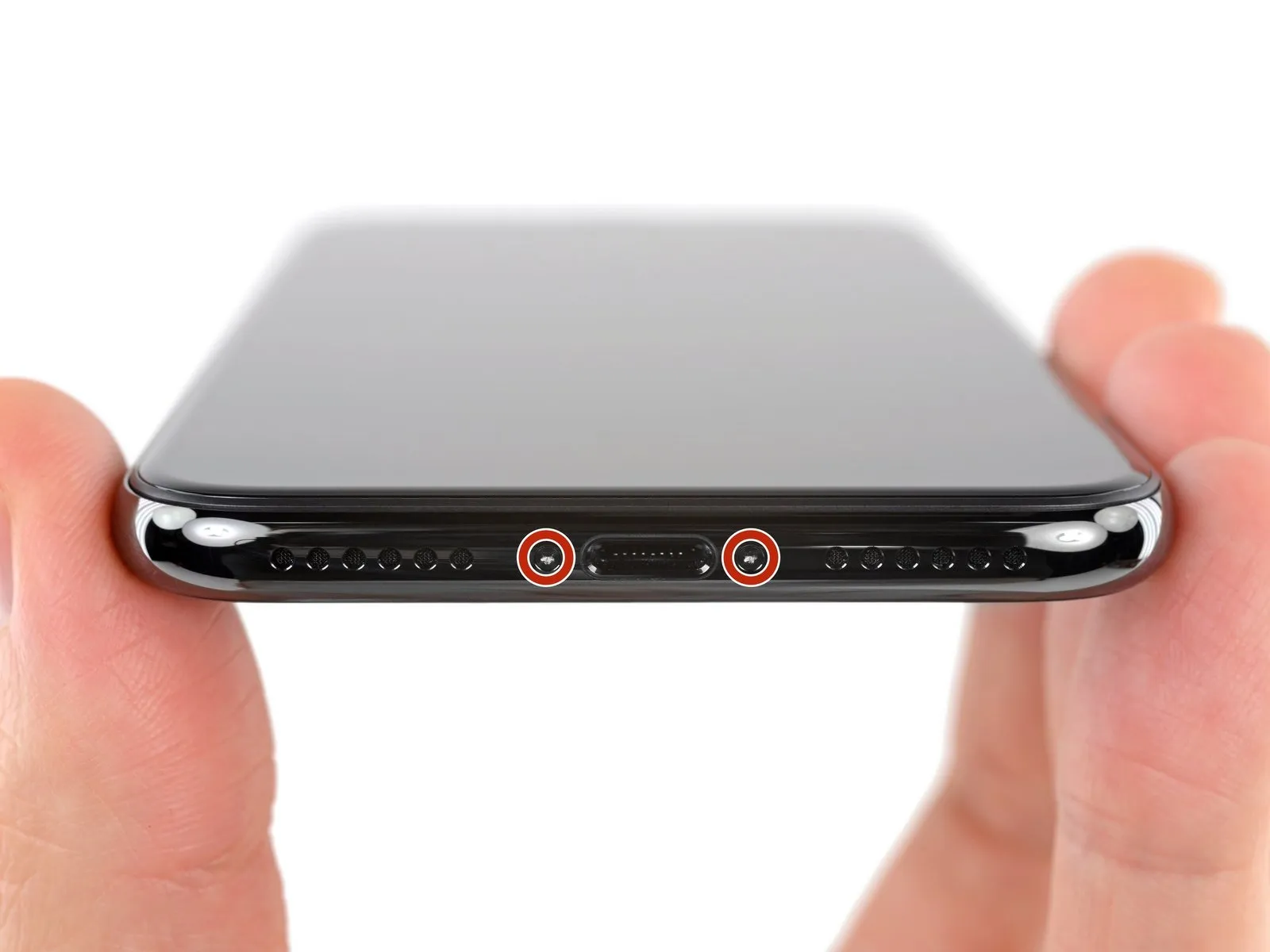
- Carefully extract the pair of pentalobe screws, each measuring 6.9 mm in length, located along the iPhone's lower edge.
- Should the screws exhibit signs of damage or stripping, it is necessary to substitute them with replacements.screws.
- Disassembly of the iPhone’s display assembly will inevitably damage the factory-installed waterproof seals; therefore, acquire replacement seals beforehand and be prepared to install them, or exercise extreme caution to prevent liquid ingress if you intend to reassemble the iPhone without new seals.
Step 2 | Mark your opening picks


- To avoid potential harm to your device, ensure the opening pick does not extend beyond its intended insertion depth; this procedure details how to identify the safe insertion point on the pick to avert such damage.
- Determine the distance of3 mmfrom the pick's leading edge, then use a permanent marker to indicate this point on the opening pick.
- Distinct markings can also be applied to the pick's other corners, each representing a differentmeasurement.
- As an alternative method, affix a coin to the pick, positioning it precisely 3 mm from the tip.
Step 3 | Tape over any cracks


- To minimize additional damage and potential injury while repairing a fractured iPhone display, secure the glass fragments with adhesive tape.
- Apply multiple layers of transparent packing tape across the iPhone's screen surface, ensuring complete coverage of the entire front face.
- Always utilizesafety glassesto safeguard your vision from any dislodged glass shards that may occur during the repair process.
- Should the suction cup fail to adhere properly in subsequent procedures, create a handle by folding a robust tape (like duct tape) and employ it to gently raise the screen.
- As a last resort, you may secure thesuction cup directly to the screen using superglue.
Step 4 | Anti-Clamp instructions


The following three procedures illustrate the function of the Anti-Clamp, a specialized tool developed to simplify the initial opening process; if you choose not to utilize this tool, proceed to the subsequent three steps for an alternative approach.
- Detailed guidance regarding the operation of the Anti-Clamp, is available in this separate document.
- To release the locking mechanism, draw the blue handle towards the rear.
- Carefully position the arms across either the left or right side of your iPhone.
- Place the suction cups close to the lower border of the iPhone, ensuring one is situated on the front surface and the other on the rear.
- Apply pressure by compressing the cups together to establish a secure hold on the intended area.
- Should the iPhone's surface prove excessively smooth, preventing adequate adhesion by the Anti-Clamp, applying adhesive tape can provide a more textured interface.
Step 5


- Advance the blue handle to secure the arm assemblies in place.
- Rotate the handle a full 360 degrees, or continue until the suction cups begin to deform.
- Confirm that the suction cups maintain their parallel orientation; should they become misaligned, slightly release the suction cups and readjust the arm positioning.
Step 6


- Employing an iOpener, apply heat and guide it through the arms of the Anti-Clamp; alternative heating methods, such as a hair dryer, heat gun, or hot plate, are permissible, however, exercise caution as excessive heat poses a risk of damage to the display assembly and/or the internal battery.
- Position the iOpener so that it rests along the lower edge of the iPhone’s casing.
- Allow a period of sixty seconds to elapse, enabling the adhesive to loosen and create a separation.
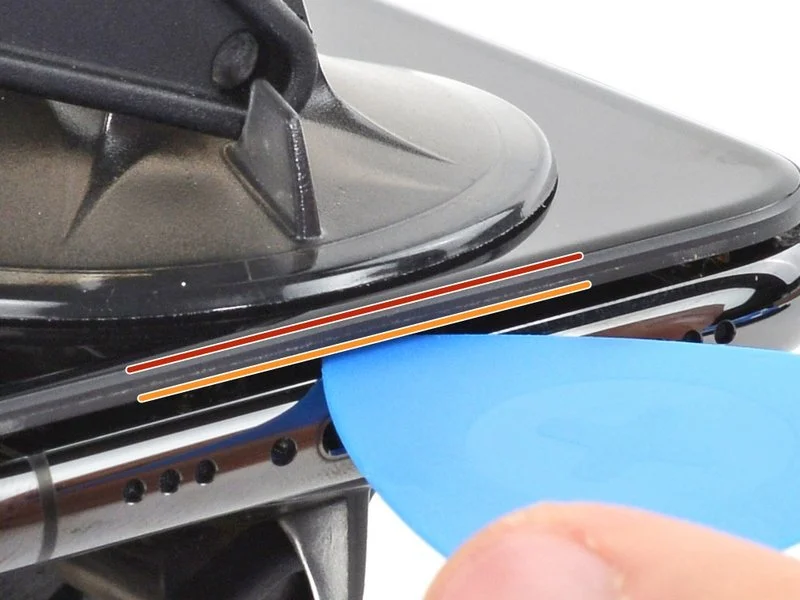
- Carefully slide an opening pick beneath the display and the surrounding plastic bezel, ensuring it does not contact the screen’s surface directly.
- Should the Anti-Clamp fail to produce an adequate separation, increase the heat applied to the region and rotate the handle by ninety degrees.
- Avoid incremental rotations exceeding ninety degrees, and permit a sixty-second interval between each adjustment; rely on the Anti-Clamp’s pressure and the passage of time to facilitate separation.
- Omit the subsequent three steps.
Step 7
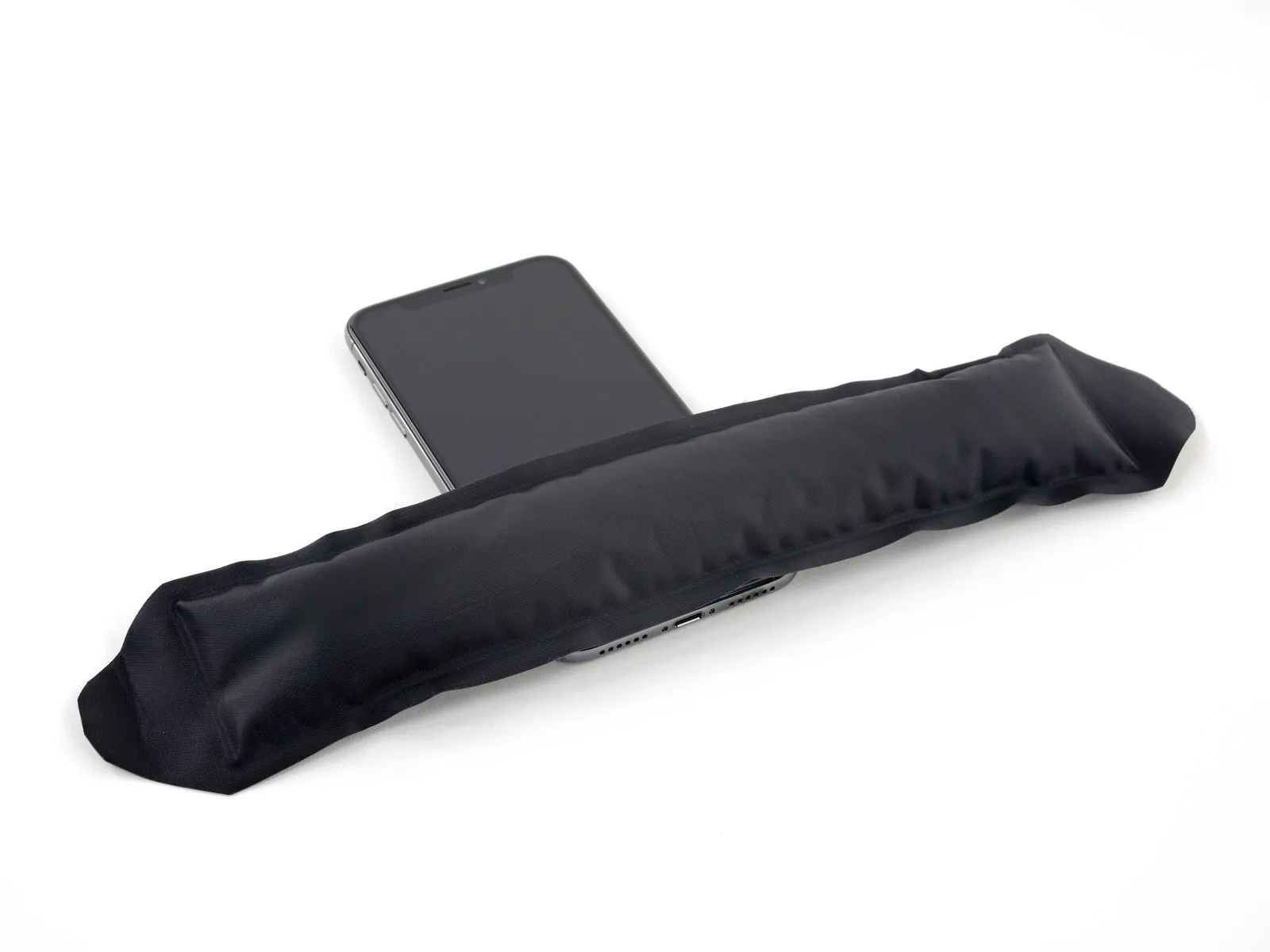
- Applying warmth to the iPhone's bottom edge facilitates the loosening of the adhesive that holds the display in place, thereby simplifying the opening process.
- Employing a hairdryer, heat gun, or iOpener, direct it towards the lower edge of the iPhone for approximately one minute to reduce the adhesive's tackiness.
- Exercise caution when utilizing a hairdryer or heat gun, as excessive heat exposure can potentially harm the display.
Step 8
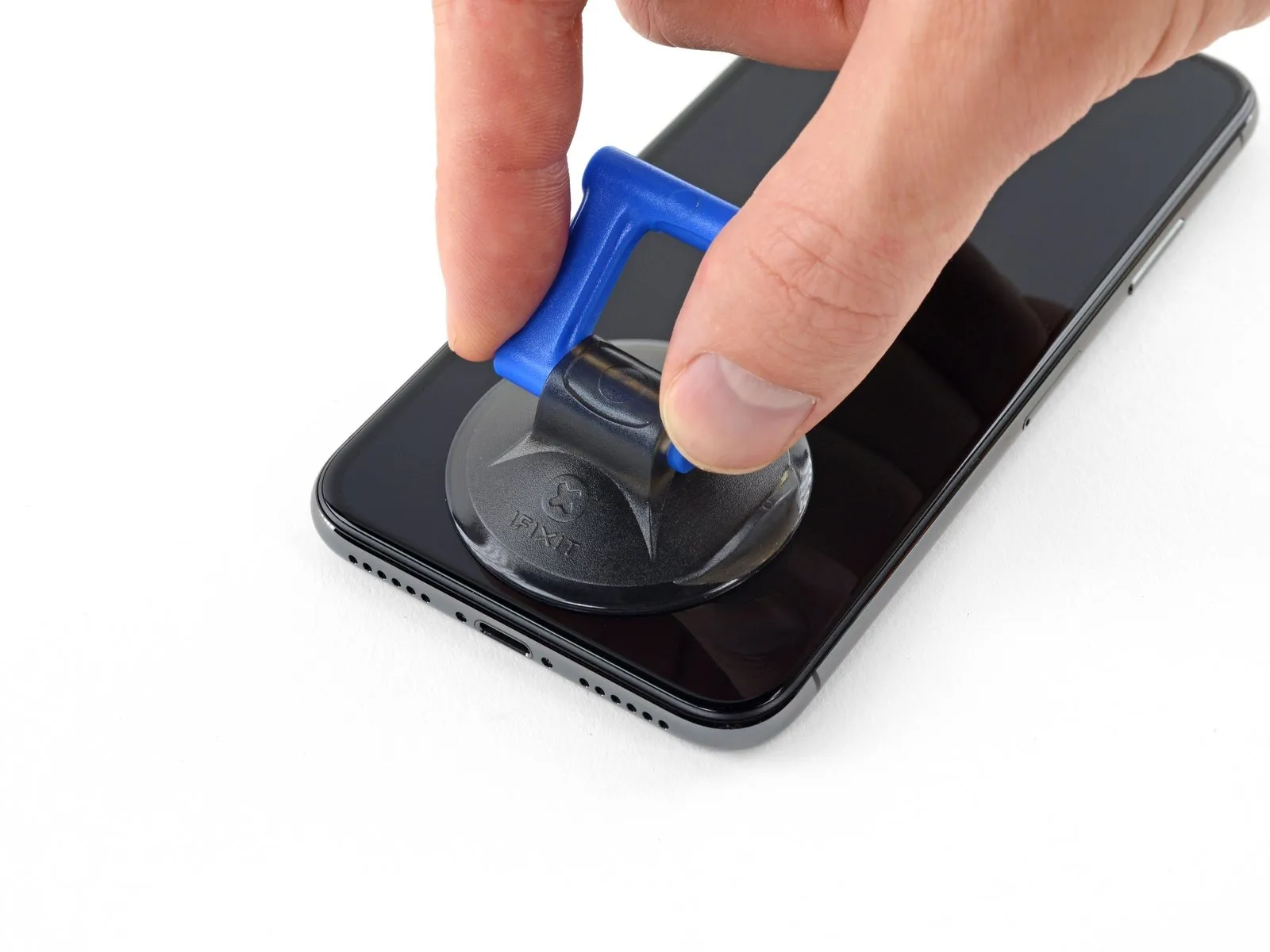
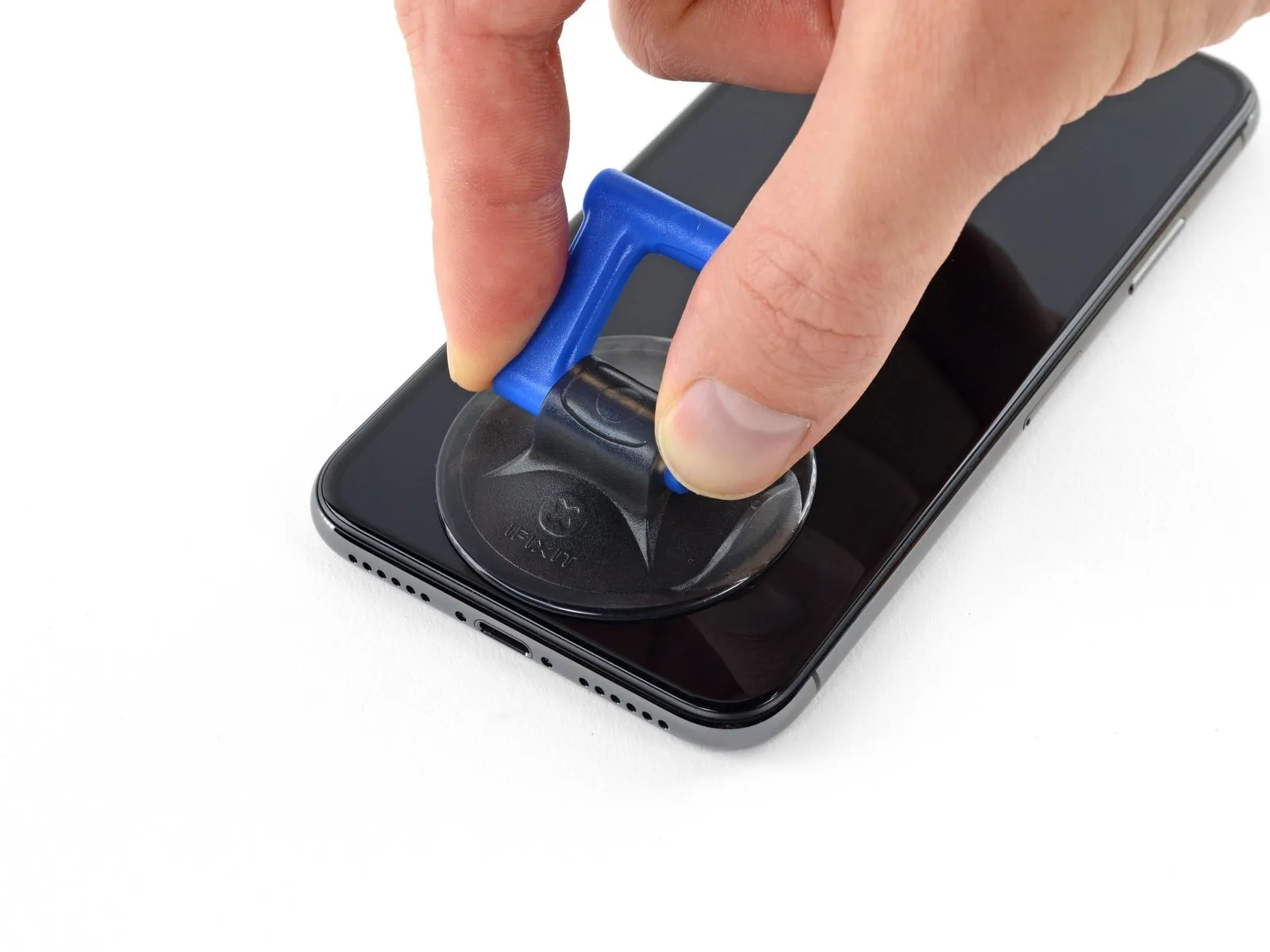
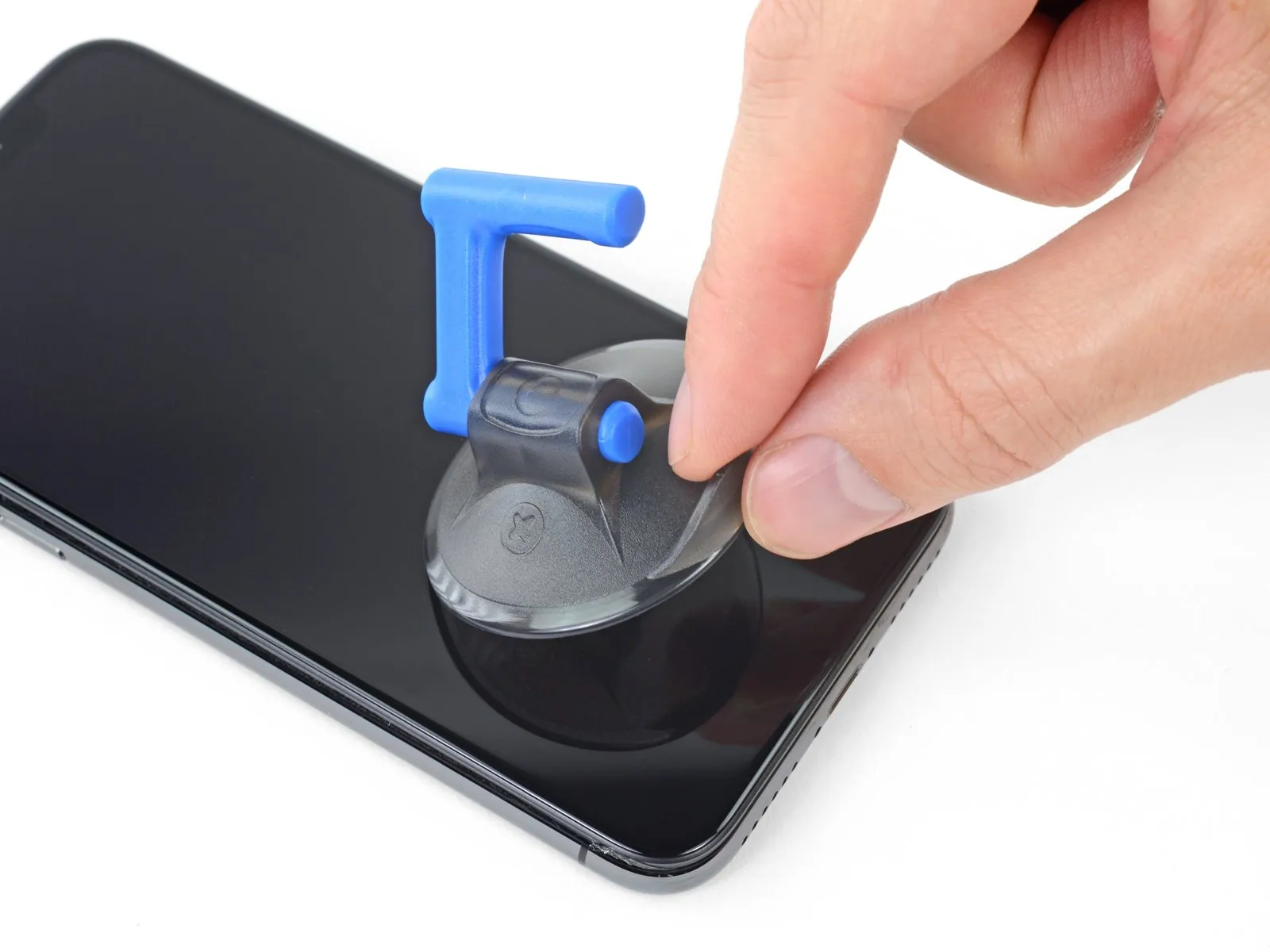
- When employing a solitary suction handle, position it against the lower boundary of the device, ensuring it does not contact the rounded glass surface.
Step 9
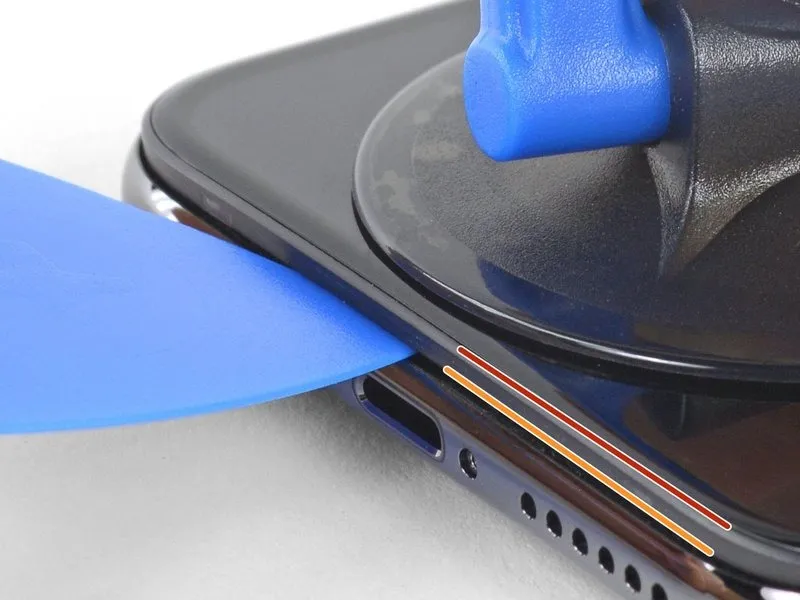
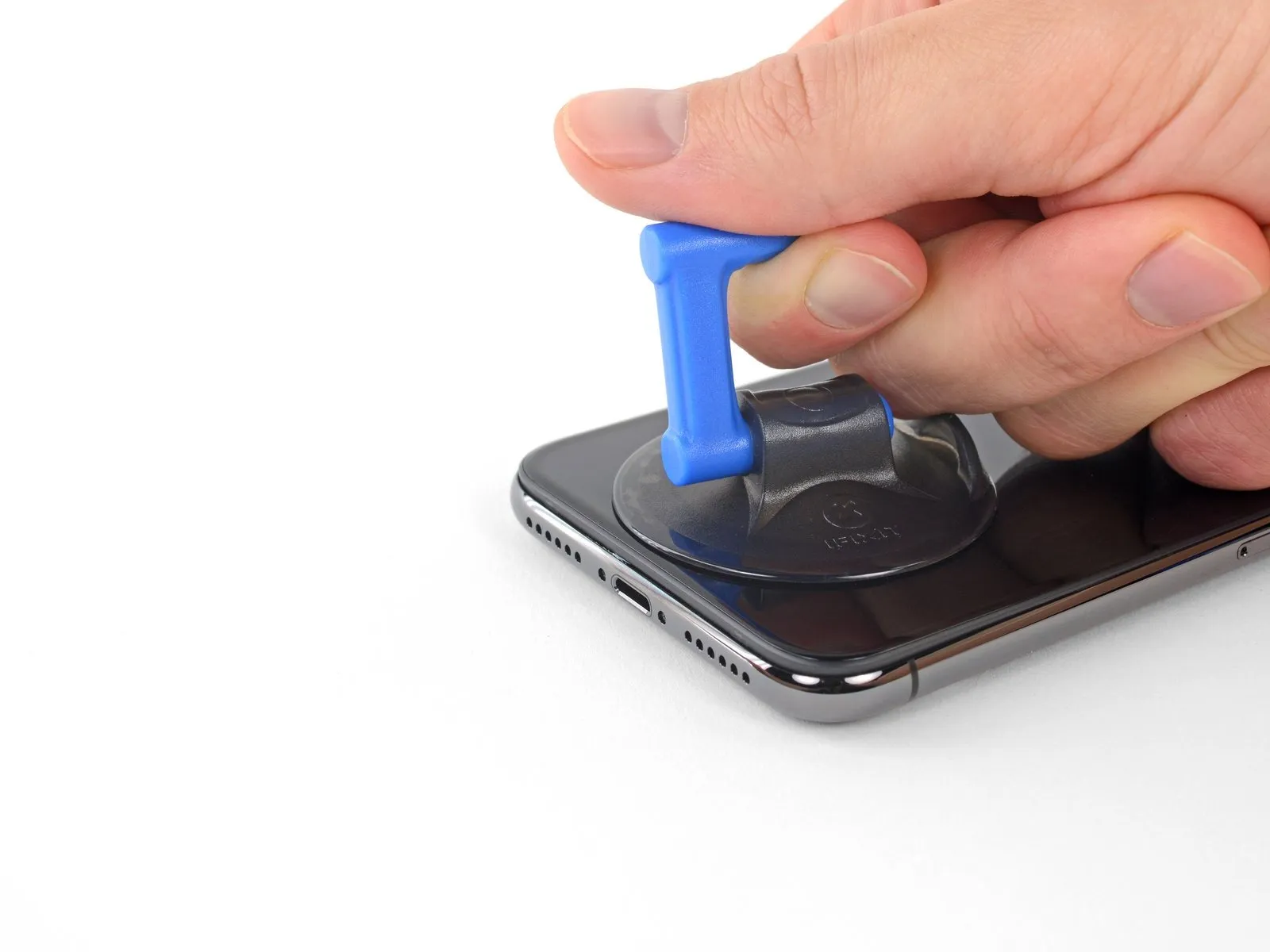
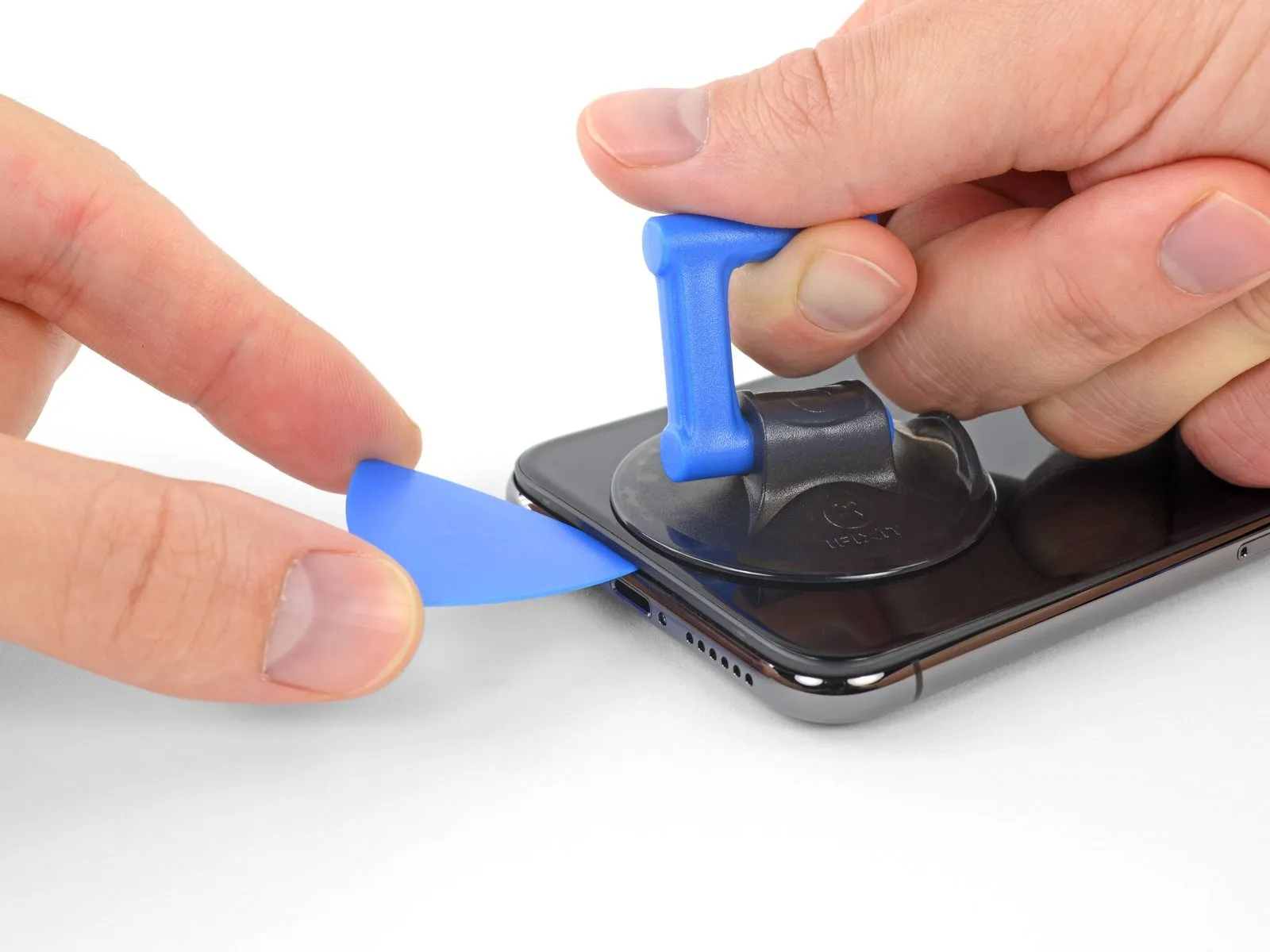
- Apply steady, consistent upward force to the suction cup to generate a small separation between the display assembly and the device's surrounding structure.
- Carefully position an opening tool into the created space, ensuring it is inserted beneath the plastic trim that borders the display, and not the display panel itself.
- Due to the robust, waterproof sealant securing the display, establishing this initial separation requires considerable effort; should you encounter difficulty, apply additional heat and gently oscillate the display in an upward and downward motion to reduce the adhesive's strength until a sufficient gap is achieved for tool insertion.
Step 10
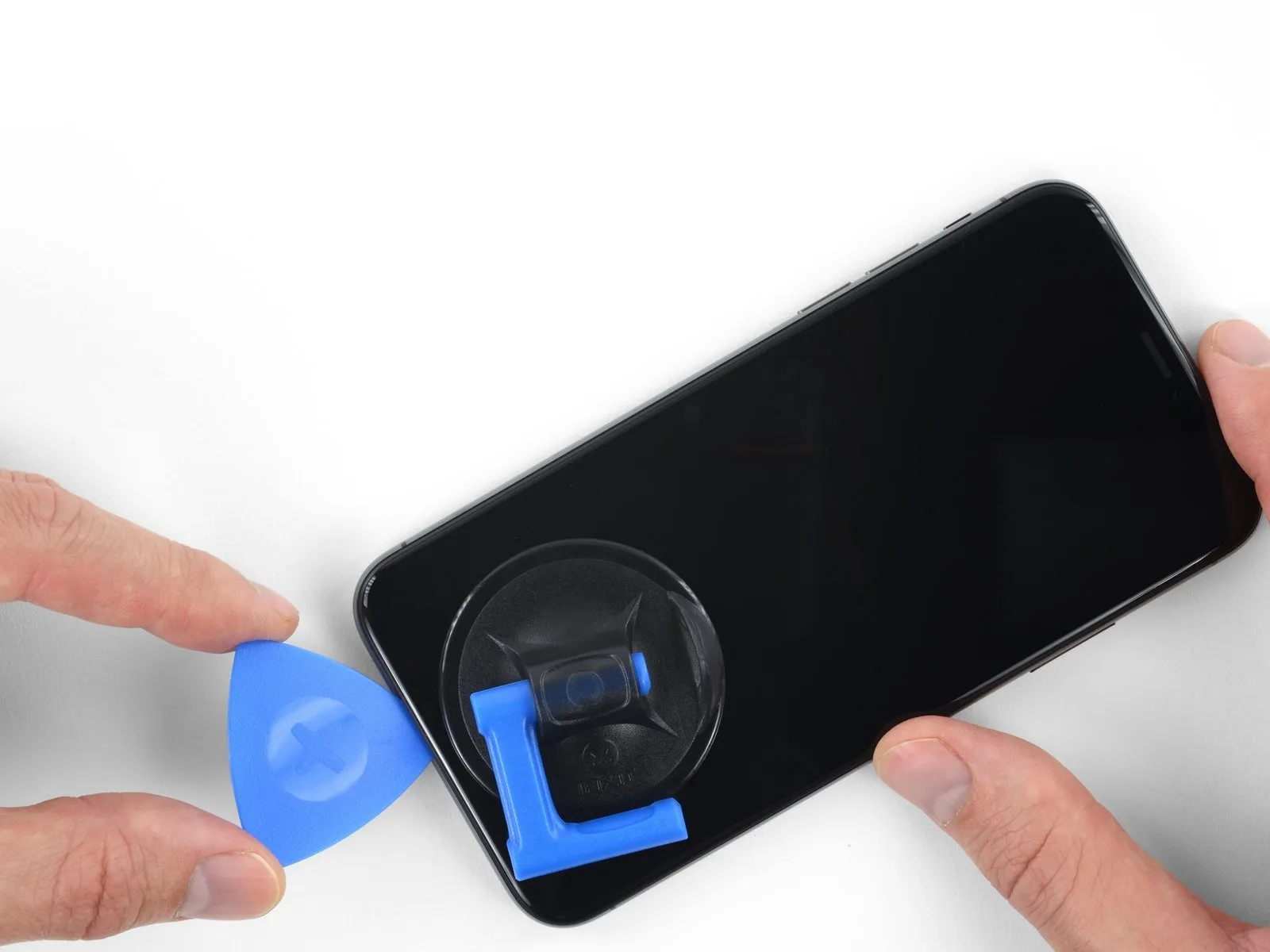
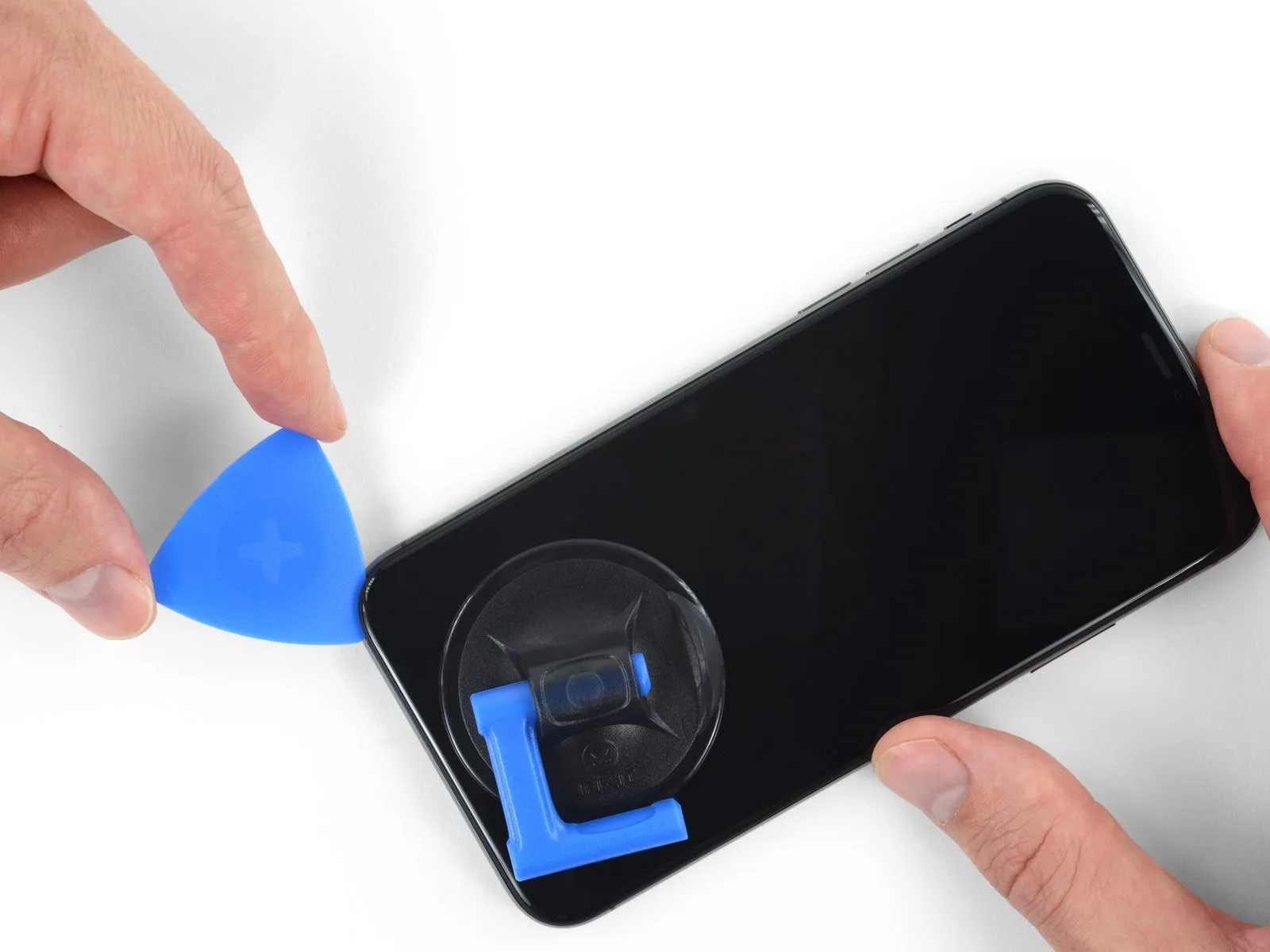
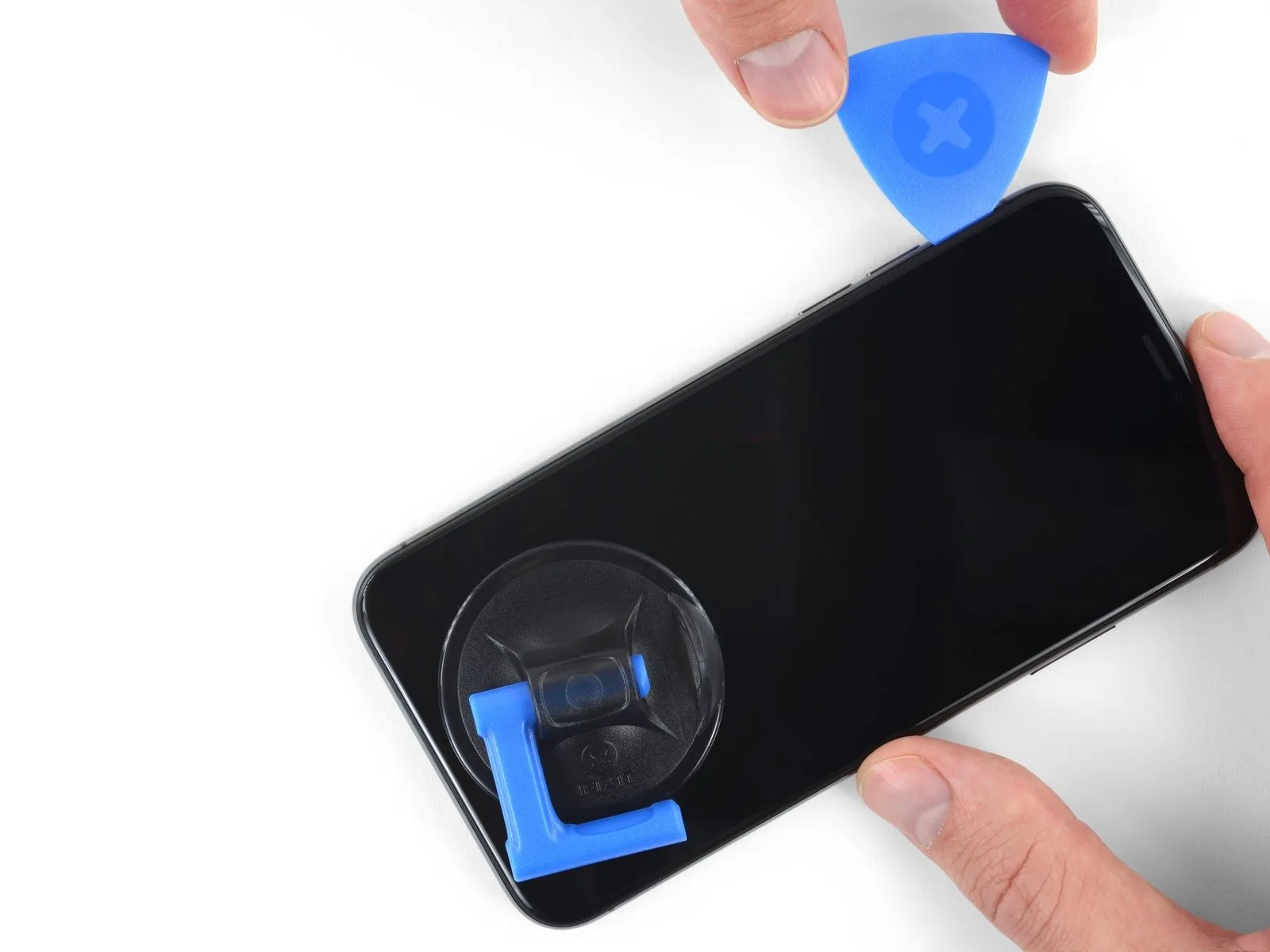
- Using a separation tool, carefully maneuver it along the bottom-left perimeter of the iPhone, then upward along the left side, severing the adhesive securing the display assembly.
- Exercise caution to prevent the tool's insertion depth from exceeding 3 millimeters, to avoid potential harm to the device's internal components.
Step 11 | Screen information
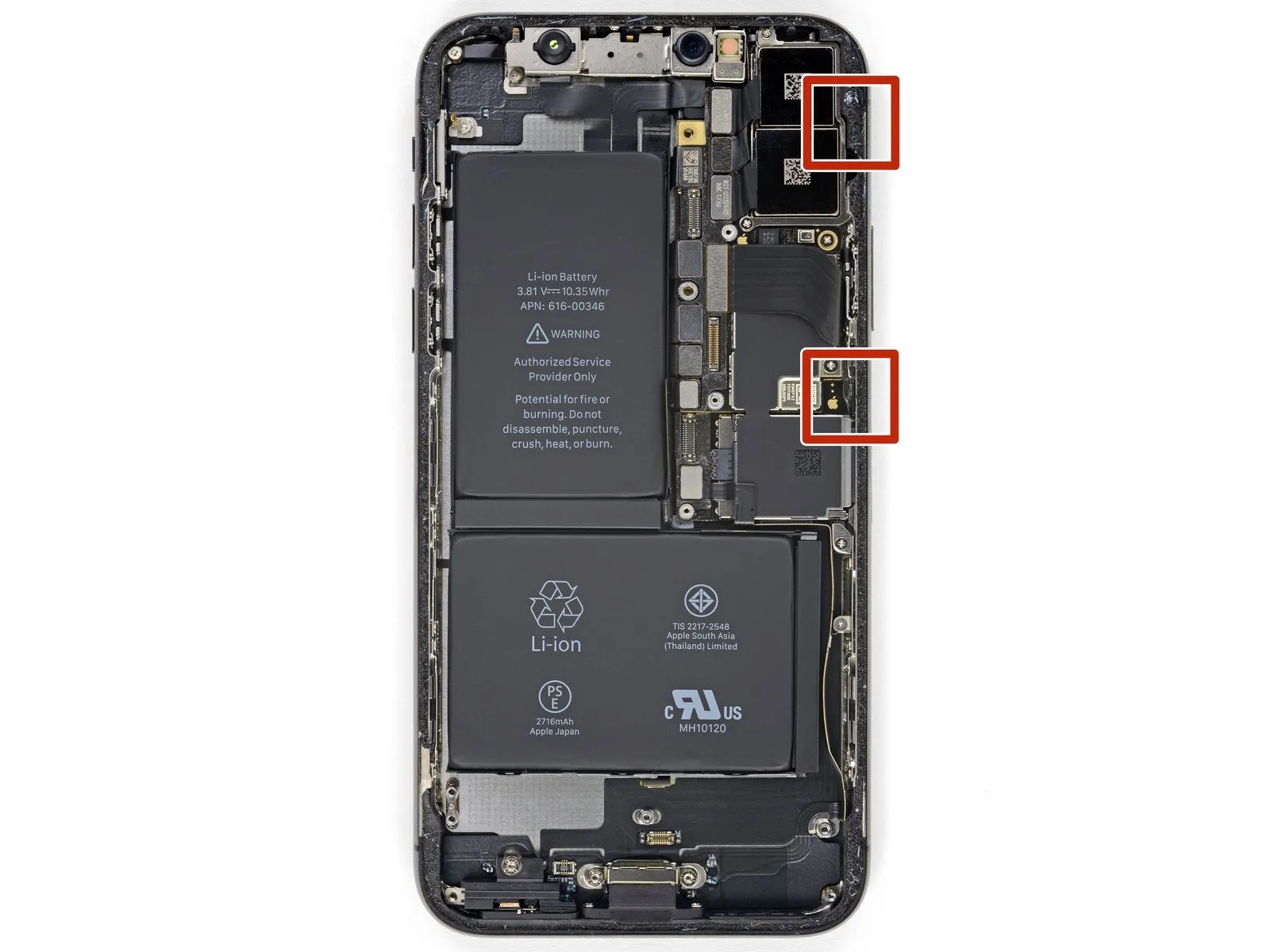
Fragile wiring is situated along the right-hand side of the iPhone; avoid inserting any tools in this area to prevent potential cable damage.
Step 12
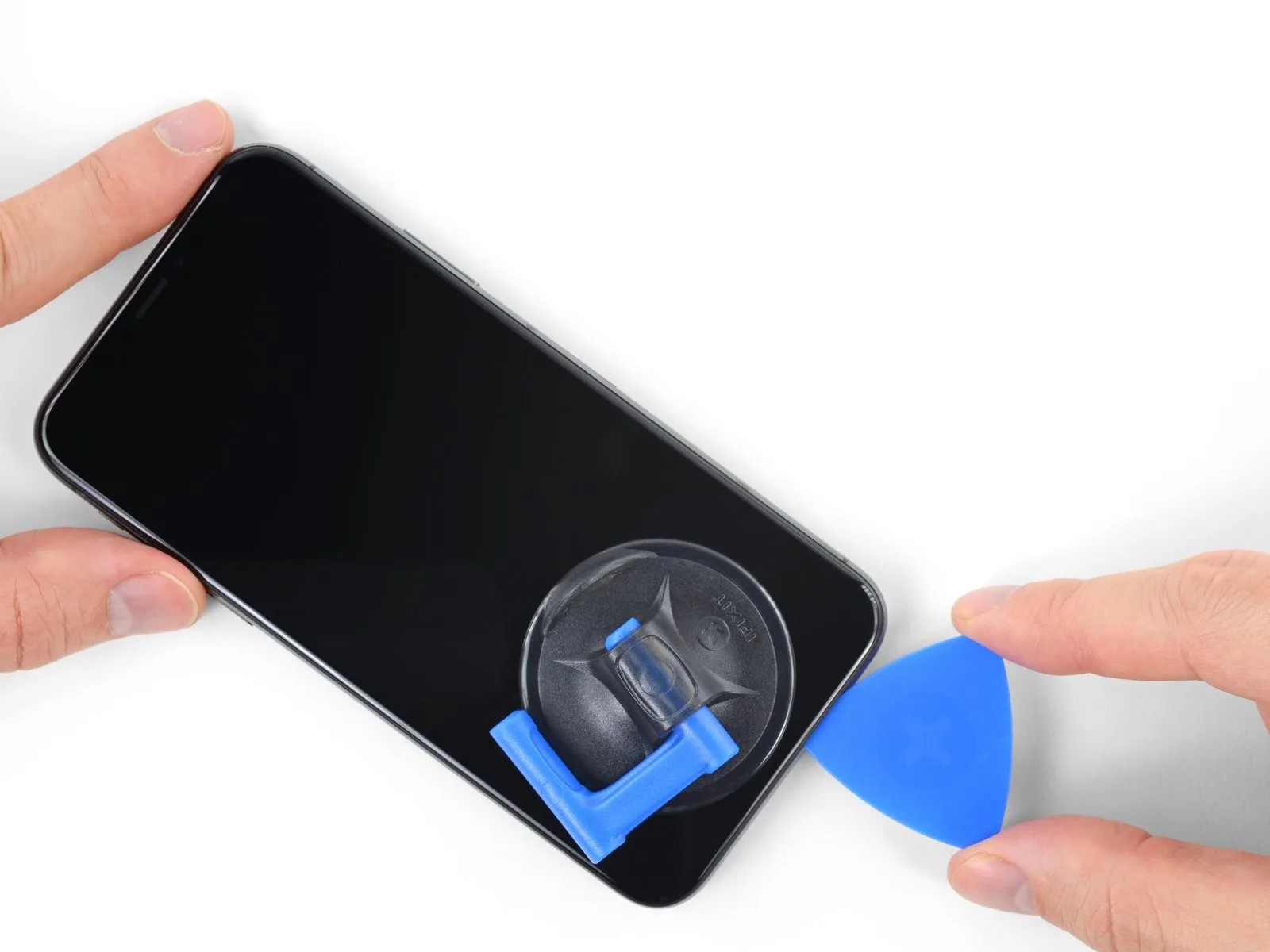
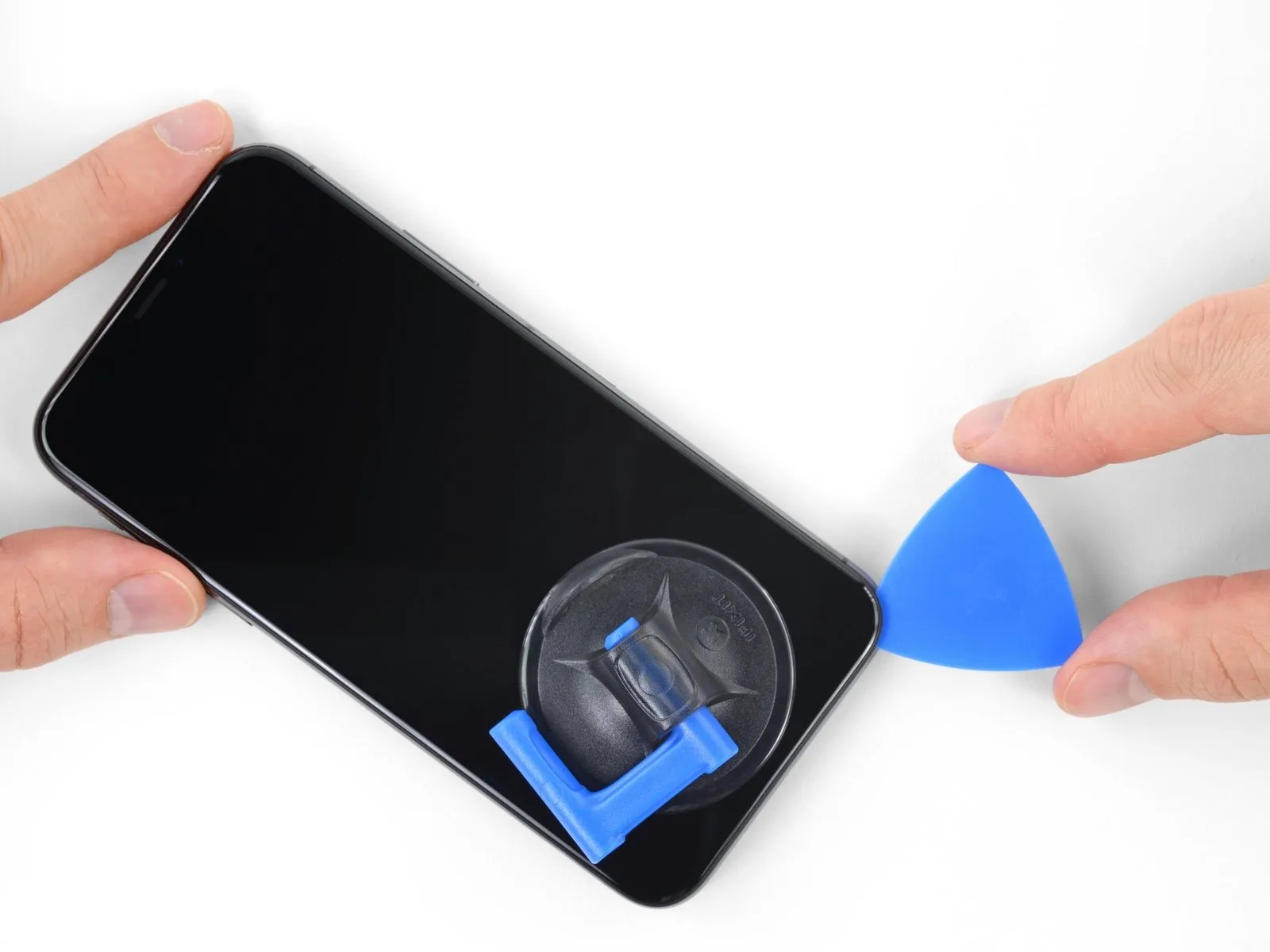
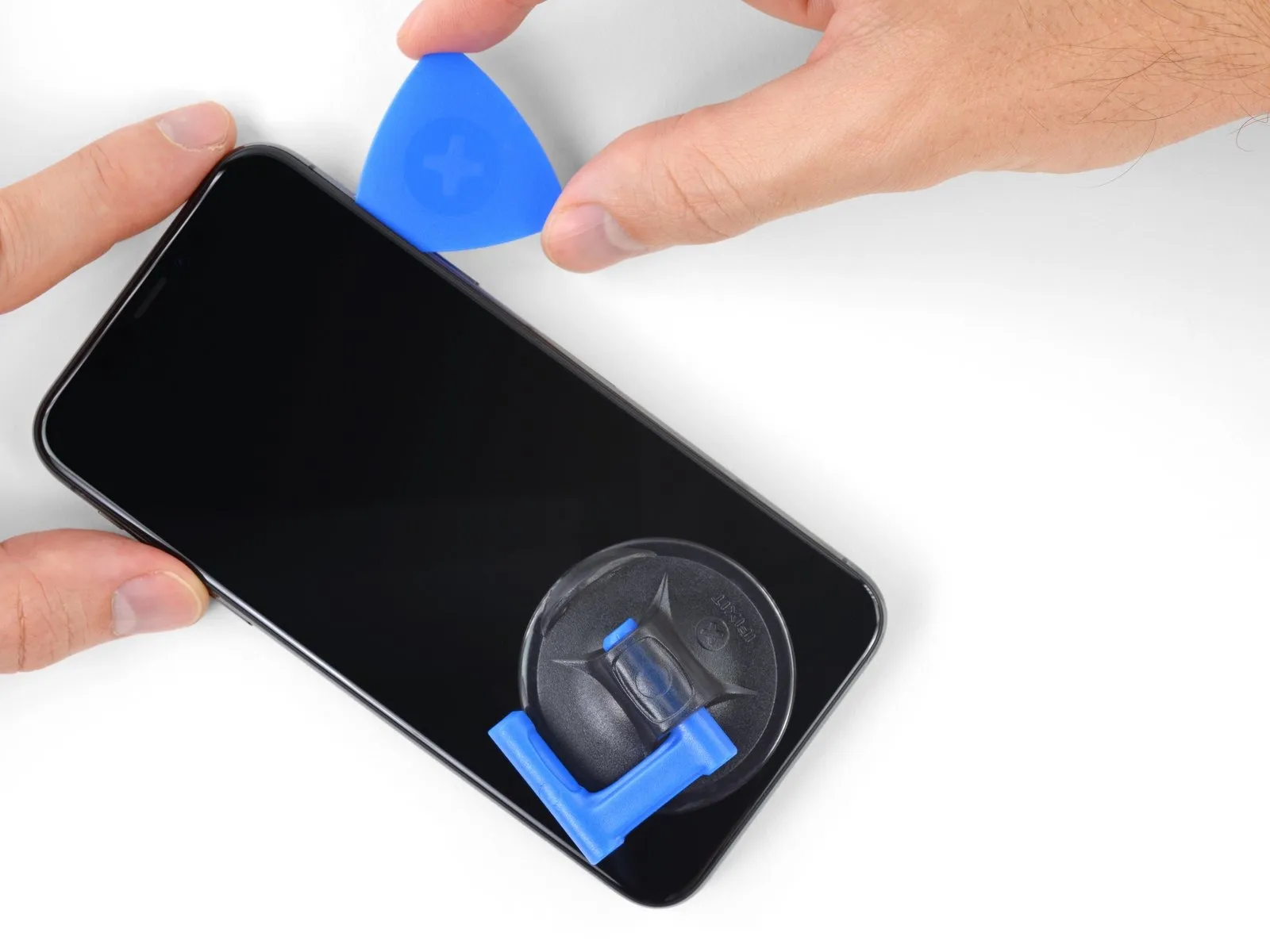
- Position your opening tool at the lower boundary of the iPhone's display and advance it upwards along the right-hand side to further release the adhesive seal.
- Ensure the tool's insertion depth remains below 3 millimeters to prevent potential harm to the delicate display cable connections.
Step 13
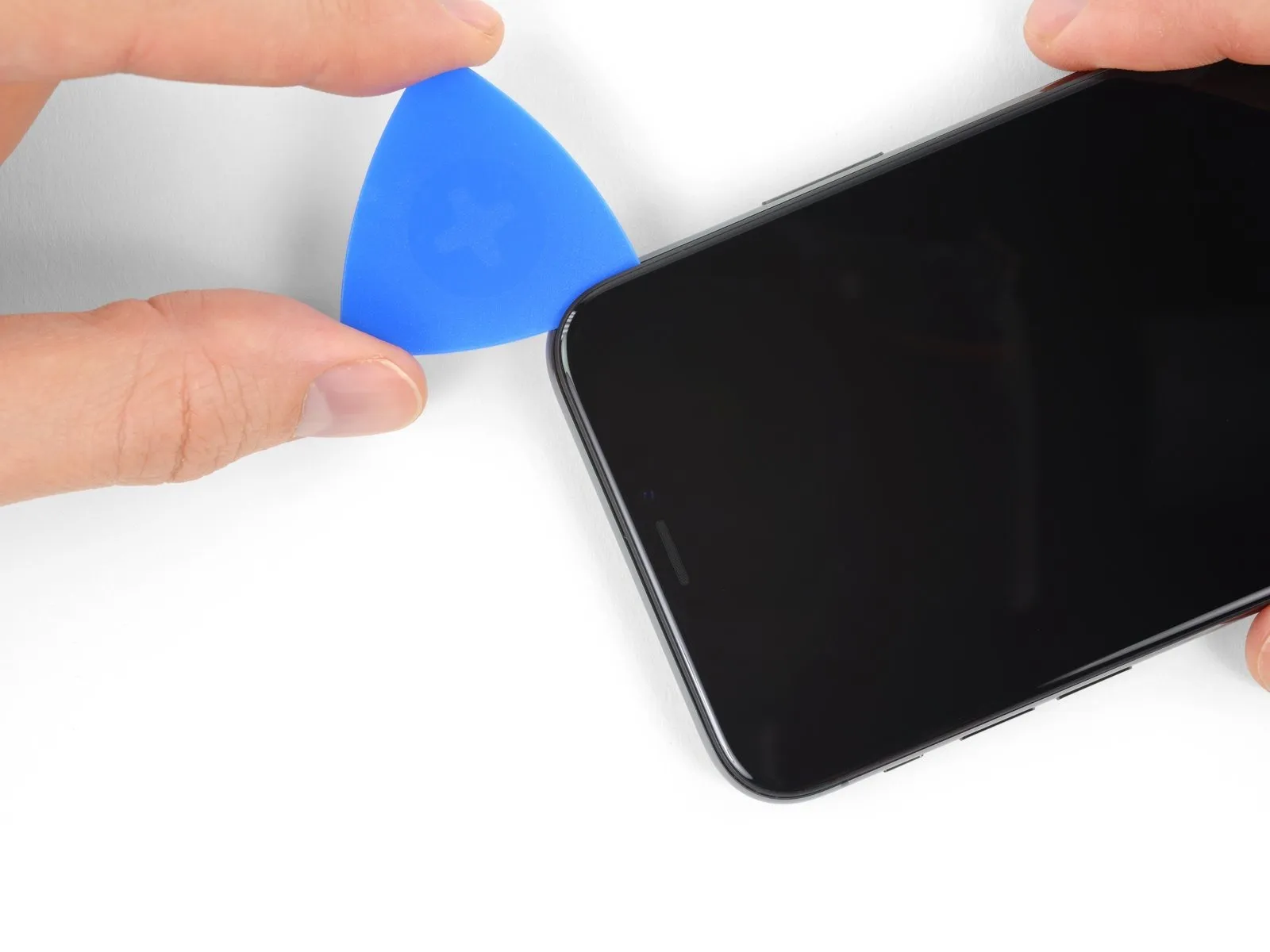
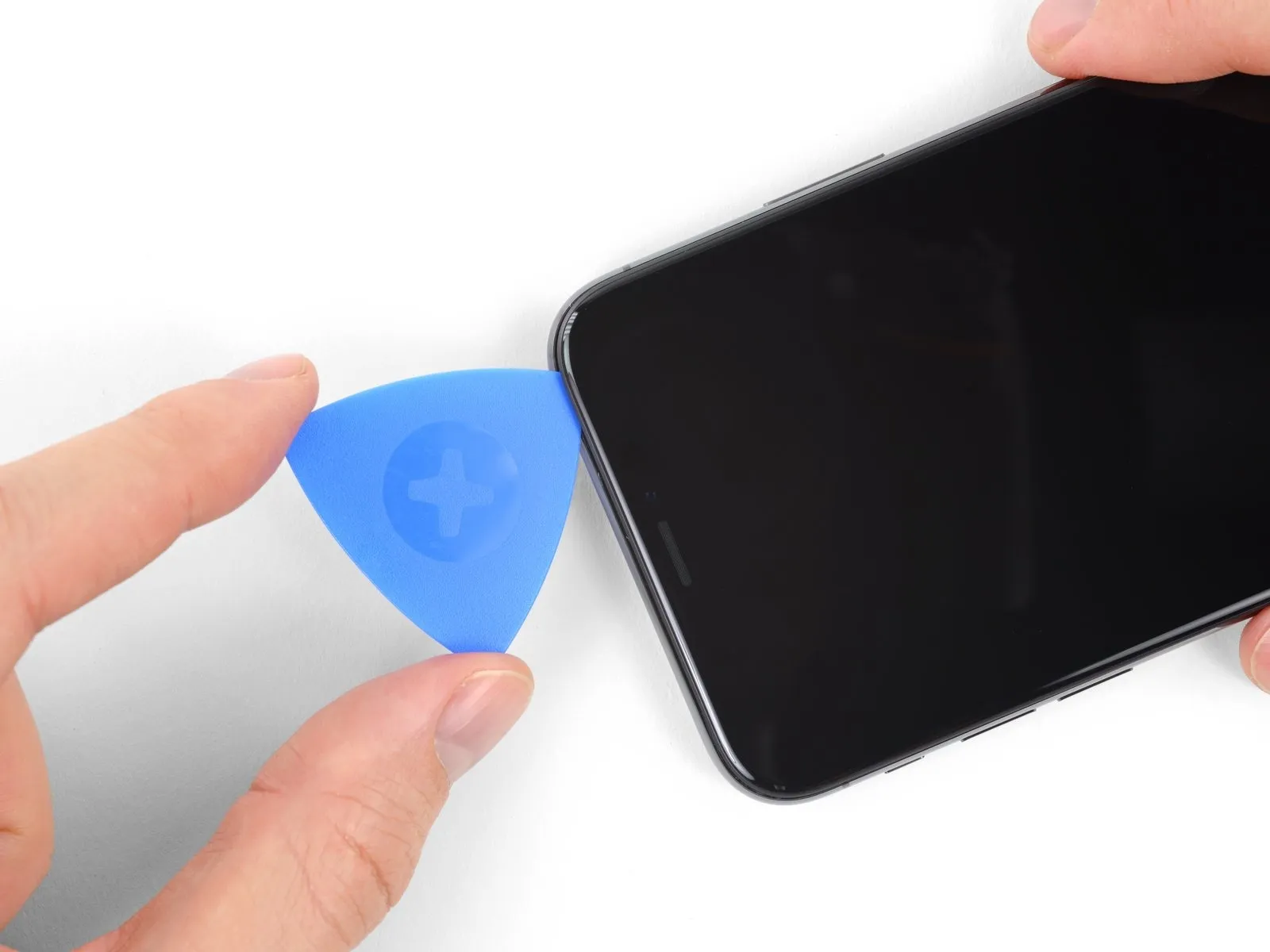
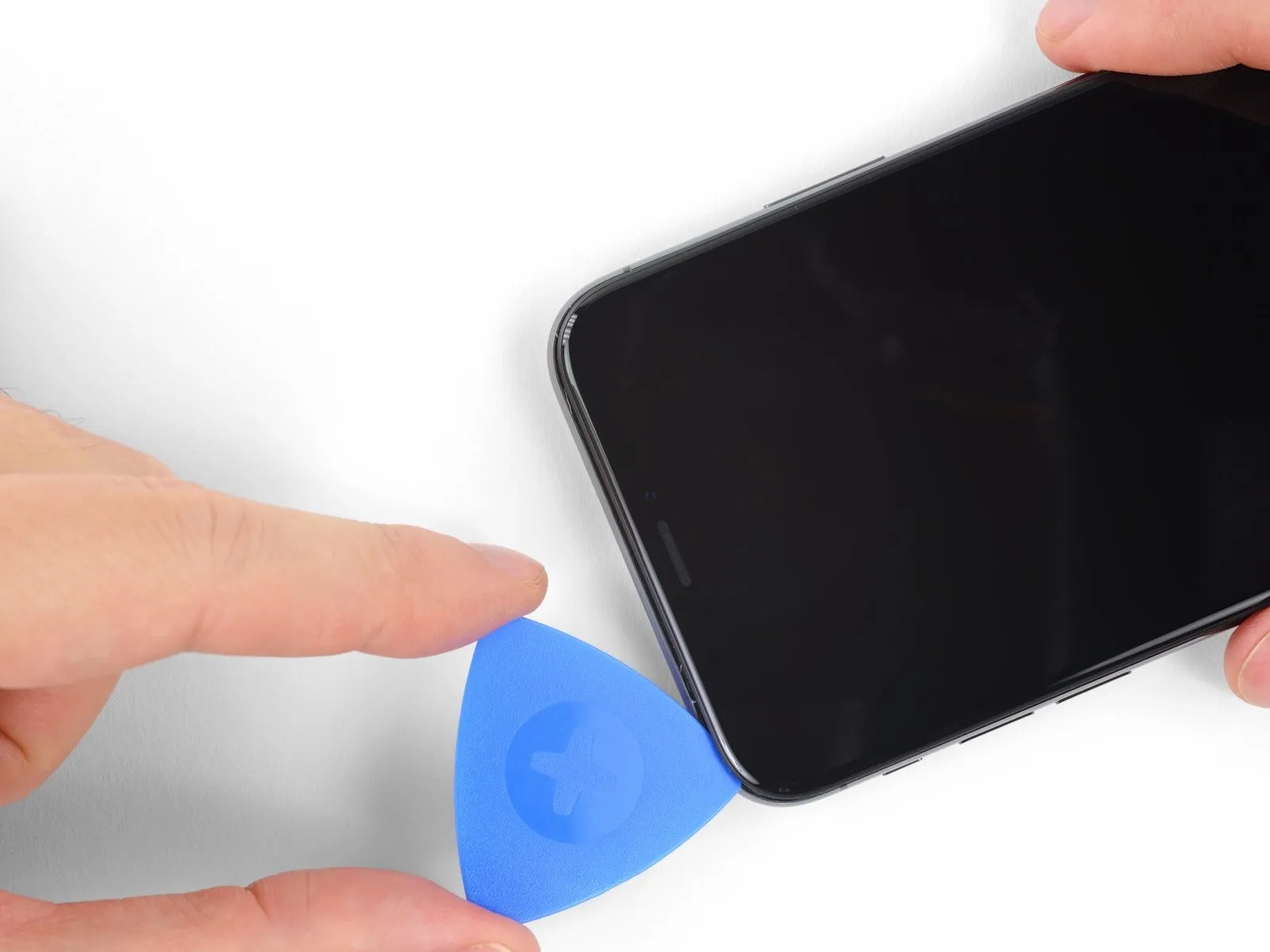
- Adhesive and retaining clips together fasten the display's uppermost border.
- Employing a specialized opening tool, maneuver it along the display's upper corner, applying slight downward pressure, guiding the display towards the Lightning port's location.
- Excessive force applied to the retaining clips will result in their breakage; therefore, proceed with caution and allow ample time for the process.
- Limit pick insertion depth to a maximum of 3 millimeters to prevent potential damage to the front panel sensor array.
- Continue moving the opening tool to the opposing corner to sever any residual adhesive holding the display in place.
Step 14
Step 15
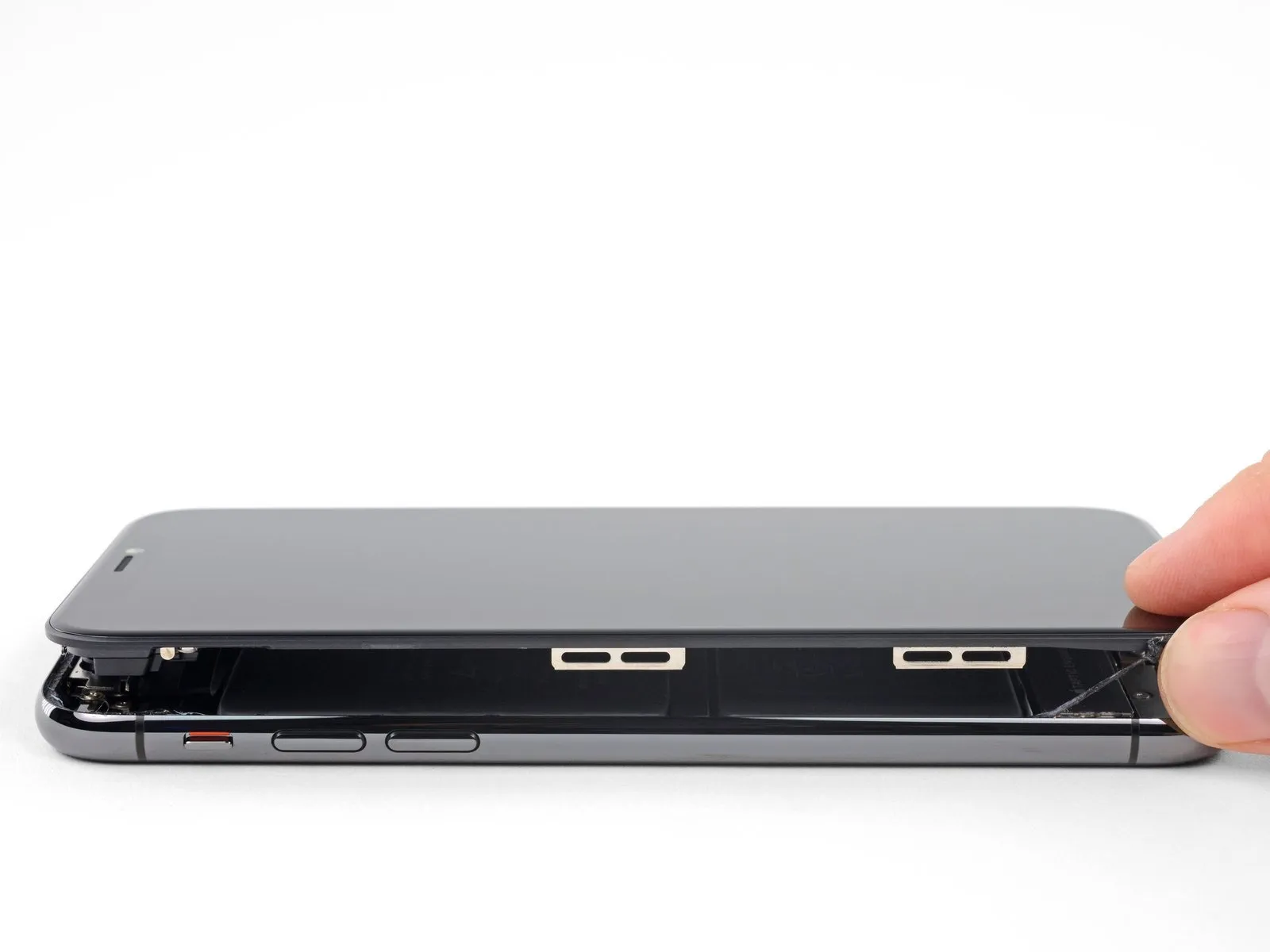
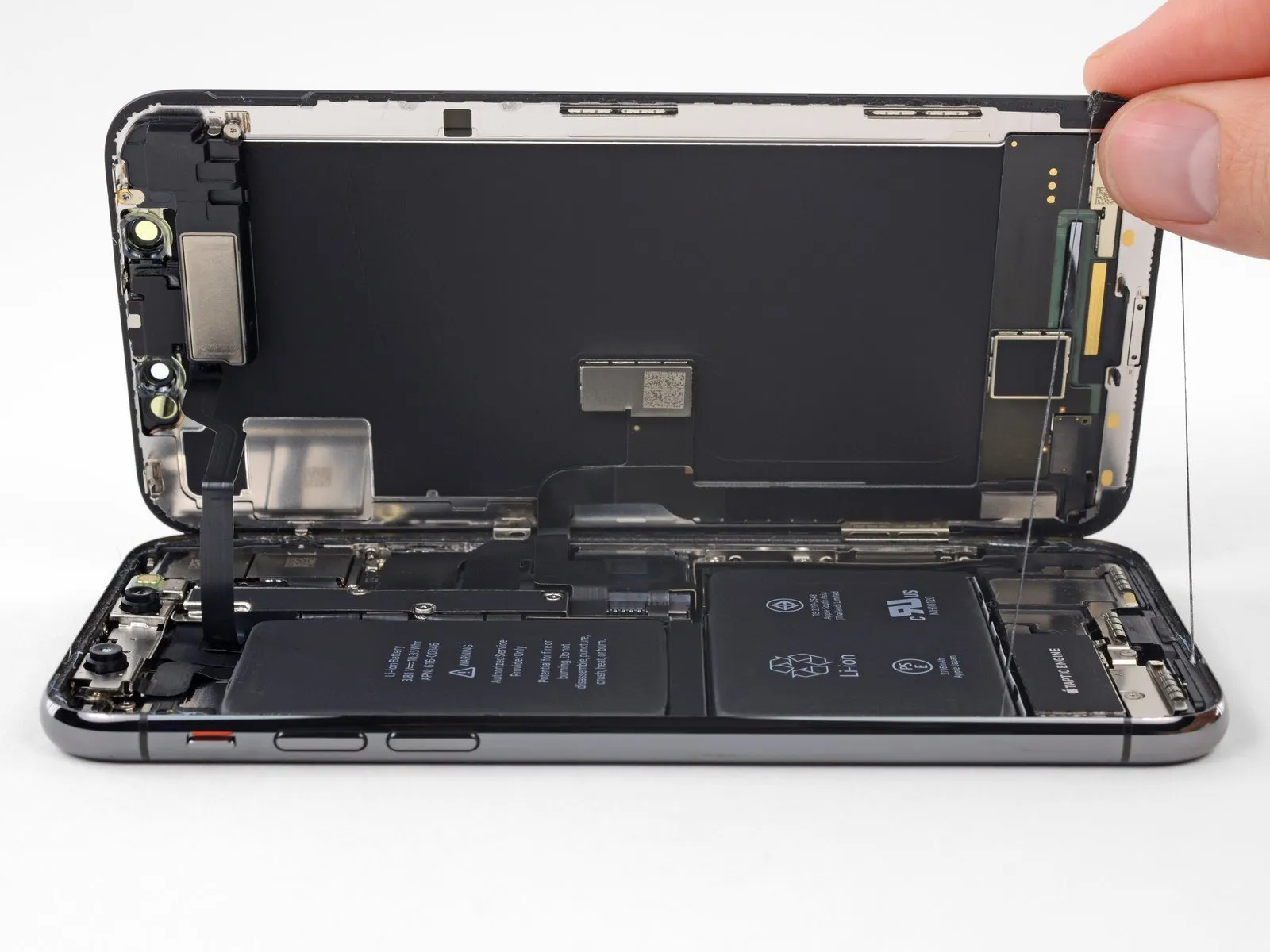
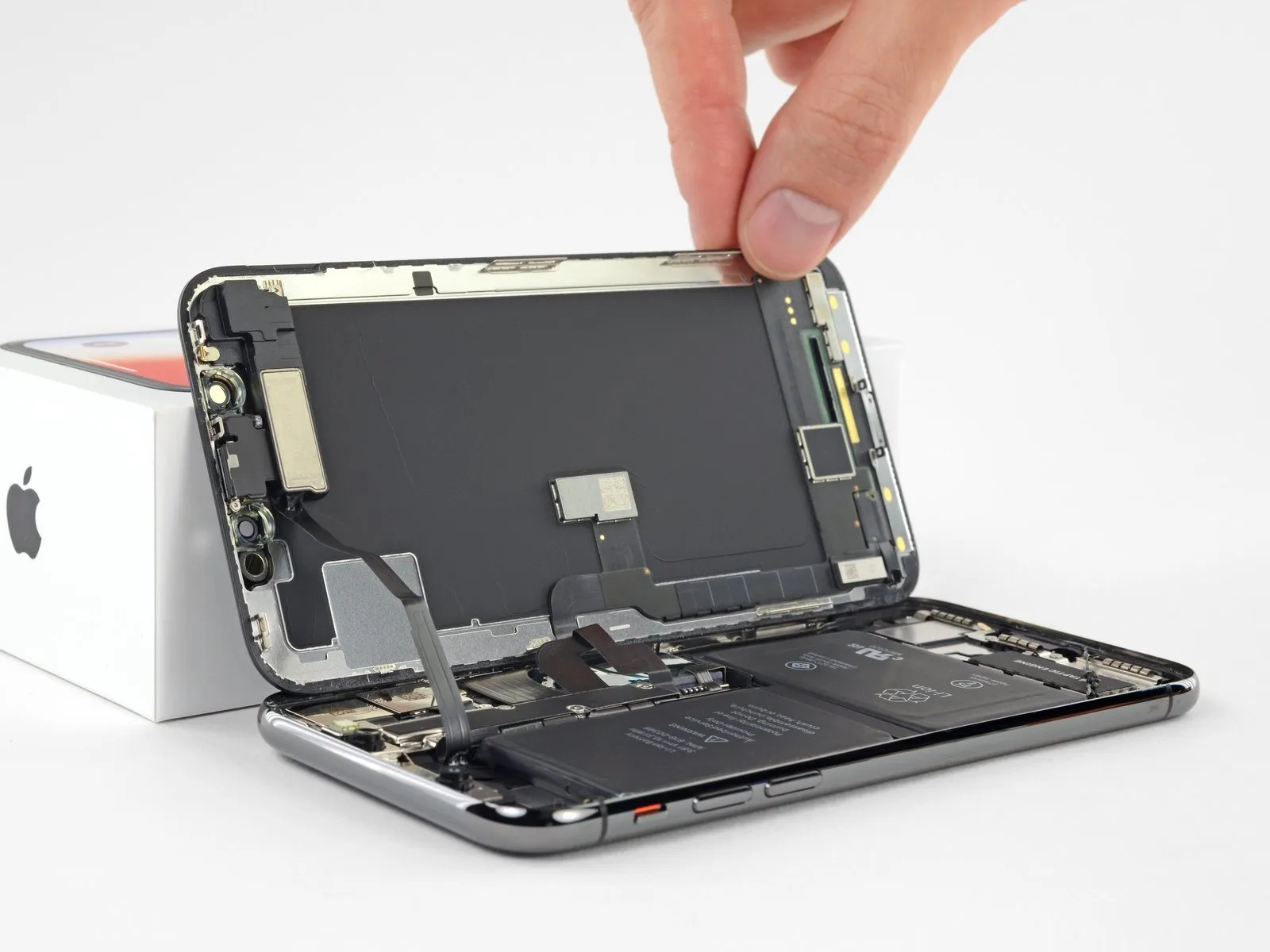
- To access the internal components, initiate the opening process by pivoting the display upwards from the left edge, mimicking the action of opening a book's cover.
- Refrain from completely detaching the display at this stage, because delicate ribbon cables remain connected to the iPhone's logic board.
- Confirm, as illustrated, that the frame moves with the display during removal, preventing it from becoming lodged within the device.
- Secure the display in an upright position using a support to maintain access to the internal components during the repair.
- When reassembling the device, position the display, ensuring the clips along the upper edge are properly aligned, and apply gentle pressure to the top edge before securing the remainder of the display. Should the display not seat easily, inspect the condition of the perimeter clips for any deformation.
Step 16 | Display Assembly
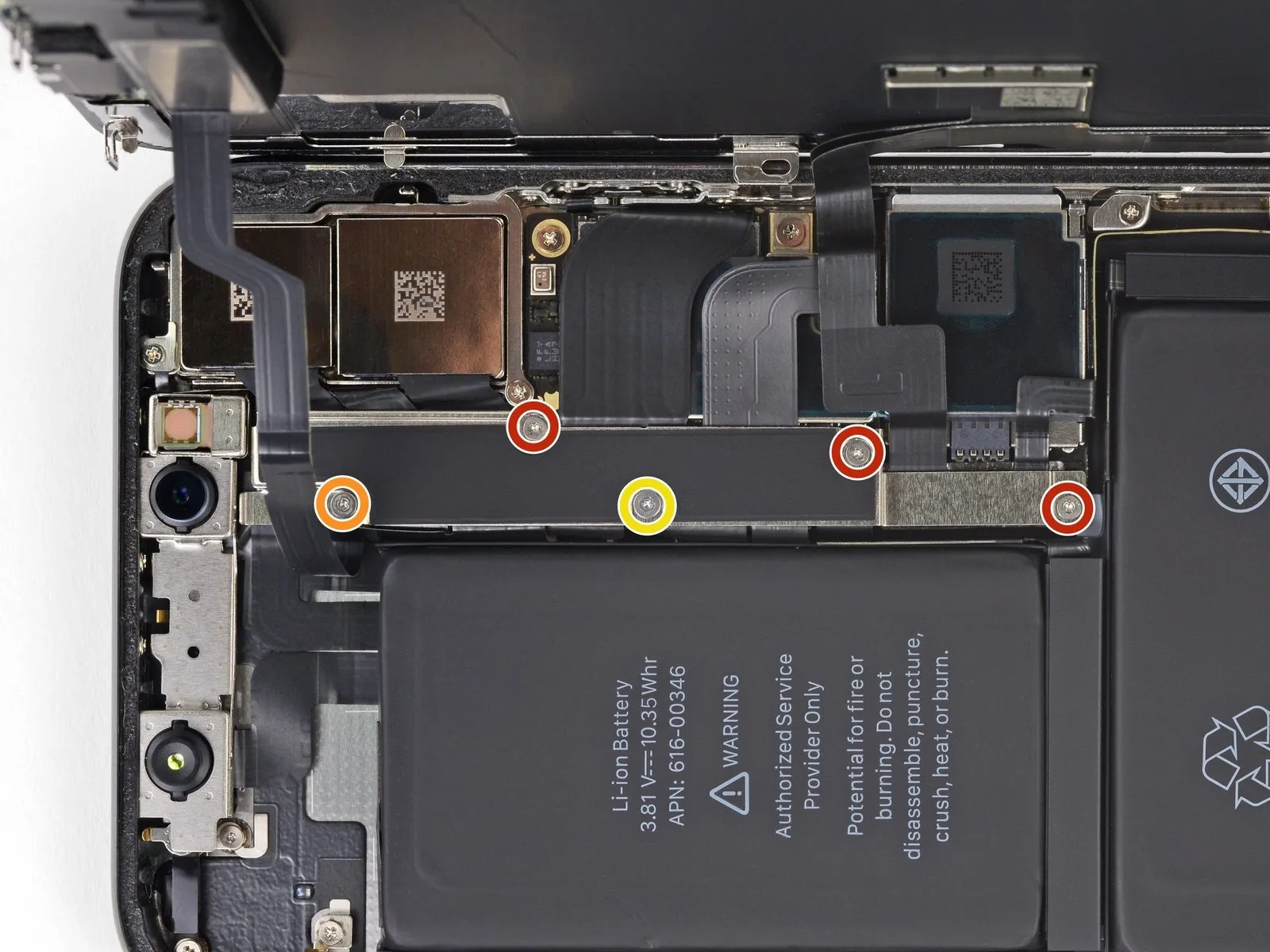
- Detach the bracket that holds the logic board connector by first removing five screws, each requiring a Y000 screwdriver.
- Utilize three screws, each measuring 1.1 millimeters in length.
- A single screw with a 3.1-millimeter length is also needed.
- Additionally, one screw measuring 3.7 millimeters is required.
Step 17
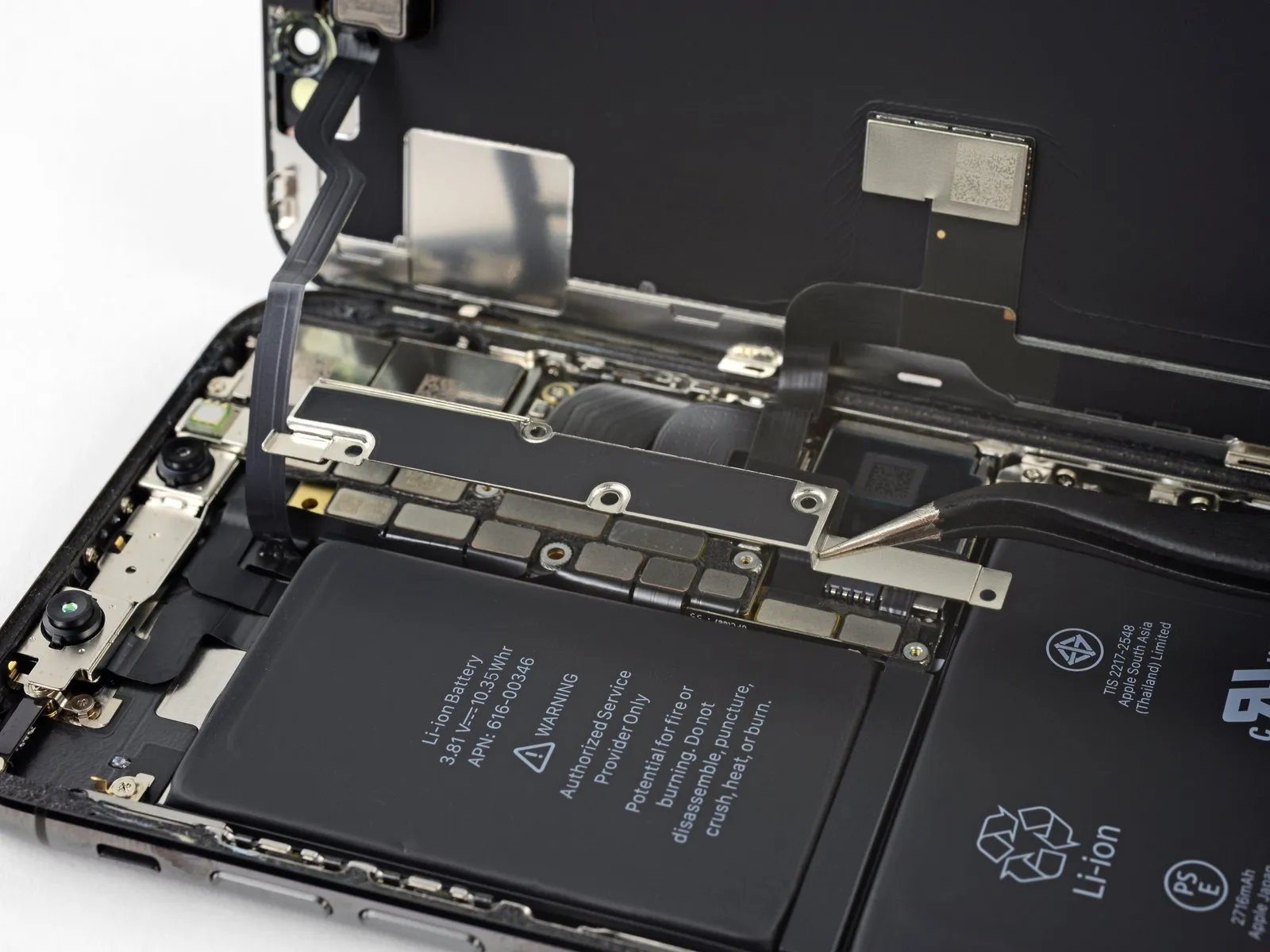
- Detach the bracket.
- Thebracketmight be subtly affixed; employ a careful yet resolute upward motion to disengage it.
As you put the iPhone back together, this juncture provides an opportune moment to activate the device and verify the operational status of all features, ensuring everything functions correctly prior to securing the display. Subsequently, completely deactivate your iPhone before proceeding with further repair steps.
Step 18
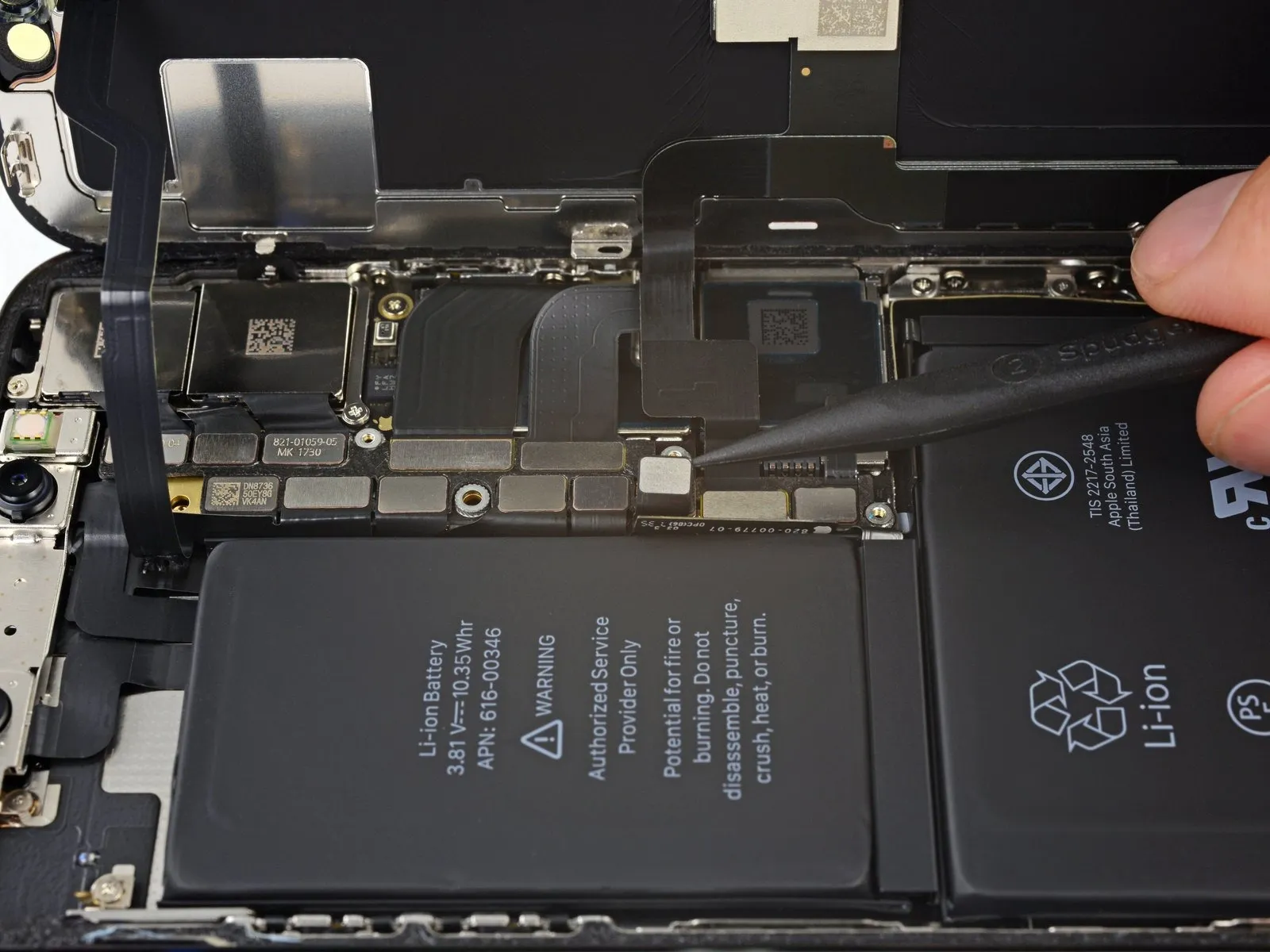
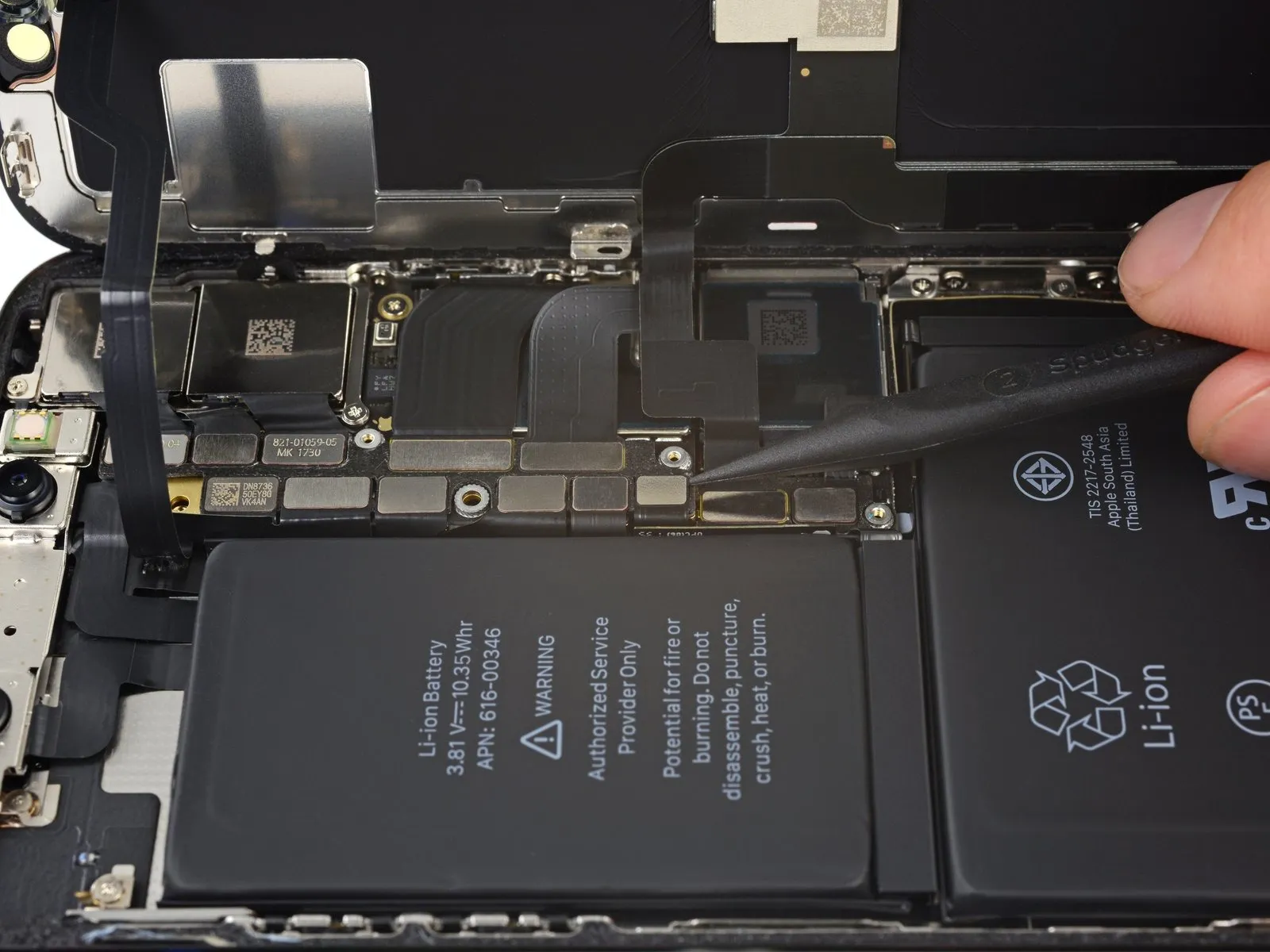
- Employ the tip of a spudgeror a pristine fingernail to lift the battery connector's retaining clip away from its corresponding receptacle on the logic board.
- Exercise caution to avoid harming the black silicone sealant that surrounds this connector and others; this sealant offers supplemental defense against water and particulate contamination.
- Slightly deflect the connector outward from the logic board's surface to ensure it cannot inadvertently establish an electrical connection with the socket, which could inadvertently energize the device during the repair process.
Step 19
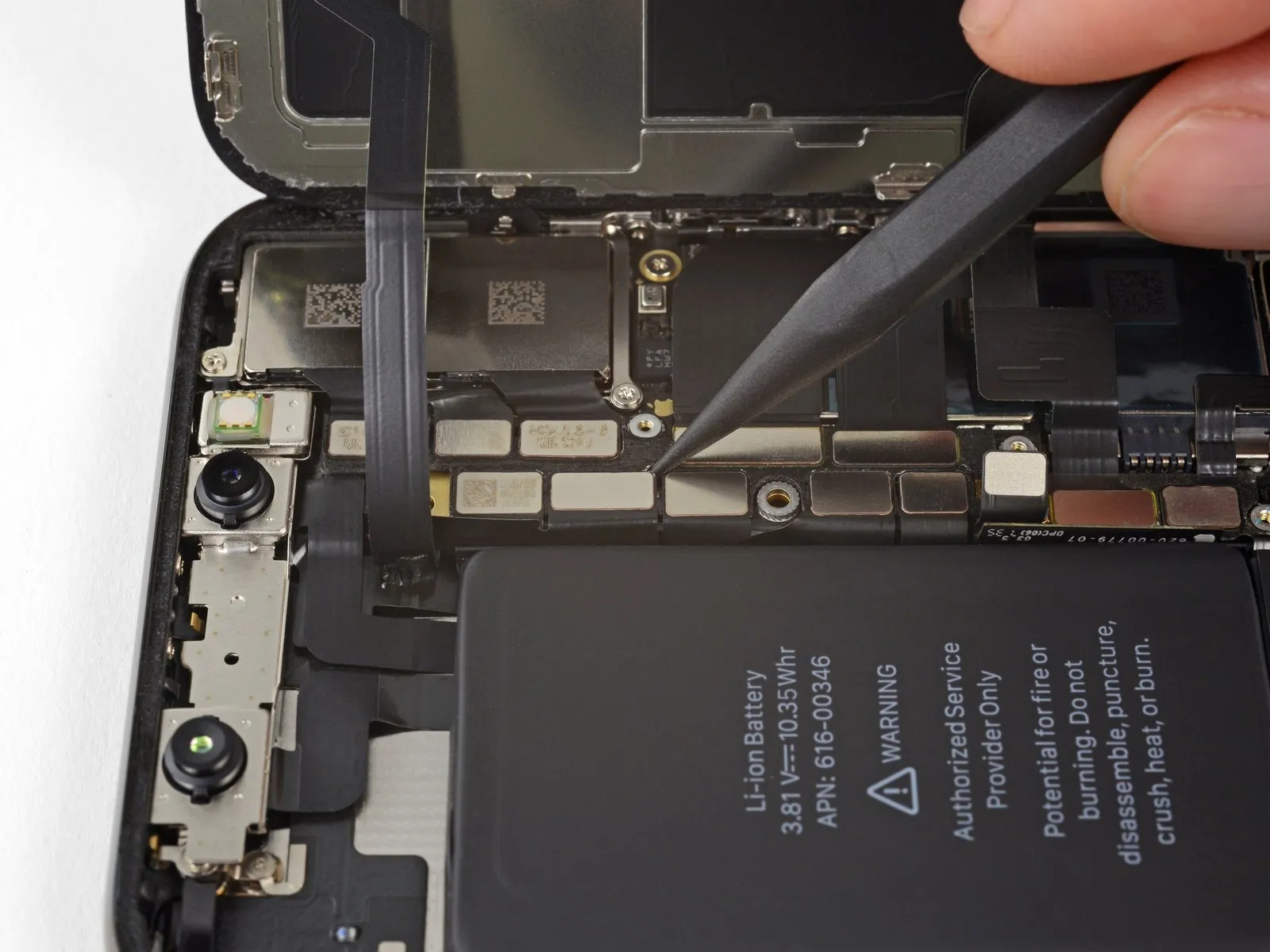
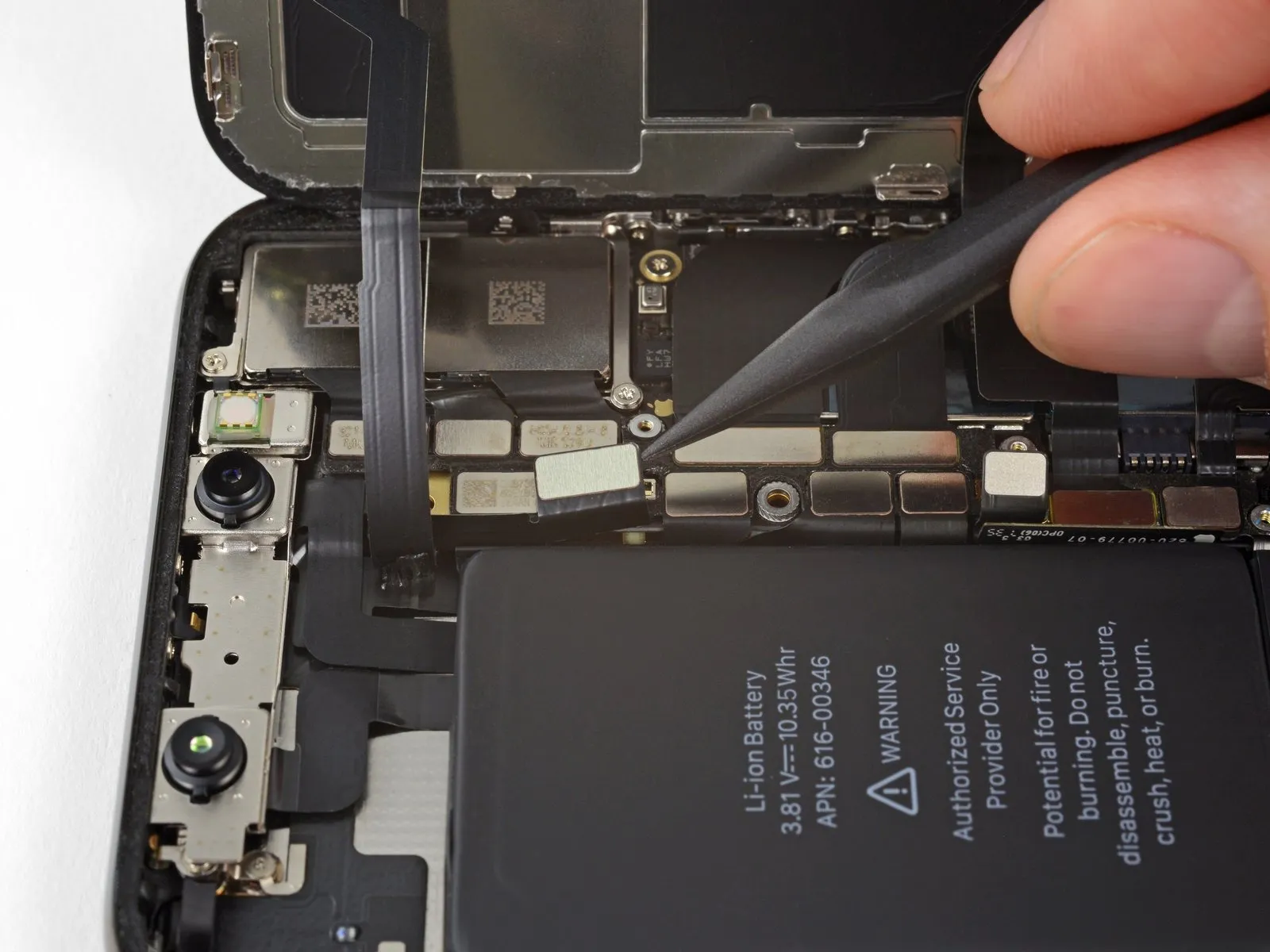
Employing the tip of a spudger or a fingernail, carefully separate the front panel sensor assembly connector.spudgerDisconnect the front panel sensor assembly connector by utilizing the pointed end of a spudger or a fingernail.
Step 20
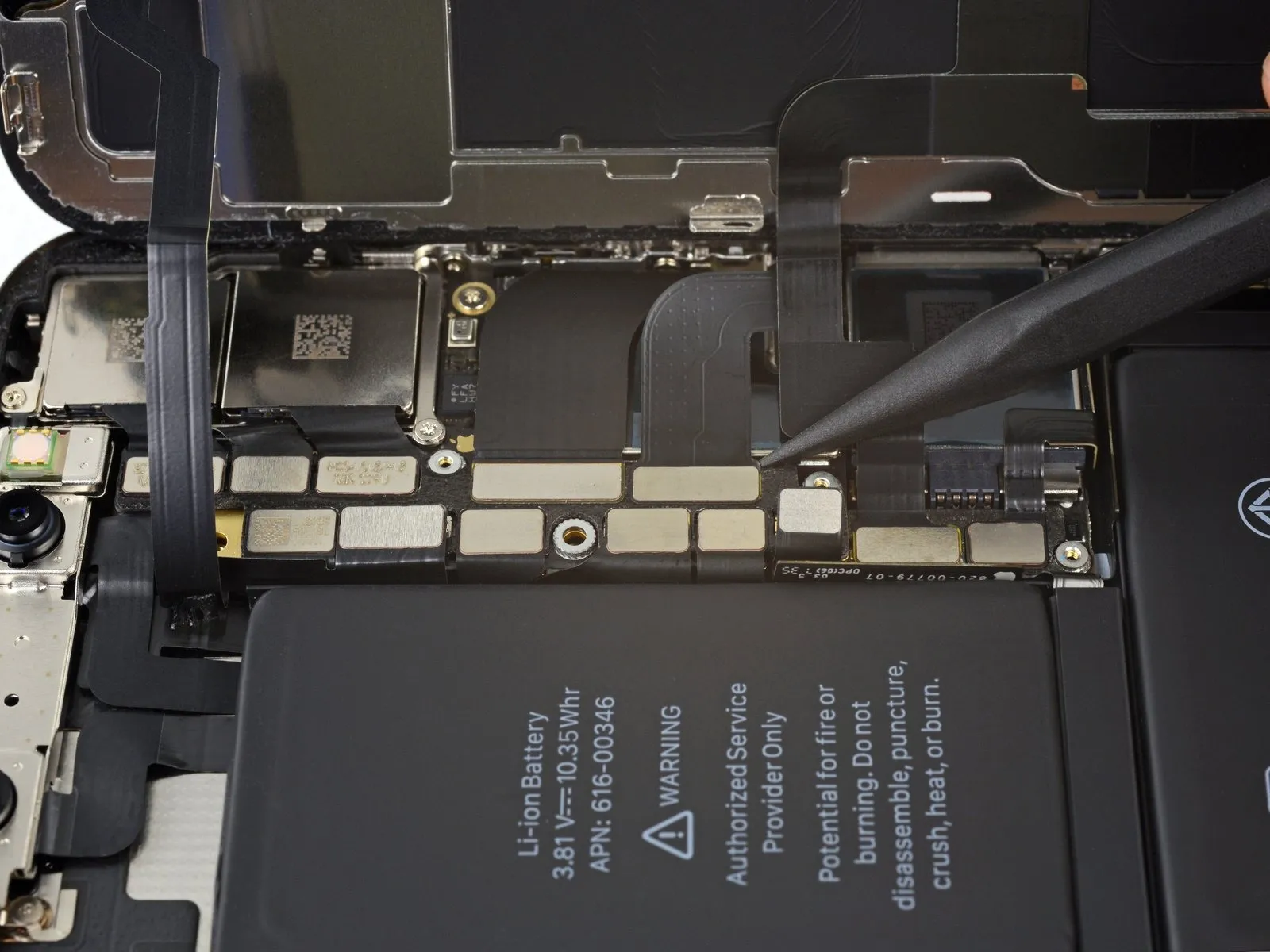
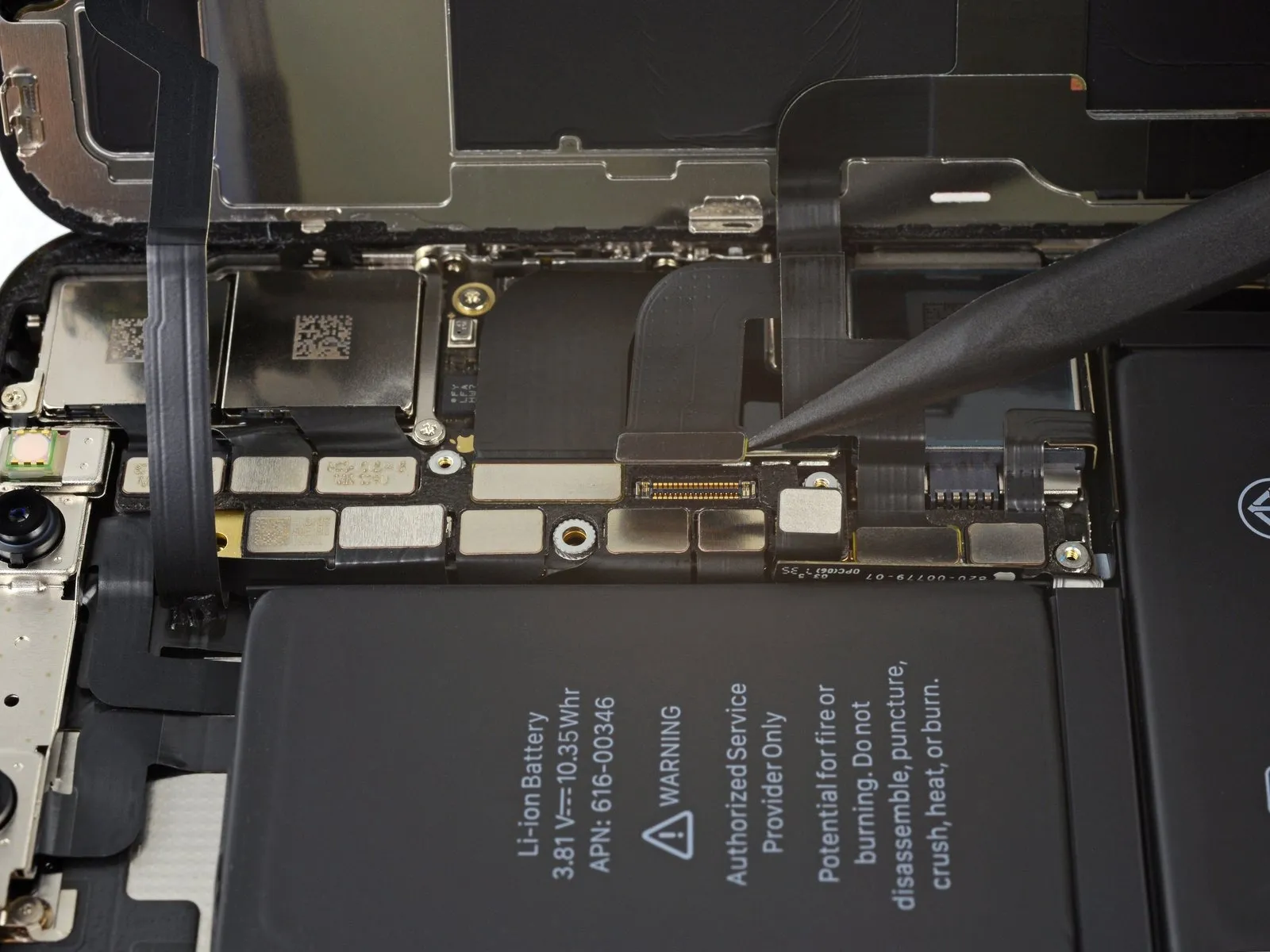
- Employ the tip of a spudgeror a fingernail to release the OLED panel cable connector's connection.
- For reattachment, position connectors similarly, meticulously aligning and applying pressure to a single edge until a distinct click is heard; subsequently, repeat this process on the opposing edge. Avoid applying pressure to the central portion of the connector, as misalignment can result in pin deformation and irreversible damage.
Step 21
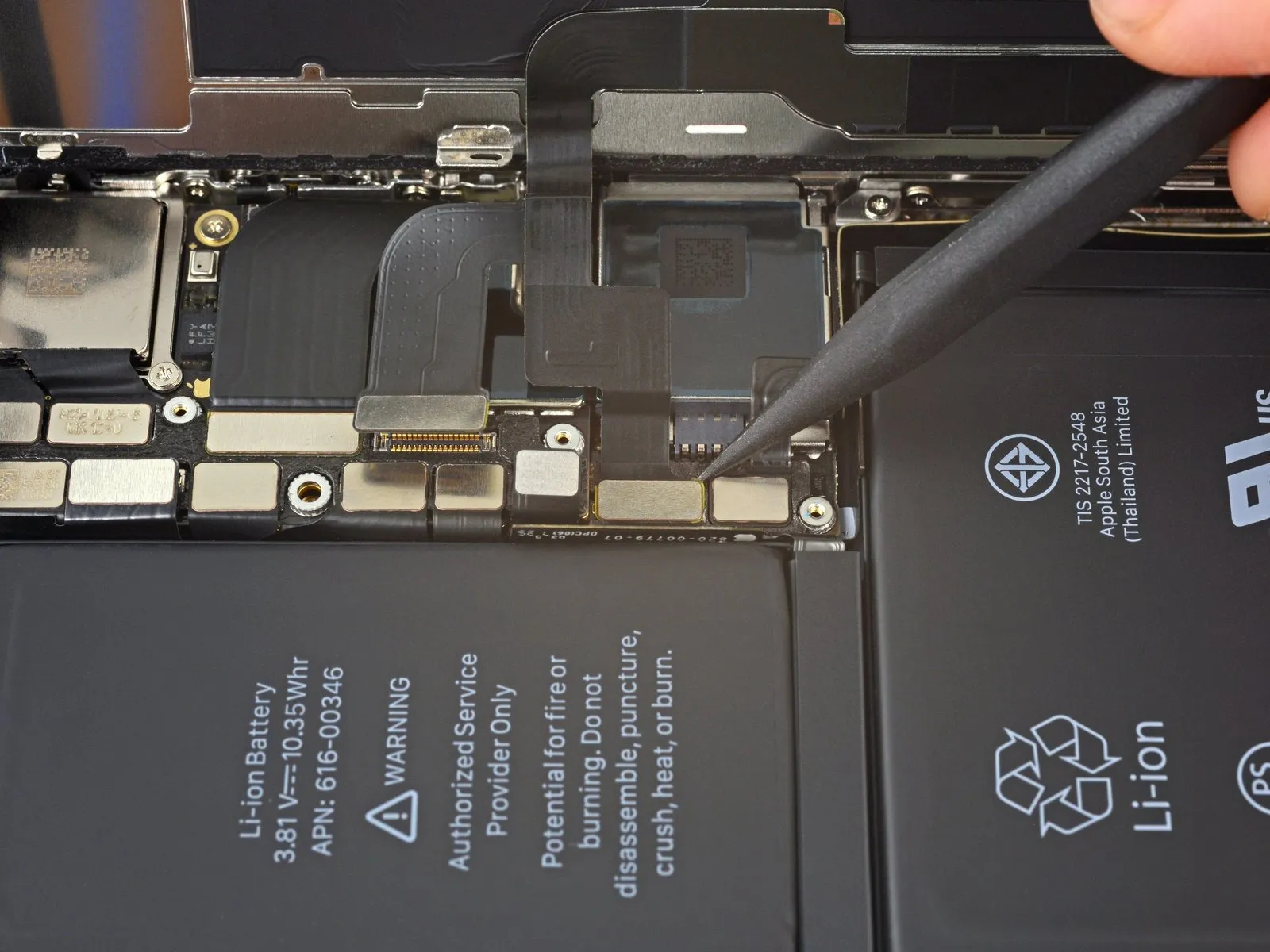
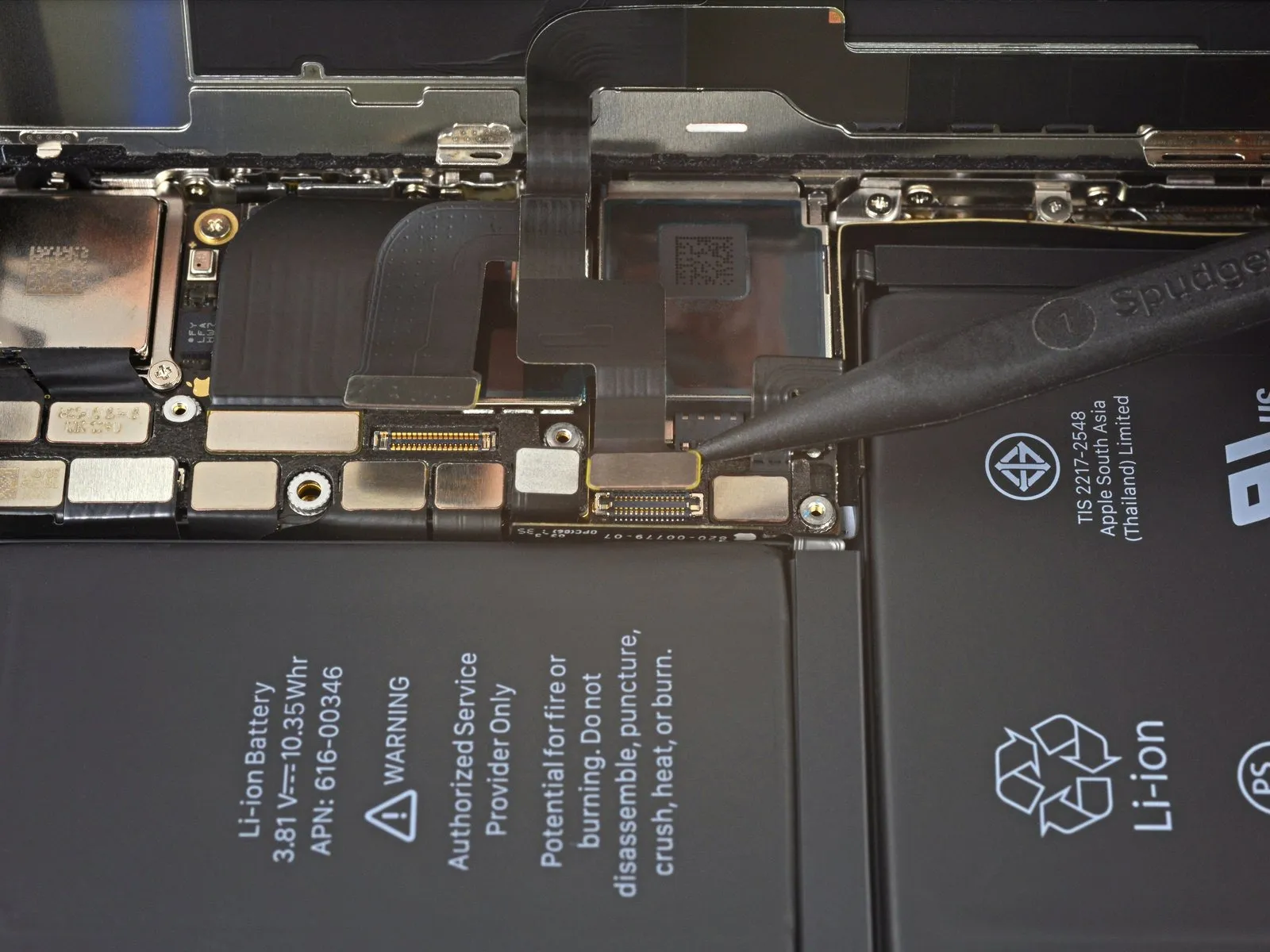
- Due to the connector's deeply situated position, reattachment can be challenging; proceed deliberately, ensuring precise alignment before applying gentle pressure with your fingertip to secure it – initially one side, then the opposite.
- A distinct clicking sound will indicate successful engagement.
Step 22
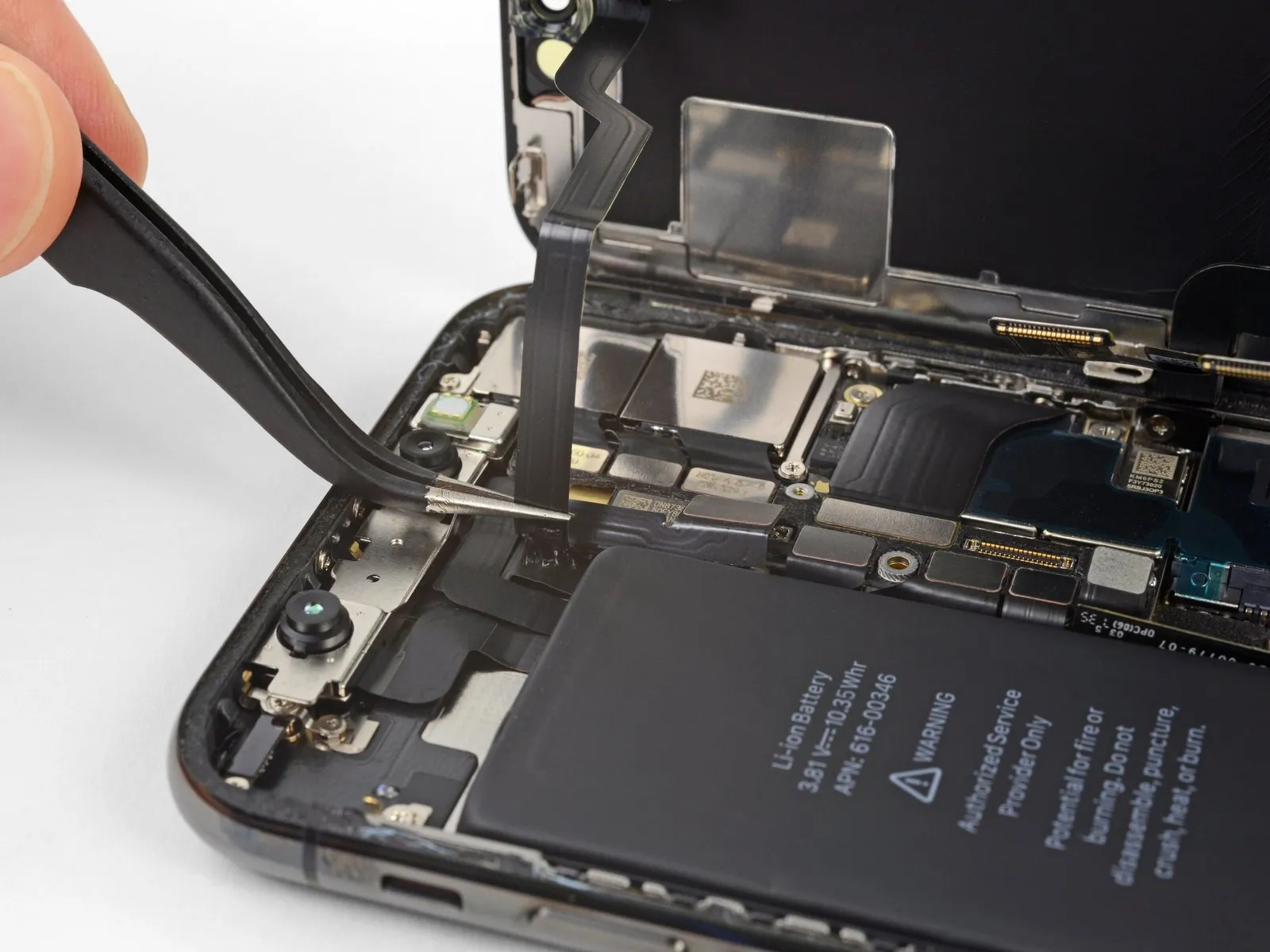
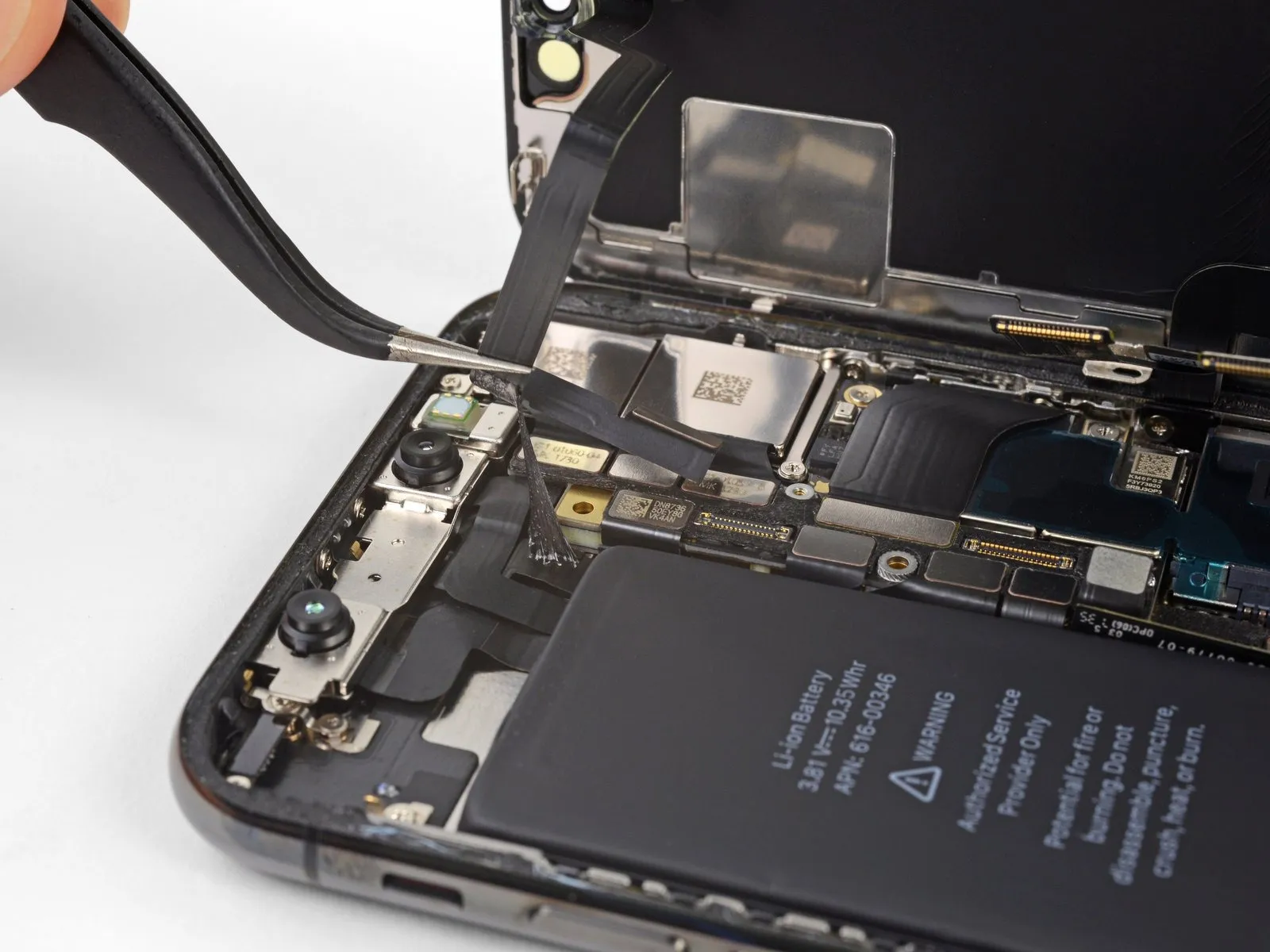
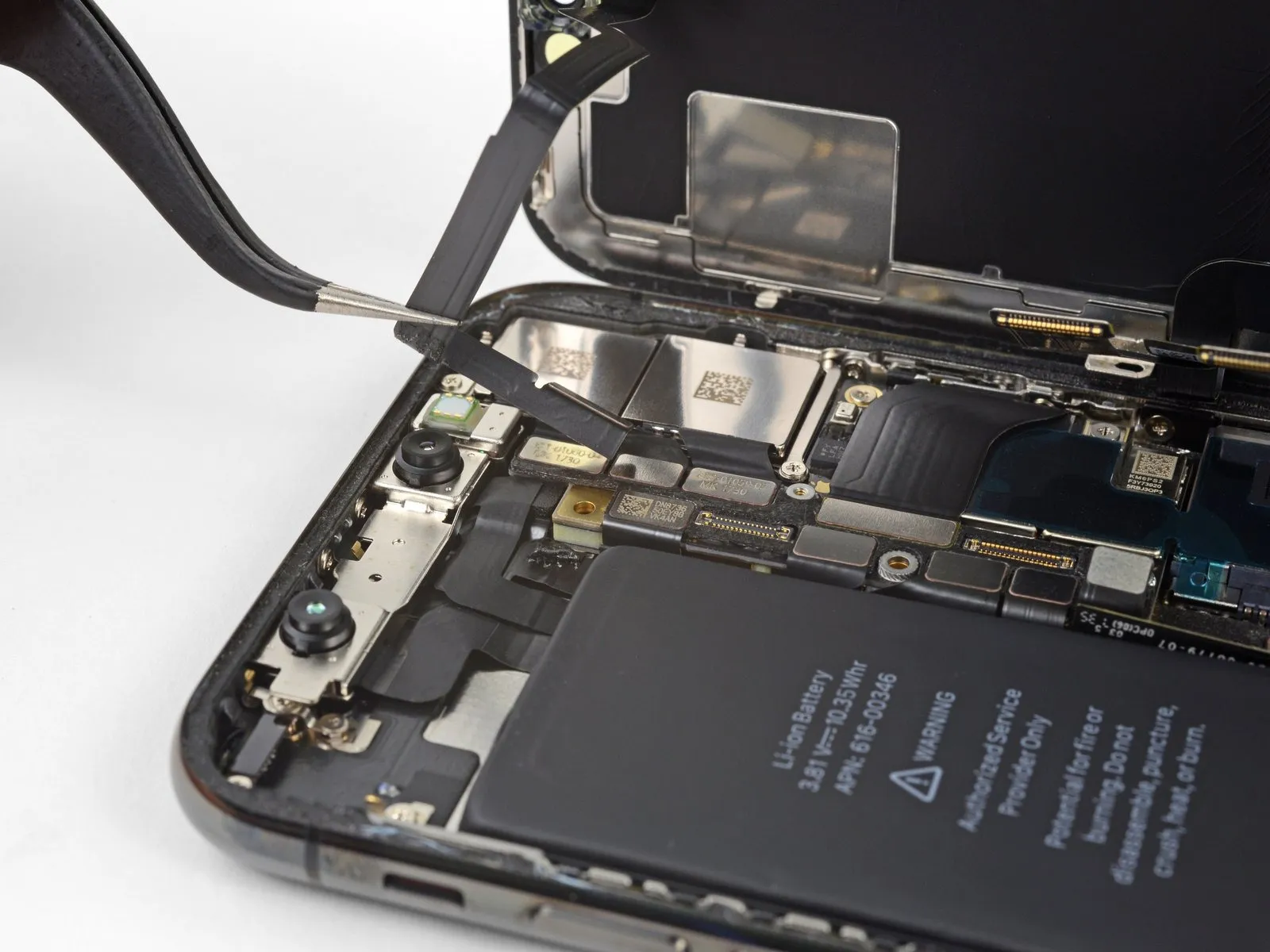
- Gently raise the cable to release the adhesive bond.
Step 23
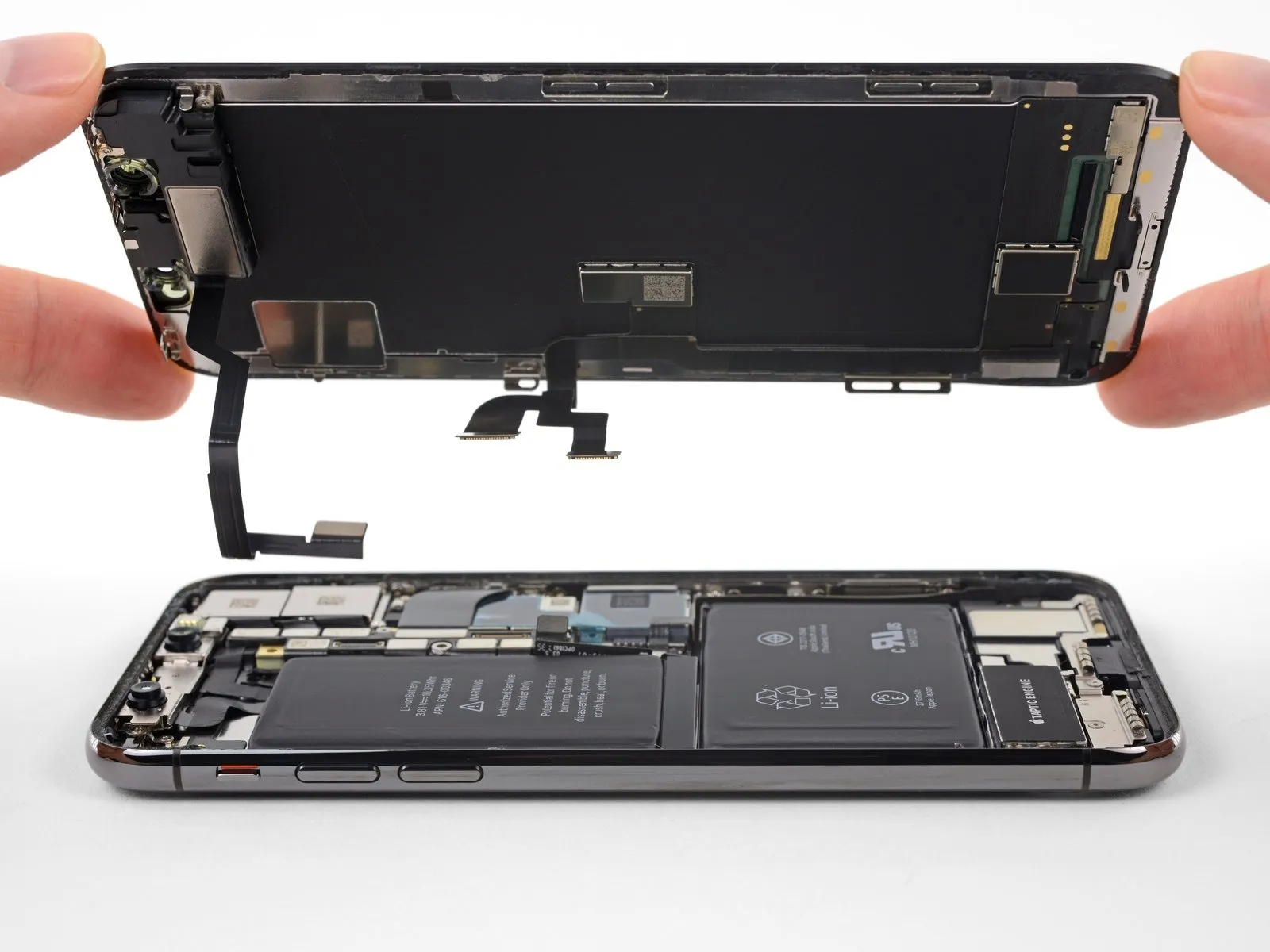
- If you intend to substitute the water-resistant adhesive that seals the display's perimeter, temporarily halt the reassembly process at this juncture.
Step 24 | Lower Speaker
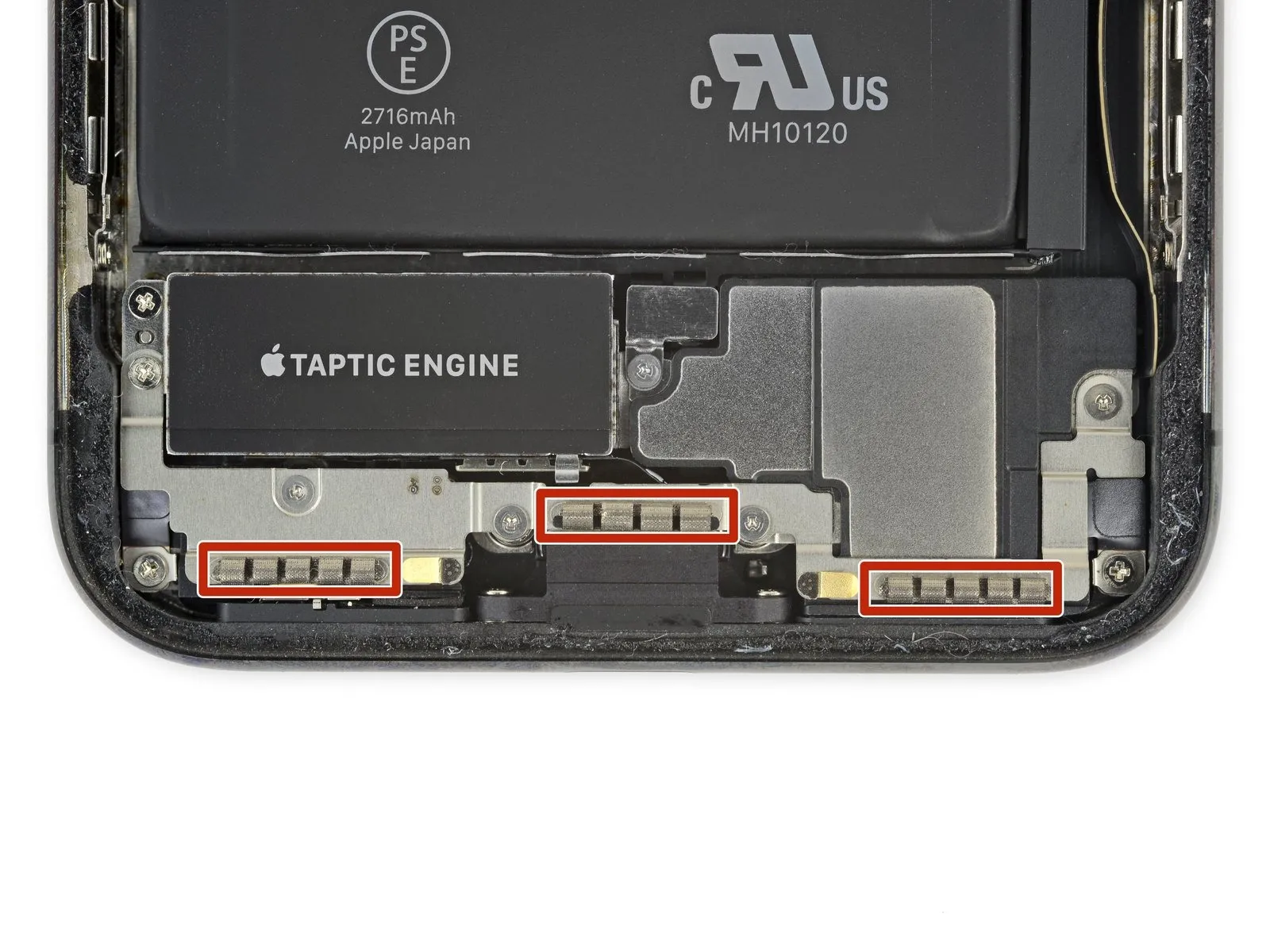
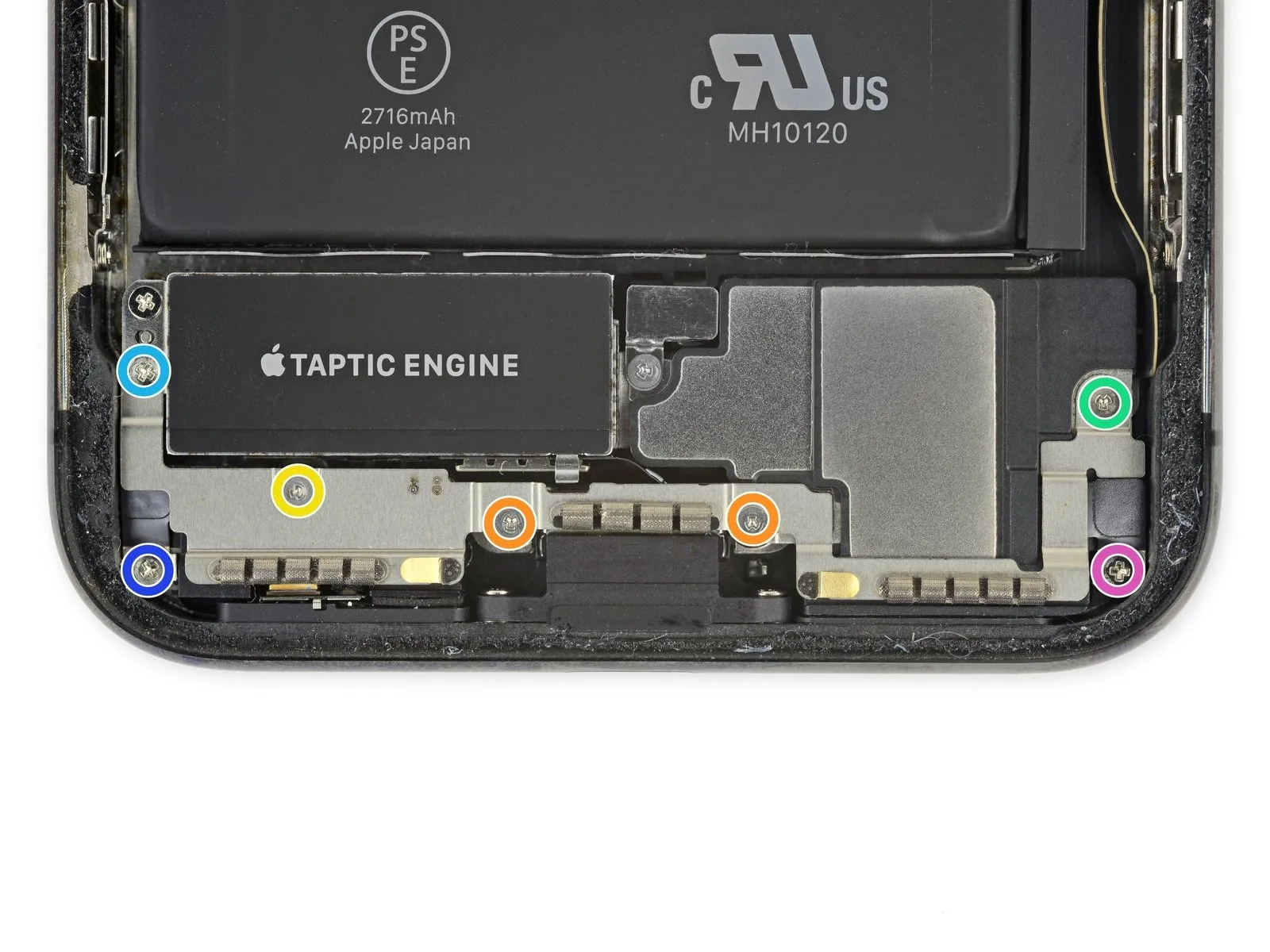
- Detach the bracket positioned beneath the Taptic Engine and speaker by removing its securing screws.
- Utilize two screws of type Y000 with a 1.9 mm head.
- Employ one screw of type Y000 with a 1.2 mm head.
- Use one screw of type Y000 with a 1.6 mm head.
- Apply a Phillips-head screwdriver to remove one screw measuring 2.4 mm.
- Remove one Phillips screw with a 1.7 mm head.
- Extract one Phillips screw with a 1.5 mm head.
Step 25
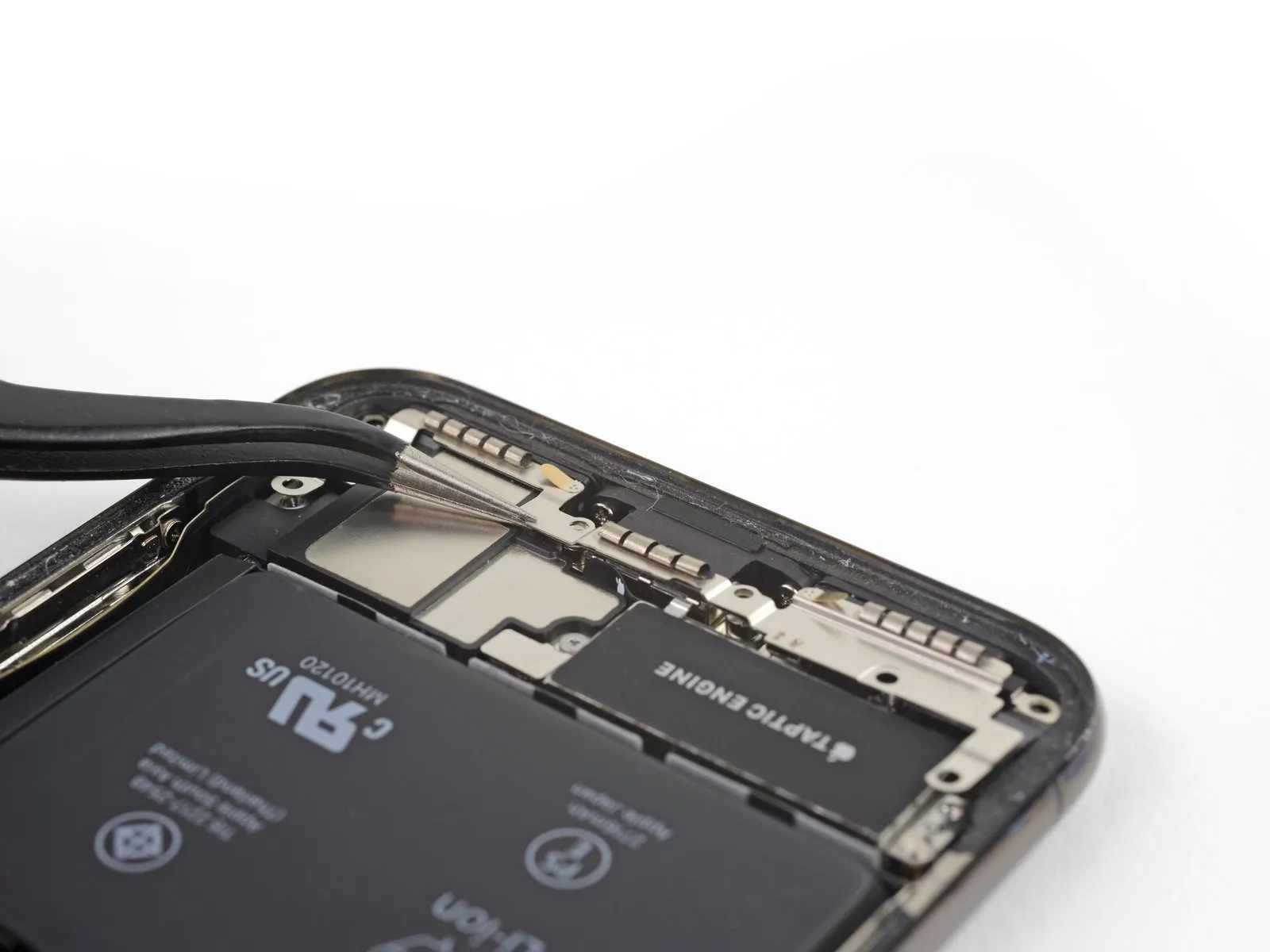
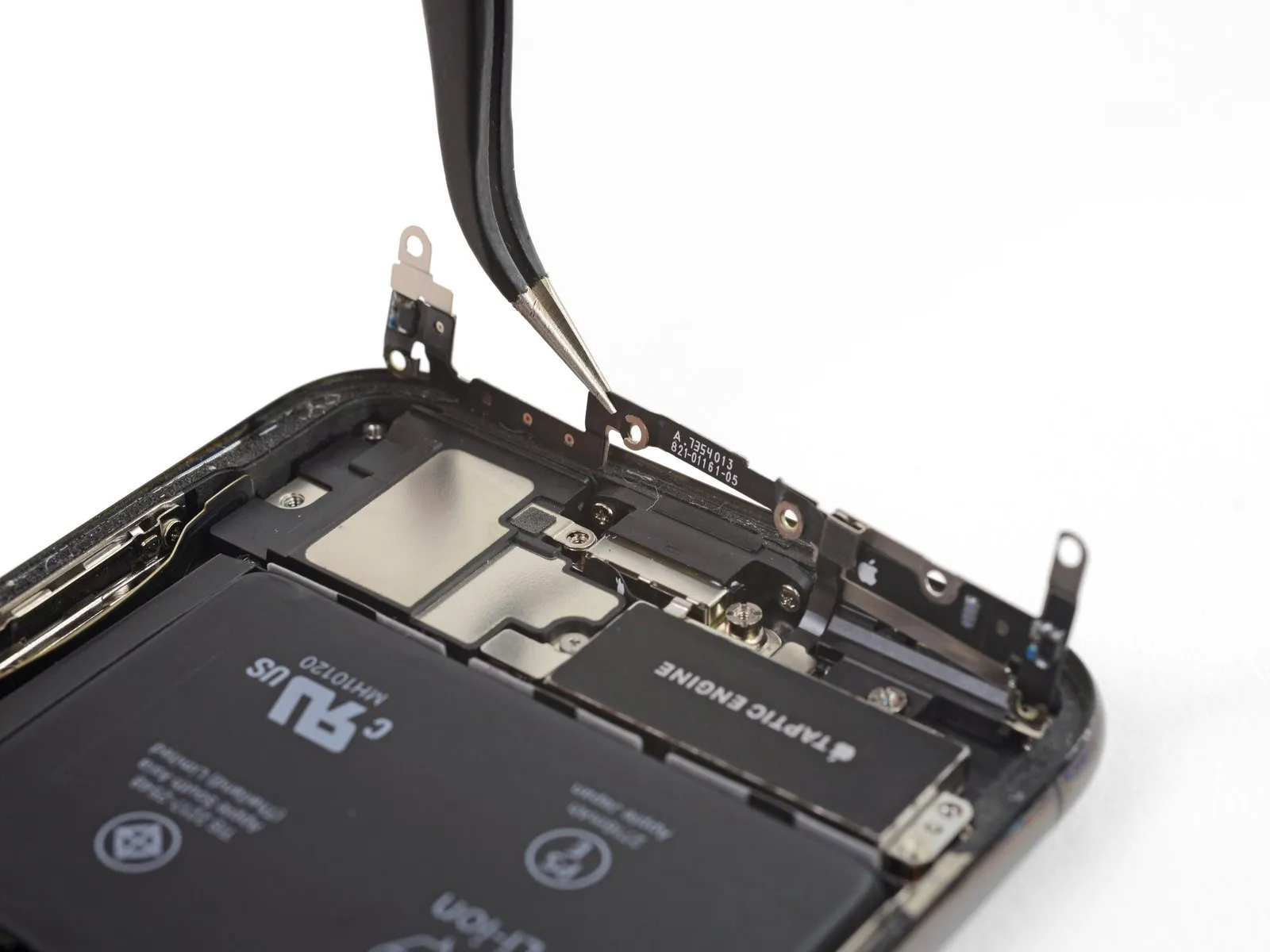
- Avoid complete removal at this stage, because a short, flexible cable remains attached.
Step 26
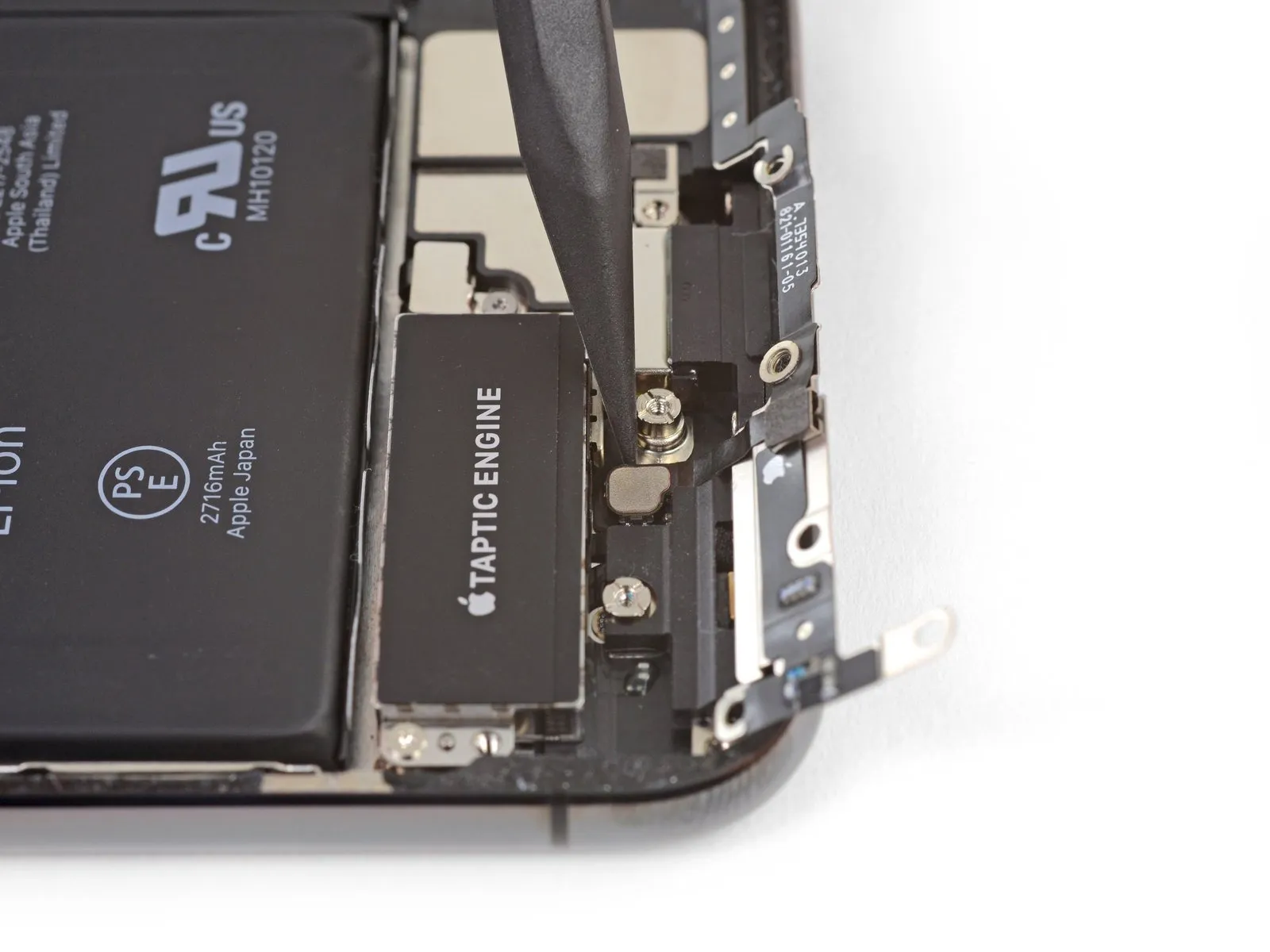
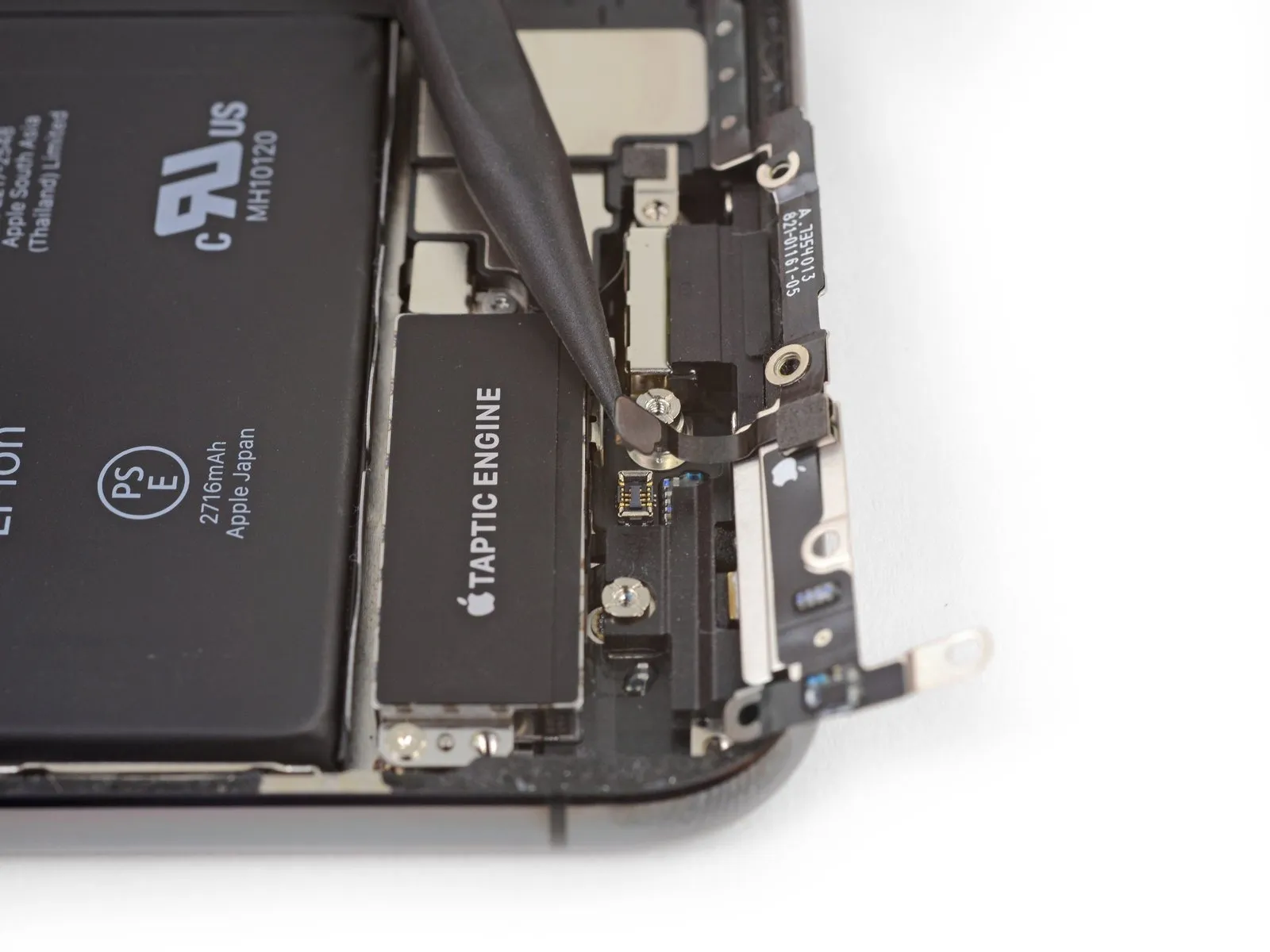
- To prevent interference, secure the bracket aside, then utilize the tip of a spudger to carefully lift and detach the flex cable situated below.
Step 27
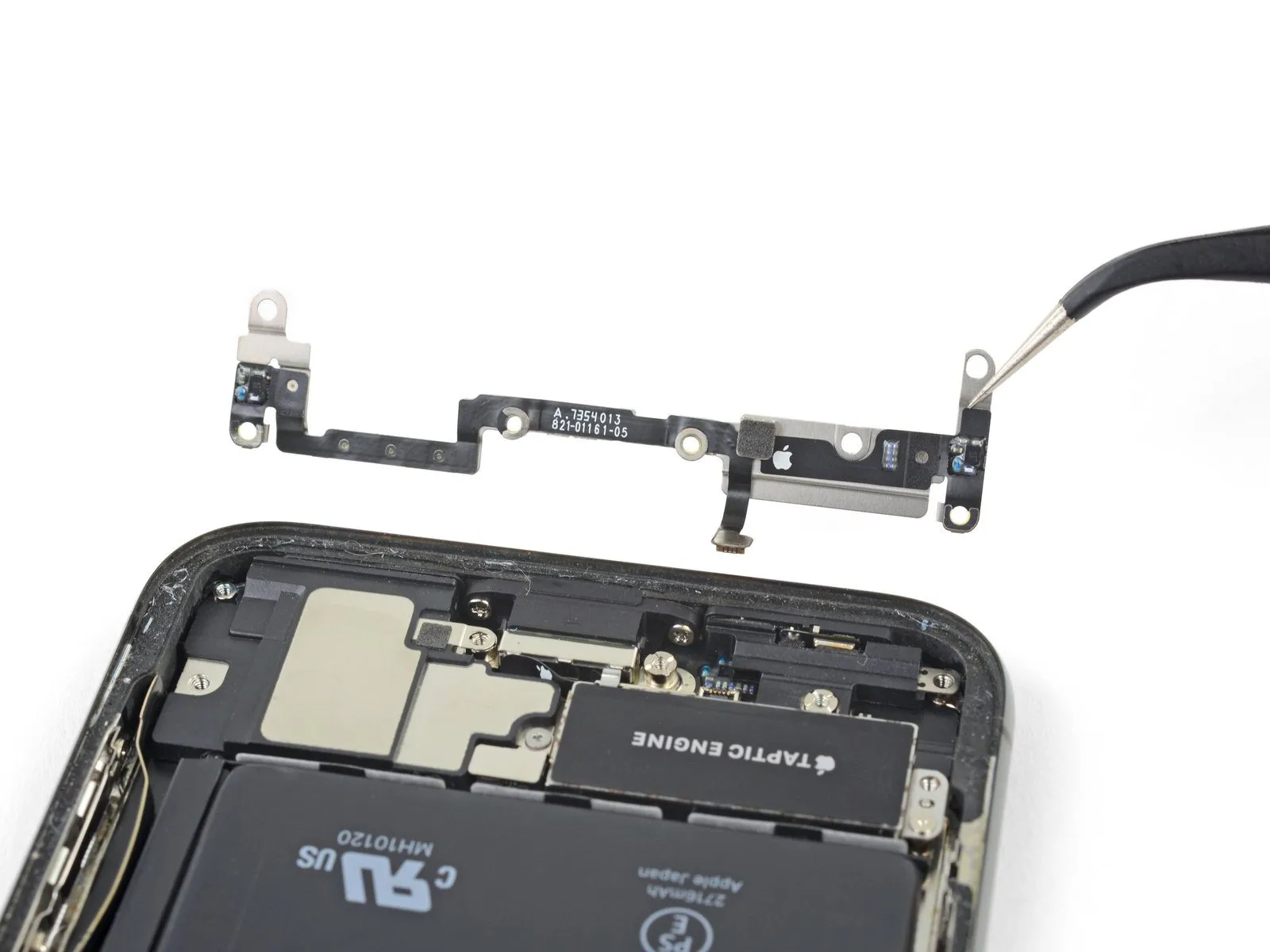
- Detach the bracket from its affixed position.
Step 28
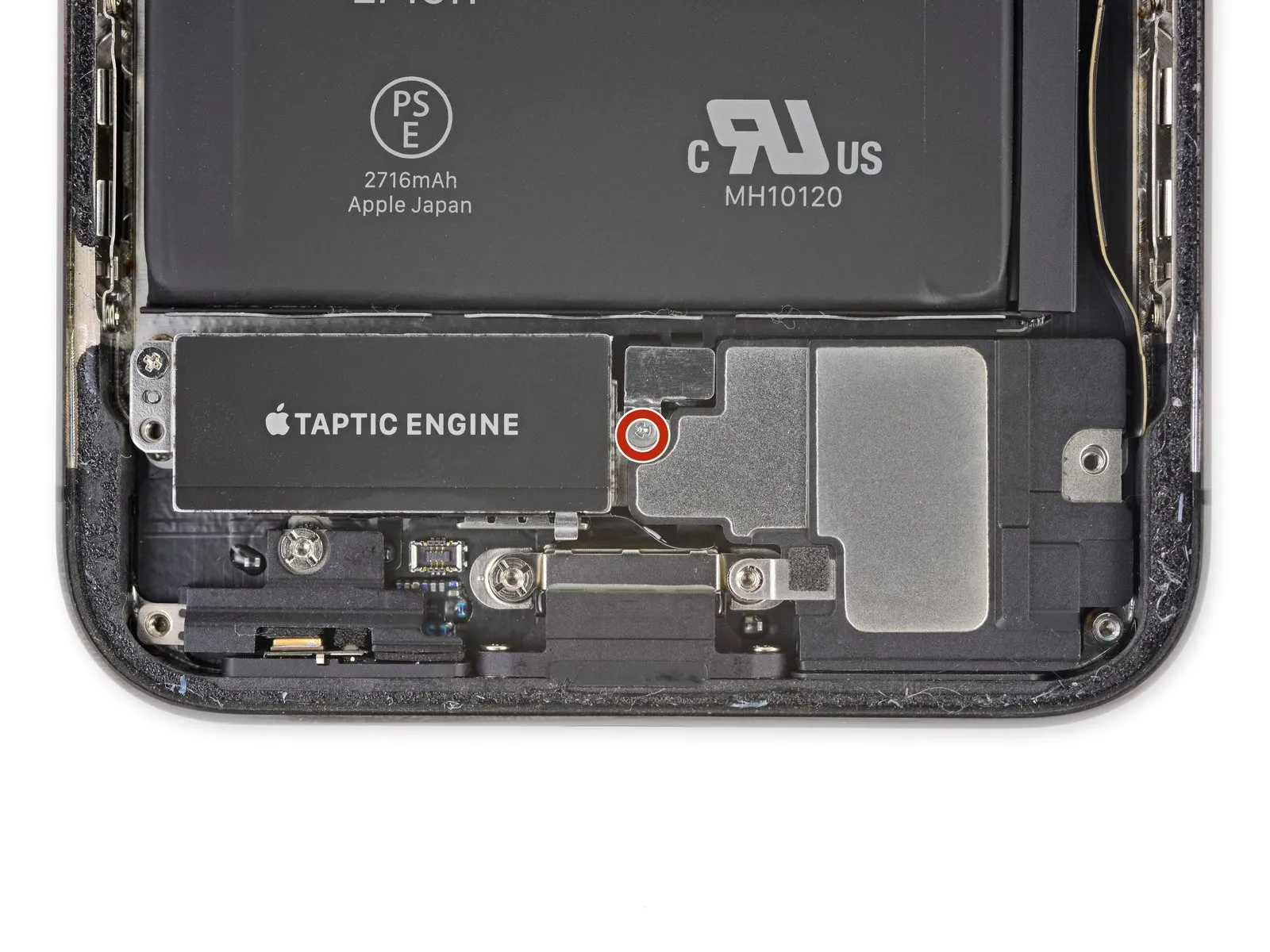
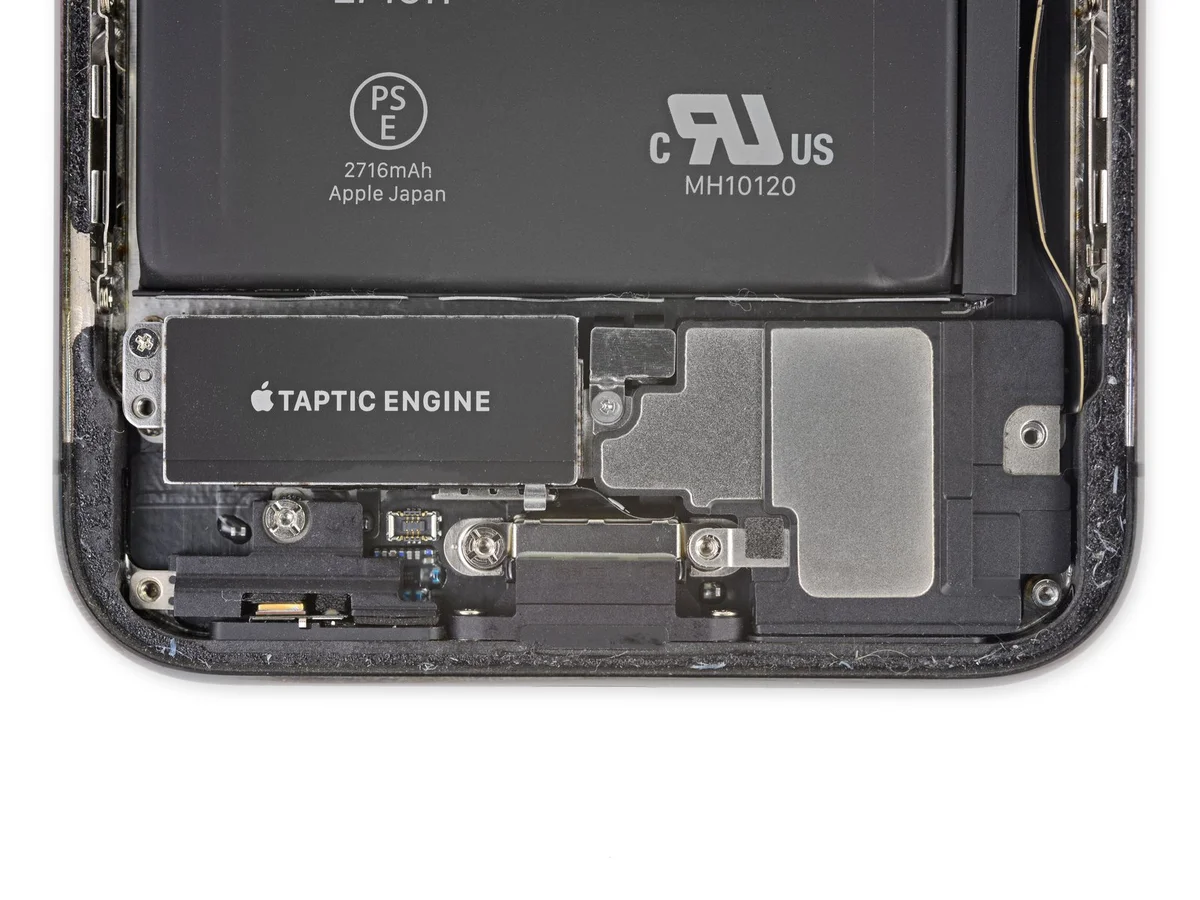
- To detach the speaker connector cover, utilize a 2.1 mm Y000 screwdriver and unscrew the securing screw.
Step 29
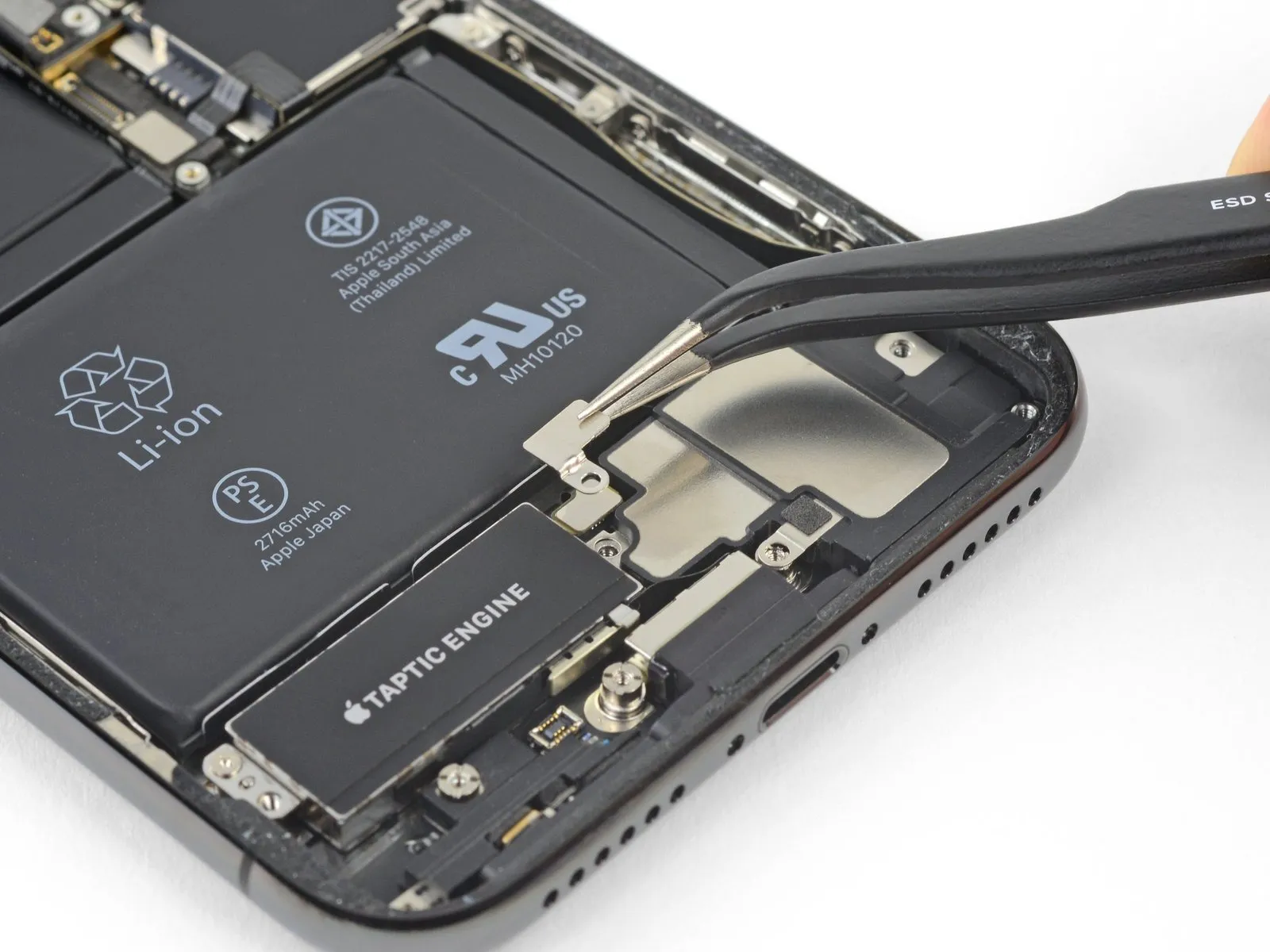
- To access the speaker connection, detach the protective cover.
Step 30
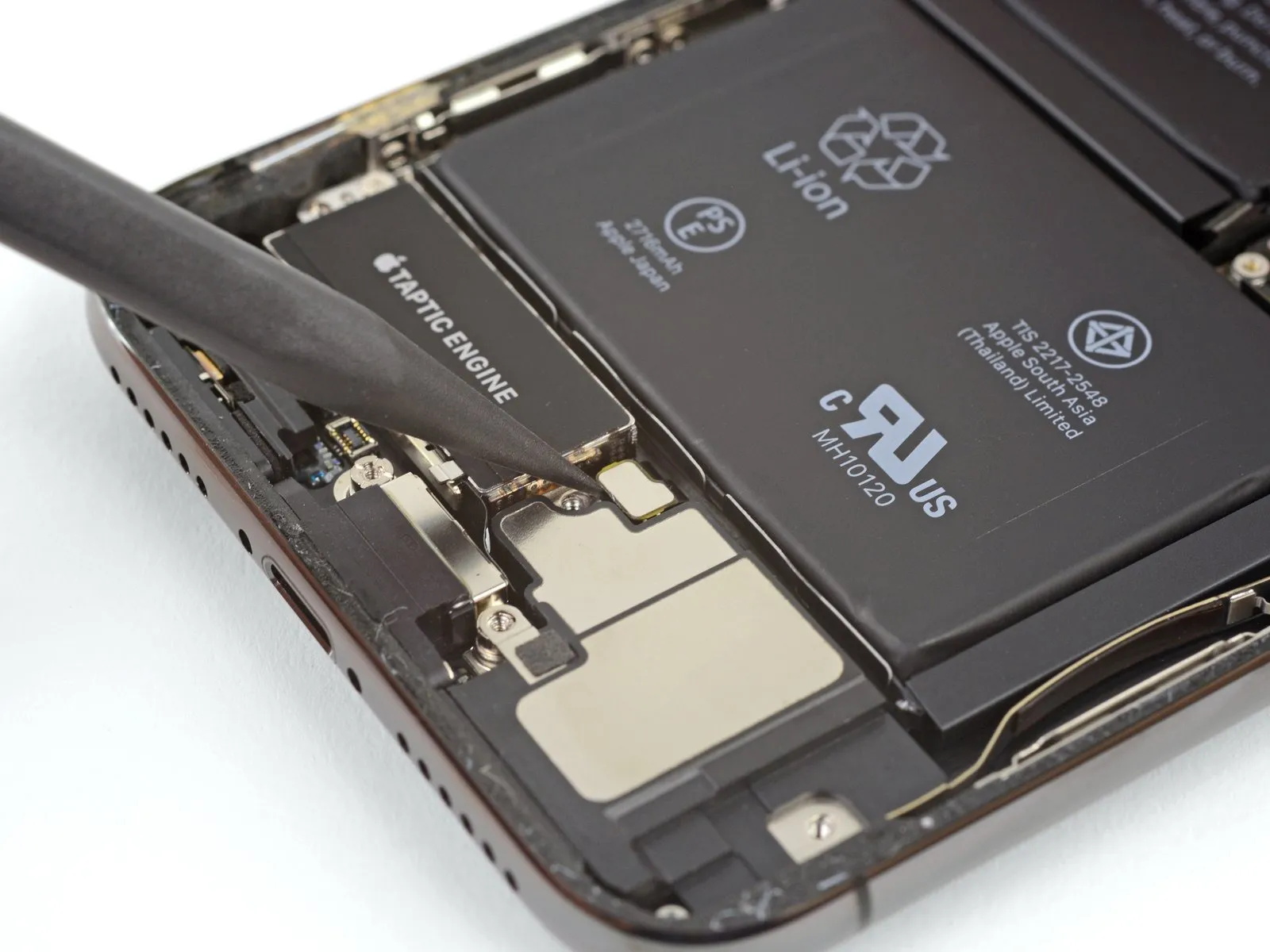
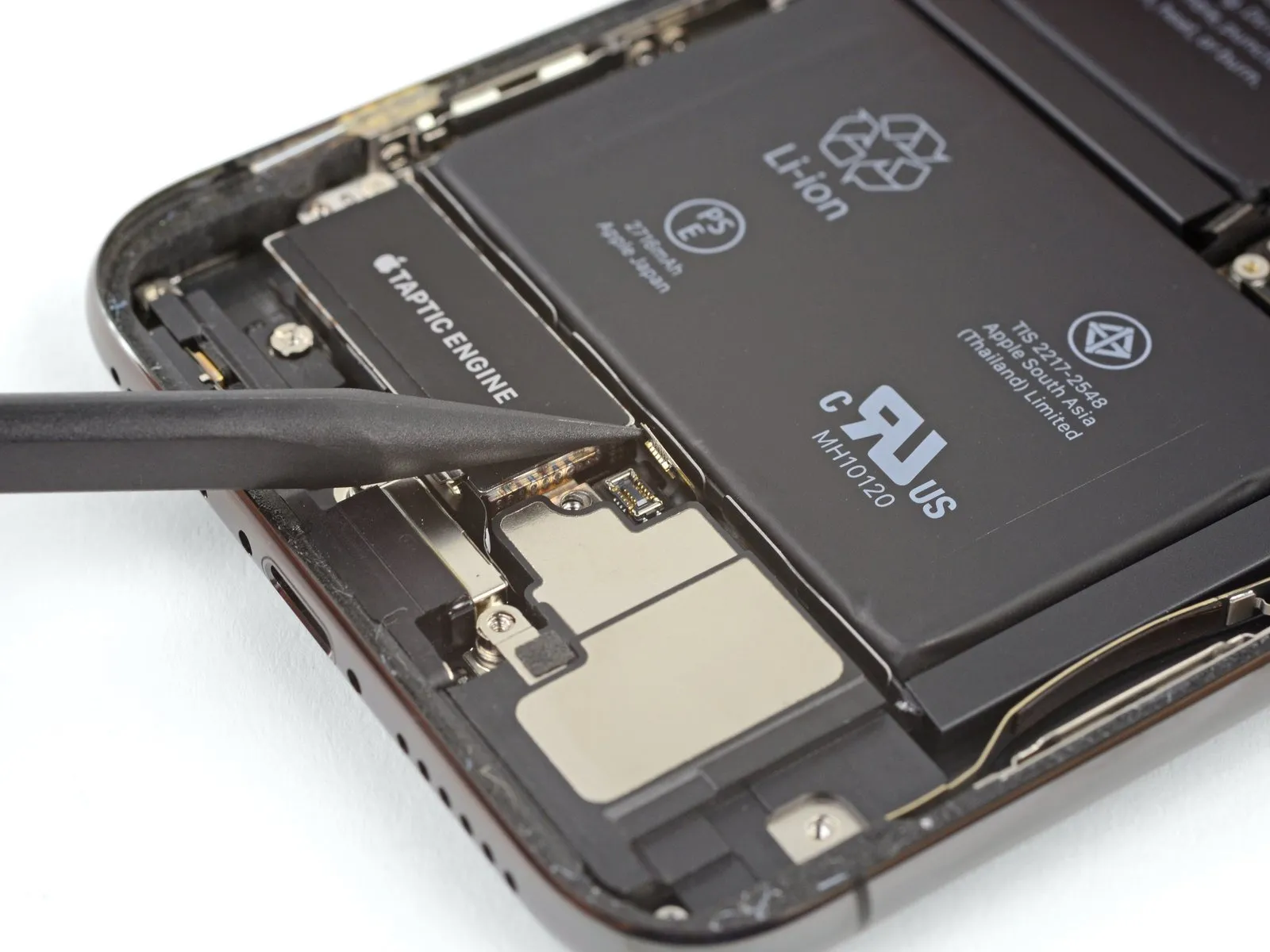
- Employ the pointed end of a spudgerto carefully lift and detach the speaker's electrical connector.
Step 31
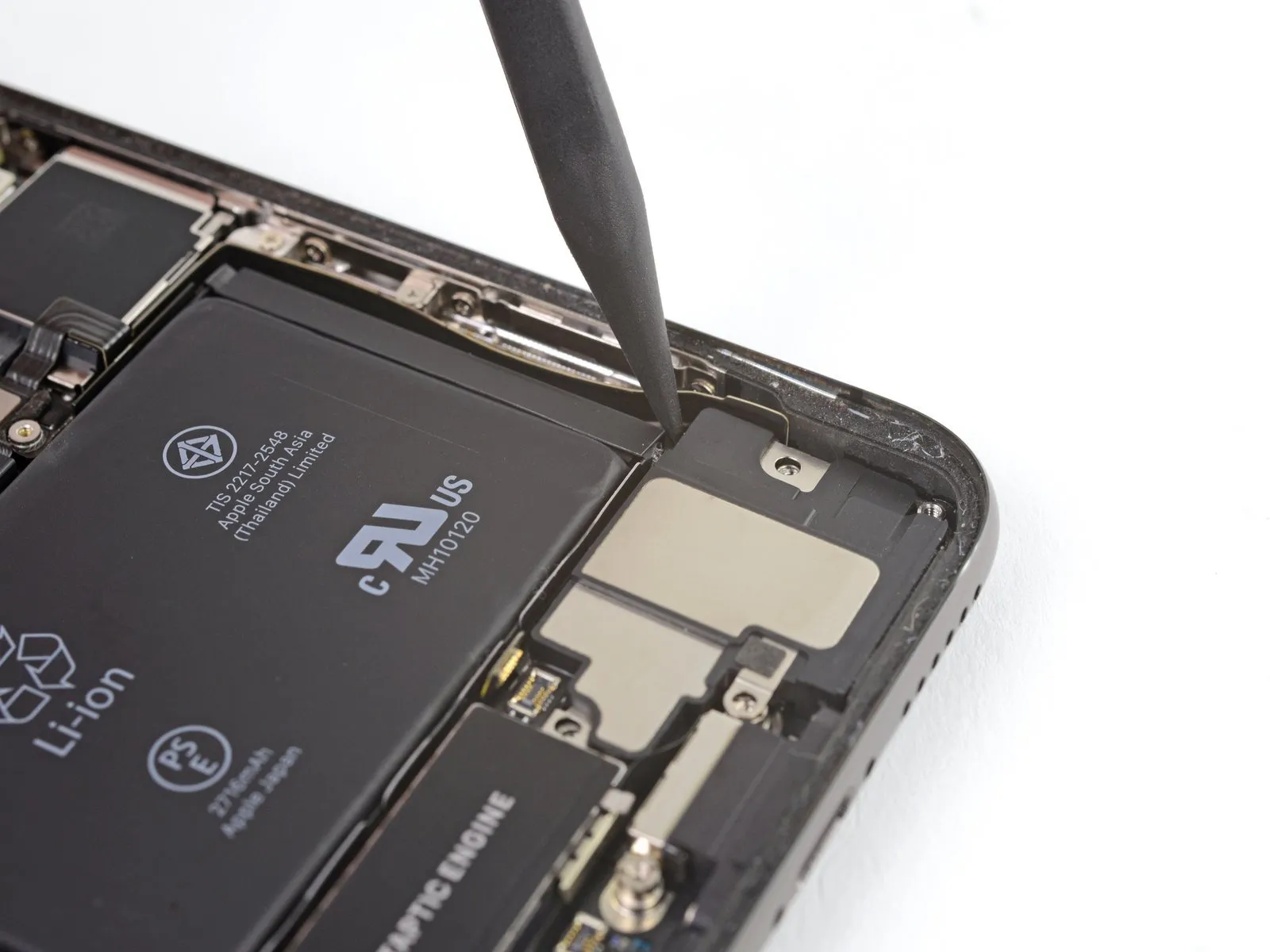
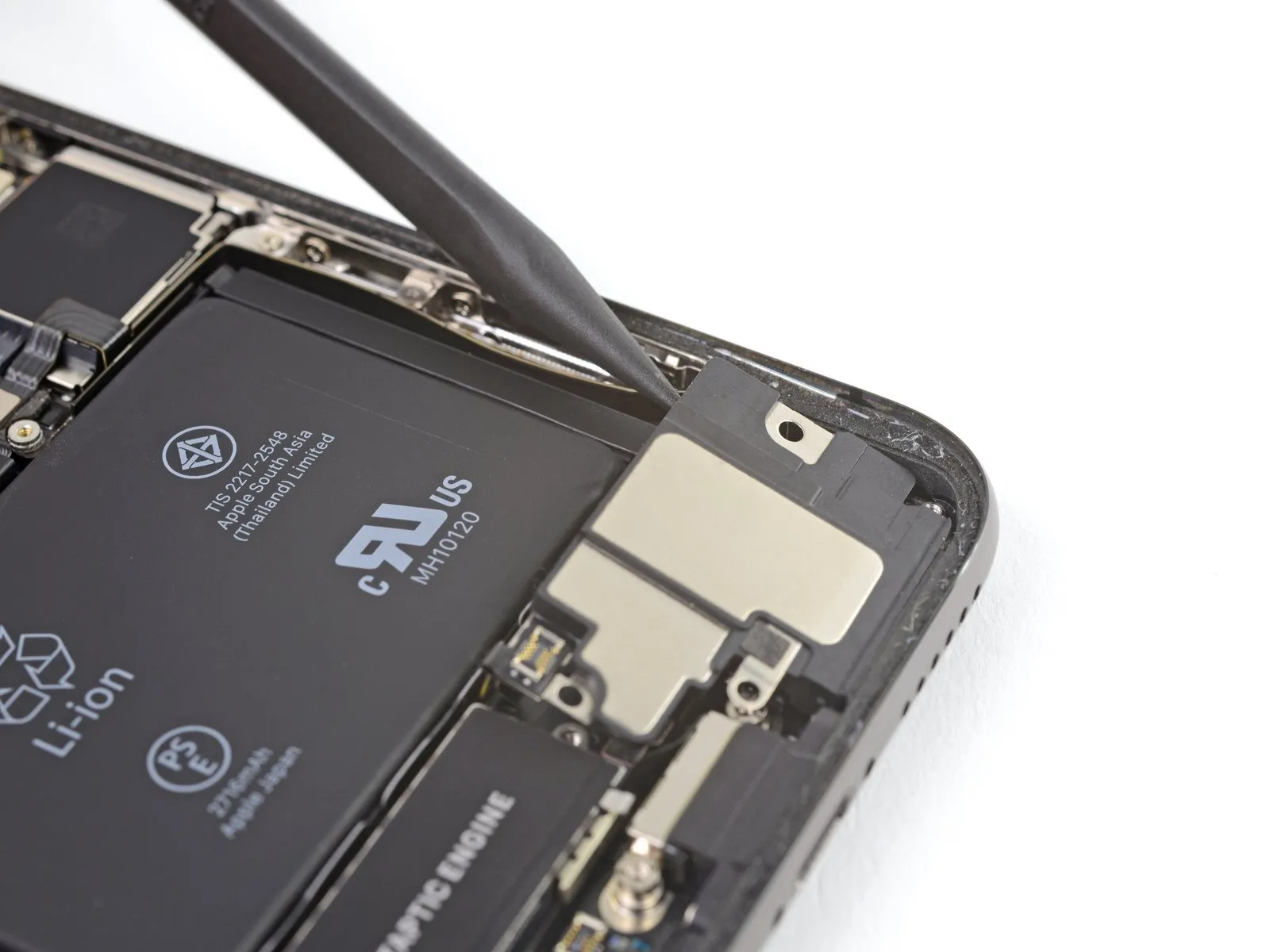
- Exercise caution while separating the speaker from the device, preventing harm to the flex cable that was recently detached.
Should resistance be encountered, stabilize the speaker by holding it on one side to facilitate its removal.
Introduce a spudger beneath the upper boundary of the speaker, positioning it close to the iPhone's casing.
Apply gentle upward pressure to lift the speaker's upper edge.
During reinstallation, verify the flex cable's alignment and ensure it remains free from being pinched or secured beneath the speaker.
Step 32
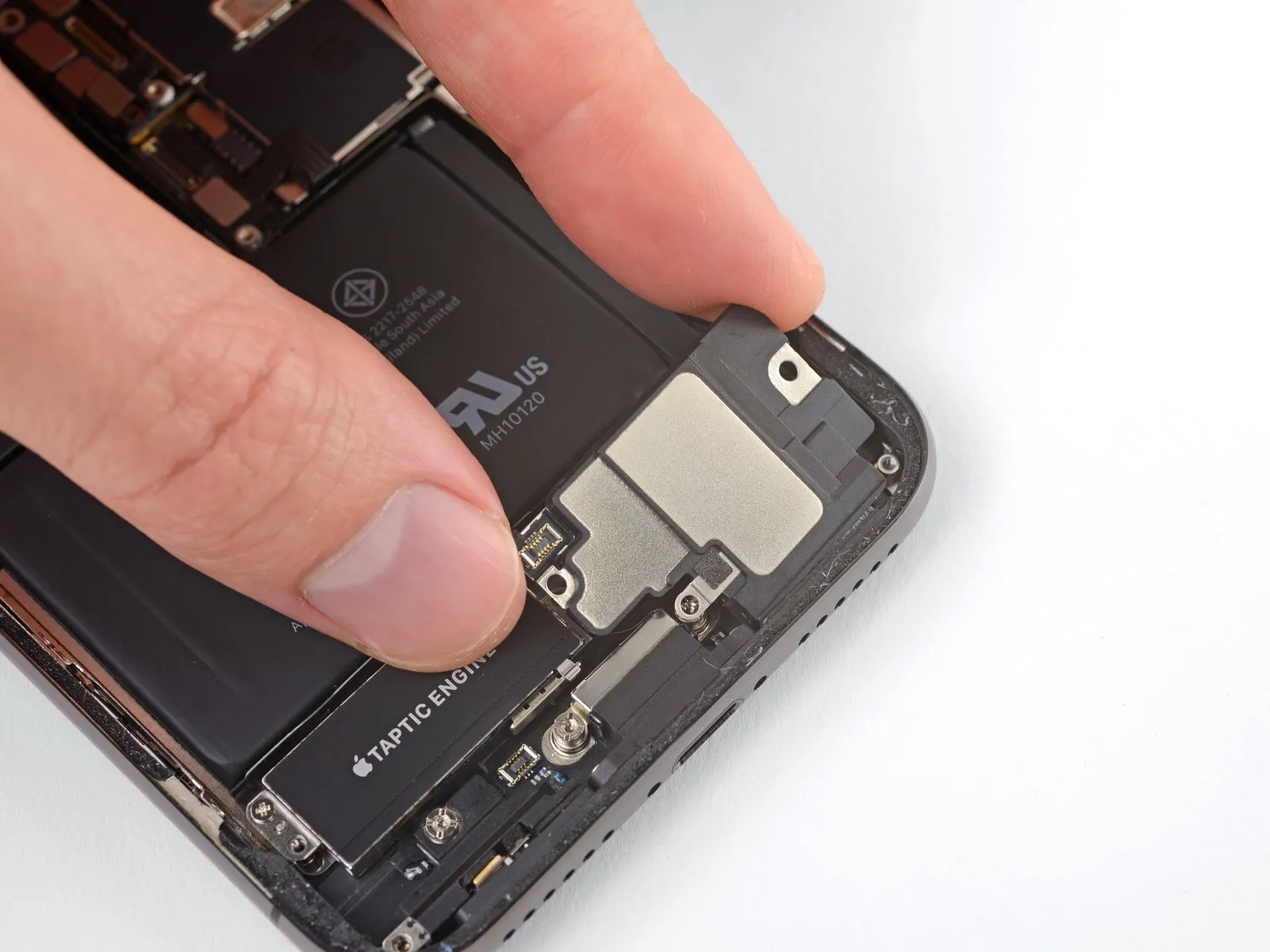
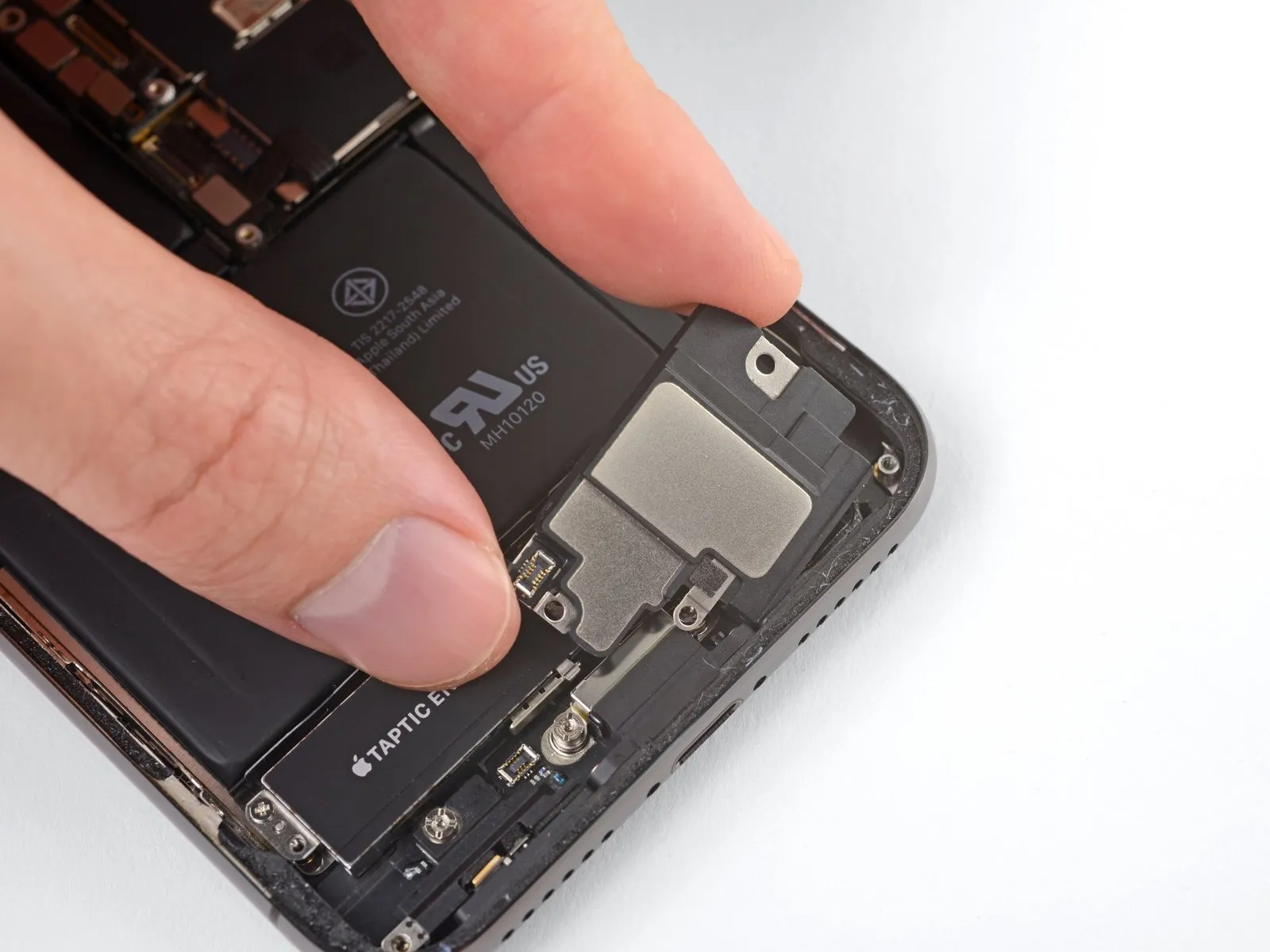
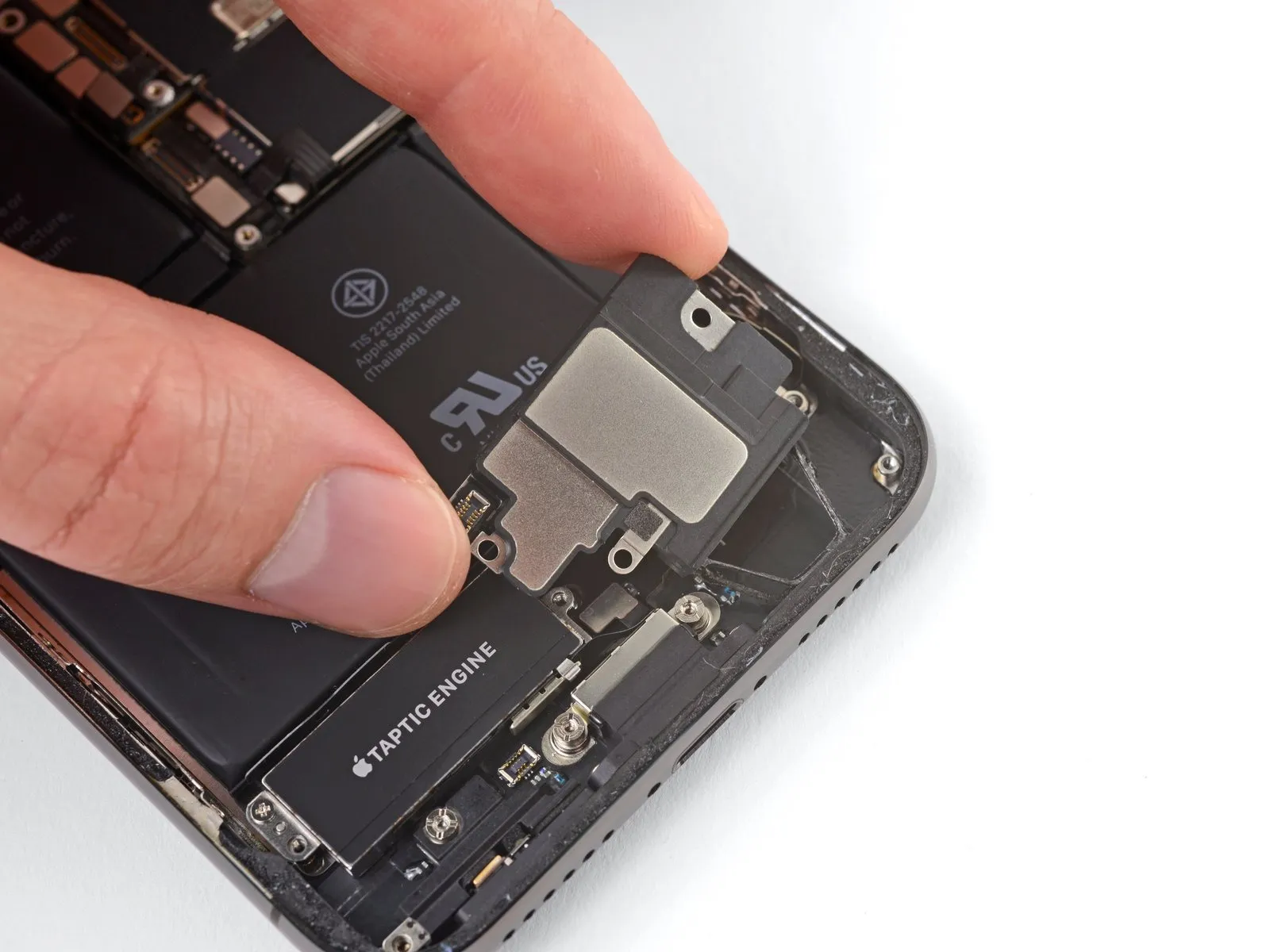
- Grasp the speaker assembly using its lateral edges, gently oscillating it back and forth to break the adhesive bond that holds it in place along the iPhone's lower border.
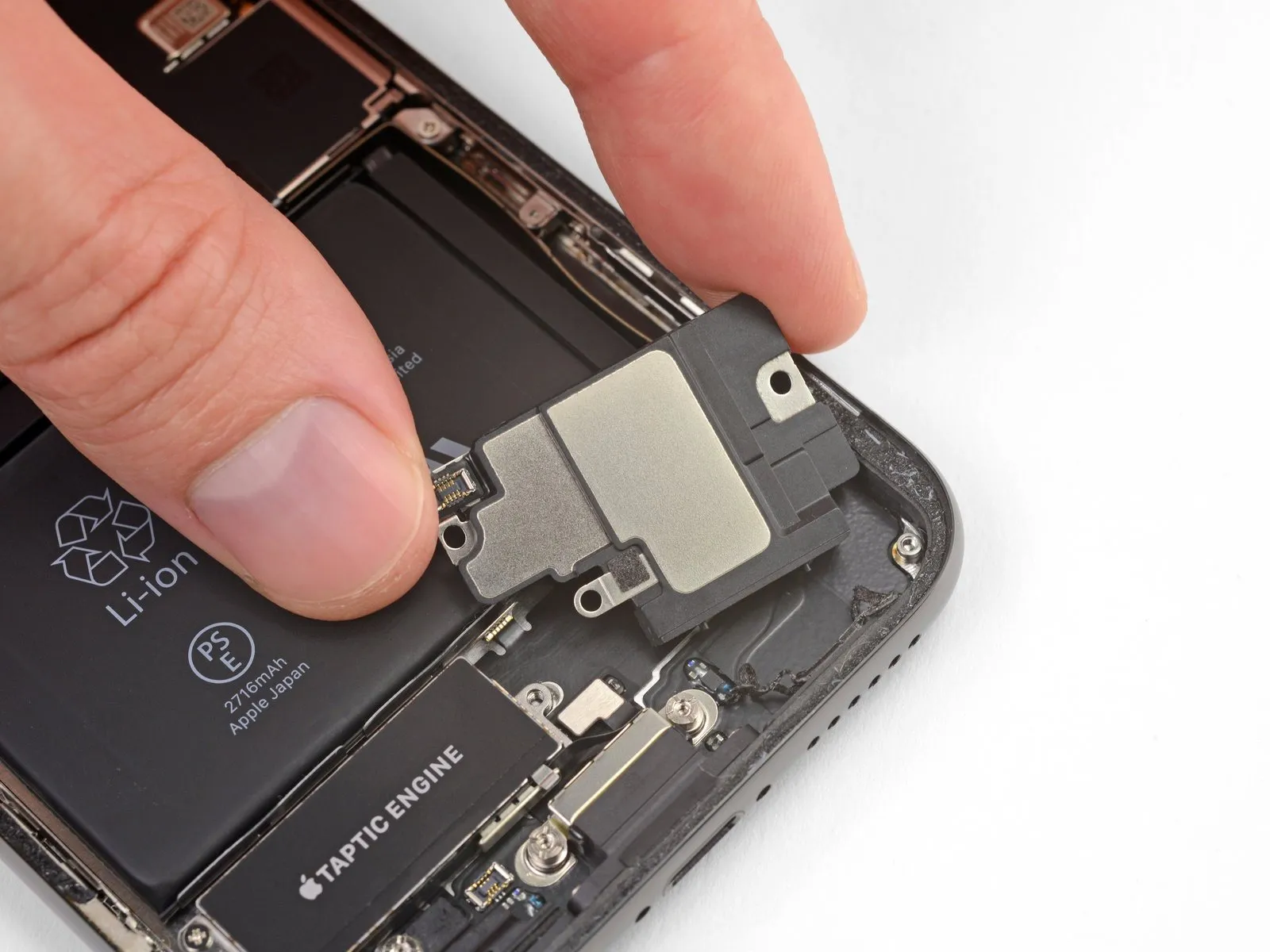
Continue moving the speaker outward from the iPhone's base until the adhesive gasket, which provides a seal, disengages completely.
Step 33
Step 34 | Replace the speaker gasket
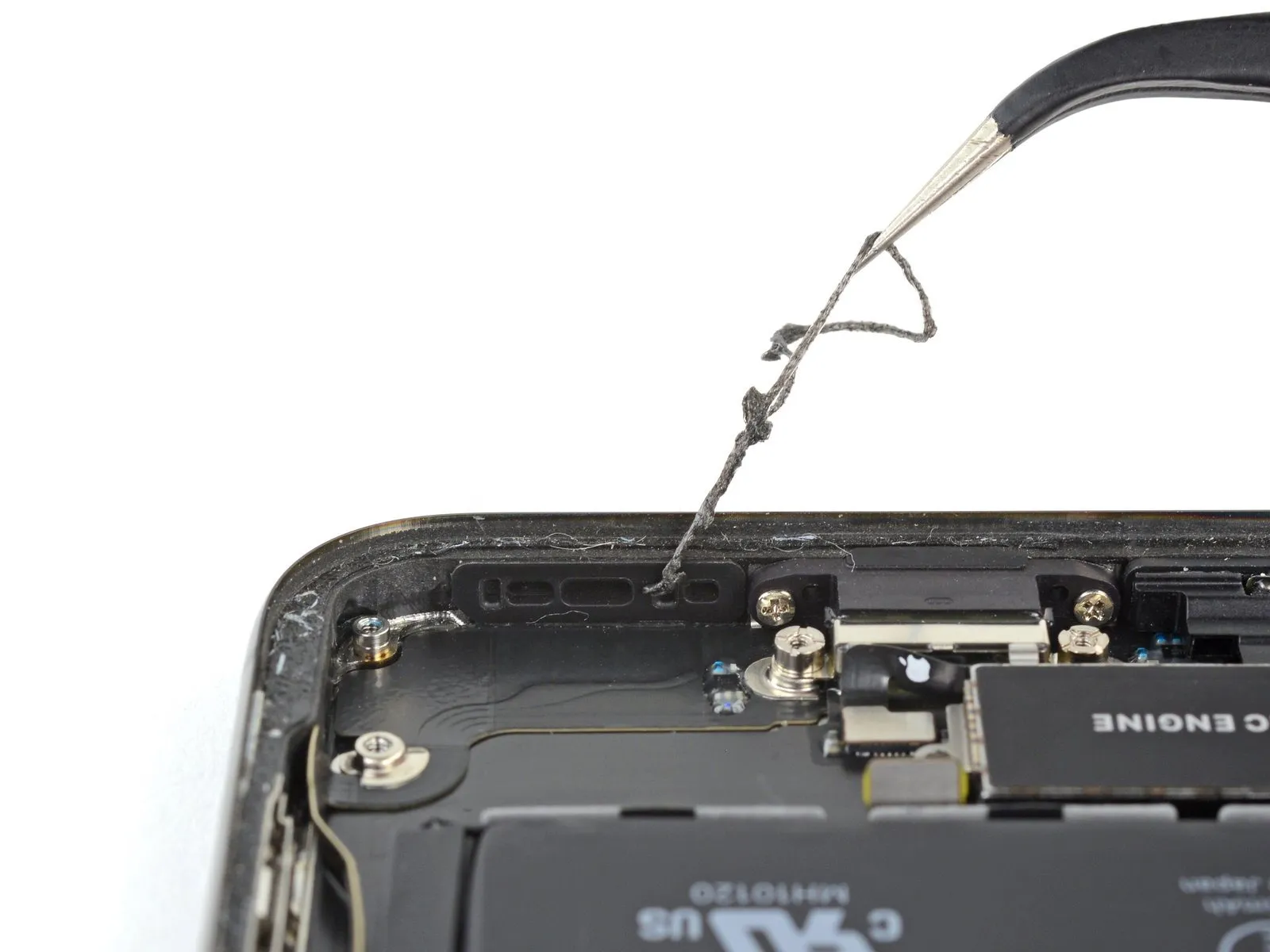
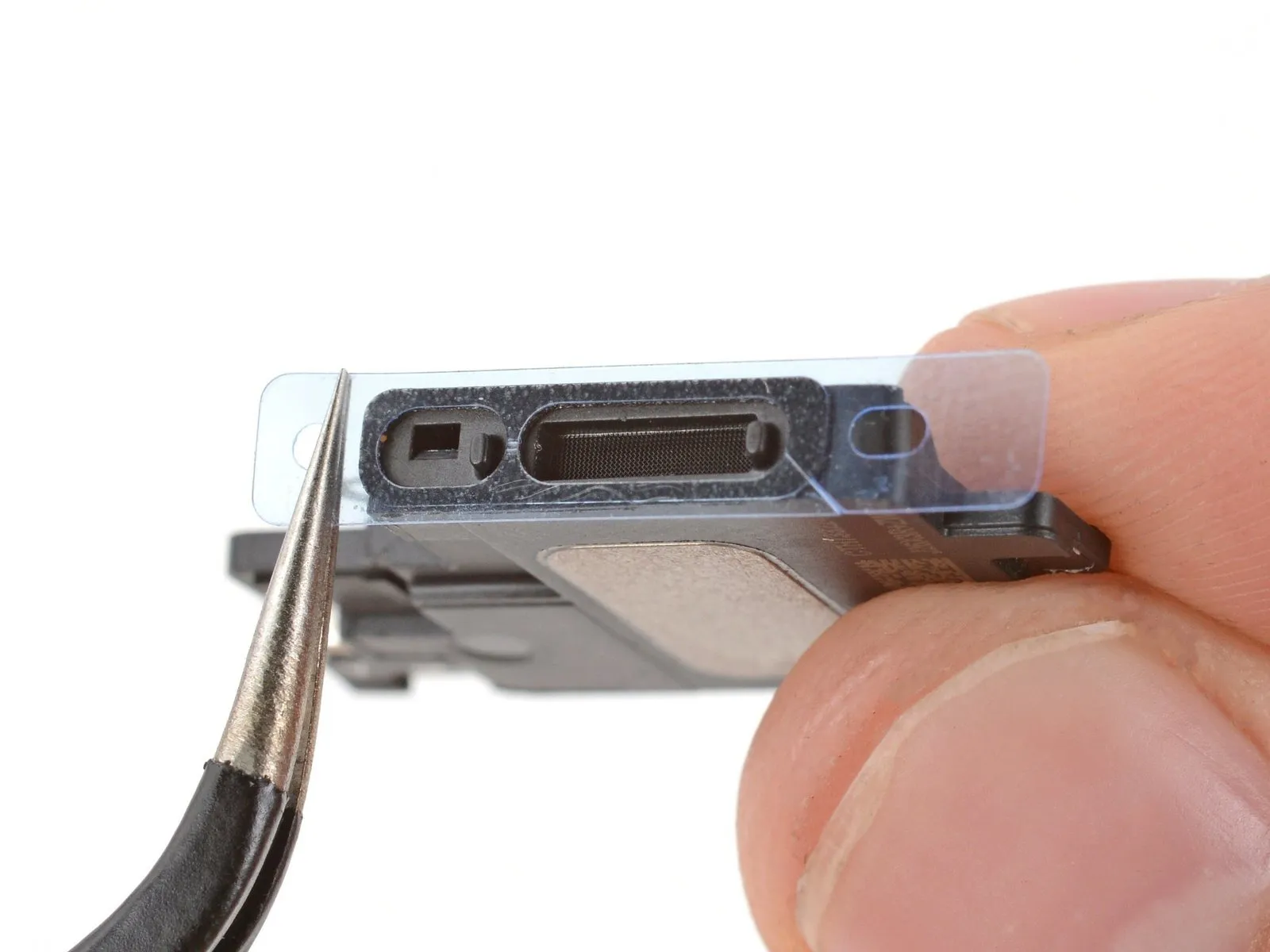
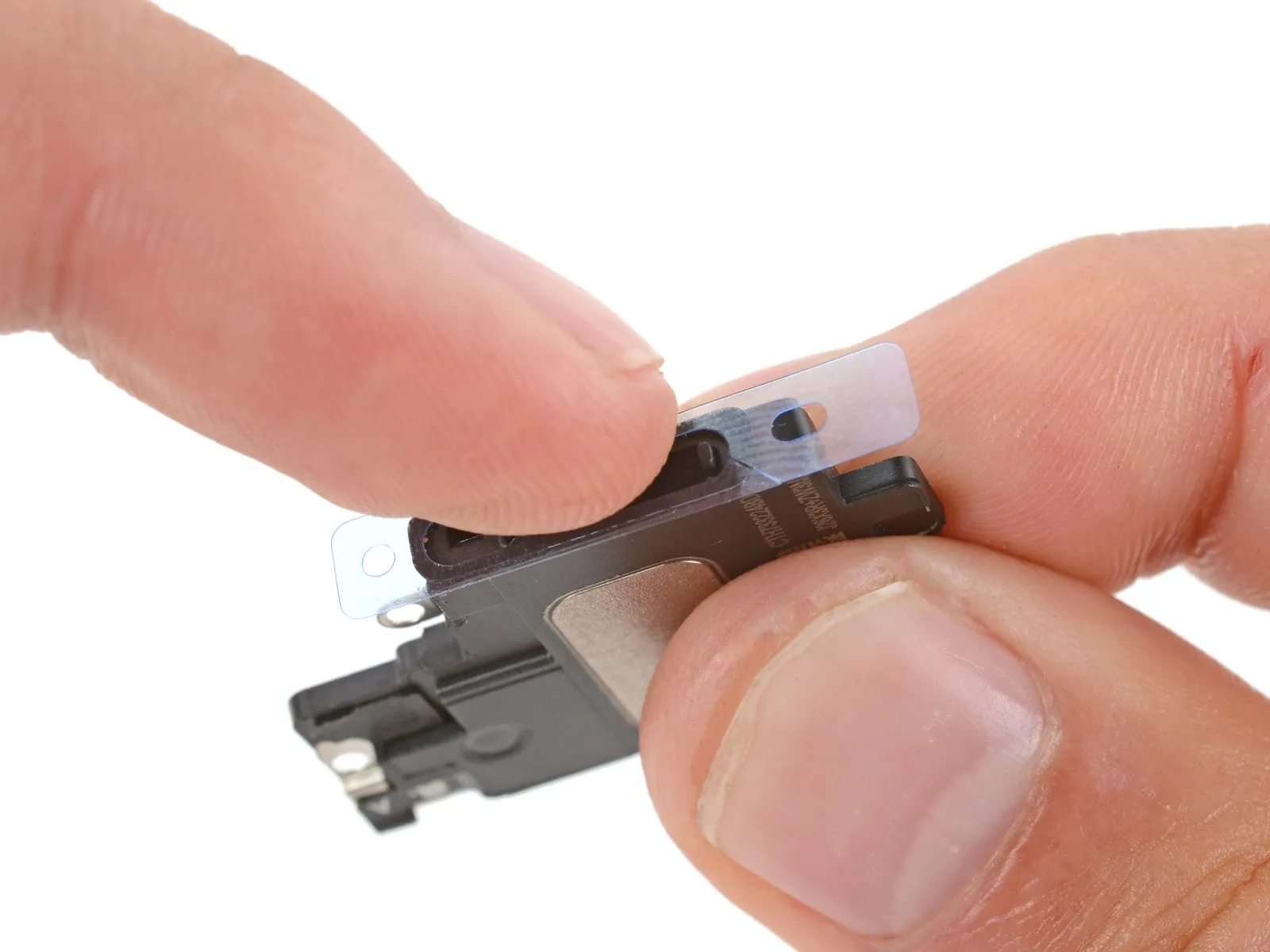
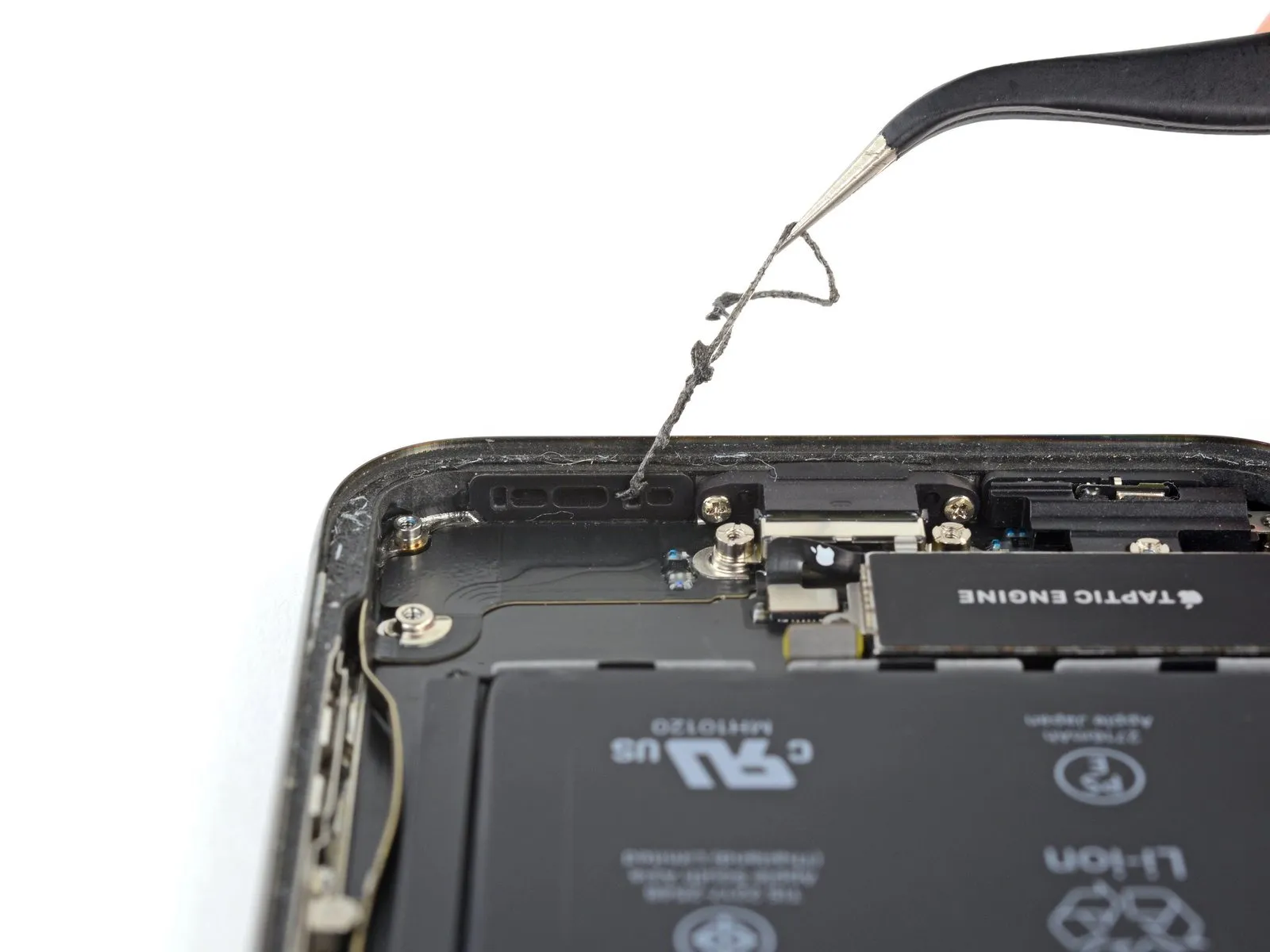
- The speaker's sealing ring cannot be used again; when reassembling the device, adhere to the following procedure to substitute the ring.
- Employing tweezers, detach and eliminate all remnants of the previous sealing ring from both the frame and the speaker.
- Employing a microfiber cloth saturated with isopropyl alcohol, thoroughly cleanse all traces of the old sealing ring's adhesive from the frame and speaker surfaces.
- Prior to installing the new speaker sealing ring, determine its correct alignment on the speaker's underside; the substantial recess within the ring must correspond to the speaker grille's mesh.
- Discard the larger, transparent protective layer from the sealing ring and, utilizing tweezers, precisely position the ring onto the speaker's underside.
- To prevent contact with the exposed adhesive, only handle the sealing ring by the liner's peripheral sections.
- Utilize your fingers or a spudger to apply firm pressure, ensuring the ring adheres securely to the speaker via its adhesive.
- Remove the remaining protective liner and install the speaker, verifying that the speaker connector does not become trapped beneath it.
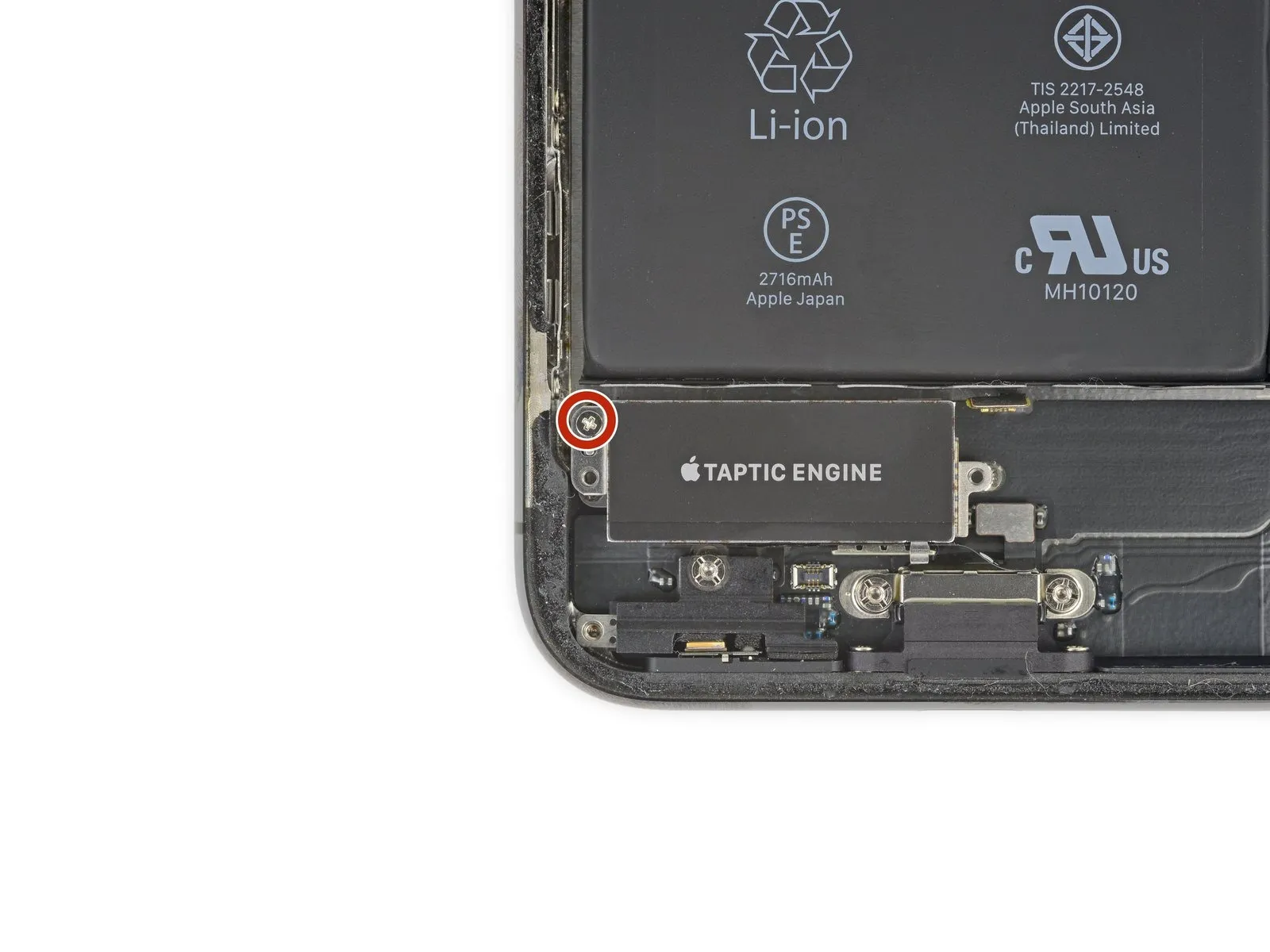
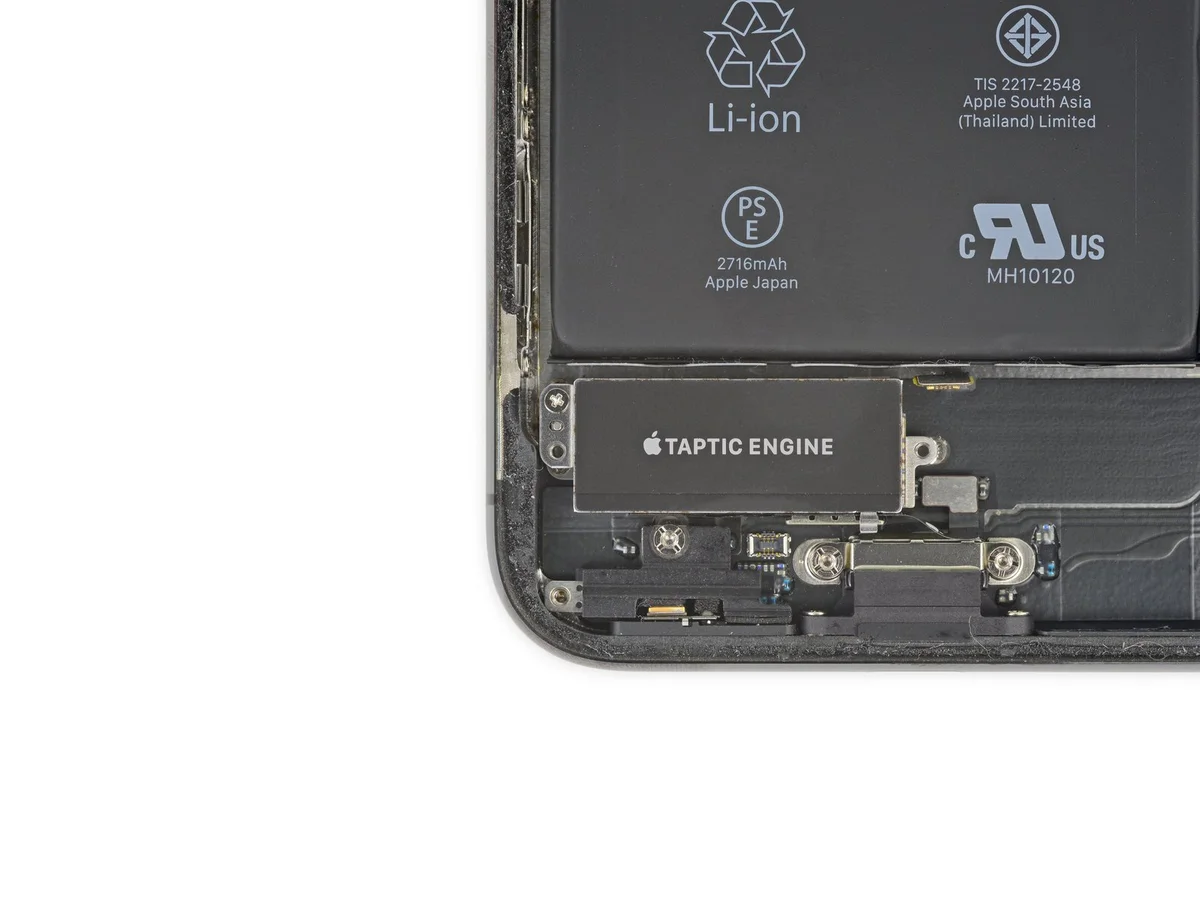
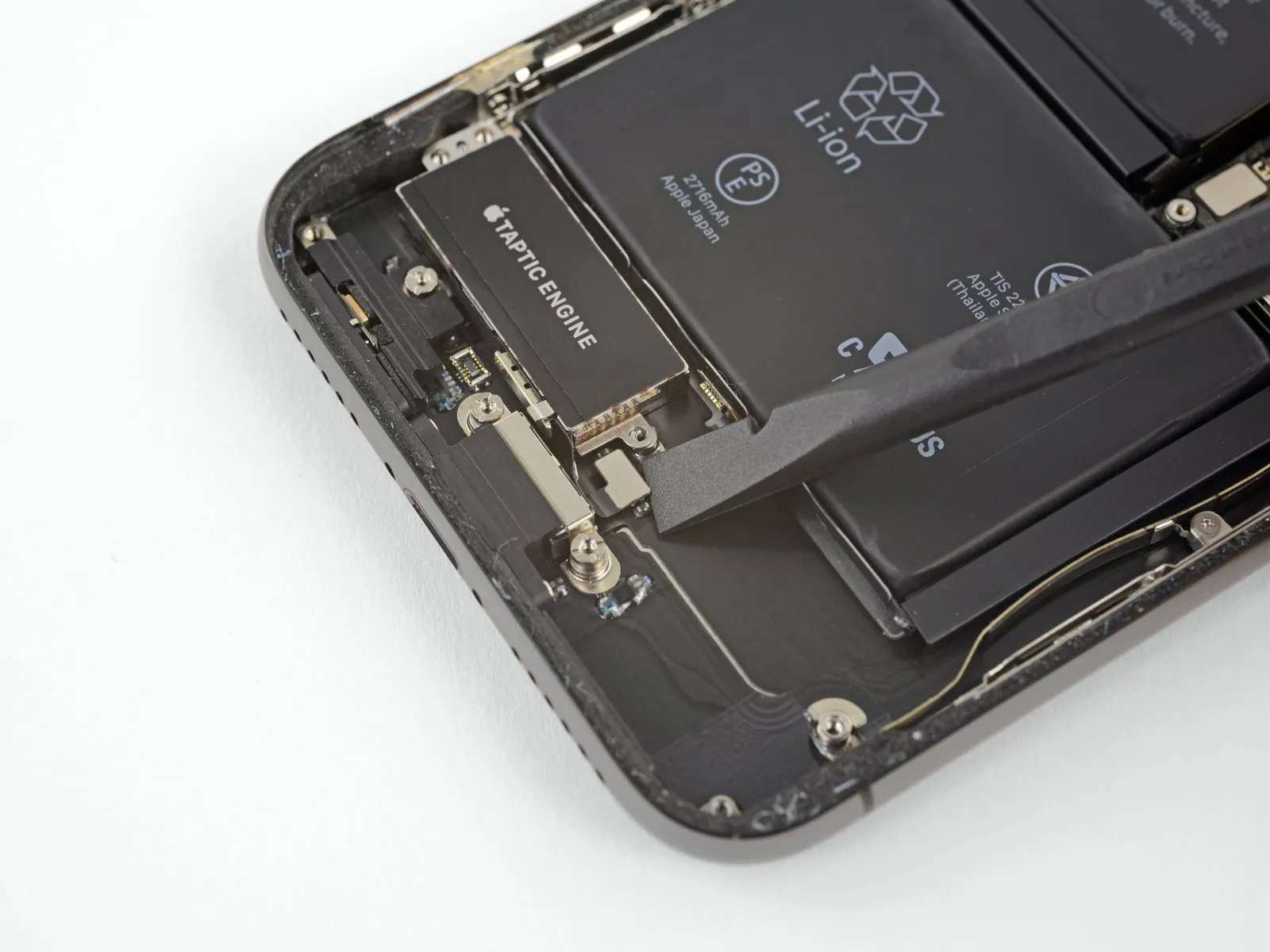
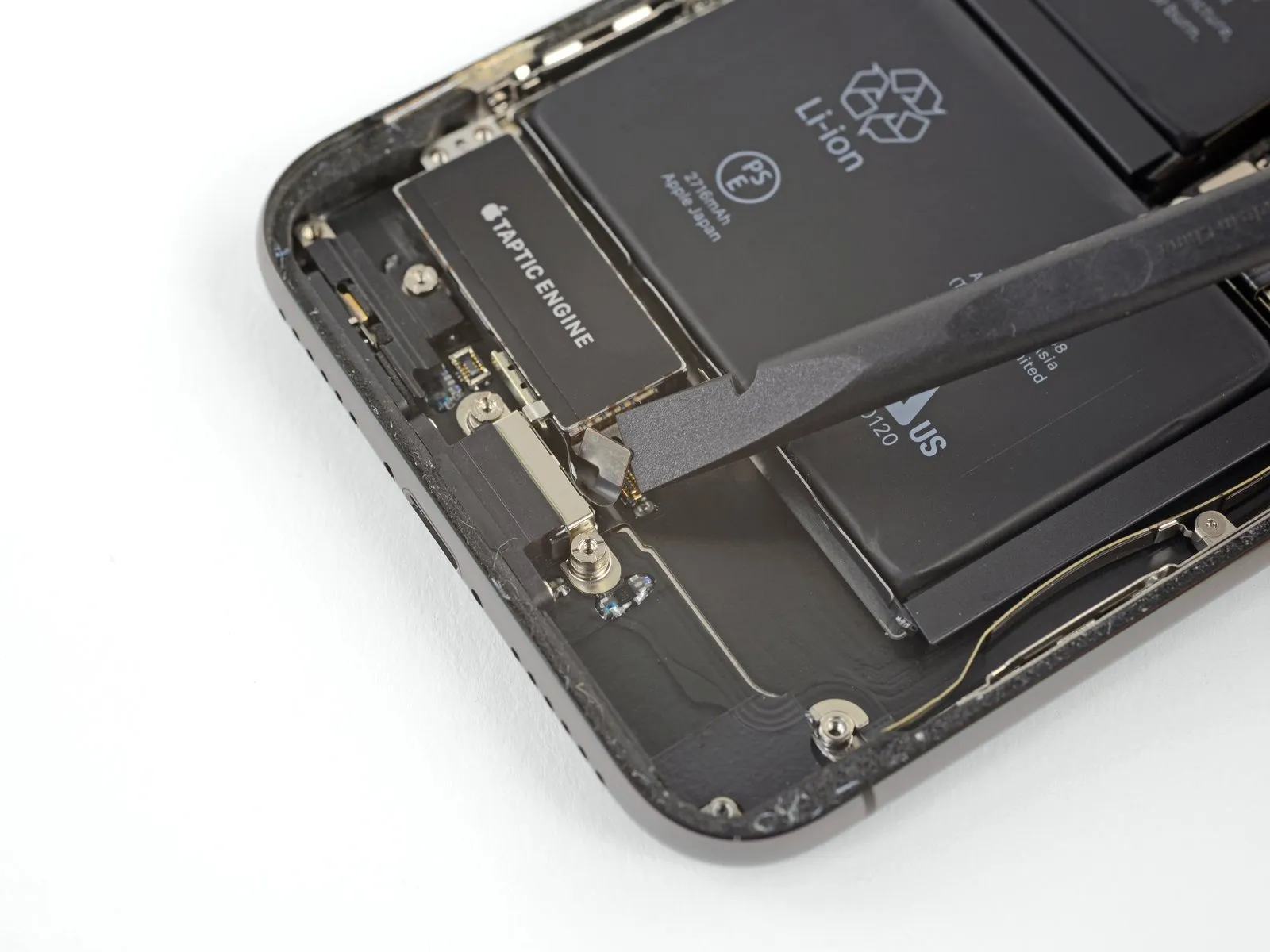
Step 35 | Taptic Engine
Step 36
Step 37